前文介绍了窗口高斯模糊的两种实现和基本原理
Android 高斯模糊(1) 窗口模糊及java侧基本流程简述
本文将介绍一下BackgroundBlurDrawable的使用,原生bug,以及解决方案
1.任意View使用BackgroundBlurDrawable
BackgroundBlurDrawable在原生中是给DecorView作为背景使用的,假如我们其他的View也想使用,可以参考原生代码,自行创建一个BackgroundBlurDrawable,设置给View作为背景即可。
kotlin
// 注意需要View在attachWindow之后才能获取到ViewRootImpl
hostView.background = hostView.getViewRootImpl().createBackgroundBlurDrawable().apply {
setColor(Color.TRANSPARENT)
    setBlurRadius(70)
    setCornerRadius(32f)
}
2.存在的bug
2.1. 软件绘制时会发生Crash
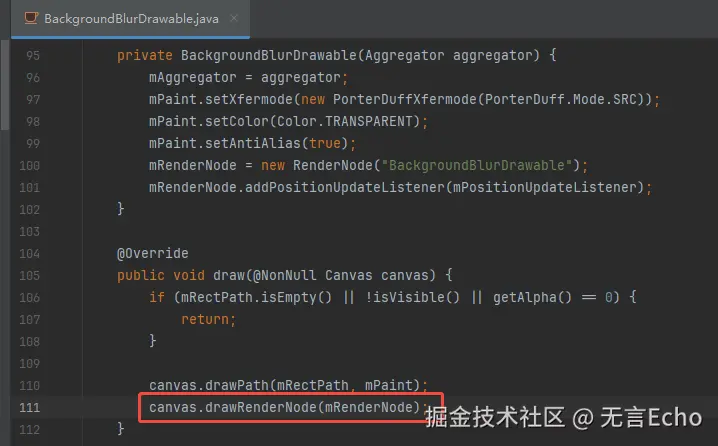
这是因为软件绘制时不支持drawRenderNode
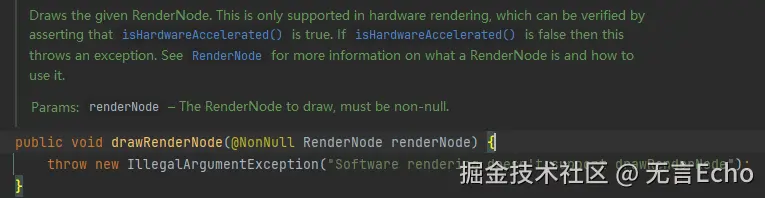
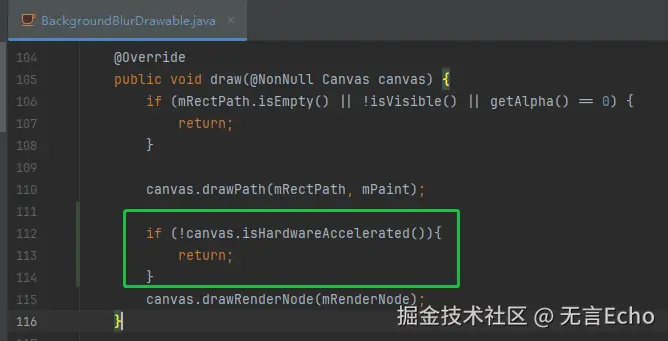
修复方案:软件绘制时不执行drawRenderNode(需修改源码)
2.2 高斯模糊效果可以渲染到窗口范围之外
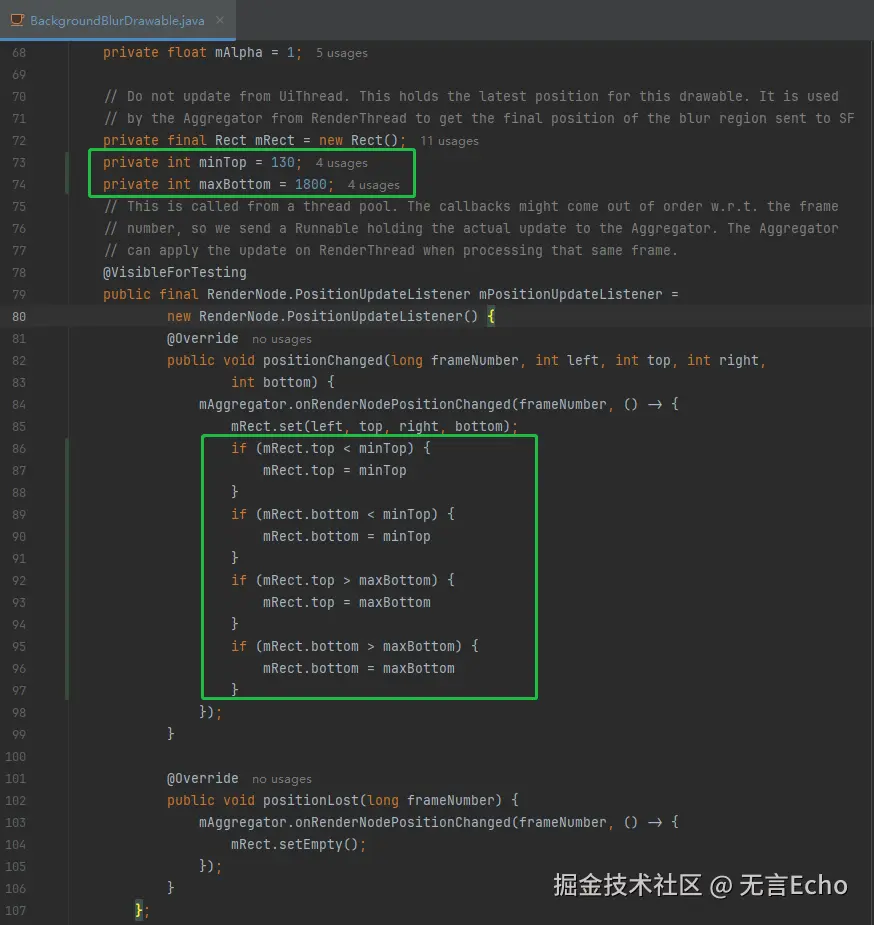
向窗口范围只有一部分,未铺满全屏,比如一个小弹框,其内部view通过scroll或transition偏移时,其高斯模糊效果会跟随便宜甚至会超出当前窗口范围。
解决方案:限定坐标范围,使其范围不能超过最大值和最小值。
(这里的数字只是举例,正常通过添加方法支持外部参数设置)(修改源码)
2.3. App端修改方案
以上两个问题修改方案都是在framework中修改,但是我们在app开发过程中,无法直接修改framework;此外BackgroundBlurDrawable是final类型,在app端也无法直接继承修改。
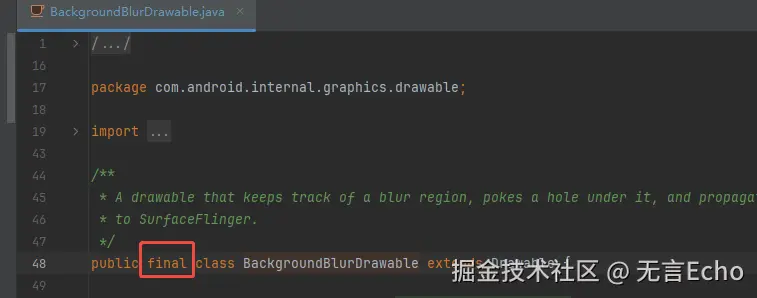
好在存在DrawableWrapper,我们可以创建一个DrawableWrapper包装原生的BackgroundBlurDrawable,
- 解决Crash问题
仅在硬件加速时,BackgroundBlurDrawable才绘制
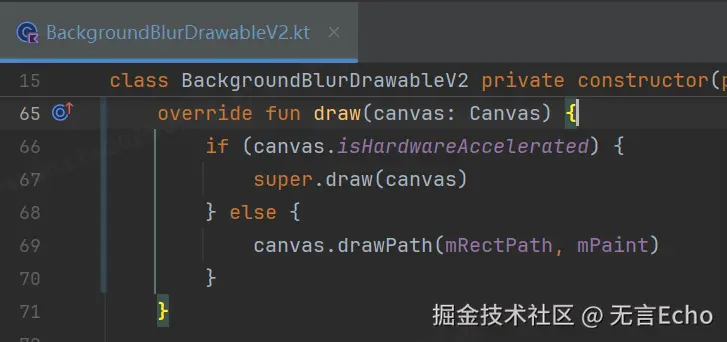
- 解决高斯模糊效果渲染到窗口范围之外的问题
反射获取到rendernode,使用自己的监听器,替换掉旧的监听器
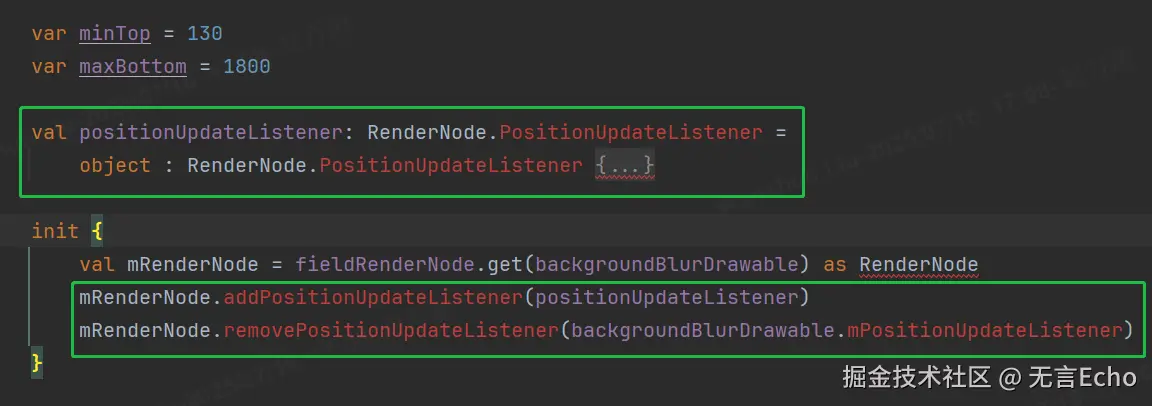
示例方案代码如下
kotlin
package com.lws.app.graphics.drawable

import android.annotation.SuppressLint
import android.graphics.Canvas
import android.graphics.Paint
import android.graphics.Path
import android.graphics.Rect
import android.graphics.RenderNode
import android.graphics.drawable.DrawableWrapper
import android.util.Log
import android.view.View
import androidx.annotation.ColorInt
import com.android.internal.graphics.drawable.BackgroundBlurDrawable

class BackgroundBlurDrawableV2 private constructor(private val backgroundBlurDrawable: BackgroundBlurDrawable) :
    DrawableWrapper(backgroundBlurDrawable) {

    private val mPaint: Paint = fieldPaint.get(backgroundBlurDrawable) as Paint
    private val mRectPath: Path = fieldRectPath.get(backgroundBlurDrawable) as Path

    private val mAggregator = fieldAggregator.get(backgroundBlurDrawable)
    private var mRect: Rect = fieldRect.get(backgroundBlurDrawable) as Rect

    var minTop = 130
    var maxBottom = 1800

    val positionUpdateListener: RenderNode.PositionUpdateListener =
        object : RenderNode.PositionUpdateListener {
            public override fun positionChanged(
                frameNumber: Long, left: Int, top: Int, right: Int,
                bottom: Int
            ) {
                onRenderNodePositionChanged.invoke(mAggregator, frameNumber, Runnable {
mRect.set(left, top, right, bottom)
                    if (mRect.top < minTop) {
                        mRect.top = minTop
                    }
                    if (mRect.bottom < minTop) {
                        mRect.bottom = minTop
                    }
                    if (mRect.top > maxBottom) {
                        mRect.top = maxBottom
                    }
                    if (mRect.bottom > maxBottom) {
                        mRect.bottom = maxBottom
                    }
                    Log.e("ssssssxxxx", "xxxx $mRect")
                } )
            }

            public override fun positionLost(frameNumber: Long) {
                onRenderNodePositionChanged.invoke(mAggregator, frameNumber, Runnable {
mRect.setEmpty()
                } )
            }
        }

    init {
        val mRenderNode = fieldRenderNode.get(backgroundBlurDrawable) as RenderNode
        mRenderNode.addPositionUpdateListener(positionUpdateListener)
        mRenderNode.removePositionUpdateListener(backgroundBlurDrawable.mPositionUpdateListener)
    }


    override fun draw(canvas: Canvas) {
        if (canvas.isHardwareAccelerated) {
            super.draw(canvas)
        } else {
            canvas.drawPath(mRectPath, mPaint)
        }
    }


    fun setColor(@ColorInt color: Int) {
        backgroundBlurDrawable.setColor(color)
    }

    fun setBlurRadius(blurRadius: Int) {
        backgroundBlurDrawable.setBlurRadius(blurRadius)
    }

    fun setCornerRadius(cornerRadius: Float) {
        backgroundBlurDrawable.setCornerRadius(cornerRadius)
    }


    companion object {
        @SuppressLint("PrivateApi")
        private val classBackgroundBlurDrawable =
            Class.forName("com.android.internal.graphics.drawable.BackgroundBlurDrawable")

        private val fieldAggregator = classBackgroundBlurDrawable.getDeclaredField("mAggregator")
            .apply { isAccessible = true }
private val fieldRect =
            classBackgroundBlurDrawable.getDeclaredField("mRect").apply { isAccessible = true }

private val fieldRectPath =
            classBackgroundBlurDrawable.getDeclaredField("mRectPath").apply { isAccessible = true }

private val fieldPaint =
            classBackgroundBlurDrawable.getDeclaredField("mPaint").apply { isAccessible = true }

private val fieldRenderNode = classBackgroundBlurDrawable.getDeclaredField("mRenderNode")
            .apply { isAccessible = true }


@SuppressLint("PrivateApi")
        private val onRenderNodePositionChanged =
            Class.forName("com.android.internal.graphics.drawable.BackgroundBlurDrawable$Aggregator")
                .getDeclaredMethod(
                    "onRenderNodePositionChanged",
                    Long::class.java, Runnable::class.java
).apply { isAccessible = true }


 /**
* 特别注意: 需要view在attachToWindow之后
*/
@JvmStatic
        fun createFromView(hostView: View): BackgroundBlurDrawableV2 {
            val backgroundBlurDrawable = hostView.getViewRootImpl().createBackgroundBlurDrawable()
            return BackgroundBlurDrawableV2(backgroundBlurDrawable)
        }
    }
}
3. 原生内存泄漏问题
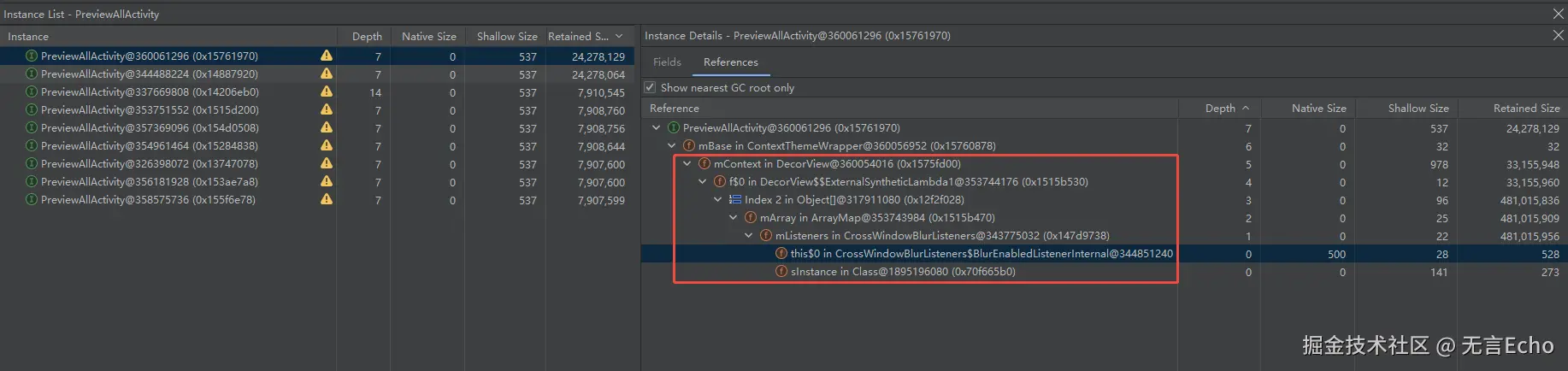
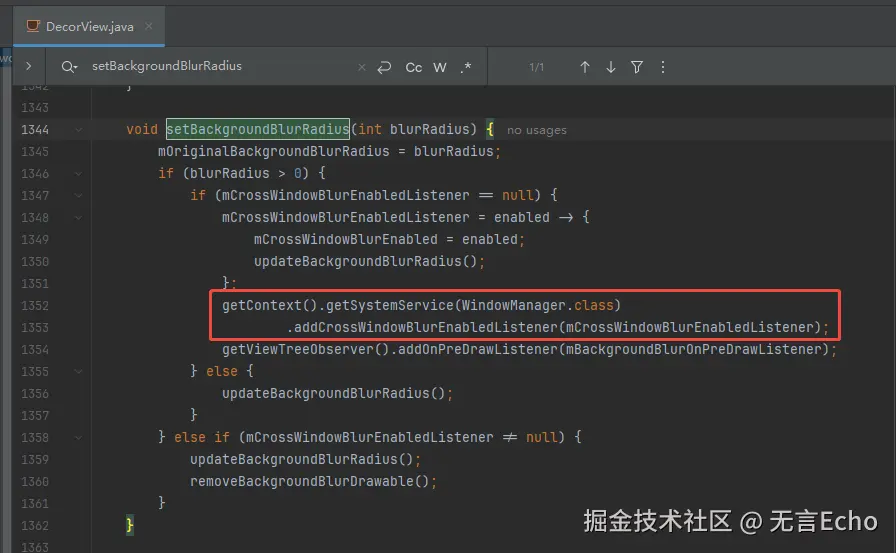
全部指向 CrossWindowBlurListeners, 而且根据这个引用关系,可以发现是DecorView中引入的
查看DecorView源码,确实有添加这样一个监听器
在onDetachedFromWindow时是有移除该监听的逻辑的。
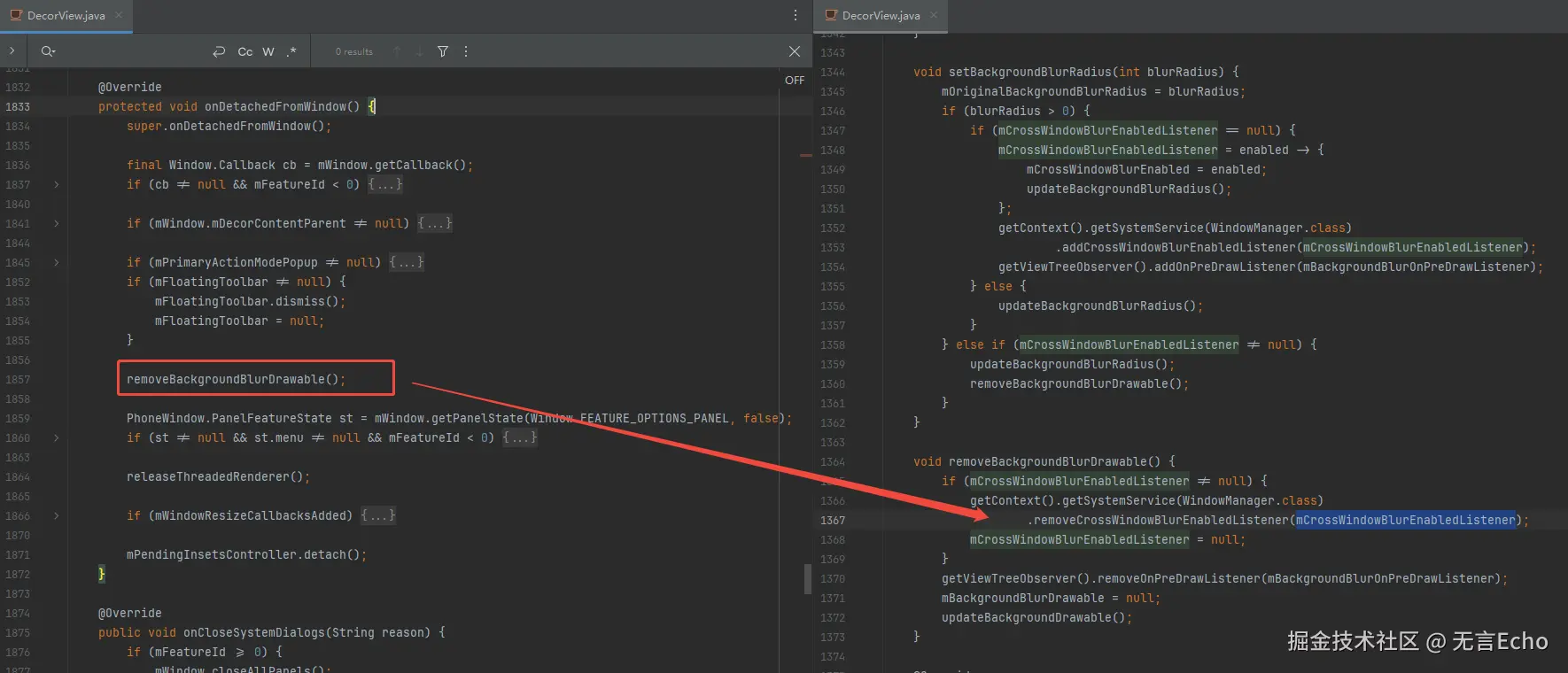
那么可以推断:造成该泄漏的原因是没有走到onDetachedFromWindow这里。
正常窗口关闭肯定是会走到 onDetachedFromWindow 的,如果没有走到,那可能之前根本就没有AttachedToWindow。
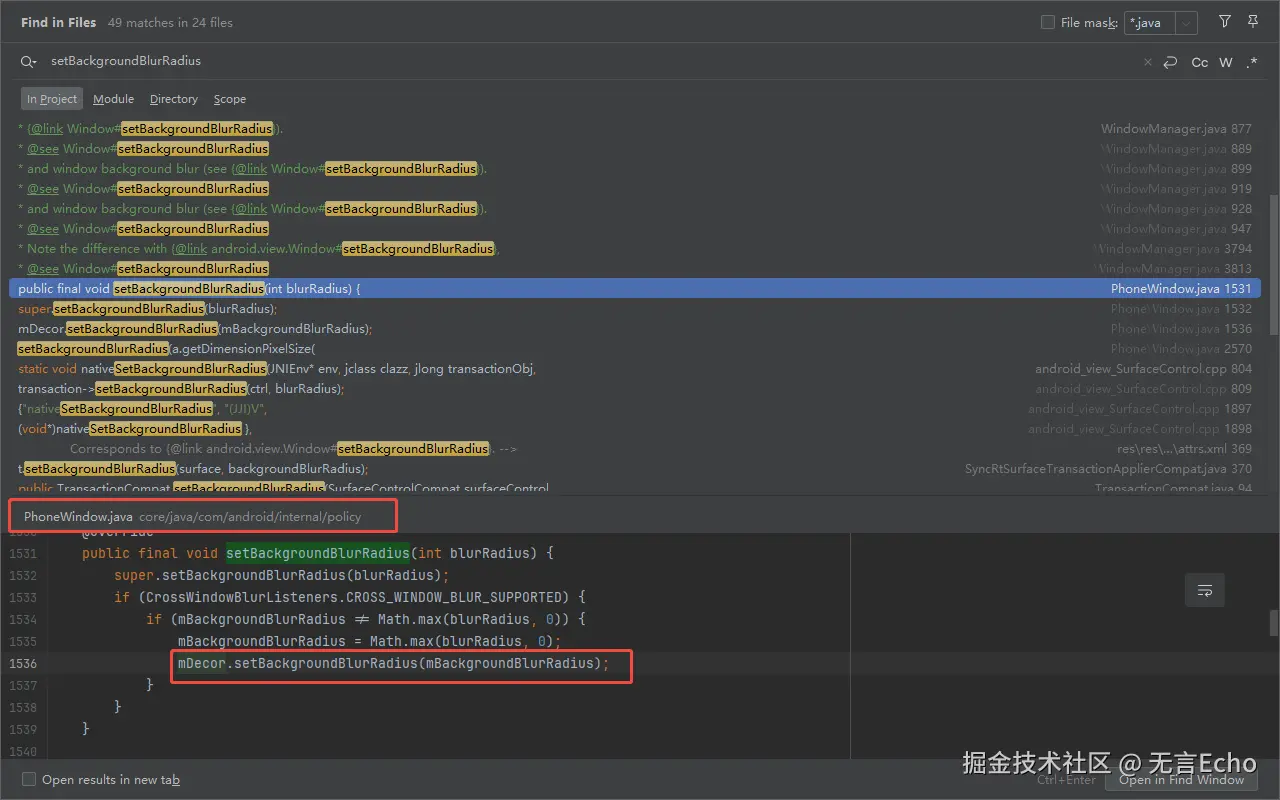
搜索setBackgroundBlurRadius , 可以发现是从PhoneWindow调用的
再继续查看PhoneWindow源码,发现在generateLayout 时就会setBackgroundBlurRadius了
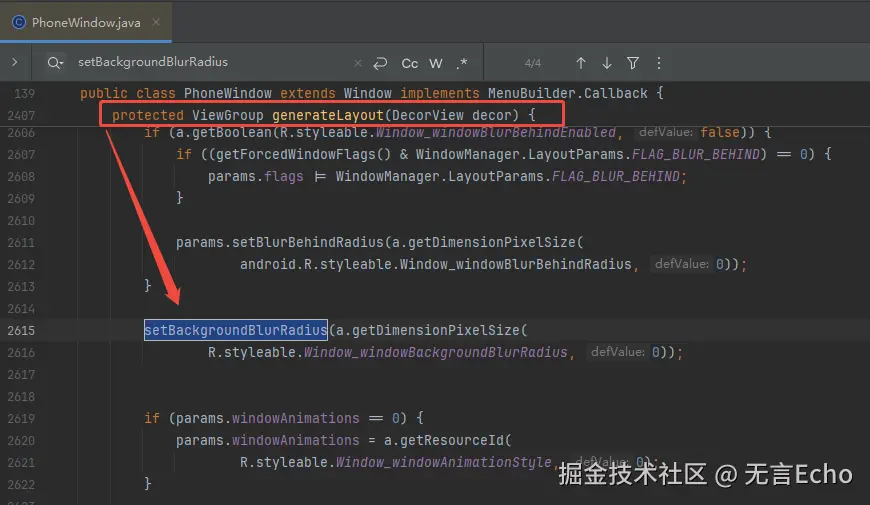
也就是说,即使这个窗口没有显示(没有AttachedToWindow),只要调用 generateLayout 或者 setBackgroundBlurRadius
就会添加这样一个监听器,后续如果没有AttachedToWindow 、onDetachedFromWindow 就会出现内存泄漏问题。
可能存在的场景:
构造了一个Dialog,这个Dialog主题中声明使用 windowBackgroundBlurRadius, 即使用BackgroundBlurDrawable,
调用了setContentView/或者getWindow(都会触发generateLayout 导致设置监听blur的监听器)
后续没有show,就会出现内存泄漏!!!
这其实是AOSP中一个非常低级的代码编写问题:
注册监听,移除监听没有对称执行。
原则上来说,generateLayout/setBackgroundBlurRadius时不应该直接注册监听,
应该在onAttachedToWindow时注册监听,在onDetachedFromWindow时移除监听,这样才是符合对称的设计。
对比高版本代码,直至Android16,AOSP中仍没有修复该问题。
App端规避方案
为了规避该问题,在窗口主题中不建议 声明使用windowBackgroundBlurRadius, 这样可以避免Framework流程中提前注册blur监听器。
在窗口显示/消失时,手动setBackgroundBlurRadius,保证blur监听器的注册/移除可控。
kotlin
class TestDialog(context: Context) : Dialog(context) {

    override fun onStart() {
        super.onStart()
        // 在窗口显示时设置自己期望的模糊值
        window!!.setBackgroundBlurRadius(70)
    }

    override fun onStop() {
        super.onStop()
        // 模糊值清零,触发移除监听
        // (其实这里不清零也可以,因为根据上述分析流程,DecorView会在onDetachedFromWindow时移除监听)
        window!!.setBackgroundBlurRadius(0)
    }
}