近日,星绽(Asterinas)开源社区发布星绽 NixOS,成为业界首个搭载纯 Rust 操作系统(OS)内核的发行版。星绽 NixOS 成功整合了纯 Rust 内核(星绽)与 Linux 的成熟软件包生态(NixOS),使星绽从"内核项目"迈向"可用系统",加速 OS 行业向原生"内存安全"的转型升级。
Asterinas NixOS 是一款兼容 Linux 的开源通用 OS 内核,其技术路线是基于新兴的 Rust 语言,相比于传统 OS 内核,具备兼顾高性能和高安全的优势。Asterinas NixOS 是首个基于 Asterinas 内核构建的发行版。它以 NixOS 为基础,利用其强大的配置模型和丰富的软件包生态系统。
1. 下载
下载地址:https://github.com/asterinas/asterinas/releases/tag/v0.17.0
asterinas-nixos-0.17.0-x86_64.iso
2. qemu 启动命令
# qemu-img creat -f qocw2 test/build/disk.qcow2 50G
# /usr/libexec/qemu-kvm \
    -cpu Icelake-Server,+x2apic -smp 1 -m 4G -nographic \
    -display vnc=0.0.0.0:42 -serial chardev:mux -monitor chardev:mux \
    -machine q35,kernel-irqchip=split -accel kvm \
    -drive file=ovmf/asterinas-nixos-0.17.0-x86_64.iso,format=raw,index=2,media=cdrom \
    -device isa-debug-exit,iobase=0xf4,iosize=0x04 \
    -chardev stdio,id=mux,mux=on,signal=off,logfile=ovmf/qemu.log \
    -netdev user,id=net01,hostfwd=tcp::15409-:22,hostfwd=tcp::41866-:8080,hostfwd=tcp::7235-:6379,hostfwd=tcp::14969-:5201,hostfwd=tcp::54665-:31234,hostfwd=tcp::5455-:31236,hostfwd=tcp::13272-:11211 \
    -device virtio-net-pci,netdev=net01,disable-legacy=on,disable-modern=off,mrg_rxbuf=off,ctrl_rx=off,ctrl_rx_extra=off,ctrl_vlan=off,ctrl_vq=off,ctrl_guest_offloads=off,ctrl_mac_addr=off,event_idx=off,queue_reset=off,guest_announce=off,indirect_desc=off \
    -device virtio-serial-pci,disable-legacy=on,disable-modern=off \
    -device virtconsole,chardev=mux \
    -device virtio-blk-pci,bus=pcie.0,addr=0x6,drive=x0,serial=vext2,disable-legacy=on,disable-modern=off,queue-size=64,num-queues=1,request-merging=off,backend_defaults=off,discard=off,write-zeroes=off,event_idx=off,indirect_desc=off,queue_reset=off \
    -drive if=none,format=qcow2,id=x0,file=./test/build/disk.qcow2 \
    -drive if=pflash,format=raw,unit=0,readonly=on,file=/home/github/asterinas/ovmf/release/OVMF_CODE.fd \
    -drive if=pflash,format=raw,unit=1,file=/home/github/asterinas/ovmf/release/OVMF_VARS.fd
3. lsblk 查看分区
[root@nixos:~]# lsblk
NAME  MAJ:MIN RM  SIZE RO TYPE MOUNTPOINTS
loop0   7:0    0  1.2G  1 loop /nix/.ro-store
sr0    11:0    1  1.3G  0 rom  /iso
vda   253:0    0   50G  0 disk
4. 执行安装命令
使用以下命令安装:
// 创建链接 aster_nixos_installer
[root@nixos:~]# ln -s /nix/store/c1n057w08h4sk23xrp21pchaw7l7wwld-aster_nixos_installer aster_nixos_installer

// 进入 aster_nixos_installer 目录
[root@nixos:~]# cd aster_nixos_installer

// 执行安装命令
[root@nixos:~/aster_nixos_installer]# ./bin/install_aster_nixos.sh --config  ./etc_nixos/configuration.nix --disk /dev/vda --force-format-disk
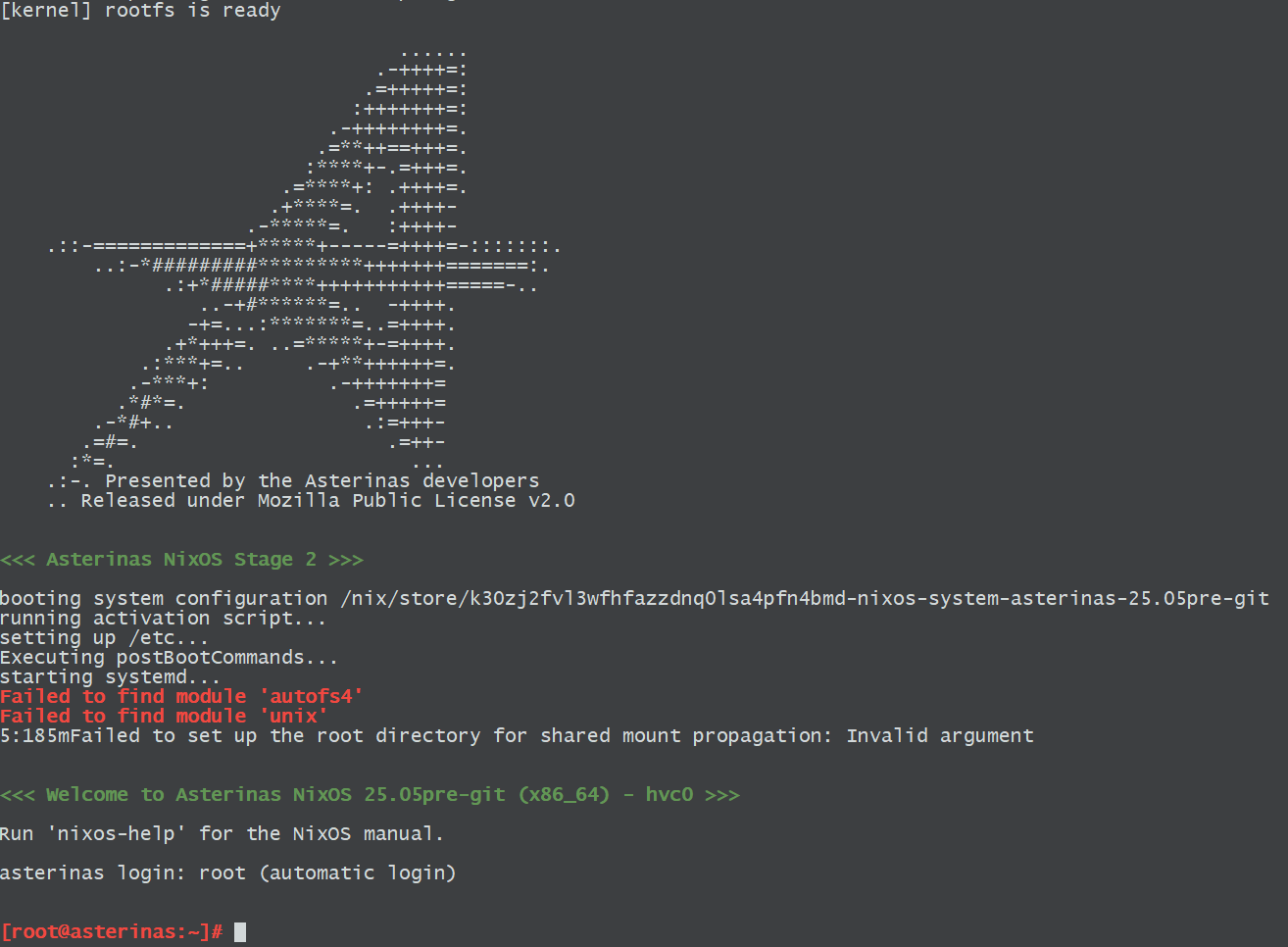
5. 安装完成后重启
参考文档:
https://cloud.tencent.com/developer/article/2567579
https://asterinas.github.io/2025/12/19/announcing-asterinas-0.17.0.html