设置表头
通过columns数组,给表格配置表头信息:
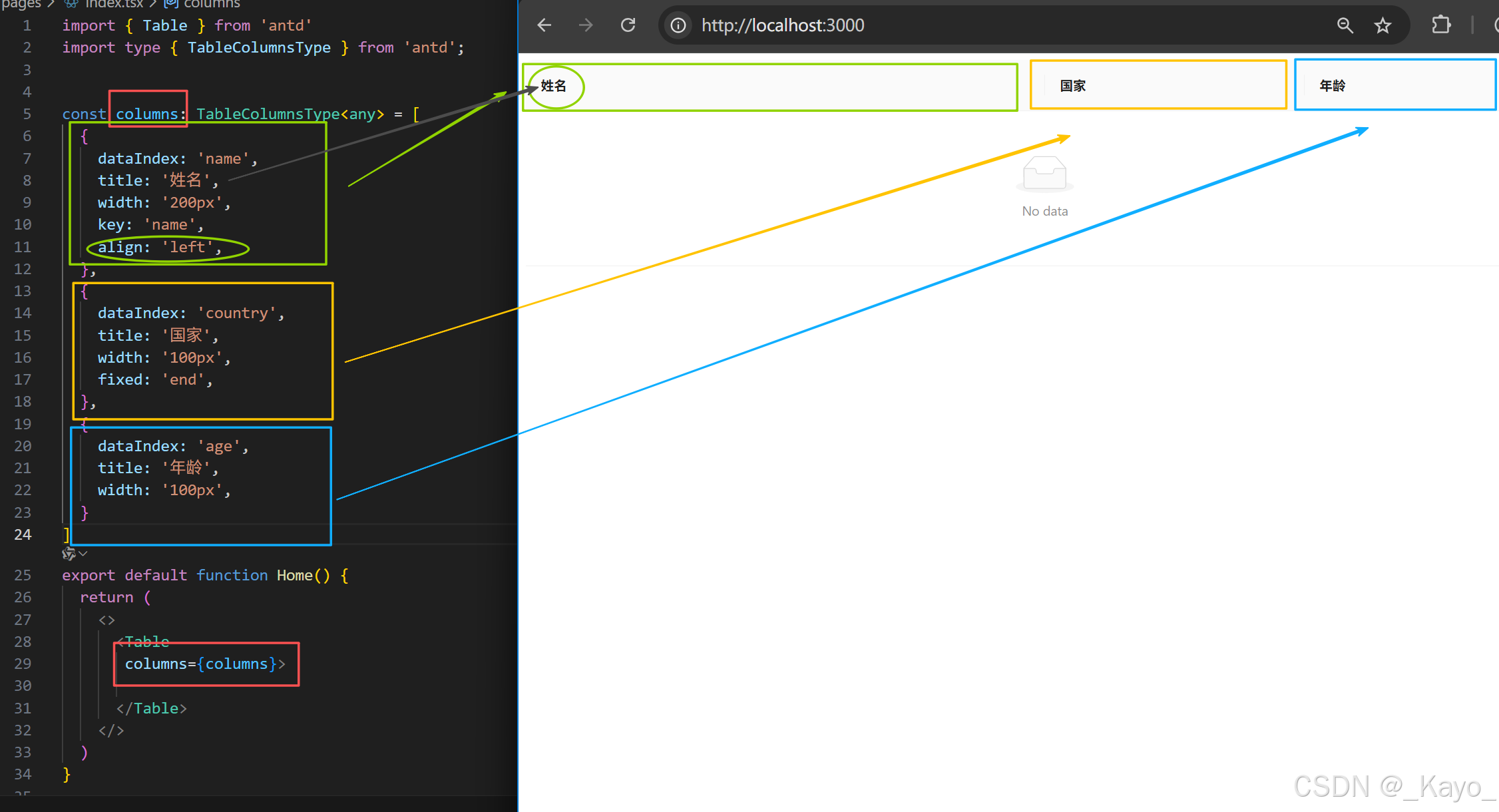
columns配置数组中每个元素都是对象,每个对象是table中某一列的表头配置。
常用配置参数
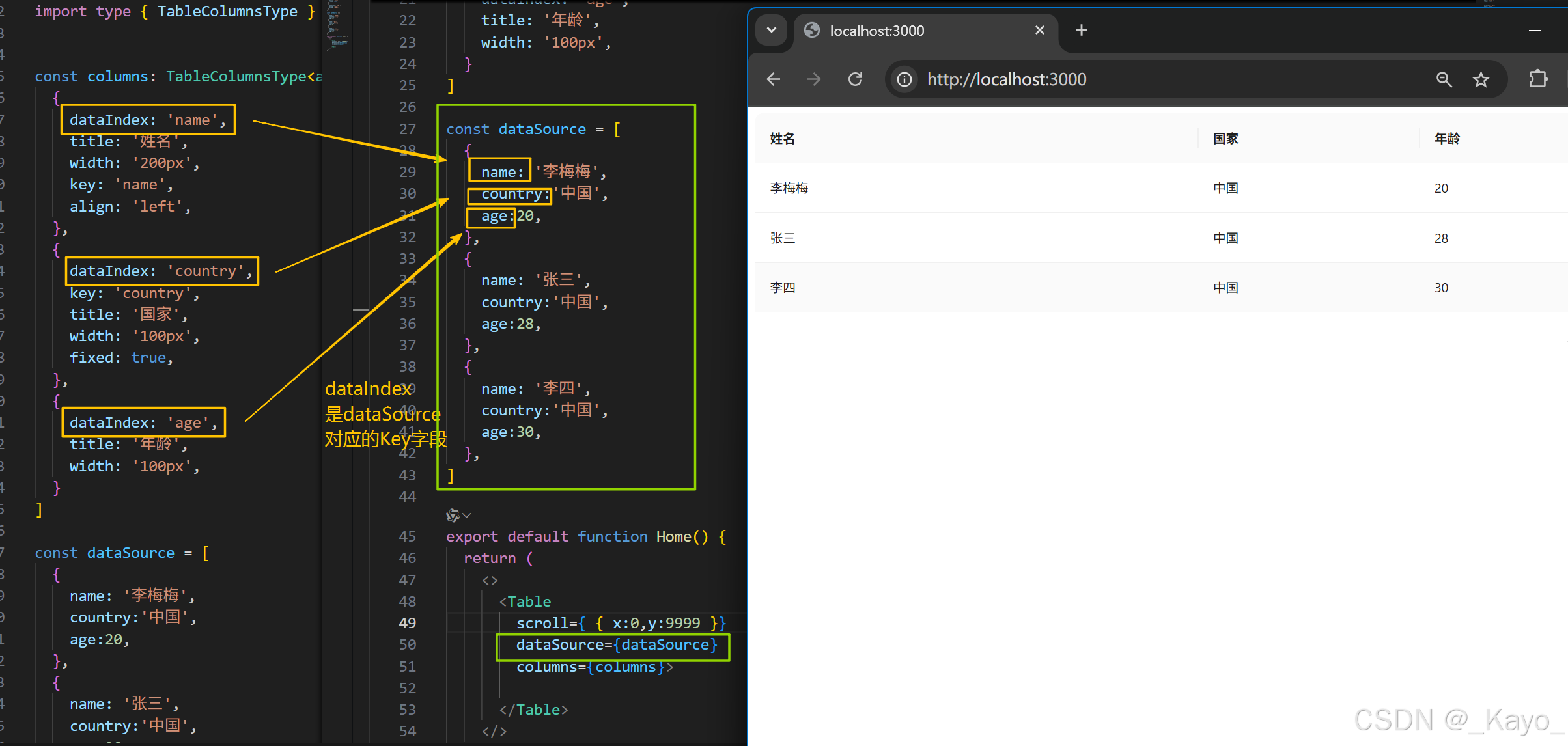
dataIndex 指定列数据在表格的内容数据对象数组(dataSource)中的字段名。
key 指定给React用的key值
title 列名(表头名)
align 列名(表头名)在格内的对齐方式
fixed 该列是否固定在整个表格最左或最右端
width 列宽度
简单例子:
javascript
import { Table } from 'antd'
import type { TableColumnsType } from 'antd';


const columns: TableColumnsType<any> = [
  {
    dataIndex: 'name',
    title: '姓名',
    width: '200px',
    key: 'name',
    align: 'left',
  },
  {
    dataIndex: 'country',
    title: '国家',
    width: '100px',
    fixed: 'end',
  },
  {
    dataIndex: 'age',
    title: '年龄',
    width: '100px',
  }
]
export default function Home() {
  return (
    <>
      <Table
       columns={columns}>

      </Table>
    </>
  )
}
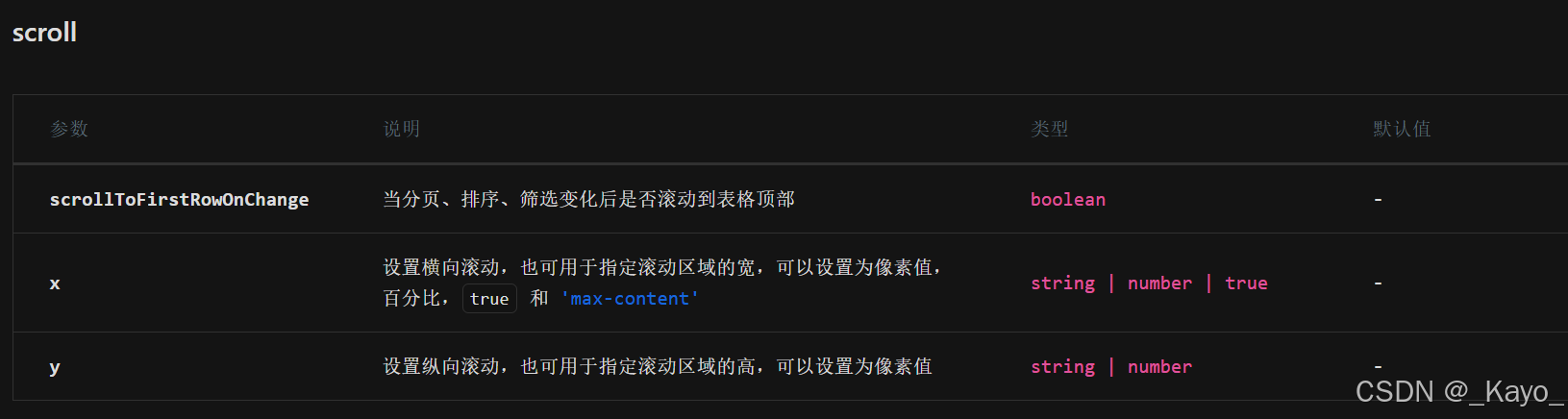
但是,此时fixed和width都没有生效,想让他们生效,需要给table设置scroll属性,
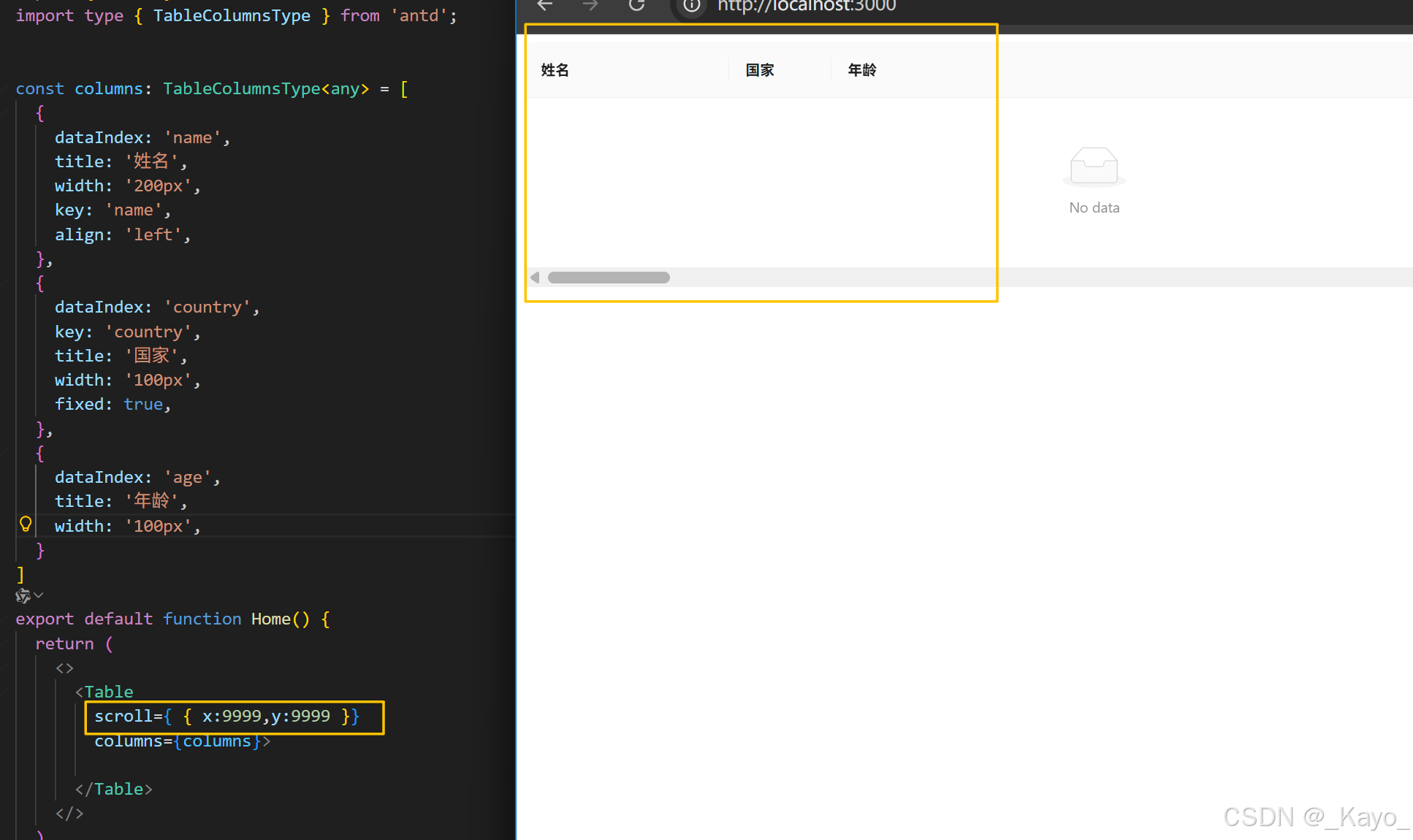
这里fixed也生效了,但是要滑动滑动条才能看出效果
添加数据
初始时添加
通过dataSource属性,给table绑定数据。
dataSource的绑定值是数组,数组中每个对象是一行数据:
javascript
import { Table } from 'antd'
import type { TableColumnsType } from 'antd';


const columns: TableColumnsType<any> = [
  {
    dataIndex: 'name',
    title: '姓名',
    width: '200px',
    key: 'name',
    align: 'left',
  },
  {
    dataIndex: 'country',
    key: 'country',
    title: '国家',
    width: '100px',
    fixed: true,
  },
  {
    dataIndex: 'age',
    title: '年龄',
    width: '100px',
  }
]

const dataSource = [
  {
    name: '李梅梅',
    country:'中国',
    age:20,
  },
  {
    name: '张三',
    country:'中国',
    age:28,
  },
  {
    name: '李四',
    country:'中国',
    age:30,
  },
]

export default function Home() {
  return (
    <>
      <Table
        scroll={ { x:0,y:9999 }}
        dataSource={dataSource}
        columns={columns}>

      </Table>
    </>
  )
}
动态添加
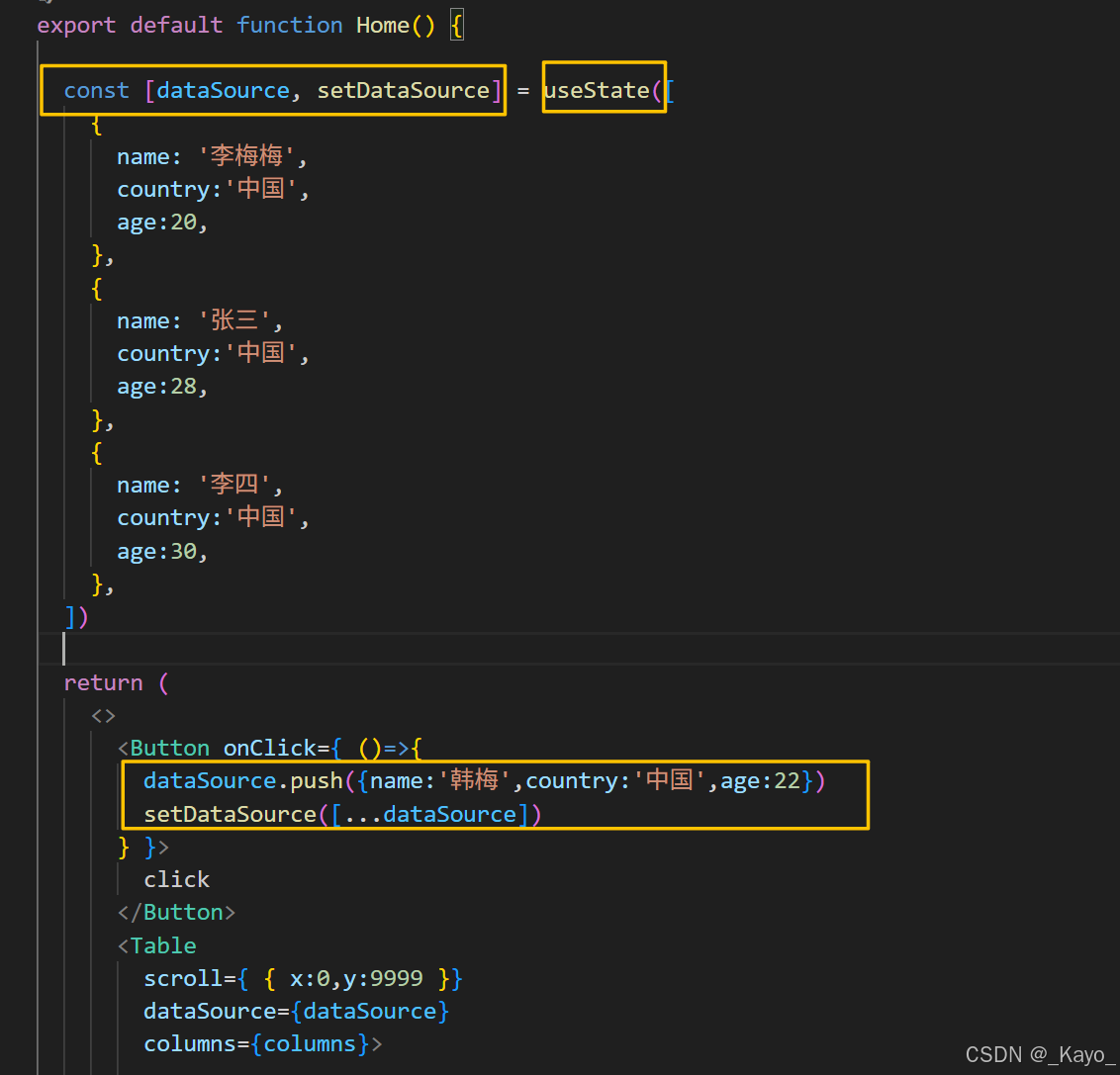
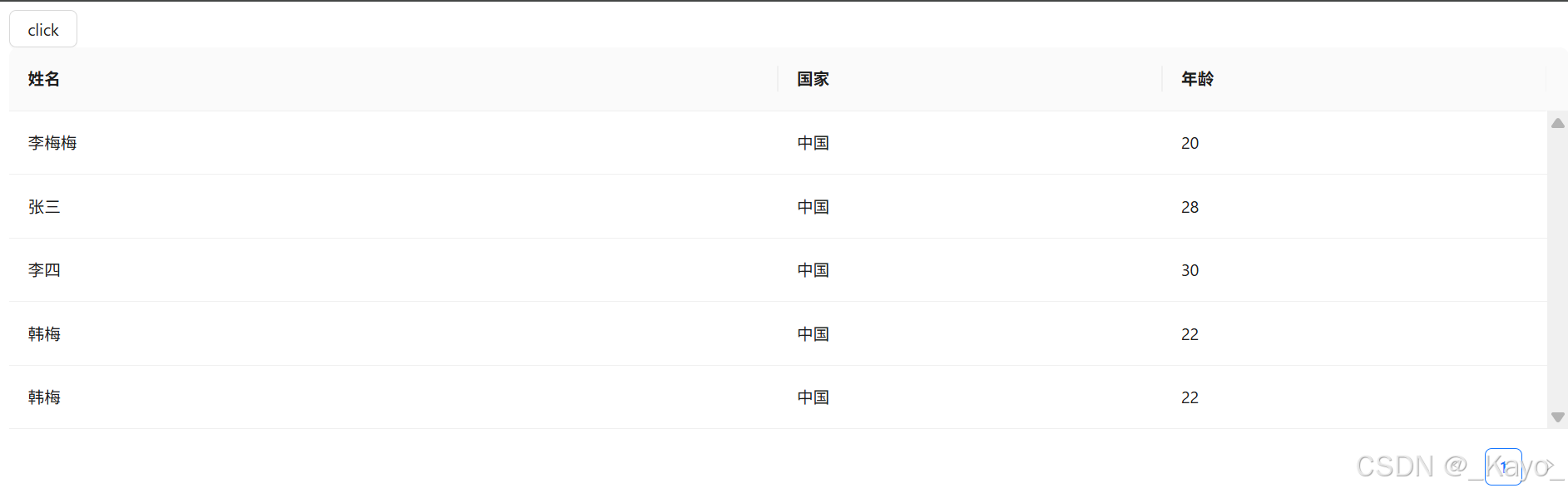
如果需要动态更新table,其思想是在需要动态变化的地方以useState的方式更新dataSource绑定的数组,告知react我的数据发生了变化,需要更新渲染:
javascript
import { Table, Button } from 'antd'
import type { TableColumnsType } from 'antd';
import { useState } from 'react'


const columns: TableColumnsType<any> = [
  {
    dataIndex: 'name',
    title: '姓名',
    width: '200px',
    key: 'name',
    align: 'left',
  },
  {
    dataIndex: 'country',
    key: 'country',
    title: '国家',
    width: '100px',
    fixed: true,
  },
  {
    dataIndex: 'age',
    title: '年龄',
    width: '100px',
  }
]


export default function Home() {

  const [dataSource, setDataSource] = useState([
    {
      name: '李梅梅',
      country:'中国',
      age:20,
    },
    {
      name: '张三',
      country:'中国',
      age:28,
    },
    {
      name: '李四',
      country:'中国',
      age:30,
    },
  ])

  return (
    <>
      <Button onClick={ ()=>{
        dataSource.push({name:'韩梅',country:'中国',age:22})
        setDataSource([...dataSource])
      } }>
        click
      </Button>
      <Table
        scroll={ { x:0,y:9999 }}
        dataSource={dataSource}
        columns={columns}>

      </Table>
    </>
  )
}
分页
https://ant.design/components/pagination-cn
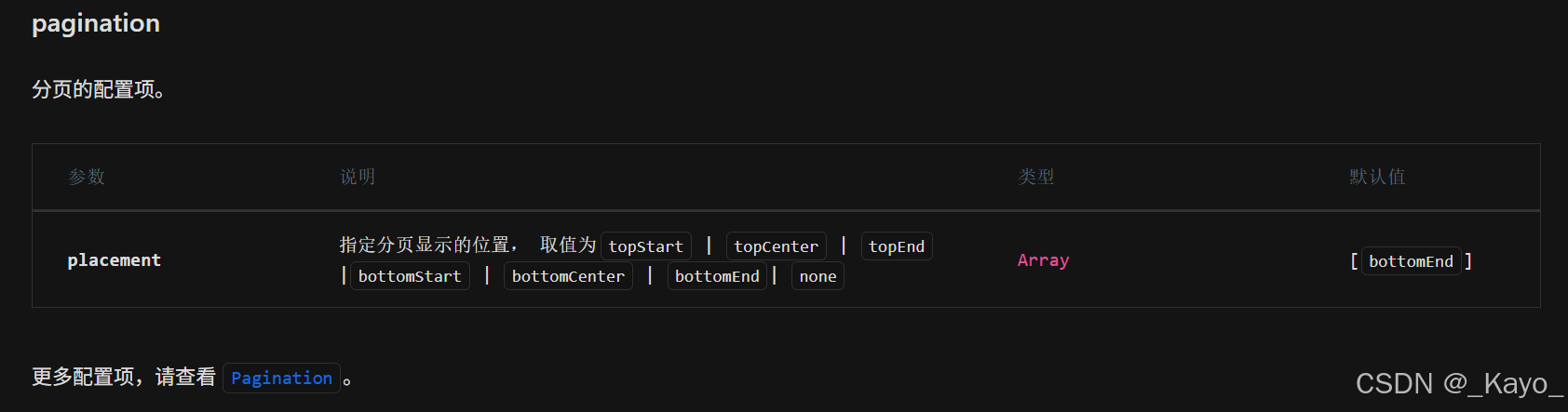
使用paginaion配置分页,pagination可以和onChange配合使用:

思路是在pagination中配置当前分页信息,当分页变化时,触发onChange,onChange内编写接口请求、分页数据更新逻辑。
onChange事件在table或者pagination中都具有,写在哪个onChange中都可以
javascript
import { Table, Button } from 'antd'
import type { TableColumnsType } from 'antd';
import { useState } from 'react'


const columns: TableColumnsType<any> = [
  {
    dataIndex: 'name',
    title: '姓名',
    width: '200px',
    key: 'name',
    align: 'left',
  },
  {
    dataIndex: 'country',
    key: 'country',
    title: '国家',
    width: '100px',
    fixed: true,
  },
  {
    dataIndex: 'age',
    title: '年龄',
    width: '100px',
  }
]

export default function Home() {

  const [dataSource, setDataSource] = useState([
    {
      name: '李梅梅',
      country:'中国',
      age:20,
    },
    {
      name: '张三',
      country:'中国',
      age:28,
    },
    {
      name: '李四',
      country:'中国',
      age:30,
    },
    {
      name: '李四',
      country:'中国',
      age:30,
    },
    {
      name: '李四',
      country:'中国',
      age:30,
    },
    {
      name: '李四',
      country:'中国',
      age:30,
    },
    {
      name: '李四',
      country:'中国',
      age:30,
    },
    {
      name: '李四',
      country:'中国',
      age:30,
    },
    {
      name: '李四',
      country:'中国',
      age:30,
    },
    {
      name: '李四',
      country:'中国',
      age:30,
    },
    {
      name: '李四',
      country:'中国',
      age:30,
    },
    {
      name: '李四',
      country:'中国',
      age:30,
    },
    {
      name: '李四',
      country:'中国',
      age:30,
    },
  ])

  const [pagination, setPagination] = useState({
    pageSize: 10,
    total: 13,
    current: 1,
  })

  return (
    <>
      <Button onClick={ ()=>{
        dataSource.push({name:'韩梅',country:'中国',age:22})
        setDataSource([...dataSource])
      } }>
        click
      </Button>
      <Table
          scroll={ { x:0,y:3000 }}
          dataSource={dataSource}
          columns={columns}
          pagination={{
              pageSize:pagination.pageSize,
              current: pagination.current,
              total: pagination.total,
              pageSizeOptions:[10,50,100,200,500,1000],
              showSizeChanger: true,
              //(page, type: 'page' | 'prev' | 'next', originalElement) => React.ReactNode
              itemRender: (page, type, originalElement) => {
                    if (type === 'prev') {
                      return <a>上一页</a>;
                    }
                    if (type === 'next') {
                      return <a>下一页</a>;
                    }

                    return originalElement;
                  }
          }}
          onChange={(pagination)=>{
            console.log(pagination)
            /**{
              "current": 2,
              "pageSize": 10,
              "total": 13,
              "pageSizeOptions": [
                  10,
                  50,
                  100,
                  200,
                  500,
                  1000
              ],
              "showSizeChanger": true
          } */

         //进行接口请求等...

         //更新分页数据
          }}
      >
      </Table>
    </>
  )
}