在项目中有个需求是使用即时通讯然后我们选择了uni-im
插件地址
https://ext.dcloud.net.cn/plugin?id=9711
文档
https://doc.dcloud.net.cn/uniCloud/uni-im.html#cosendmsgtogroup
首先去插件市场导入插件
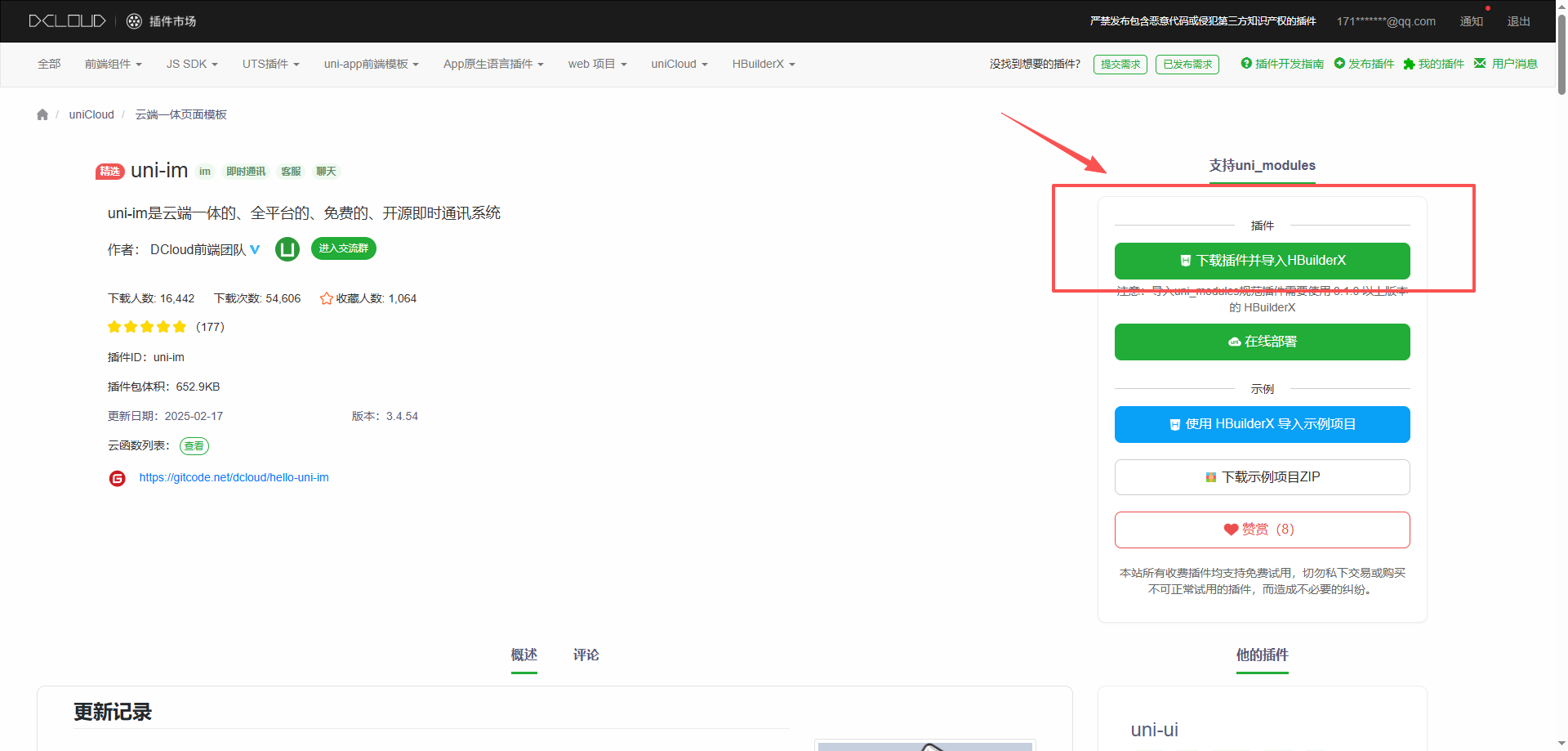
去绑定云服务空间,没有就先去创建
https://unicloud.dcloud.net.cn/
去dcloud后台给应用添加uni-push
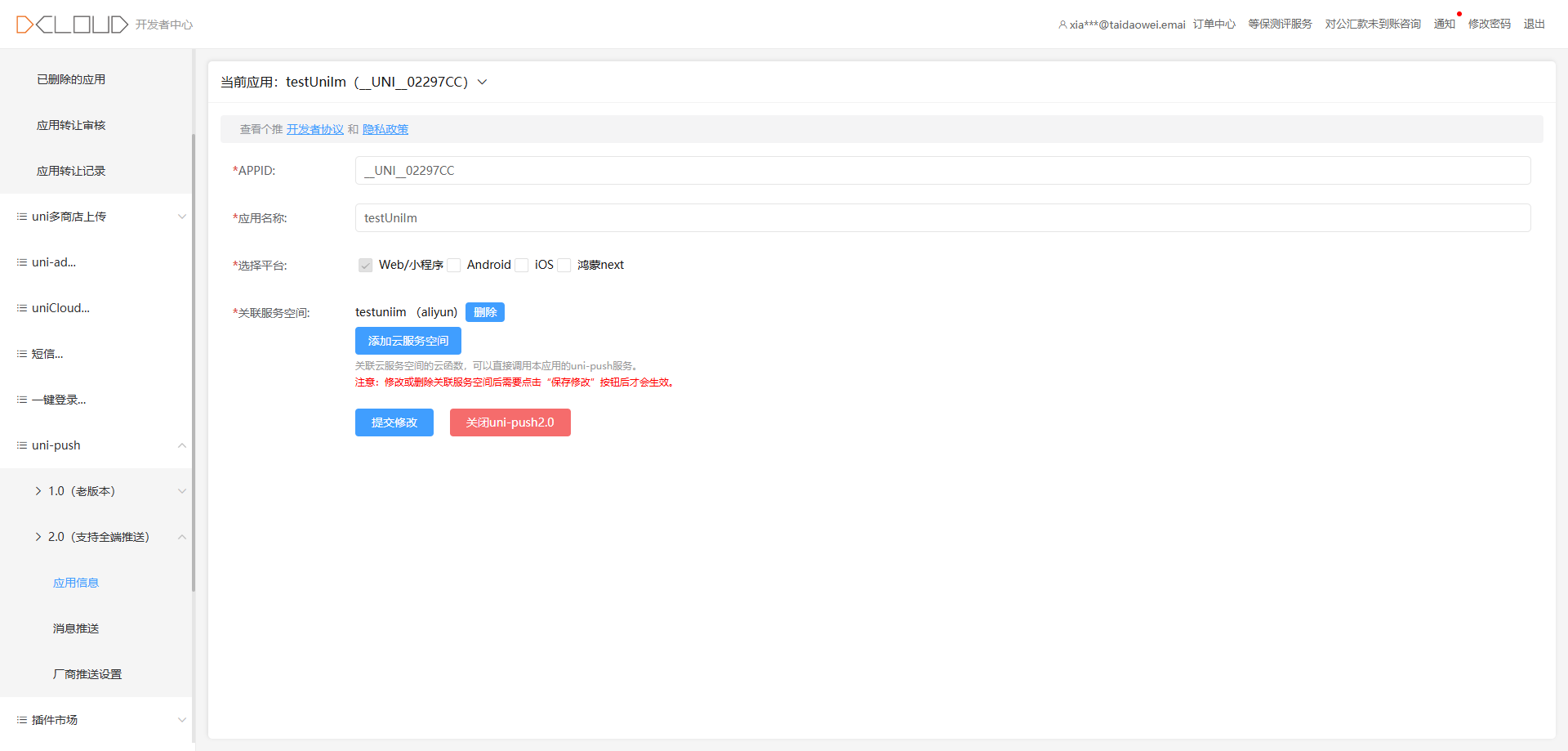
我是吧cloudfunctions和database上传上去了
在uniCloud的database右键配置管理schema扩展js
我是选了uni-cloud-push和项目下的uni-im-utils
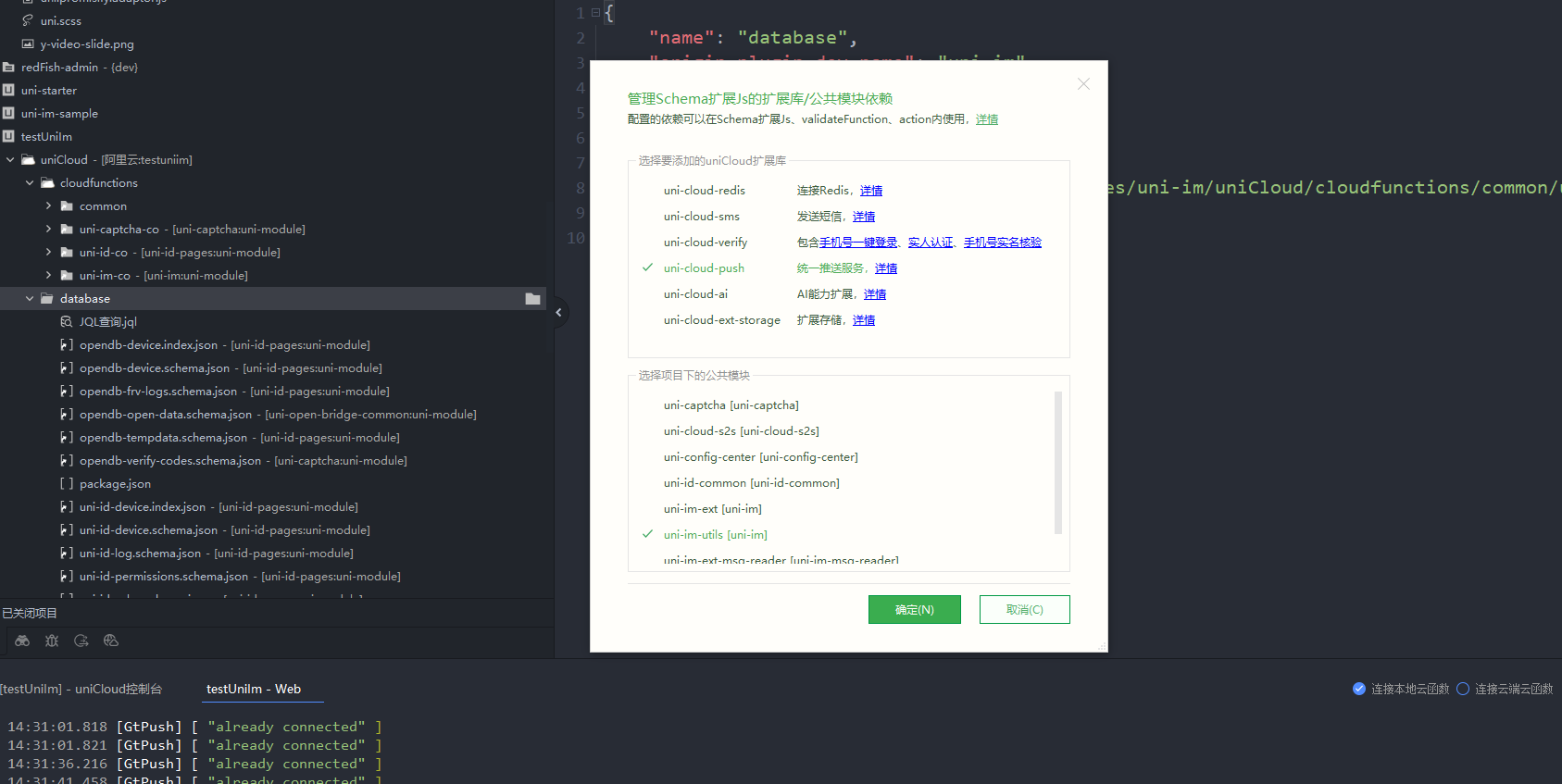
uni-id-pages和uni-im的package冲突我是把uni-im的名称改了
还有个报错提示Invaild uni-id config file
是缺少uni-id的配置需要在uniCloud==>cloudfunctions==>common==>uni-config-center里面去添加文件夹uni-id里面添加config.js
config.js 内容
javascript
{
  "passwordSecret": "passwordSecret-demo",
  "tokenSecret": "tokenSecret-demo",
  "requestAuthSecret":"testSecret",
  "passwordStrength": "",
  "tokenExpiresIn": 604800,
  "tokenExpiresThreshold": 259200,
  "passwordErrorLimit": 6,
  "bindTokenToDevice": false,
  "passwordErrorRetryTime": 3600,
  "autoSetInviteCode": false,
  "forceInviteCode": false,
  "preferedAppPlatform": "app",
  "app": {
    "tokenExpiresIn": 2592000,
    "oauth": {
      "weixin": {
        "appid": "填写来源微信开放平台https://open.weixin.qq.com/创建的应用的appid",
        "appsecret": "填写来源微信开放平台https://open.weixin.qq.com/创建的应用的appsecret"
      },
      "apple": {
        "bundleId": "苹果开发者后台获取的bundleId"
      }
    }
  },
  "web": {
    "oauth": {
      "h5-weixin": {
        "appid": "微信浏览器内微信登录,所用的微信公众号appid",
        "appsecret": "微信公众号后台获取的appsecret"
      },
      "web-weixin": {
        "appid": "手机微信扫码登录,所用的微信开放平台(https://open.weixin.qq.com/)-网站应用的appid",
        "appsecret": "微信开放平台-网站应用的appsecret"
      }
    }
  },
  "mp-weixin": {
    "oauth": {
      "weixin": {
        "appid": "微信小程序登录所用的appid、appsecret需要在对应的小程序管理控制台获取",
        "appsecret": "微信小程序后台获取的appsecret"
      }
    }
  },
  "mp-alipay": {
    "oauth": {
      "alipay": {
        "appid": "支付宝小程序登录用到的appid、privateKey请参考支付宝小程序的文档进行设置或者获取,https://opendocs.alipay.com/open/291/105971#LDsXr",
        "privateKey": "支付宝小程序登录用到的appid、privateKey请参考支付宝小程序的文档进行设置或者获取,https://opendocs.alipay.com/open/291/105971#LDsXr"
      }
    }
  },
  "service": {
    "sms": {
      "name": "应用名称,对应短信模版的name",
      "codeExpiresIn": 300,
      "smsKey": "短信密钥key,开通短信服务处可以看到",
      "smsSecret": "短信密钥secret,开通短信服务处可以看到"
    },
    "univerify": {
      "appid": "当前应用的appid,使用云函数URL化,此项必须配置",
      "apiKey": "apiKey 和 apiSecret 在开发者中心获取,开发者中心:https://dev.dcloud.net.cn/uniLogin/index?type=0,文档:https://ask.dcloud.net.cn/article/37965",
      "apiSecret": ""
    }
  }
}
添加了一个文件在uniCloud==>cloudfunctions==>common==>uni-config-center里面去添加文件夹uni-im里面添加config.js
javascript
{
  "check_mobile": false,
  "customer_service_uids": false,
  "conversation_grade": 0
}
在manifest.json文件里面去设置uni-push开启和参数
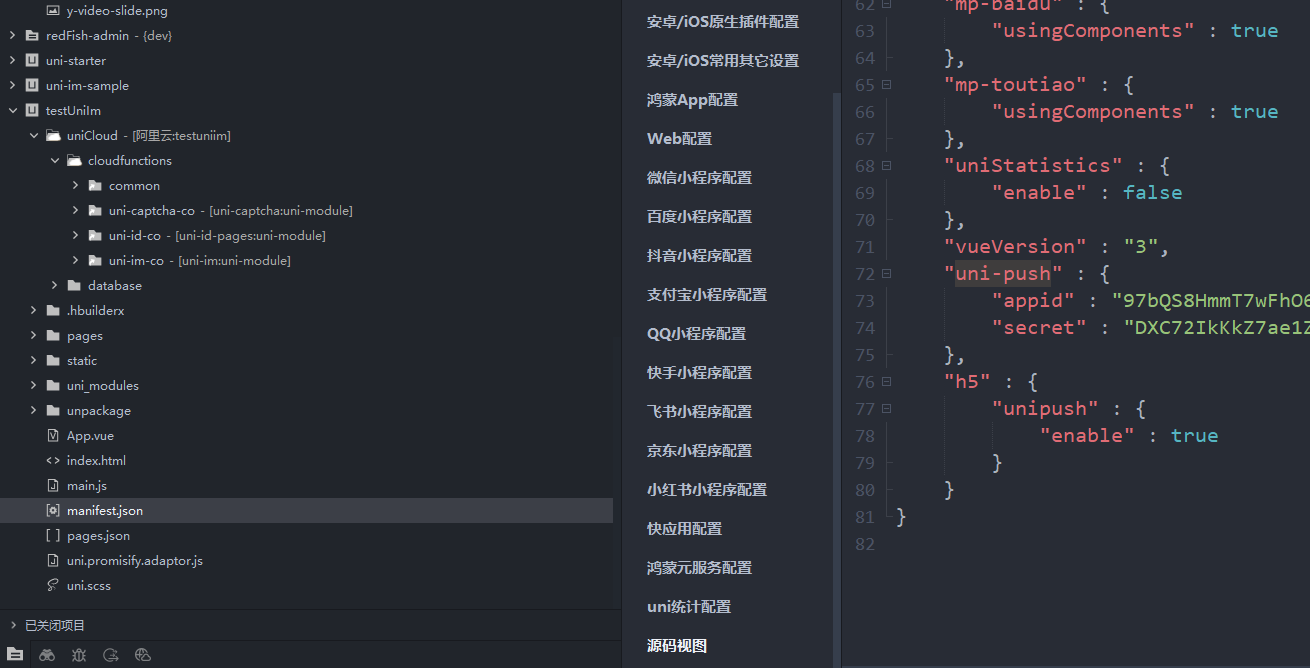
在app.vue页面去引入配置
javascript
<script>
	//1. 导入uni身份信息管理模块
	import uniIdPagesInit from '@/uni_modules/uni-id-pages/init.js';
	//2. 导入uniIm
	import uniIm from '@/uni_modules/uni-im/sdk/index.js';
	// 3.引入扩展插件(项目默认引入了,扩展插件uniImMsgReader用于展示消息是否已读)
	import MsgReaderExtension from '@/uni_modules/uni-im-msg-reader/extension.js'
	export default {
		onLaunch: async function() {
			console.log('App Launch');
			//4. 初始化uni身份信息管理模块
			uniIdPagesInit();
			//5. 安装uniIm扩展插件
			MsgReaderExtension.install()
			//6. 初始化uniIm
			uniIm.init();
		},
		onShow: function() {
			console.log('App Show');
		},
		onHide: function() {
			console.log('App Hide');
		}
	};
</script>
跳转的页面需要去pages.json注册
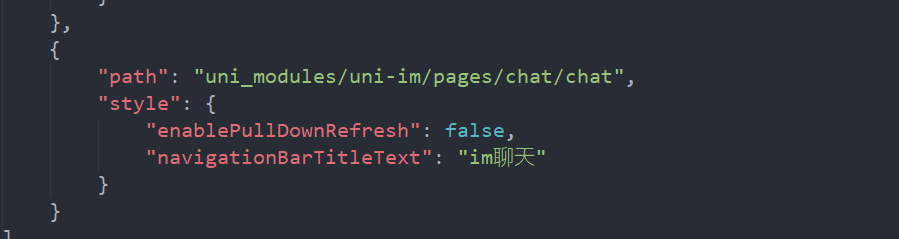
服务端发消息需要添加
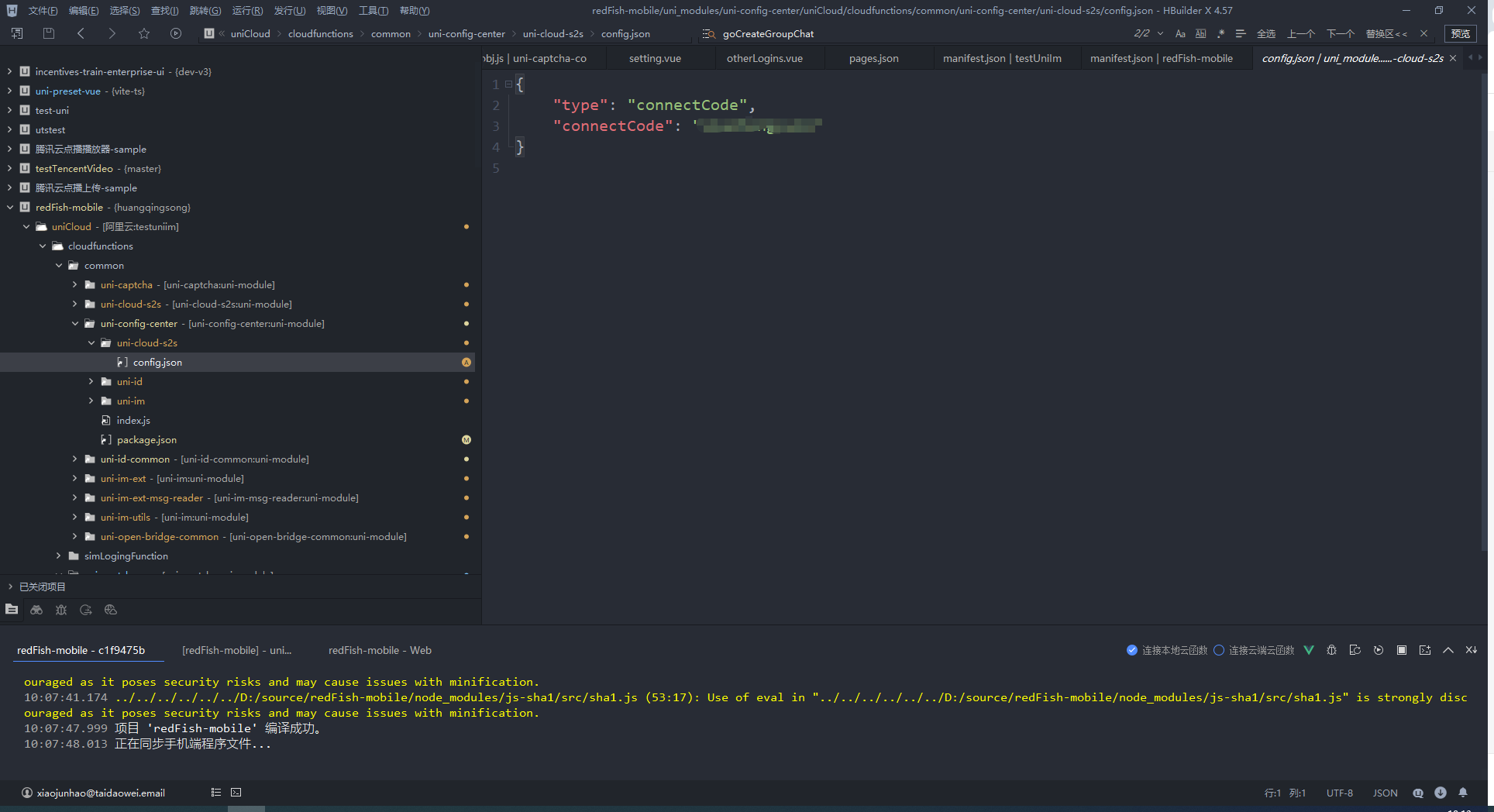
config.json代码
javascript
{
    "type": "connectCode",
    "connectCode": "随便写字符串"
}
调用uniIm.login提示请配置登录验证回调地址
在uniCloud==>common==>uni-config-center==>uni-im==>config.son添加代码
"get_external_userinfo":"use-param"
登录过后获取当前用户的用户id
const uid = uniCloud.getCurrentUserInfo().uid;
使用方法
javascript
<template>
	<view>

		<button @click="goImPageLogin">跳转im登录页面</button>
		<button @click="goImPageList">跳转im用户页面</button>
		<button @click="goUserinfoLogin">获取用户信息</button>
		<button @click="goImPage">跳转im消息列表</button>
		<button @click="goImChatPage">跳转imChat页面</button>
		<button @click="goImUserList">跳转userList页面</button>
		<button @click="goImChatPage('69521665e0ec1970de980773')">edge点击跳转test34用户</button>
		<button @click="goImChatPage('6952164d286f7c021e9be071')">goole点击跳转testEdge34用户</button>
		<button @click="goCreateGroupChat">点击创建群聊</button>
		<button @click="goCreateChooseGroupChat">邀请进入群聊</button>
		<button @click="goDirectlyJoinGroup">直接进入群聊</button>
		<button @click="onCloseMesgConut">清空未读消息</button>

		<button @click="goImChatPageGroup('69521b481c90b6a5b0842ddf')">点击进入群聊</button>
	</view>
</template>

<script setup>
	import {
		onReady,
		onShow
	} from '@dcloudio/uni-app'
	import {
		ref
	} from 'vue'
	import uniIm from '@/uni_modules/uni-im/sdk/index.js';

	const uniImCo = uniCloud.importObject('uni-im-co', {
		customUI: true
	});


	const userInfo = ref({});
	// 去登录
	const goImPageLogin = () => {
		uni.navigateTo({
			url: '/uni_modules/uni-id-pages/pages/login/login-withoutpwd'
		})
	}
	// 去聊天列表
	const goImPage = () => {
		uni.navigateTo({
			url: '/uni_modules/uni-im/pages/index/index',
			fail(err) {
				console.log(err)
			}
		})
	}
	// 根据userid去聊天
	const goImChatPage = (e) => {
		// const id= uni.imObservableData.currentUser._id
		uni.navigateTo({
			url: '/uni_modules/uni-im/pages/chat/chat?user_id=' + e,
			fail(err) {
				console.log(err)
			}
		})
	}
	// 获取登录后的用户信息
	const goUserinfoLogin = async () => {
		userInfo.value = uni.getStorageSync('uni-id-pages-userInfo');
		console.log('userInfo.value', userInfo.value)
	}
	// 去用户列表
	const goImUserList = async () => {
		uni.navigateTo({
			url: '/uni_modules/uni-im/pages/userList/userList',
			fail(err) {
				console.log(err)
			}
		})
	}
	// 用户进入群聊
	const goImChatPageGroup = async (e) => {
		uni.navigateTo({
			url: '/uni_modules/uni-im/pages/chat/chat?group_id=' + e,
			fail(err) {
				console.log(err)
			}
		})
	}
	// 创建群聊
	const goCreateGroupChat = async () => {
		const res = await uniImCo.chooseUserIntoGroup({
			group_id: "",
			user_ids: ['69521665e0ec1970de980773', '69521b20b9fb239dcec76d41'],
			groupInfo:{
				name:"测试群聊名称",
			}
		})
		console.log("发起群聊", res)
	}
	// 直接进群
	const goDirectlyJoinGroup = async () => {
		const res = await uniImCo.chooseUserIntoGroup({
			group_id: "6952401e189f860faf4081d8",
			user_ids: ['6952164d286f7c021e9be071'],
		})
		goImChatPageGroup('6952401e189f860faf4081d8')
		console.log("发起群聊", res)
	}
	// 邀请用户加入群聊
	const goCreateChooseGroupChat = async () => {
		// 没有group_id就创建群
		const res = await uniImCo.chooseUserIntoGroup({
			group_id: "",
			user_ids: ['69521b20b9fb239dcec76d41'],
		})
		console.log(res.data.group_id)
		console.log("发起群聊", res)
	}
	const onCloseMesgConut=()=>{
		uniIm.conversation.clearUnreadCount()
	}
	onShow(() => {
		userInfo.value = uni.getStorageSync('uni-id-pages-userInfo');
		console.log('userInfo.value', userInfo.value)
	})
</script>

<style>

</style>