大家好,我是 Ai 学习的老章
最近的 OCR 大模型我都做了本地部署和测试,还写了一个 API 统一对接这三个模型
✅本地部署 PaddleOCR,消费级显卡轻松跑,支持本地图片和 PDF 文件
✅DeepSeek-OCR 本地部署(上):CUDA 升级 12.9,vLLM 升级至最新稳定版
✅DeepSeek-OCR 本地部署(下):vLLM 离线推理,API 重写,支持本地图片、PDF 解析
很多同学问选哪个?
成年人怎么还在做选择呢,必须全都要啊
我用 FastAPI 框架撸了一个简单的 OCR 模型对比工具 (OCR Comparison Tool),可以实现同样的提示词 + 图片/PDF,利用 Python 多线程并行调用 DeepSeek、Paddle 和 混元这三个模型的 API 进行解析,并将结果并排展示。
前端其实纯 HTML+CSS+js 实现,为了内网部署,不依赖任何 CND。
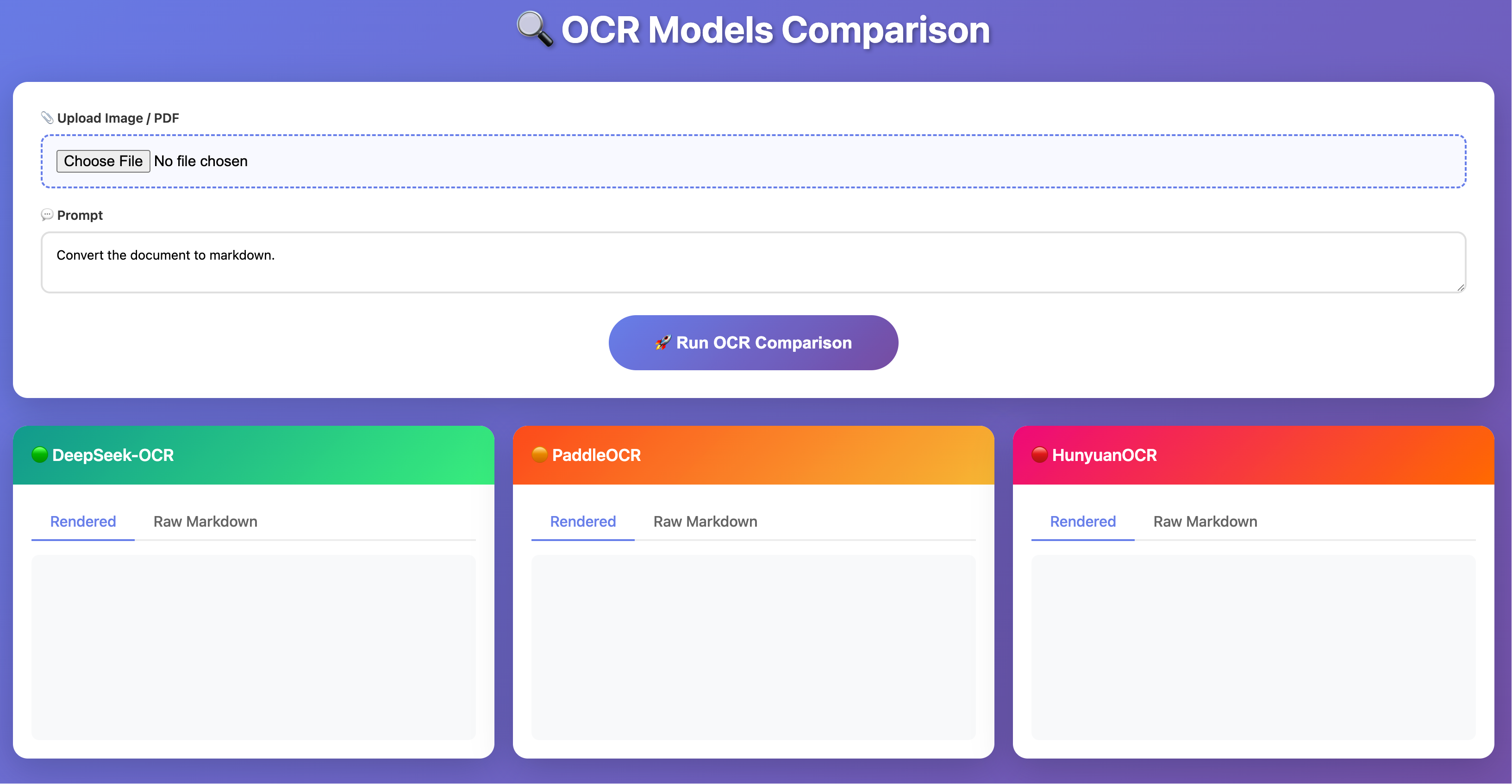
使用也很简单,图片/PDF 上传之后,输入提示词,没有特殊要求,使用默认就行。
点击 Run OCR Comparison 即可
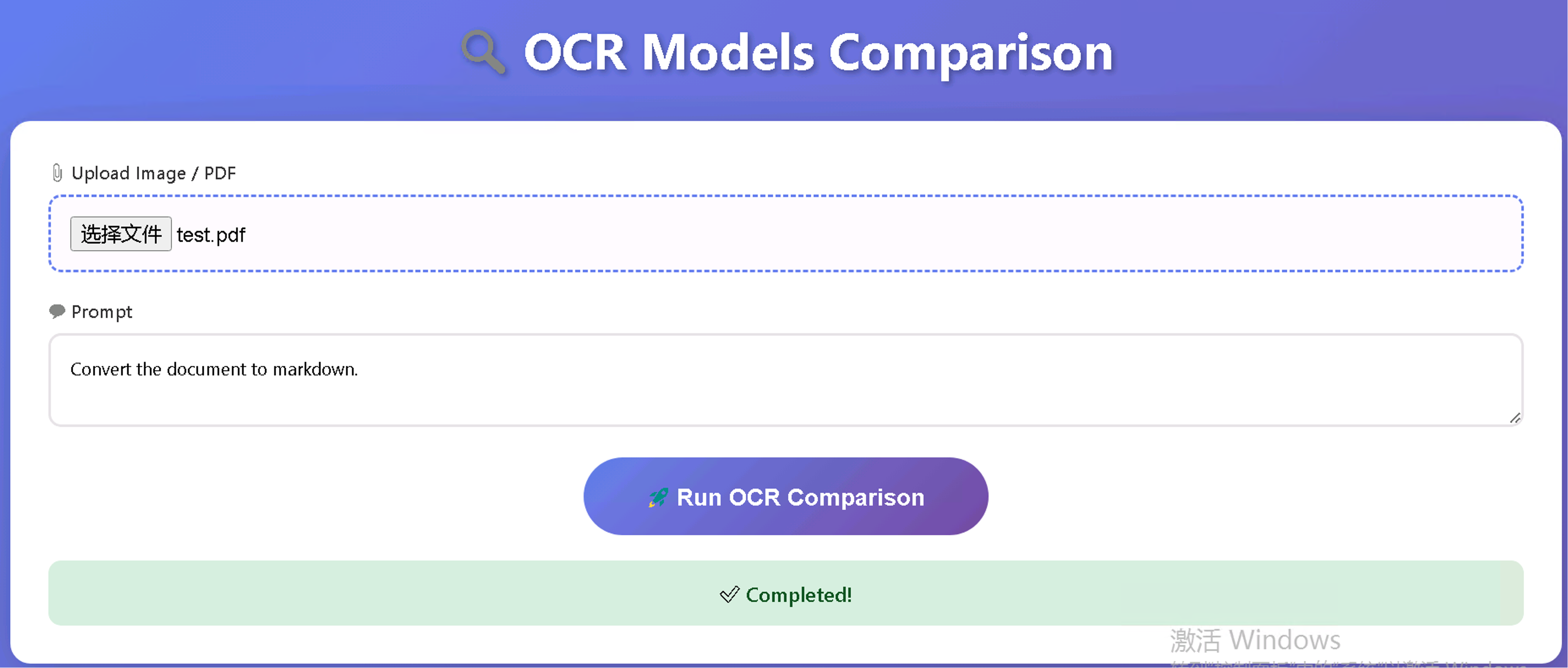
三者都很快,内置了轻量级 Markdown 解析其,自动渲染结果。
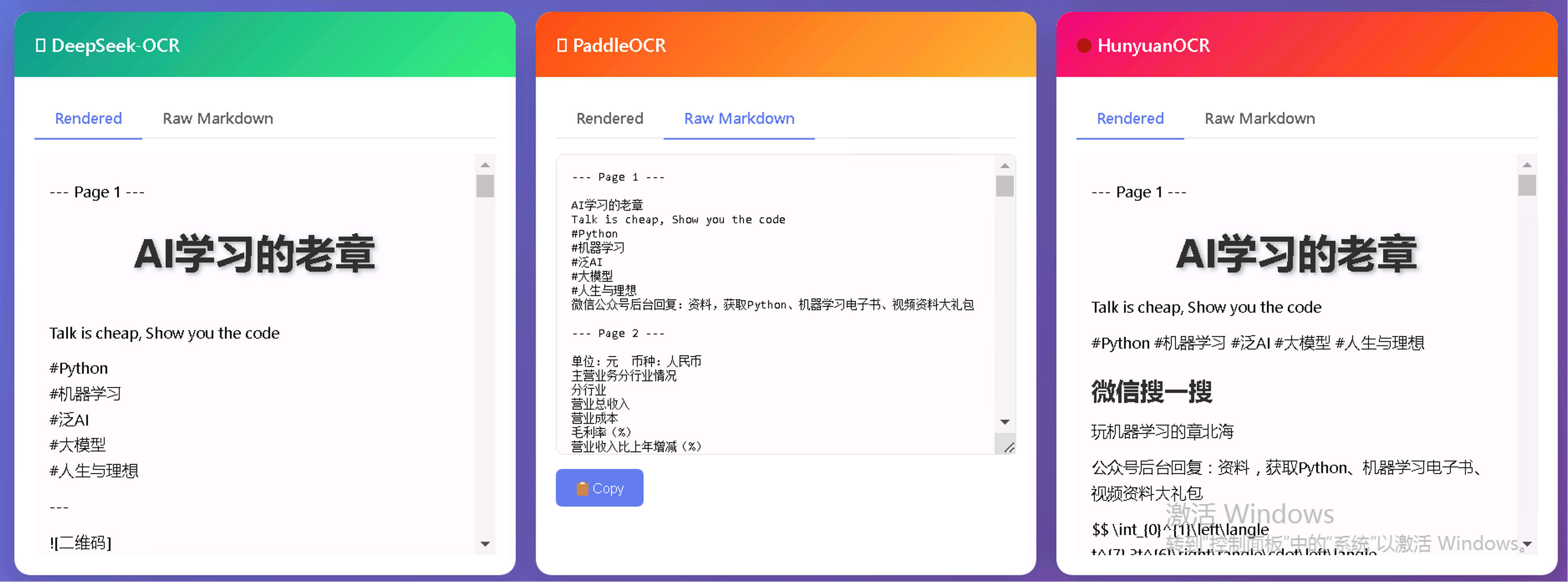
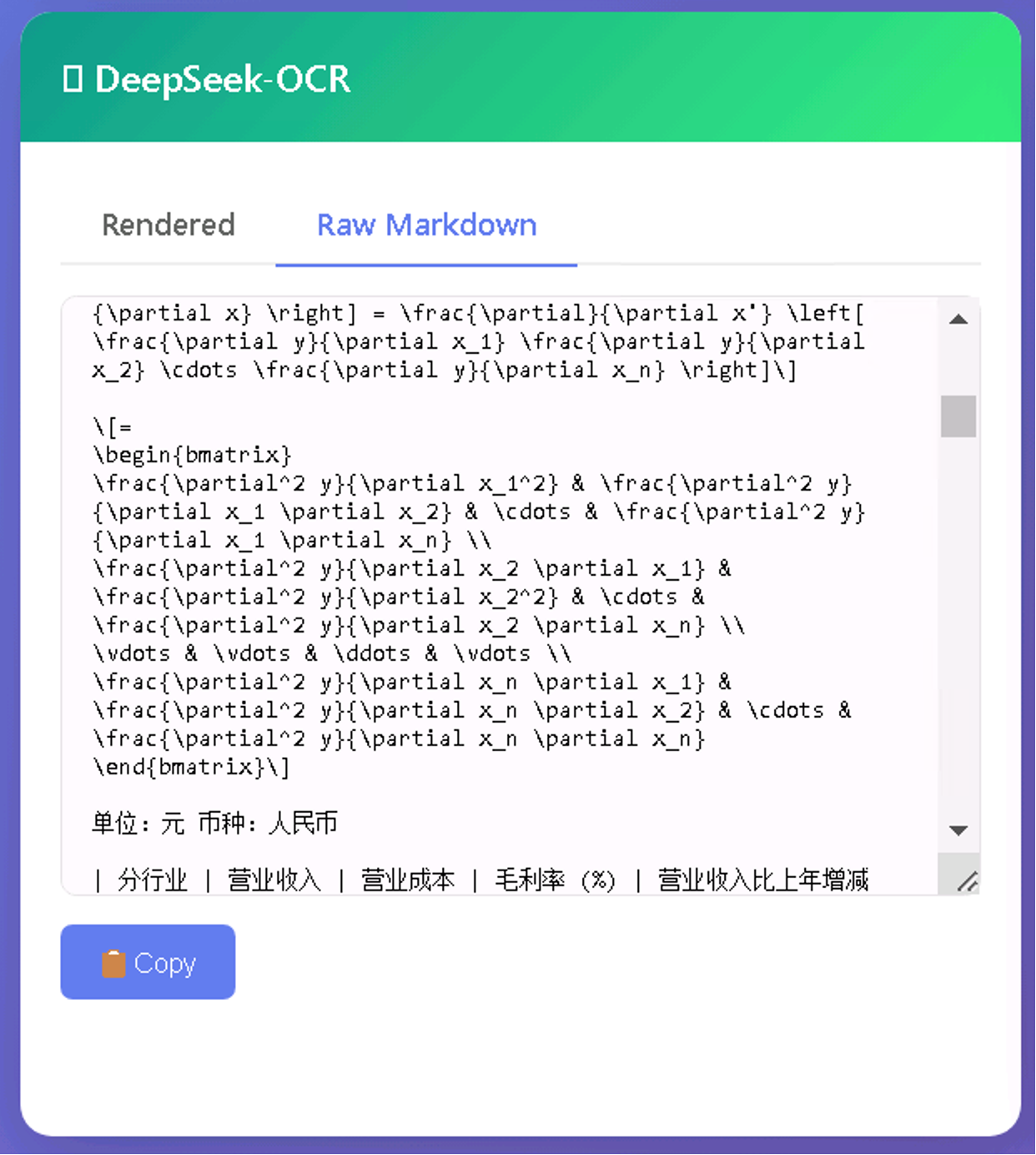
也可以切换到识别后的原始 Markdown,支持一键 copy
核心代码如下(完整代码接近 600 行,大多是 HTML 相关):
感兴趣的同学可以试试,OCR 模型 API 部分替换成官方/第三方的 API
这段代码稍作修改就可以在线部署运行了
python
#!/usr/bin/env python3
"""
OCR Comparison Web App - 美化版,不依赖外部 CDN
"""
import os
import re
import shutil
import tempfile
import requests
from concurrent.futures import ThreadPoolExecutor

import uvicorn
from fastapi import FastAPI, File, Form, UploadFile
from fastapi.responses import HTMLResponse

app = FastAPI(title="OCR Comparison")

# --- Configuration ---
MODELS = {
    "DeepSeek-OCR": "http://",
    "PaddleOCR": "http://",
    "HunyuanOCR": "http://",
}


def call_api(model_name, api_url, file_path, prompt):
    """调用单个 OCR API"""
    print(f"[INFO] Calling {model_name}: {api_url}")
    try:
        with open(file_path, 'rb') as f:
            resp = requests.post(
                api_url,
                files={'file': (os.path.basename(file_path), f)},
                data={'prompt': prompt},
                timeout=300
            )
        print(f"[INFO] {model_name} status: {resp.status_code}")
        if resp.status_code == 200:
            data = resp.json()
            result = data.get("result", str(data))
            print(f"[INFO] {model_name} result length: {len(result)}")
            return result
        return f"HTTP Error: {resp.status_code}"
    except Exception as e:
        print(f"[ERROR] {model_name}: {e}")
        return f"Error: {e}"


HTML_PAGE = """
<!DOCTYPE html>
省略
</html>
"""


@app.get("/", response_class=HTMLResponse)
async def index():
    return HTML_PAGE


@app.post("/api/compare")
async def compare(
    file: UploadFile = File(...),
    prompt: str = Form("Convert the document to markdown.")
):
    print(f"\n{'='*60}")
    print(f"[INFO] Received request: {file.filename}")
    print(f"[INFO] Prompt: {prompt[:50]}...")
    print(f"{'='*60}")

    temp_dir = tempfile.mkdtemp()
    temp_path = os.path.join(temp_dir, file.filename)

    try:
        with open(temp_path, "wb") as f:
            content = await file.read()
            f.write(content)

        print(f"[INFO] Saved to: {temp_path}, size: {len(content)} bytes")

        # 并行调用三个 API
        results = {}
        with ThreadPoolExecutor(max_workers=3) as executor:
            futures = {
                "deepseek": executor.submit(call_api, "DeepSeek-OCR", MODELS["DeepSeek-OCR"], temp_path, prompt),
                "paddle": executor.submit(call_api, "PaddleOCR", MODELS["PaddleOCR"], temp_path, prompt),
                "hunyuan": executor.submit(call_api, "HunyuanOCR", MODELS["HunyuanOCR"], temp_path, prompt),
            }

            for name, future in futures.items():
                try:
                    result = future.result(timeout=310)
                    results[name] = result
                    print(f"[INFO] {name} done, length: {len(result)}")
                except Exception as e:
                    results[name] = f"Error: {e}"
                    print(f"[ERROR] {name}: {e}")

        print(f"[INFO] All done. Returning results.")
        print(f"[DEBUG] Results keys: {list(results.keys())}")

        return results

    finally:
        shutil.rmtree(temp_dir, ignore_errors=True)


if __name__ == "__main__":
    print("\n" + "="*60)
    print("OCR Comparison Server")
    print("URL: http://0.0.0.0:8080")
    print("="*60 + "\n")

    uvicorn.run(app, host="0.0.0.0", port=8080)