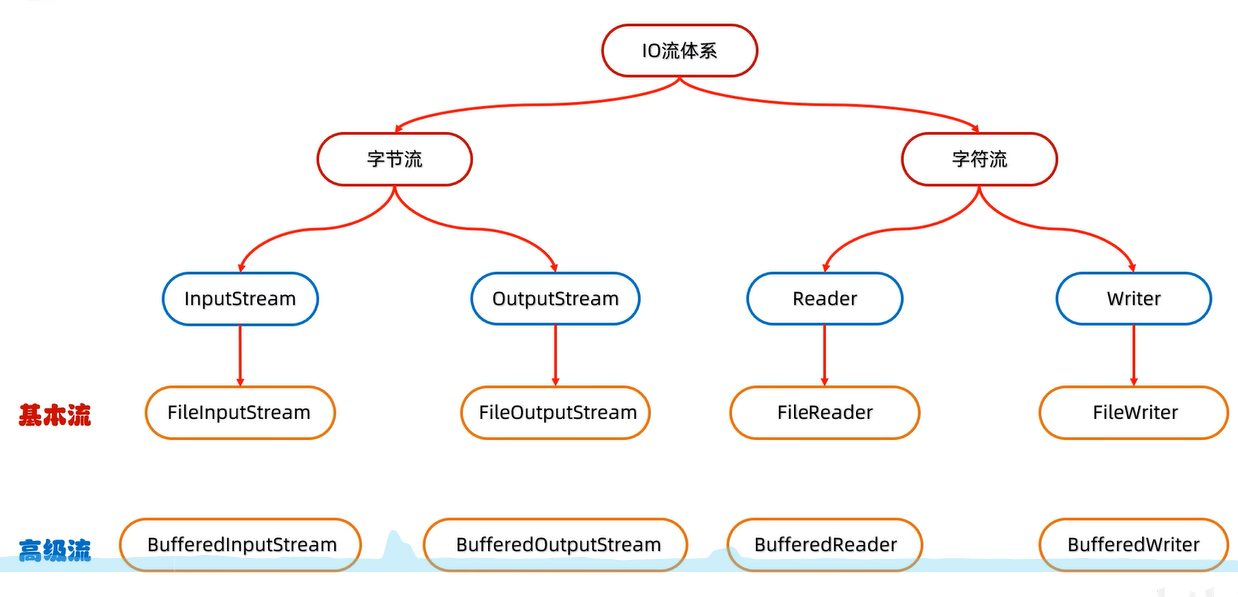
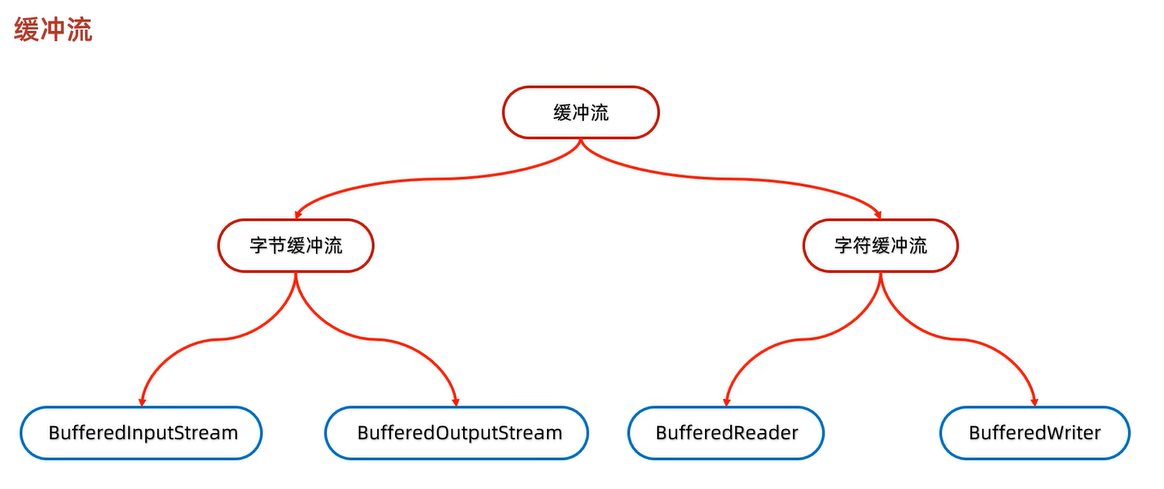
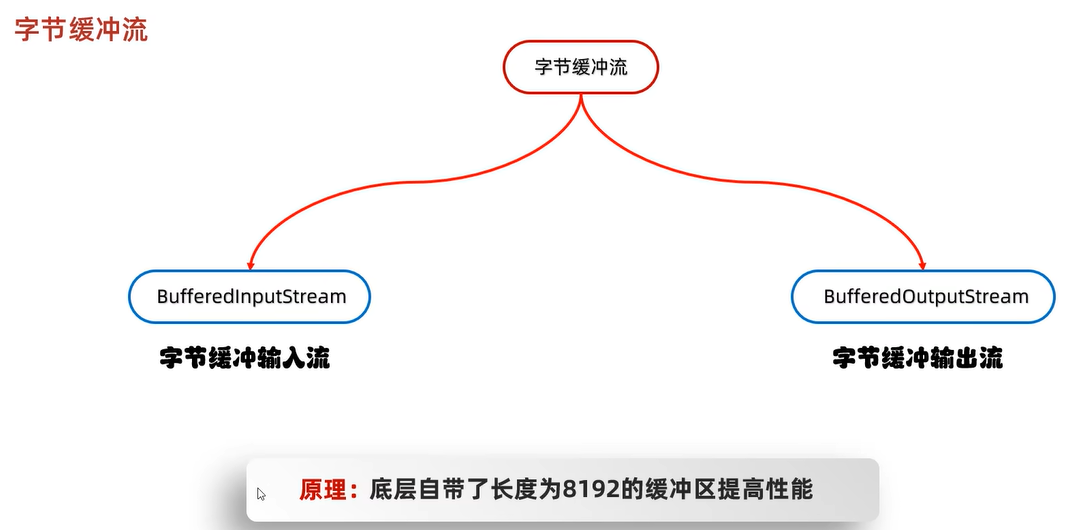
字节缓冲流:
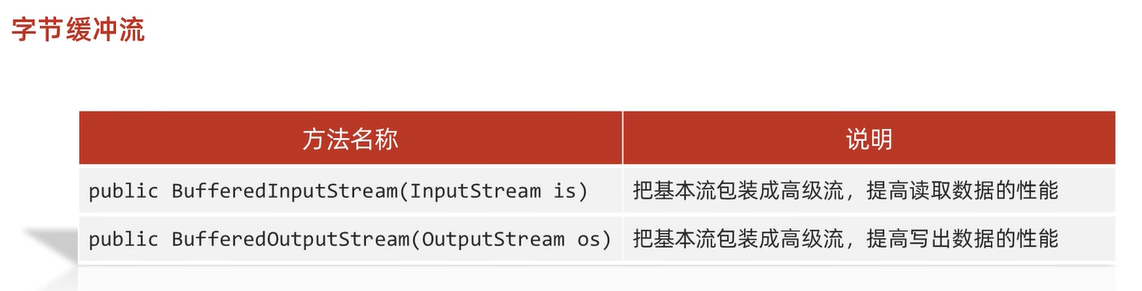
利用字节缓冲流一次读取一个字节:
public class IOTest01 {
    public static void main(String[] args) throws IOException {
        //创建字节缓冲输入流对象
        BufferedInputStream bis = new BufferedInputStream(new FileInputStream("E:\\test\\test.txt"));
        BufferedOutputStream bos = new BufferedOutputStream(new FileOutputStream("E:\\test\\test1.txt"));
        int read;
        while((read=bis.read())!=-1){
            bos.write((char)read);
        }
        bis.close();
        bos.close();
    }
}
利用字节缓冲流一次读取一个字节数组:
public class IOTest02 {
    public static void main(String[] args) throws IOException {
        //一次读取一个字节数组
        BufferedInputStream bis = new BufferedInputStream(new FileInputStream("E:\\test\\test.txt"));
        BufferedOutputStream bos = new BufferedOutputStream(new FileOutputStream("E:\\test\\test1.txt"));

        byte[] arr=new byte[1024];
        int read;
        while((read=bis.read(arr))!=-1){
            bos.write(arr,0,read);
        }
        bis.close();
        bos.close();
    }
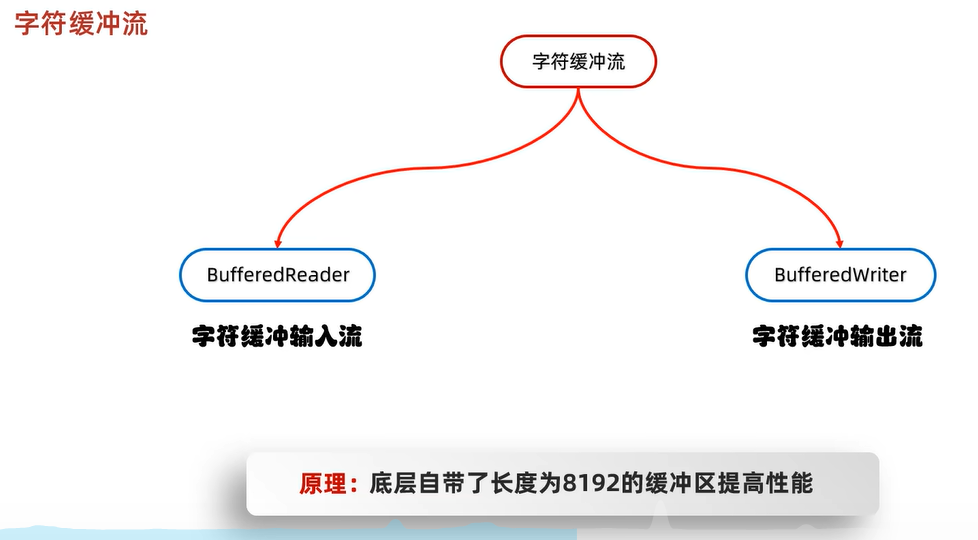
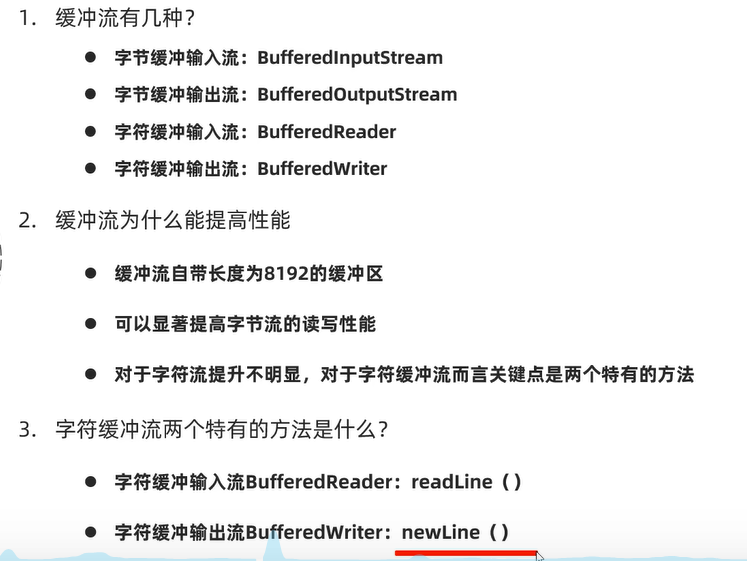
字符缓冲流:
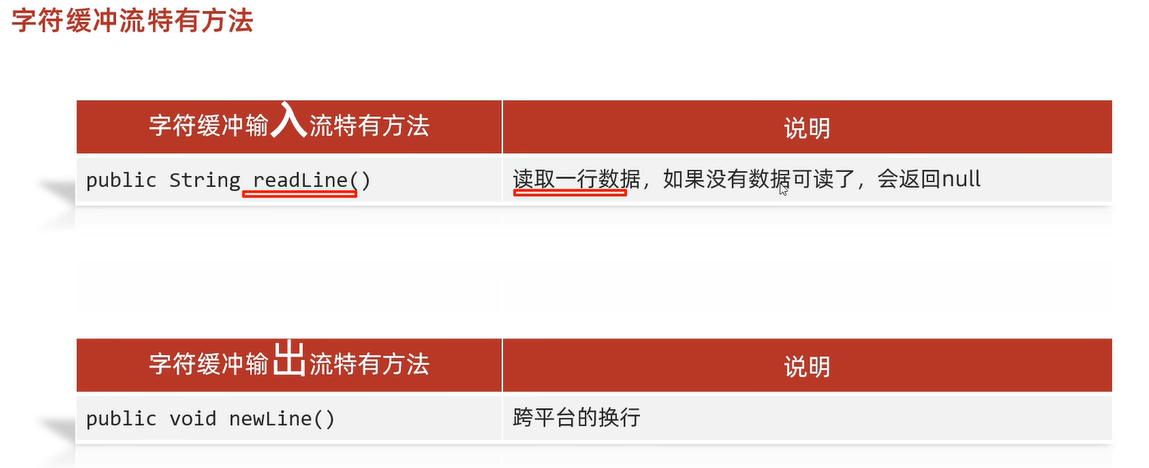
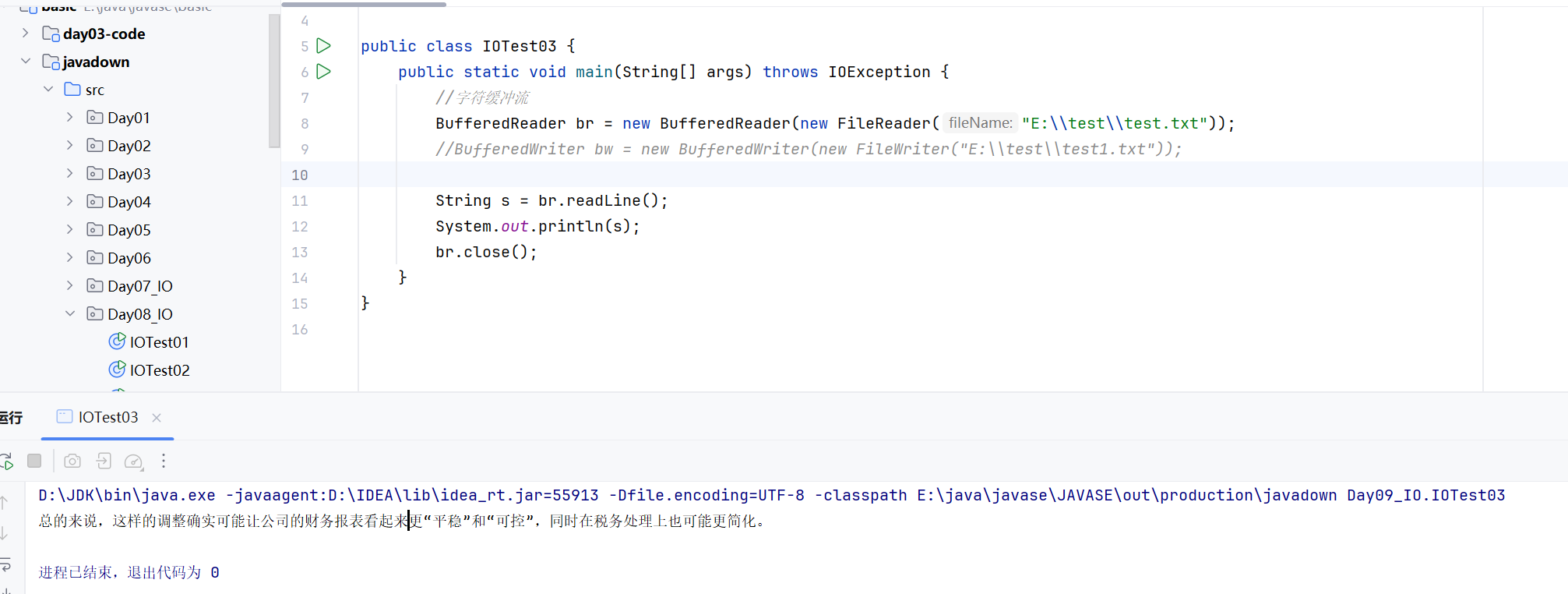
全部读取可以这么写
String s;
while((s = br.readLine())!=null){
    System.out.println(s);
}public class IOTest04 {
public static void main(String[] args) throws IOException {
//
BufferedWriter bw = new BufferedWriter(new FileWriter("E:\\test\\test1.txt"));
bw.write("微笑面对生活");
bw.newLine();
bw.write("恐惧会自己消失");
bw.newLine();
bw.close();
}
}
练习一:
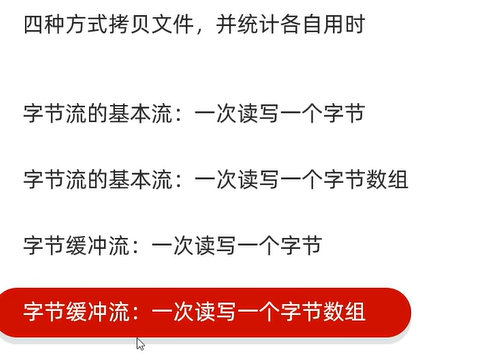
四种方式拷贝文件,并统计用时
//1、利用字节流一次读写一个字节,拷贝文件
FileInputStream fis = new FileInputStream("E:\\test\\test.txt");
FileOutputStream fos = new FileOutputStream("E:\\test\\test1.txt");
int i;
while((i=fis.read())!=-1){
    fos.write(i);
}
fis.close();
fos.close();//2、利用字节数组读写文件,拷贝文件
FileInputStream fis = new FileInputStream("E:\\test\\test.txt");
FileOutputStream fos = new FileOutputStream("E:\\test\\test2.txt");
byte[] read=new byte[1024*8];
int len;
while((len=fis.read(read))!=-1){
fos.write(read,0,len);
}
fis.close();
fos.close();//3、字节缓冲流一次读取一个字节,拷贝文件
BufferedInputStream bis = new BufferedInputStream(new FileInputStream("E:\\test\\test.txt"));
BufferedOutputStream bos = new BufferedOutputStream(new FileOutputStream("E:\\test\\test3.txt"));
int i;
while((i=bis.read())!=-1){
bos.write(i);
}
bis.close();
bos.close();//4、字节缓冲流一次读取一个字节数组,拷贝文件
BufferedInputStream bis = new BufferedInputStream(new FileInputStream("E:\\test\\test.txt"));
BufferedOutputStream bos = new BufferedOutputStream(new FileOutputStream("E:\\test\\test4.txt"));
byte[] read = new byte[1024];
int len;
while((len=bis.read(read))!=-1){
bos.write(read,0,len);
}
bis.close();
bos.close();练习二:恢复出师表的顺序

package Day10_IO;

import java.io.*;
import java.util.*;

public class IOTest02 {
    public static void main(String[] args) throws IOException {
        //恢复乱序数据《出师表》
        BufferedReader br = new BufferedReader(new FileReader("E:\\test\\test.txt"));
        BufferedWriter bw = new BufferedWriter(new FileWriter("E:\\test\\test1.txt"));
        String s;
        //定义一个双列集合来存储
        HashMap<Integer, String> hash = new HashMap<>();
        while((s=br.readLine())!=null){
            String head = s.substring(0,1);//获取到每一行的首数字
            hash.put(Integer.parseInt(head),s);//放到双列集合中
        }
        //把hashMap的键值对转成单列集合
        List<Map.Entry<Integer, String>> entryList = new ArrayList<>(hash.entrySet());
        Collections.sort(entryList,Map.Entry.comparingByKey());
        //
        for (Map.Entry<Integer, String> integerStringEntry : entryList) {
            bw.write(integerStringEntry.getValue());
            bw.newLine();
        }
        bw.close();
        br.close();
    }
}
上面的双列集合,也可以用treeMap就自动排序了

package Day10_IO;

import java.io.*;

public class IOTest03 {
    public static void main(String[] args) throws IOException {
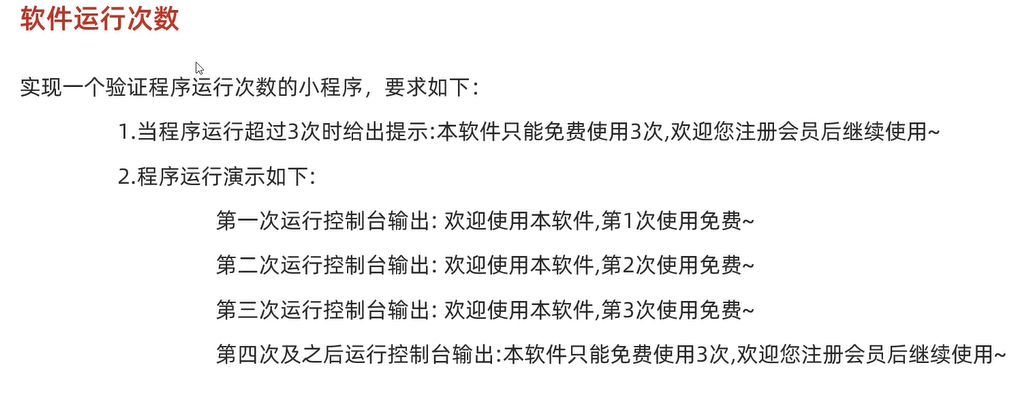
        //判断程序登录的次数
        BufferedReader br = new BufferedReader(new FileReader("E:\\test\\count.txt"));
        int count = Integer.parseInt(br.readLine());//记录现在文件中的访问次数
        //判断
        if(count<=3){
            System.out.println("欢迎使用本软件,第"+count+"次使用免费");
            //每执行一次后,需要讲count++执行到原文件
            count=count+1;
            BufferedWriter bos = new BufferedWriter(new FileWriter("E:\\test\\count.txt"));
            System.out.println(count);
            bos.write(String.valueOf(count));
            bos.close();
        }else {
            System.out.println("本软件只能免费使用3次,欢迎注册会员后继续使用");
        }
        br.close();
    }
}