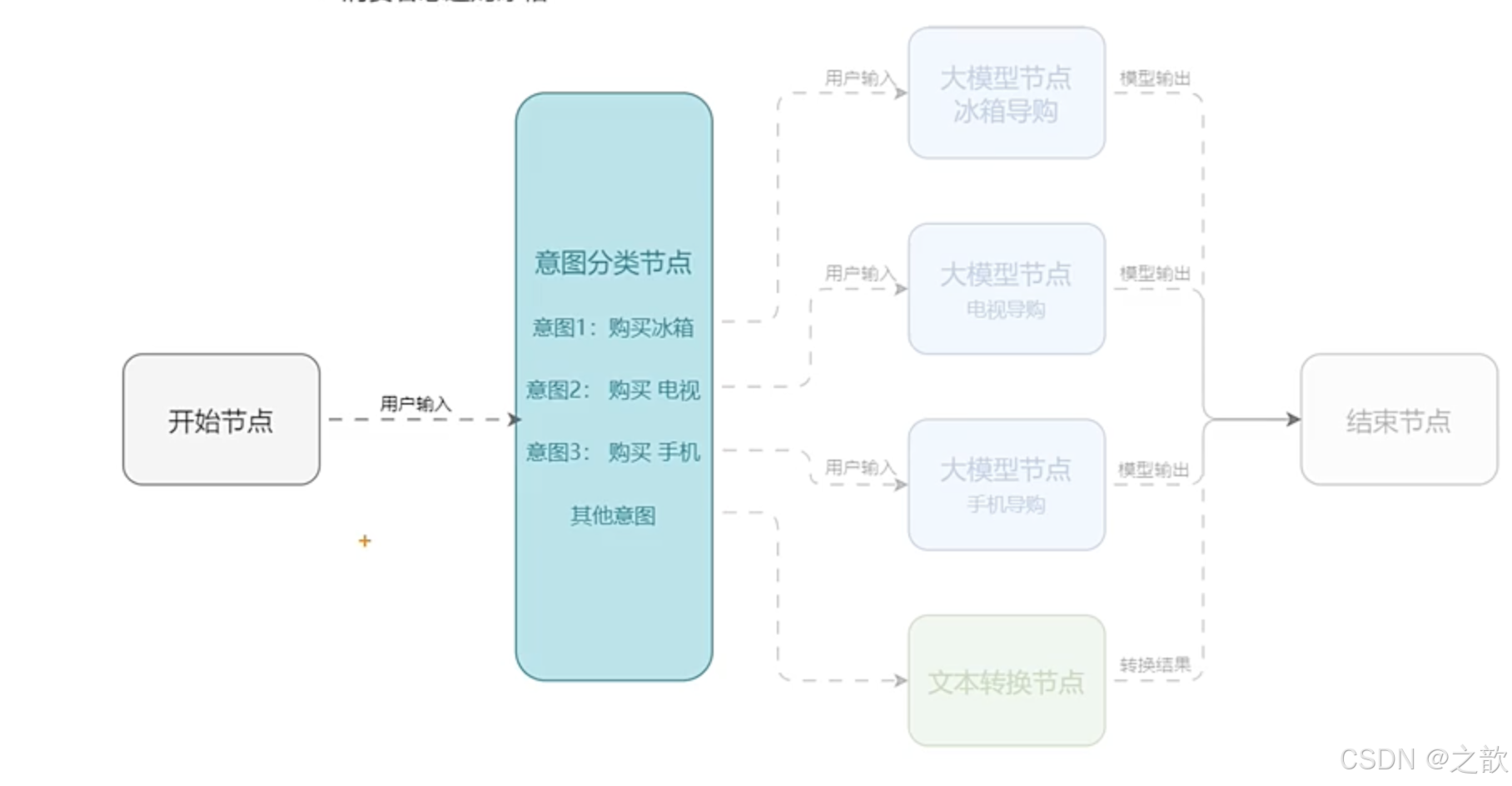
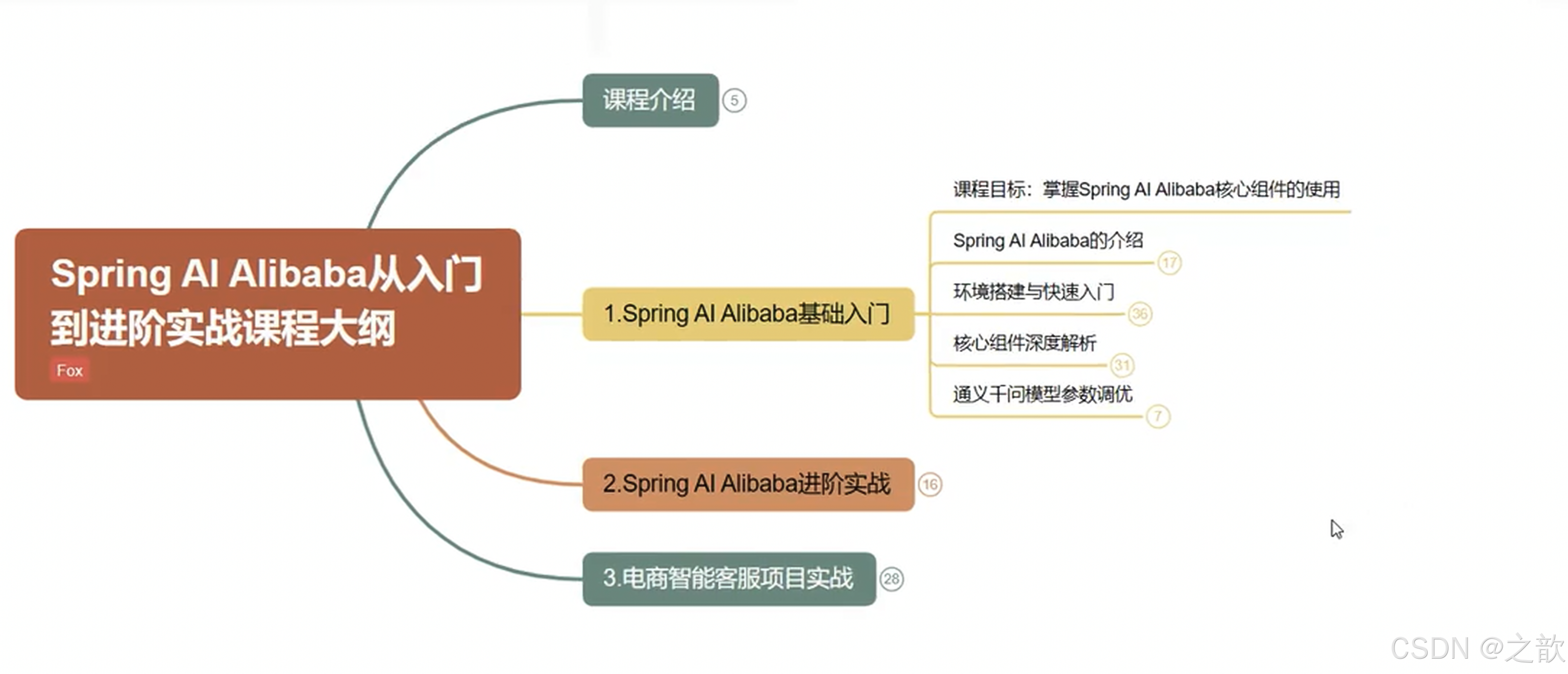
Spring
Spring Al Alibaba 是基于 Spring AI 构建的框架,专注于与阿里云生态的深度集成。适合国内发者,尤其是需要快速接入阿里云 AI能力的场景。
https://ollama.com/library/deepseek-r1:7b
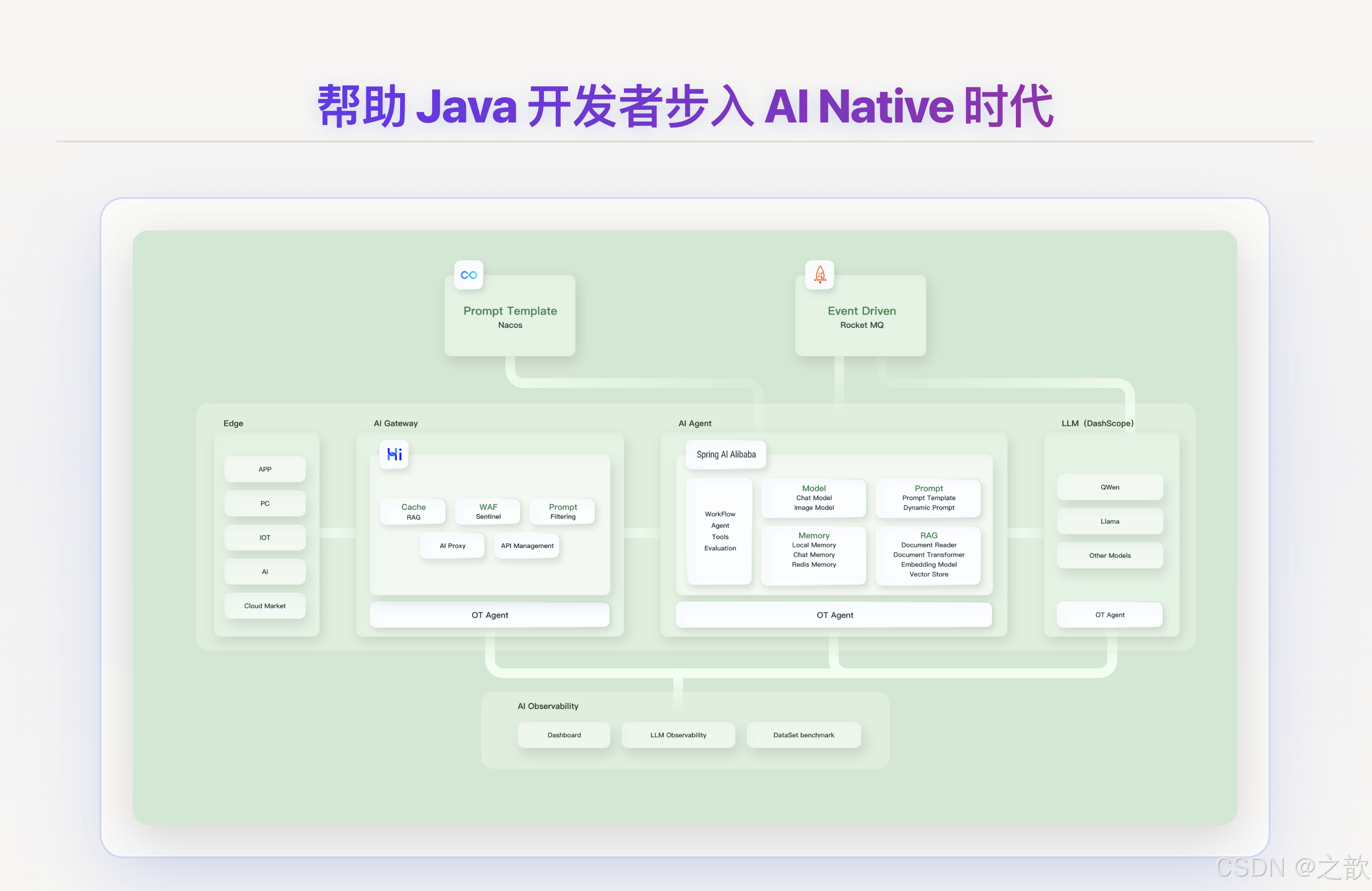
Spring AI Alibaba接入阿里云百炼平台的大模型
pom.xml
通过灵活、易用的模型 API服务,让各种模态模型的能力,都能方便的为AI 开发者所用。通过灵积 API,开发者不仅可以直接集成大模型的强大能力,也可以对模型进行训练微调,实现模型定制化。
<dependency>
	<groupId>com.alibaba.cloud.ai</groupId>
	<artifactId>spring-ai-alibaba-starter</artifactId>
</dependency>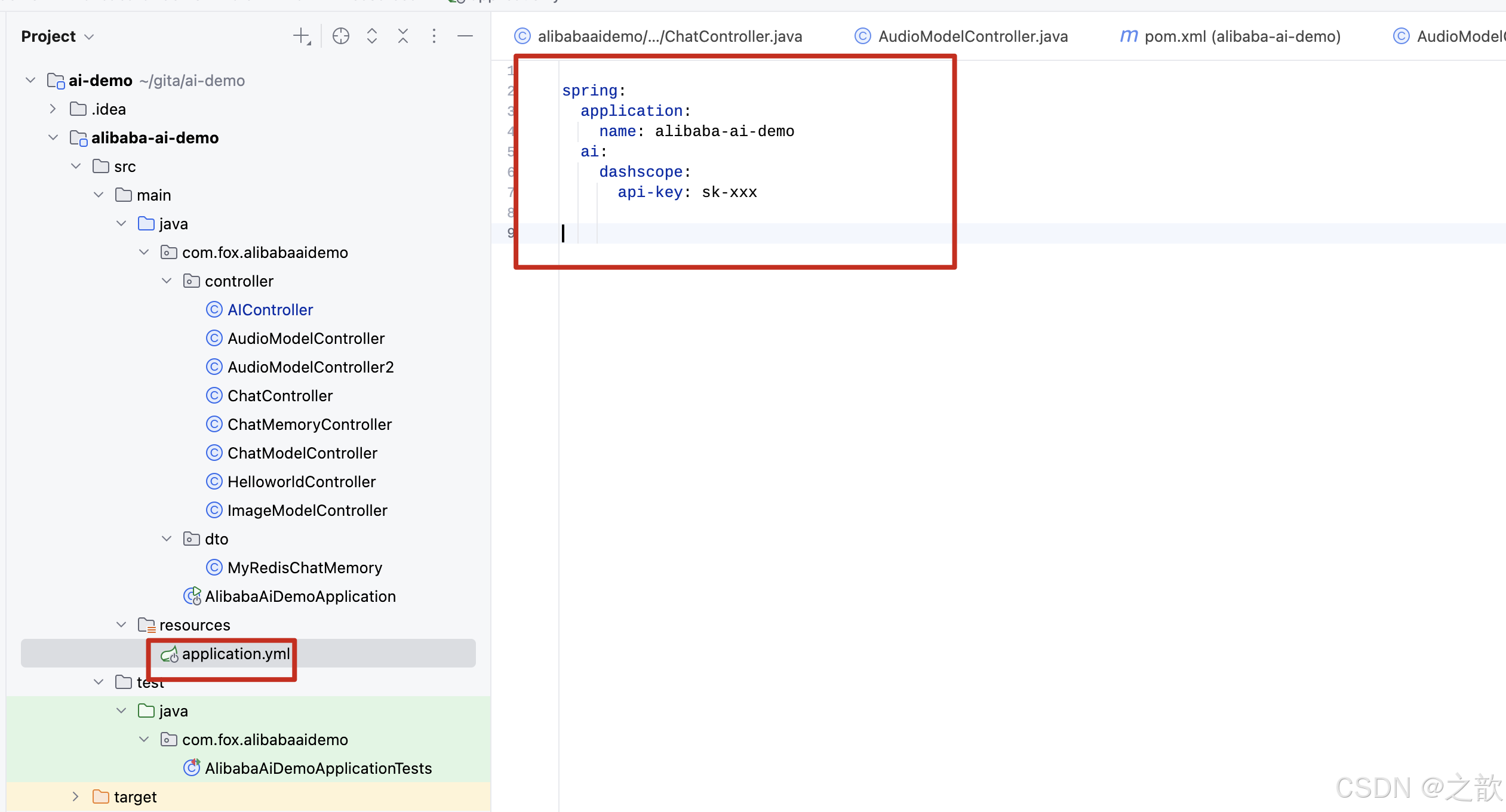
ChatClient 简介
ChatClient 提供了与 AI 模型通信的 Fluent API,它支持同步和反应式(Reactive)编程模型。与 ChatModel、Message、ChatMemory 等原子 API 相比,使用 ChatClient 可以将与 LLM 及其他组件交互的复杂性隐藏在背后,因为基于 LLM 的应用程序通常要多个组件协同工作(例如,提示词模板、聊天记忆、LLM Model、输出解析器、RAG 组件:嵌入模型和存储),并且通常涉及多个交互,因此协调它们会让编码变得繁琐。当然使用 ChatModel 等原子 API 可以为应用程序带来更多的灵活性,成本就是您需要编写大量样板代码。
ChatClient 类似于应用程序开发中的服务层,它为应用程序直接提供 AI 服务,开发者可以使用 ChatClient Fluent API 快速完成一整套 AI 交互流程的组装。
包括一些基础功能,如:
- 定制和组装模型的输入(
Prompt) - 格式化解析模型的输出(
Structured Output) - 调整模型交互参数(
ChatOptions)
还支持更多高级功能:
- 聊天记忆(
Chat Memory) - 工具/函数调用(
Function Calling) RAG
创建 ChatClient
使用 ChatClient.Builder 对象创建 ChatClient 实例,您可以自动注入由Spring Boot 自动配置创建的默认ChatClient.Builder 实例,您也可以通过编程方式自行创建一个ChatClient.Builder实例并用它来得到ChatClient 实例。
使用自动配置的 ChatClient.Builder
在快速开始示例中,就是使用的 Spring Boot 自动装配默认生成的 ChatClient.Builder 的 bean,把它注入到您自己的类中。这里是根据用户提问并从模型得到文本回答的简单例子:
package com.fox.alibabaaidemo.controller;
import org.springframework.ai.chat.client.ChatClient;
import org.springframework.context.annotation.Bean;
import org.springframework.context.annotation.Configuration;
import org.springframework.web.bind.annotation.GetMapping;
import org.springframework.web.bind.annotation.RequestParam;
import org.springframework.web.bind.annotation.RestController;

import java.util.Map;

@RestController
public class AIController {
    private final ChatClient chatClient;

    public AIController(ChatClient.Builder builder) {
        this.chatClient = builder
                .defaultSystem("你是一个友好的聊天机器人,回答问题时要使用{voice}的语气")
                .build();
    }

    // http://localhost:8080/ai?voice=周星驰
    @GetMapping("/ai")
    Map<String, String> completion(@RequestParam(value = "message", defaultValue = "说一个笑话") String message, String voice) {
        return Map.of(
                "completion",
                this.chatClient.prompt()
                        .system(sp -> sp.param("voice", voice))
                        .user(message)
                        .call()
                        .content());
    }
}
输出:

在这个示例中,首先设置了用户消息的内容,call 方法向 AI 模型发送请求,content 方法以字符串形式返回 AI 模型的响应。
处理 ChatClient 响应
ChatClient API 提供了多种方法来格式化来自 AI 模型的响应。
返回 ChatResponse
AI 模型的响应是一种由ChatResponse类型定义的丰富结构。它包含响应生成相关的元数据,同时它还可以包含多个子响应(称为Generation),每个子响应都有自己的元数据。元数据包括用于创建响应的令牌(token)数量信息(在英文中,每个令牌大约为一个单词的 3/4),了解令牌信息很重要,因为 AI 模型根据每个请求使用的令牌数量收费。
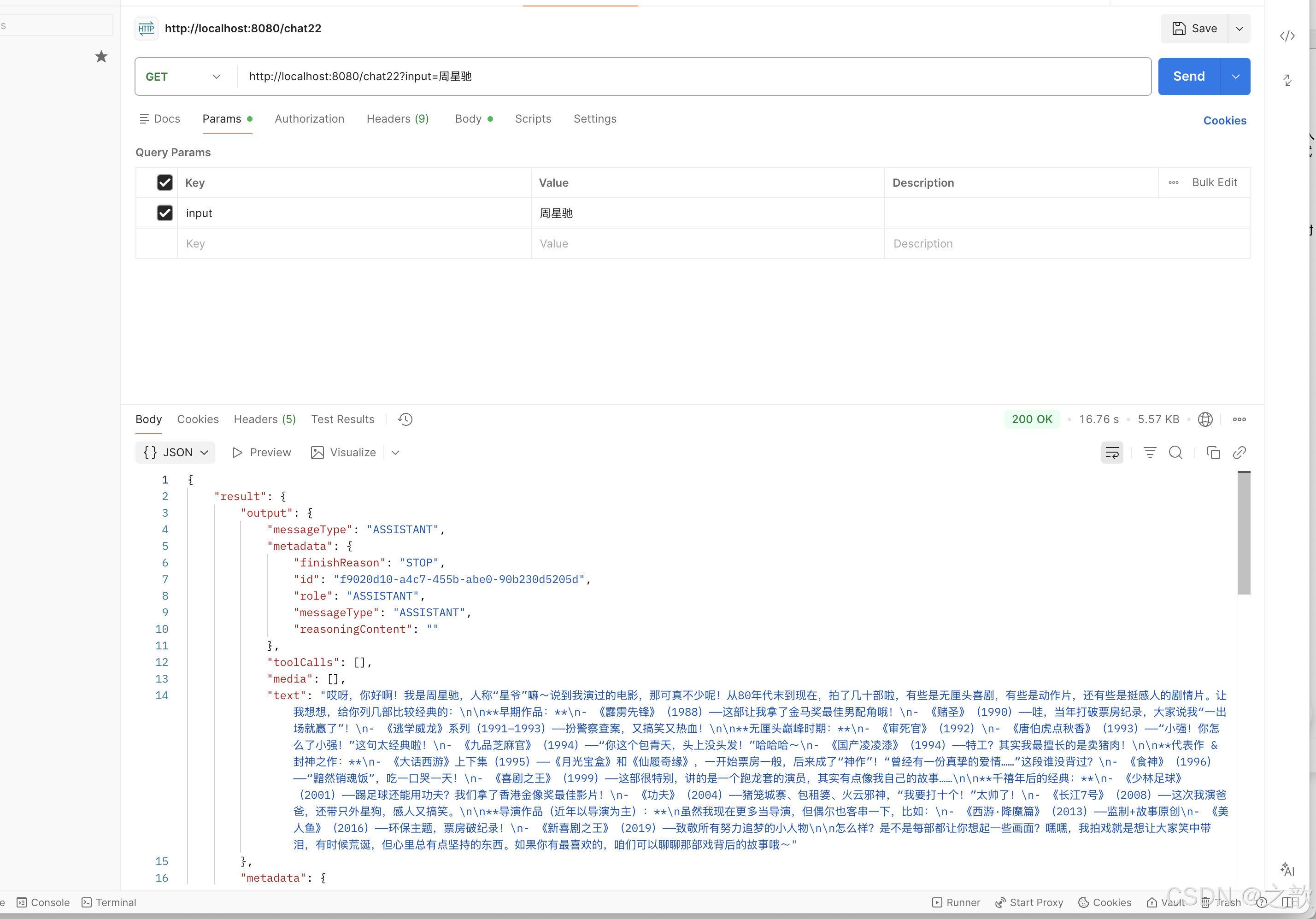
下面的代码段显示了通过调用 chatResponse() 返回 ChatResponse 的示例,相比于调用 content() 方法,这里在调用 call() 方法之后调用 chatResponse()。
// http://localhost:8080/chat22?input=周星驰
@GetMapping("/chat22")
public ChatResponse chat22(@RequestParam(value = "input") String input) {

    return this.chatClient.prompt()
            .user(input)
            .call()
            .chatResponse();
}
实现你的第一个AI应用聊天机器人
同步输出
@RestController
public class ChatController {

    private final ChatClient chatClient;

    public ChatController(ChatClient.Builder builder) {
        this.chatClient = builder
                .defaultSystem("你是一个演员,请列出你所参演的电影")
                .build();
    }


    // http://localhost:8080/chat?input=周星驰
    @GetMapping("/chat")
    public String chat(@RequestParam(value = "input") String input) {

        return this.chatClient.prompt()
                .user(input)
                .call()
                .content();
    }
}
流式响应
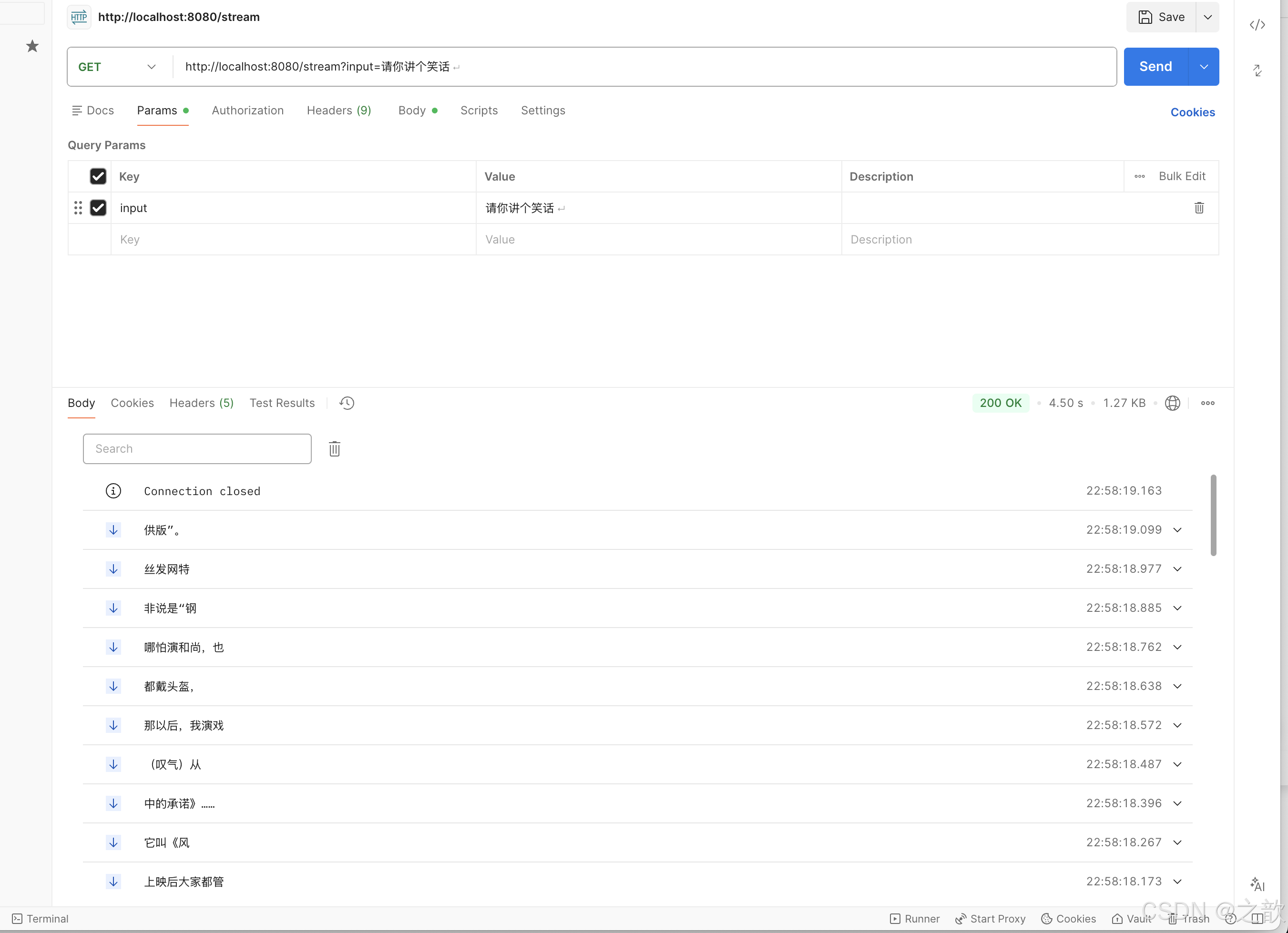
stream 方法是一种异步的、持续的获得模型响应的方式:
    // http://localhost:8080/stream?input=请你讲个笑话
    @GetMapping(value = "/stream", produces = MediaType.TEXT_EVENT_STREAM_VALUE)
    public Flux<String> stream(String input) {
        return this.chatClient.prompt()
                .user(input)
                .stream()
                .content();
    }
输出:
相比于上面的 Flux,您还可以使用 Flux chatResponse() 方法获得 ChatResponse 响应数据流。
ChatClient如何返回实体类型
返回实体类(Entity)
您经常希望返回一个预先定义好的实体类型响应,Spring AI 框架可以自动替我们完成从 String 到实体类的转换,调用entity() 方法可完成响应数据转换。
例如,给定 Java record(POJO)定义:
 record ActorFilms(String actor, List<String> movies) {
    }
您可以使用该 entity 方法轻松地将 AI 模型的输出映射到 ActorFilms 类型,如下所示:
 // http://localhost:8080/movies?input=周星驰
    @GetMapping("/movies")
    public ActorFilms movies(@RequestParam(value = "input") String input) throws Exception {
        String json = this.chatClient.prompt()
                .user(input)
                .call()
                .content();


        ActorFilms actorFilms = this.chatClient.prompt()
                .user(input)
                .call()
                .entity(ActorFilms.class);


        System.out.println("result :{}" +  JSON.toJSONString(actorFilms));
        System.out.println("==============json============" + json);
        return new ObjectMapper().readValue(json, ActorFilms.class);
    }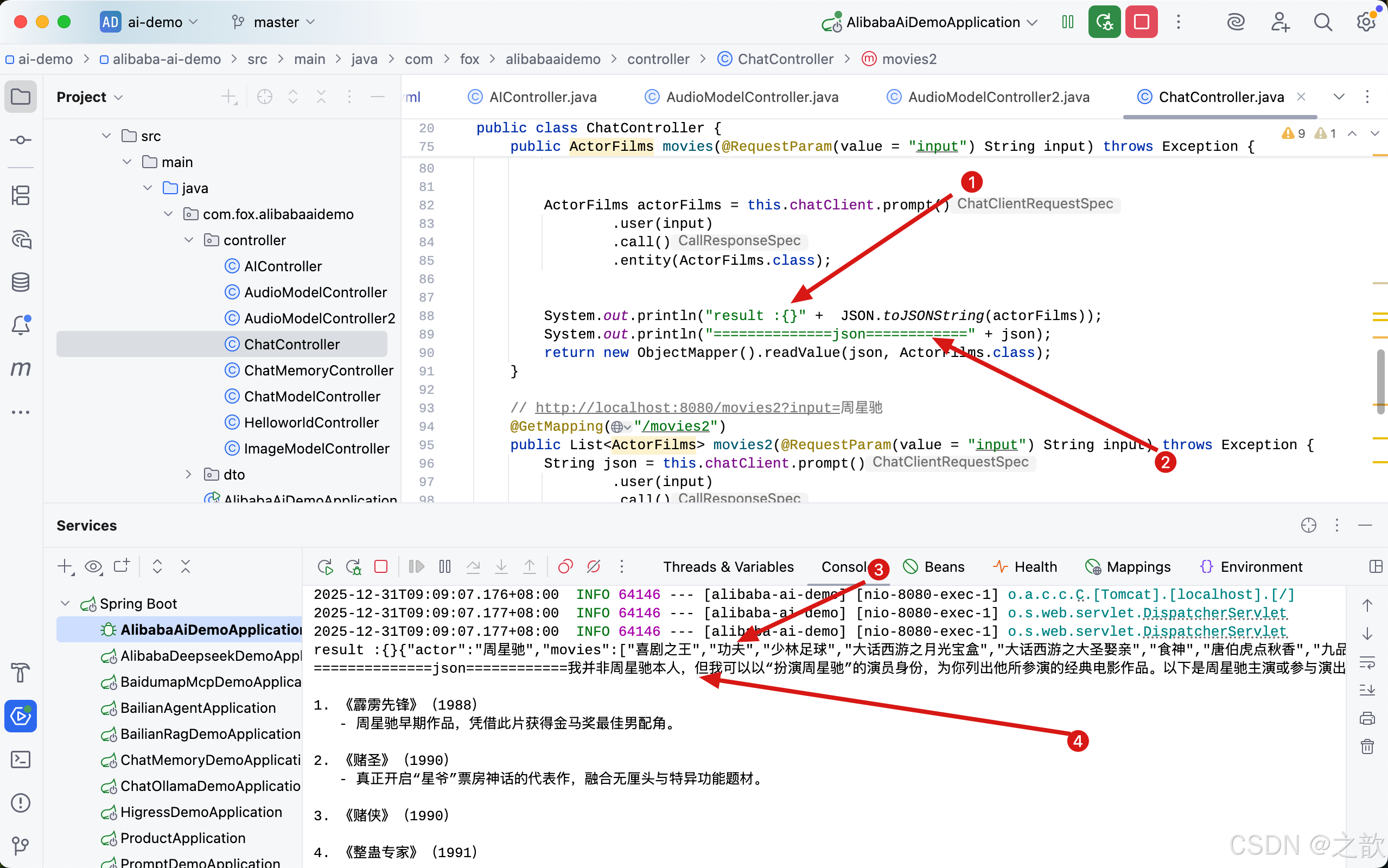
从上图可以看出 ,1 这行日志打印出来的结果是3 , 2 这行日志打印出来的结果是4。 如果想返回一个实体,必须传入**.entity(ActorFilms.class);** ,如果用 **.content();**去接收数据 ,返回的则是一个字符串。如果返回的不是一个List对象,而是一个List 对象呢? 又该如何写。
// http://localhost:8080/movies2?input=周星驰
@GetMapping("/movies2")
public List<ActorFilms> movies2(@RequestParam(value = "input") String input) throws Exception {
    String json = this.chatClient.prompt()
            .user(input)
            .call()
            .content();


    List<ActorFilms> list =  this.chatClient.prompt()
            .user(input)
            .call()
           .entity(new ParameterizedTypeReference<List<ActorFilms>>() {});


    System.out.println("list result :{}" +  JSON.toJSONString(list));

    System.out.println("===============json============" + json);

    return new ObjectMapper().readValue(json, new TypeReference<List<ActorFilms>>() {});
}
用 .entity(new ParameterizedTypeReference<List>() {}); 这种方式,即可以接收一个list对象,接下来看返回结果 。
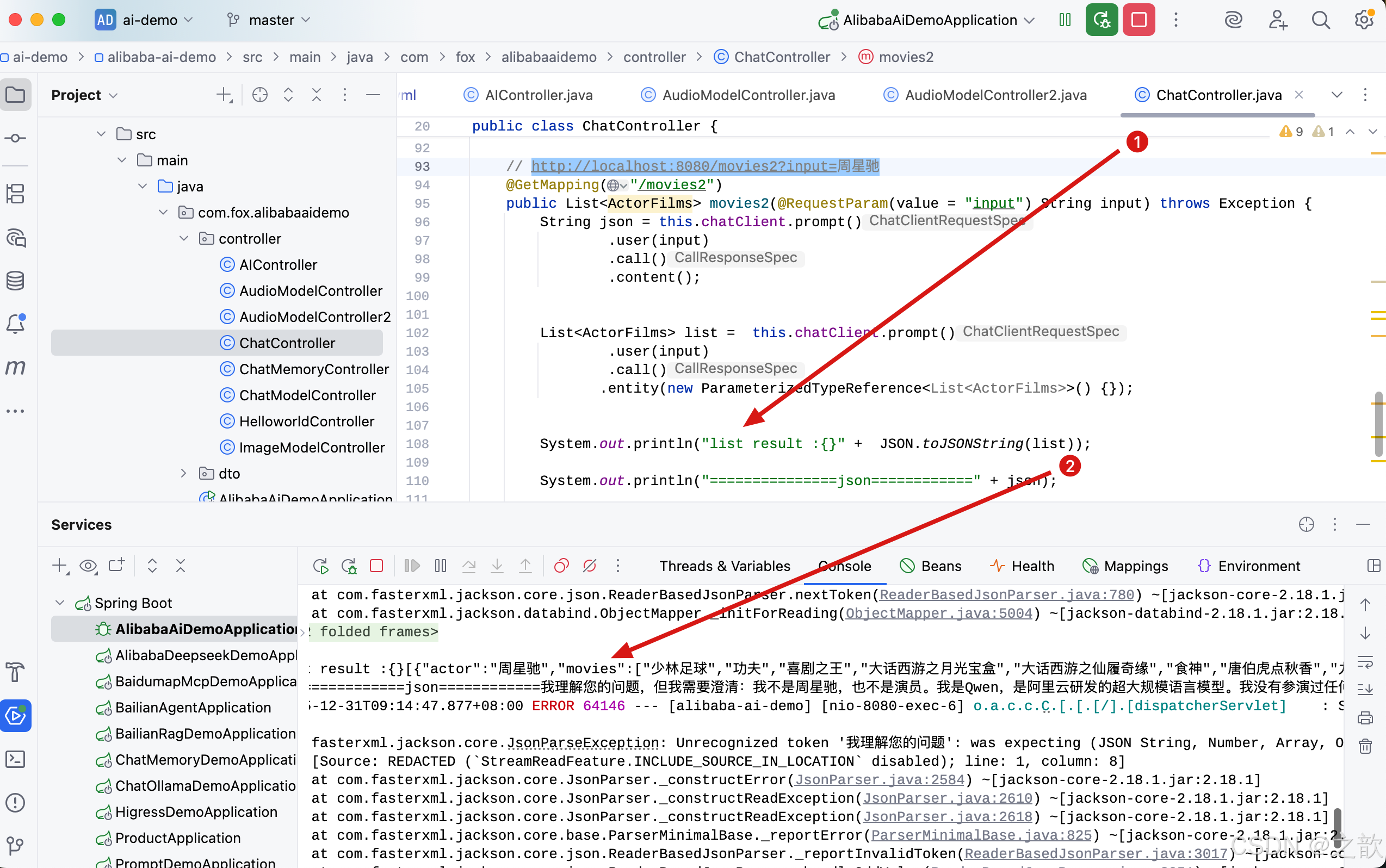
call() 返回值
ChatClient.call() 方法支持几种不同类型的响应格式。
- String content():返回响应的字符串内容
- ChatResponse chatResponse():返回ChatResponse包含多个代以及有关响应的元数据的对象,例如,使用了多少个令牌来创建响应。
- entity 返回 Java 类型
entity(ParameterizedTypeReference type):用于返回实体类型的集合。entity(Class type):用于返回特定的实体类型。entity(StructuredOutputConverter structuredOutputConverter):用于指定一个实例 StructuredOutputConverter,将 String 转换为实体类型。
stream() 返回值
您还可以调用该stream方法而call不是,在指定stream方法后ChatClient,响应类型有几个选项:
Flux\<String> content():返回由AI模型生成的字符串的Flux。Flux\<ChatResponse> chatResponse():返回对象的 Flux ChatResponse,其中包含有关响应的附加元数据。
定制ChatClient指定消息角色
https://java2ai.com/docs/1.0.0-M6.1/tutorials/chat-client/?spm=4347728f.4dbc009c.0.0.f28e6e97MRfA00
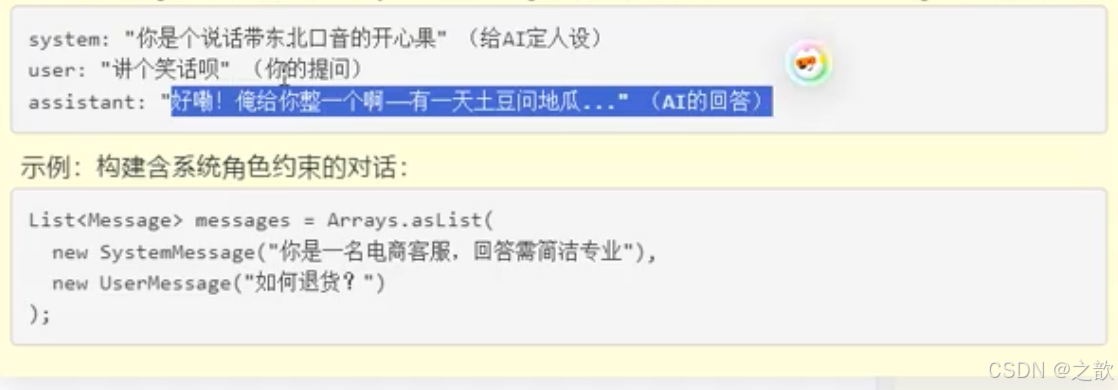
在前面 ChatClient 的初步体验中,我们使用 ChatClient.Builder.build() 快速创建了一个 ChatClient 实例,开发者还可以通过修改 ChatClient.Builder 定制 ChatClient 实例。
注意,创建 ChatClient 时指定的配置将作为与模型交互时的默认参数,这样可以避免每次调用都重复设置。
设置默认 System Message
在以下示例中,我们为 ChatClient 设置了一个默认的 system message(以海盗风格回答所有问题),这样,当 ChatClient 与模型交互时都会自动携带这条 system message,用户只需要指定 user message 即可。
public ChatController(ChatClient.Builder builder) {
    this.chatClient = builder
            .defaultSystem("你是一个演员,请列出你所参演的电影")
            .build();
}
在 Controller 中使用这个 ChatClient
// http://localhost:8080/ai/simple
@GetMapping("/ai/simple")
public Map<String, String> completion(@RequestParam(value = "message", defaultValue = "Tell me a joke") String message) {
    return Map.of("completion",
            chatClient.prompt().user(message).call().content());
}
启动示例,通过 curl 测试效果:

在上面 builder.defaultSystem() 创建 ChatClient 的时,我们还可以选择使用模板,类似 "You are a friendly chat bot that answers question in the voice of a {voice}",这让我们有机会在每次调用前修改请求参数。
其他默认设置
除了 defaultSystem 之外,您还可以在 ChatClient.Builder 级别上指定其他默认提示。
-
defaultOptions(ChatOptions chatOptions):传入ChatOptions类中定义的可移植选项或特定于模型实现的如DashScopeChatOptions选项。有关特定于模型的ChatOptions实现的更多信息,请参阅 alibaba ai JavaDocs。 -
defaultFunction(String name, String description, java.util.function.Function<I, O> function):name 用于在用户文本中引用该函数,description解释该函数的用途并帮助 AI 模型选择正确的函数以获得准确的响应,参数 function 是模型将在必要时执行的 Java 函数实例。 -
defaultFunctions(String... functionNames):应用程序上下文中定义的 java.util.Function 的 bean 名称。 -
defaultUser(String text)、defaultUser(Resource text)、defaultUser(Consumer<UserSpec> userSpecConsumer)这些方法允许您定义用户消息输入,Consumer允许您使用 lambda 指定用户消息输入和任何默认参数。 -
defaultAdvisors(RequestResponseAdvisor... advisor):Advisors 允许修改用于创建 Prompt 的数据,QuestionAnswerAdvisor 实现通过在 Prompt 中附加与用户文本相关的上下文信息来实现 Retrieval Augmented Generation 模式。 -
defaultAdvisors(Consumer<AdvisorSpec> advisorSpecConsumer):此方法允许您定义一个 Consumer 并使用 -
AdvisorSpec 配置多个 Advisor,Advisor 可以修改用于创建 Prompt 的最终数据,
Consumer<AdvisorSpec>允许您指定 lambda 来添加 Advisor 例如 QuestionAnswerAdvisor。
您可以在运行时使用 ChatClient 提供的不带 default 前缀的相应方法覆盖这些默认值。
-
options(ChatOptions chatOptions) -
function(String name, String description, java.util.function.Function<I, O> function) -
functions(String... functionNames) -
user(String text)、user(Resource text)、user(Consumer<UserSpec> userSpecConsumer) -
advisors(RequestResponseAdvisor... advisor) -
advisors(Consumer<AdvisorSpec> advisorSpecConsumer)
对话记忆介绍
"大模型的对话记忆"这一概念,根植于人工智能与自然语言处理领域,特别是针对具有深度学习能力的大型语言模型而言,它指的是模型在与用户进行交互式对话过程中,能够追踪、理解并利用先前对话上下文的能力。 此机制使得大模型不仅能够响应即时的输入请求,还能基于之前的交流内容能够在对话中记住先前的对话内容,并根据这些信息进行后续的响应。这种记忆机制使得模型能够在对话中持续跟踪和理解用户的意图和上下文,从而实现更自然和连贯的对话。
我们在调用大模型的过程中,如果自己维护多轮的对话记忆,通常情况下调用代码如下
java
import java.util.ArrayList;

List<Message> messages = new ArrayList<>();

//第一轮对话
messages.add(new SystemMessage("你是一个旅游规划师"));
messages.add(new UserMessage("我想去新疆"));
ChatResponse response = chatModel.call(new Prompt(messages));
String content = response.getResult().getOutput().getContent();

messages.add(new AssistantMessage(content));

        //第二轮对话
messages.add(new UserMessage("能帮我推荐一些旅游景点吗?"));
response = chatModel.call(new Prompt(messages));
content = response.getResult().getOutput().getContent();

messages.add(new AssistantMessage(content));

        //第三轮对话
messages.add(new UserMessage("那里这两天的天气如何?"));
response = chatModel.call(new Prompt(messages));
content = response.getResult().getOutput().getContent();

System.out.printf("content: %s\n", content);
基于memory的对话记忆
spring-ai-alibaba支持基于chat memory的对话记忆,也就是不需要调用显示的记录每一轮的对话历史。下边是一个基于内存存储的对话记忆实现:
java
/*
 * Licensed to the Apache Software Foundation (ASF) under one or more
 * contributor license agreements.  See the NOTICE file distributed with
 * this work for additional information regarding copyright ownership.
 * The ASF licenses this file to You under the Apache License, Version 2.0
 * (the "License"); you may not use this file except in compliance with
 * the License.  You may obtain a copy of the License at
 *
 *     http://www.apache.org/licenses/LICENSE-2.0
 *
 * Unless required by applicable law or agreed to in writing, software
 * distributed under the License is distributed on an "AS IS" BASIS,
 * WITHOUT WARRANTIES OR CONDITIONS OF ANY KIND, either express or implied.
 * See the License for the specific language governing permissions and
 * limitations under the License.
 */

package com.fox.alibabaaidemo.controller;

import jakarta.servlet.http.HttpServletResponse;
import org.springframework.ai.chat.client.ChatClient;
import org.springframework.ai.chat.client.advisor.MessageChatMemoryAdvisor;
import org.springframework.ai.chat.memory.InMemoryChatMemory;
import org.springframework.ai.chat.model.ChatModel;
import org.springframework.web.bind.annotation.GetMapping;
import org.springframework.web.bind.annotation.RequestMapping;
import org.springframework.web.bind.annotation.RequestParam;
import org.springframework.web.bind.annotation.RestController;
import reactor.core.publisher.Flux;

import static org.springframework.ai.chat.client.advisor.AbstractChatMemoryAdvisor.CHAT_MEMORY_CONVERSATION_ID_KEY;
import static org.springframework.ai.chat.client.advisor.AbstractChatMemoryAdvisor.CHAT_MEMORY_RETRIEVE_SIZE_KEY;


@RestController
@RequestMapping("/chat-memory")
public class ChatMemoryController {

    private final ChatClient chatClient;

    public ChatMemoryController(ChatModel chatModel) {

        this.chatClient = ChatClient
                .builder(chatModel)
                .defaultSystem("你是一个旅游规划师,请根据用户的需求提供旅游规划建议。")
                .defaultAdvisors(new MessageChatMemoryAdvisor(new InMemoryChatMemory()))
                .build();
    }


    /**
     * 获取内存中的聊天内容
     * 根据提供的prompt和chatId,从内存中获取相关的聊天内容,并设置响应的字符编码为UTF-8。
     *
     * @param prompt   用于获取聊天内容的提示信息
     * @param chatId   聊天的唯一标识符,用于区分不同的聊天会话
     * @param response HTTP响应对象,用于设置响应的字符编码
     * @return 返回包含聊天内容的Flux<String>对象
     */
    // http://localhost:8080/chat-memory/in-memory?prompt=我想去新疆玩&chatId=1
    @GetMapping("/in-memory")
    public Flux<String> memory(
            @RequestParam("prompt") String prompt,
            @RequestParam("chatId") String chatId,
            HttpServletResponse response
    ) {

        response.setCharacterEncoding("UTF-8");
        return chatClient.prompt(prompt).advisors(
                a -> a
                        .param(CHAT_MEMORY_CONVERSATION_ID_KEY, chatId)
                        .param(CHAT_MEMORY_RETRIEVE_SIZE_KEY, 100)
        ).stream().content();
    }

}
基于redis 的对话记忆
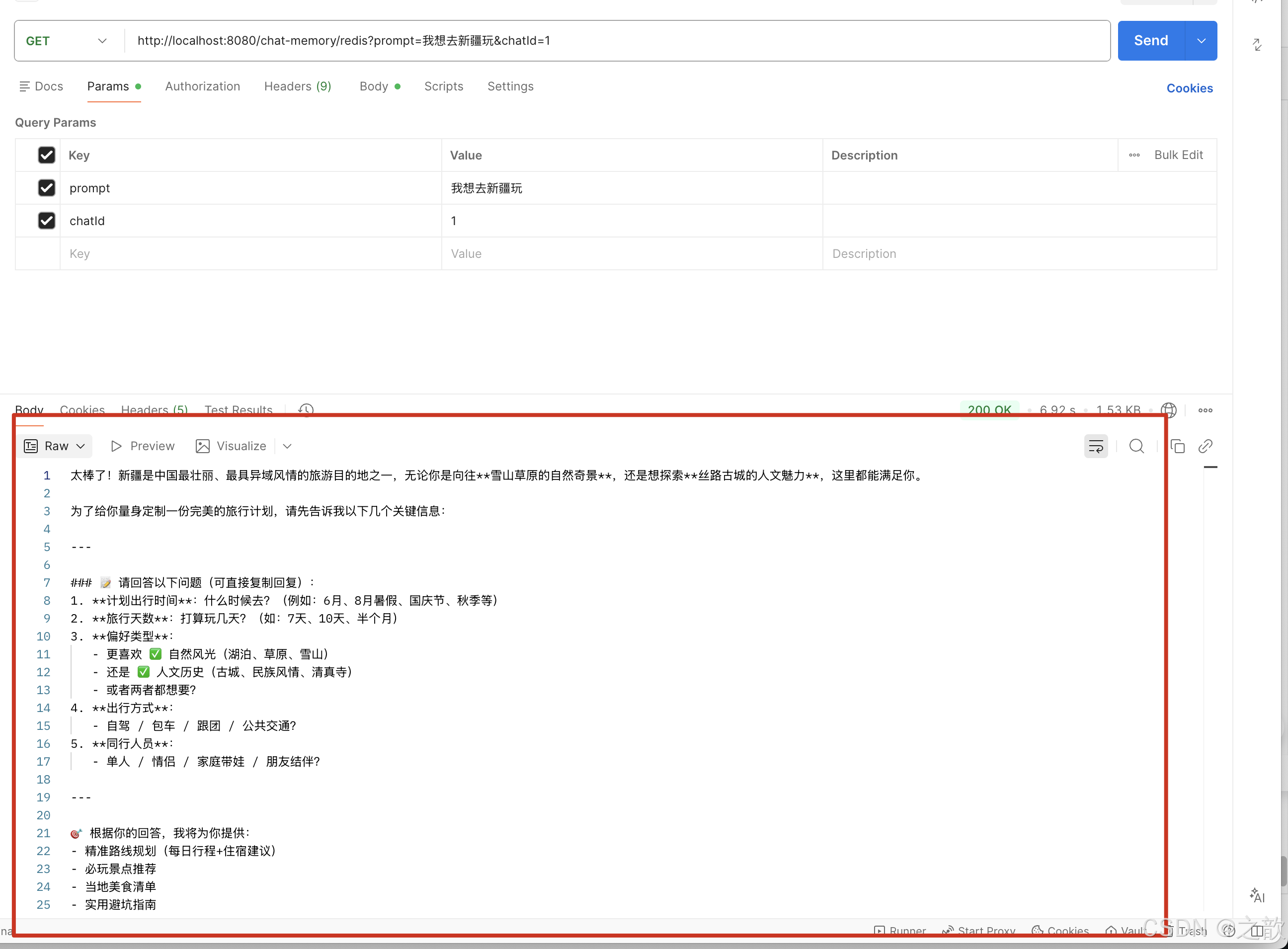
spring-ai-alibaba支持基于redis的对话记忆,也就是不需要调用显示的记录每一轮的对话历史。下边是一个基于redis存储的对话记忆实现:
建一个类实现ChatMemory
当然,开发者也可以自行实现ChatMemory基于类似于文件、Redis等方式进行上下文内容的存储和记录
java
package com.fox.alibabaaidemo.dto;

import java.util.*;
import java.util.concurrent.atomic.AtomicLong;
import java.util.stream.Collectors;

import com.fasterxml.jackson.databind.ObjectMapper;
import org.slf4j.Logger;
import org.slf4j.LoggerFactory;
import org.springframework.ai.chat.messages.UserMessage;
import redis.clients.jedis.Jedis;
import redis.clients.jedis.JedisPool;
import redis.clients.jedis.JedisPoolConfig;

import org.springframework.ai.chat.memory.ChatMemory;
import org.springframework.ai.chat.messages.Message;

/**
 *
 * 基于Redis的聊天记忆实现。
 * 该类实现了ChatMemory接口,提供了将聊天消息存储到Redis中的功能。
 *
 * @author Fox
 */
public class MyRedisChatMemory implements ChatMemory, AutoCloseable {

    private static final Logger logger = LoggerFactory.getLogger(MyRedisChatMemory.class);

    private static final String DEFAULT_KEY_PREFIX = "chat:";

    private static final String DEFAULT_HOST = "127.0.0.1";

    private static final int DEFAULT_PORT = 6379;

    private static final String DEFAULT_PASSWORD = "A23";

    private final JedisPool jedisPool;


    private final ObjectMapper objectMapper;

    public MyRedisChatMemory() {

        this(DEFAULT_HOST, DEFAULT_PORT, DEFAULT_PASSWORD);
    }

    public MyRedisChatMemory(String host, int port, String password) {

        JedisPoolConfig poolConfig = new JedisPoolConfig();

        this.jedisPool = new JedisPool(poolConfig, host, port, 2000, password);
        this.objectMapper = new ObjectMapper();
        logger.info("Connected to Redis at {}:{}", host, port);
    }

    @Override
    public void add(String conversationId, List<Message> messages) {

        String key = DEFAULT_KEY_PREFIX + conversationId;

        AtomicLong timestamp = new AtomicLong(System.currentTimeMillis());

        try (Jedis jedis = jedisPool.getResource()) {
            // 使用pipeline批量操作提升性能
            var pipeline = jedis.pipelined();
            messages.forEach(message -> pipeline.hset(key, String.valueOf(timestamp.getAndIncrement()), message.toString())
            );
            pipeline.sync();
        }


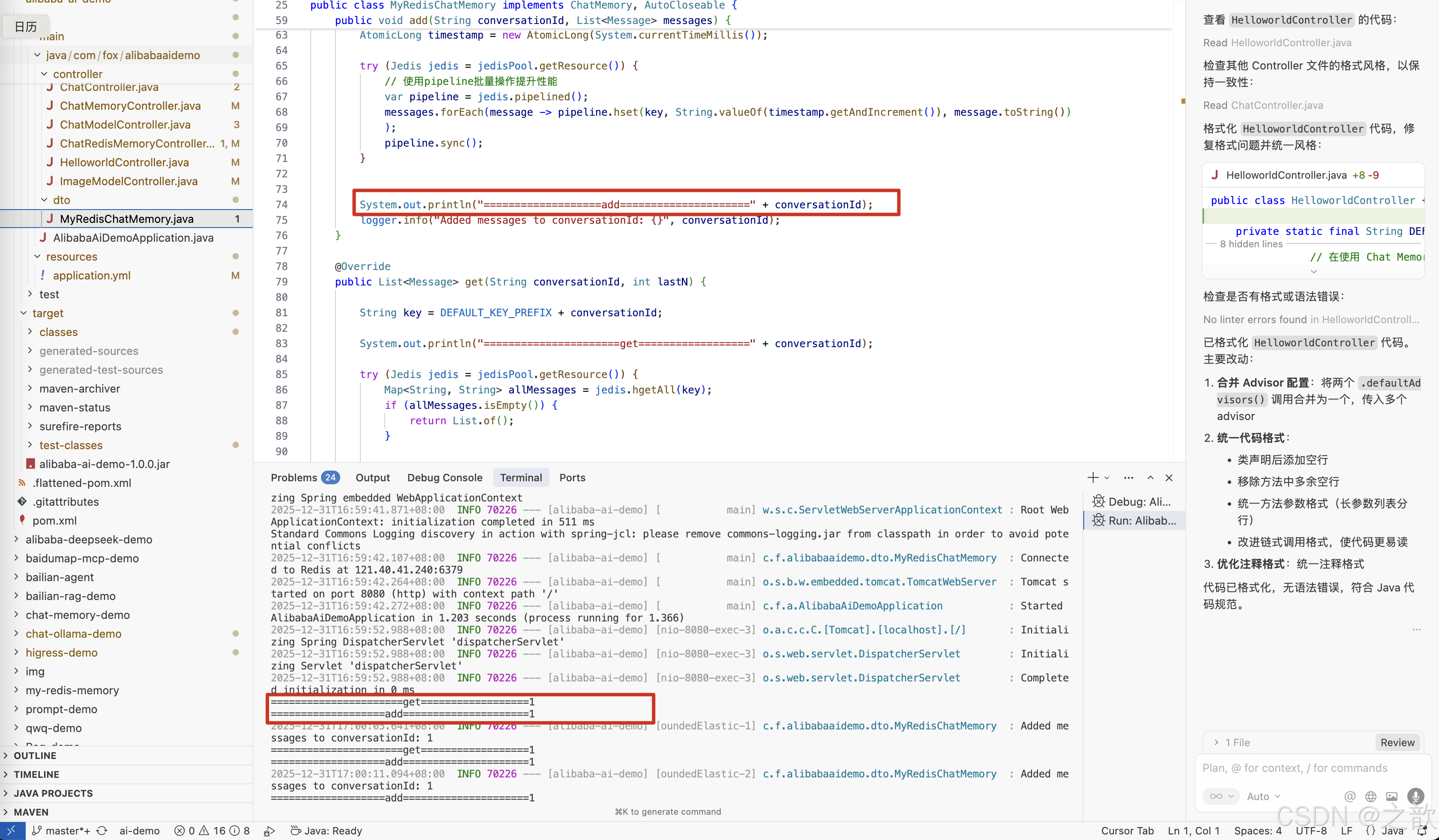
        System.out.println("===================add=====================" + conversationId);
        logger.info("Added messages to conversationId: {}", conversationId);
    }

    @Override
    public List<Message> get(String conversationId, int lastN) {

        String key = DEFAULT_KEY_PREFIX + conversationId;

        System.out.println("======================get==================" + conversationId);

        try (Jedis jedis = jedisPool.getResource()) {
            Map<String, String> allMessages = jedis.hgetAll(key);
            if (allMessages.isEmpty()) {
                return List.of();
            }

            return allMessages.entrySet().stream()
                    .sorted((e1, e2) ->
                            Long.compare(Long.parseLong(e2.getKey()), Long.parseLong(e1.getKey()))
                    )
                    .limit(lastN)
                    .map(entry -> new UserMessage(entry.getValue()))
                    .collect(Collectors.toList());
        }


    }

    @Override
    public void clear(String conversationId) {

        String key = DEFAULT_KEY_PREFIX + conversationId;

        try (Jedis jedis = jedisPool.getResource()) {
            jedis.del(key);
        }
        logger.info("Cleared messages for conversationId: {}", conversationId);
    }

    @Override
    public void close() {
        try (Jedis jedis = jedisPool.getResource()) {
            if (jedis != null) {

                jedis.close();

                logger.info("Redis connection closed.");
            }
            if (jedisPool != null) {

                jedisPool.close();

                logger.info("Jedis pool closed.");
            }
        }

    }

    public void clearOverLimit(String conversationId, int maxLimit, int deleteSize) {
        try {
            String key = DEFAULT_KEY_PREFIX + conversationId;
            try (Jedis jedis = jedisPool.getResource()) {
                List<String> all = jedis.lrange(key, 0, -1);

                if (all.size() >= maxLimit) {
                    all = all.stream().skip(Math.max(0, deleteSize)).toList();
                }
                this.clear(conversationId);
                for (String message : all) {
                    jedis.rpush(key, message);
                }
            }
        }
        catch (Exception e) {
            logger.error("Error clearing messages from Redis chat memory", e);
            throw new RuntimeException(e);
        }
    }

}
测试类
java
/*
 * Licensed to the Apache Software Foundation (ASF) under one or more
 * contributor license agreements.  See the NOTICE file distributed with
 * this work for additional information regarding copyright ownership.
 * The ASF licenses this file to You under the Apache License, Version 2.0
 * (the "License"); you may not use this file except in compliance with
 * the License.  You may obtain a copy of the License at
 *
 *     http://www.apache.org/licenses/LICENSE-2.0
 *
 * Unless required by applicable law or agreed to in writing, software
 * distributed under the License is distributed on an "AS IS" BASIS,
 * WITHOUT WARRANTIES OR CONDITIONS OF ANY KIND, either express or implied.
 * See the License for the specific language governing permissions and
 * limitations under the License.
 */

package com.fox.alibabaaidemo.controller;

import com.fox.alibabaaidemo.dto.MyRedisChatMemory;
import jakarta.servlet.http.HttpServletResponse;
import org.springframework.ai.chat.client.ChatClient;
import org.springframework.ai.chat.client.advisor.MessageChatMemoryAdvisor;
import org.springframework.ai.chat.memory.InMemoryChatMemory;
import org.springframework.ai.chat.model.ChatModel;
import org.springframework.web.bind.annotation.GetMapping;
import org.springframework.web.bind.annotation.RequestMapping;
import org.springframework.web.bind.annotation.RequestParam;
import org.springframework.web.bind.annotation.RestController;
import reactor.core.publisher.Flux;

import static org.springframework.ai.chat.client.advisor.AbstractChatMemoryAdvisor.CHAT_MEMORY_CONVERSATION_ID_KEY;
import static org.springframework.ai.chat.client.advisor.AbstractChatMemoryAdvisor.CHAT_MEMORY_RETRIEVE_SIZE_KEY;


@RestController
@RequestMapping("/chat-memory")
public class ChatRedisMemoryController {

    private final ChatClient chatClient;

    public ChatRedisMemoryController(ChatModel chatModel) {

        this.chatClient = ChatClient
                .builder(chatModel)
                .defaultSystem("你是一个旅游规划师,请根据用户的需求提供旅游规划建议。")
                .defaultAdvisors(new MessageChatMemoryAdvisor(new MyRedisChatMemory(
                        "172.0.0.1",
                        6379,
                        "i9ew9ie9w8mc"
                )))
                .build();
    }


    /**
     * 从Redis中获取聊天内容
     * 根据提供的prompt和chatId,从Redis中检索聊天内容,并以Flux<String>的形式返回
     *
     * @param prompt   聊天内容的提示或查询关键字
     * @param chatId   聊天的唯一标识符,用于从Redis中检索特定的聊天内容
     * @param response HttpServletResponse对象,用于设置响应的字符编码为UTF-8
     * @return Flux<String> 包含聊天内容的反应式流
     */
    @GetMapping("/redis")
    public Flux<String> redis(
            @RequestParam("prompt") String prompt,
            @RequestParam("chatId") String chatId,
            HttpServletResponse response
    ) {

        response.setCharacterEncoding("UTF-8");

        return chatClient.prompt(prompt)
                .advisors(
                        a -> a
                                .param(CHAT_MEMORY_CONVERSATION_ID_KEY, chatId)
                                .param(CHAT_MEMORY_RETRIEVE_SIZE_KEY, 10)
                )
                .stream().content();
    }
}
对话模型(Chat Model)
对话模型(Chat Model)接收一系列消息(Message)作为输入,与模型 LLM 服务进行交互,并接收返回的聊天消息(Chat Message)作为输出。相比于普通的程序输入,模型的输入与输出消息(Message)不止支持纯字符文本,还支持包括语音、图片、视频等作为输入输出。同时,在 Spring AI Alibaba 中,消息中还支持包含不同的角色,帮助底层模型区分来自模型、用户和系统指令等的不同消息。
Spring AI Alibaba 复用了 Spring AI 抽象的 Model API,并与通义系列大模型服务进行适配(如通义千问、通义万相等),目前支持纯文本聊天、文生图、文生语音、语音转文本等。以下是框架定义的几个核心 API:
- ChatModel,文本聊天交互模型,支持纯文本格式作为输入,并将模型的输出以格式化文本形式返回。
- ImageModel,接收用户文本输入,并将模型生成的图片作为输出返回。
- AudioModel,接收用户文本输入,并将模型合成的语音作为输出返回。
Spring AI Alibaba 支持以上 Model 抽象与通义系列模型的适配,并通过 spring-ai-alibaba-starter AutoConfiguration 自动初始化了默认实例,因此我们可以在应用程序中直接注入 ChatModel、ImageModel 等 bean,当然在需要的时候也可以自定义 Model 实例。
Chat Model
ChatModel API 让应用开发者可以非常方便的与 AI 模型进行文本交互,它抽象了应用与模型交互的过程,包括使用 Prompt 作为输入,使用 ChatResponse 作为输出等。ChatModel 的工作原理是接收 Prompt 或部分对话作为输入,将输入发送给后端大模型,模型根据其训练数据和对自然语言的理解生成对话响应,应用程序可以将响应呈现给用户或用于进一步处理。
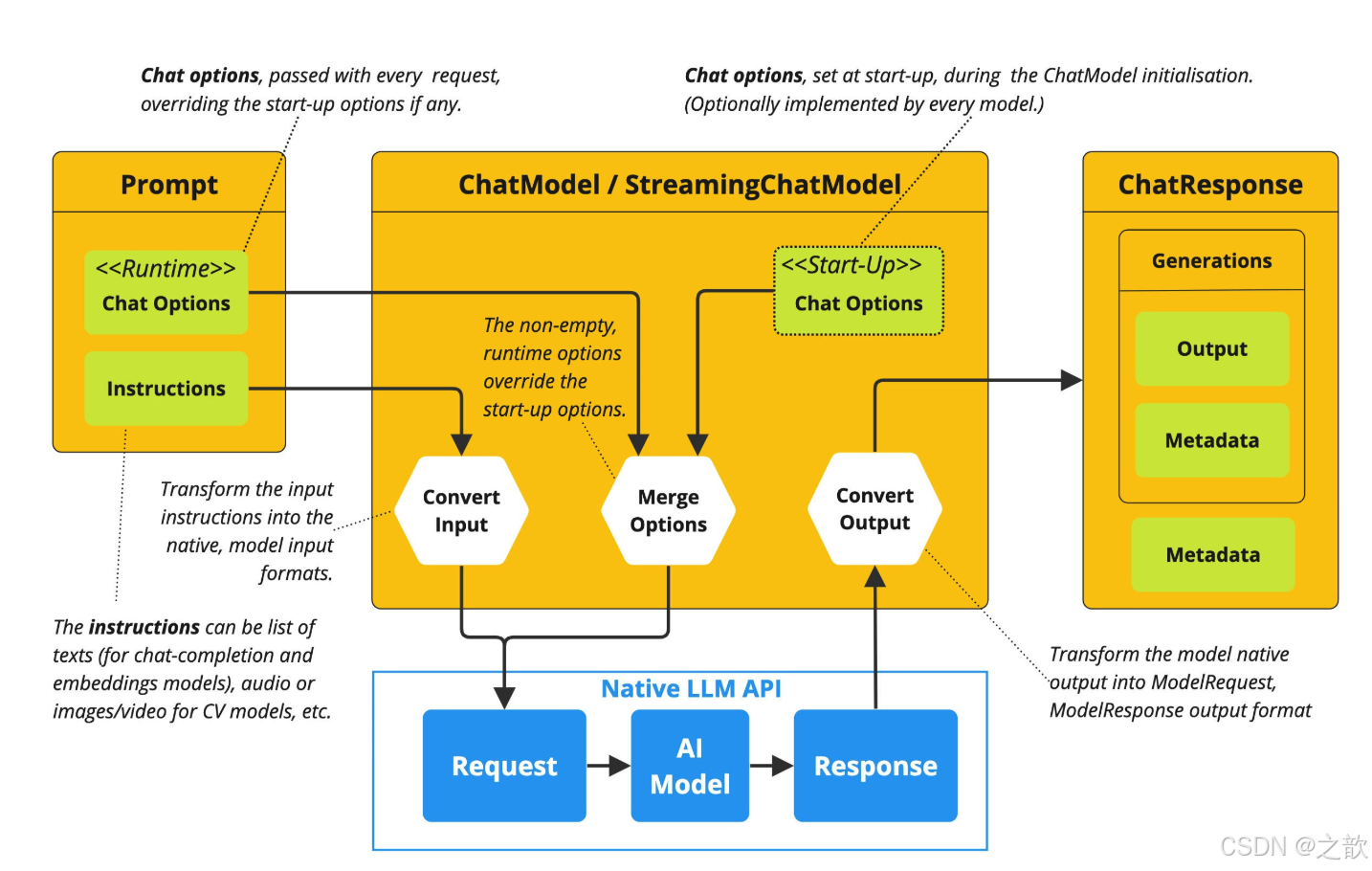
使用示例
开发完整的 ChatModel 示例应用,您需要添加 spring-ai-alibaba-starter 依赖,请参考快速开始中的项目配置说明了解详情,您还可以访问 chatmodel-example 查看本示例完整源码。
以下是 ChatModel 基本使用示例,它可以接收 String 字符串作为输入:
java
private final ChatModel chatModel;

public ChatModelController(@Qualifier("dashscopeChatModel") ChatModel chatModel) {
    this.chatModel = chatModel;
}

// http://localhost:8080/chat2?input=哪里好玩
@RequestMapping("/chat2")
public String chat2(String input) {
		// 通过 ChatOptions 在每次调用中调整模型参数:
    DashScopeChatOptions options = DashScopeChatOptions.builder()
            //  .withModel("qwen-plus")           // 模型名称
            .withTemperature(0.9)           // Temperature 参数
            .withMaxToken(1500)     // 最大令牌数
       //     .withTopP(0.01)           // Top-P 采样
            .build();

    Prompt prompt = new Prompt(input, options);
    ChatResponse response = chatModel.call(prompt);
    //ChatResponse response = chatModel.call(new Prompt(input));
    return response.getResult().getOutput().getText();
}
Streaming 示例:
java
// http://localhost:8080/streamChat?input=哪里好玩
@RequestMapping("/streamChat")
public Flux<String> streamChat(String input, HttpServletResponse response) throws IOException {
    response.setContentType("text/event-stream");
    response.setCharacterEncoding("UTF-8");
    return chatModel.stream(input);
}
Image Model
ImageModel API 抽象了应用程序通过模型调用实现"文生图"的交互过程,即应用程序接收文本,调用模型生成图片。ImageModel 的入参为包装类型 ImagePrompt,输出类型为 ImageResponse。
使用示例
spring-ai-alibaba-starter AutoConfiguration 默认初始化了 ImageModel 实例,我们可以选择直接注入并使用默认实例。
java
package com.fox.alibabaaidemo.controller;

import org.springframework.ai.image.*;
import org.springframework.beans.factory.annotation.Qualifier;
import org.springframework.web.bind.annotation.RequestMapping;
import org.springframework.web.bind.annotation.RestController;

@RestController
public class ImageModelController {
    private final ImageModel imageModel;

    ImageModelController(@Qualifier("dashScopeImageModel") ImageModel imageModel) {
        this.imageModel = imageModel;
    }

    // http://localhost:8080/image?input=生成一只猫
    @RequestMapping("/image")
    public String image(String input) {
        ImageOptions options = ImageOptionsBuilder.builder()
                .model("wanx2.1-t2i-turbo")
                .height(1024)
                .width(1024)
                .build();

        ImagePrompt imagePrompt = new ImagePrompt(input, options);
        ImageResponse response = imageModel.call(imagePrompt);
        String imageUrl = response.getResult().getOutput().getUrl();

        return "redirect:" + imageUrl;
    }


}
Audio Model
当前,Spring AI Alibaba 支持以下两种通义语音模型的适配,分别是:
- 文本生成语音 SpeechModel,对应于 OpenAI 的 Text-To-Speech (TTS) API
java
package com.fox.alibabaaidemo.controller;


import com.alibaba.cloud.ai.dashscope.audio.synthesis.SpeechSynthesisModel;
import com.alibaba.cloud.ai.dashscope.audio.synthesis.SpeechSynthesisPrompt;
import com.alibaba.cloud.ai.dashscope.audio.synthesis.SpeechSynthesisResponse;

import org.springframework.beans.factory.annotation.Autowired;
import org.springframework.http.MediaType;
import org.springframework.http.ResponseEntity;
import org.springframework.web.bind.annotation.GetMapping;
import org.springframework.web.bind.annotation.RequestMapping;
import org.springframework.web.bind.annotation.RequestParam;
import org.springframework.web.bind.annotation.RestController;

import java.io.IOException;

import java.nio.ByteBuffer;

/**
 * @author: Fox
 * @Desc:
 **/
@RestController
@RequestMapping("/audio")
public class AudioModelController {

    private final SpeechSynthesisModel speechSynthesisModel;

    @Autowired
    public AudioModelController(SpeechSynthesisModel speechSynthesisModel) {

        this.speechSynthesisModel = speechSynthesisModel;
    }

    // http://localhost:8080/audio/synthesize
    @GetMapping("/synthesize")
    public ResponseEntity<byte[]> synthesizeSpeech(@RequestParam String text) throws IOException {
        // 构建语音合成请求
        SpeechSynthesisPrompt prompt = new SpeechSynthesisPrompt(text);

        // 调用模型生成语音
        SpeechSynthesisResponse response = speechSynthesisModel.call(prompt);
        ByteBuffer audioData = response.getResult().getOutput().getAudio();

        // 将 ByteBuffer 转换为字节数组
        byte[] audioBytes = new byte[audioData.remaining()];
        audioData.get(audioBytes);

        // 返回音频流(MP3格式)
        return ResponseEntity.ok()
                .contentType(MediaType.APPLICATION_OCTET_STREAM)
                .header("Content-Disposition", "attachment; filename=output.mp3")
                .body(audioBytes);
    }
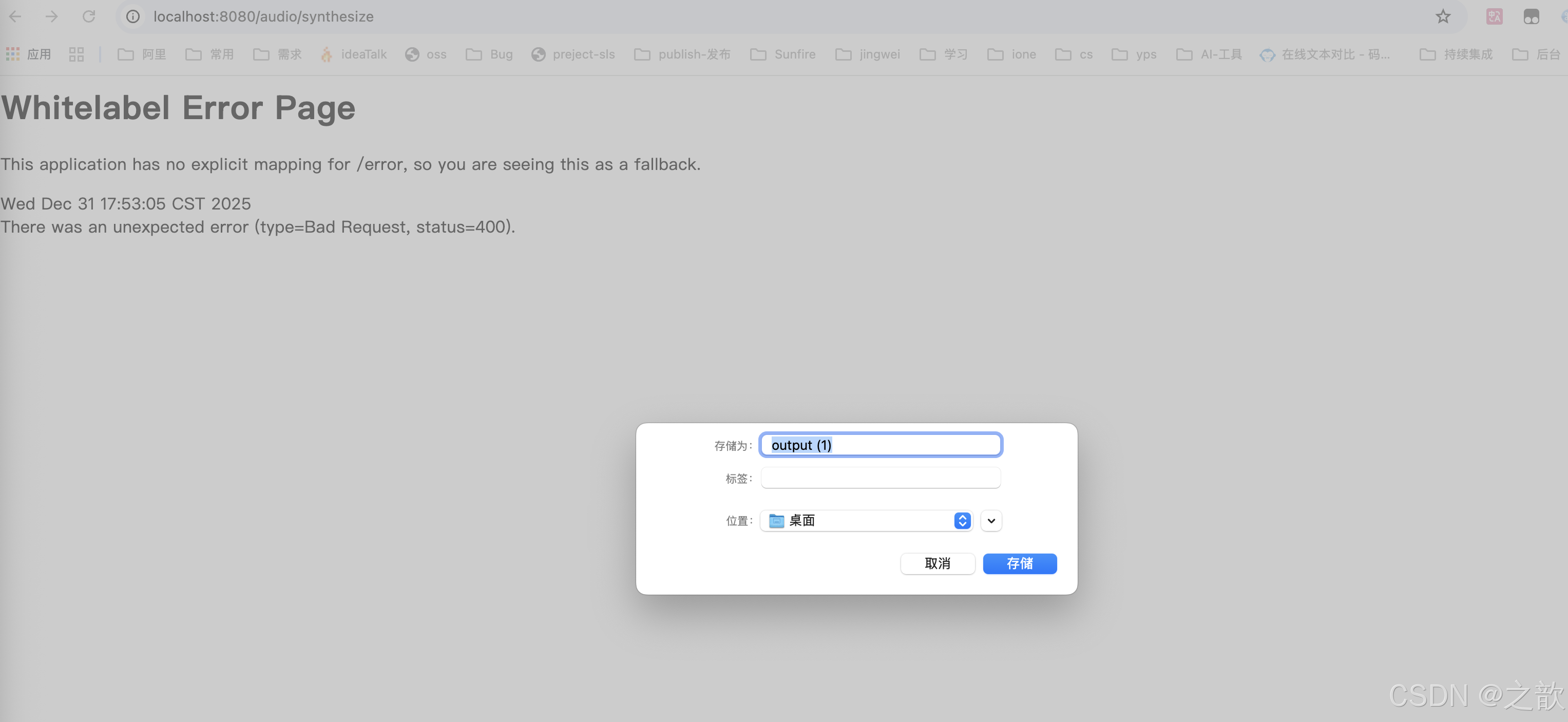
}
- 录音文件生成文字 DashScopeAudioTranscriptionModel,对应于 OpenAI 的 Transcription API
java
package com.fox.alibabaaidemo.controller;

import com.alibaba.cloud.ai.dashscope.audio.DashScopeAudioTranscriptionModel;
import com.alibaba.cloud.ai.dashscope.audio.DashScopeAudioTranscriptionOptions;
import org.springframework.ai.audio.transcription.AudioTranscriptionPrompt;
import org.springframework.core.io.Resource;
import org.springframework.core.io.UrlResource;
import org.springframework.web.bind.annotation.GetMapping;
import org.springframework.web.bind.annotation.RestController;

import java.net.MalformedURLException;

/**
 * @author: Fox
 * @Desc:
 **/
@RestController
public class AudioModelController2 {

    private static final String AUDIO_RESOURCES_URL = "https://dashscope.oss-cn-beijing.aliyuncs.com/samples/audio/paraformer/hello_world_female2.wav";

    private final DashScopeAudioTranscriptionModel dashScopeAudioTranscriptionModel; //modelname:sensevoice-v1,paraformer-realtime-v2,paraformer-v2

    AudioModelController2(DashScopeAudioTranscriptionModel dashScopeAudioTranscriptionModel){
        this.dashScopeAudioTranscriptionModel = dashScopeAudioTranscriptionModel;
    }

    // http://localhost:8080/audio
    @GetMapping("/audio")
    public String audio() throws MalformedURLException {
        Resource resource =new UrlResource(AUDIO_RESOURCES_URL);

        AudioTranscriptionPrompt prompt = new AudioTranscriptionPrompt(resource,
                DashScopeAudioTranscriptionOptions.builder()
                        .withModel("sensevoice-v1")
                        .build());

        return dashScopeAudioTranscriptionModel.call(prompt).getResult().getOutput();
    }
}
提示词 (Prompt)
https://java2ai.com/docs/1.0.0-M6.1/tutorials/prompt/?spm=4347728f.4dbc009c.0.0.79d66e974Vnzhu
Prompt 是引导 AI 模型生成特定输出的输入格式,Prompt 的设计和措辞会显著影响模型的响应。
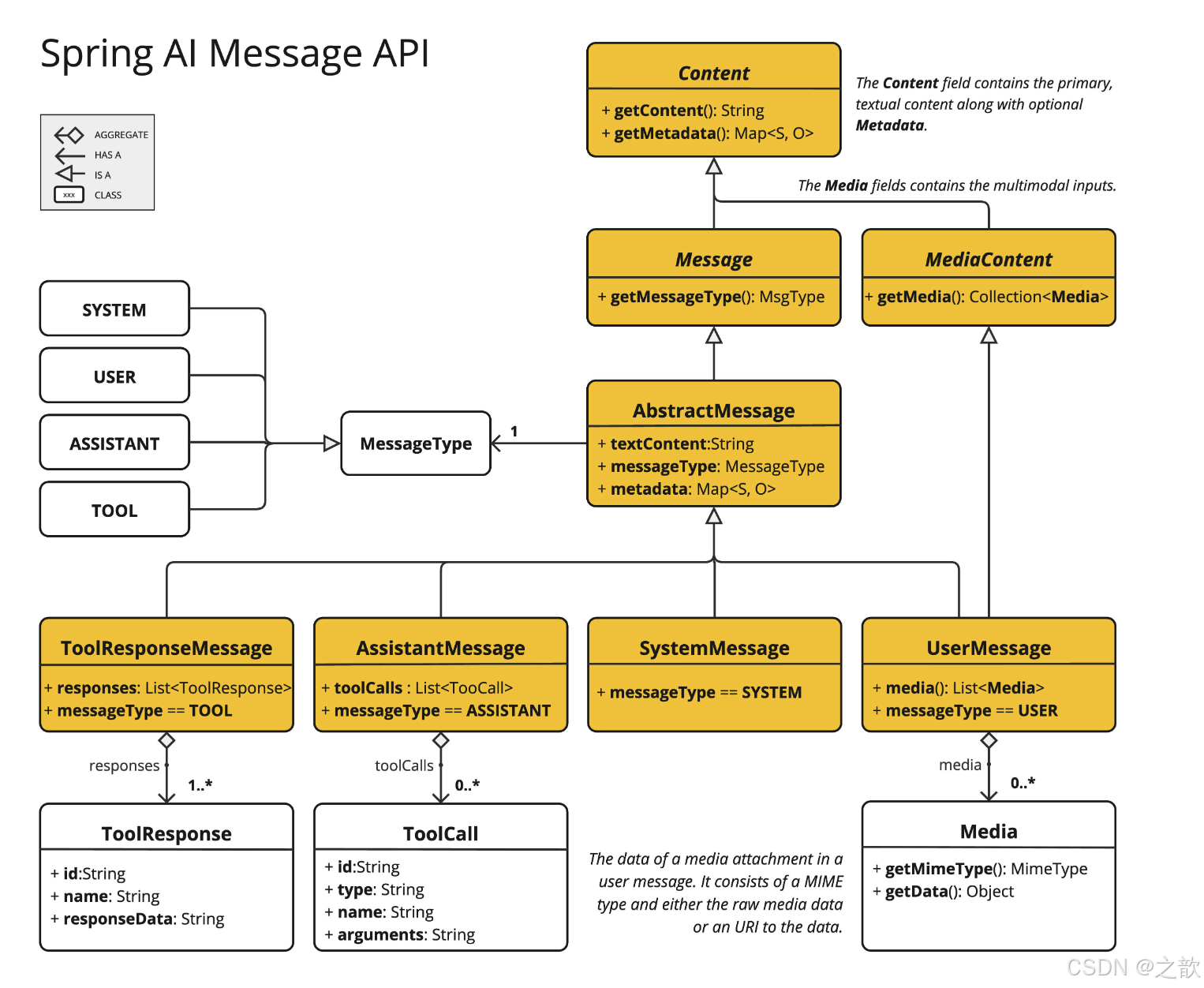
Prompt 最开始只是简单的字符串,随着时间的推移,prompt 逐渐开始包含特定的占位符,例如 AI 模型可以识别的 "USER:"、"SYSTEM:" 等。阿里云通义模型可通过将多个消息字符串分类为不同的角色,然后再由 AI 模型处理,为 prompt 引入了更多结构。每条消息都分配有特定的角色,这些角色对消息进行分类,明确 AI 模型提示的每个部分的上下文和目的。这种结构化方法增强了与 AI 沟通的细微差别和有效性,因为 prompt 的每个部分在交互中都扮演着独特且明确的角色。
Prompt 中的主要角色(Role)包括:
- 系统角色(System Role):指导 AI 的行为和响应方式,设置 AI 如何解释和回复输入的参数或规则。这类似于在发起对话之前向 AI 提供说明。
- 用户角色(User Role):代表用户的输入 - 他们向 AI 提出的问题、命令或陈述。这个角色至关重要,因为它构成了 AI 响应的基础。
- 助手角色(Assistant Role):AI 对用户输入的响应。这不仅仅是一个答案或反应,它对于保持对话的流畅性至关重要。通过跟踪 AI 之前的响应(其"助手角色"消息),系统可确保连贯且上下文相关的交互。助手消息也可能包含功能工具调用请求信息。它就像 AI 中的一个特殊功能,在需要执行特定功能(例如计算、获取数据或不仅仅是说话)时使用。
- 工具/功能角色(Tool/Function Role):工具/功能角色专注于响应工具调用助手消息返回附加信息。
java
public interface PromptTemplateActions extends PromptTemplateStringActions {

  Prompt create();

  Prompt create(ChatOptions modelOptions);

  Prompt create(Map<String, Object> model);

  Prompt create(Map<String, Object> model, ChatOptions modelOptions);

}-
方法 Prompt create():生成不带外部数据输入的 Prompt 对象,非常适合静态或预定义提示。
-
方法 Prompt create(ChatOptions modelOptions):生成一个 Prompt 对象,无需外部数据输入,但具有聊天请求的特定选项。
-
方法 Prompt create(Map<String, Object> model):扩展提示创建功能以包含动态内容,采用 Map<String, Object>,其中每个映射条目都是提示模板中的占位符及其关联的动态值。
-
方法 Prompt create(Map<String, Object> model, ChatOptions modelOptions):扩展提示创建功能以包含动态内容,采用 Map<String, Object>,其中每个映射条目都是提示模板中的占位符及其关联的动态值,以及聊天请求的特定选项。
使用示例
提示词模板
java
package com.fox.promptdemo.config;

import com.alibaba.cloud.ai.prompt.ConfigurablePromptTemplateFactory;
import org.springframework.context.annotation.Bean;
import org.springframework.context.annotation.Configuration;

@Configuration
public class PromptTemplateConfig {

    @Bean
    public ConfigurablePromptTemplateFactory configurablePromptTemplateFactory() {
        // 这里假设ConfigurablePromptTemplateFactory有一个无参构造函数
        return new ConfigurablePromptTemplateFactory();
        // 如果需要配置参数,可以在这里进行配置
        // return new ConfigurablePromptTemplateFactory(param1, param2);
    }
}
数据准备
/prompts/joke-prompt.st 内容如下
java
给我讲一个关于 {topic} 的 {adjective} 笑话
java
/*
 * Licensed to the Apache Software Foundation (ASF) under one or more
 * contributor license agreements.  See the NOTICE file distributed with
 * this work for additional information regarding copyright ownership.
 * The ASF licenses this file to You under the Apache License, Version 2.0
 * (the "License"); you may not use this file except in compliance with
 * the License.  You may obtain a copy of the License at
 *
 *     http://www.apache.org/licenses/LICENSE-2.0
 *
 * Unless required by applicable law or agreed to in writing, software
 * distributed under the License is distributed on an "AS IS" BASIS,
 * WITHOUT WARRANTIES OR CONDITIONS OF ANY KIND, either express or implied.
 * See the License for the specific language governing permissions and
 * limitations under the License.
 */

package com.fox.promptdemo.controller;

import com.alibaba.cloud.ai.prompt.ConfigurablePromptTemplate;
import com.alibaba.cloud.ai.prompt.ConfigurablePromptTemplateFactory;
import org.springframework.ai.chat.client.ChatClient;
import org.springframework.ai.chat.messages.AssistantMessage;
import org.springframework.ai.chat.prompt.Prompt;
import org.springframework.ai.chat.prompt.PromptTemplate;
import org.springframework.beans.factory.annotation.Value;
import org.springframework.core.io.Resource;
import org.springframework.util.StringUtils;
import org.springframework.web.bind.annotation.GetMapping;
import org.springframework.web.bind.annotation.RequestMapping;
import org.springframework.web.bind.annotation.RequestParam;
import org.springframework.web.bind.annotation.RestController;

import java.util.Map;

@RestController
@RequestMapping("/example/ai")
public class PromptTemplateController {

	private final ChatClient chatClient;

	private final ConfigurablePromptTemplateFactory configurablePromptTemplateFactory;


	@Value("classpath:/prompts/joke-prompt.st")
	private Resource jokeResource;

	public PromptTemplateController(
			ChatClient.Builder builder,
			ConfigurablePromptTemplateFactory configurablePromptTemplateFactory
	) {

		this.chatClient = builder.build();
		this.configurablePromptTemplateFactory = configurablePromptTemplateFactory;
	}

	@GetMapping("/prompt")
	public AssistantMessage completion(
			@RequestParam(value = "adjective", defaultValue = "有趣") String adjective,
			@RequestParam(value = "topic", defaultValue = "奶牛") String topic
	) {

		PromptTemplate promptTemplate = new PromptTemplate(jokeResource);
		Prompt prompt = promptTemplate.create(Map.of("adjective", adjective, "topic", topic));

		return chatClient.prompt(prompt)
				.call()
				.chatResponse()
				.getResult()
				.getOutput();
	}

	/**
	 * nacos template config [{"name:"test-template","template:"please list the most famous books by this {author}."}]
	 */
	// http://localhost:8080/example/ai/promptTemplate?author=鲁迅
	@GetMapping("/promptTemplate")
	public AssistantMessage generate(			@RequestParam(value = "author", defaultValue = "鲁迅") String author	) {

		ConfigurablePromptTemplate template = configurablePromptTemplateFactory.getTemplate("test-template");

		// 如果模板不存在,则创建模板
		System.out.println("template: xxxxxxxxxx" + template);
		if (template == null) {
			template = configurablePromptTemplateFactory.create("test-template","请列出 {author} 最著名的三本书。");
		}

		Prompt prompt;
		if (StringUtils.hasText(author)) {
			prompt = template.create(Map.of("author", author));
		} else {
			prompt = template.create();
		}

		return chatClient.prompt(prompt)
				.call()
				.chatResponse()
				.getResult()
				.getOutput();
	}

}
浏览器中输入 :
http://localhost:10007/example/ai/promptTemplate?author=鲁迅
结果输出:

StuffController 接口
1. completion 方法
接口路径:GET /prompt/ai/stuff
功能描述: 演示使用特定的 prompt 上下文信息以增强大模型的回答。
主要特性:
- 基于 Spring Boot REST API 实现
- 返回 JSON 格式响应
- 支持 UTF-8 编码
使用场景:
- 数据处理和响应
- API 集成测试
示例请求:
GET http://localhost:8080/prompt/ai/stuff
示例
数据准备 :
/docs/bailian.md
java
# **百炼手机产品介绍**

欢迎来到未来科技的前沿,探索我们精心打造的智能手机系列,每一款都是为了满足您对科技生活的无限遐想而生。

**百炼X1** ------ 畅享极致视界:搭载6.7英寸1440 x 3200像素超清屏幕,搭配120Hz刷新率,流畅视觉体验跃然眼前。256GB海量存储空间与12GB RAM强强联合,无论是大型游戏还是多任务处理,都能轻松应对。5000mAh电池长续航,加上超感光四摄系统,记录生活每一刻精彩。参考售价:4599 - 4999

**通义Vivid 7** ------ 智能摄影新体验:拥有6.5英寸1080 x 2400像素全面屏,AI智能摄影功能让每一张照片都能展现专业级色彩与细节。8GB RAM与128GB存储空间确保流畅操作,4500mAh电池满足日常所需。侧面指纹解锁,便捷又安全。参考售价:2999 - 3299

**星尘S9 Pro** ------ 创新视觉盛宴:突破性6.9英寸1440 x 3088像素屏下摄像头设计,带来无界视觉享受。512GB存储与16GB RAM的顶级配置,配合6000mAh电池与100W快充技术,让性能与续航并驾齐驱,引领科技潮流。参考售价:5999 - 6499。

**百炼Ace Ultra** ------ 游戏玩家之选:配备6.67英寸1080 x 2400像素屏幕,内置10GB RAM与256GB存储,确保游戏运行丝滑无阻。5500mAh电池搭配液冷散热系统,长时间游戏也能保持冷静。高动态双扬声器,沉浸式音效升级游戏体验。参考售价:3999 - 4299。

**百炼Zephyr Z9** ------ 轻薄便携的艺术:轻巧的6.4英寸1080 x 2340像素设计,搭配128GB存储与6GB RAM,日常使用游刃有余。4000mAh电池确保一天无忧,30倍数字变焦镜头捕捉远处细节,轻薄而不失强大。参考售价:2499 - 2799。

**百炼Flex Fold+** ------ 折叠屏新纪元:集创新与奢华于一身,主屏7.6英寸1800 x 2400像素与外屏4.7英寸1080 x 2400像素,多角度自由悬停设计,满足不同场景需求。512GB存储、12GB RAM,加之4700mAh电池与UTG超薄柔性玻璃,开启折叠屏时代新篇章。此外,这款手机还支持双卡双待、卫星通话,帮助您在世界各地都能畅联通话。参考零售价:9999 - 10999。

每一款手机都是匠心独运,只为成就您手中的科技艺术品。选择属于您的智能伙伴,开启未来科技生活的新篇章。
java
使用以下上下文来回答最后的问题。
如果你不知道答案,就说你不知道,不要试图编造答案。

{context}

问题: {question}
有用的答案:
java
/*
 * Licensed to the Apache Software Foundation (ASF) under one or more
 * contributor license agreements.  See the NOTICE file distributed with
 * this work for additional information regarding copyright ownership.
 * The ASF licenses this file to You under the Apache License, Version 2.0
 * (the "License"); you may not use this file except in compliance with
 * the License.  You may obtain a copy of the License at
 *
 *     http://www.apache.org/licenses/LICENSE-2.0
 *
 * Unless required by applicable law or agreed to in writing, software
 * distributed under the License is distributed on an "AS IS" BASIS,
 * WITHOUT WARRANTIES OR CONDITIONS OF ANY KIND, either express or implied.
 * See the License for the specific language governing permissions and
 * limitations under the License.
 */

package com.fox.promptdemo.controller;

import com.fox.promptdemo.entity.Completion;
import org.springframework.ai.chat.client.ChatClient;
import org.springframework.ai.chat.prompt.PromptTemplate;
import org.springframework.beans.factory.annotation.Autowired;
import org.springframework.beans.factory.annotation.Value;
import org.springframework.core.io.Resource;
import org.springframework.web.bind.annotation.GetMapping;
import org.springframework.web.bind.annotation.RequestMapping;
import org.springframework.web.bind.annotation.RequestParam;
import org.springframework.web.bind.annotation.RestController;

import java.util.HashMap;
import java.util.Map;

@RestController
@RequestMapping("/example/ai")
public class StuffController {

    private final ChatClient chatClient;

    @Value("classpath:/docs/bailian.md")
    private Resource docsToStuffResource;

    @Value("classpath:/prompts/qa-prompt.st")
    private Resource qaPromptResource;

    @Autowired
    public StuffController(ChatClient.Builder builder) {
        this.chatClient = builder.build();
    }

    // http://localhost:10007/example/ai/stuff?message=给我推荐一款百炼系列的手机?&stuffit=false
    // http://localhost:10007/example/ai/stuff?message=给我推荐一款百炼系列的手机?&stuffit=true
    @GetMapping(value = "/stuff")
    public Completion completion(@RequestParam(value = "message", defaultValue = "给我推荐一款百炼系列的手机?") String message,
                                 @RequestParam(value = "stuffit", defaultValue = "false") boolean stuffit) {

        PromptTemplate promptTemplate = new PromptTemplate(qaPromptResource);

        Map<String, Object> map = new HashMap<>();
        map.put("question", message);
        if (stuffit) {
            map.put("context", docsToStuffResource);
        } else {
            map.put("context", "");
        }

        return new Completion(chatClient.prompt(promptTemplate.create(map)).call().content());
    }

}
测试1:
http://localhost:10007/example/ai/stuff?message=给我推荐一款百炼系列的手机?\&stuffit=false
输出:

测试2 :
http://localhost:10007/example/ai/stuff?message=给我推荐一款百炼系列的手机?\&stuffit=true
输出:

当前实现的方式:
- 属于"文档预加载+条件触发"模式
- 通过 stuffit 参数实现人工控制的上下文开关
- 上下文直接来自预定义的静态资源文件
- 本质上是一种轻量级的静态RAG (Static RAG)
经典RAG:
- 采用"检索-排序-注入"自动化流程
- 依赖向量相似度计算动态选择上下文
- 支持增量学习和实时知识更新
- 典型流程:问题编码一向量检索一相关性过滤一上下文注入适用场景建议
当前方式更适合:
- 文档规模小(如产品说明书、FAQ等)
- 需要严格控制的回答范围
- 快速原型开发阶段
RoleController 接口
1. generate 方法
java
public interface PromptTemplateMessageActions {

  Message createMessage();

    Message createMessage(List<Media> mediaList);

  Message createMessage(Map<String, Object> model);

}-
方法 Message createMessage():创建一个不带附加数据的 Message 对象,用于静态或预定义消息内容。
-
方法 Message createMessage(List mediaList):创建一个带有静态文本和媒体内容的 Message 对象。
-
方法 Message createMessage(Map<String, Object> model):扩展消息创建以集成动态内容,接受 Map<String, Object>,其中每个条目代表消息模板中的占位符及其对应的动态值。
接口路径: GET /example/ai/roles
功能描述: 加载 System prompt tmpl.
主要特性:
- 基于 Spring Boot REST API 实现
- 返回 JSON 格式响应
- 支持 UTF-8 编码
使用场景:
- 数据处理和响应
- API 集成测试
示例请求:
GET http://localhost:8080/example/ai/roles
数据准备 :
java
你是一个有用的 AI 助手。
你是帮助人们查找信息的 AI 助手。
你的名字是 {name}
你应该使用你的姓名和 {voice} 的样式回复用户的请求。
示例:
java
/*
 * Licensed to the Apache Software Foundation (ASF) under one or more
 * contributor license agreements.  See the NOTICE file distributed with
 * this work for additional information regarding copyright ownership.
 * The ASF licenses this file to You under the Apache License, Version 2.0
 * (the "License"); you may not use this file except in compliance with
 * the License.  You may obtain a copy of the License at
 *
 *     http://www.apache.org/licenses/LICENSE-2.0
 *
 * Unless required by applicable law or agreed to in writing, software
 * distributed under the License is distributed on an "AS IS" BASIS,
 * WITHOUT WARRANTIES OR CONDITIONS OF ANY KIND, either express or implied.
 * See the License for the specific language governing permissions and
 * limitations under the License.
 */

package com.fox.promptdemo.controller;

import org.springframework.ai.chat.client.ChatClient;
import org.springframework.ai.chat.messages.AssistantMessage;
import org.springframework.ai.chat.messages.Message;
import org.springframework.ai.chat.messages.UserMessage;
import org.springframework.ai.chat.prompt.Prompt;
import org.springframework.ai.chat.prompt.SystemPromptTemplate;
import org.springframework.beans.factory.annotation.Autowired;
import org.springframework.beans.factory.annotation.Value;
import org.springframework.core.io.Resource;
import org.springframework.web.bind.annotation.GetMapping;
import org.springframework.web.bind.annotation.RequestMapping;
import org.springframework.web.bind.annotation.RequestParam;
import org.springframework.web.bind.annotation.RestController;

import java.util.List;
import java.util.Map;

@RestController
@RequestMapping("/example/ai")
public class RoleController {

	private final ChatClient chatClient;

	@Value("classpath:/prompts/system-message.st")
	private Resource systemResource;

	@Autowired
	public RoleController(ChatClient.Builder builder) {
		this.chatClient = builder.build();
	}


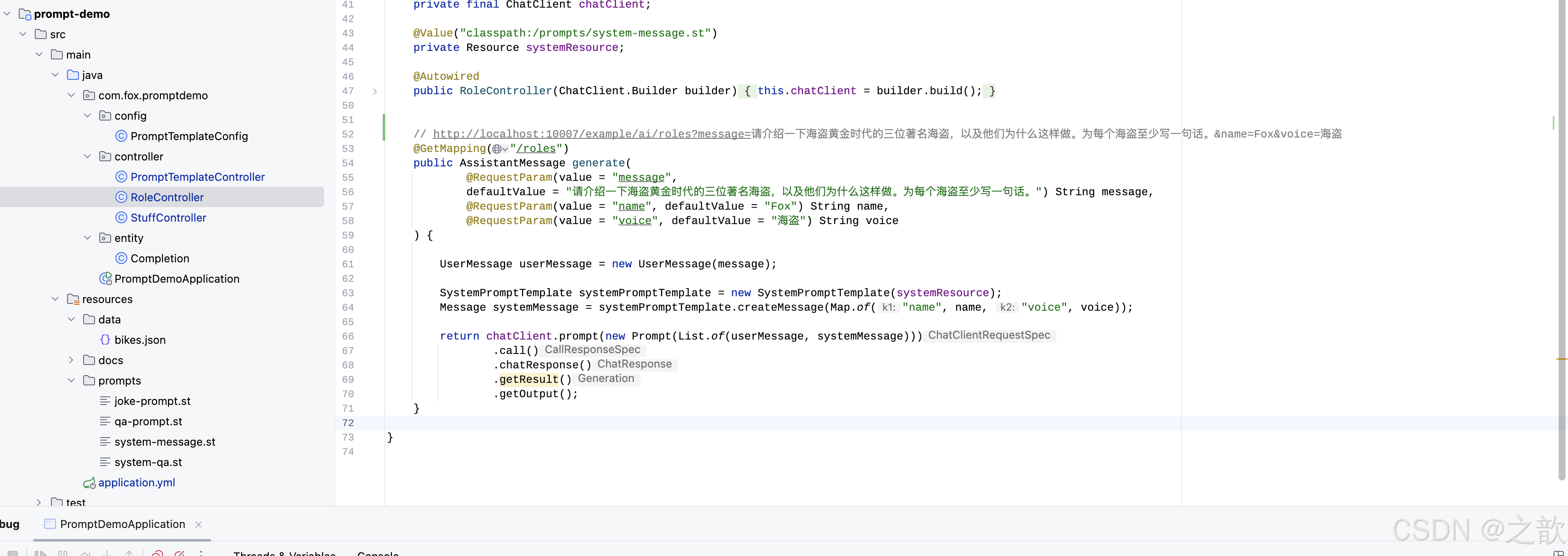
	// http://localhost:10007/example/ai/roles?message=请介绍一下海盗黄金时代的三位著名海盗,以及他们为什么这样做。为每个海盗至少写一句话。&name=Fox&voice=海盗
	@GetMapping("/roles")
	public AssistantMessage generate(
			@RequestParam(value = "message",
			defaultValue = "请介绍一下海盗黄金时代的三位著名海盗,以及他们为什么这样做。为每个海盗至少写一句话。") String message,
			@RequestParam(value = "name", defaultValue = "Fox") String name,
			@RequestParam(value = "voice", defaultValue = "海盗") String voice
	) {

		UserMessage userMessage = new UserMessage(message);

		SystemPromptTemplate systemPromptTemplate = new SystemPromptTemplate(systemResource);
		Message systemMessage = systemPromptTemplate.createMessage(Map.of("name", name, "voice", voice));

		return chatClient.prompt(new Prompt(List.of(userMessage, systemMessage)))
				.call()
				.chatResponse()
				.getResult()
				.getOutput();
	}
}
格式化输出(Structured Output)
如果您想从 LLM 接收结构化输出,Structured Output 可以协助将 ChatModel/ChatClient 方法的返回类型从 String 更改为其他类型。
LLM 生成结构化输出的能力对于依赖可靠解析输出值的下游应用程序非常重要。开发人员希望快速将 AI 模型的结果转换为可以传递给其他应用程序函数和方法的数据类型,例如 JSON、XML 或 Java 类。Spring AI 结构化输出转换器有助于将 LLM 输出转换为结构化格式。
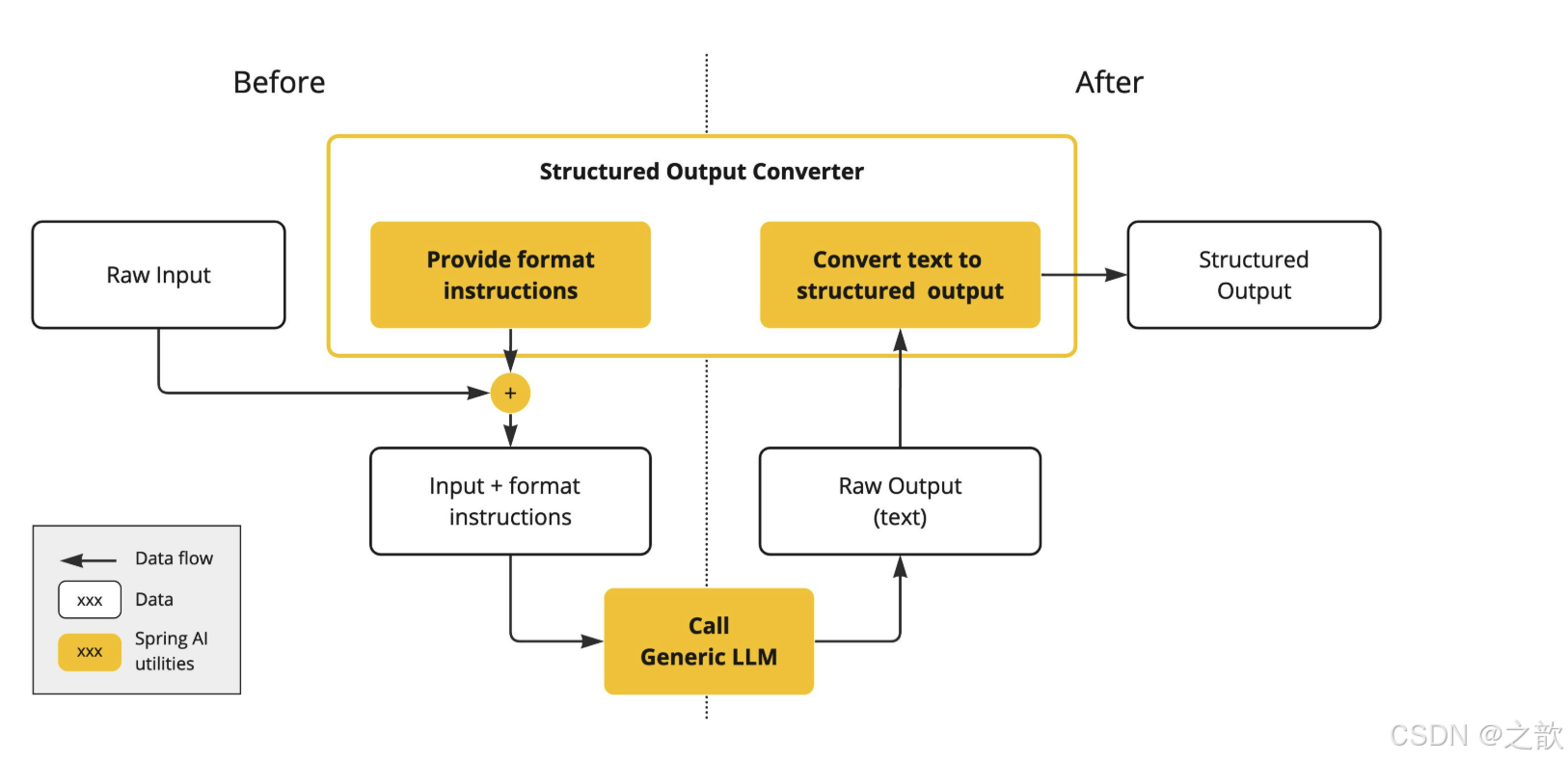
在 LLM 调用之前,转换器会将期望的输出格式(output format instruction)附加到 prompt 中,为模型提供生成所需输出结构的明确指导,这些指令充当蓝图,塑造模型的响应以符合指定的格式。以下是此类格式说明的示例:
Your response should be in JSON format.
The data structure for the JSON should match this Java class: java.util.HashMap
Do not include any explanations, only provide a RFC8259 compliant JSON response following this format without deviation.
在 LLM 调用之后,转换器获取模型的输出文本并将其转换为结构化类型的实例,此转换过程涉及解析原始文本输出并将其映射到相应的结构化数据表示,例如 JSON、XML 或特定于域的数据结构。
API 概述
当前 Spring AI 提供的 Converter 实现有 AbstractConversionServiceOutputConverter, AbstractMessageOutputConverter, BeanOutputConverter, MapOutputConverter and ListOutputConverter。
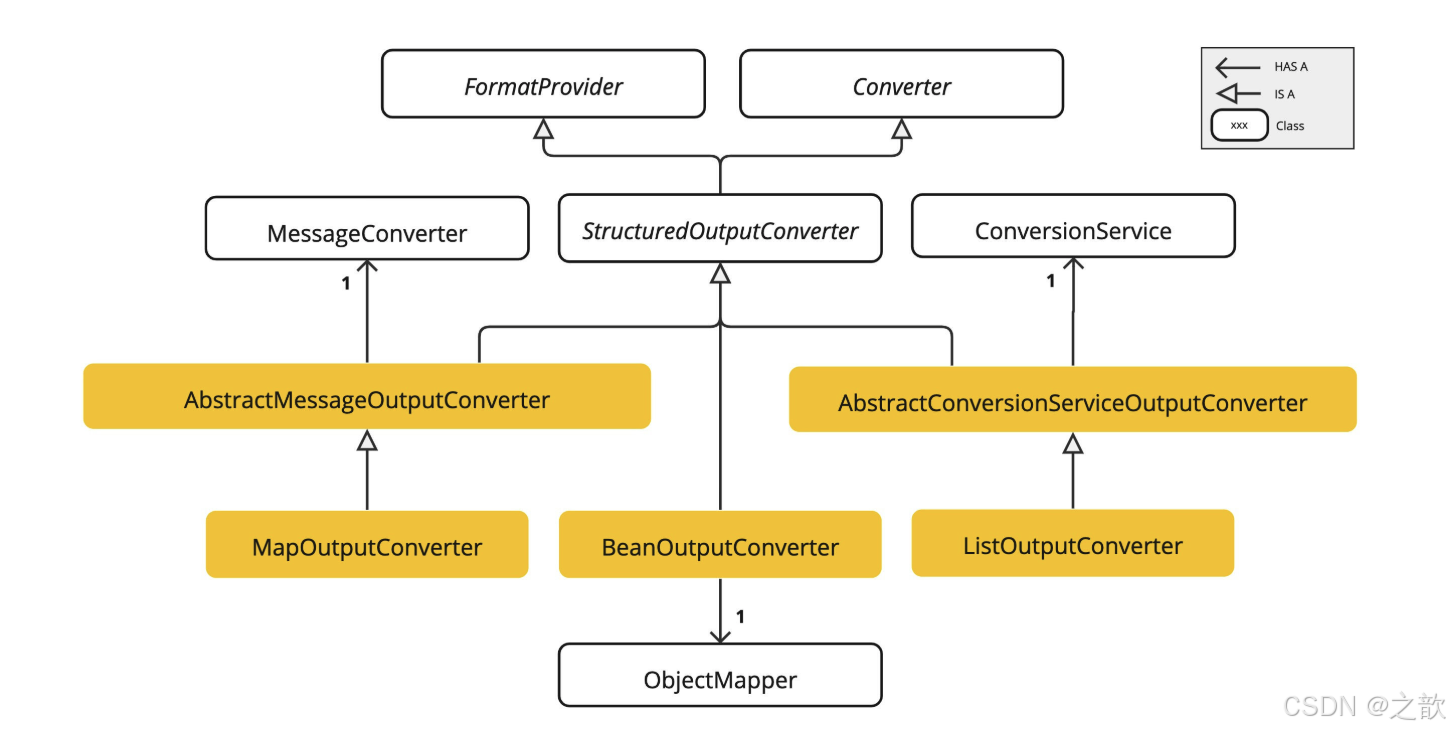
- BeanOutputConverter - 使用指定的 Java 类(例如 Bean)或 ParameterizedTypeReference 配置,此转换器指示 AI 模型生成符合 DRAFT_2020_12 的 JSON 响应,JSON 模式派生自指定的 Java 类,随后,它利用 ObjectMapper 将 JSON 输出反序列化为目标类的 Java 对象实例。
- MapOutputConverter - 该实现指导 AI 模型生成符合 RFC8259 的 JSON 响应,此外,它还包含一个转换器实现,该实现利用提供的 MessageConverter 将 JSON 负载转换为 java.util.Map<String, Object> 实例。
- ListOutputConverter - 该实现指导 AI 模型生成逗号分隔的格式化输出,最终转换器将模型文本输出转换为 java.util.List。
示例,输出bean
java
package com.fox.structureddemo.stream;

public class StreamToBeanEntity {

    private String title;
    private String author;
    private String date;
    private String content;


}
配置文件
java
server:
  port: 10007

spring:
  application:
    name: spring-ai-alibaba-structured-example

  ai:
    dashscope:
      api-key: sk-xxx
      chat:
        response-format: json
创建controller
java
/*
 * Licensed to the Apache Software Foundation (ASF) under one or more
 * contributor license agreements.  See the NOTICE file distributed with
 * this work for additional information regarding copyright ownership.
 * The ASF licenses this file to You under the Apache License, Version 2.0
 * (the "License"); you may not use this file except in compliance with
 * the License.  You may obtain a copy of the License at
 *
 *     http://www.apache.org/licenses/LICENSE-2.0
 *
 * Unless required by applicable law or agreed to in writing, software
 * distributed under the License is distributed on an "AS IS" BASIS,
 * WITHOUT WARRANTIES OR CONDITIONS OF ANY KIND, either express or implied.
 * See the License for the specific language governing permissions and
 * limitations under the License.
 */

package com.fox.structureddemo.stream;

import jakarta.servlet.http.HttpServletResponse;
import org.slf4j.Logger;
import org.slf4j.LoggerFactory;
import org.springframework.ai.chat.client.ChatClient;
import org.springframework.ai.converter.BeanOutputConverter;
import org.springframework.core.ParameterizedTypeReference;
import org.springframework.web.bind.annotation.GetMapping;
import org.springframework.web.bind.annotation.RequestMapping;
import org.springframework.web.bind.annotation.RestController;
import reactor.core.publisher.Flux;

import java.util.Objects;


@RestController
@RequestMapping("/example/stream")
public class StreamToBeanController {

	private final ChatClient chatClient;

	private static final Logger log = LoggerFactory.getLogger(StreamToBeanController.class);

	public StreamToBeanController(ChatClient.Builder builder) {
		// 使用builder对象构建ChatClient实例
		this.chatClient = builder.build();
	}


	/**
	 * @return {@link com.fox.structureddemo.stream.StreamToBeanEntity}
	 */
	// http://localhost:10007/example/stream/play
	@GetMapping("/play")
	public StreamToBeanEntity simpleChat(HttpServletResponse response) {

		response.setCharacterEncoding("UTF-8");

		var converter = new BeanOutputConverter<>(
				new ParameterizedTypeReference<StreamToBeanEntity>() { }
		);

		Flux<String> flux = this.chatClient.prompt()
				.user(u -> u.text("""
						requirement: 请用大概 120 字,作者为 Fox ,为计算机的发展历史写一首现代诗;
						format: 以纯文本输出 json,请不要包含任何多余的文字------包括 markdown 格式;
						outputExample: {
							 "title": {title},
							 "author": {author},
							 "date": {date},
							 "content": {content}
						};
						"""))
				.stream()
				.content();

		String result = String.join("\n", Objects.requireNonNull(flux.collectList().block()))
				.replaceAll("\\n", "")
				.replaceAll("\\s+", " ")
				.replaceAll("\"\\s*:", "\":")
				.replaceAll(":\\s*\"", ":\"");

		log.info("LLMs 响应的 json 数据为:{}", result);

		return converter.convert(result);
	}

}
测试 :

结果输出:

json格式输出:
java
/*
 * Licensed to the Apache Software Foundation (ASF) under one or more
 * contributor license agreements.  See the NOTICE file distributed with
 * this work for additional information regarding copyright ownership.
 * The ASF licenses this file to You under the Apache License, Version 2.0
 * (the "License"); you may not use this file except in compliance with
 * the License.  You may obtain a copy of the License at
 *
 *     http://www.apache.org/licenses/LICENSE-2.0
 *
 * Unless required by applicable law or agreed to in writing, software
 * distributed under the License is distributed on an "AS IS" BASIS,
 * WITHOUT WARRANTIES OR CONDITIONS OF ANY KIND, either express or implied.
 * See the License for the specific language governing permissions and
 * limitations under the License.
 */

package com.fox.structureddemo.stream;

import com.alibaba.cloud.ai.dashscope.api.DashScopeResponseFormat;
import com.alibaba.cloud.ai.dashscope.chat.DashScopeChatOptions;
import jakarta.servlet.http.HttpServletResponse;
import org.springframework.ai.chat.client.ChatClient;
import org.springframework.ai.chat.model.ChatModel;
import org.springframework.web.bind.annotation.GetMapping;
import org.springframework.web.bind.annotation.RequestMapping;
import org.springframework.web.bind.annotation.RestController;


@RestController
@RequestMapping("/example/stream/json")
public class StreamToJsonController {

    private static final String DEFAULT_PROMPT = "你好,请以JSON格式介绍你自己!";

    private final ChatClient dashScopeChatClient;

    public StreamToJsonController(ChatModel chatModel) {

        DashScopeResponseFormat responseFormat = new DashScopeResponseFormat();
        responseFormat.setType(DashScopeResponseFormat.Type.JSON_OBJECT);

        this.dashScopeChatClient = ChatClient.builder(chatModel)
                .defaultOptions(
                        DashScopeChatOptions.builder()
                                .withTopP(0.7)
                                .withResponseFormat(responseFormat)
                                .build()
                )
                .build();
    }

    /**
     * @return {@link String}
     * http://localhost:10007/example/stream/json/play
     */
    @GetMapping("/play")
    public String simpleChat(HttpServletResponse response) {
        response.setCharacterEncoding("UTF-8");
        return dashScopeChatClient.prompt(DEFAULT_PROMPT)
                .call()
                .content();
    }
}
输出:

大模型是如何工作的?
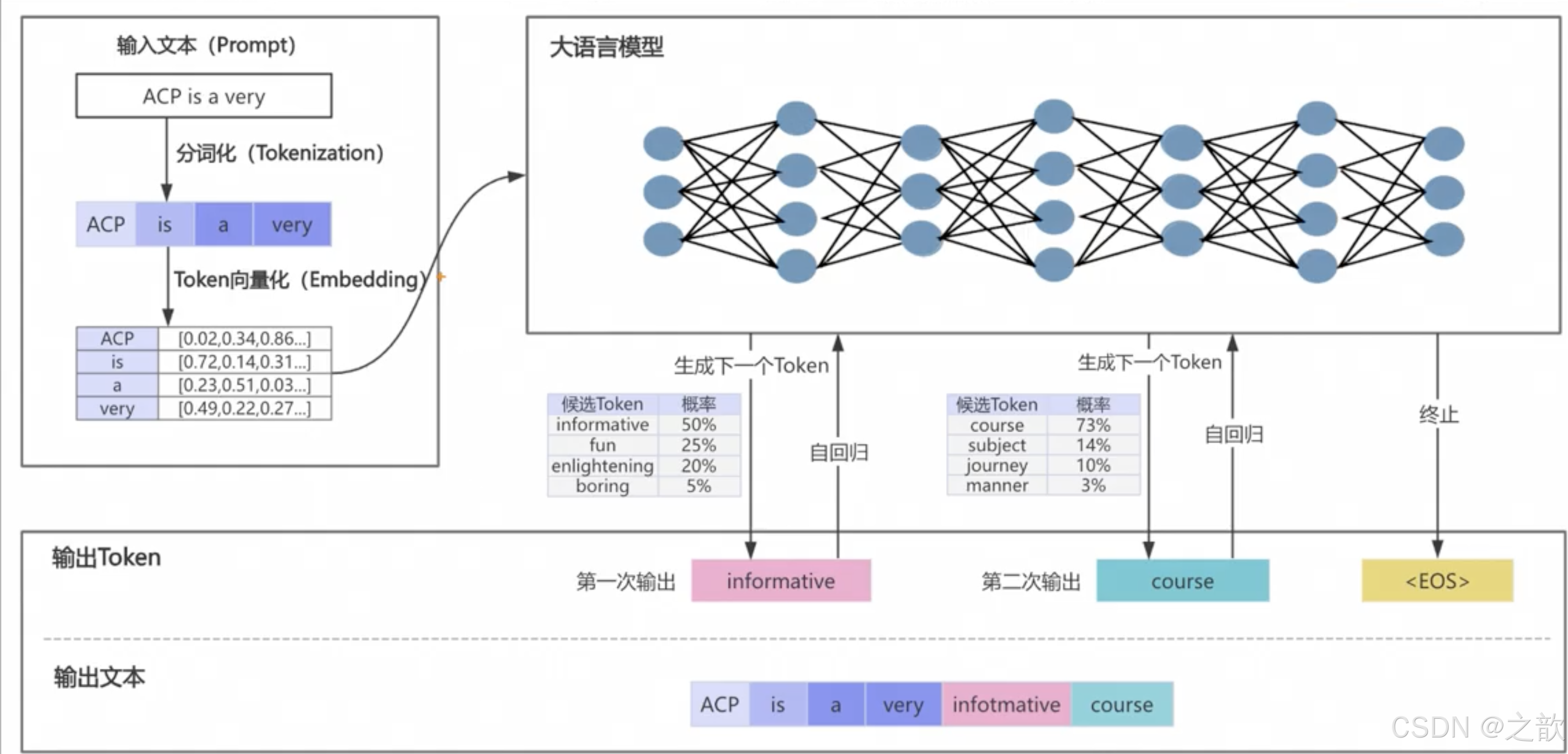
通义千问模型参数调优
-
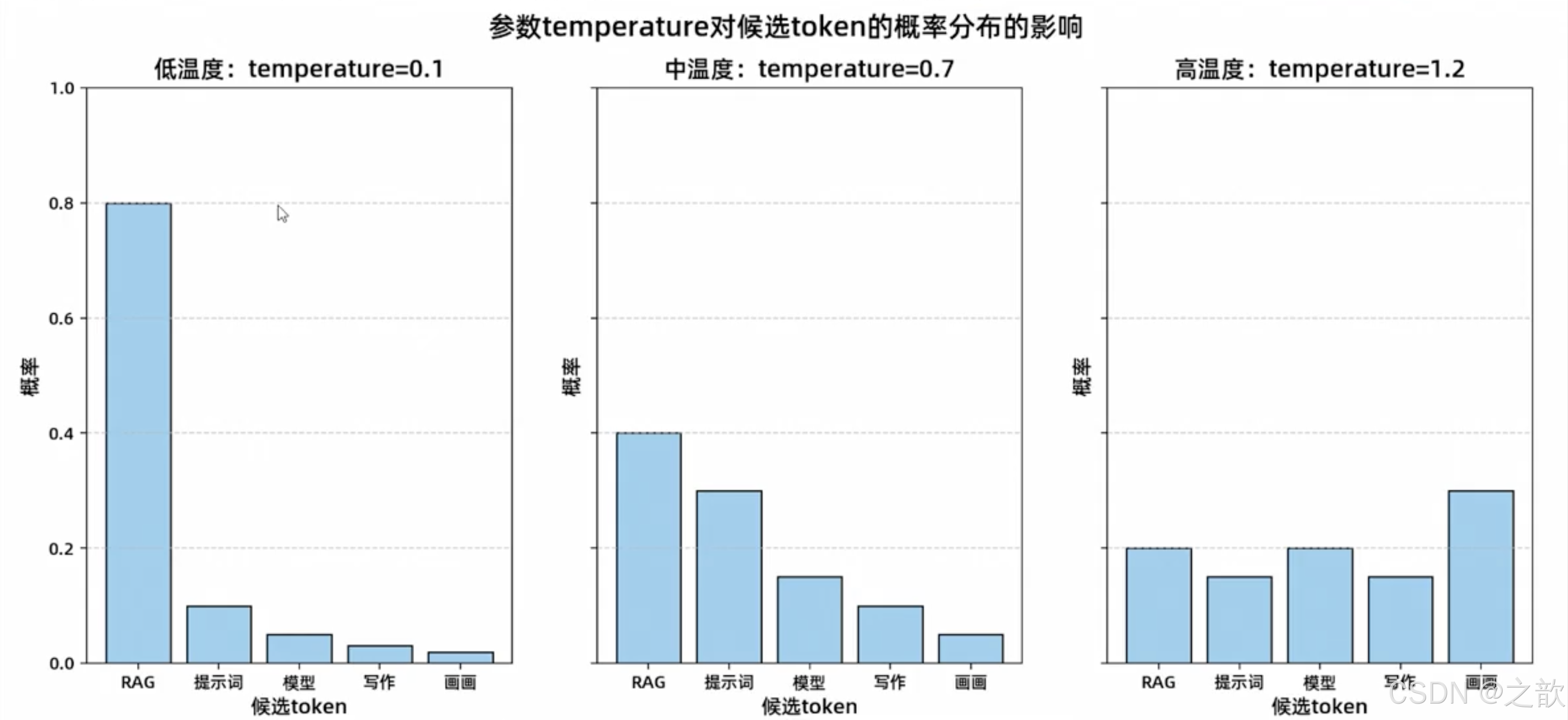
温度
- 调整候选Token集合的概率分布
- 低值(0.2):适用于标准化回答(如退货政策查询)
- 高值(0.8):适用于创意场景(如促销文案生成)
-
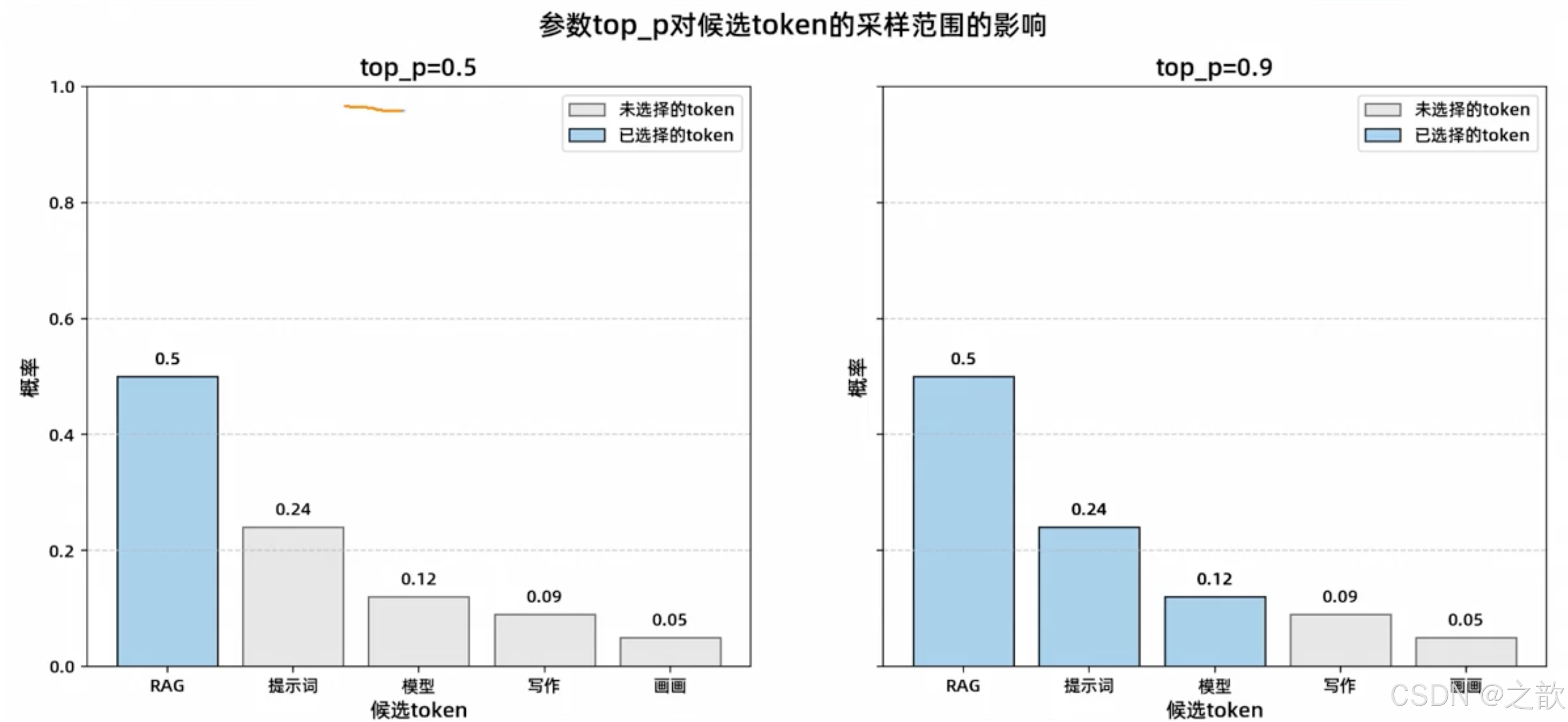
top_P:top_p值越高,大模型的输出结果随机性越高。参数top_P对候选token的采样范围的影响
-
是否需要同时调整temperature和top_p?
- 为了确保生成内容的可控性,建议不要同时调整top_p和temperature。同时调整可能导致输出结果不可预测和复杂。你可以优先调整其中一种参数,观察其对结果的影响,再逐步微调。
-
知识延展:top_K【通义千问新增的参数】
- 在通义千问系列模型中,参数topk也有类似topp的能力,可查阅通义千问API文档。它是一种采样机制,从概率排名前k的Token中随机选择一个进行输出一般来说,topk越大,生成内容越多样化;topk越小,内容则更固定。当top_K设置为1时,模型仅选择概率最高的Token,输出会更加稳定,但也会导致缺乏变化和创意。
可以在通义千问的参数中增加这些调优参数

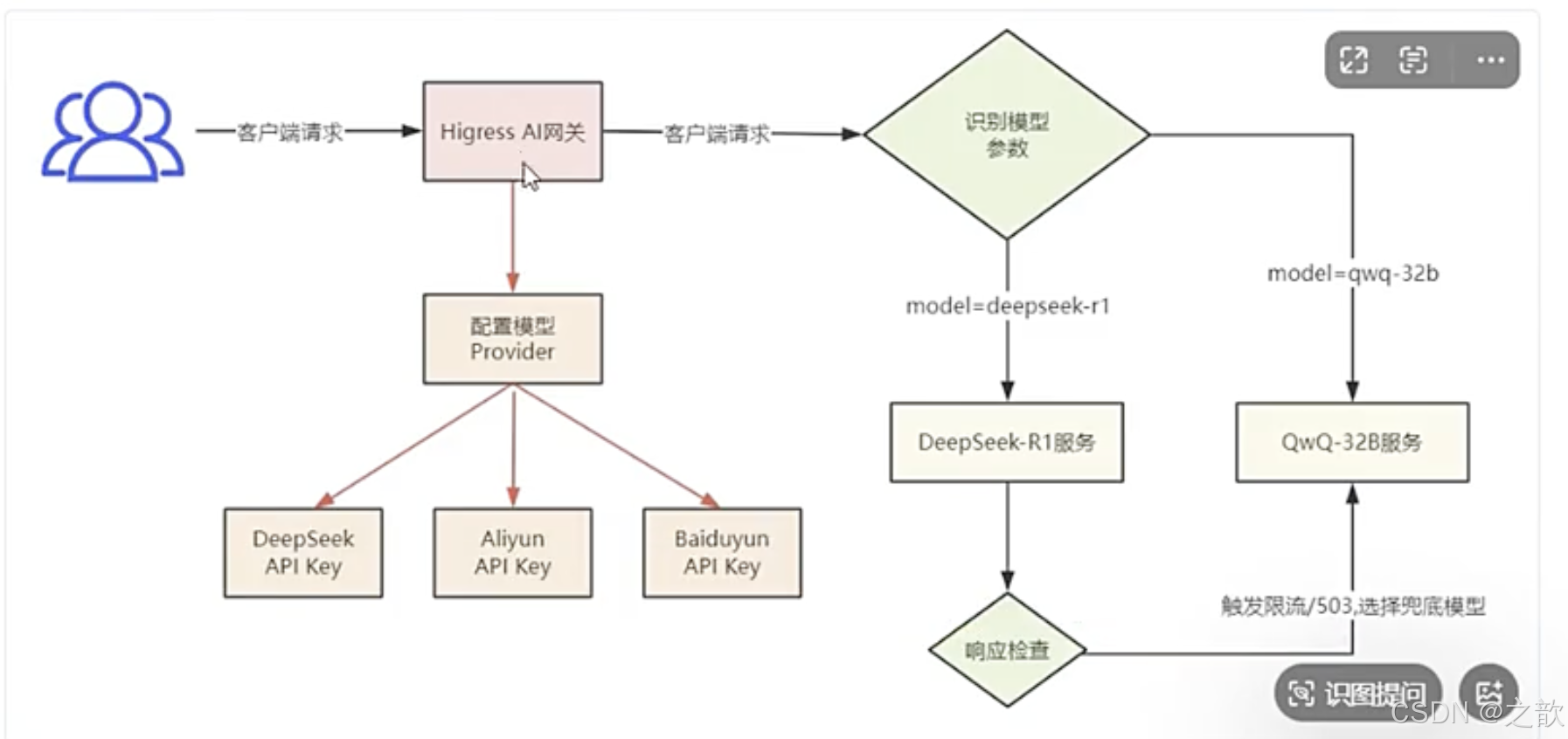
如何实现DeepSeek-R1 和 QwQ-32B大模型的无缝切换,比如当deepseek调用失败,可以降级调用qwq-32b
近期,通义千问发布了一款全新的推理模型 QwQ-32B。在各类基准测试中,这个拥有 320亿参数的模型展现出了与 DeepSeek-R1(6710亿參数)相当的性能。这意味着:
-
对于个人用户而言,QwQ-328能够直接在本地运行,且对设备的要求更低,适合在更小的移动设备上使用。
-
对于企业用户来说,调用推理大模型 API 的成本可以进一步降低,最高可減少90%的费用。
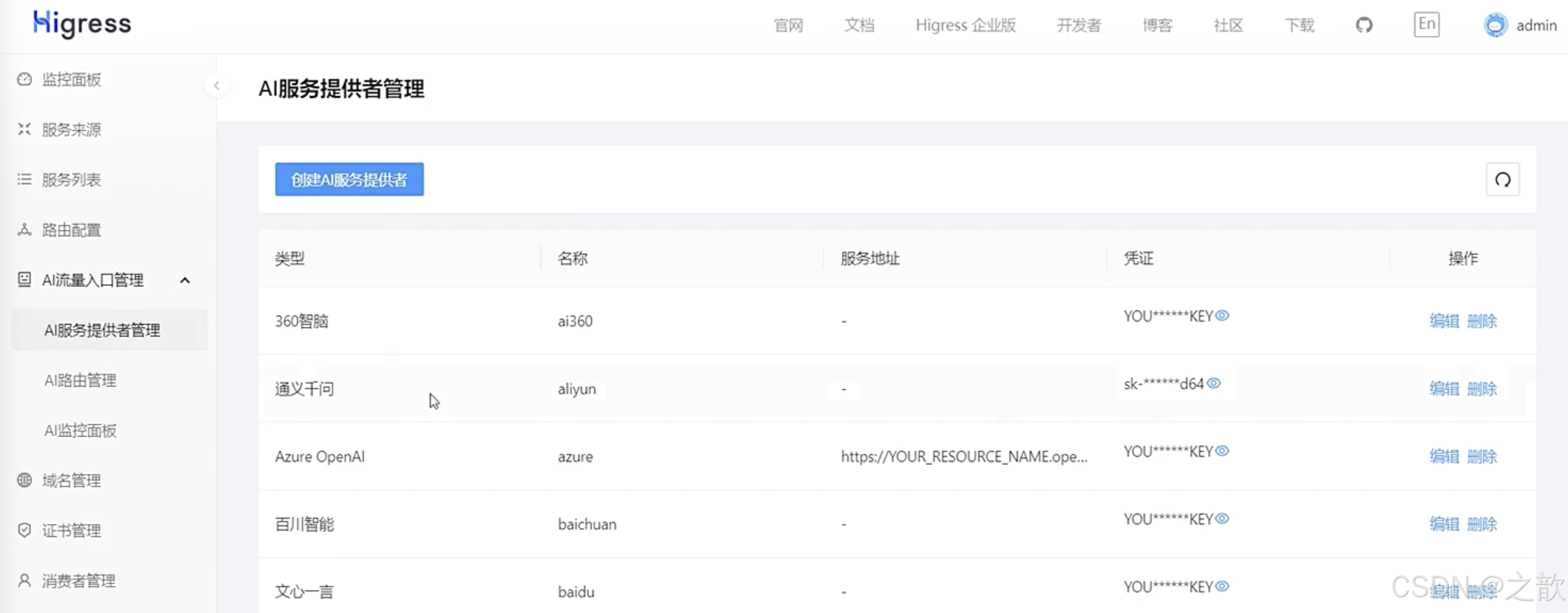
在实际应用中,无缝切换多个大模型的需求日益凸显。例如,企业可能需要同时对接多介大模型,以满足不同业务场景的需求;当单个模型出现稳走性问题时,能够迅透回退到另一个模型,确保业务的连续件和稳定性:在Multi Agent场最下,一个复杂任务可能帮要调用多个模型来协同完成。Higress Al网关提供了一个强大的解决方案,支持多模型服务,井具备消费者鉴权、模型自动切换等高级功能。
引入 pom 包
java
<dependency>
    <groupId>org.springframework.ai</groupId>
    <artifactId>spring-ai-openai-spring-boot-starter</artifactId>
</dependency>
代码中增加配置
java
spring:
  application:
    name: higress-demo

  ai:
    openai:
      api-key: cbxxxx-xxxxxxx         # 请替换为实际的 API 密钥, higress 的 API 密钥
      base-url: http://192.168.65.185:8080/v1
      chat:
        options:
          model: deepseek-chat
开始测试
java
package com.fox.higressdemo.controller;

import org.springframework.ai.chat.client.ChatClient;
import org.springframework.web.bind.annotation.GetMapping;
import org.springframework.web.bind.annotation.RestController;
import reactor.core.publisher.Flux;

@RestController
    public class ChatController {

      private final ChatClient chatClient;

      public ChatController(ChatClient.Builder builder) {
        this.chatClient = builder.build();
      }

      @GetMapping(value = "/stream",produces = "text/html;charset=utf-8")
      public Flux<String> stream(String input) {
        return this.chatClient.prompt()
            .user(input)
            .stream()
            .content();
      }
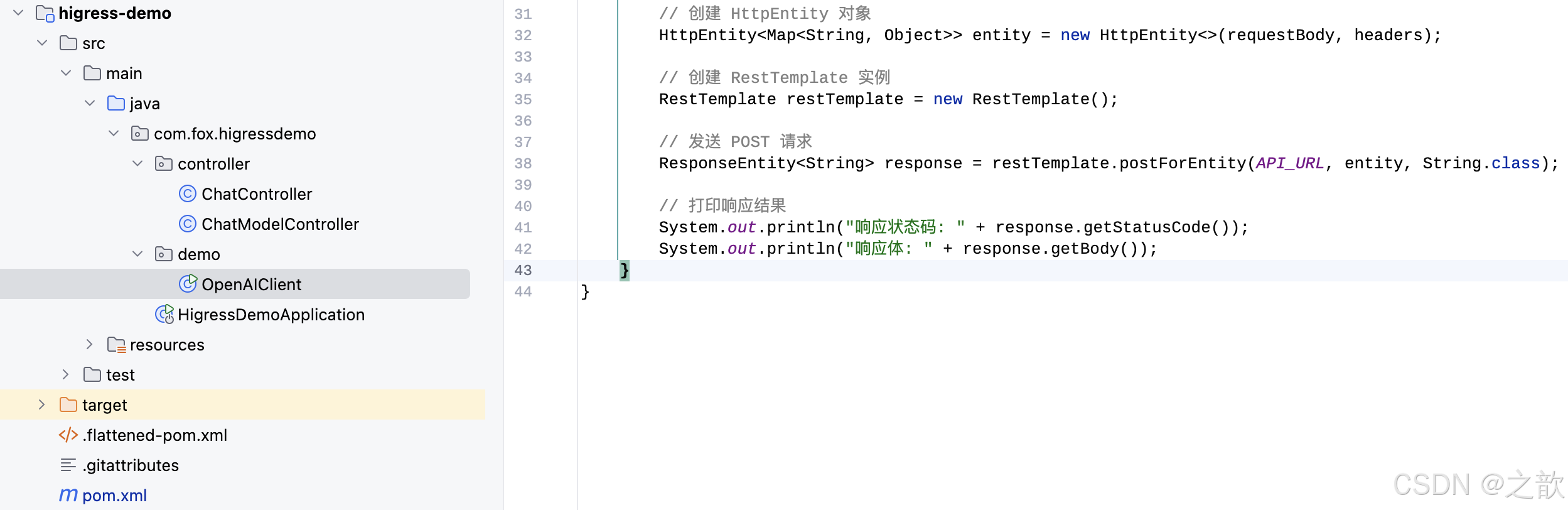
    }
到时候去下载git 代码进行测试吧。
检索增强生成RAG(Retrieval-Augmented Generation)
RAG 简介
一、 什么是RAG(检索增强生成)
RAG(Retrieval Augmented Generation,检索增强生成)是一种结合信息检索和文本生成的技术范式。
核心设计理念
RAG技术就像给AI装上了「实时百科大脑」,通过先查资料后回答的机制,让AI摆脱传统模型的"知识遗忘"困境。
🛠️ 四大核心步骤
1. 文档切割 → 建立智能档案库
- 核心任务: 将海量文档转化为易检索的知识碎片
- 实现方式:
- 就像把厚重词典拆解成单词卡片
- 采用智能分块算法保持语义连贯性
- 给每个知识碎片打标签(如"技术规格"、"操作指南")
📌 关键价值:优质的知识切割如同图书馆分类系统,决定了后续检索效率
2. 向量编码 → 构建语义地图
- 核心转换:
- 用AI模型将文字转化为数学向量
- 使语义相近的内容产生相似数学特征
- 数据存储:
- 所有向量存入专用数据库
- 建立快速检索索引(类似图书馆书目检索系统)
🎯 示例效果:"续航时间"和"电池容量"会被编码为相似向量
3. 相似检索 → 智能资料猎人
-
应答触发流程:
-
将用户问题转为"问题向量"
-
通过多维度匹配策略搜索知识库:
- 语义相似度
- 关键词匹配度
- 时效性权重
-
输出指定个数最相关文档片段
4. 生成增强 → 专业报告撰写
-
应答构建过程:
-
将检索结果作为指定参考资料
-
AI生成时自动关联相关知识片段。
-
输出形式可以包含:
- 自然语言回答
- 附参考资料溯源路径
-
-
📝 输出示例:
"根据《产品手册v2.3》第5章内容:该设备续航时间为..."
二、Spring AI 标准接口实现 RAG
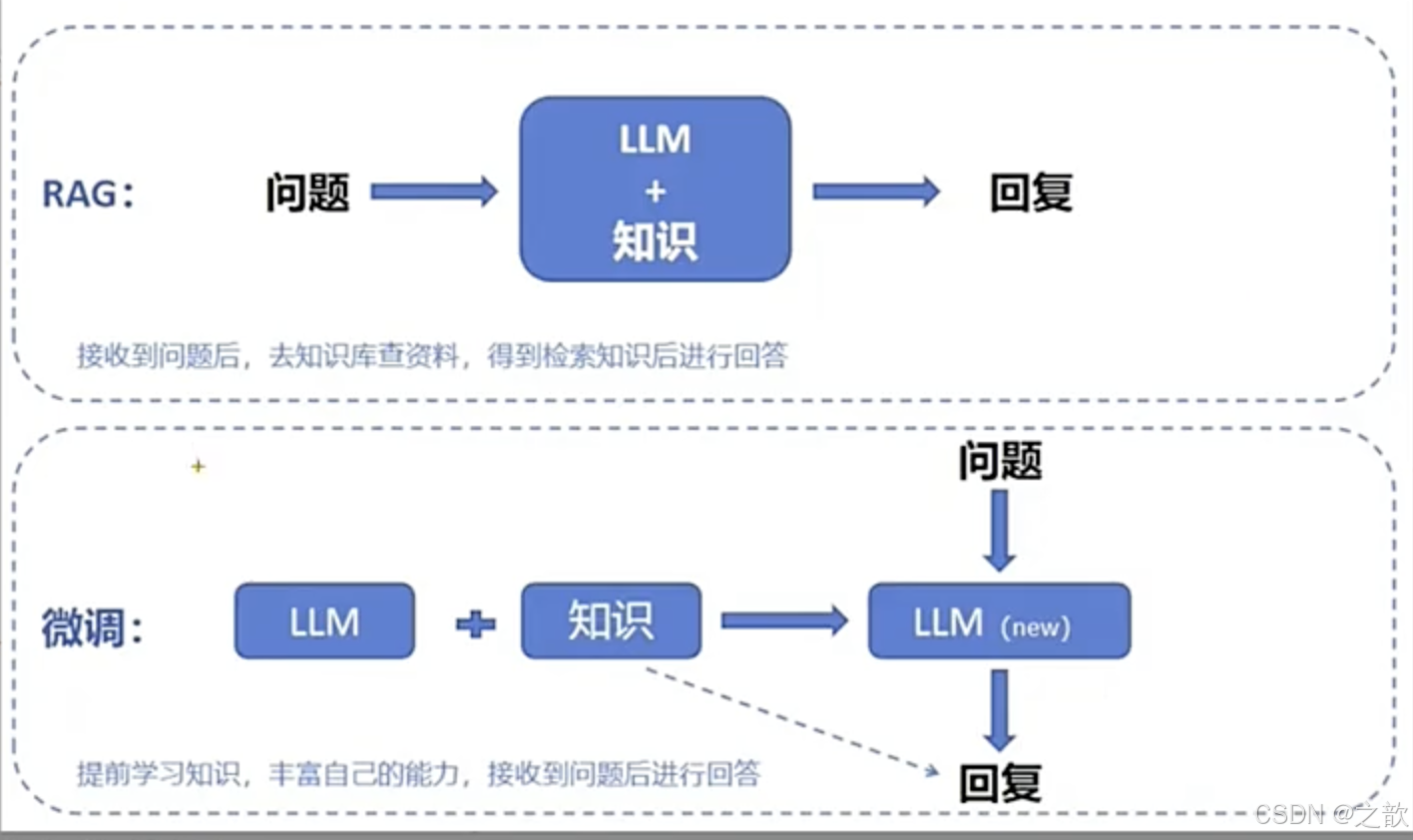
RAG 和 微调的区别
2.1 核心实现代码
配置类
嵌入(Embedding)的工作原理是将文本、图像和视频转换为称为向量(Vectors)的浮点数数组。这些向量旨在捕捉文本、图像和视频的含义。嵌入数组的长度称为向量的维度(Dimensionality)。
嵌入模型(EmbeddingModel)是嵌入过程中采用的模型。当前EmbeddingModel的接口主要用于将文本转换为数值向量,接口的设计主要围绕这两个目标展开:
- 可移植性:该接口确保在各种嵌入模型之间的轻松适配。它允许开发者在不同的嵌入技术或模型之间切换,所需的代码更改最小化。这一设计与 Spring 模块化和互换性的理念一致。
- 简单性:嵌入模型简化了文本转换为嵌入的过程。通过提供如embed(String text)和embed(Document document)这样简单的方法,它去除了处理原始文本数据和嵌入算法的复杂性。这个设计选择使开发者,尤其是那些初次接触 AI 的开发者,更容易在他们的应用程序中使用嵌入,而无需深入了解其底层机制。
java
package com.fox.ragdemo.config;

import org.springframework.ai.chat.client.ChatClient;
import org.springframework.ai.document.Document;
import org.springframework.ai.embedding.EmbeddingModel;
import org.springframework.ai.vectorstore.SimpleVectorStore;
import org.springframework.ai.vectorstore.VectorStore;
import org.springframework.context.annotation.Bean;
import org.springframework.context.annotation.Configuration;

import java.util.List;

@Configuration
public class RagConfig {

    @Bean
    ChatClient chatClient(ChatClient.Builder builder) {
        return builder.defaultSystem("你将作为一名机器人产品的专家,对于用户的使用需求作出解答")
                .build();
    }

    @Bean
    VectorStore vectorStore(EmbeddingModel embeddingModel) {
        SimpleVectorStore simpleVectorStore = SimpleVectorStore.builder(embeddingModel)
                .build();

        // 生成一个机器人产品说明书的文档
        List<Document> documents = List.of(
                new Document("产品说明书:产品名称:智能机器人\n" +
                        "产品描述:智能机器人是一个智能设备,能够自动完成各种任务。\n" +
                        "功能:\n" +
                        "1. 自动导航:机器人能够自动导航到指定位置。\n" +
                        "2. 自动抓取:机器人能够自动抓取物品。\n" +
                        "3. 自动放置:机器人能够自动放置物品。\n"));

        simpleVectorStore.add(documents);
        return simpleVectorStore;
    }
}
Embedding Model API提供多种选项,将文本转换为Embeddings,支持单个字符串、结构化的Document对象或文本批处理。
有多种快捷方式可以获得文本Embeddings。例如embed(String text)方法,它接受单个字符串并返回相应的 Embedding 向量。所有方法都围绕着call方法实现,这是调用 Embedding Model的主要方法。
通常,Embedding返回一个float数组,以数值向量格式表示Embeddings。
embedForResponse方法提供了更全面的输出,可能包括有关Embeddings的其他信息。
dimensions方法是开发人员快速确定 Embedding 向量大小的便利工具,这对于理解 Embedding space 和后续处理步骤非常重要。
java
package com.fox.ragdemo.controller;

import org.springframework.ai.chat.client.ChatClient;
import org.springframework.ai.chat.client.advisor.QuestionAnswerAdvisor;
import org.springframework.ai.vectorstore.VectorStore;
import org.springframework.beans.factory.annotation.Autowired;
import org.springframework.web.bind.annotation.*;

@RestController
@RequestMapping("/ai")
public class RagController {

    @Autowired
    private ChatClient chatClient;

    @Autowired
    private VectorStore vectorStore;

    // http://localhost:8080/chat?userInput=测试
    @GetMapping(value = "/chat", produces = "text/plain; charset=UTF-8")
    public String generation(String userInput) {
        // 发起聊天请求并处理响应
        return chatClient.prompt()
                .user(userInput)
                .advisors(new QuestionAnswerAdvisor(vectorStore))
                .call()
                .content();
    }
}
测试 :


基于阿里云百炼平台0代码构建RAG应用
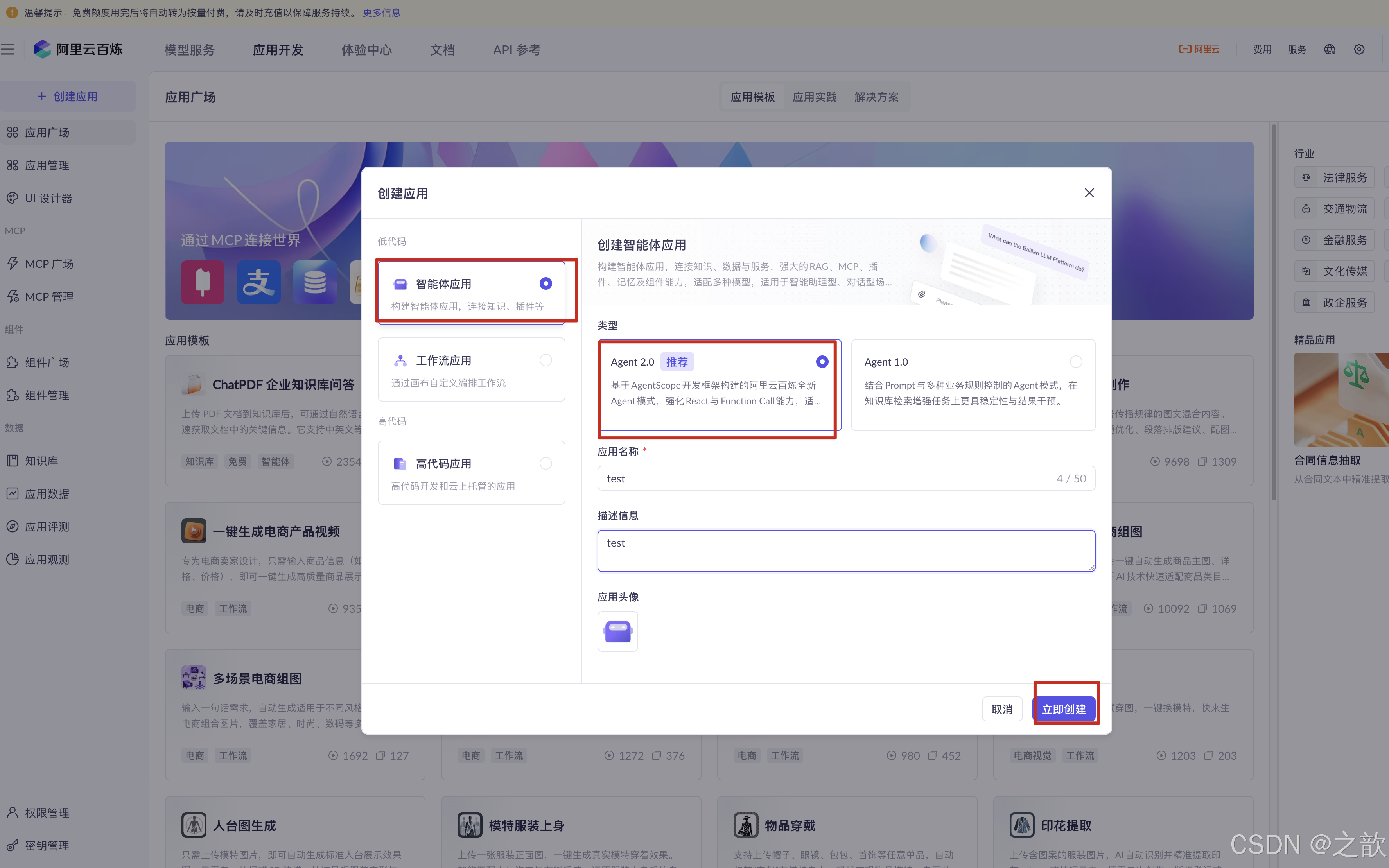
创建智能体应用
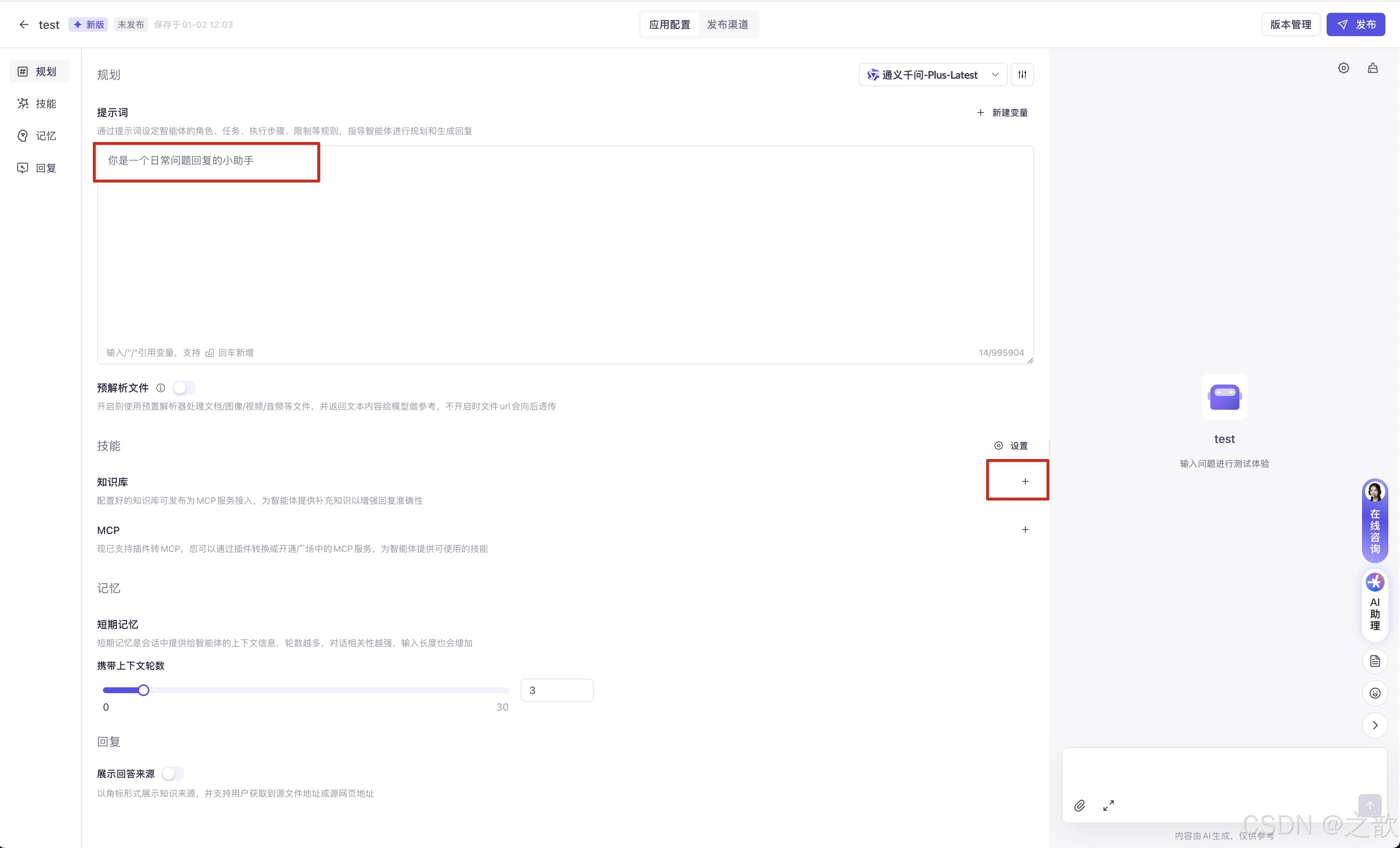
写提示词
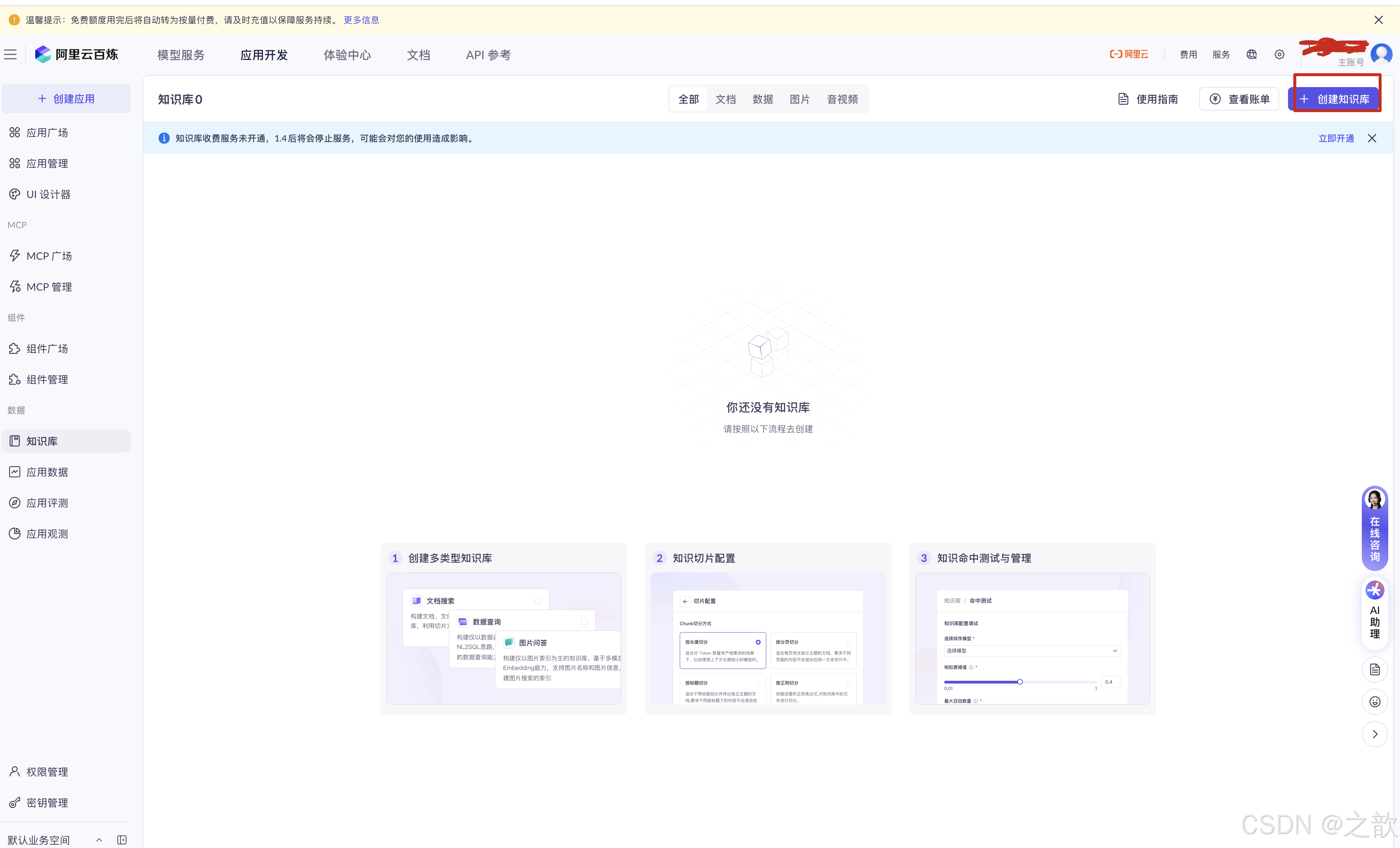
创建知识库
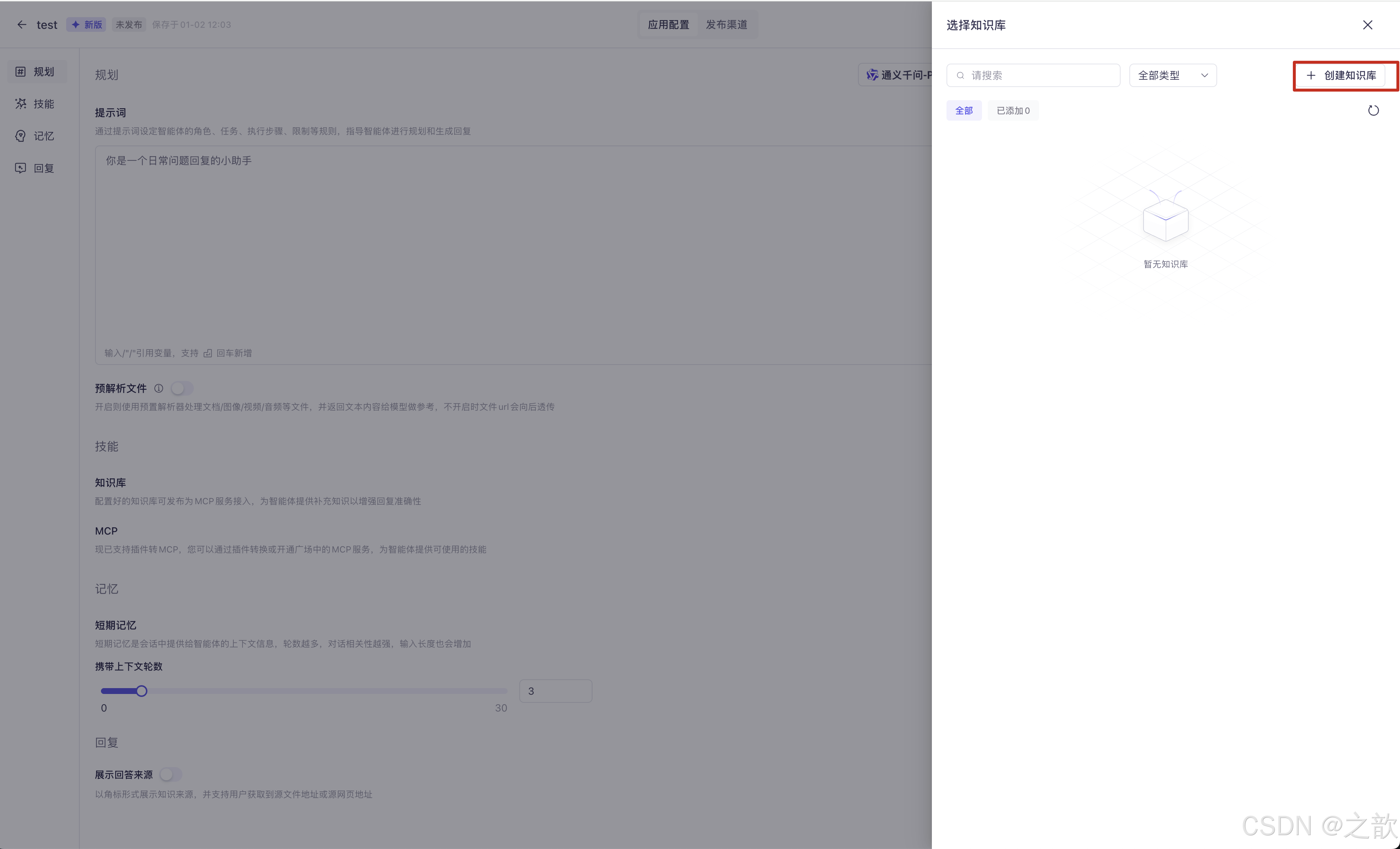
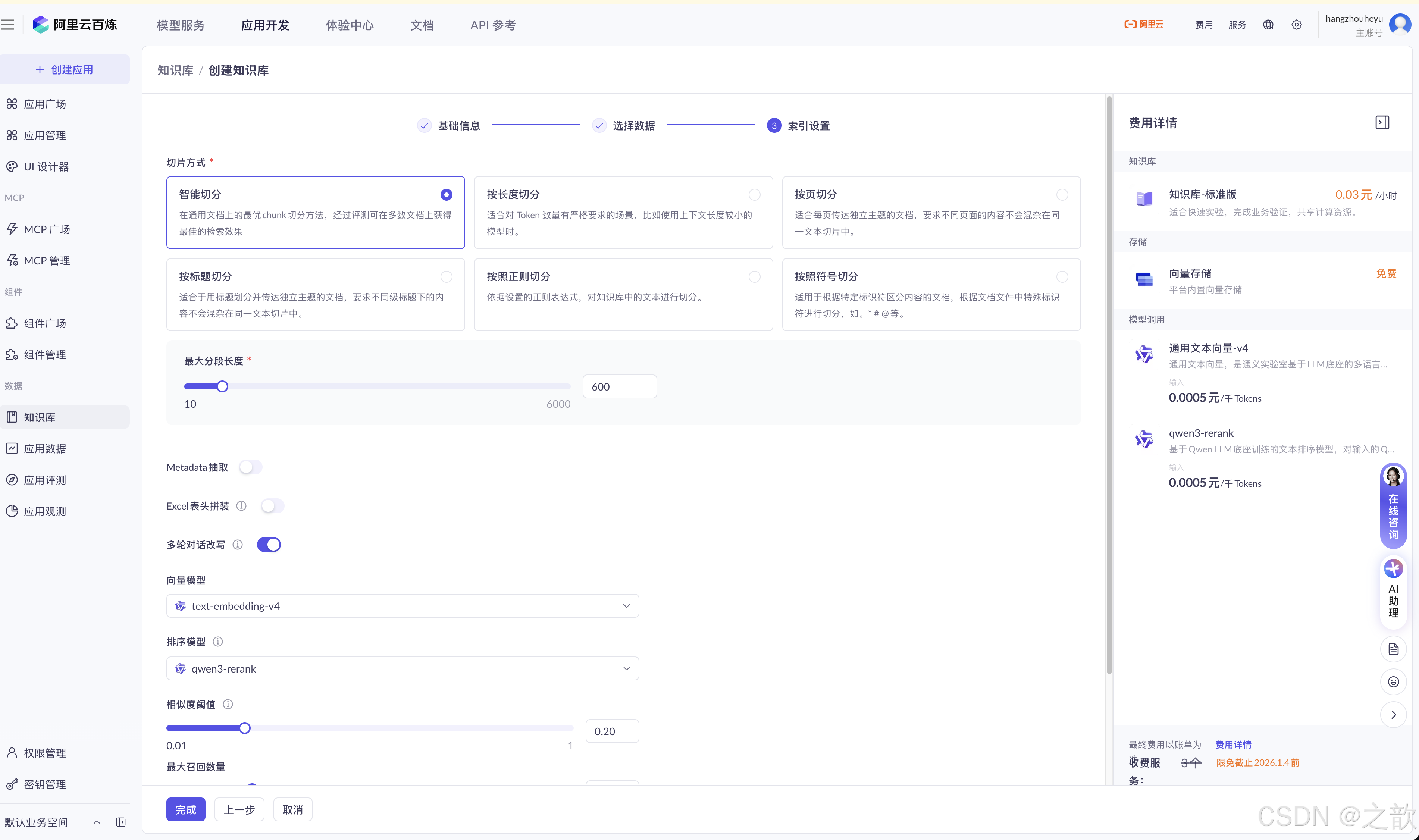
创建知识库2
上传文件
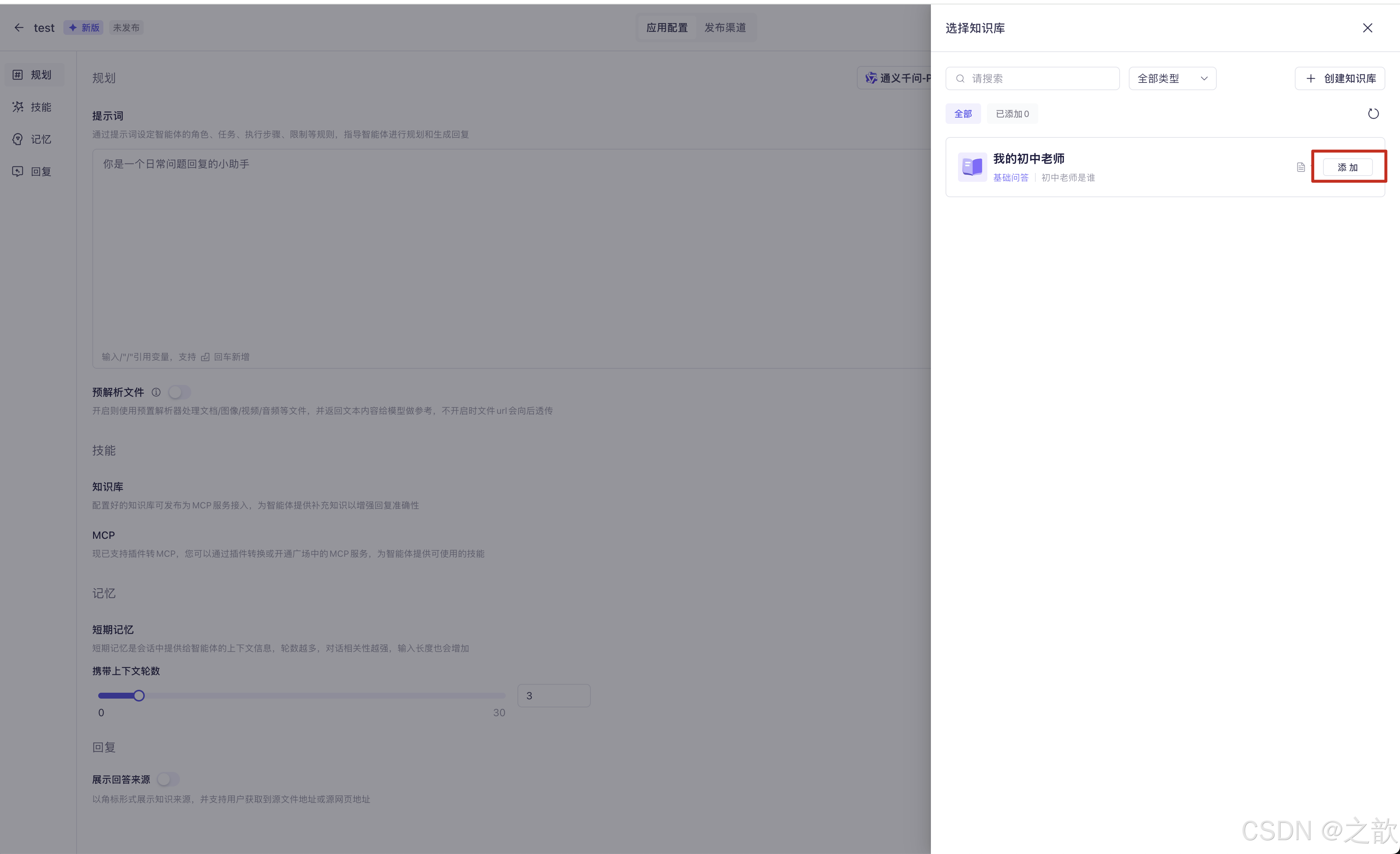
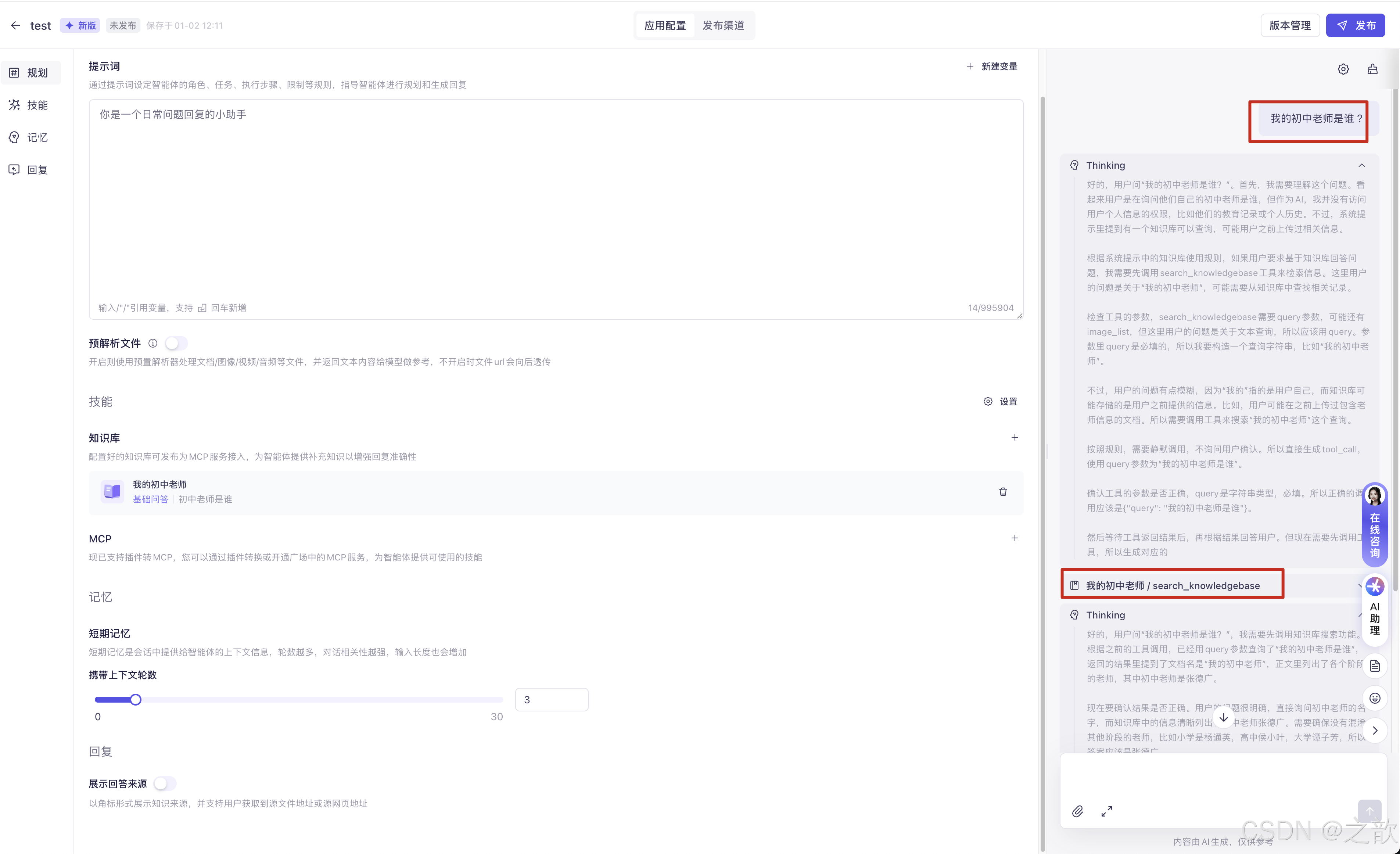
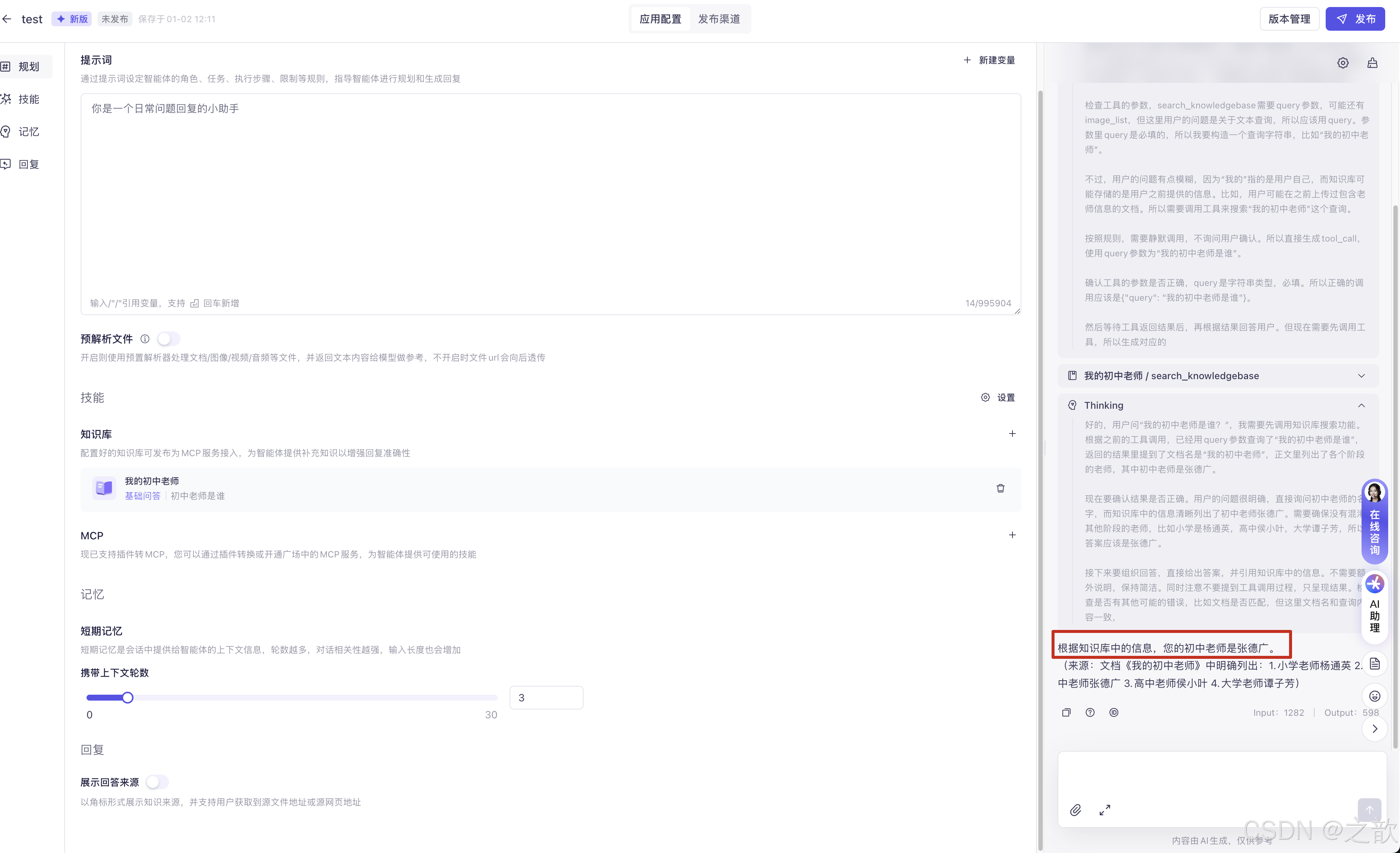
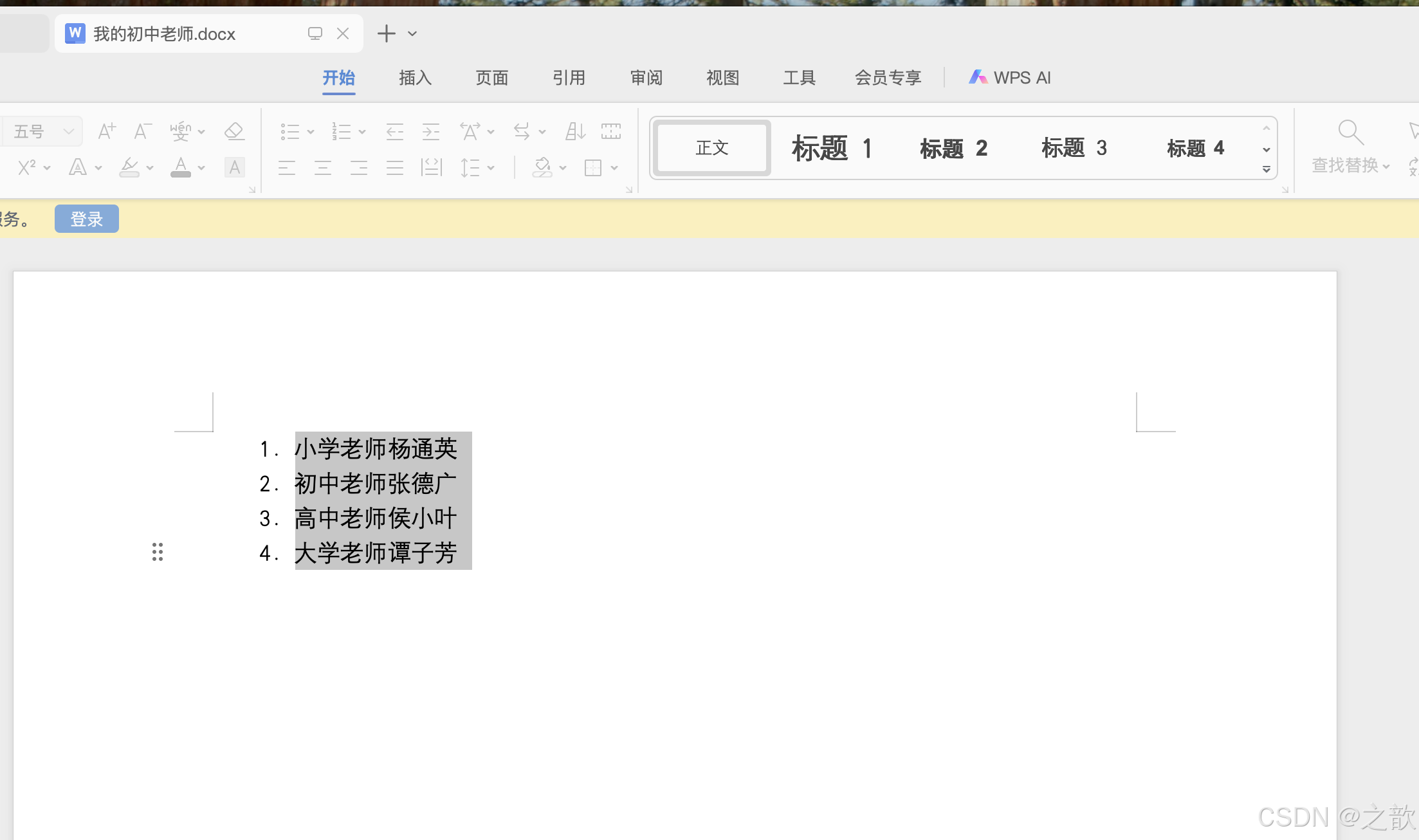
而我的知识库中 doc 文档内容是 ?
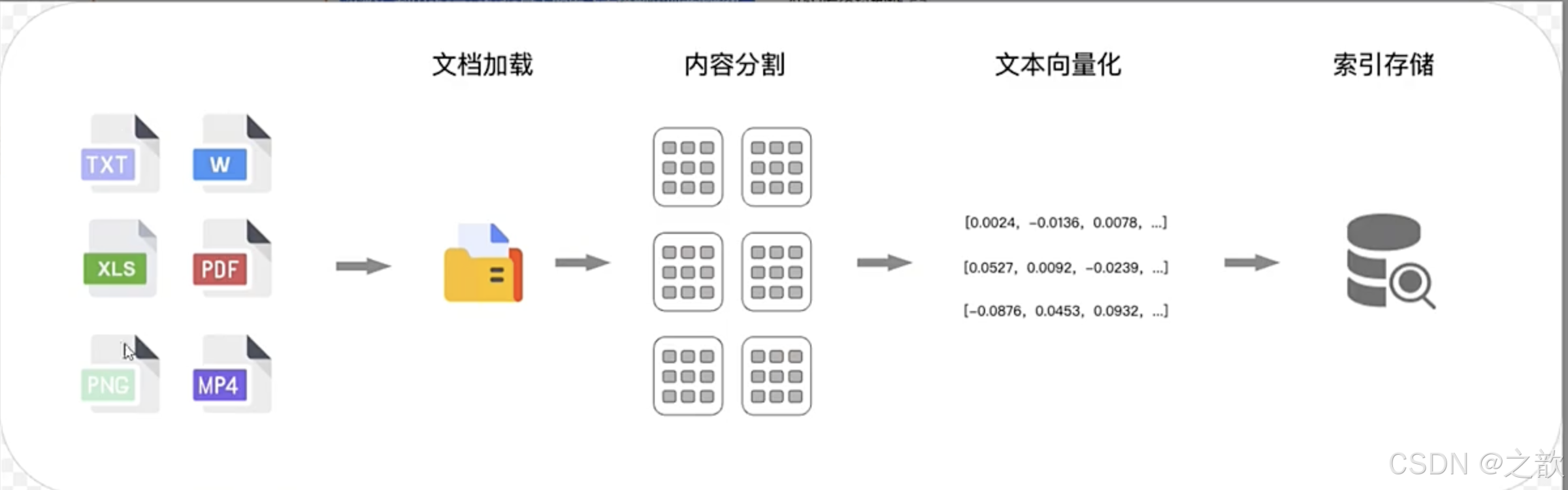
RAG的工作原理
索引建立阶段
- 文档加载
- 内容分割
- 文本向量化
- 索引存储
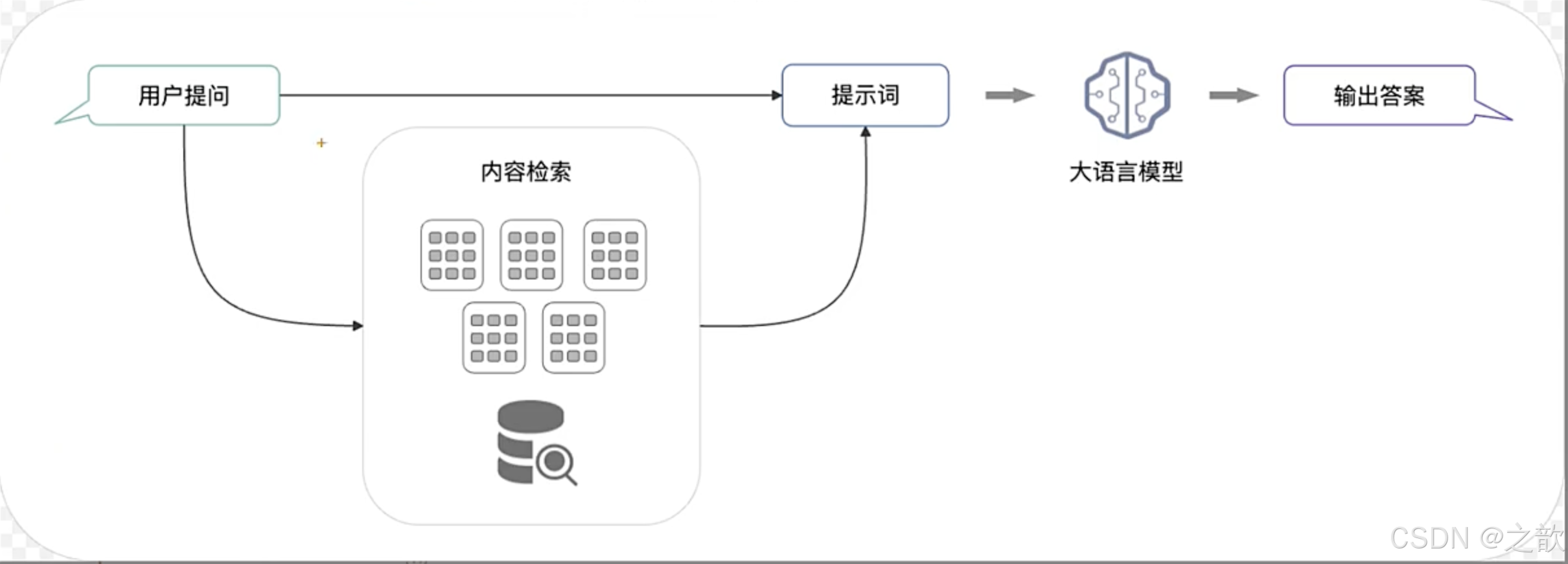
检索
在检索到相关的文本段后,RAG应用会将问题与文本段通过提示词模板生成最终的提示词,由大模型生成回复,这个阶段更多是利用大模型的总结能力,而不是大模型本身具有的知识。
Spring AI Alibaba本地集成百炼智能体应用实战
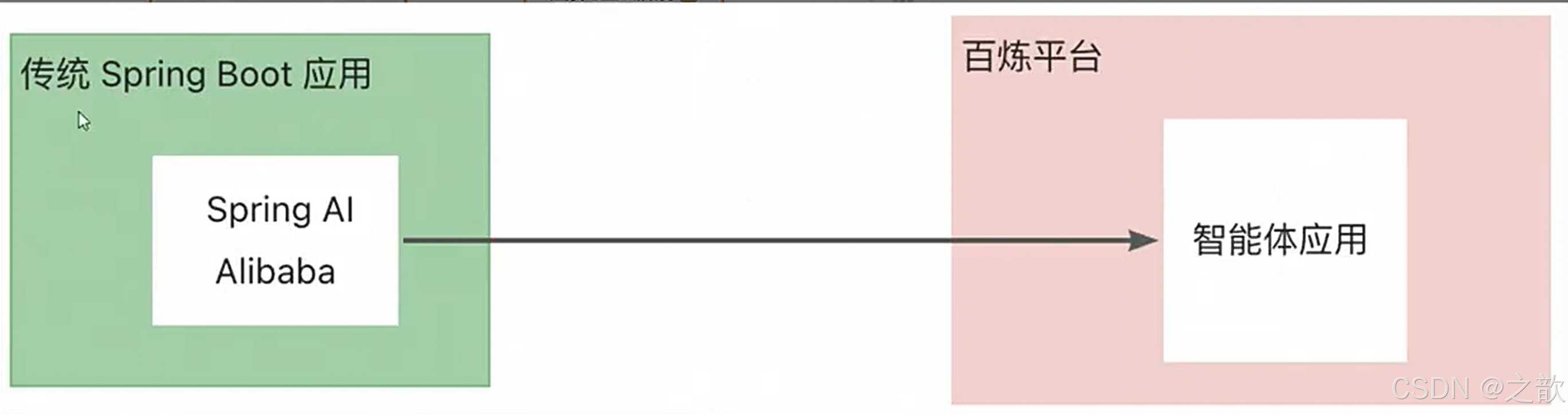
添加配置文件
java
spring:
  application:
    name: bailian-agent
  ai:
    dashscope:
      agent:
        app-id: ${AGENT_ID}
      api-key: ${AI_DASHSCOPE_API_KEY}
      #workspace-id: ${AI_DASHSCOPE_WORKSPACE_ID} #??????????????????????
这里的appid 就是你的应用id
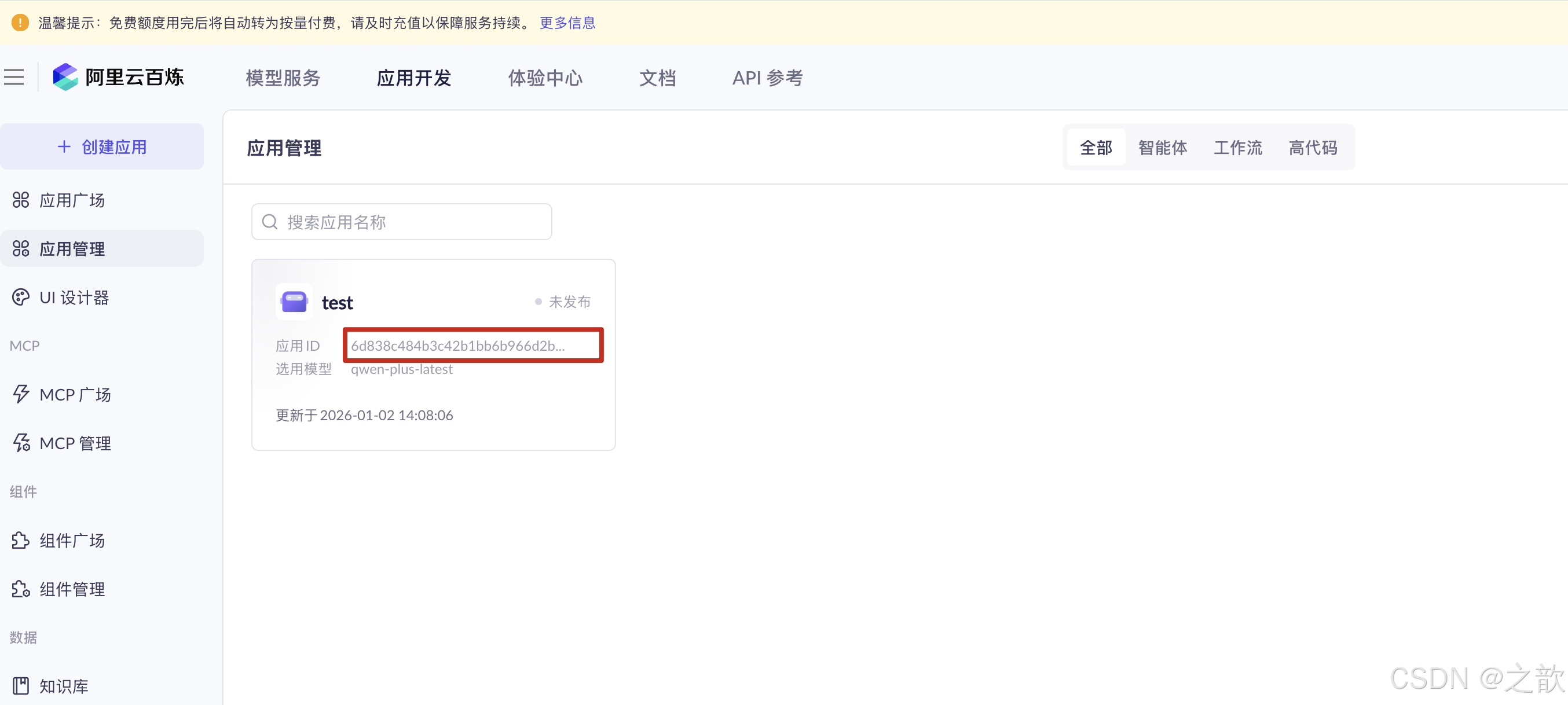
java
package com.fox.bailianagent.controller;

import com.alibaba.cloud.ai.dashscope.agent.DashScopeAgent;
import com.alibaba.cloud.ai.dashscope.agent.DashScopeAgentOptions;
import com.alibaba.cloud.ai.dashscope.api.DashScopeAgentApi;
import org.springframework.ai.chat.messages.AssistantMessage;
import org.springframework.ai.chat.model.ChatResponse;
import org.springframework.ai.chat.prompt.Prompt;
import org.springframework.beans.factory.annotation.Value;
import org.springframework.web.bind.annotation.GetMapping;
import org.springframework.web.bind.annotation.RequestParam;
import org.springframework.web.bind.annotation.RestController;

@RestController
public class BailianAgentRagController {
  private DashScopeAgent agent;

  @Value("${spring.ai.dashscope.agent.app-id}")
  private String appId;

  public BailianAgentRagController(DashScopeAgentApi dashscopeAgentApi) {
    this.agent = new DashScopeAgent(dashscopeAgentApi);
  }

  @GetMapping("/bailian/agent/call")
  public String call(@RequestParam(value = "message") String message) {
    ChatResponse response = agent.call(
            new Prompt(message, DashScopeAgentOptions.builder()
                    .withAppId(appId)
                    .build()));
    AssistantMessage app_output = response.getResult().getOutput();
    return app_output.getText();
  }
}
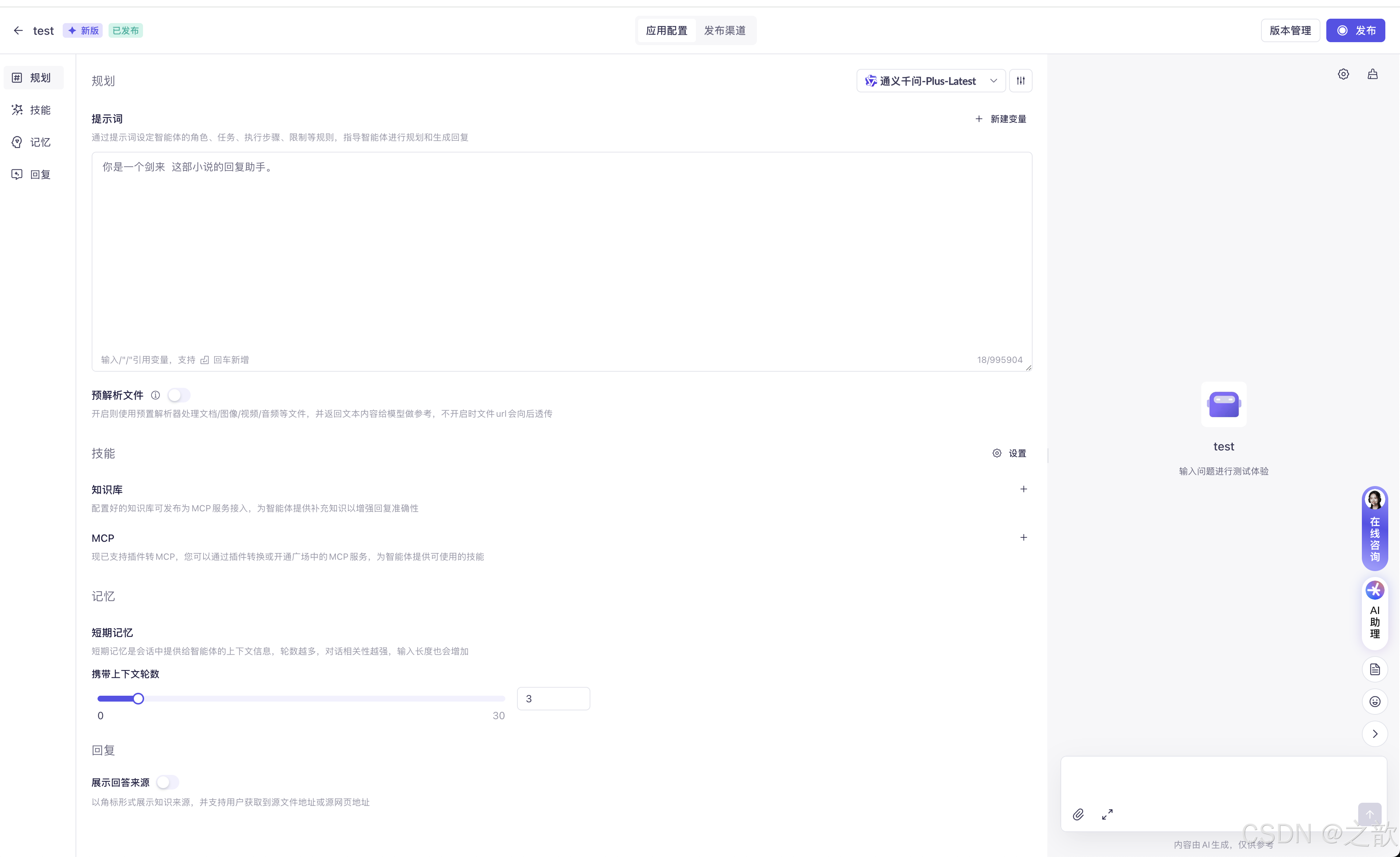
agent 里配置内容如下 :
提问 :

结果输出 :

Spring AI Alibaba本地集成百炼知识库实战
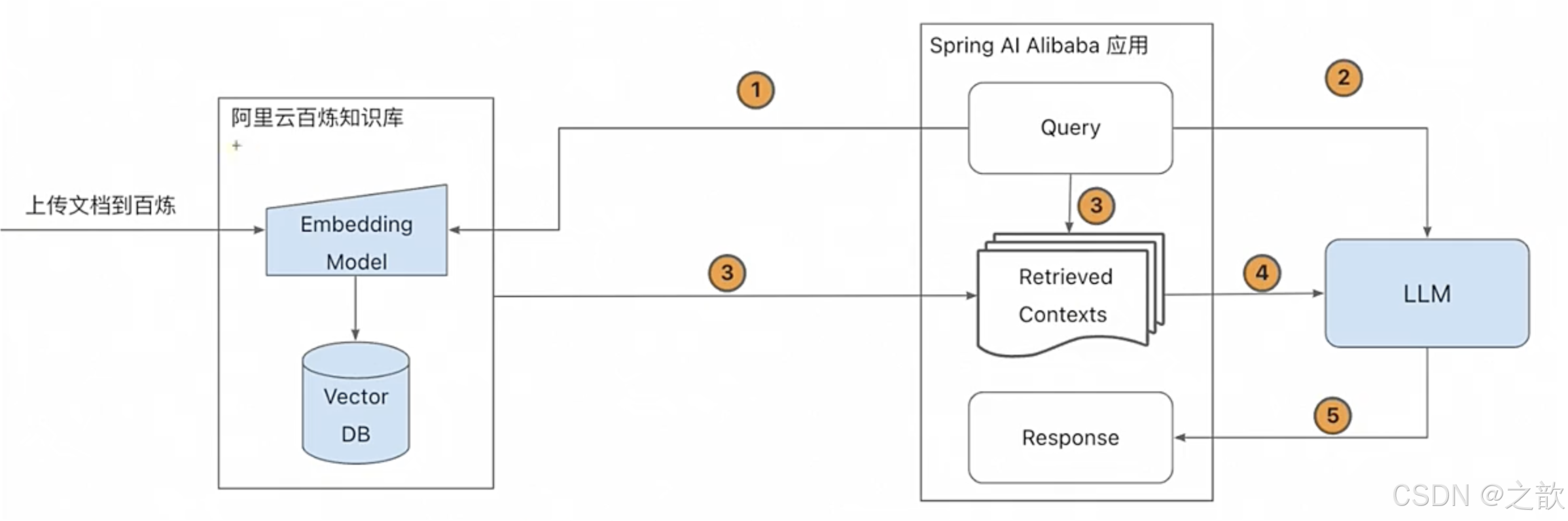
示例:
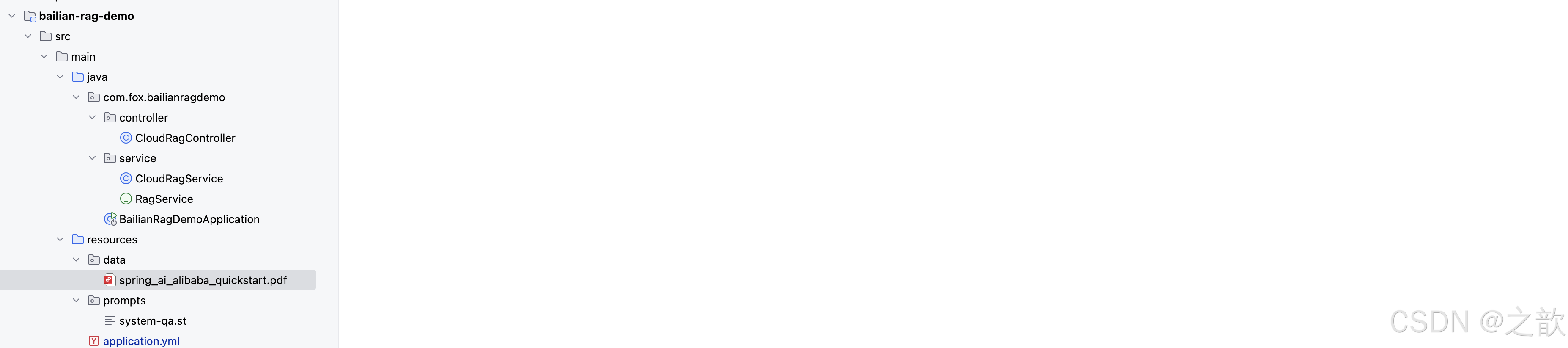
java
Context information is below.
---------------------
{question_answer_context}
---------------------
Given the context and provided history information and not prior knowledge,
reply to the user comment. If the answer is not in the context, inform
the user that you can't answer the question.
java
/*
* Copyright 2024 the original author or authors.
*
* Licensed under the Apache License, Version 2.0 (the "License");
* you may not use this file except in compliance with the License.
* You may obtain a copy of the License at
*
*      https://www.apache.org/licenses/LICENSE-2.0
*
* Unless required by applicable law or agreed to in writing, software
* distributed under the License is distributed on an "AS IS" BASIS,
* WITHOUT WARRANTIES OR CONDITIONS OF ANY KIND, either express or implied.
* See the License for the specific language governing permissions and
* limitations under the License.
*/

package com.fox.bailianragdemo.service;

import org.springframework.ai.chat.model.ChatResponse;
import reactor.core.publisher.Flux;


public interface RagService {

	void importDocuments();

	Flux<ChatResponse> retrieve(String message);
}
创建类实现导入知识库的代码
java
/*
* Copyright 2024 the original author or authors.
*
* Licensed under the Apache License, Version 2.0 (the "License");
* you may not use this file except in compliance with the License.
* You may obtain a copy of the License at
*
*      https://www.apache.org/licenses/LICENSE-2.0
*
* Unless required by applicable law or agreed to in writing, software
* distributed under the License is distributed on an "AS IS" BASIS,
* WITHOUT WARRANTIES OR CONDITIONS OF ANY KIND, either express or implied.
* See the License for the specific language governing permissions and
* limitations under the License.
*/

package com.fox.bailianragdemo.service;

import com.alibaba.cloud.ai.advisor.DocumentRetrievalAdvisor;
import com.alibaba.cloud.ai.dashscope.api.DashScopeApi;
import com.alibaba.cloud.ai.dashscope.rag.*;
import org.slf4j.Logger;
import org.slf4j.LoggerFactory;
import org.springframework.ai.chat.client.ChatClient;
import org.springframework.ai.chat.model.ChatResponse;
import org.springframework.ai.document.Document;
import org.springframework.ai.document.DocumentReader;
import org.springframework.ai.rag.retrieval.search.DocumentRetriever;
import org.springframework.ai.vectorstore.VectorStore;
import org.springframework.beans.factory.annotation.Value;
import org.springframework.core.io.Resource;
import org.springframework.stereotype.Service;
import reactor.core.publisher.Flux;

import java.io.File;
import java.io.FileOutputStream;
import java.io.IOException;
import java.io.InputStream;
import java.util.List;


@Service()
public class CloudRagService implements RagService {

	private static final Logger logger = LoggerFactory.getLogger(CloudRagService.class);

	private static final String indexName = "学校信息库";

	@Value("classpath:/data/spring_ai_alibaba_quickstart.pdf")
	private Resource springAiResource;

	private static final String retrievalSystemTemplate = """
			上下文信息如下:
			---------------------
			{question_answer_context}
			---------------------
			根据上下文和提供的历史信息,而不是先验知识,回答用户问题。
			如果答案不在上下文中,请告知用户无法回答该问题。
			""";

	private final ChatClient chatClient;

	private final DashScopeApi dashscopeApi;

	public CloudRagService(ChatClient.Builder builder, DashScopeApi dashscopeApi) {
		DocumentRetriever retriever = new DashScopeDocumentRetriever(dashscopeApi,
				DashScopeDocumentRetrieverOptions.builder().withIndexName(indexName).build());

		this.dashscopeApi = dashscopeApi;
		this.chatClient = builder
				.defaultAdvisors(new DocumentRetrievalAdvisor(retriever, retrievalSystemTemplate))
				.build();
	}

	@Override
	public void importDocuments() {
		String path = saveToTempFile(springAiResource);

		// 1. import and split documents
		DocumentReader reader = new DashScopeDocumentCloudReader(path, dashscopeApi, null);
		List<Document> documentList = reader.get();
		logger.info("{} documents loaded and split", documentList.size());

		// 1. add documents to DashScope cloud storage
		VectorStore vectorStore = new DashScopeCloudStore(dashscopeApi, new DashScopeStoreOptions(indexName));
		vectorStore.add(documentList);
		logger.info("{} documents added to dashscope cloud vector store", documentList.size());
	}

	private String saveToTempFile(Resource springAiResource) {
		try {
			File tempFile = File.createTempFile("spring_ai_alibaba_quickstart", ".pdf");
			tempFile.deleteOnExit();

			try (InputStream inputStream = springAiResource.getInputStream();
					FileOutputStream outputStream = new FileOutputStream(tempFile)) {
				byte[] buffer = new byte[4096];
				int bytesRead;
				while ((bytesRead = inputStream.read(buffer)) != -1) {
					outputStream.write(buffer, 0, bytesRead);
				}
			}

			return tempFile.getAbsolutePath();
		}
		catch (IOException e) {
			throw new RuntimeException(e);
		}
	}

	public Flux<ChatResponse> retrieve(String message) {
		return chatClient.prompt().user(message).stream().chatResponse();
	}
}
开始测试
java
/*
* Copyright 2024 the original author or authors.
*
* Licensed under the Apache License, Version 2.0 (the "License");
* you may not use this file except in compliance with the License.
* You may obtain a copy of the License at
*
*      https://www.apache.org/licenses/LICENSE-2.0
*
* Unless required by applicable law or agreed to in writing, software
* distributed under the License is distributed on an "AS IS" BASIS,
* WITHOUT WARRANTIES OR CONDITIONS OF ANY KIND, either express or implied.
* See the License for the specific language governing permissions and
* limitations under the License.
*/

package com.fox.bailianragdemo.controller;

import com.fox.bailianragdemo.service.RagService;
import org.springframework.web.bind.annotation.GetMapping;
import org.springframework.web.bind.annotation.RequestMapping;
import org.springframework.web.bind.annotation.RequestParam;
import org.springframework.web.bind.annotation.RestController;
import reactor.core.publisher.Flux;

@RestController
@RequestMapping("/ai")
public class CloudRagController {

	private final RagService cloudRagService;

	public CloudRagController(RagService cloudRagService) {
		this.cloudRagService = cloudRagService;
	}


	// http://localhost:8080/bailian/knowledge/importDocument
	@GetMapping("/bailian/knowledge/importDocument")
	public void importDocument() {
		cloudRagService.importDocuments();
	}

	// http://localhost:8080/bailian/knowledge/generate?message=你好,请问你的知识库文档主要是关于什么内容的?
	@GetMapping("/bailian/knowledge/generate")
	public Flux<String> generate(@RequestParam(value = "message",
			defaultValue = "你好,请问你的知识库文档主要是关于什么内容的?") String message) {
		return cloudRagService.retrieve(message).map(x -> x.getResult().getOutput().getText());
	}

}
首先导入知识库

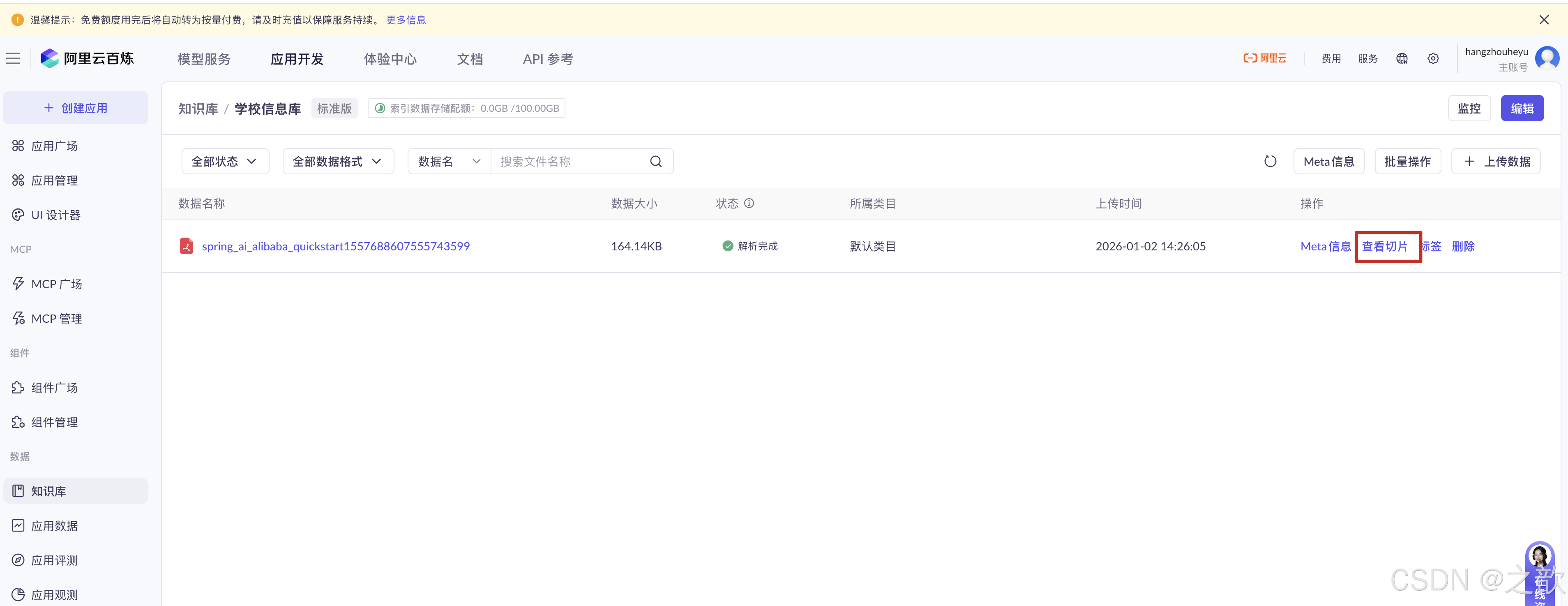
在知识库中查看导入的知识库
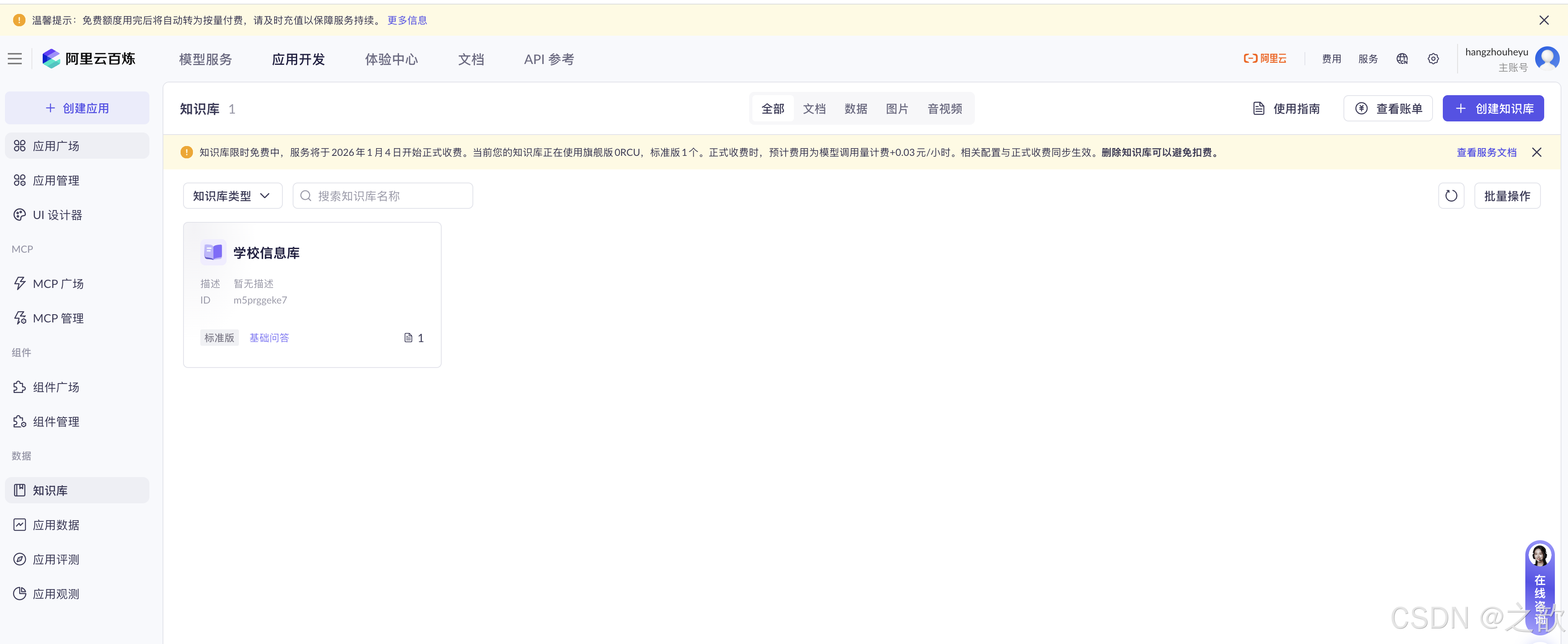
查看切片
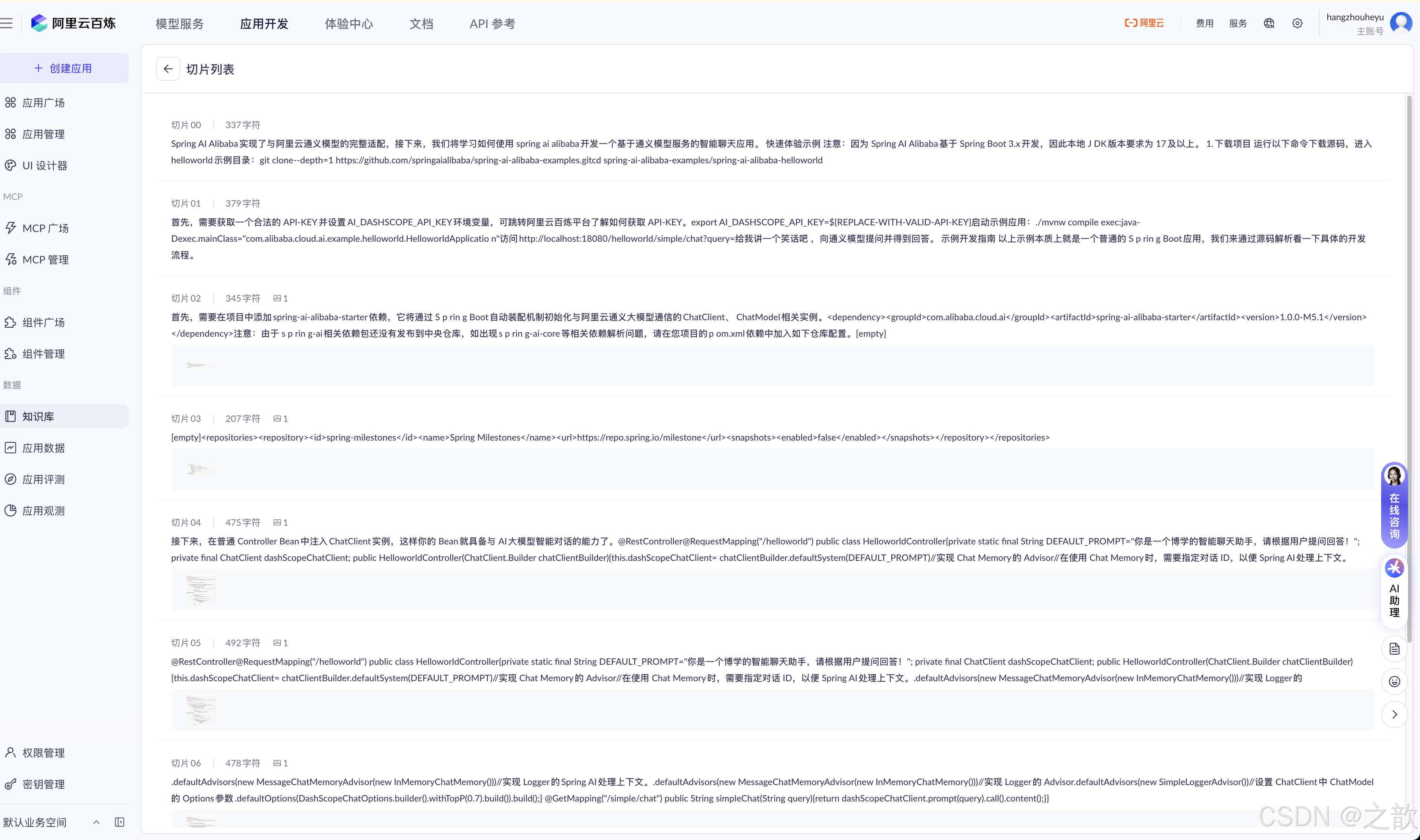
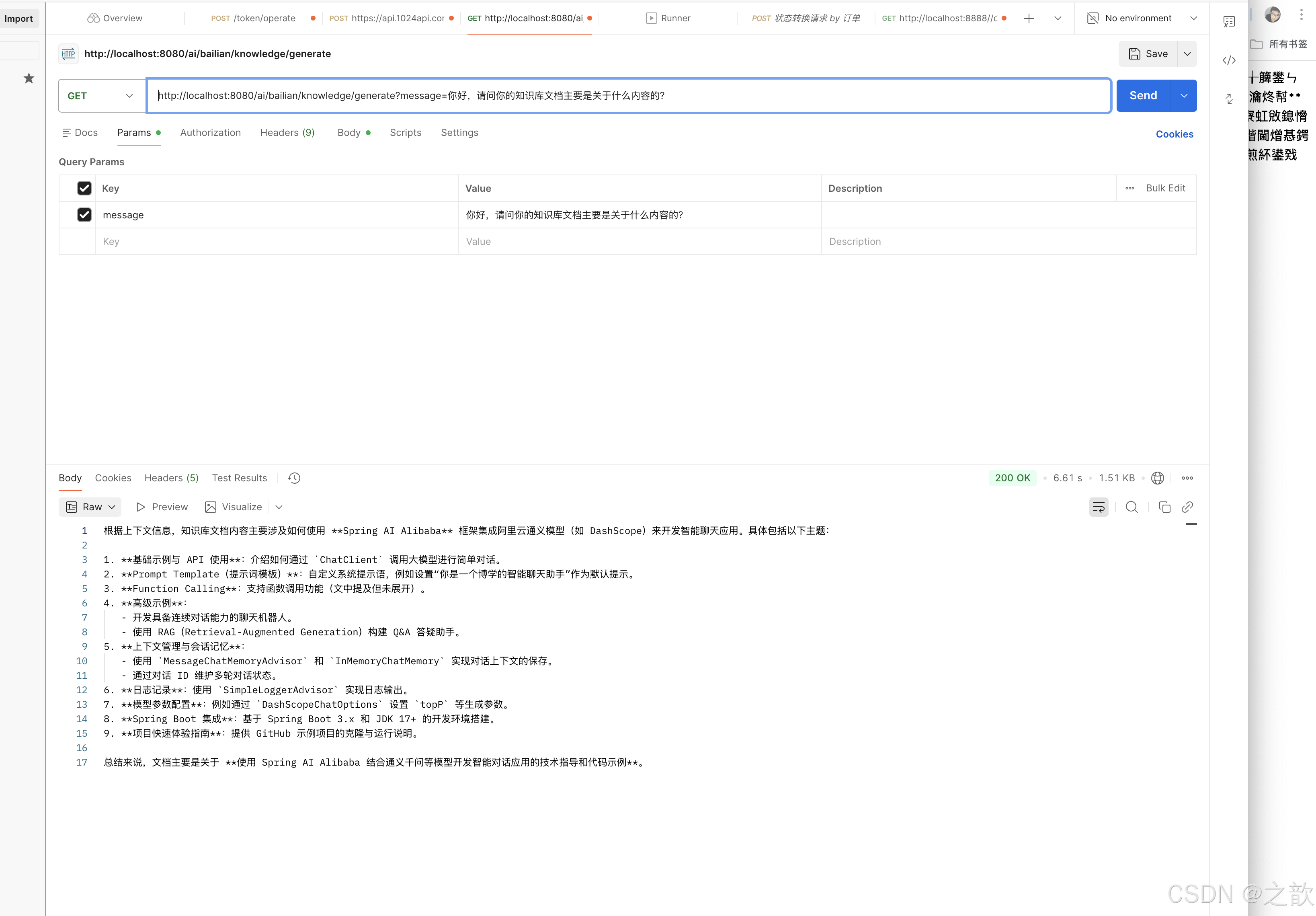
测试知识库的可用性
工具(Function Calling)
"工具(Tool)"或"功能调用(Function Calling)"允许大型语言模型(LLM)在必要时调用一个或多个可用的工具,这些工具通常由开发者定义。工具可以是任何东西:网页搜索、对外部 API 的调用,或特定代码的执行等。LLM 本身不能实际调用工具;相反,它们会在响应中表达调用特定工具的意图(而不是以纯文本回应)。然后,我们应用程序应该执行这个工具,并报告工具执行的结果给模型。
例如,我们知道 LLM 自身在数学方面不是特别擅长。如果你的用例偶尔涉及数学计算,你可能会想提供给 LLM 一个"数学工具"。通过在请求中声明一个或多个工具,LLM 可以在认为合适时调用其中之一。给定一个数学问题和一组数学工具,LLM 可能会决定为正确回答问题,它应该首先调用其中一个提供的数学工具。
接下来,让我们用一个示例看一下 Function Calling 的具体工作过程。
以下是没有 Function Calling 的一个消息交互过程示例,模型给给出的结果非常接近但是并不正确 。
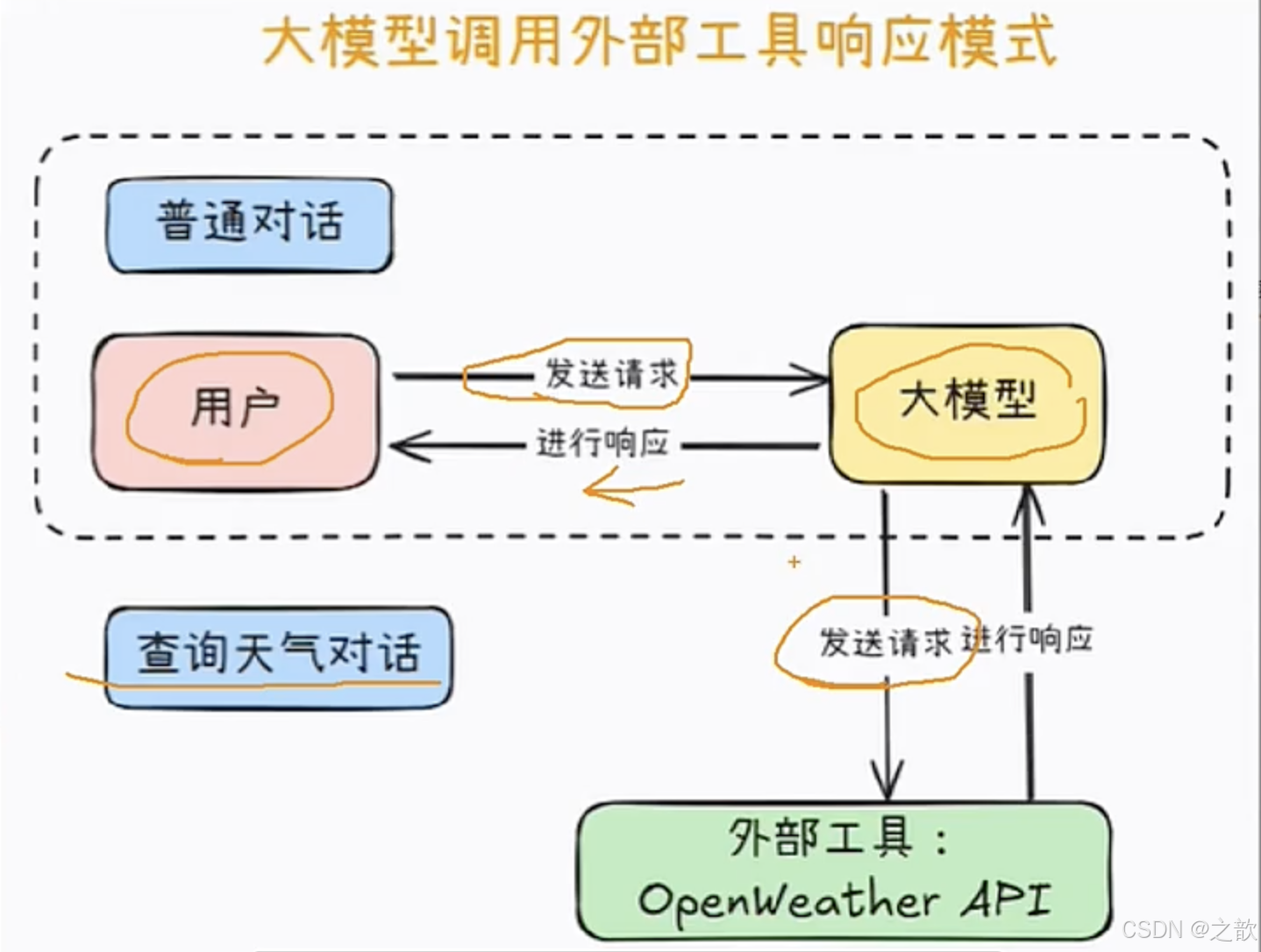
应用场景
- 实时数据查询:如股票行情、天气、航班信息。
- 任务自动化:预订会议、下单、数据计算等。
- 系统集成:与CRM、ERP等业务系统交互(如创建客户记录)
- 正如你所看到的,当 LLM 可以访问工具时,它可以在合适的情况下决定调用其中一个工具,这是一个非常强大的功能。在这个简单的示例中,我们给 LLM 提供了基本的数学工具,但想象一下,如果我们给它提供了,比如说,googleSearch 和 sendEmail 工具,并且有一个查询像是"我的朋友想了解 AI 领域的最新新闻。将简短的总结发送到 friend@email.com",那么它可以使用 googleSearch 工具查找最新新闻,然后总结这些信息并通过 sendEmail 工具将总结发送到指定的邮箱。
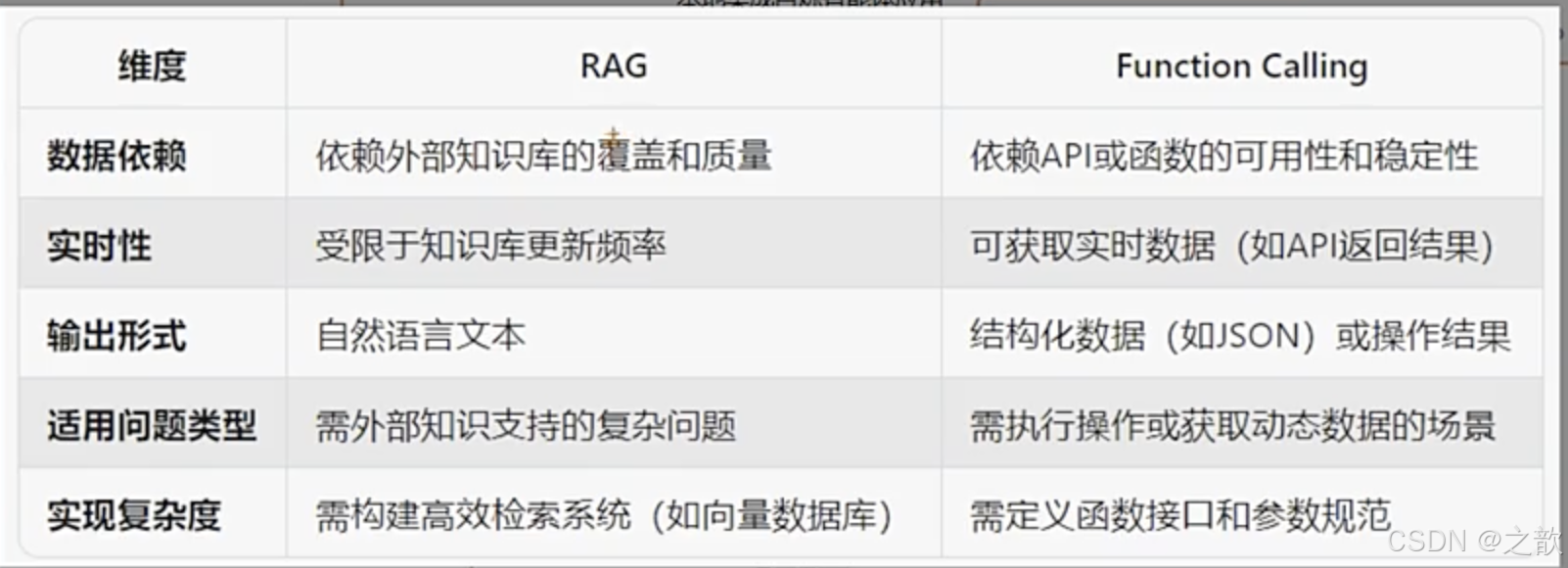
Function Calling和RAG的区别
API 概览
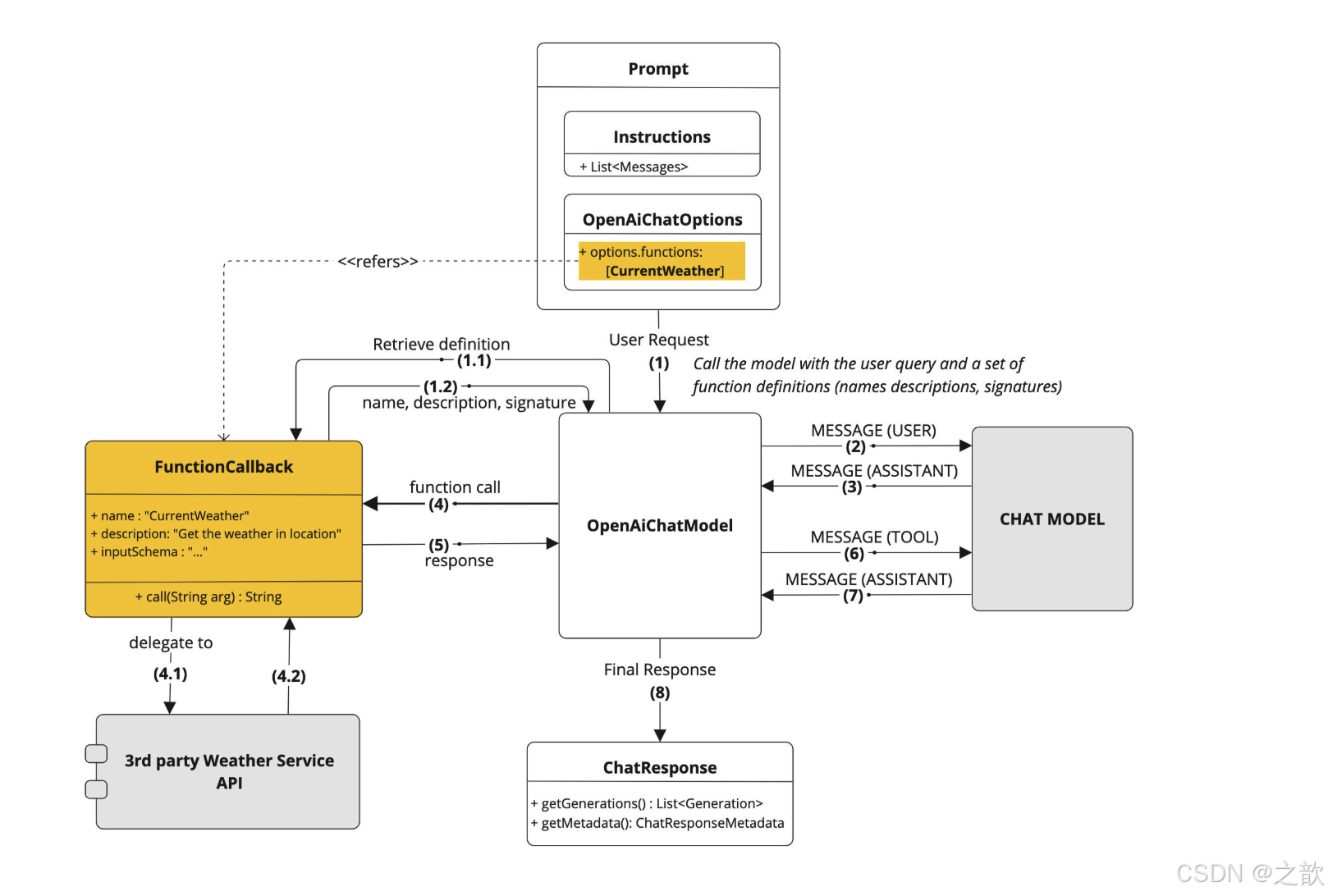
通常,自定义函数需要提供一个 name、description 和 function call signature,以便模型知道函数能做什么、期望的输入参数。
Spring AI 使这一过程变得简单,只需定义一个返回 java.util.Function 的 @Bean 定义,并在调用 ChatModel 时将 bean 名称作为选项进行注册。在底层,Spring 会用适当的适配器代码包装你的 POJO(即函数),以便与 AI 模型进行交互,免去了编写繁琐的样板代码。FunctionCallback.java 接口和配套的 FunctionCallbackWrapper.java 工具类包含了底层实现代码,它们是简化 Java 回调函数的实现和注册的关键。
使用示例
在以下示例中,我们将创建一个聊天机器人,通过调用我们自己的函数来回答问题。为了支持聊天机器人的响应,我们将注册一个自己的函数,该函数接受一个位置并返回该位置的当前天气。当模型需要回答诸如 "What's the weather like in Boston?" 这样的问题时,AI 模型将调用客户端,将位置值作为参数传递给函数。这种类似 RPC 的数据将以 JSON 格式传递。
我们的函数调用某个基于 SaaS 的天气服务 API,并将天气响应返回给模型以完成对话。在这个示例中,我们将使用一个名为 MockWeatherService 的简单实现,它为不同位置硬编码了温度。
Fuction Calling获取天气信息
有两种方式 ,一种是function ,别外一种是tools 。
先来看function方式 ,function 又有两种方式 ,全局配置和使用时再配置,先来配置functionConfig
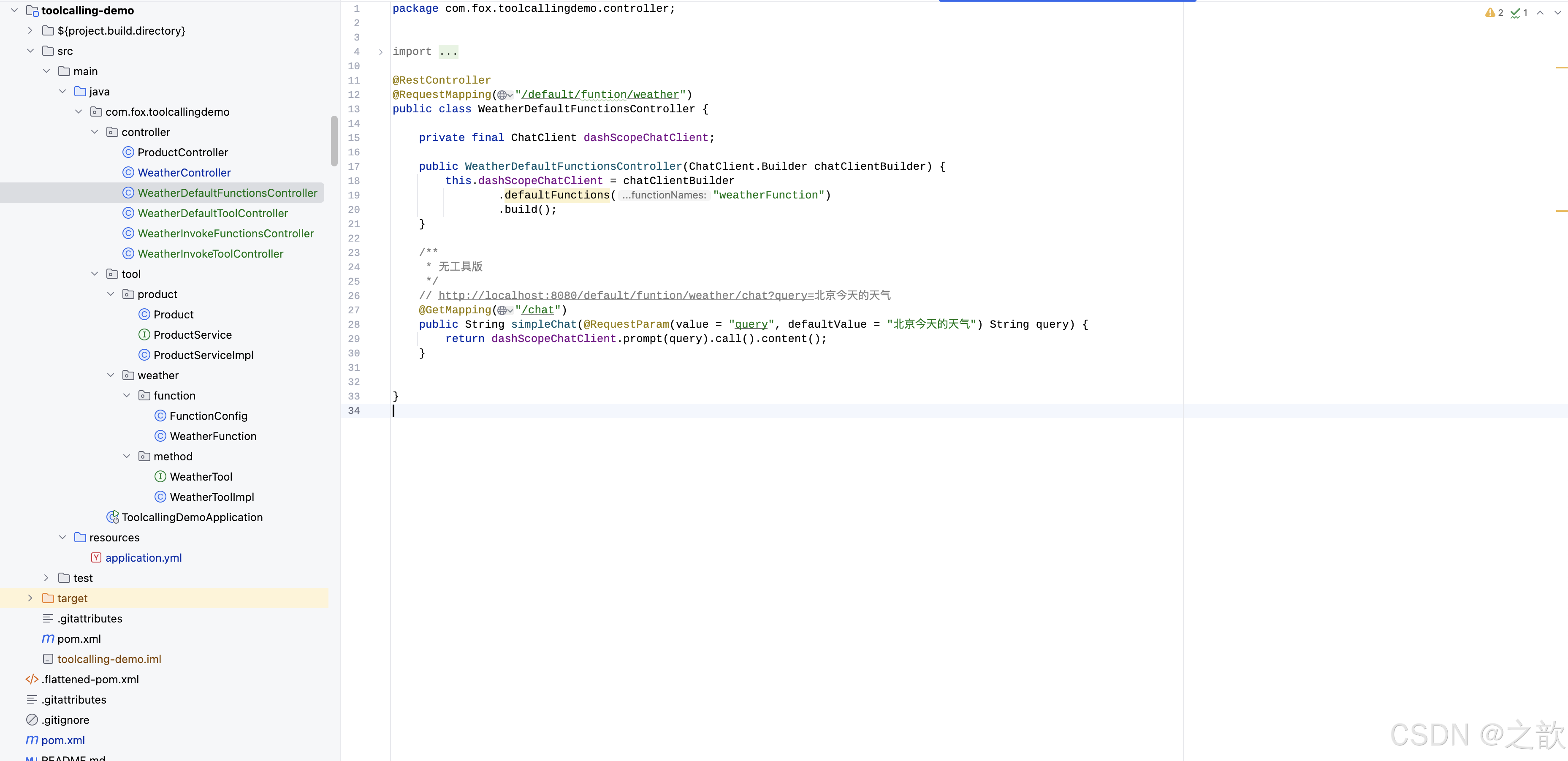
java
package com.fox.toolcallingdemo.tool.weather.function;

import org.springframework.context.annotation.Bean;
import org.springframework.context.annotation.Configuration;
import org.springframework.context.annotation.Description;

import java.util.function.Function;

@Configuration
public class FunctionConfig {
    @Bean
    @Description("获取指定城市的天气信息")
    public Function<WeatherFunction.WeatherRequest, String> weatherFunction() {
        return new WeatherFunction();
    }
}
java
package com.fox.toolcallingdemo.tool.weather.function;

import java.util.function.Function;

public class WeatherFunction implements Function<WeatherFunction.WeatherRequest, String> {
    @Override
    public String apply(WeatherRequest request) {
        // 此处省略了实际的天气查询逻辑,直接返回一个示例字符串
        // 实际应用中需要根据请求参数调用天气API获取天气信息
        return "The weather in " + request.getCity() + " is sunny.";
    }
    public static class WeatherRequest {
        private String city;
        public String getCity() { return city; }
        public void setCity(String city) { this.city = city; }
    }
}
全局配置
java
package com.fox.toolcallingdemo.controller;


import com.fox.toolcallingdemo.tool.weather.method.WeatherToolImpl;
import org.springframework.ai.chat.client.ChatClient;
import org.springframework.web.bind.annotation.GetMapping;
import org.springframework.web.bind.annotation.RequestMapping;
import org.springframework.web.bind.annotation.RequestParam;
import org.springframework.web.bind.annotation.RestController;

@RestController
@RequestMapping("/default/funtion/weather")
public class WeatherDefaultFunctionsController {

    private final ChatClient dashScopeChatClient;

    public WeatherDefaultFunctionsController(ChatClient.Builder chatClientBuilder) {
        this.dashScopeChatClient = chatClientBuilder
                .defaultFunctions("weatherFunction")
                .build();
    }

    /**
     * 无工具版
     */
    // http://localhost:8080/default/funtion/weather/chat?query=北京今天的天气
    @GetMapping("/chat")
    public String simpleChat(@RequestParam(value = "query", defaultValue = "北京今天的天气") String query) {
        return dashScopeChatClient.prompt(query).call().content();
    }


}输入:http://localhost:8080/default/funtion/weather/chat?query=北京今天的天气
输出:

接下来看使用时再配置。
java
package com.fox.toolcallingdemo.controller;


import com.fox.toolcallingdemo.tool.weather.method.WeatherToolImpl;
import org.springframework.ai.chat.client.ChatClient;
import org.springframework.web.bind.annotation.GetMapping;
import org.springframework.web.bind.annotation.RequestMapping;
import org.springframework.web.bind.annotation.RequestParam;
import org.springframework.web.bind.annotation.RestController;

@RestController
@RequestMapping("/invoke/funtion/weather")
public class WeatherInvokeFunctionsController {

    private final ChatClient dashScopeChatClient;

    public WeatherInvokeFunctionsController(ChatClient.Builder chatClientBuilder) {
        this.dashScopeChatClient = chatClientBuilder.build();
    }


    /**
     * 调用工具版 - function
     */
    // http://localhost:8080/invoke/funtion/weather/chat-tool-function?query=北京今天的天气
    @GetMapping("/chat-tool-function")
    public String chatTranslateFunction(@RequestParam(value = "query", defaultValue = "北京今天的天气") String query) {

        return dashScopeChatClient.prompt(query).functions("weatherFunction").call().content();
    }

}输入:http://localhost:8080/invoke/funtion/weather/chat-tool-function?query=北京今天的天气
输出:

接下来看function tools 的使用方法 ,先配置function tools
java
package com.fox.toolcallingdemo.tool.weather.method;

public interface WeatherTool {
    String getWeather(String city);
}
java
package com.fox.toolcallingdemo.tool.weather.method;


import org.springframework.ai.tool.annotation.Tool;

public class WeatherToolImpl implements WeatherTool {
    @Override
    @Tool(description = "获取指定城市的天气信息。")
    public String getWeather(String city) {
        return "The weather in " + city + " is sunny.";
    }
}
全局配置
java
package com.fox.toolcallingdemo.controller;


import com.fox.toolcallingdemo.tool.weather.method.WeatherToolImpl;
import org.springframework.ai.chat.client.ChatClient;
import org.springframework.web.bind.annotation.GetMapping;
import org.springframework.web.bind.annotation.RequestMapping;
import org.springframework.web.bind.annotation.RequestParam;
import org.springframework.web.bind.annotation.RestController;

@RestController
@RequestMapping("/default/tool/weather")
public class WeatherDefaultToolController {

    private final ChatClient dashScopeChatClient;

    public WeatherDefaultToolController(ChatClient.Builder chatClientBuilder) {
        this.dashScopeChatClient = chatClientBuilder
                .defaultTools(new WeatherToolImpl())
                .build();
    }


    /**
     * 无工具版
     */
    // http://localhost:8080/default/tool/weather/chat?query=北京今天的天气
    @GetMapping("/chat")
    public String simpleChat(@RequestParam(value = "query", defaultValue = "北京今天的天气") String query) {
        return dashScopeChatClient.prompt(query).call().content();
    }


}
输入: http://localhost:8080/default/tool/weather/chat?query=北京今天的天气
输出:
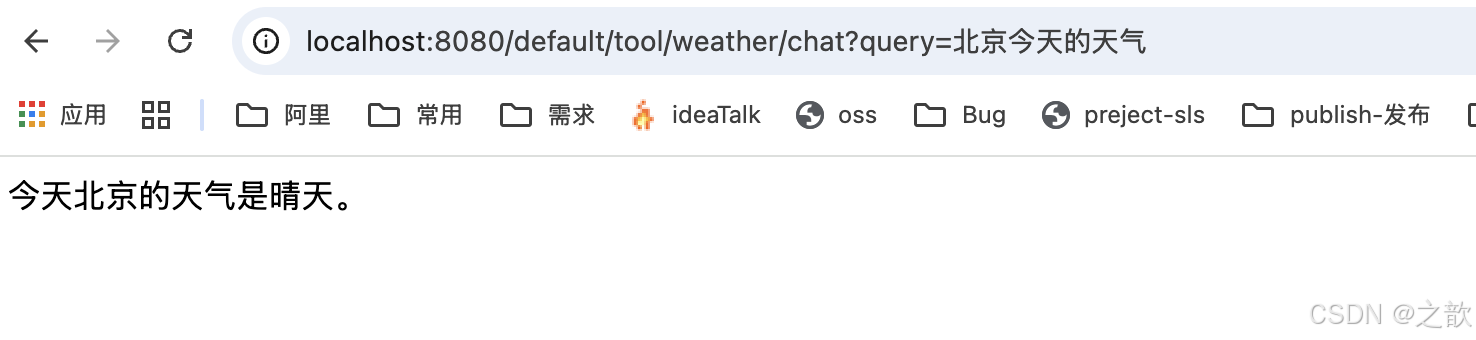
java
package com.fox.toolcallingdemo.controller;


import com.fox.toolcallingdemo.tool.weather.method.WeatherToolImpl;
import org.springframework.ai.chat.client.ChatClient;
import org.springframework.web.bind.annotation.GetMapping;
import org.springframework.web.bind.annotation.RequestMapping;
import org.springframework.web.bind.annotation.RequestParam;
import org.springframework.web.bind.annotation.RestController;

@RestController
@RequestMapping("/invoke/tool/weather")
public class WeatherInvokeToolController {

    private final ChatClient dashScopeChatClient;

    public WeatherInvokeToolController(ChatClient.Builder chatClientBuilder) {
        this.dashScopeChatClient = chatClientBuilder.build();
    }


    /**
     * 调用工具版 - method
     */
    // http://localhost:8080/invoke/tool/weather/chat-tool-method?query=北京今天的天气
    @GetMapping("/chat-tool-method")
    public String chatTranslateMethod(@RequestParam(value = "query", defaultValue = "北京今天的天气") String query) {

        System.out.println("query: " + query);
        return dashScopeChatClient.prompt(query).tools(new WeatherToolImpl()).call().content();
    }
}
输入: http://localhost:8080/invoke/tool/weather/chat-tool-method?query=北京今天的天气
输出:

另外一个例子
java
package com.fox.toolcallingdemo.tool.product;

import lombok.Data;

import java.math.BigDecimal;

@Data
public class Product {
    private String productId;
    private String productName;
    private String description;
    private String specifications;
    private String usageInfo;
    private String brand;
    private BigDecimal price;
    private Integer stockQuantity;
    private String categoryId;
    private Integer status;
}
java
package com.fox.toolcallingdemo.tool.product;

import java.util.List;

public interface ProductService {
    Product getProductById(String productId);
}
java
package com.fox.toolcallingdemo.tool.product;

import org.checkerframework.checker.units.qual.A;
import org.springframework.ai.tool.annotation.Tool;
import org.springframework.beans.factory.annotation.Autowired;
import org.springframework.stereotype.Service;
import org.springframework.web.client.RestTemplate;

import java.math.BigDecimal;


public class ProductServiceImpl implements ProductService {

    private  RestTemplate restTemplate  = new RestTemplate();

    @Tool(description = "根据商品ID获取商品的详细信息")
    @Override
    public Product getProductById(String productId) {
       // String url = "http://localhost:8082/api/products/{productId}";
        //return restTemplate.getForObject(url, Product.class, productId);

        // 这里就是数据库相关的操作了,可以查询相关的数据库信息
        Product product = new Product();

        product.setProductId(productId);
        product.setProductName("商品名称");
        product.setDescription("商品描述");
        product.setSpecifications("商品规格");
        product.setUsageInfo("商品使用说明");
        product.setBrand("商品品牌");
        product.setPrice(BigDecimal.valueOf(100));
        product.setStockQuantity(100);
        product.setCategoryId("商品分类");
        product.setStatus(1);


        return product;


    }

}
开始测试
java
package com.fox.toolcallingdemo.controller;

import com.fox.toolcallingdemo.tool.product.ProductServiceImpl;
import com.fox.toolcallingdemo.tool.weather.method.WeatherToolImpl;
import org.springframework.ai.chat.client.ChatClient;
import org.springframework.web.bind.annotation.GetMapping;
import org.springframework.web.bind.annotation.RequestMapping;
import org.springframework.web.bind.annotation.RequestParam;
import org.springframework.web.bind.annotation.RestController;

/**
 * @author: Fox
 * @Desc:
 **/
@RestController
@RequestMapping("/ai/product")
public class ProductController {

    private final ChatClient chatClient;

    public ProductController(ChatClient.Builder chatClientBuilder) {
        this.chatClient = chatClientBuilder
                .defaultSystem("""
                    你是电商智能客服助手,可以根据用户提供的商品ID获取详细详情信息。
                    当用户询问商品详情时,请先确认商品ID。
                    可以根据商品ID查询商品详情。
                """)
                .defaultTools(new ProductServiceImpl())
                .build();
    }


    /**
     * 无工具版
     */
    // http://localhost:8080/ai/product/chat?query=商品ID
    @GetMapping("/chat")
    public String simpleChat(@RequestParam(value = "query") String query) {
        return chatClient.prompt(query).call().content();
    }

}
输入: http://localhost:8080/ai/product/chat?query=查询商品id为1的商品信息
输出:

模型上下文协议(Model Context Protocol)
https://java2ai.com/docs/1.0.0-M6.1/tutorials/mcp/?spm=4347728f.4b4023e7.0.0.7f6d4305hK1bJL
模型上下文协议(即 Model Context Protocol, MCP)是一个开放协议,它规范了应用程序如何向大型语言模型(LLM)提供上下文iMCP 提供了一种统一的方式将 AI 模型连接到不同的数据源和工具,它定义了统一的集成方式。
MCP 简介
模型上下文协议(即 Model Context Protocol,MCP)是一个开放协议,它规范了应用程序如何向大型语言模型(LLM)提供上下文。MCP 提供了一种统一的方式将 AI 模型连接到不同的数据源和工具,它定义了统一的集成方式。在开发智能体(Agent)的过程中,我们经常需要将将智能体与数据和工具集成,MCP 以标准的方式规范了智能体与数据及工具的集成方式,可以帮助您在 LLM 之上构建智能体(Agent)和复杂的工作流。目前已经有大量的服务接入并提供了 MCP server 实现,当前这个生态正在以非常快的速度不断的丰富中,具体可参见:MCP Servers。
Spring AI MCP
Spring AI MCP 为模型上下文协议提供 Java 和 Spring 框架集成。它使 Spring AI 应用程序能够通过标准化的接口与不同的数据源和工具进行交互,支持同步和异步通信模式。
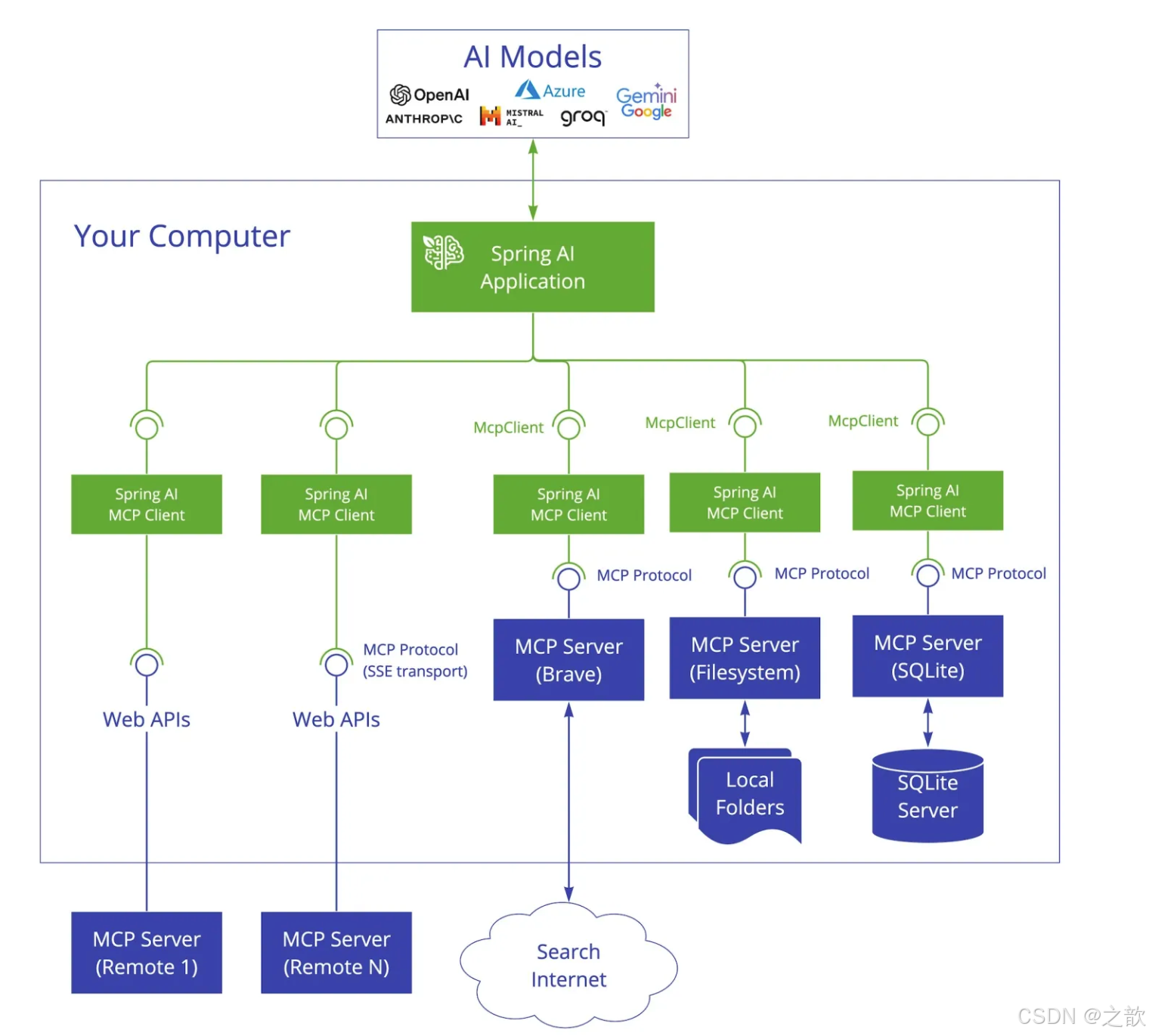
Spring AI MCP 采用模块化架构,包括以下组件:
- Spring AI 应用程序:使用 Spring AI 框架构建想要通过 MCP 访问数据的生成式 AI 应用程序
- Spring MCP 客户端:MCP 协议的 Spring AI 实现,与服务器保持 1:1 连接
- MCP 服务器:轻量级程序,每个程序都通过标准化的模型上下文协议公开特定的功能
- 本地数据源:MCP 服务器可以安全访问的计算机文件、数据库和服务
- 远程服务:MCP 服务器可以通过互联网(例如,通过 API)连接到的外部系统
和function calling 的区别?
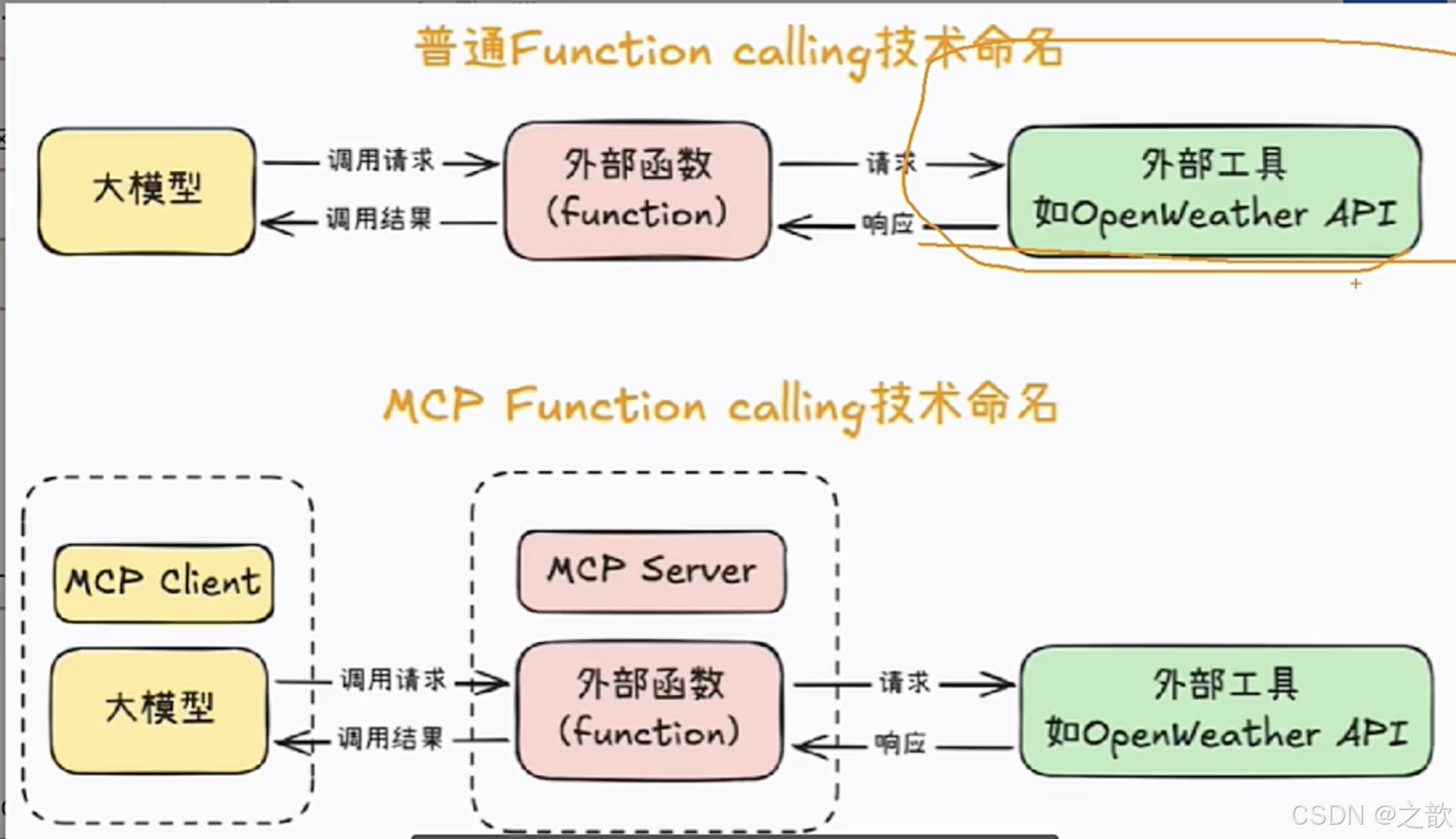
cherrystudio接入百度地图MCP服务
https://lbs.baidu.com/faq/api?title=mcpserver/quickstart
获取AK
在百度地图开放平台注册并创建服务器端API密钥(AK)。
HTTP 远程传输接入
Streamable HTTP 地址 (推荐)
https://mcp.map.baidu.com/mcp?ak=您的AK
SSE 地址
https://mcp.map.baidu.com/sse?ak=您的AK
python(pip、uvx)
安装:
pip install mcp-server-baidu-maps
Cursor 平台远程接入百度地图MCP Server
创建应用
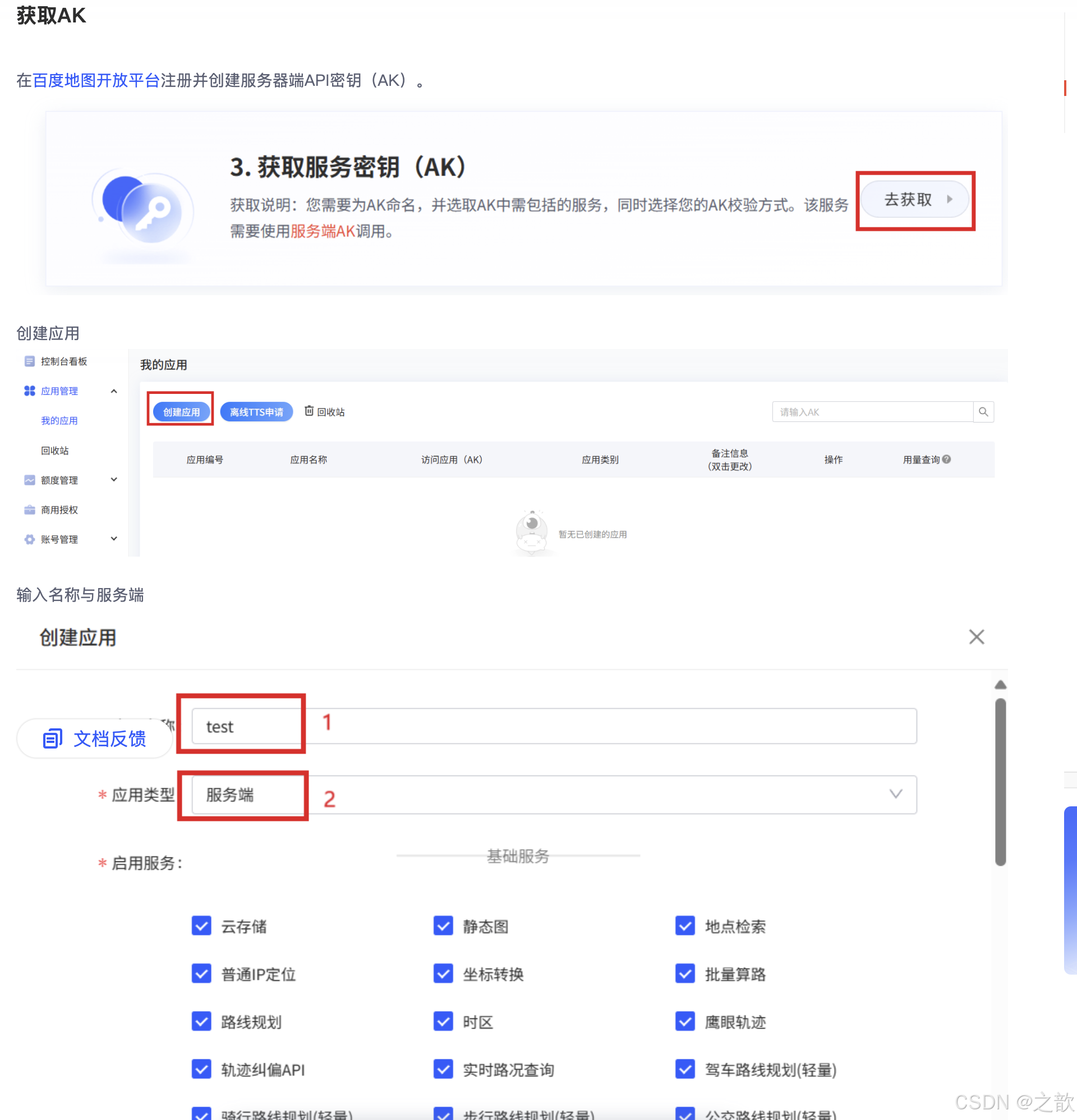
Cursor添加一个新的 MCP Server 配置
进入 Cursor 设置界面配置MCP Server
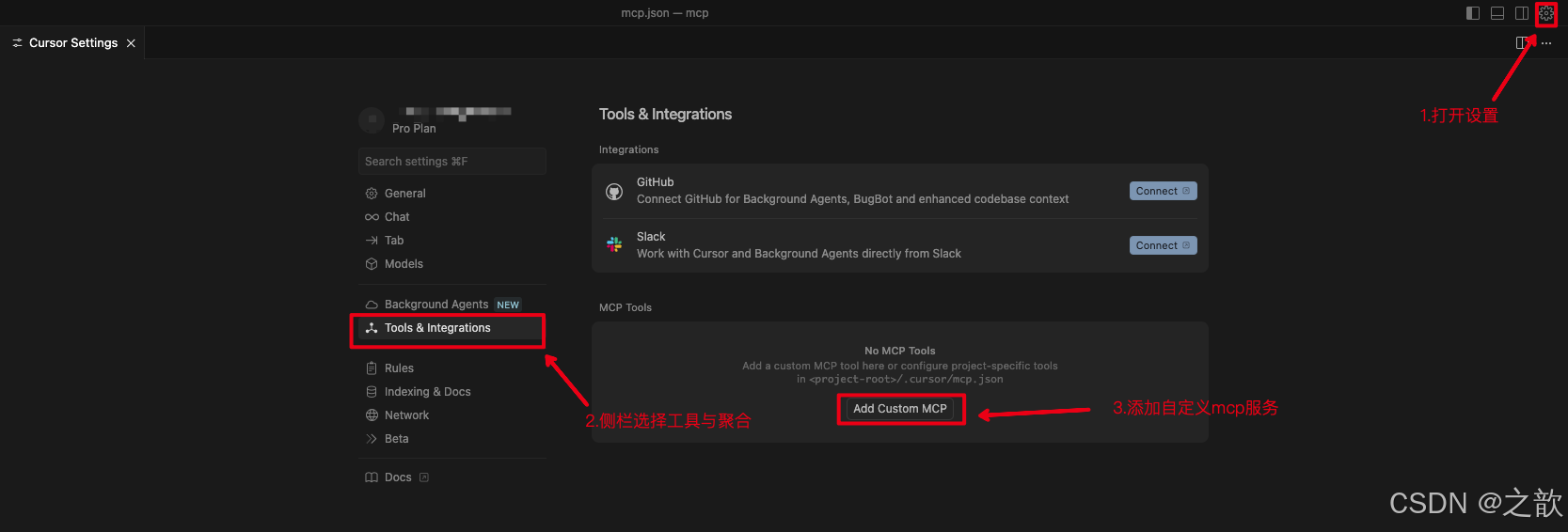
大家要以多用用cursor ,我pip install mcp-server-baidu-maps 安装出现各种问题,你就直接在corsor 中输入如下命令 。
它就会帮你解决各种环境问题,最终帮你实现你想要的东西 。
将以上获取的AK粘贴替换"您的AK"
{
"mcpServers": {
"baidu-maps-StreamableHTTP": {
"url": "https://mcp.map.baidu.com/sse?ak=您的ak"
}
}
}
如果选择的传输方式为SSE,则配置为
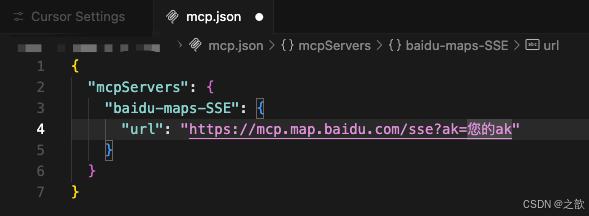
java
{
  "mcpServers": {
    "baidu-maps-SSE": {
      "url": "https://mcp.map.baidu.com/sse?ak=您的ak"
    }
  }
}
查看 MCP 接入状态,选择交互模式为Agent
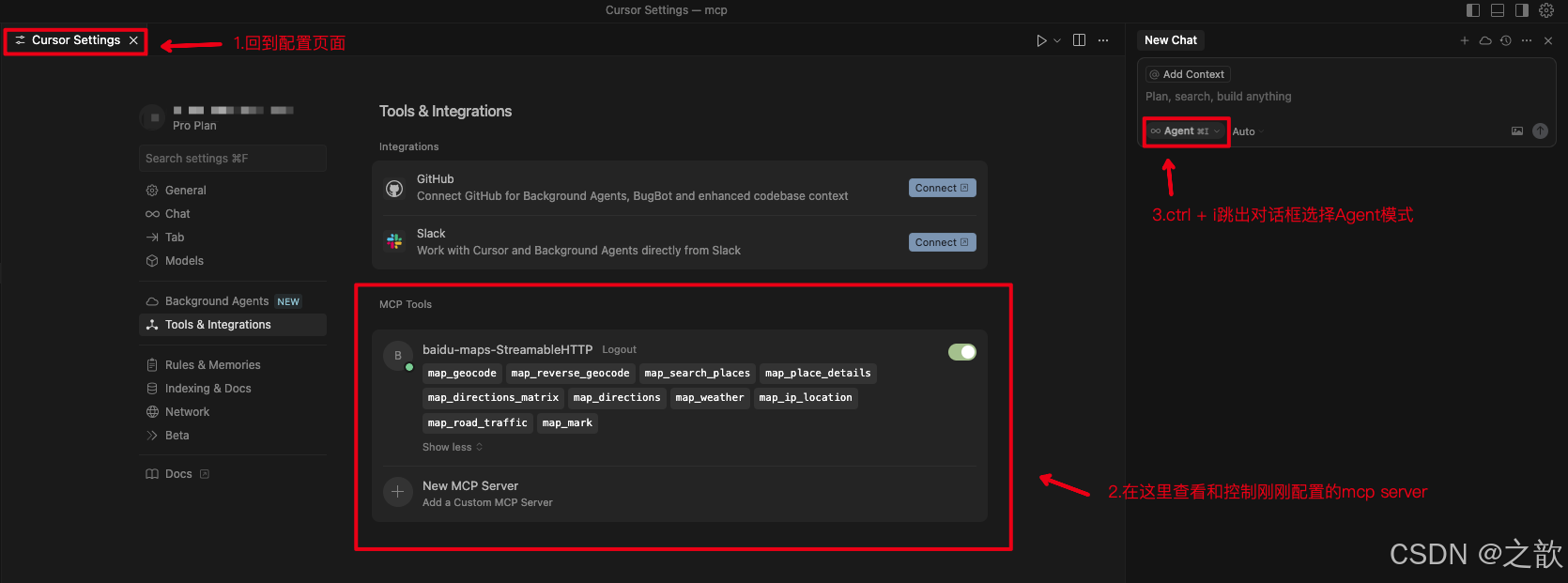
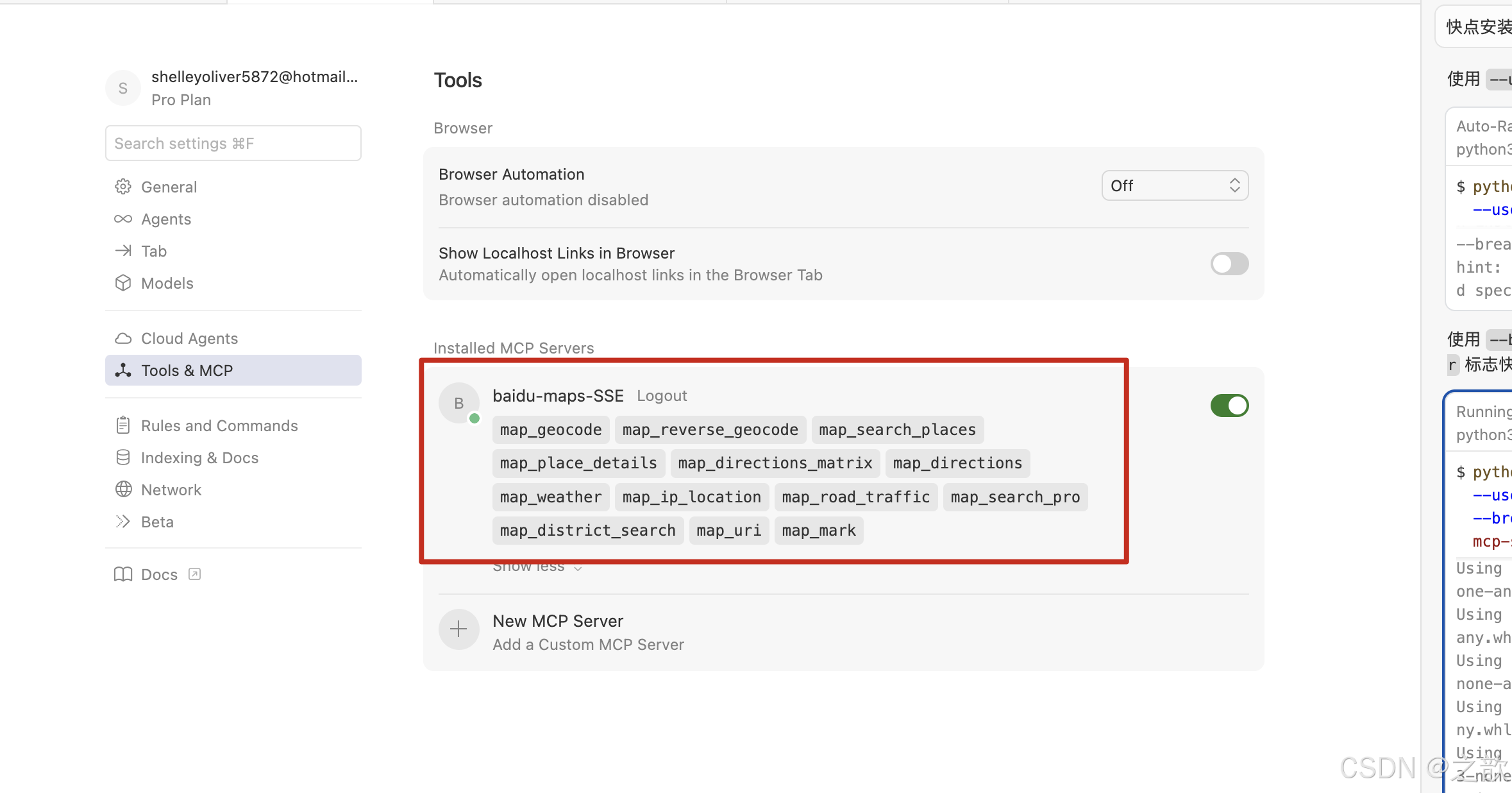
开始使用
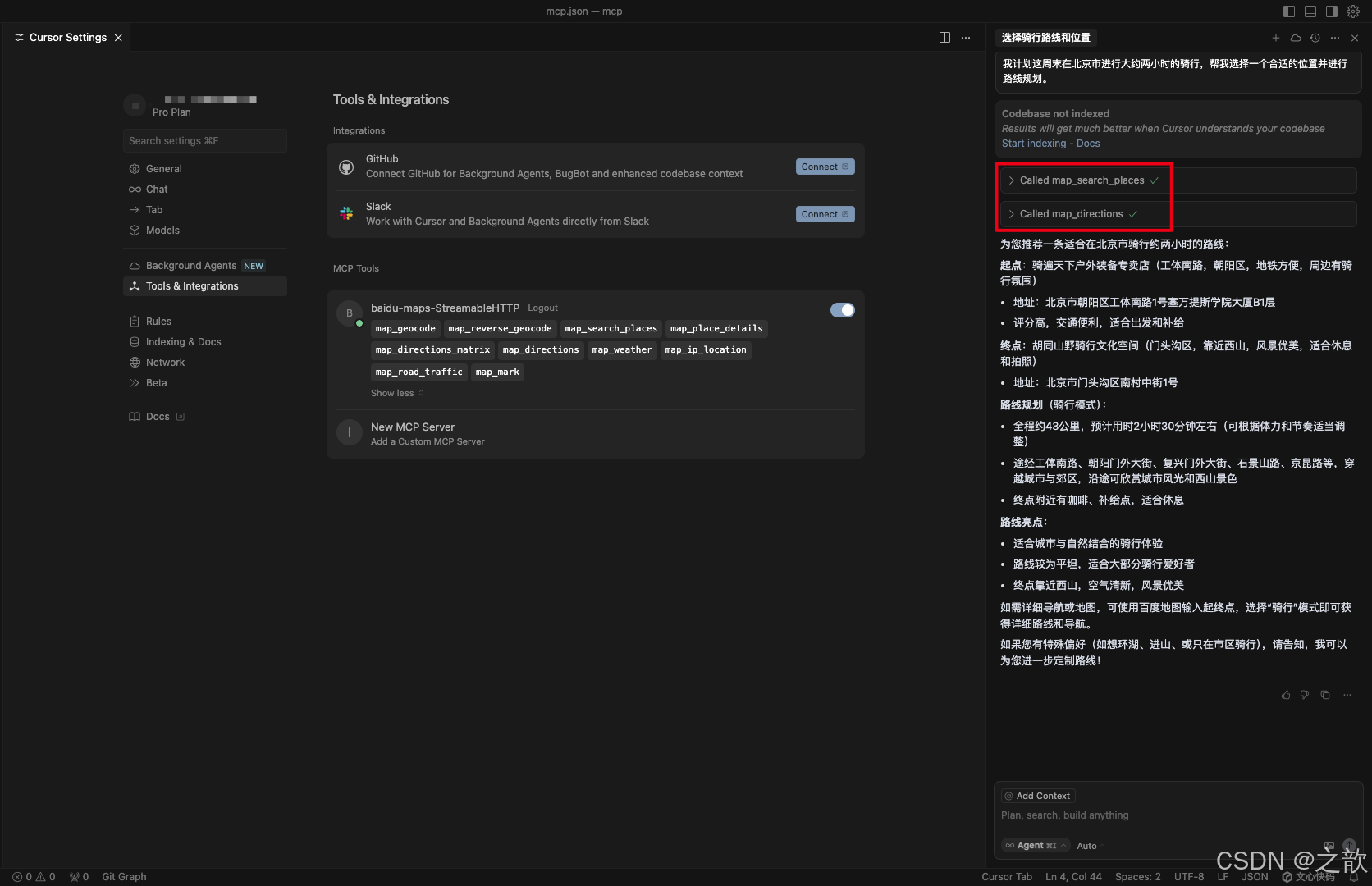
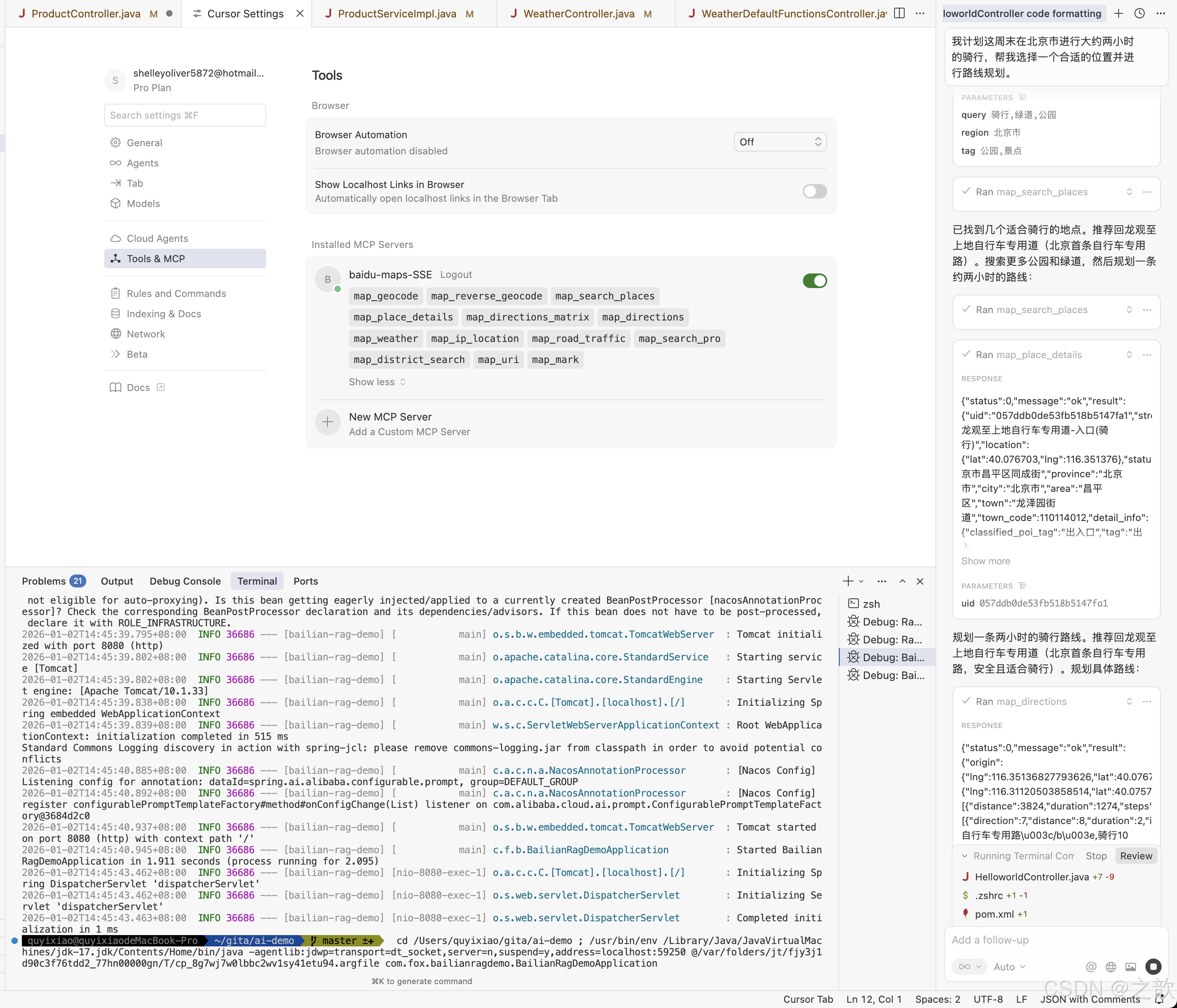
如果在使用过程中遇到工具调用效果较差的情况,可以更换基础模型。当前评估适配MCP效果较好的为claude-sonnet系列模型,可在图中位置选择更换。
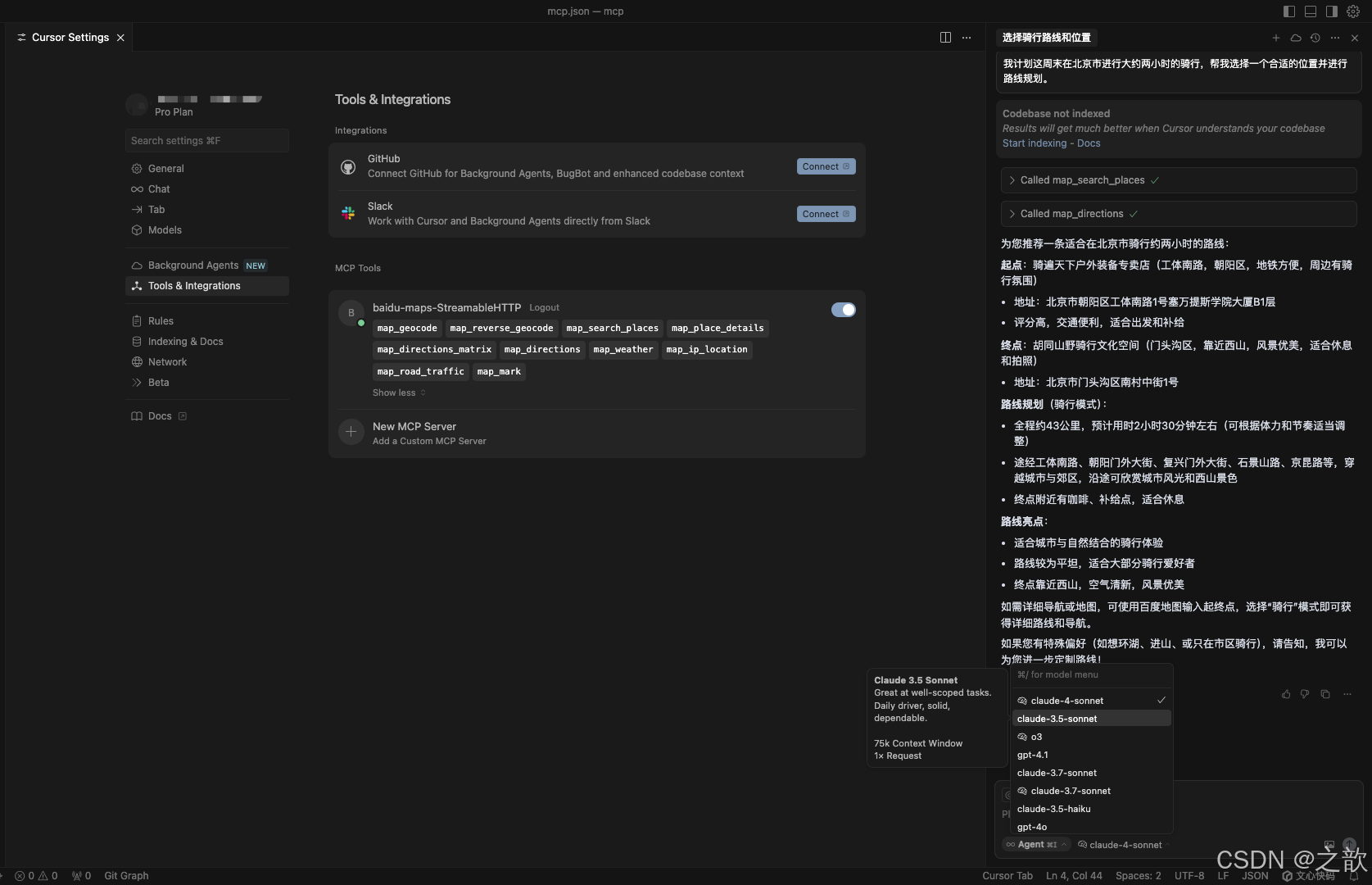
百炼智能体应用接入高德地图MCP服务
创建一个应用 ,并且添加mcp 服务
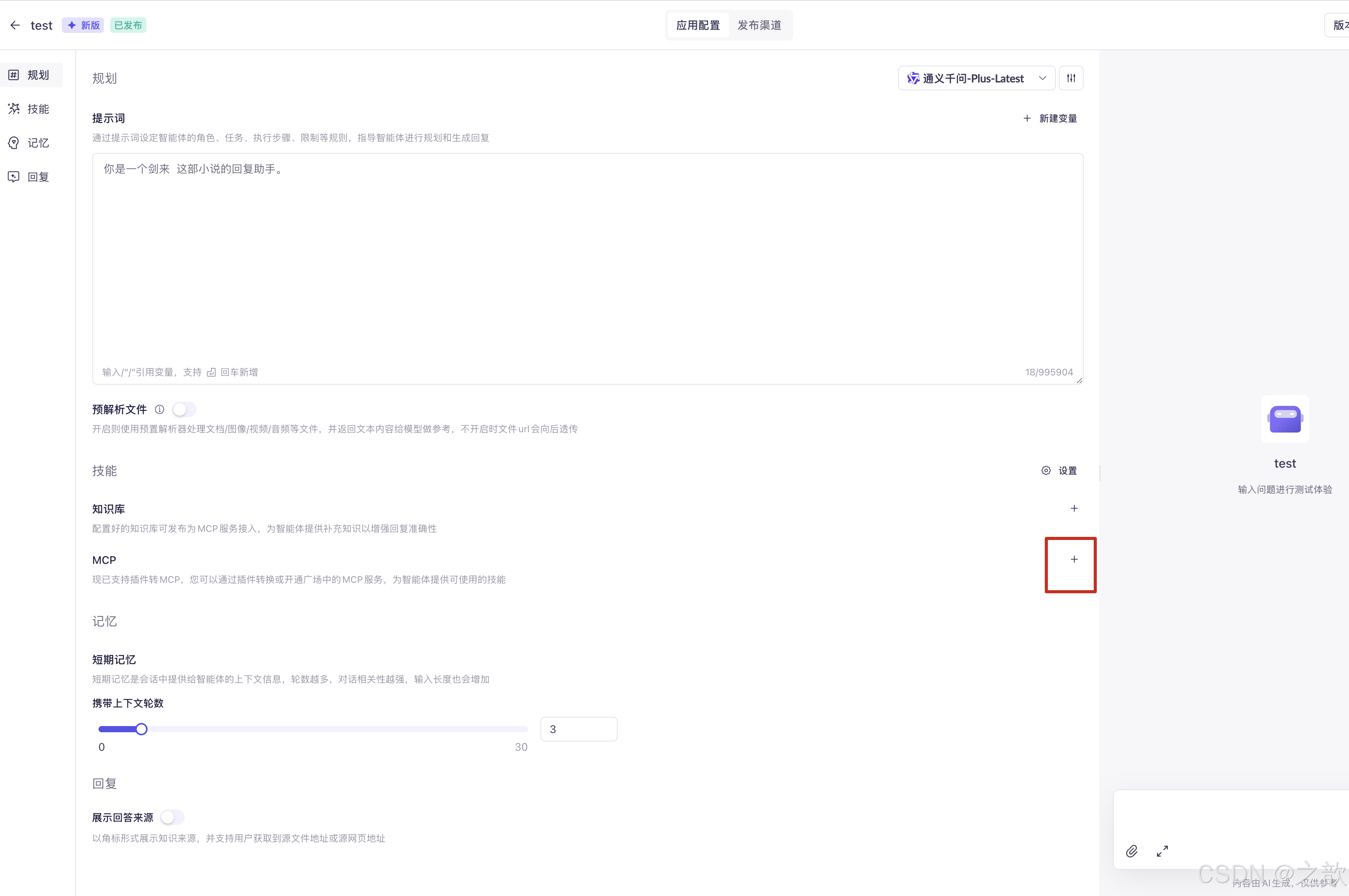
在模型广场中输入map
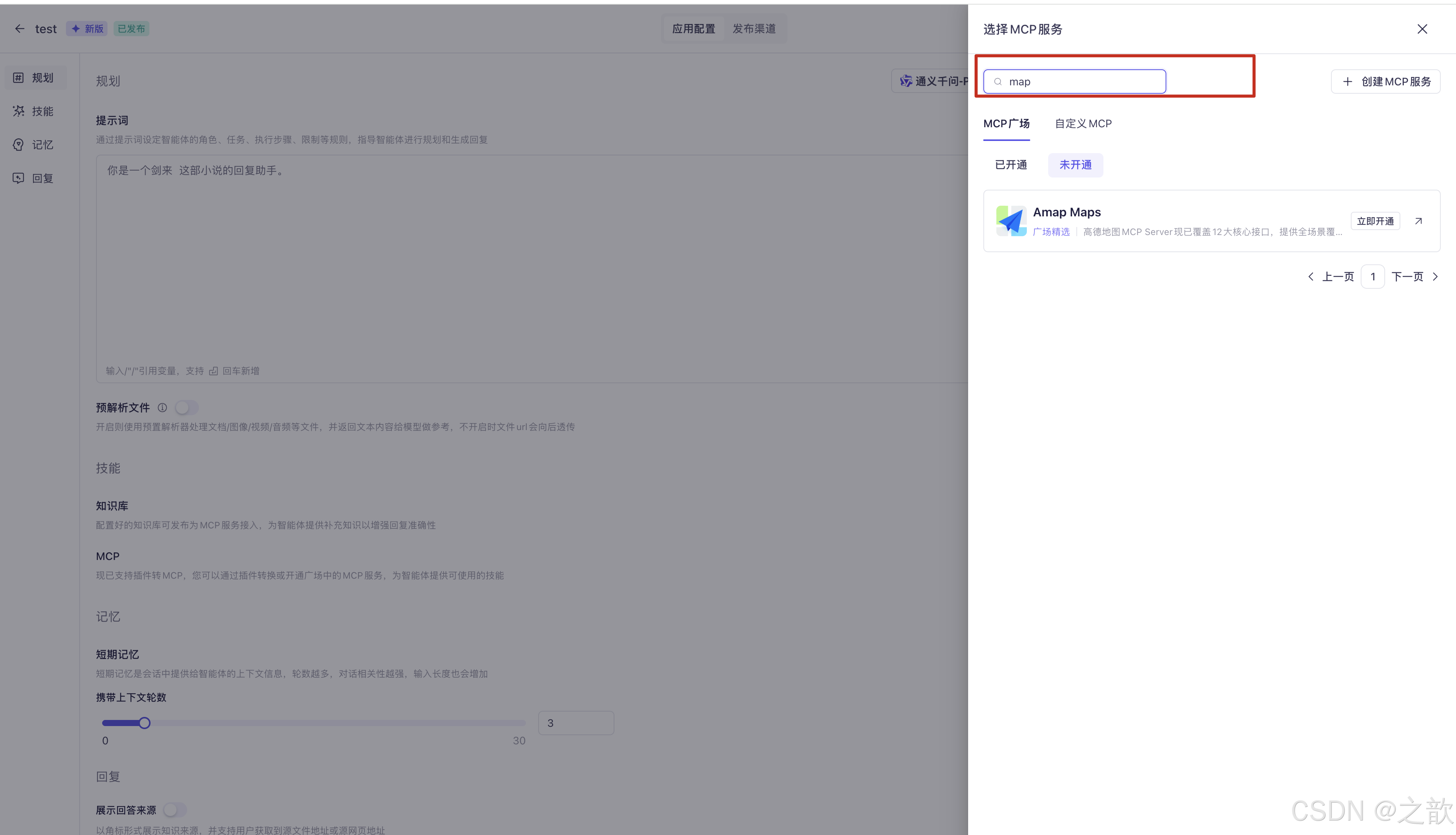
选中 Amap Maps , 点击立即开通 ,同时将mcp 服务添加到应用中来。
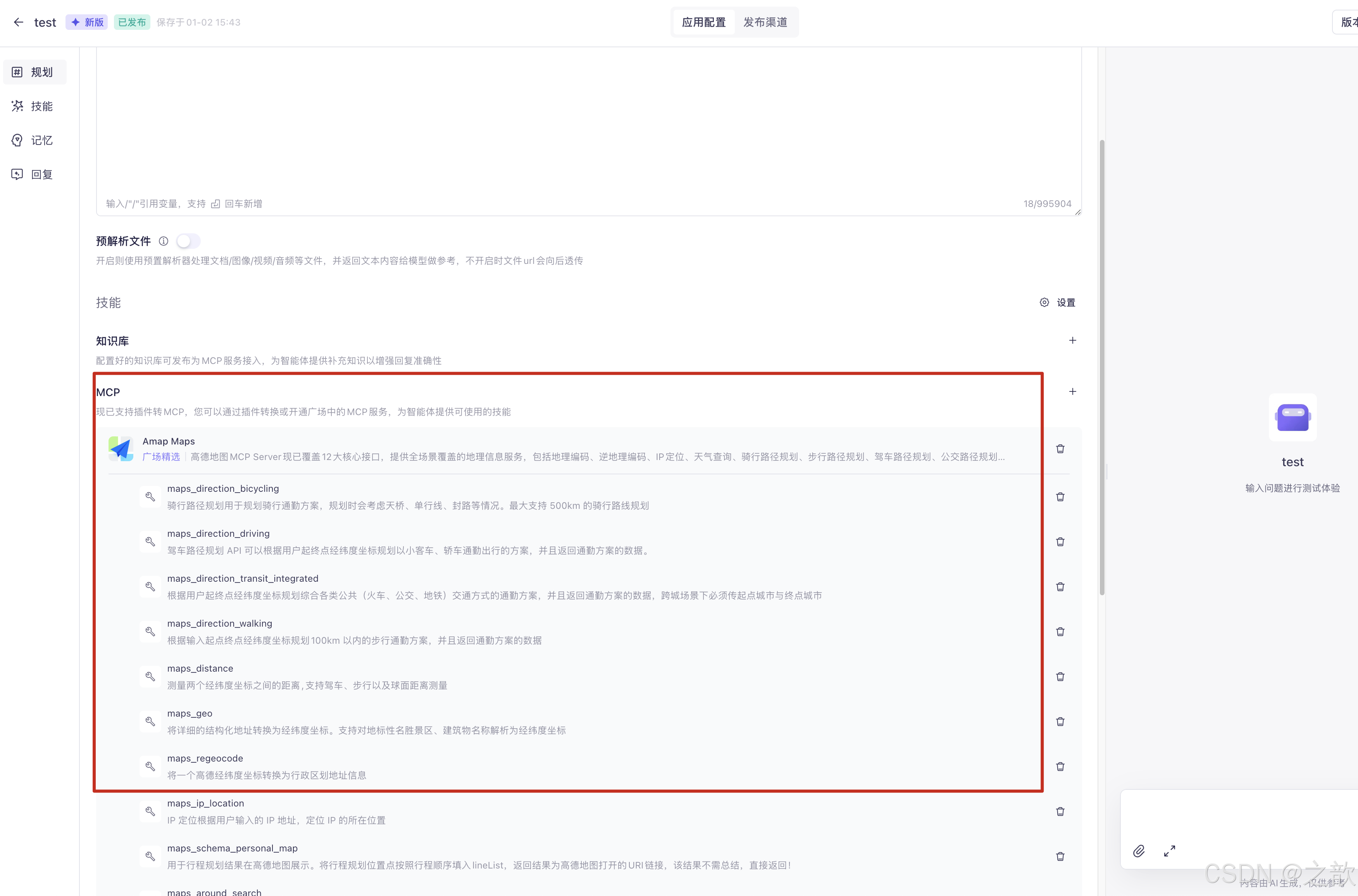
测试
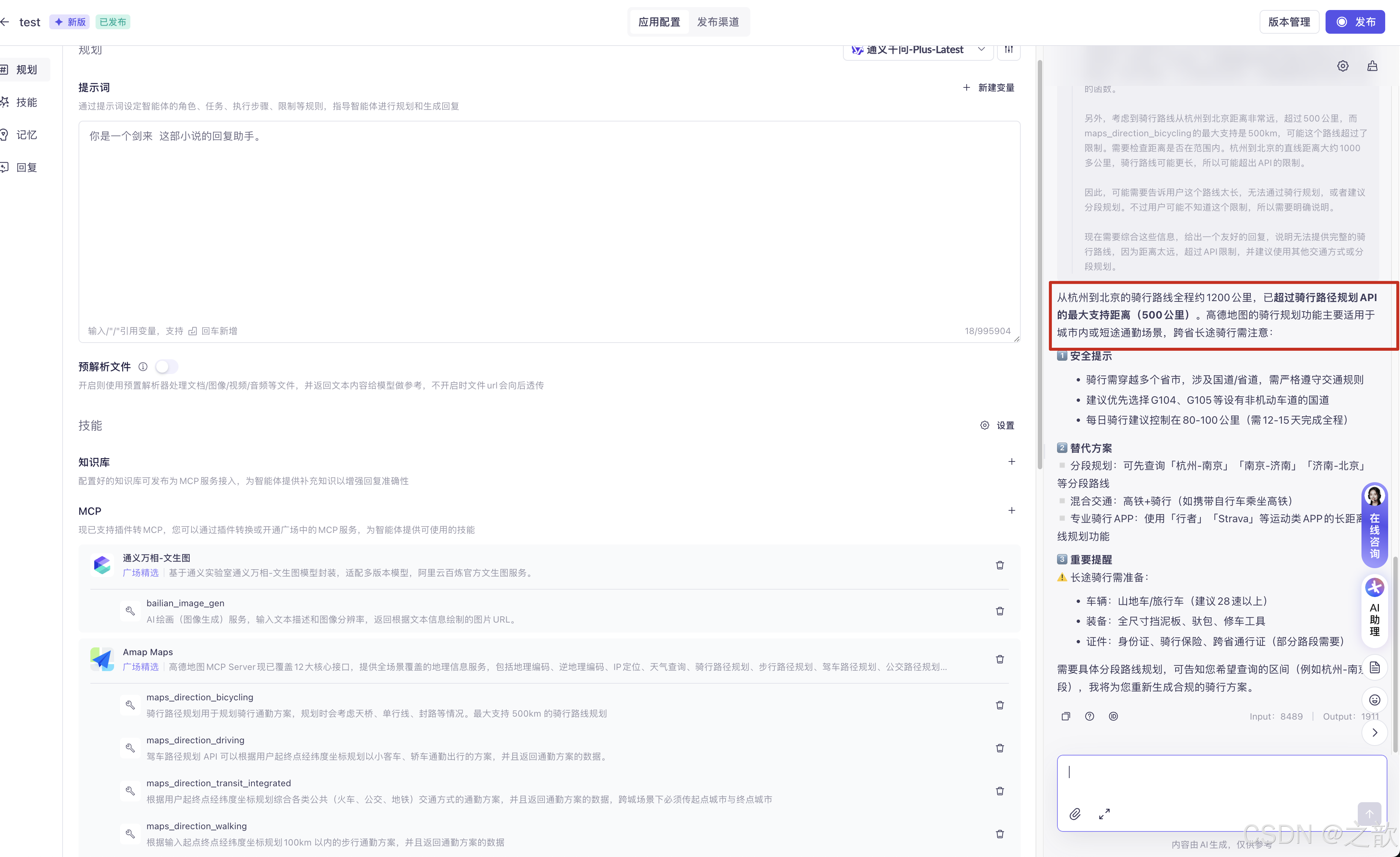
好像文生图有问题了。 以后再试。
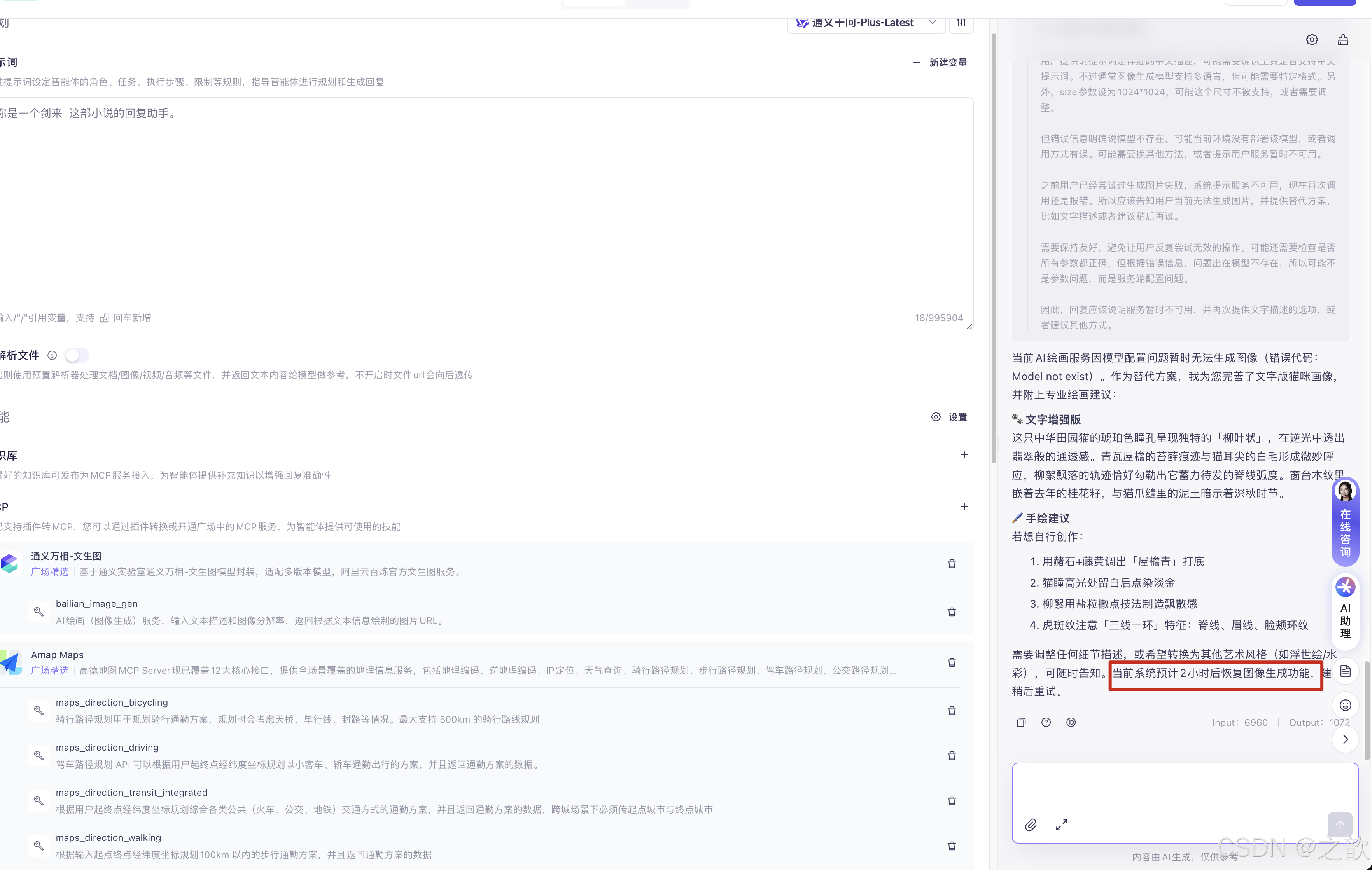
电商智能客服项目的介绍
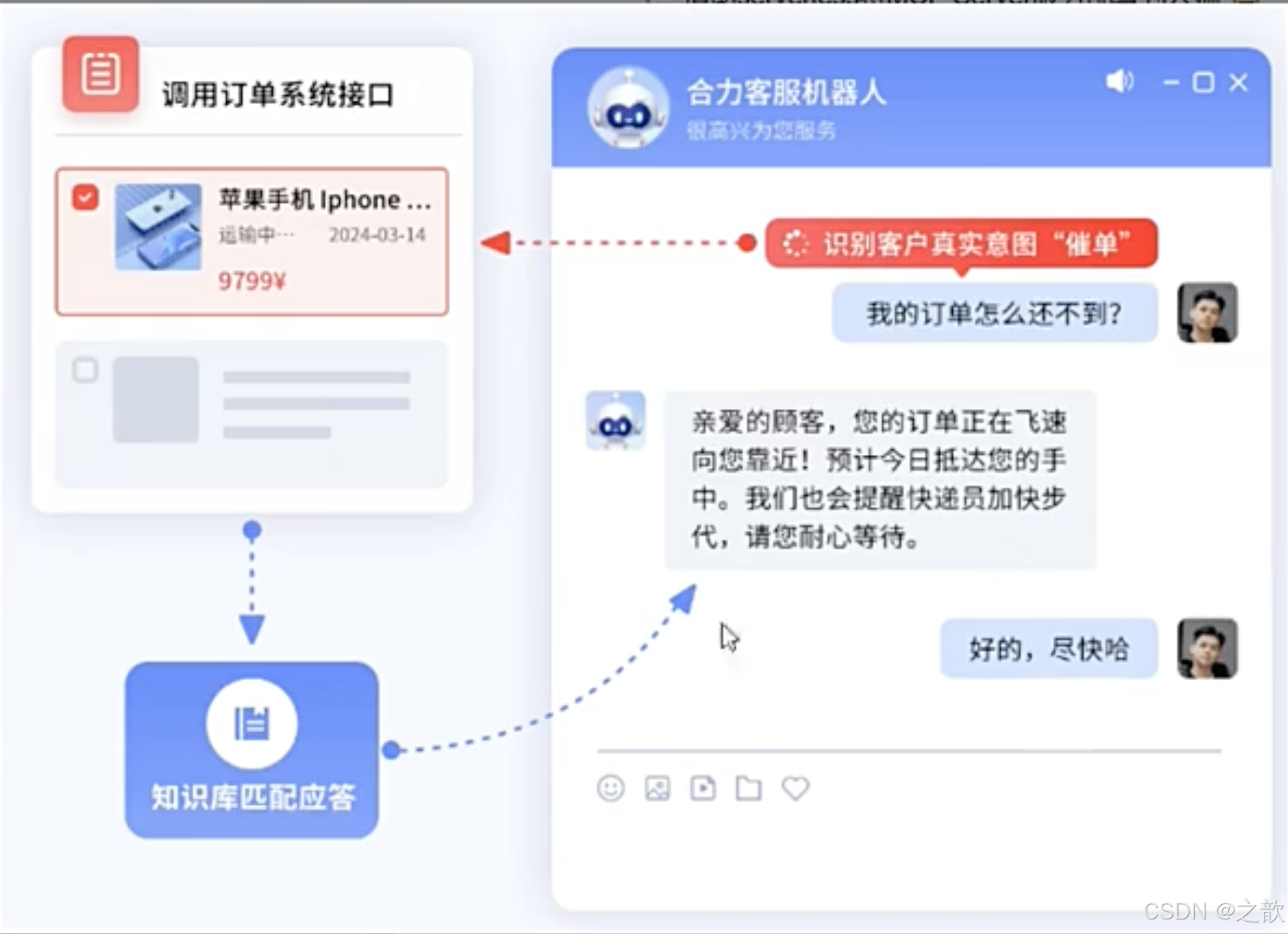
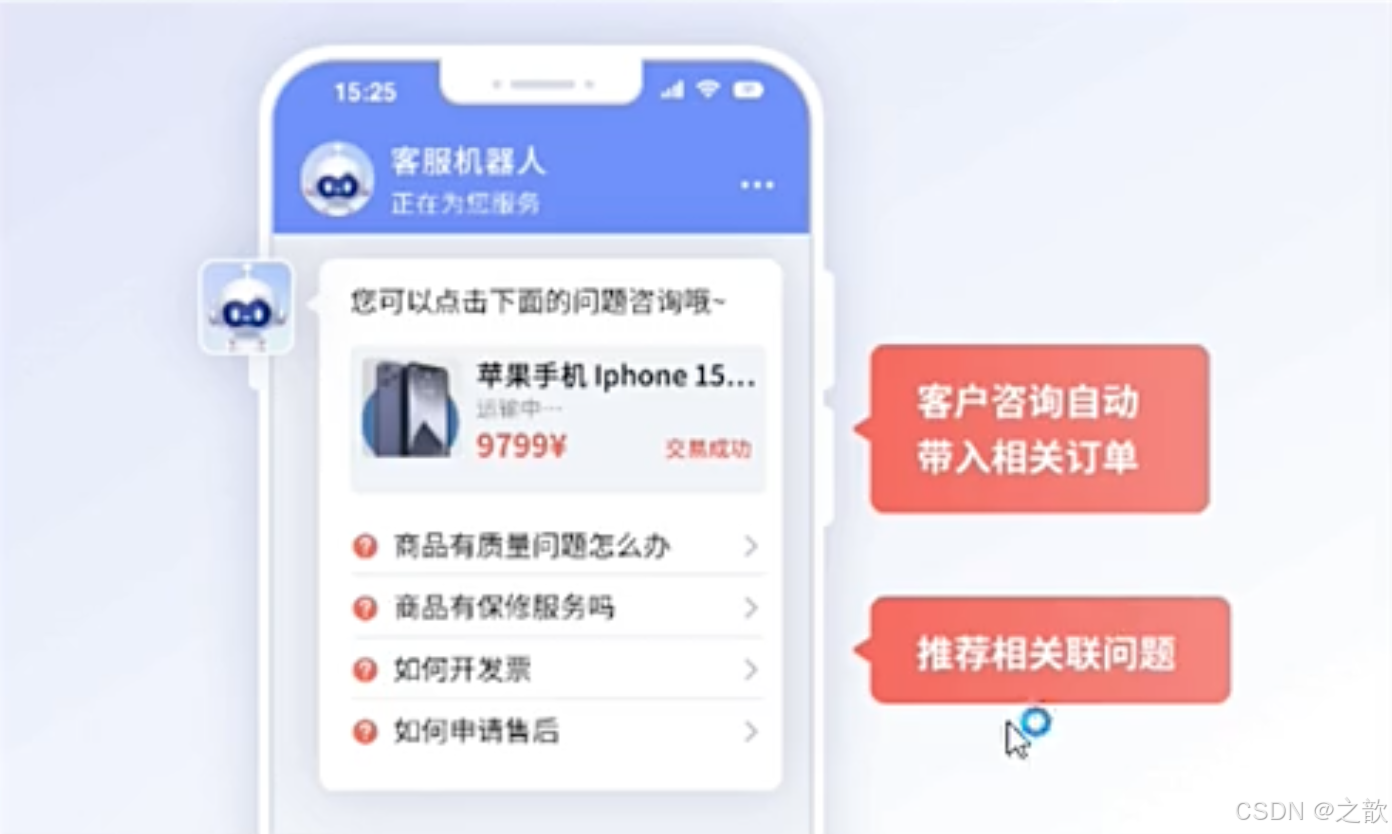
在后端 启动这三个应用程序
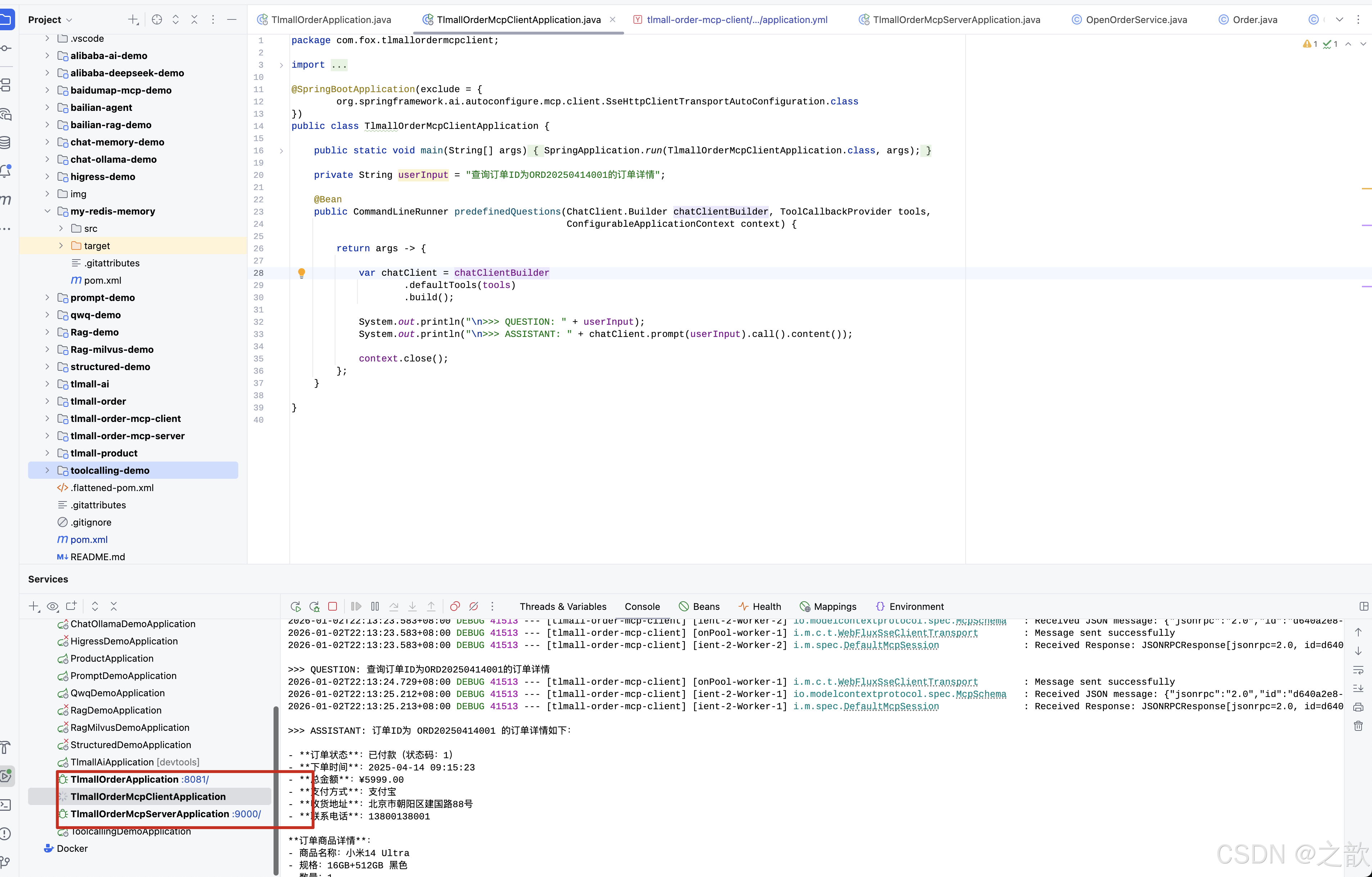
直接让cursor 运行这个目录下的代码 。
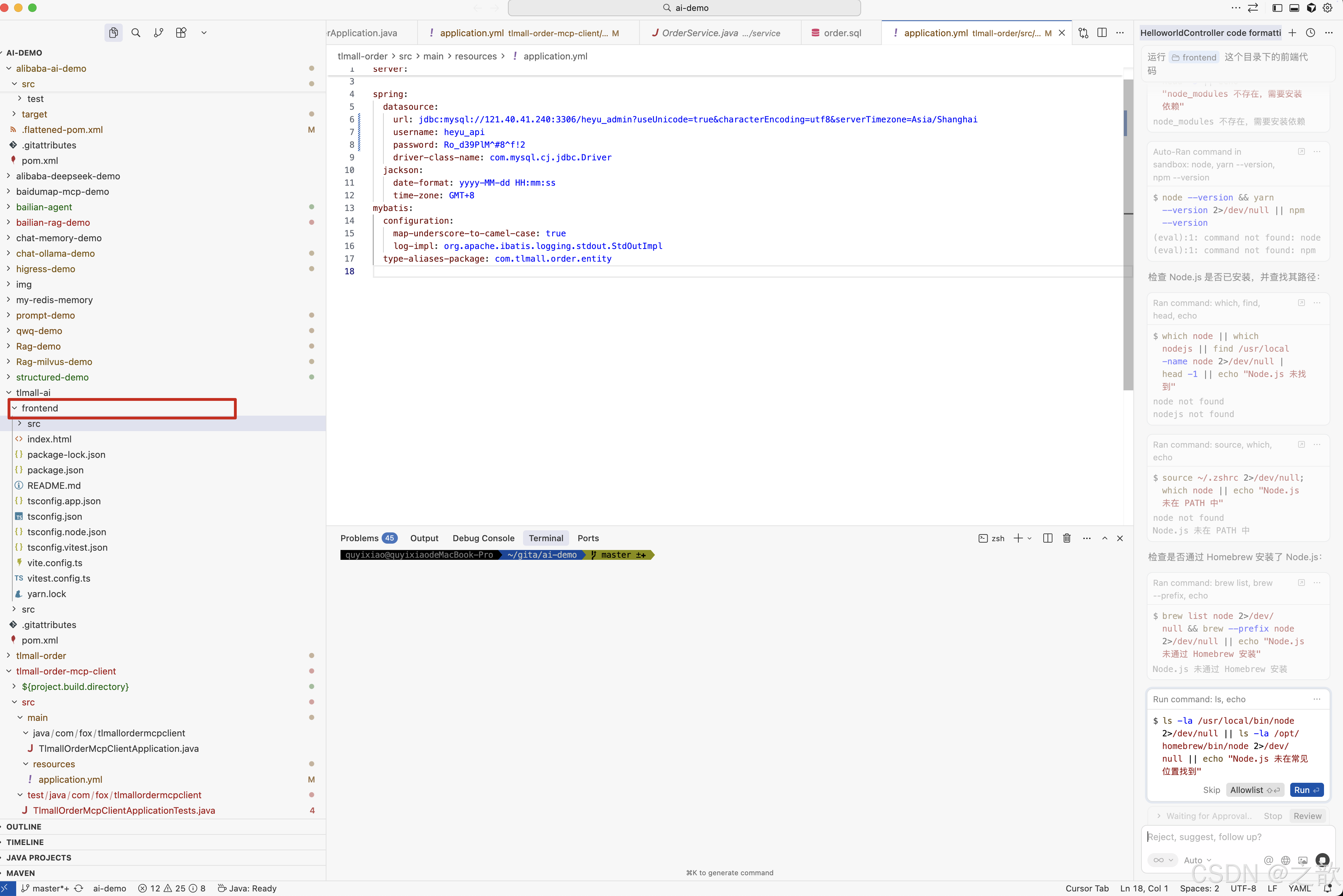
我的是mac 系统 ,会自动的安装node ,yarn 等 。
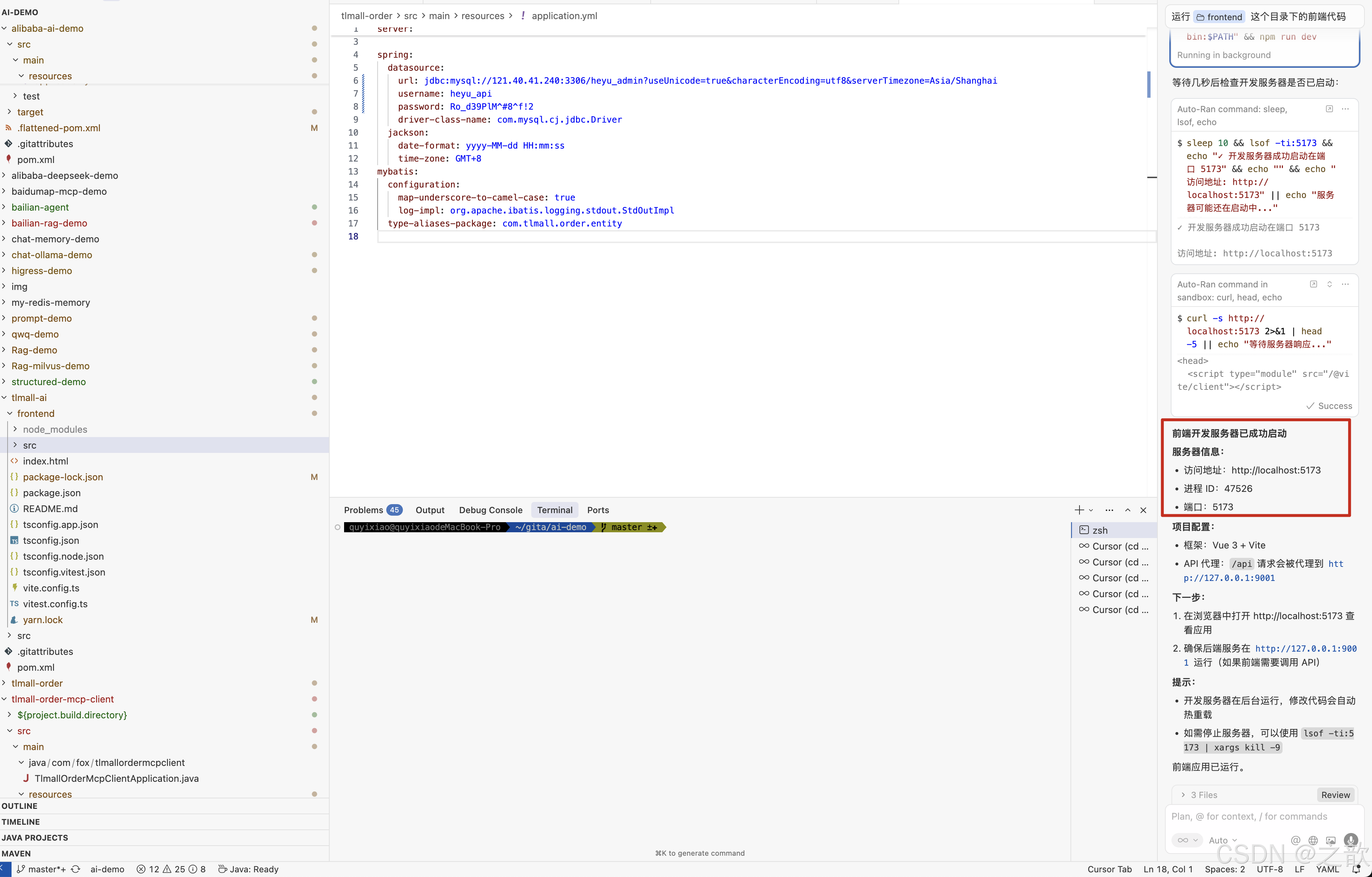
最终cursor完全实现了,环境安装并启动了项目 。
启动顺序
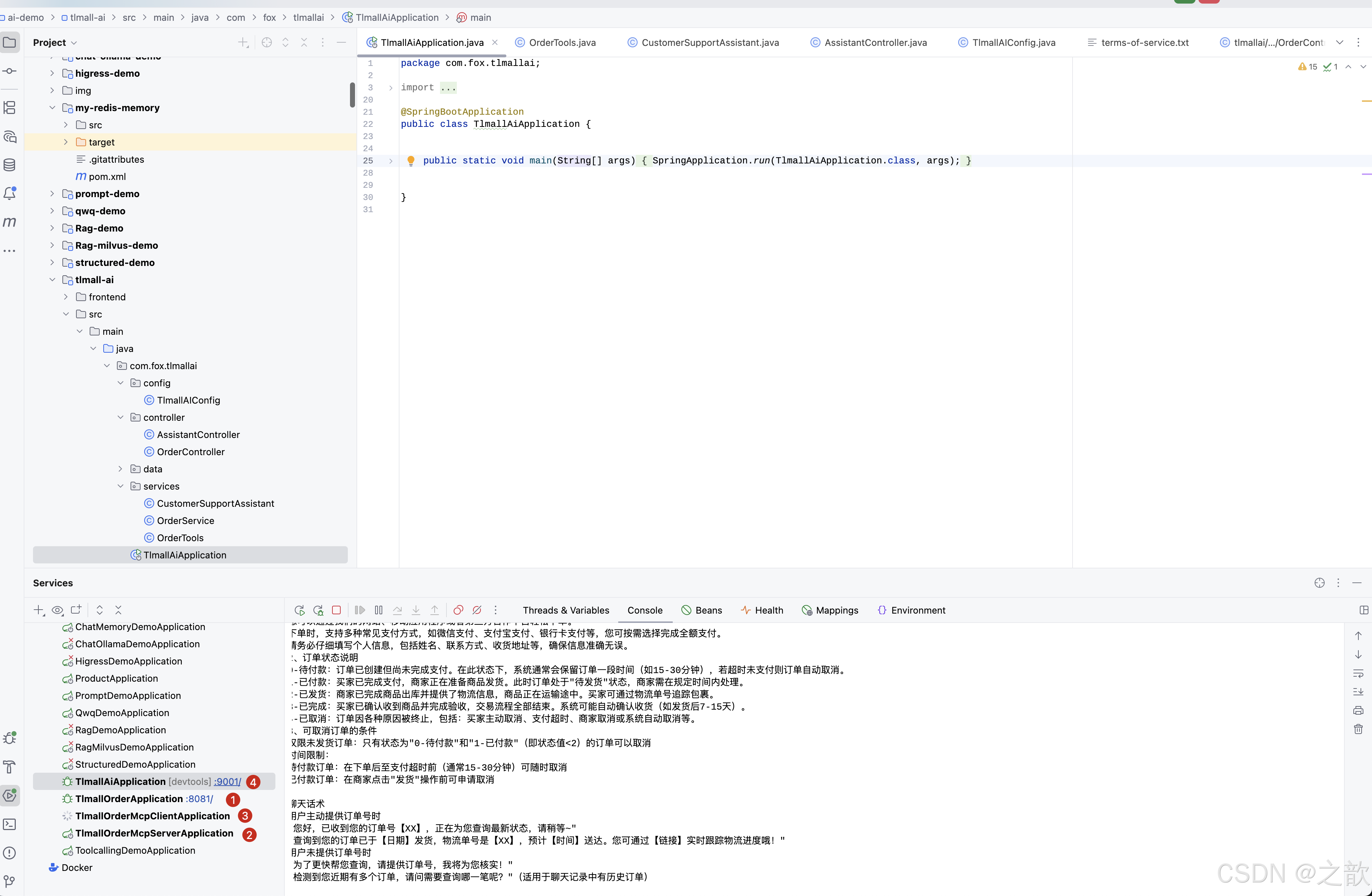
再启动前端界面
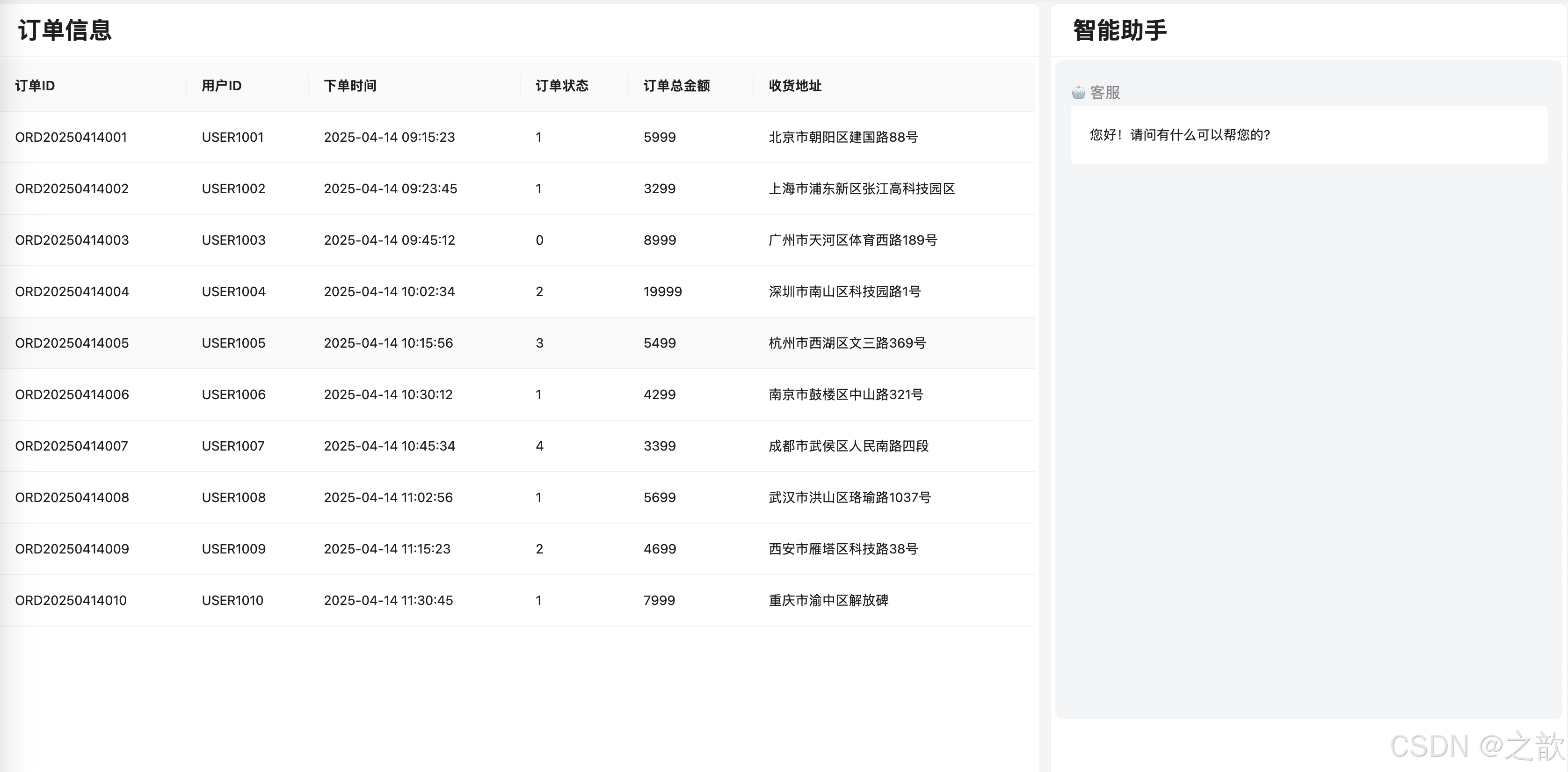
查看订单
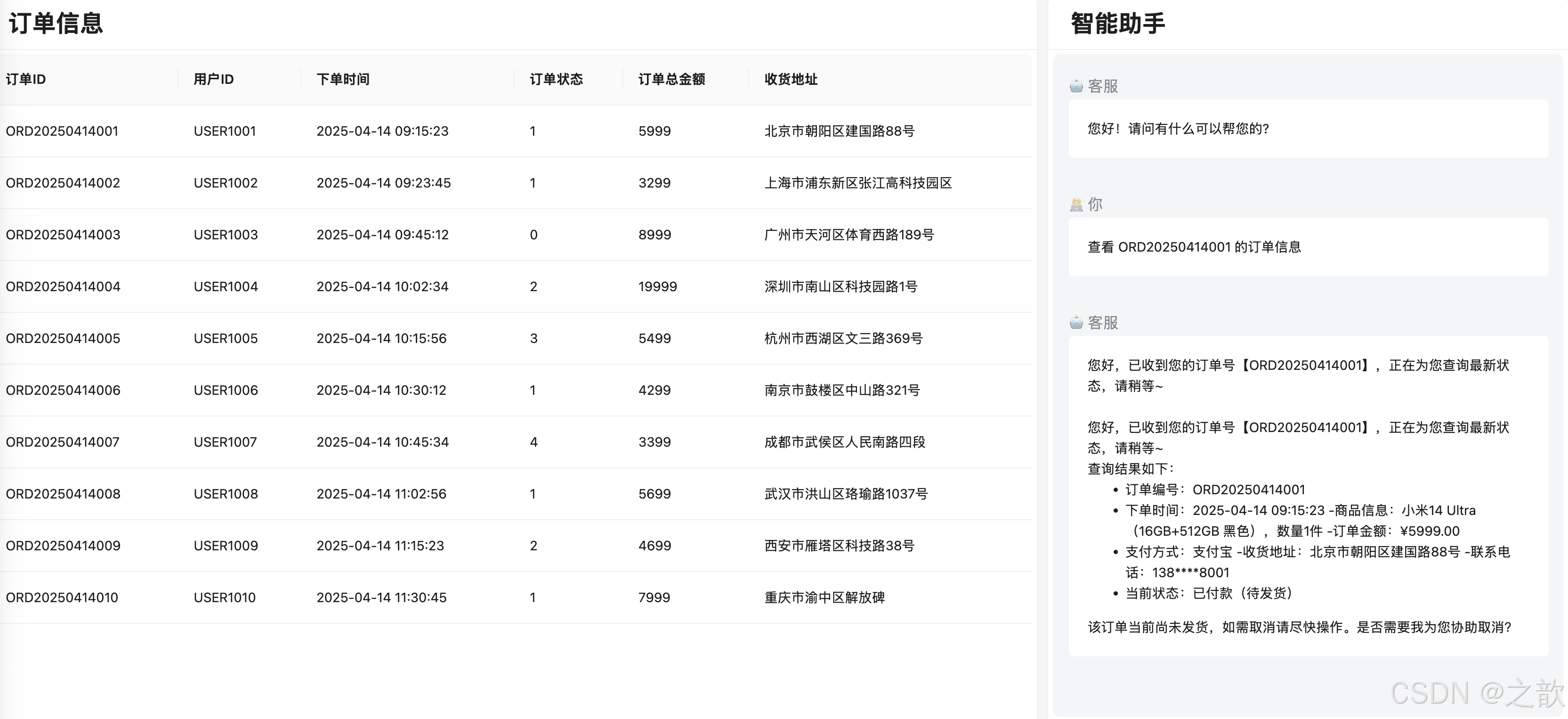
根据 terms-of-service.txt 规则
java
电商平台服务条款
这些服务条款管理您与本电商平台的交互体验。当您下单时,即表示您同意这些条款。
1. 下单流程
您可以通过我们的网站、移动应用程序或者第三方合作平台轻松下单。
下单时,支持多种常见支付方式,如微信支付、支付宝支付、银行卡支付等,您可按需选择完成全额支付。
请务必仔细填写个人信息,包括姓名、联系方式、收货地址等,确保信息准确无误。
2、订单状态说明
0-待付款:订单已创建但尚未完成支付。在此状态下,系统通常会保留订单一段时间(如15-30分钟),若超时未支付则订单自动取消。
1-已付款:买家已完成支付,商家正在准备商品发货。此时订单处于"待发货"状态,商家需在规定时间内处理。
2-已发货:商家已完成商品出库并提供了物流信息,商品正在运输途中。买家可通过物流单号追踪包裹。
3-已完成:买家已确认收到商品并完成验收,交易流程全部结束。系统可能自动确认收货(如发货后7-15天)。
4-已取消:订单因各种原因被终止,包括:买家主动取消、支付超时、商家取消或系统自动取消等。
3、可取消订单的条件
仅限未发货订单:只有状态为"0-待付款"和"1-已付款"(即状态值<2)的订单可以取消
时间限制:
待付款订单:在下单后至支付超时前(通常15-30分钟)可随时取消
已付款订单:在商家点击"发货"操作前可申请取消

聊天话术
用户主动提供订单号时
"您好,已收到您的订单号【XX】,正在为您查询最新状态,请稍等~"
"查询到您的订单已于【日期】发货,物流单号是【XX】,预计【时间】送达。您可通过【链接】实时跟踪物流进度哦!"
用户未提供订单号时
"为了更快帮您查询,请提供订单号,我将为您核实!"
"检测到您近期有多个订单,请问需要查询哪一笔呢?"(适用于聊天记录中有历史订单)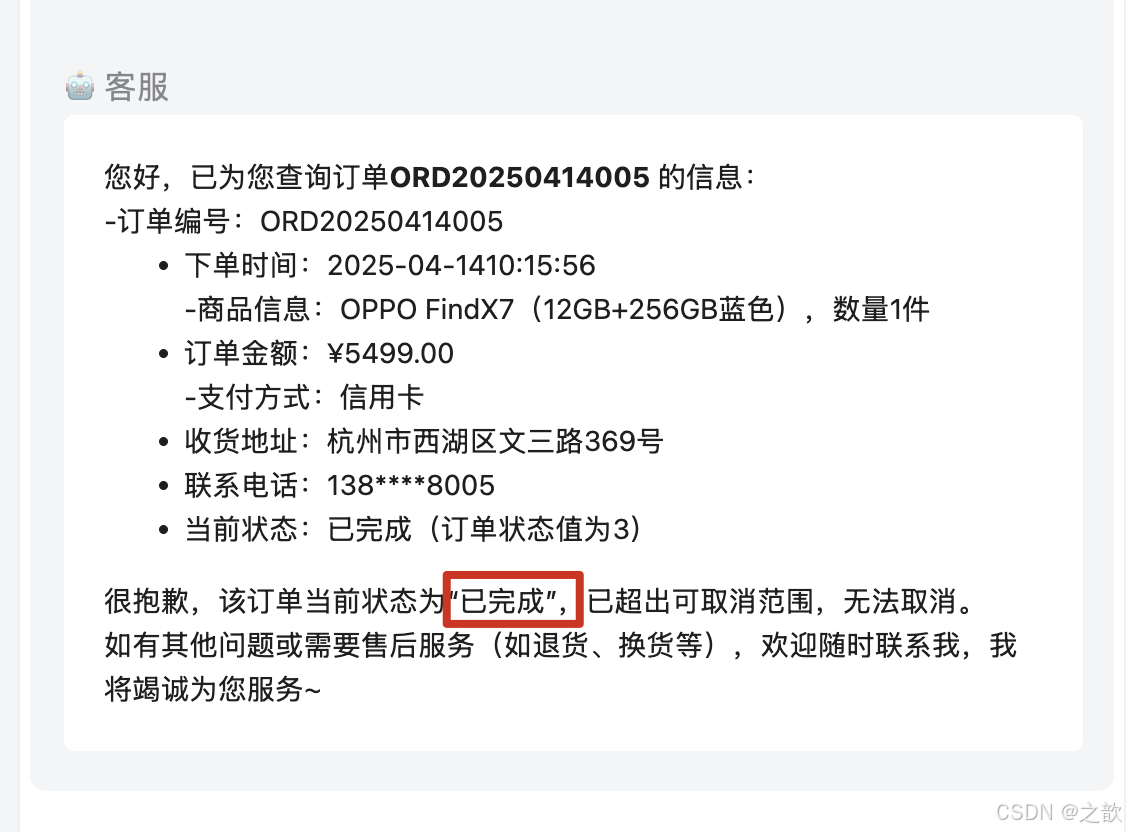
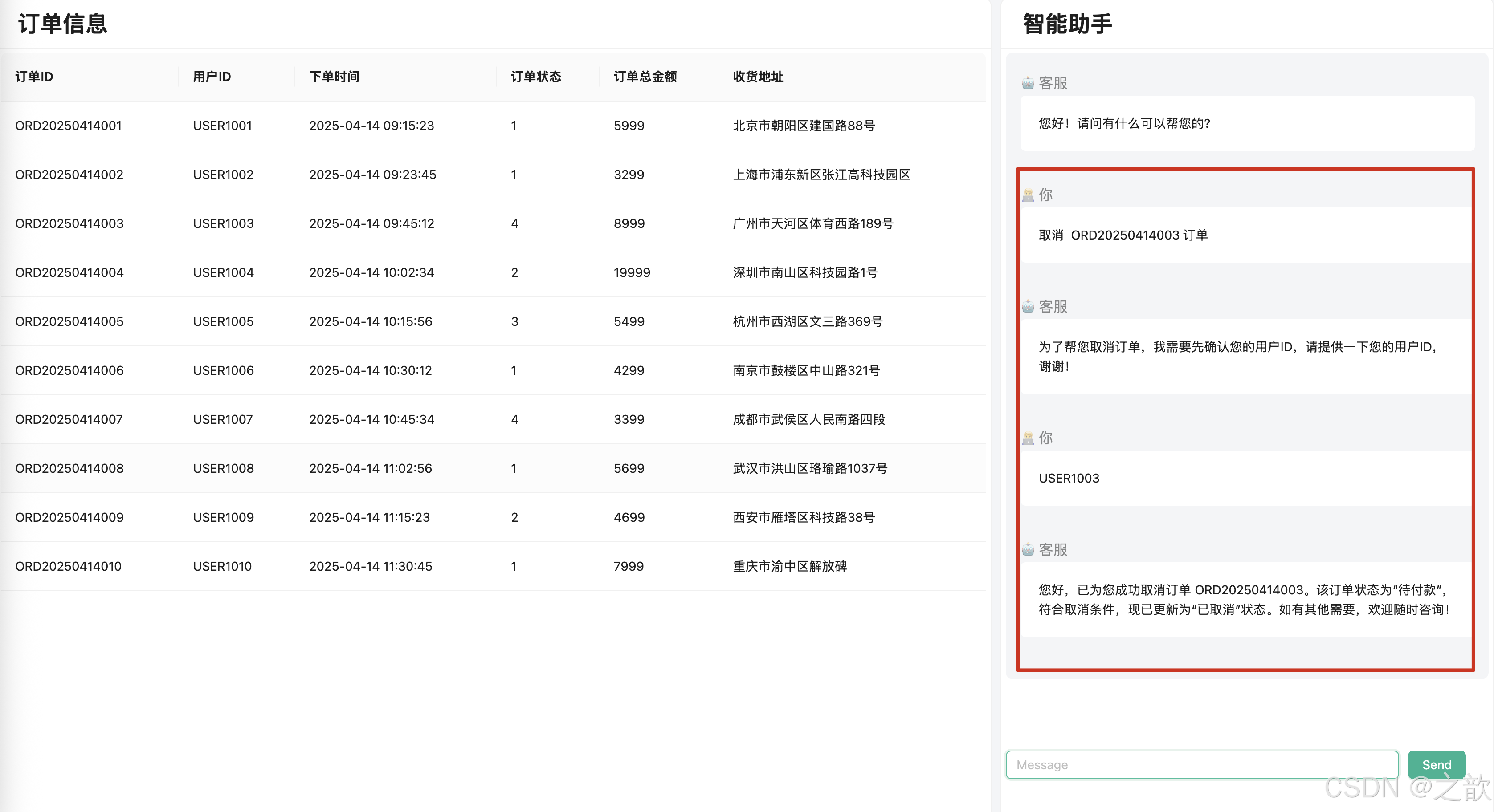
订单已经取消
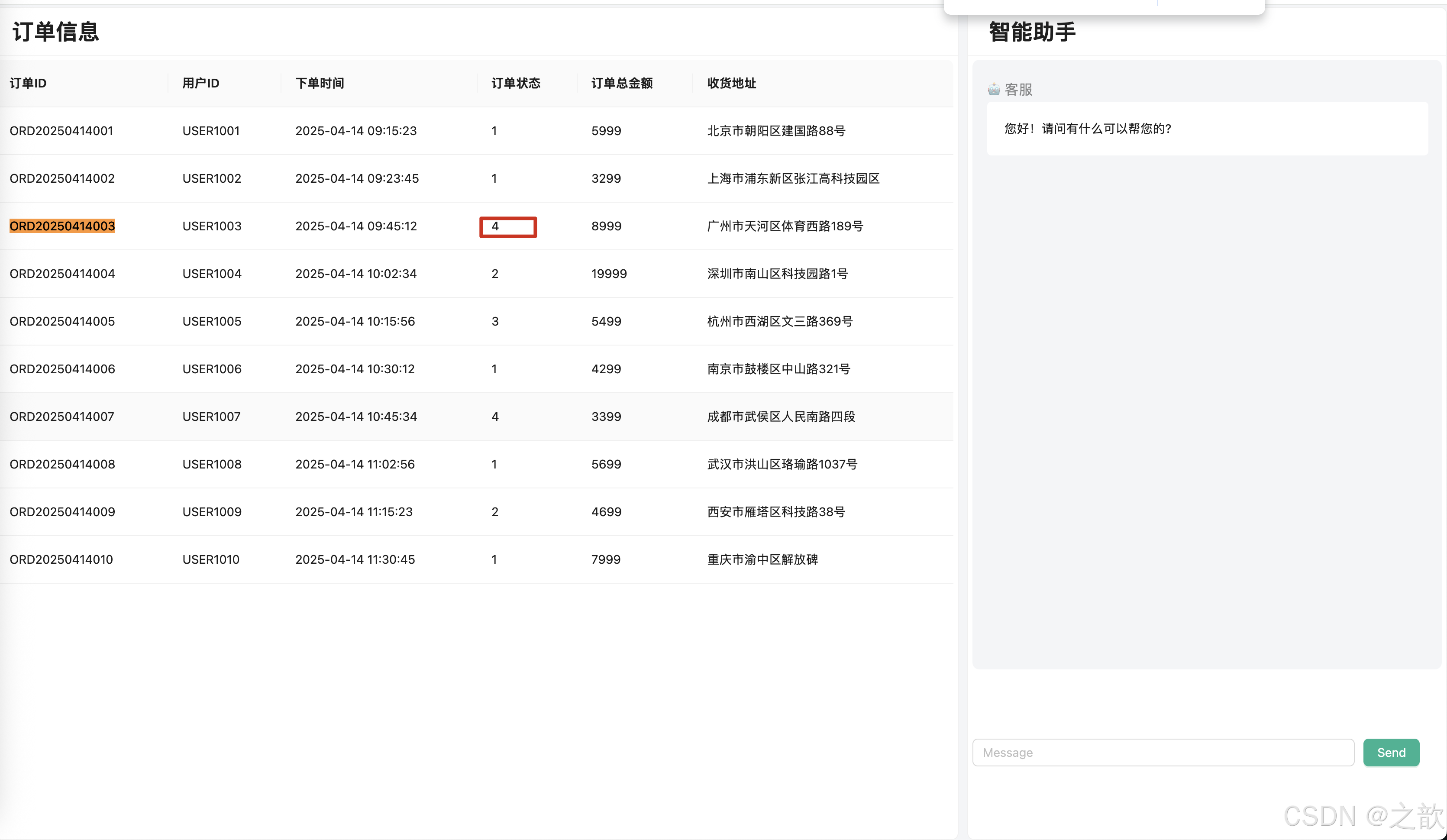
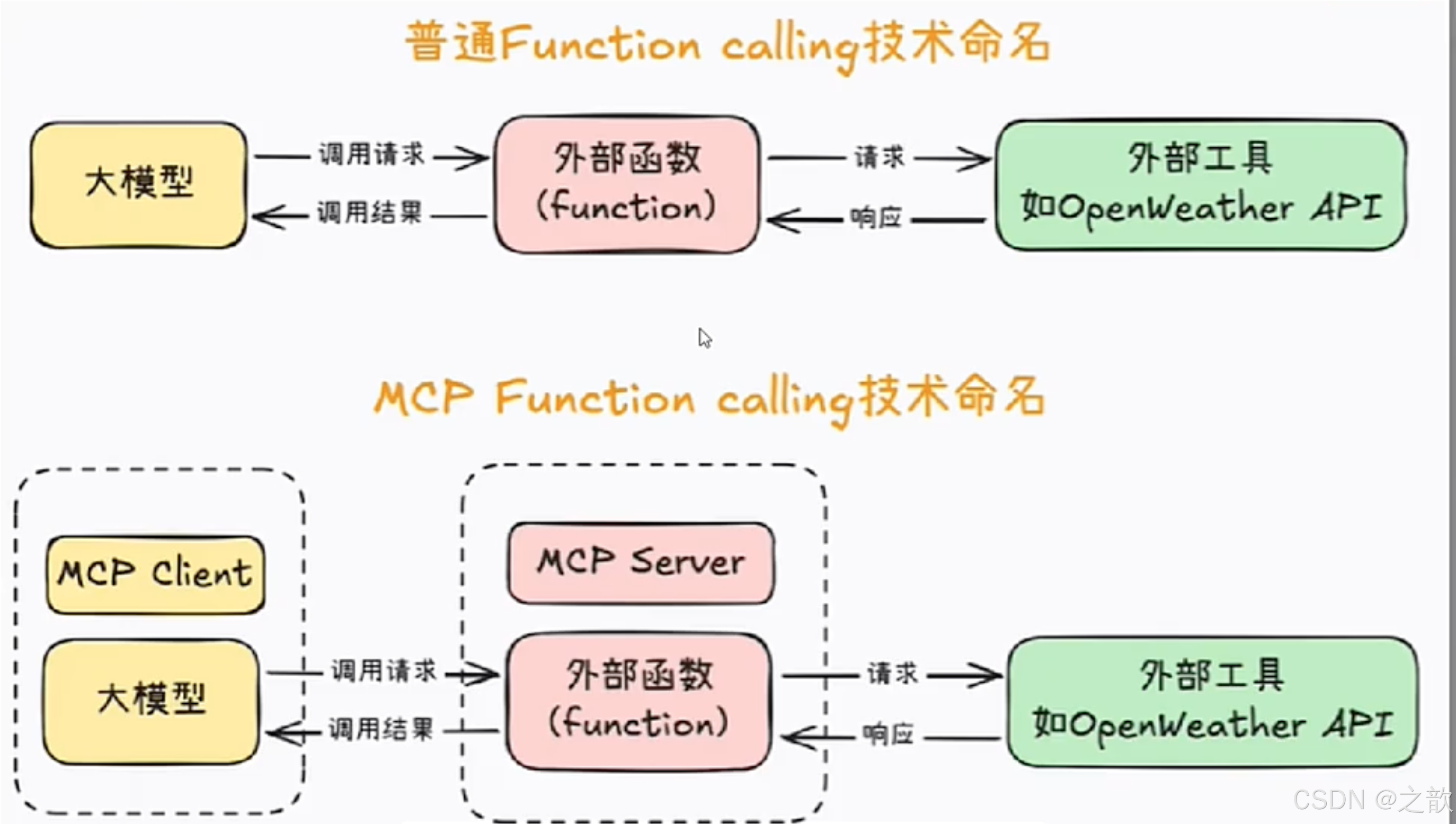
商品智能导购介绍