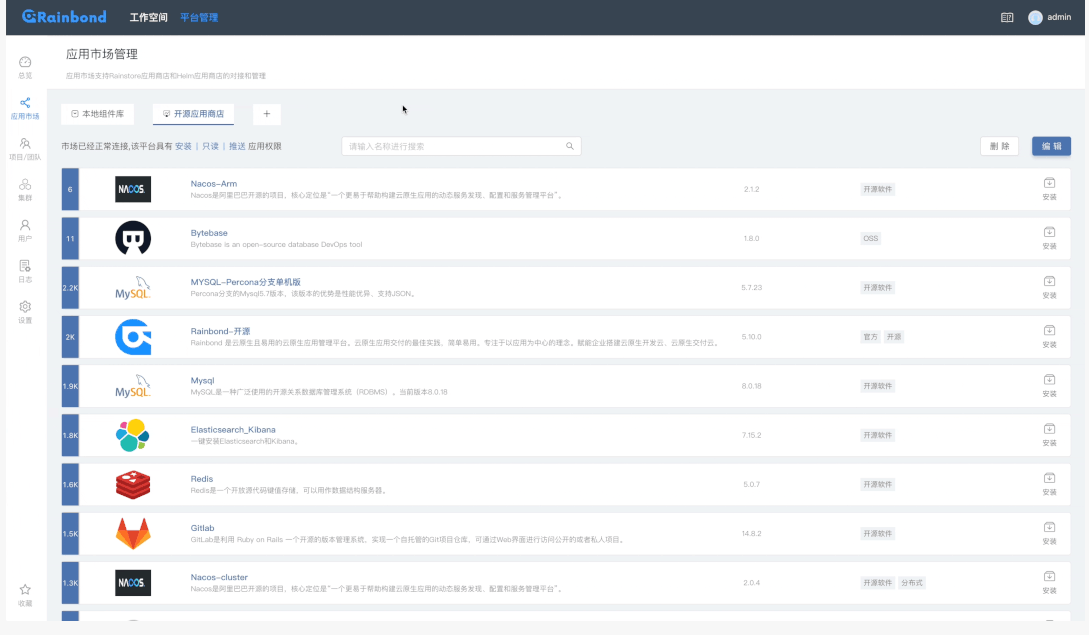
Rainbond(云原生应用管理平台) 是一个开源的企业级云原生应用管理平台,可以看作是一个"以应用为中心"的云原生平台,核心100%开源、使用简单、不需要懂容器和Kubernetes,支持管理多种Kubernetes集群,提供企业级应用的全生命周期管理。
🎯 核心理念
以应用为中心:开发者只需关注业务代码,不需要理解复杂的 Kubernetes 概念
无侵入式:无需修改代码即可将传统应用转变为云原生应用
一体化:提供开发、测试、部署、运维全生命周期管理
🌟 核心功能
- 应用开发
源码构建:支持 Java、Python、Node.js、PHP、Go 等多种语言
Docker 镜像构建:支持 Dockerfile、Docker Compose
市场应用:从应用市场一键部署第三方应用(如 MySQL、Redis、Nginx 等)
- 应用管理
可视化编排:拖拽式服务编排和依赖关系管理
多租户支持:企业、团队、项目多级权限管理
环境隔离:开发、测试、生产环境独立部署
- 微服务治理
服务网格集成:内置服务发现、负载均衡、熔断限流
API 网关:统一入口管理,支持流量控制和安全策略
配置管理:统一配置中心,支持环境变量和配置文件
- DevOps 能力
CICD 流水线:可视化流水线,支持 Jenkins、GitLab CI 集成
自动化运维:监控告警、日志收集、自动伸缩
应用商店:企业内部应用商店,支持模板分享
- 多云管理
混合云支持:统一管理公有云、私有云、边缘节点
Kubernetes 原生:基于 Kubernetes,但抽象了复杂性
资源调度:智能调度,优化资源利用率
🏗️ 架构特点
与 Kubernetes 的关系
text
Rainbond = Kubernetes + 应用模型抽象 + 可视化控制台
底层:基于 Kubernetes,但用户无需直接操作 K8s
中层:提供应用抽象模型(应用、组件、插件)
上层:友好的 Web 控制台和 API
技术栈
容器运行时:Docker、Containerd
编排引擎:Kubernetes
服务网格:Istio(可选)
存储:多种存储方案(本地存储、NFS、云存储)
网络:Calico、Flannel
💼 适用场景
企业数字化转型
传统应用现代化改造
微服务架构迁移
混合云统一管理
开发团队
中小团队快速搭建 DevOps 平台
无需 K8s 专家即可使用云原生技术
标准化开发交付流程
特定行业
政府/国企:私有化部署,安全可控
教育:教学实验平台
物联网:边缘计算管理
🆚 与其他平台对比
特性 Rainbond Kubernetes 原生 传统 PaaS
学习曲线 低 高 中等
部署复杂度 低 高 中等
灵活性 高 极高 低
应用为中心 ✅ ❌ ✅
无需改代码 ✅ ❌ ❌
多云管理 ✅ 需额外工具 ❌
📊 安装部署
如脚本所示,Rainbond 支持多种部署方式:
如脚本所示,Rainbond 支持多种部署方式:
All-in-One 模式(快速体验)
bash
单机安装,包含所有组件
./rainbond-install.sh
高可用集群模式(生产环境)
bash
多节点集群部署
./rainbond-install.sh --cluster
已有 Kubernetes 集群
bash
在现有 K8s 集群上安装
helm install rainbond
🚀 快速开始
安装后访问:http://<你的IP>:7070
创建应用:从源码、镜像或应用市场
配置依赖:可视化编排服务关系
部署发布:一键部署到不同环境
运维监控:查看日志、监控指标
🔗 相关资源
文档:https://www.rainbond.com/docs
GitHub:https://github.com/goodrain/rainbond
社区:活跃的中文社区,技术支持响应快
官方部署文档:https://www.rainbond.com/docs/quick-start/quick-install
bash
curl -o install.sh https://get.rainbond.com && bash ./install.sh如果访问不了 就复制以下内容
bash
#!/bin/bash
# This script is used to install Rainbond standalone on Linux and MacOS
# Basic environment variables
RAINBOND_VERSION=${VERSION:-'v6.5.0-release'}
IMGHUB_MIRROR=${IMGHUB_MIRROR:-'registry.cn-hangzhou.aliyuncs.com/goodrain'}
# Define colorful stdout
RED='\033[0;31m'
GREEN='\033[32;1m'
YELLOW='\033[33;1m'
NC='\033[0m'
TIME="+%Y-%m-%d %H:%M:%S"
########################################
# Information collection
# Automatically collect the install details.
# Help us improve the success rate of installation.
########################################
function send_msg() {
dest_url="https://log.rainbond.com"
#msg=${1:-"Terminating by userself."}
if [ -z "$1" ]; then
msg="Terminating by userself."
else
msg=$(echo $1 | tr '"' " " | tr "'" " ")
fi
# send a message to remote url
curl --silent -H "Content-Type: application/json" -X POST "$dest_url/dindlog" \
-d "{\"message\":\"$msg\", \"os_info\":\"${OS_INFO}\", \"eip\":\"$EIP\", \"uuid\":\"${UUID}\"}" 2>&1 >/dev/null || :
if [ "$msg" == "Terminating by userself." ]; then
exit 1
fi
}
function send_info() {
info=$1
echo -e "${GREEN}$(date "$TIME") INFO: $info${NC}"
send_msg "$info"
}
function send_warn() {
warn=$1
echo -e "${YELLOW}$(date "$TIME") WARN: $warn${NC}"
send_msg "$warn"
}
function send_error() {
error=$1
echo -e "${RED}$(date "$TIME") ERROR: $error${NC}"
send_msg "$error"
}
# Trap SIGINT signal when detect Ctrl + C
trap send_msg SIGINT
########################################
# Required Commands Check
# Check if all required commands are available
########################################
function check_required_commands() {
local missing_commands=()
local required_commands=("curl" "awk" "sed" "grep" "tar")
for cmd in "${required_commands[@]}"; do
if ! command -v "$cmd" >/dev/null 2>&1; then
missing_commands+=("$cmd")
fi
done
if [ ${#missing_commands[@]} -gt 0 ]; then
if [ "$LANG" == "zh_CN.UTF-8" ]; then
send_error "缺少必需命令: ${missing_commands[*]}\n\t请安装这些命令后重试"
else
send_error "Missing required commands: ${missing_commands[*]}\n\tPlease install these commands and try again"
fi
exit 1
fi
}
check_required_commands
########################################
# OS Detect
# Automatically check the operating system type.
# Return Linux or Darwin.
########################################
OS_TYPE=$(uname -s)
if [ "${OS_TYPE}" == "Linux" ]; then
MD5_CMD="md5sum"
if find /lib/modules/$(uname -r) -type f -name '*.ko*' | grep iptable_raw >/dev/null 2>&1; then
if ! lsmod | grep iptable_raw >/dev/null 2>&1; then
echo iptable_raw >/etc/modules-load.d/iptable_raw.conf
if ! modprobe iptable_raw 2>/dev/null; then
if [ "$LANG" == "zh_CN.UTF-8" ]; then
send_warn "无法加载 iptable_raw 模块,可能影响网络功能"
else
send_warn "Failed to load iptable_raw module, may affect network functionality"
fi
fi
fi
fi
elif [ "${OS_TYPE}" == "Darwin" ]; then
MD5_CMD="md5"
else
if [ "$LANG" == "zh_CN.UTF-8" ]; then
send_error "${OS_TYPE} 操作系统暂不支持"
exit 1
else
send_error "Rainbond do not support ${OS_TYPE} OS"
exit 1
fi
fi
# Use root user to run this script, Ignore MacOS
if [ "${OS_TYPE}" != "Darwin" ] && [ "$EUID" -ne 0 ]; then
if [ "$LANG" == "zh_CN.UTF-8" ]; then
send_error "请使用 root 用户运行此脚本"
exit 1
else
send_error "Please run this script as root user"
exit 1
fi
fi
########################################
# Enhanced Environment Check Functions
# Added critical checks to improve success rate
########################################
# Function to check only ports for macOS
function check_ports_only_macos() {
if [ "$LANG" == "zh_CN.UTF-8" ]; then
send_info "######## 开始检测端口... ########"
else
send_info "######## Starting port check... ########"
fi
# Check ports
local ports=("7070" "80" "443" "6060")
local occupied_ports=()
for port in "${ports[@]}"; do
port_occupied=false
# macOS port detection using netstat
if netstat -anp tcp 2>/dev/null | grep -E -q "\.${port}[[:space:]]+.*LISTEN"; then
port_occupied=true
fi
if [ "$port_occupied" = true ]; then
occupied_ports+=($port)
fi
done
if [ ${#occupied_ports[@]} -gt 0 ]; then
if [ "$LANG" == "zh_CN.UTF-8" ]; then
send_error "以下端口被占用: \n\t- ${occupied_ports[*]}\n\t请释放这些端口后重试."
else
send_error "The following ports are occupied: \n\t- ${occupied_ports[*]}\n\tPlease free these ports and try again."
fi
exit 1
else
if [ "$LANG" == "zh_CN.UTF-8" ]; then
send_info "端口检测通过,所有必需端口可用"
else
send_info "Port check passed, all required ports are available"
fi
fi
if [ "$LANG" == "zh_CN.UTF-8" ]; then
send_info "######## 端口检测通过 ########"
else
send_info "######## Port check passed ########"
fi
}
function check_base_env() {
if [ "$LANG" == "zh_CN.UTF-8" ]; then
send_info "######## 开始检测基础环境... ########"
else
send_info "######## Starting base environment check... ########"
fi
# Check and disable firewall
if [ "$LANG" == "zh_CN.UTF-8" ]; then
send_info "检查并关闭防火墙..."
else
send_info "Checking and disabling firewall..."
fi
# Check and disable firewalld
if systemctl list-unit-files 2>/dev/null | grep -q firewalld; then
if systemctl is-active --quiet firewalld 2>/dev/null; then
if [ "$LANG" == "zh_CN.UTF-8" ]; then
send_info "检测到 firewalld 正在运行,正在停止并禁用..."
else
send_info "firewalld is running, stopping and disabling..."
fi
if ! systemctl stop firewalld >/dev/null 2>&1; then
send_warn "无法停止 firewalld,请手动停止"
fi
if ! systemctl disable firewalld >/dev/null 2>&1; then
send_warn "无法禁用 firewalld,请手动禁用"
fi
fi
fi
# Check and disable ufw
if command -v ufw >/dev/null 2>&1; then
if ufw status | grep -q "Status: active"; then
if [ "$LANG" == "zh_CN.UTF-8" ]; then
send_info "检测到 ufw 正在运行,正在停止并禁用..."
else
send_info "ufw is active, stopping and disabling..."
fi
ufw --force disable >/dev/null 2>&1
fi
fi
# Check and disable swap
if [ "$LANG" == "zh_CN.UTF-8" ]; then
send_info "检查并关闭交换分区..."
else
send_info "Checking and disabling swap..."
fi
# Check if swap is enabled
if [ "$(cat /proc/swaps | wc -l)" -gt 1 ]; then
if [ "$LANG" == "zh_CN.UTF-8" ]; then
send_info "检测到交换分区正在使用,正在关闭..."
else
send_info "Swap is enabled, disabling..."
fi
# Disable swap
swapoff -a >/dev/null 2>&1
# Comment out swap entries in /etc/fstab to prevent re-enabling on reboot
if [ -f /etc/fstab ]; then
if sed -i.bak '/^[^#].*swap/s/^/#/' /etc/fstab 2>/dev/null; then
if [ "$LANG" == "zh_CN.UTF-8" ]; then
send_info "已修改 /etc/fstab 防止重启后重新启用交换分区"
else
send_info "Modified /etc/fstab to prevent swap re-enabling on reboot"
fi
else
if [ "$LANG" == "zh_CN.UTF-8" ]; then
send_warn "修改 /etc/fstab 失败,重启后可能重新启用 swap"
else
send_warn "Failed to modify /etc/fstab, swap may re-enable after reboot"
fi
fi
fi
if [ "$LANG" == "zh_CN.UTF-8" ]; then
send_info "交换分区已关闭"
else
send_info "Swap disabled successfully"
fi
fi
# Check ports
local ports=("7070" "80" "443" "6060")
local occupied_ports=()
for port in "${ports[@]}"; do
port_occupied=false
# Linux specific check
if command -v ss >/dev/null 2>&1; then
if ss -tuln 2>/dev/null | grep ":${port} " >/dev/null; then
port_occupied=true
fi
elif command -v netstat >/dev/null 2>&1; then
if netstat -tuln 2>/dev/null | grep ":${port} " >/dev/null; then
port_occupied=true
fi
elif command -v lsof >/dev/null 2>&1; then
if lsof -i :${port} >/dev/null 2>&1; then
port_occupied=true
fi
fi
if [ "$port_occupied" = true ]; then
occupied_ports+=($port)
fi
done
if [ ${#occupied_ports[@]} -gt 0 ]; then
if [ "$LANG" == "zh_CN.UTF-8" ]; then
send_error "以下端口被占用: ${occupied_ports[*]}. 请释放这些端口后重试."
else
send_error "The following ports are occupied: ${occupied_ports[*]}. Please free these ports and try again."
fi
exit 1
else
if [ "$LANG" == "zh_CN.UTF-8" ]; then
send_info "端口检测通过,所有必需端口可用"
else
send_info "Port check passed, all required ports are available"
fi
fi
# Test connection to docker registry
if curl -s --connect-timeout 10 --max-time 30 "https://registry.cn-hangzhou.aliyuncs.com" >/dev/null 2>&1; then
if [ "$LANG" == "zh_CN.UTF-8" ]; then
send_info "Docker 镜像仓库连接正常"
else
send_info "Docker registry connectivity is working"
fi
else
if [ "$LANG" == "zh_CN.UTF-8" ]; then
send_error "Docker 镜像仓库连接测试失败,可能影响镜像下载"
else
send_error "Docker registry connectivity test failed, may affect image download"
fi
exit 1
fi
local available_space
local check_path
if [ "${OS_TYPE}" == "Linux" ]; then
# Check /opt if it exists, otherwise check root partition
if [ -d "/opt" ]; then
check_path="/opt"
else
check_path="/"
fi
available_space=$(df "$check_path" 2>/dev/null | tail -1 | awk '{print $4}' || echo "0")
elif [ "${OS_TYPE}" == "Darwin" ]; then
check_path="/"
# macOS df output format is different, need to handle it properly
available_space=$(df -k "$check_path" 2>/dev/null | tail -1 | awk '{print $4}' || echo "0")
fi
# Convert to numeric value safely
available_space=$(echo "$available_space" | tr -d 'K' | tr -d 'M' | tr -d 'G' | sed 's/[^0-9]//g')
available_space=${available_space:-0}
# Check if at least 10GB available (10485760 KB)
if [ "$available_space" -lt 10485760 ] 2>/dev/null; then
local available_gb=$((available_space / 1024 / 1024))
if [ "$LANG" == "zh_CN.UTF-8" ]; then
send_error "磁盘空间不足,当前可用: ${available_gb}GB, 请至少保留10GB空间后重试"
else
send_error "Disk space is insufficient, available: ${available_gb}GB, please reserve at least 10GB space and try again"
fi
exit 1
else
local available_gb=$((available_space / 1024 / 1024))
if [ "$LANG" == "zh_CN.UTF-8" ]; then
send_info "磁盘空间检测通过,可用空间: ${available_gb}GB"
else
send_info "Disk space check passed, available space: ${available_gb}GB"
fi
fi
if [ "$LANG" == "zh_CN.UTF-8" ]; then
send_info "######## 基础环境检测通过 ########"
else
send_info "######## Base environment check passed ########"
fi
}
########################################
# Container Helper Functions
# Reusable functions for container operations
########################################
# Check if rainbond container exists
# Returns: 0 if exists, 1 if not exists
function container_exists() {
docker ps -a --filter "name=^rainbond$" --format '{{.Names}}' 2>/dev/null | grep -q "^rainbond$"
}
# Check if rainbond container is running
# Returns: 0 if running, 1 if not running
function container_is_running() {
docker ps --filter "name=^rainbond$" --filter "status=running" --format '{{.Names}}' 2>/dev/null | grep -q "^rainbond$"
}
# Get container IP address
# Outputs: Container IP address or empty string
function get_container_ip() {
docker inspect rainbond --format '{{range .NetworkSettings.Networks}}{{.IPAddress}}{{end}}' 2>/dev/null
}
# Get EIP from container environment
# Outputs: EIP value or empty string
function get_container_eip() {
docker inspect rainbond --format '{{range .Config.Env}}{{println .}}{{end}}' 2>/dev/null | grep '^EIP=' | cut -d'=' -f2
}
# Ensure container exists (exit with error if not)
function require_container_exists() {
if ! container_exists; then
if [ "$LANG" == "zh_CN.UTF-8" ]; then
send_error "rainbond 容器不存在,请先运行安装脚本"
else
send_error "rainbond container does not exist, please run the installation script first"
fi
exit 1
fi
}
# Ensure container is running (exit with error if not)
function require_container_running() {
require_container_exists
if ! container_is_running; then
if [ "$LANG" == "zh_CN.UTF-8" ]; then
send_error "rainbond 容器未运行,请先启动容器"
else
send_error "rainbond container is not running, please start the container first"
fi
exit 1
fi
}
function check_rainbond_container() {
if command -v docker >/dev/null 2>&1 && docker info >/dev/null 2>&1; then
if container_exists; then
if container_is_running; then
# Rainbond container is running, get EIP and exit
local get_eip
get_eip=$(get_container_eip)
if [ "$LANG" == "zh_CN.UTF-8" ]; then
send_info "Rainbond 容器已在运行中.\n\t- 请在浏览器中输入 http://$get_eip:7070 访问 Rainbond."
else
send_info "Rainbond container is already running.\n\t- Please enter http://$get_eip:7070 in the browser to access Rainbond."
fi
exit 0
else
# Container exists but is not running, try to start it
if [ "$LANG" == "zh_CN.UTF-8" ]; then
send_info "Rainbond 容器已存在但未运行,正在尝试启动..."
else
send_info "Rainbond container exists but not running, trying to start..."
fi
if docker start rainbond; then
sleep 3
local get_eip
get_eip=$(get_container_eip)
if [ "$LANG" == "zh_CN.UTF-8" ]; then
send_info "Rainbond 容器启动成功.\n\t- 请在浏览器中输入 http://$get_eip:7070 访问 Rainbond."
else
send_info "Rainbond container started successfully.\n\t- Please enter http://$get_eip:7070 in the browser to access Rainbond."
fi
exit 0
else
if [ "$LANG" == "zh_CN.UTF-8" ]; then
send_error "Rainbond 容器启动失败,请手动执行 docker start rainbond"
else
send_error "Failed to start Rainbond container, please manually run docker start rainbond"
fi
exit 1
fi
fi
fi
fi
}
########################################
# Show Docker Command Function
# Display the docker run command from existing container
########################################
function show_docker_command() {
# Check if rainbond container exists
require_container_exists
# Get container information
local IMAGE
local EIP
local UUID
IMAGE=$(docker inspect rainbond --format '{{.Config.Image}}' 2>/dev/null)
EIP=$(get_container_eip)
UUID=$(docker inspect rainbond --format '{{range .Config.Env}}{{println .}}{{end}}' 2>/dev/null | grep '^UUID=' | cut -d'=' -f2)
# Get volume mounts
local VOLUME_OPTS=$(docker inspect rainbond --format '{{range .Mounts}}{{if eq .Type "bind"}}-v {{.Source}}:{{.Destination}} {{else if eq .Type "volume"}}-v {{.Name}}:{{.Destination}} {{end}}{{end}}' 2>/dev/null)
# Display the command
echo -e "${GREEN}"
if [ "$LANG" == "zh_CN.UTF-8" ]; then
cat << EOF
###############################################
# 您可以复制并修改以下命令来重新部署:
docker run --privileged -d \\
-p 7070:7070 \\
-p 80:80 \\
-p 443:443 \\
-p 6060:6060 \\
-p 30000-30010:30000-30010 \\
--name=rainbond \\
--restart=always \\
${VOLUME_OPTS}\\
-e EIP=${EIP} \\
-e UUID=${UUID} \\
${IMAGE}
EOF
else
cat << EOF
# You can copy and modify the following command to redeploy:
docker run --privileged -d \\
-p 7070:7070 \\
-p 80:80 \\
-p 443:443 \\
-p 6060:6060 \\
-p 30000-30010:30000-30010 \\
--name=rainbond \\
--restart=always \\
${VOLUME_OPTS}\\
-e EIP=${EIP} \\
-e UUID=${UUID} \\
${IMAGE}
EOF
fi
echo -e "${NC}"
exit 0
}
########################################
# Port Forward Function
# Setup iptables port forwarding for Rainbond container
########################################
function setup_port_forward() {
# Only support Linux
if [ "${OS_TYPE}" != "Linux" ]; then
if [ "$LANG" == "zh_CN.UTF-8" ]; then
send -e "${RED}错误: 端口转发功能仅在 Linux 系统上支持${NC}"
else
echo -e "${RED}Error: Port forwarding is only supported on Linux${NC}"
fi
exit 1
fi
# Check if rainbond container exists and is running
require_container_running
# Get container IP
local CONTAINER_IP
CONTAINER_IP=$(get_container_ip)
if [ -z "$CONTAINER_IP" ]; then
if [ "$LANG" == "zh_CN.UTF-8" ]; then
echo -e "${RED}错误: 无法获取容器 IP 地址${NC}"
else
echo -e "${RED}Error: Failed to get container IP address${NC}"
fi
exit 1
fi
# Validate port parameters
local CONTAINER_PORT=$1
local HOST_PORT=$2
if [ -z "$CONTAINER_PORT" ] || [ -z "$HOST_PORT" ]; then
if [ "$LANG" == "zh_CN.UTF-8" ]; then
echo -e "${RED}错误: 缺少端口参数${NC}"
echo -e "${YELLOW}用法: $0 port-forward <容器端口> <宿主机端口>${NC}"
echo -e "${YELLOW}示例: $0 port-forward 30011 30011${NC}"
else
echo -e "${RED}Error: Missing port parameters${NC}"
echo -e "${YELLOW}Usage: $0 port-forward <container-port> <host-port>${NC}"
echo -e "${YELLOW}Example: $0 port-forward 30011 30011${NC}"
fi
exit 1
fi
# Validate port numbers
if ! [[ "$CONTAINER_PORT" =~ ^[0-9]+$ ]] || [ "$CONTAINER_PORT" -lt 1 ] || [ "$CONTAINER_PORT" -gt 65535 ]; then
if [ "$LANG" == "zh_CN.UTF-8" ]; then
echo -e "${RED}错误: 无效的容器端口号: $CONTAINER_PORT (必须是 1-65535 之间的数字)${NC}"
else
echo -e "${RED}Error: Invalid container port: $CONTAINER_PORT (must be a number between 1-65535)${NC}"
fi
exit 1
fi
if ! [[ "$HOST_PORT" =~ ^[0-9]+$ ]] || [ "$HOST_PORT" -lt 1 ] || [ "$HOST_PORT" -gt 65535 ]; then
if [ "$LANG" == "zh_CN.UTF-8" ]; then
echo -e "${RED}错误: 无效的宿主机端口号: $HOST_PORT (必须是 1-65535 之间的数字)${NC}"
else
echo -e "${RED}Error: Invalid host port: $HOST_PORT (must be a number between 1-65535)${NC}"
fi
exit 1
fi
# Check if iptables command exists
if ! command -v iptables >/dev/null 2>&1; then
if [ "$LANG" == "zh_CN.UTF-8" ]; then
echo -e "${RED}错误: 未找到 iptables 命令,请先安装 iptables${NC}"
else
echo -e "${RED}Error: iptables command not found, please install iptables first${NC}"
fi
exit 1
fi
if ! iptables -t nat -I DOCKER -p tcp --dport "${HOST_PORT}" -j DNAT --to-destination "${CONTAINER_IP}:${CONTAINER_PORT}" 2>/dev/null; then
if [ "$LANG" == "zh_CN.UTF-8" ]; then
echo -e "${RED}错误: 添加 NAT 规则失败${NC}"
else
echo -e "${RED}Error: Failed to add NAT rule${NC}"
fi
exit 1
fi
if ! iptables -I DOCKER -d "${CONTAINER_IP}" -p tcp --dport "${CONTAINER_PORT}" -j ACCEPT 2>/dev/null; then
if [ "$LANG" == "zh_CN.UTF-8" ]; then
echo -e "${YELLOW}警告: 添加 FILTER 规则失败,但 NAT 规则已添加${NC}"
else
echo -e "${YELLOW}Warning: Failed to add FILTER rule, but NAT rule has been added${NC}"
fi
fi
if [ "$LANG" == "zh_CN.UTF-8" ]; then
echo -e "${GREEN}✓ 端口转发配置成功!${NC}"
echo -e "${GREEN}您现在可以通过宿主机的 ${HOST_PORT} 端口访问容器的 ${CONTAINER_PORT} 端口${NC}"
echo ""
echo -e "${YELLOW}注意: 这些 iptables 规则在系统重启后会失效${NC}"
echo -e "${YELLOW}如需持久化,请使用 iptables-save 保存规则或在容器启动时使用 -p 参数${NC}"
else
echo -e "${GREEN}✓ Port forwarding configured successfully!${NC}"
echo -e "${GREEN}You can now access container port ${CONTAINER_PORT} via host port ${HOST_PORT}${NC}"
echo ""
echo -e "${YELLOW}Note: These iptables rules will be lost after system reboot${NC}"
echo -e "${YELLOW}To persist, use iptables-save or add -p parameter when starting the container${NC}"
fi
exit 0
}
################################################################################
# SECTION 4: Main Installation Flow
################################################################################
# Check for --show parameter
if [ "${1:-}" = "show-command" ]; then
show_docker_command
fi
# Check for port-forward parameter
if [ "${1:-}" = "port-forward" ]; then
setup_port_forward "$2" "$3"
fi
# Display Rainbond ASCII banner at the very beginning
echo -e "${GREEN}"
cat << "EOF"
██████ █████ ██ ███ ██ ██████ ██████ ███ ██ ██████
██ ██ ██ ██ ██ ████ ██ ██ ██ ██ ██ ████ ██ ██ ██
██████ ███████ ██ ██ ██ ██ ██████ ██ ██ ██ ██ ██ ██ ██
██ ██ ██ ██ ██ ██ ██ ██ ██ ██ ██ ██ ██ ██ ██ ██ ██
██ ██ ██ ██ ██ ██ ████ ██████ ██████ ██ ████ ██████
EOF
echo -e "${NC}"
if [ "$LANG" == "zh_CN.UTF-8" ]; then
echo -e "${GREEN}欢迎安装 Rainbond${NC}"
echo -e "${GREEN}版本: ${RAINBOND_VERSION}${NC}"
echo ""
else
echo -e "${GREEN}Welcome to install Rainbond ${NC}"
echo -e "${GREEN}Version: ${RAINBOND_VERSION}${NC}"
echo ""
fi
# First check if Rainbond container is already running
check_rainbond_container
if [ "${OS_TYPE}" == "Linux" ]; then
check_base_env
elif [ "${OS_TYPE}" == "Darwin" ]; then
check_ports_only_macos
fi
########################################
# Arch Detect
# Automatically check the CPU architecture type.
# Return amd64 or arm64.
########################################
if [ "$(arch)" = "x86_64" ] || [ "$(arch)" = "amd64" ]; then
ARCH_TYPE=amd64
elif [ "$(arch)" = "aarch64" ] || [ "$(arch)" = "arm64" ]; then
ARCH_TYPE=arm64
elif [ "$(arch)" = "i386" ]; then
ARCH_TYPE=amd64
if [ "$LANG" == "zh_CN.UTF-8" ]; then
send_warn "检测到 i386, 我们把它当做 x86_64(amd64). 如果您使用的是 M1 芯片的 MacOS, 确保您禁用了 Rosetta. \n\t 请参阅: https://github.com/goodrain/rainbond/issues/1439 "
else
send_warn "i386 has been detected, we'll treat it like x86_64(amd64). If you are using the M1 chip MacOS, make sure your terminal has Rosetta disabled.\n\t Have a look : https://github.com/goodrain/rainbond/issues/1439 "
fi
else
if [ "$LANG" == "zh_CN.UTF-8" ]; then
send_error "Rainbond 目前还不支持 $(arch) 架构"
exit 1
else
send_error "Rainbond does not support $(arch) architecture"
exit 1
fi
fi
OS_INFO=$(uname -a)
UUID=$(echo "$OS_INFO" | ${MD5_CMD} | cut -b 1-32)
########################################
# Environment Check
# Check docker is running or not.
# Check ports can be use or not.
# If not, quit.
########################################
# Function to check if Docker is installed
check_docker_installed() {
if command -v docker &>/dev/null; then
return 0
else
return 1
fi
}
# Function to check if Docker is running
check_docker_running() {
if docker info &>/dev/null; then
return 0
else
return 1
fi
}
# Function to start Docker service on Linux
start_docker_service_linux() {
if [ "$LANG" == "zh_CN.UTF-8" ]; then
send_info "检测到 Docker 已安装但未运行,正在自动启动 Docker 服务..."
else
send_info "Docker is installed but not running, starting Docker service automatically..."
fi
if systemctl start docker >/dev/null 2>&1; then
sleep 3
if docker info >/dev/null 2>&1; then
if [ "$LANG" == "zh_CN.UTF-8" ]; then
send_info "Docker 服务启动成功"
else
send_info "Docker service started successfully"
fi
return 0
else
if [ "$LANG" == "zh_CN.UTF-8" ]; then
send_error "Docker 服务启动失败,请手动启动: systemctl start docker"
else
send_error "Docker service failed to start, please start manually: systemctl start docker"
fi
return 1
fi
else
if [ "$LANG" == "zh_CN.UTF-8" ]; then
send_error "Docker 服务启动失败,请手动启动: systemctl start docker"
else
send_error "Docker service failed to start, please start manually: systemctl start docker"
fi
return 1
fi
}
# Function to check if OrbStack is installed
check_orbstack_installed() {
command -v orb >/dev/null 2>&1 || [ -d "/Applications/OrbStack.app" ]
}
# Function to check if OrbStack is running
check_orbstack_running() {
if command -v orb >/dev/null 2>&1; then
orb status >/dev/null 2>&1
else
# Check if OrbStack process is running
pgrep -f "OrbStack" >/dev/null 2>&1
fi
}
# Function to handle OrbStack requirement on macOS
handle_orbstack_macos() {
if [ "$LANG" == "zh_CN.UTF-8" ]; then
send_info "检查 OrbStack 安装状态..."
else
send_info "Checking OrbStack installation..."
fi
if ! check_orbstack_installed; then
if [ "$LANG" == "zh_CN.UTF-8" ]; then
send_error "macOS 上必须使用 OrbStack,请先安装 OrbStack 后重新执行脚本.\n\t下载地址: https://orbstack.dev/"
else
send_error "OrbStack is required on macOS. Please install OrbStack and re-run this script.\n\tDownload: https://orbstack.dev/"
fi
exit 1
fi
if ! check_orbstack_running; then
if [ "$LANG" == "zh_CN.UTF-8" ]; then
send_error "检测到 OrbStack 已安装但未运行,请先启动 OrbStack 后重新执行脚本."
else
send_error "OrbStack is installed but not running. Please start OrbStack and re-run this script."
fi
exit 1
fi
# Check if Docker is available through OrbStack
if ! docker info >/dev/null 2>&1; then
if [ "$LANG" == "zh_CN.UTF-8" ]; then
send_error "OrbStack 已运行,但 Docker 不可用。请检查 OrbStack 配置."
else
send_error "OrbStack is running, but Docker is not available. Please check OrbStack configuration."
fi
exit 1
fi
if [ "$LANG" == "zh_CN.UTF-8" ]; then
send_info "✓ OrbStack 检查通过"
else
send_info "✓ OrbStack check passed"
fi
}
# Function to handle Docker Desktop on macOS (deprecated, use OrbStack instead)
handle_docker_desktop_macos() {
handle_orbstack_macos
}
# Function to create containerd systemd service file
create_containerd_service() {
if [ "$LANG" == "zh_CN.UTF-8" ]; then
send_info "创建 containerd systemd 服务文件..."
else
send_info "Creating containerd systemd service file..."
fi
# Create containerd.service file
cat > /etc/systemd/system/containerd.service << 'EOF'
# Copyright The containerd Authors.
#
# Licensed under the Apache License, Version 2.0 (the "License");
# you may not use this file except in compliance with the License.
# You may obtain a copy of the License at
#
# http://www.apache.org/licenses/LICENSE-2.0
#
# Unless required by applicable law or agreed to in writing, software
# distributed under the License is distributed on an "AS IS" BASIS,
# WITHOUT WARRANTIES OR CONDITIONS OF ANY KIND, either express or implied.
# See the License for the specific language governing permissions and
# limitations under the License.
[Unit]
Description=containerd container runtime
Documentation=https://containerd.io
After=network.target local-fs.target dbus.service
[Service]
#uncomment to enable the experimental sbservice (sandboxed) version of containerd/cri integration
#Environment="ENABLE_CRI_SANDBOXES=sandboxed"
ExecStartPre=-/sbin/modprobe overlay
ExecStart=/usr/bin/containerd
Type=notify
Delegate=yes
KillMode=process
Restart=always
RestartSec=5
# Having non-zero Limit*s causes performance problems due to accounting overhead
# in the kernel. We recommend using cgroups to do container-local accounting.
LimitNPROC=infinity
LimitCORE=infinity
LimitNOFILE=infinity
# Comment TasksMax if your systemd version does not supports it.
# Only systemd 226 and above support this version.
TasksMax=infinity
OOMScoreAdjust=-999
[Install]
WantedBy=multi-user.target
EOF
# Reload systemd
systemctl daemon-reload
}
# Function to create Docker systemd service file
create_docker_service() {
if [ "$LANG" == "zh_CN.UTF-8" ]; then
send_info "创建 Docker systemd 服务文件..."
else
send_info "Creating Docker systemd service file..."
fi
# Create docker.service file
cat > /etc/systemd/system/docker.service << 'EOF'
[Unit]
Description=Docker Application Container Engine
Documentation=https://docs.docker.com
After=network-online.target nss-lookup.target docker.socket firewalld.service containerd.service time-set.target
Wants=network-online.target containerd.service
Requires=docker.socket
StartLimitBurst=3
StartLimitIntervalSec=60
[Service]
Type=notify
# the default is not to use systemd for cgroups because the delegate issues still
# exists and systemd currently does not support the cgroup feature set required
# for containers run by docker
ExecStart=/usr/bin/dockerd -H fd:// --containerd=/run/containerd/containerd.sock
ExecReload=/bin/kill -s HUP $MAINPID
TimeoutStartSec=0
RestartSec=2
Restart=always
# Having non-zero Limit*s causes performance problems due to accounting overhead
# in the kernel. We recommend using cgroups to do container-local accounting.
LimitNPROC=infinity
LimitCORE=infinity
# Comment TasksMax if your systemd version does not support it.
# Only systemd 226 and above support this option.
TasksMax=infinity
# set delegate yes so that systemd does not reset the cgroups of docker containers
Delegate=yes
# kill only the docker process, not all processes in the cgroup
KillMode=process
OOMScoreAdjust=-500
[Install]
WantedBy=multi-user.target
EOF
# Create docker.socket file
cat > /etc/systemd/system/docker.socket << 'EOF'
[Unit]
Description=Docker Socket for the API
[Socket]
ListenStream=/var/run/docker.sock
SocketMode=0660
SocketUser=root
SocketGroup=docker
[Install]
WantedBy=sockets.target
EOF
# Reload systemd
systemctl daemon-reload
}
# Function to install Docker on Linux using binary installation
install_docker_linux() {
if [ "$LANG" == "zh_CN.UTF-8" ]; then
send_info "未检测到 Docker 环境,开始二进制安装..."
else
send_info "Docker not detected, starting binary installation..."
fi
# Determine Docker binary URL based on architecture
local docker_url
local docker_version="28.3.1"
if [ "$ARCH_TYPE" = "amd64" ]; then
docker_url="https://mirrors.tuna.tsinghua.edu.cn/docker-ce/linux/static/stable/x86_64/docker-${docker_version}.tgz"
elif [ "$ARCH_TYPE" = "arm64" ]; then
docker_url="https://mirrors.tuna.tsinghua.edu.cn/docker-ce/linux/static/stable/aarch64/docker-${docker_version}.tgz"
fi
# Check if Docker binary already exists and is complete
local docker_file="/tmp/docker.tgz"
local download_needed=true
if [ -f "$docker_file" ]; then
if [ "$LANG" == "zh_CN.UTF-8" ]; then
send_info "检测到已存在的Docker二进制文件,正在验证完整性..."
else
send_info "Found existing Docker binary file, verifying integrity..."
fi
# Check if tar command is available
if ! command -v tar >/dev/null 2>&1; then
if [ "$LANG" == "zh_CN.UTF-8" ]; then
send_error "tar 命令未找到,请安装 tar 软件包"
else
send_error "tar command not found - please install tar package"
fi
exit 1
fi
# Try to test if the file is a valid tar.gz
if tar -tzf "$docker_file" >/dev/null 2>&1; then
if [ "$LANG" == "zh_CN.UTF-8" ]; then
send_info "文件完整,跳过下载"
else
send_info "File is complete, skipping download"
fi
download_needed=false
else
if [ "$LANG" == "zh_CN.UTF-8" ]; then
send_warn "文件损坏或不完整,重新下载"
else
send_warn "File is corrupted or incomplete, re-downloading"
fi
rm -f "$docker_file"
fi
fi
# Download Docker binary with progress and resume capability
if [ "$download_needed" = true ]; then
if [ "$LANG" == "zh_CN.UTF-8" ]; then
send_info "正在下载Docker二进制文件... $docker_url"
else
send_info "Downloading Docker binary... $docker_url"
fi
# Use curl with resume capability, timeout, and progress bar
if ! curl --connect-timeout 30 --max-time 600 -C - --progress-bar -L "$docker_url" -o "$docker_file"; then
if [ "$LANG" == "zh_CN.UTF-8" ]; then
send_error "Docker二进制文件下载失败,请检查网络连接"
else
send_error "Failed to download Docker binary, please check network connection"
fi
rm -f "$docker_file"
exit 1
fi
# Verify downloaded file
if ! tar -tzf "$docker_file" >/dev/null 2>&1; then
if [ "$LANG" == "zh_CN.UTF-8" ]; then
send_error "下载的文件损坏,请重新执行脚本"
else
send_error "Downloaded file is corrupted, please re-run the script"
fi
rm -f "$docker_file"
exit 1
fi
fi
# Extract Docker binary
if ! tar -xzf "$docker_file" -C /tmp; then
if [ "$LANG" == "zh_CN.UTF-8" ]; then
send_error "Docker二进制文件解压失败"
else
send_error "Failed to extract Docker binary"
fi
rm -f "$docker_file"
exit 1
fi
# Copy Docker binaries to /usr/bin
if ! cp -r /tmp/docker/* /usr/bin/; then
if [ "$LANG" == "zh_CN.UTF-8" ]; then
send_error "Docker二进制文件复制失败"
else
send_error "Failed to copy Docker binaries"
fi
rm -rf /tmp/docker
exit 1
fi
# Set executable permissions for all binaries
chmod +x /usr/bin/docker* /usr/bin/containerd* /usr/bin/ctr /usr/bin/runc
# Create docker group
groupadd docker >/dev/null 2>&1 || true
# Create containerd systemd service first (Docker depends on it)
create_containerd_service
# Create Docker systemd service
create_docker_service
# Clean up downloaded and extracted files
rm -rf /tmp/docker
rm -f "$docker_file"
if [ "$LANG" == "zh_CN.UTF-8" ]; then
send_info "Docker二进制安装完成"
else
send_info "Docker binary installation completed"
fi
# Start containerd first, then Docker service
if systemctl enable containerd && systemctl start containerd >/dev/null 2>&1; then
if [ "$LANG" == "zh_CN.UTF-8" ]; then
send_info "containerd 服务启动成功"
else
send_info "containerd service started successfully"
fi
sleep 2
# Now start Docker service
if systemctl enable docker.socket && systemctl enable docker && systemctl start docker >/dev/null 2>&1; then
if [ "$LANG" == "zh_CN.UTF-8" ]; then
send_info "Docker 服务启动成功"
else
send_info "Docker service started successfully"
fi
sleep 3
else
if [ "$LANG" == "zh_CN.UTF-8" ]; then
send_error "Docker 服务启动失败,请手动启动: systemctl start docker"
else
send_error "Docker service failed to start, please start manually: systemctl start docker"
fi
exit 1
fi
else
if [ "$LANG" == "zh_CN.UTF-8" ]; then
send_error "containerd 服务启动失败,请手动启动: systemctl start containerd"
else
send_error "containerd service failed to start, please start manually: systemctl start containerd"
fi
exit 1
fi
}
# Function to handle Docker installation requirement on macOS
handle_docker_install_macos() {
if [ "$LANG" == "zh_CN.UTF-8" ]; then
send_error "未检测到 Docker 环境, macOS 上必须使用 OrbStack, 请先安装 OrbStack 然后重新执行本脚本.\n\t下载地址: https://orbstack.dev/"
else
send_error "Ops! Docker has not been installed. OrbStack is required on macOS.\nPlease visit the following website to get OrbStack.\n\tDownload: https://orbstack.dev/"
fi
exit 1
}
# Function to get Docker version
get_docker_version() {
local docker_version_full=$(docker --version 2>/dev/null || echo "Docker version 0.0.0")
echo "$docker_version_full" | sed 's/[^0-9]*\([0-9][0-9]*\).*/\1/' || echo "0"
}
# Function to validate Docker version (must be >= 20.x)
validate_docker_version() {
local docker_version=$(get_docker_version)
local min_version=20
if [ "$docker_version" -lt $min_version ]; then
if [ "$LANG" == "zh_CN.UTF-8" ]; then
send_error "Docker 版本过低,当前版本: $docker_version.x, 要求最低版本: $min_version.x\n\t- 请更新 Docker 版本: https://docs.docker.com/engine/install/"
else
send_error "Docker version is too low, current version: $docker_version.x, minimum required: $min_version.x\n\t- Please update Docker version: https://docs.docker.com/engine/install/"
fi
exit 1
fi
}
# Main Docker management function
manage_docker() {
# On macOS, check OrbStack first
if [ "${OS_TYPE}" = "Darwin" ]; then
handle_orbstack_macos
validate_docker_version
return
fi
# Linux logic
if ! check_docker_running; then
if check_docker_installed; then
if ! start_docker_service_linux; then
exit 1
fi
validate_docker_version
else
# Docker not installed
install_docker_linux
fi
else
# Docker is running, validate version
validate_docker_version
fi
}
# Main execution
manage_docker
########################################
# EIP Detect
# Automatically check the IP address.
# User customization is also supported.
########################################
# Choose tool for IP detect.
if which ip >/dev/null; then
IF_NUM=$(ip -4 a | egrep -v "docker0|flannel|cni|calico|kube|127.0.0.1" | grep inet | wc -l)
IPS=$(ip -4 a | egrep -v "docker0|flannel|cni|calico|kube|127.0.0.1" | grep inet | awk '{print $2}' | awk -F '/' '{print $1}' | tr '\n' ' ')
elif which ifconfig >/dev/null; then
IF_NUM=$(ifconfig | grep -w inet | awk '{print $2}' | grep -v 127.0.0.1 | wc -l)
IPS=$(ifconfig | grep -w inet | awk '{print $2}' | grep -v 127.0.0.1)
elif which ipconfig >/dev/null; then
# TODO
IF_NUM=$(ipconfig ifcount)
IPS=""
else
IF_NUM=0
IPS=""
fi
# Func for verify the result entered.
function verify_eip() {
local result=$2
local max=$1
if [ -z $result ]; then
echo -e "${YELLOW}Do not enter null values${NC}"
return 1
# Regular matching IPv4
elif [[ $result =~ ^([0-9]{1,2}|1[0-9][0-9]|2[0-4][0-9]|25[0-5]).([0-9]{1,2}|1[0-9][0-9]|2[0-4][0-9]|25[0-5]).([0-9]{1,2}|1[0-9][0-9]|2[0-4][0-9]|25[0-5]).([0-9]{1,2}|1[0-9][0-9]|2[0-4][0-9]|25[0-5])$ ]]; then
# Check if it's 127.0.0.1
if [ "$result" == "127.0.0.1" ]; then
if [ "$LANG" == "zh_CN.UTF-8" ]; then
echo -e "${YELLOW}不能使用回环地址 127.0.0.1${NC}"
else
echo -e "${YELLOW}Cannot use loopback address 127.0.0.1${NC}"
fi
return 1
fi
if [ "$result" == "0.0.0.0" ]; then
if [ "$LANG" == "zh_CN.UTF-8" ]; then
echo -e "${YELLOW}不能使用 0.0.0.0${NC}"
else
echo -e "${YELLOW}Cannot use 0.0.0.0${NC}"
fi
return 1
fi
export EIP=$result
return 0
# Regular matching positive integer
elif [[ $result =~ ^[0-9]+$ ]]; then
if [ $result -gt 0 ] && [ $result -le $max ]; then
export EIP=${ip_list[$result - 1]}
return 0
else
return 1
fi
else
return 1
fi
}
# The user chooses the IP address to use
if [ -n "$IPS" ]; then
# Convert to indexed array
declare -a ip_list=$(echo \($IPS\))
# Gave some tips
if [ "$LANG" == "zh_CN.UTF-8" ]; then
echo -e ${GREEN}
cat <<EOF
###############################################
# 脚本将自动检测到系统中存在的 IP 地址
# 您可以通过输入序号来选择一个 IP 地址
# 如果您有公网 IP 地址, 直接输入即可
###############################################
检测到以下IP:
EOF
echo -e ${NC}
else
echo -e ${GREEN}
cat <<EOF
###############################################
# The script automatically detects IP addresses in the system
# You can choose one by enter its index
# If you have an Public IP, Just type it in
###############################################
The following IP has been detected:
EOF
echo -e ${NC}
fi
for ((i = 1; i <= $IF_NUM; i++)); do
echo -e "\t${GREEN}$i${NC} : ${ip_list[$i - 1]}"
done
for i in 1 2 3; do
if [ "$LANG" == "zh_CN.UTF-8" ]; then
echo -e "\n${GREEN}例如: 输入 '1 or 2' 选择 IP, 或指定IP '11.22.33.44'(IPv4 address), 直接回车则使用默认 IP 地址${NC}"
verify_eip $IF_NUM 1
echo -n -e "输入您的选择或指定 IP 地址(默认IP是: $EIP):"
else
echo -e "\n${GREEN}For example: enter '1 or 2' to choose the IP, or input '11.22.33.44'(IPv4 address) for specific one, press enter to use the default IP address${NC}"
verify_eip $IF_NUM 1
echo -n -e "Enter your choose or a specific IP address( Default IP is $EIP):"
fi
read res
if [ -z $res ]; then
verify_eip $IF_NUM 1 && break
else
verify_eip $IF_NUM $res && break
fi
if [ "$LANG" == "zh_CN.UTF-8" ]; then
echo -e "${RED}输入错误, 请重新输入${NC}"
else
echo -e "${RED}Incorrect input, please try again${NC}"
fi
if [ "$i" = "3" ]; then
if [ "$LANG" == "zh_CN.UTF-8" ]; then
send_error "输入错误超过3次, 中止安装"
exit 1
else
send_error "The input error exceeds 3 times, aborting"
exit 1
fi
fi
done
else
# Gave some tips
if [ "$LANG" == "zh_CN.UTF-8" ]; then
echo -e ${YELLOW}
cat <<EOF
###############################################
# 自定检测 IP 失败
# 您必须指定一个 IP
# 例如:
# 您可以输入 "11.22.33.44" 来指定一个 IP
###############################################
EOF
echo -e ${NC}
else
echo -e ${YELLOW}
cat <<EOF
###############################################
# Failed to automatically detect IP
# You have to specify your own IP
# For example:
# you can enter "11.22.33.44" for specific one
###############################################
EOF
echo -e ${NC}
fi
for i in 1 2 3; do
if [ "$LANG" == "zh_CN.UTF-8" ]; then
echo -n -e "请输入您的 IP 地址:"
else
echo -n -e "Enter your IP address:"
fi
read RES
verify_eip $IF_NUM $RES && break
if [ "$LANG" == "zh_CN.UTF-8" ]; then
echo -e "${RED}输入错误, 请重新输入${NC}"
else
echo -e "${RED}Incorrect input, please try again${NC}"
fi
if [ "$i" = "3" ]; then
if [ "$LANG" == "zh_CN.UTF-8" ]; then
send_error "输入错误超过3次, 中止安装"
exit 1
else
send_error "The input error exceeds 3 times, aborting"
exit 1
fi
fi
done
fi
################## Main ################
# Start install rainbond standalone
# Automatically generate install cmd with envs
########################################
if [ "$LANG" == "zh_CN.UTF-8" ]; then
echo -e "${GREEN}生成安装命令:${NC}"
sleep 3
else
echo -e "${GREEN}Generating the installation command:${NC}"
sleep 3
fi
# Generate the installation command based on the detect results
if [ "$OS_TYPE" = "Linux" ]; then
VOLUME_OPTS="-v /opt/rainbond:/opt/rainbond"
RBD_IMAGE="${IMGHUB_MIRROR}/rainbond:${RAINBOND_VERSION}-k3s"
elif [ "$OS_TYPE" = "Darwin" ]; then
VOLUME_OPTS="-v rainbond-opt:/opt/rainbond"
RBD_IMAGE="${IMGHUB_MIRROR}/rainbond:${RAINBOND_VERSION}-k3s"
fi
# Generate cmd
docker_run_cmd="docker run --privileged -d -p 7070:7070 -p 80:80 -p 443:443 -p 6060:6060 -p 30000-30010:30000-30010 --name=rainbond --restart=always \
${VOLUME_OPTS} -e EIP=$EIP -e UUID=${UUID} ${RBD_IMAGE}"
send_info "$docker_run_cmd"
# Pull image with retry mechanism
if [ "$LANG" == "zh_CN.UTF-8" ]; then
send_info "获取镜像中 ${RBD_IMAGE}..."
else
send_info "Pulling image ${RBD_IMAGE}..."
fi
# Try to pull image with retries
pull_success=false
for retry in 1 2 3; do
if docker pull ${RBD_IMAGE}; then
pull_success=true
rbd_image_id=$(docker images | grep k3s | grep "${RAINBOND_VERSION}" | awk '{print $3}')
if [ "$LANG" == "zh_CN.UTF-8" ]; then
send_info "Rainbond 镜像获取成功,ID: ${rbd_image_id}"
else
send_info "Rainbond image pulled successfully, ID: ${rbd_image_id}"
fi
break
else
if [ "$retry" -lt 3 ]; then
if [ "$LANG" == "zh_CN.UTF-8" ]; then
send_warn "镜像拉取失败,正在重试 ($retry/3)..."
else
send_warn "Image pull failed, retrying ($retry/3)..."
fi
sleep 5
fi
fi
done
if [ "$pull_success" = false ]; then
if [ "$LANG" == "zh_CN.UTF-8" ]; then
send_error "镜像拉取失败,请检查网络连接"
else
send_error "Image pull failed, please check network connection"
fi
exit 1
fi
sleep 3
# Start container
if [ "$LANG" == "zh_CN.UTF-8" ]; then
send_info "正在启动 Rainbond 容器..."
else
send_info "Starting Rainbond container..."
fi
if ! docker_run_meg=$(bash -c "$docker_run_cmd" 2>&1); then
if [ "$LANG" == "zh_CN.UTF-8" ]; then
send_error "Docker 容器启动命令执行失败: $docker_run_meg"
else
send_error "Docker container start command failed: $docker_run_meg"
fi
exit 1
fi
send_info "$docker_run_meg"
# Verify startup with retry loop
if [ "$LANG" == "zh_CN.UTF-8" ]; then
send_info "正在等待容器启动..."
else
send_info "Waiting for container to start..."
fi
container_started=false
MAX_WAIT_TIME=60 # Maximum wait time in seconds
for i in $(seq 1 $MAX_WAIT_TIME); do
if docker ps --filter "name=rainbond" --filter "status=running" | grep -q "rainbond"; then
container_started=true
if [ "$LANG" == "zh_CN.UTF-8" ]; then
send_info "Rainbond 容器启动成功(耗时 ${i} 秒)"
else
send_info "Rainbond container started successfully (took ${i} seconds)"
fi
break
fi
# Show progress every 10 seconds
if [ $((i % 10)) -eq 0 ]; then
if [ "$LANG" == "zh_CN.UTF-8" ]; then
send_info "仍在等待容器启动... (${i}/${MAX_WAIT_TIME}秒)"
else
send_info "Still waiting for container to start... (${i}/${MAX_WAIT_TIME}s)"
fi
fi
sleep 1
done
if [ "$container_started" = false ]; then
if [ "$LANG" == "zh_CN.UTF-8" ]; then
send_error "Rainbond 容器启动失败或超时(等待了 ${MAX_WAIT_TIME} 秒)"
else
send_error "Rainbond container startup failed or timeout (waited ${MAX_WAIT_TIME} seconds)"
fi
exit 1
fi
# Wait for Rainbond services to be ready
if [ "$LANG" == "zh_CN.UTF-8" ]; then
send_info "正在等待 Rainbond 服务启动..."
else
send_info "Waiting for Rainbond services to start..."
fi
# Define expected pods (compatible with Bash 3.2+)
pod_list=(
"local-path-provisioner"
"minio"
"rainbond-operator"
"rbd-api"
"rbd-app-ui"
"rbd-chaos"
"rbd-gateway"
"rbd-hub"
"rbd-monitor"
"rbd-mq"
"rbd-worker"
)
pod_ready_reported=""
services_ready=false
MAX_SERVICE_WAIT=120
check_interval=5
elapsed_time=0
# Spinner characters
spinner_chars=("⠋" "⠙" "⠹" "⠸" "⠼" "⠴" "⠦" "⠧" "⠇" "⠏")
spinner_index=0
while [ $elapsed_time -le $MAX_SERVICE_WAIT ]; do
pod_status=$(docker exec rainbond /bin/k3s kubectl get pod -n rbd-system --no-headers 2>/dev/null)
if [ -n "$pod_status" ]; then
all_ready=true
for prefix in "${pod_list[@]}"; do
if echo "$pod_status" | grep "^${prefix}" | grep 'Running' >/dev/null 2>&1; then
if ! echo "$pod_ready_reported" | grep -q "\b${prefix}\b"; then
printf "\r\033[K" # Clear spinner line
echo -e "${GREEN} ✓ ${prefix}${NC}"
pod_ready_reported="$pod_ready_reported $prefix"
fi
else
all_ready=false
fi
done
# Check web service if all pods ready
if [ "$all_ready" = true ]; then
if curl -s --connect-timeout 5 --max-time 10 "http://127.0.0.1:7070" >/dev/null 2>&1 || \
curl -s --connect-timeout 5 --max-time 10 "http://${EIP}:7070" >/dev/null 2>&1; then
printf "\r\033[K" # Clear spinner line
if [ "$LANG" == "zh_CN.UTF-8" ]; then
send_info "🎉 所有服务启动完成!"
else
send_info "🎉 All services are ready!"
fi
services_ready=true
break
fi
fi
fi
if [ $elapsed_time -ge $MAX_SERVICE_WAIT ]; then
break
fi
# Show spinner while waiting (5 seconds with 0.2 second intervals)
for i in $(seq 1 25); do
if [ "$LANG" == "zh_CN.UTF-8" ]; then
printf "\r %s 等待服务启动..." "${spinner_chars[$spinner_index]}"
else
printf "\r %s Waiting for services..." "${spinner_chars[$spinner_index]}"
fi
spinner_index=$(( (spinner_index + 1) % 10 ))
sleep 0.2
done
elapsed_time=$((elapsed_time + check_interval))
done
# Clear the spinner line
printf "\r\033[K"
if [ "$services_ready" = false ]; then
if [ "$LANG" == "zh_CN.UTF-8" ]; then
send_warn "Rainbond 服务启动超时(等待了 ${MAX_SERVICE_WAIT} 秒)"
send_info "服务可能仍在启动中,请使用以下命令检查状态:"
echo -e "${YELLOW} docker exec -it rainbond bash${NC}"
echo -e "${YELLOW} kubectl get pod -n rbd-system${NC}"
echo -e "${YELLOW} kubectl describe pod <pod-name> -n rbd-system${NC}"
else
send_warn "Rainbond services startup timeout (waited ${MAX_SERVICE_WAIT} seconds)"
send_info "Services may still be starting, please check status with:"
echo -e "${YELLOW} docker exec -it rainbond bash${NC}"
echo -e "${YELLOW} kubectl get pod -n rbd-system${NC}"
echo -e "${YELLOW} kubectl describe pod <pod-name> -n rbd-system${NC}"
fi
fi
if [ "$LANG" == "zh_CN.UTF-8" ]; then
echo -e "${GREEN}"
if [ "$services_ready" = true ]; then
cat <<EOF
###############################################
# 🎉 Rainbond 安装成功!
# 版本: $RAINBOND_VERSION
# 架构: $ARCH_TYPE
# 操作系统: $OS_TYPE
# 访问 Rainbond:
# 🌐 控制台地址: http://$EIP:7070
#
# 文档和支持:
# 📖 文档: https://www.rainbond.com/docs
# 💬 支持: https://www.rainbond.com/docs/support
###############################################
EOF
else
cat <<EOF
###############################################
# ⏳ Rainbond 容器已启动,服务仍在初始化中
# 版本: $RAINBOND_VERSION
# 架构: $ARCH_TYPE
# 操作系统: $OS_TYPE
# 访问 Rainbond:
# 🌐 控制台地址: http://$EIP:7070
# ⚠️ 请等待几分钟后访问
#
# 监控命令:
# docker exec -it rainbond bash
# kubectl get pod -n rbd-system
# kubectl describe pod <pod-name> -n rbd-system
#
# 文档和支持:
# 📖 文档: https://www.rainbond.com/docs
# 🔧 故障排除: https://www.rainbond.com/docs/troubleshooting/install
# 💬 支持: https://www.rainbond.com/docs/support
###############################################
EOF
fi
echo -e "${NC}"
else
echo -e "${GREEN}"
if [ "$services_ready" = true ]; then
cat <<EOF
###############################################
# 🎉 Rainbond Installation Successful!
# Version: $RAINBOND_VERSION
# Arch: $ARCH_TYPE
# OS: $OS_TYPE
# Access Rainbond:
# 🌐 Console: http://$EIP:7070
#
# Documentation and Support:
# 📖 Docs: https://www.rainbond.com/docs
# 💬 Support: https://www.rainbond.com/docs/support
###############################################
EOF
else
cat <<EOF
###############################################
# ⏳ Rainbond Container Started, Services Still Initializing
# Version: $RAINBOND_VERSION
# Arch: $ARCH_TYPE
# OS: $OS_TYPE
# Access Rainbond:
# 🌐 Console: http://$EIP:7070
# ⚠️ Please wait a few minutes before accessing
#
# Monitoring Commands:
# docker exec -it rainbond bash
# kubectl get pod -n rbd-system
# kubectl describe pod <pod-name> -n rbd-system
#
# Documentation and Support:
# 📖 Docs: https://www.rainbond.com/docs
# 🔧 Troubleshooting: https://www.rainbond.com/docs/troubleshooting/install
# 💬 Support: https://www.rainbond.com/docs/support
###############################################
EOF
fi
echo -e "${NC}"
fi镜像需要单独在有网服务器拉取
bash
docker pull registry.cn-hangzhou.aliyuncs.com/goodrain/rainbond:v6.5.0-release-k3sdocker-cli 部署
bash
docker run --privileged -d \
  -p 7070:7070 \
  -p 80:80 \
  -p 443:443 \
  -p 6060:6060 \
  -p 30000-30010:30000-30010 \
  --name=rainbond \
  --restart=always \
  -v /data/rainbond:/opt/rainbond \
  -e EIP=<你的IP地址> \
  -e UUID=<自动生成的UUID> \
  registry.cn-hangzhou.aliyuncs.com/goodrain/rainbond:v6.5.0-release-k3s
bash
# 方法1:使用系统信息生成
docker run --privileged -d \
  -p 7070:7070 \
  -p 80:80 \
  -p 443:443 \
  -p 6060:6060 \
  -p 30000-30010:30000-30010 \
  --name=rainbond \
  --restart=always \
  -v /data/rainbond:/opt/rainbond \
  -e EIP=<你的IP地址> \
  -e UUID=$(uname -a | md5sum | cut -b 1-32) \
  registry.cn-hangzhou.aliyuncs.com/goodrain/rainbond:v6.5.0-release-k3s

# 方法2:使用uuidgen(最推荐)
docker run --privileged -d \
  -p 7070:7070 \
  -p 80:80 \
  -p 443:443 \
  -p 6060:6060 \
  -p 30000-30010:30000-30010 \
  --name=rainbond \
  --restart=always \
  -v /data/rainbond:/opt/rainbond \
  -e EIP<你的IP地址> \
  -e UUID=$(uuidgen) \
  registry.cn-hangzhou.aliyuncs.com/goodrain/rainbond:v6.5.0-release-k3s