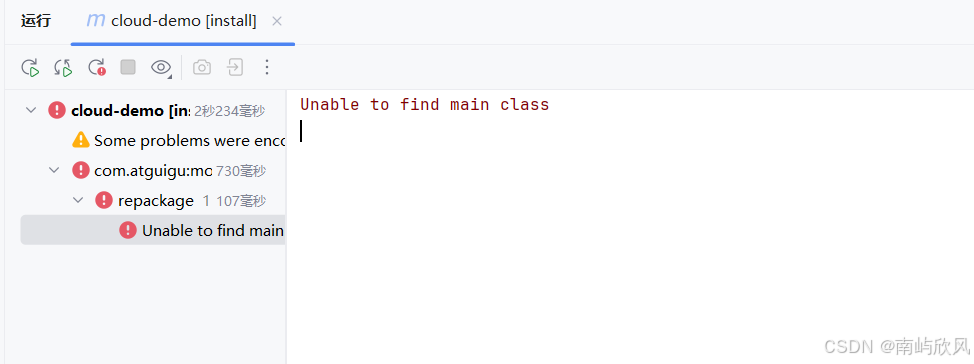
Maven 聚合工程打包时,Unable to find main class 是高频报错,尤其在包含工具类模块的项目中,根源很简单,解决也只要一步到位。
一、报错原因
聚合工程里,工具类模块不需要 main 启动类 ,但父工程的 pom.xml 中配置了 spring-boot-maven-plugin 插件。
这个插件的作用是打包可执行的 Spring Boot jar 包,打包时会强制扫描 main 启动类。当插件透传给无启动类的工具模块时,就会直接抛出 "找不到主类" 的错误。
二、解决方案
核心思路:将 spring-boot-maven-plugin 只配置在有启动类的业务模块中,父工程移除该插件。
-
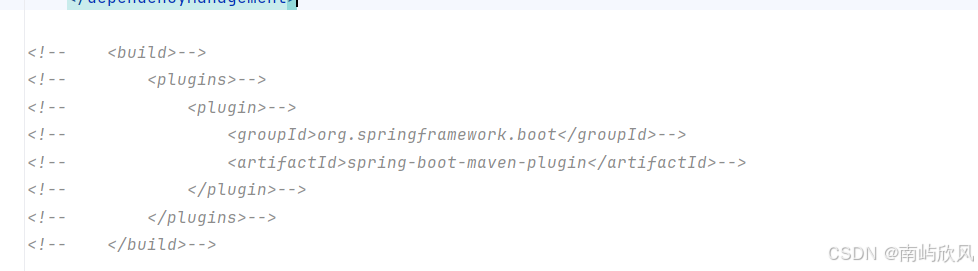
修改父工程 pom.xml 直接删除或注释掉
spring-boot-maven-plugin相关配置:xml
<!-- 父工程pom.xml 移除以下插件配置 --> <!-- <plugins> <plugin> <groupId>org.springframework.boot</groupId> <artifactId>spring-boot-maven-plugin</artifactId> <configuration> <excludes> <exclude> <groupId>org.projectlombok</groupId> <artifactId>lombok</artifactId> </exclude> </excludes> </configuration> </plugin> </plugins> --> -
-
配置业务模块 pom.xml在有 main 启动类的业务模块中,单独添加该插件:
xml
<!-- 业务模块(如service-user)的pom.xml -->
<build>
    <plugins>
        <plugin>
            <groupId>org.springframework.boot</groupId>
            <artifactId>spring-boot-maven-plugin</artifactId>
            <configuration>
                <!-- 可选:指定启动类全路径 -->
                <mainClass>com.example.user.UserApplication</mainClass>
            </configuration>
        </plugin>
    </plugins>
</build>
三、验证打包
执行 Maven 打包命令:
bash
运行
mvn clean package -DskipTests无报错即表示配置生效,工具类模块打包为普通 jar,业务模块打包为可执行 Spring Boot jar。
总结
这个报错的核心是插件配置范围不对 ,只需让 spring-boot-maven-plugin 只服务于有启动类的业务模块,就能彻底解决问题