关注我的公众号:【编程朝花夕拾】,可获取首发内容。
01 引言
上一节介绍了Apache Calcite使用JDBC客户端统一查询,但是DAO几乎已经被Myabits占了半壁江山,可不可以通过Mybaits的形式调用呢?
我们一下来看下吧,还会遇到哪些坑点呢?follow me
02 实战配置
2.1 Maven依赖
xml
<!-- Apache Calcite -->
<dependency>
    <groupId>org.apache.calcite</groupId>
    <artifactId>calcite-core</artifactId>
    <version>1.38.0</version>
</dependency>
<dependency>
    <groupId>org.apache.calcite</groupId>
    <artifactId>calcite-csv</artifactId>
    <version>1.38.0</version>
</dependency>

<dependency>
    <groupId>com.mysql</groupId>
    <artifactId>mysql-connector-j</artifactId>
    <scope>runtime</scope>
</dependency>
<dependency>
    <groupId>org.mybatis.spring.boot</groupId>
    <artifactId>mybatis-spring-boot-starter</artifactId>
    <version>3.0.4</version>
</dependency>
这里列举了主要配置,其他的辅助配置按需引入。
2.2 配置文件
配置mybaits相关的内容。因为我们不写mapper.xml,所以就不配置mybatis.mapper-locations。
properties
# 日志
mybatis.configuration.log-impl=org.apache.ibatis.logging.stdout.StdOutImpl
# 开启驼峰匹配
mybatis.configuration.map-underscore-to-camel-case=true
2.3 模型文件
模型文件和之前的一致。
json
{
  "version": "1.0",
  "defaultSchema": "MEM",
  "schemas": [
    {
      "name": "MEM",
      "type": "custom",
      "factory": "org.apache.calcite.adapter.java.ReflectiveSchema$Factory",
      "operand": {
        "class": "com.simonking.boot.calcite.schema.UserSchema"
      }
    },
    {
      "name": "CSV",
      "type": "custom",
      "factory": "org.apache.calcite.adapter.csv.CsvSchemaFactory",
      "operand": {
        "directory": "csv",
        "flavor": "scannable"
      }
    },
    {
      "name": "MYSQL_DB",
      "type": "custom",
      "factory": "org.apache.calcite.adapter.jdbc.JdbcSchema$Factory",
      "operand": {
        "jdbcUrl": "jdbc:mysql://127.0.0.1:3306/test",
        "jdbcUser": "root",
        "jdbcPassword": "root"
      }
    }
  ]
}
2.4 数据源配置
java
@Bean
public DataSource calciteDataSource() throws Exception {
    Properties prop = new Properties();
    prop.put("lex", "MYSQL");
    prop.put("model", "src/main/resources/calcite-model.json");
    Connection connection = DriverManager.getConnection("jdbc:calcite:", prop);

    SingleConnectionDataSource calciteDataSource = new SingleConnectionDataSource(connection, true);
    // 绑定资源
    TransactionSynchronizationManager.bindResource(calciteDataSource, new ConnectionHolder(connection));
    return calciteDataSource;

}
这里的数据源配置需要注意的代码:
TransactionSynchronizationManager.bindResource(calciteDataSource, new ConnectionHolder(connection));
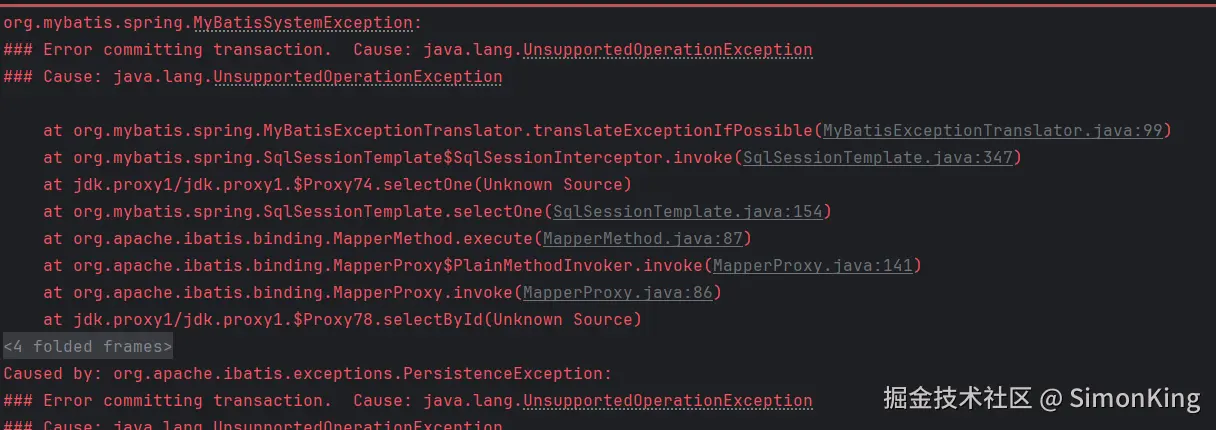
这里是为了绑定资源,否则就会默认提交事务,导致报错。因为本身只能查询,所以没必要提交事务。
报错如下:
报错源码位置:
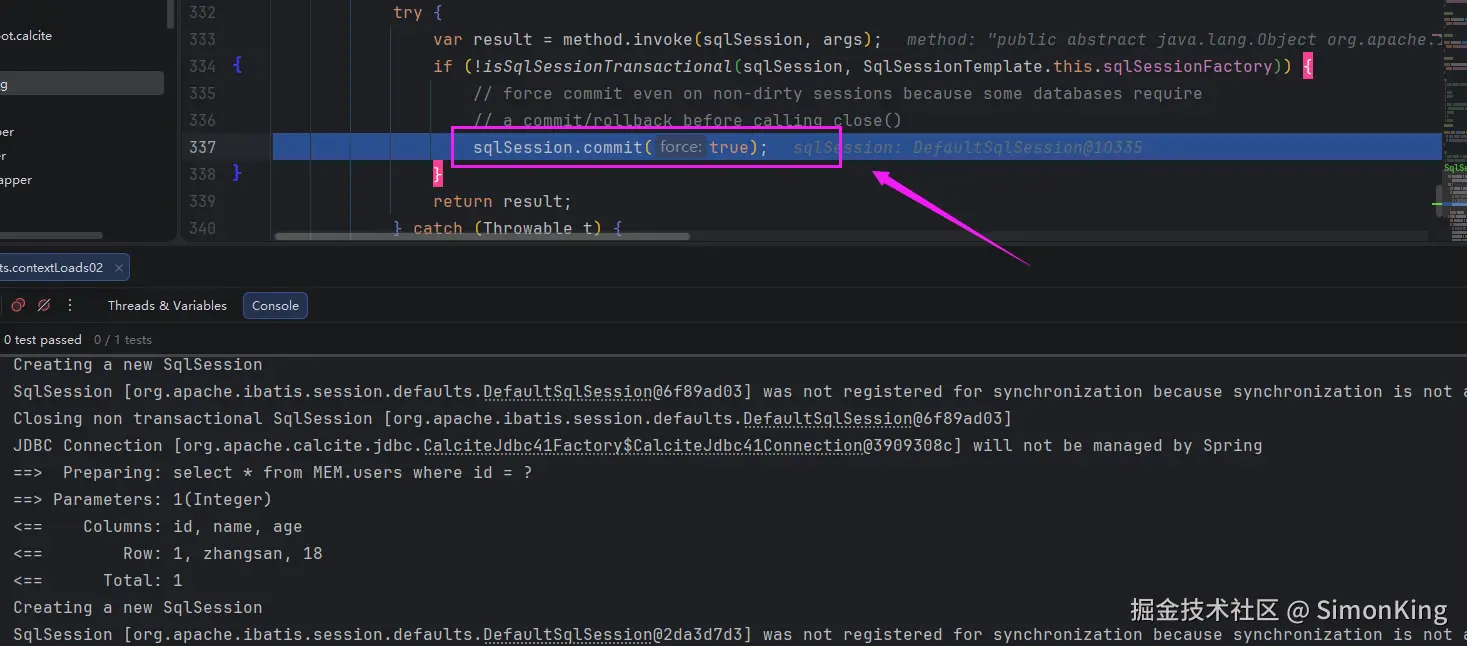
只需要配置上面的代码即可跳过事务的提交。
2.5 启动类配置
增加Mapper扫描:
java
@MapperScan("com.simonking.boot.calcite.mapper")03 实战
3.1 内存Mybatis应用
实体
java
@Data
public class UserVO implements Serializable {

    @Serial
    private static final long serialVersionUID = -8236381006056066976L;
    /** 用户id */
    private Integer id;
    /** 用户名 */
    private String name;
    /** 年龄 */
    private Integer age;
}
Mapper查询
java
public interface UserMapper {

    @Select("select * from MEM.users where id = #{id}")
    UserVO selectById(@Param("id")Integer id);
}
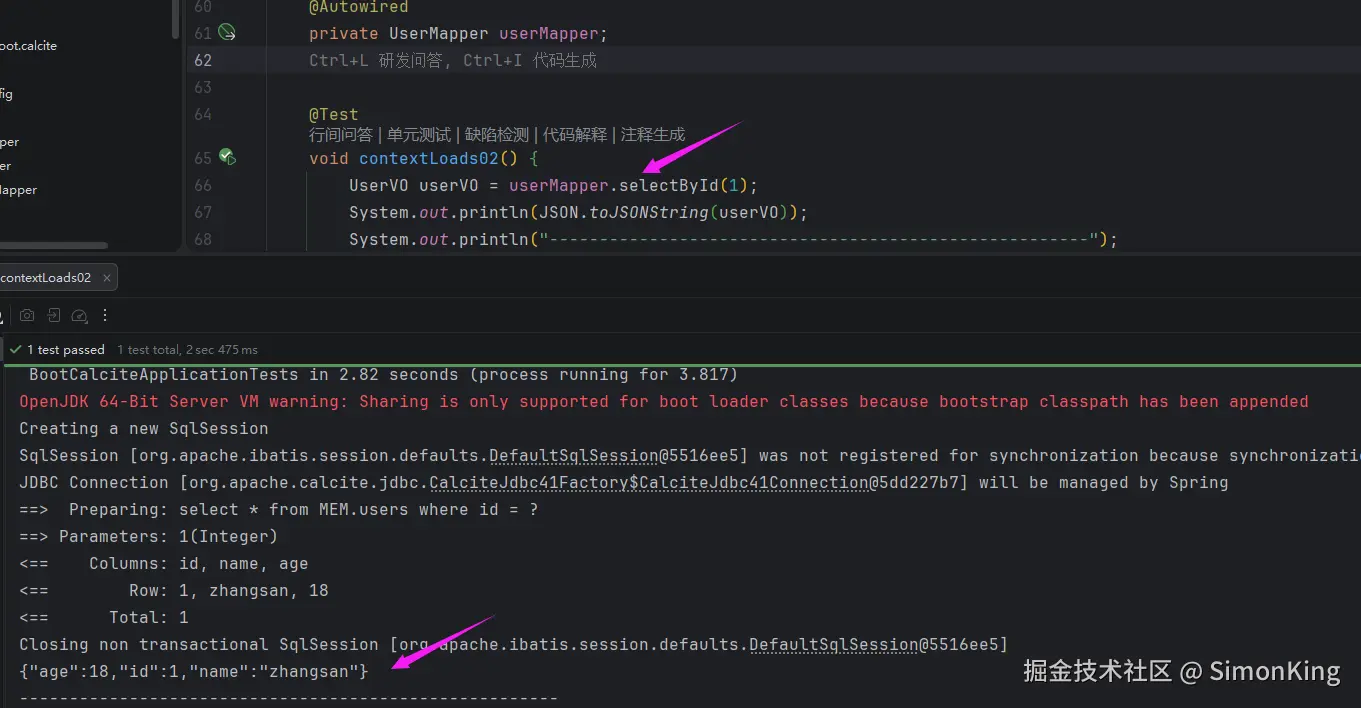
示例与结果
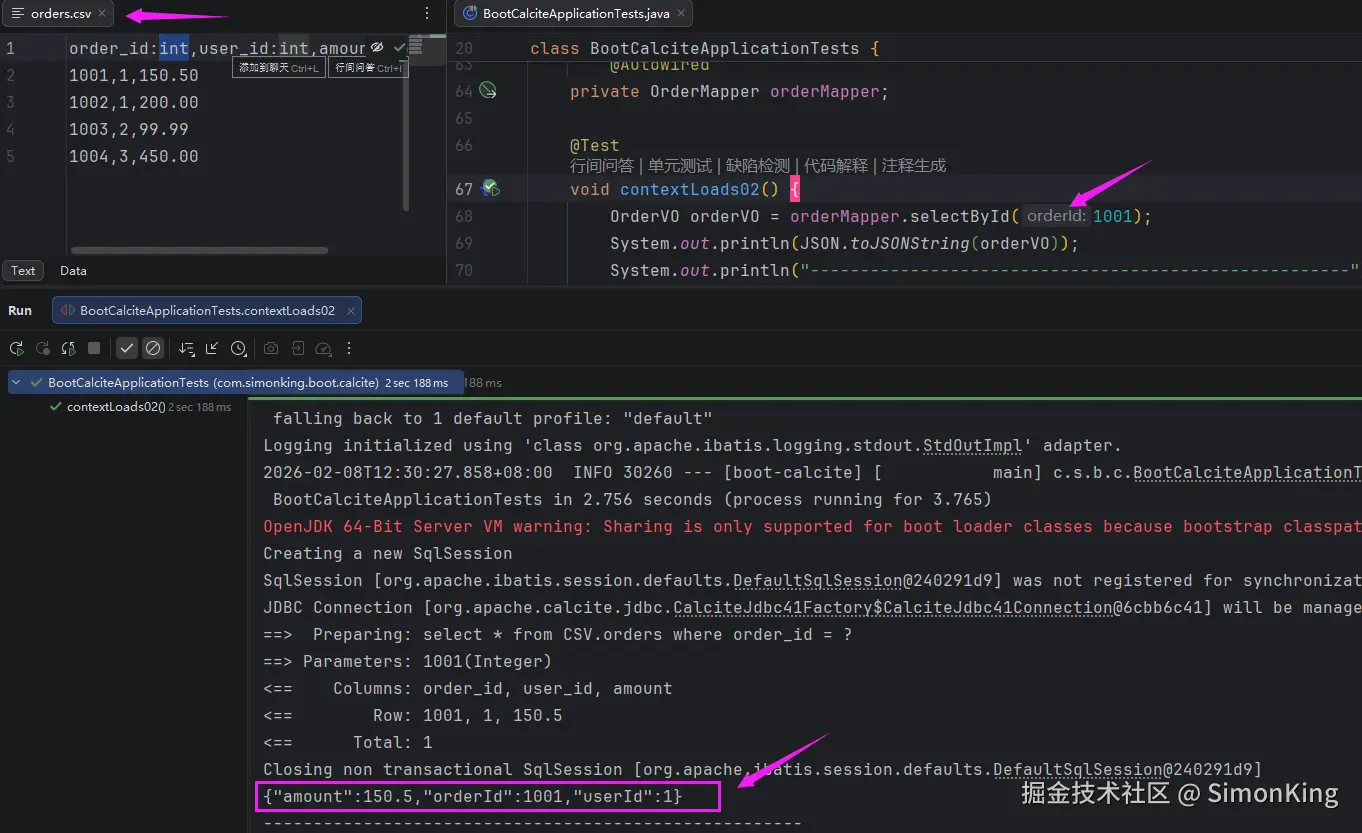
3.2 CSV的Mybatis应用
实体
java
@Data
public class OrderVO implements Serializable {
    @Serial
    private static final long serialVersionUID = 1063926652351474739L;

    /** 订单ID */
    private Integer orderId;
    /** 订单ID */
    private Integer userId;
    /** 金额 */
    private BigDecimal amount;
}
Mapper查询
java
public interface OrderMapper {

    @Select("select * from CSV.orders where order_id = #{orderId}")
    OrderVO selectById(@Param("orderId") Integer orderId);
}
示例与结果
3.3 Mysql的Mybaits应用
实体
java
@Data
public class UserRoleVO implements Serializable {
    @Serial
    private static final long serialVersionUID = -7359882062781599308L;

    /** id */
    private Integer id;
    /** 用户ID */
    private Integer userId;
    /** 用户名 */
    private String username;
    /** 角色名称 */
    private String role_name;
}
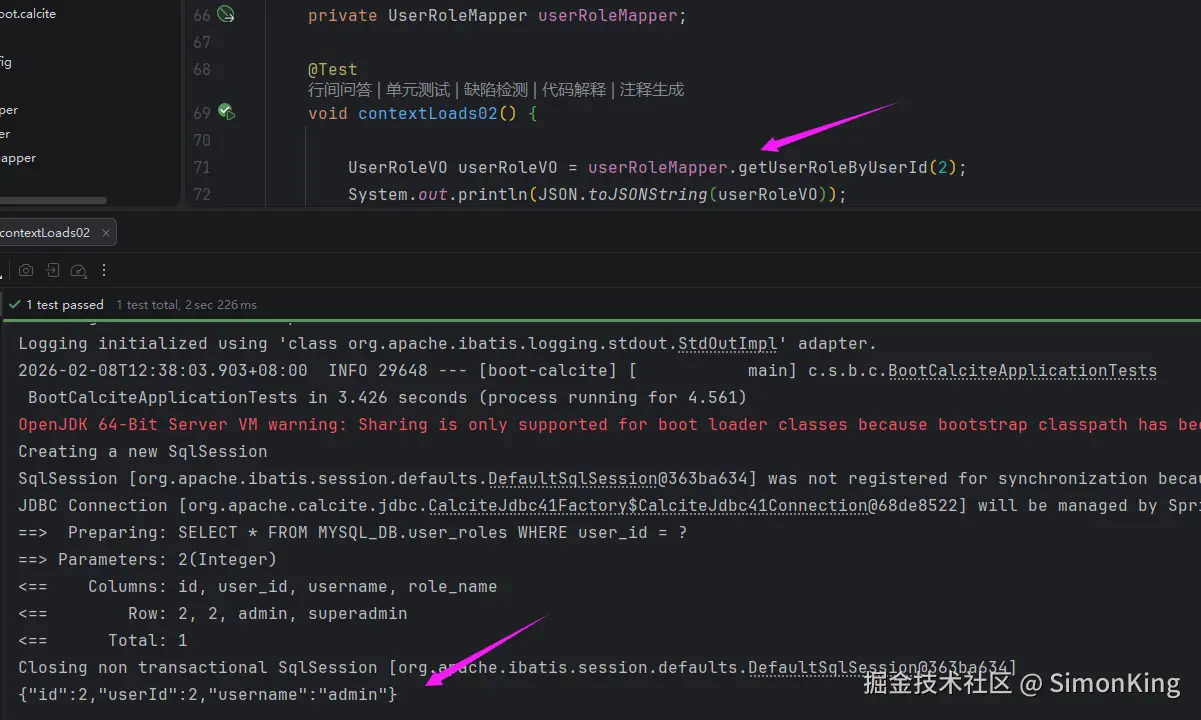
Mapper查询
java
public interface UserRoleMapper {

    @Select("SELECT * FROM MYSQL_DB.user_roles WHERE user_id = #{userId}")
    UserRoleVO getUserRoleByUserId(@Param("userId") Integer userId);
}
示例及结果
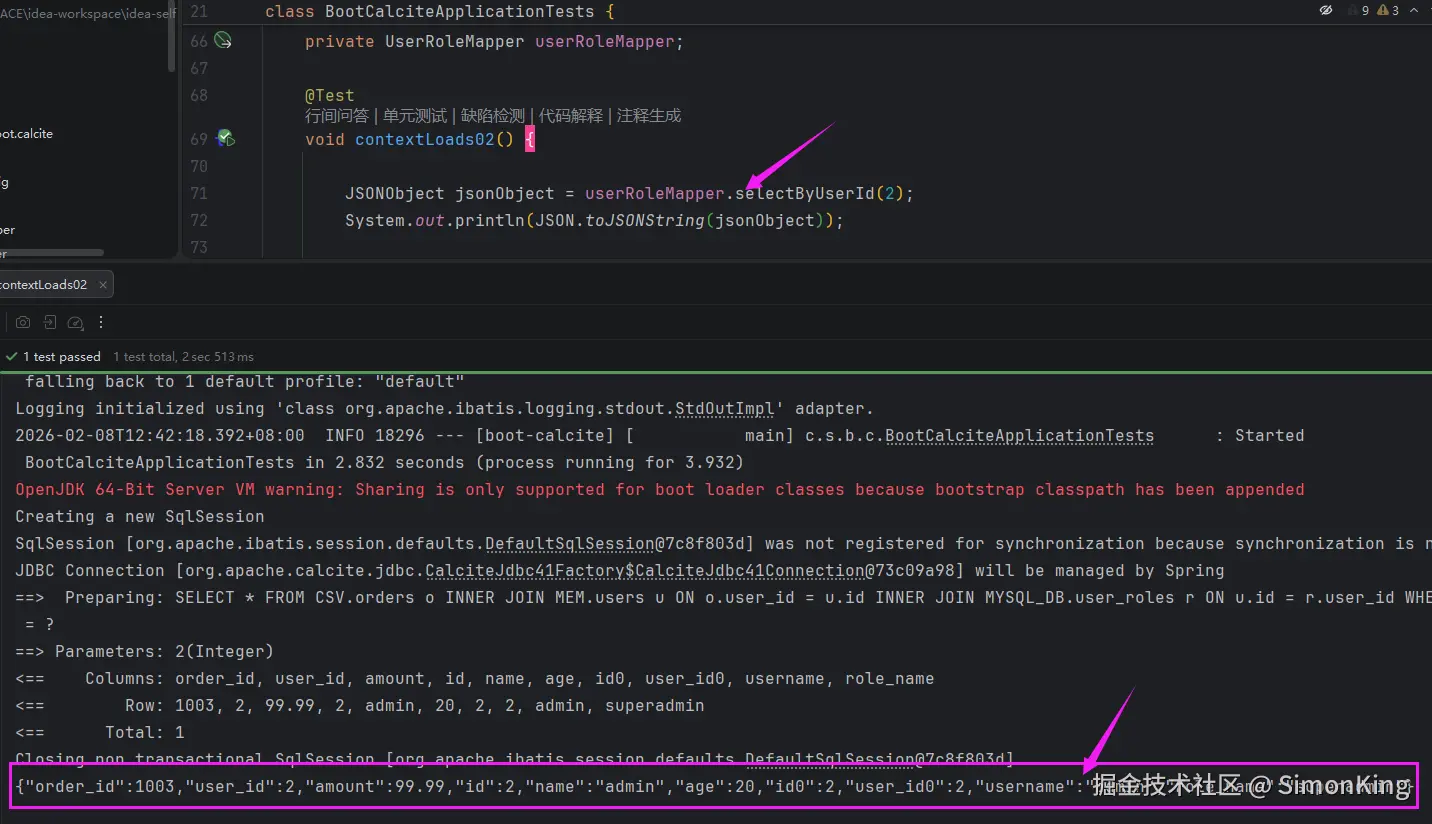
3.4 联查
联查,我们可以随意使用一个Mapper,我们直接使用UserRoleMapper,为了方便接受消息,我们直接使用JSONObject接收。
Mapper查询
java
public interface UserRoleMapper {

    @Select("""
         SELECT * FROM CSV.orders o
         INNER JOIN MEM.users u ON o.user_id = u.id
         INNER JOIN MYSQL_DB.user_roles r ON u.id = r.user_id
         WHERE u.id = #{userId}
    """)
    JSONObject selectByUserId(@Param("userId") Integer userId);
}
示例及结果
04 小结
使用Mybatis的方式更加适合我们日常的编码风格,使用的时候基本和单表的查询没有区别,到这里坑基本上踩的差不多了,老铁们,还遇到什么问题,评论区唠唠!