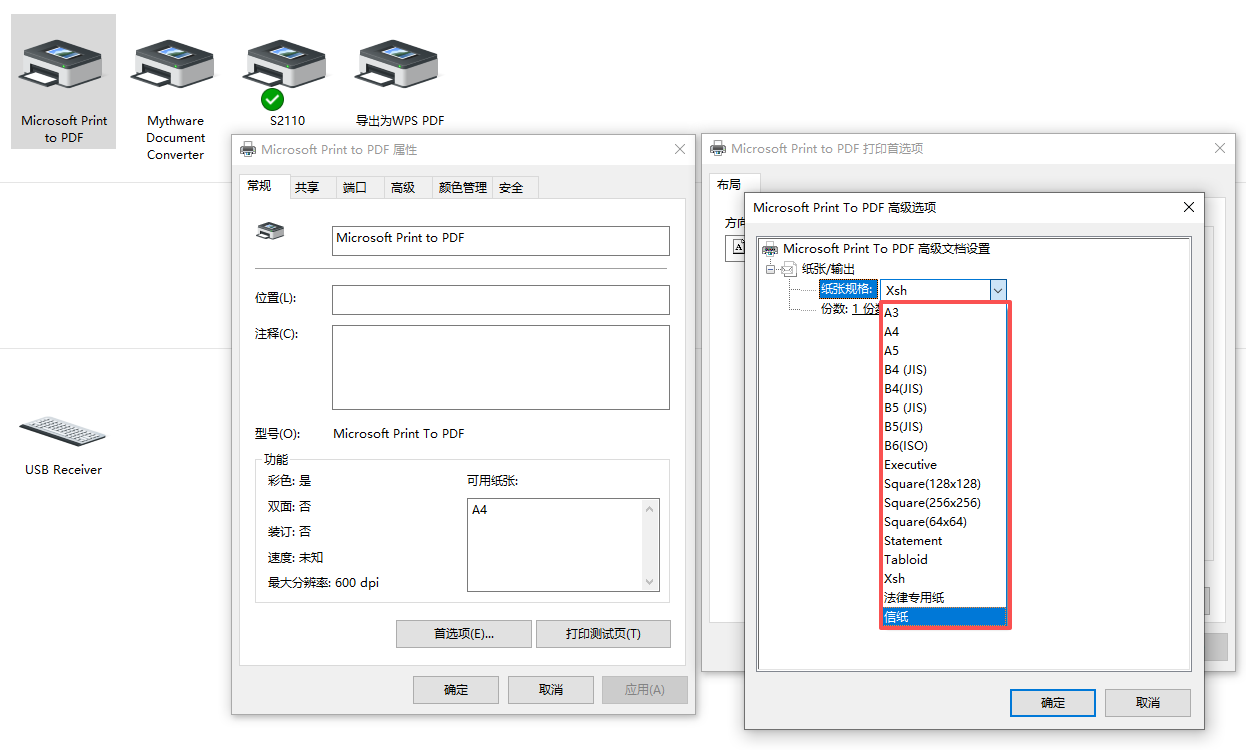
有时需要测试打印效果,Microsoft Print To PDF不能设定自定义指定大小,所以写了个软件实现,以下是C#部分代码
cs
          private void btn_开启自定纸张_Click(object sender, EventArgs e)
        {
            try
            {
                // 读取注册表值
                string driverDirectory = ReadRegistryValue();
                if (string.IsNullOrEmpty(driverDirectory))
                {
                    LogMessage("无法获取打印机驱动目录!");
                    return;
                }
                string V4Dir = "C:\\Windows\\System32\\spool\\V4Dirs\\";
                // 查找并修改GPD文件
                ModifyGpdFiles_AddStr($"{V4Dir}{driverDirectory}");

                LogMessage("自定义纸张设置已开启");
            }
            catch (Exception ex)
            {
                LogMessage($"操作失败: {ex.Message}");
            }
        }

      private void ModifyGpdFiles_AddStr(string driverDirectory)
        {
            if (!Directory.Exists(driverDirectory))
            {
                LogMessage($"驱动目录不存在: {driverDirectory}");
                return;
            }

            string[] gpdFiles = Directory.GetFiles(driverDirectory, "*.gpd");
            if (gpdFiles.Length == 0)
            {
                LogMessage($"在目录中未找到GPD文件: {driverDirectory}");
                return;
            }

            string customSizeOption =
@"*Option: CUSTOMSIZE
{
*rcNameID: =USER_DEFINED_SIZE_DISPLAY
*MinSize: PAIR(0, 0)
*MaxSize: PAIR(5346000, 7560000)
*MaxPrintableWidth: 5346000
}";
            foreach (string gpdFile in gpdFiles)
            {
                try
                {
                    string content = File.ReadAllText(gpdFile, Encoding.Default);

                    // 检查是否已存在CUSTOMSIZE选项
                    if (!content.Contains("*Option: CUSTOMSIZE"))
                    {
                        // 查找*Option: A5部分
                        int optionA5Index = content.IndexOf("*Option: A4");
                        if (optionA5Index >= 0)
                        {
                            // 在A5选项前插入自定义纸张选项
                            string modifiedContent = content.Insert(optionA5Index, customSizeOption + Environment.NewLine);
                            File.WriteAllText(gpdFile, modifiedContent, Encoding.Default);
                            LogMessage($"已在A5选项前添加内容: {gpdFile}");
                        }
                        else
                        {
                            LogMessage($"未找到A5选项,跳过文件: {gpdFile}");
                        }
                    }
                    else
                    {
                        LogMessage($"{gpdFile}文件已包含自定义纸张设置");
                    }
                }
                catch (Exception ex)
                {
                    LogMessage($"处理文件时出错 {Path.GetFileName(gpdFile)}: {ex.Message}");
                }
            }
        }
效果