采用"双核心"的冗余网络,可以保证网络的稳定性。利用MSTP(多生成树协议)和VRRP(虚拟路由冗余协议)提高网络可靠性。
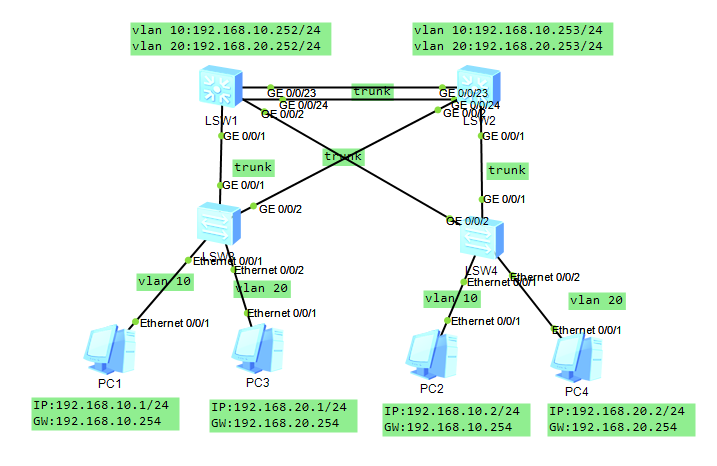
一、基本配置
LSW1:
<Huawei>sys
Enter system view, return user view with Ctrl+Z.
Huaweiundo info-center ena
Info: Information center is disabled.
Huaweisys LSW1
LSW1vlan batch 10 20
Info: This operation may take a few seconds. Please wait for a moment...done.
LSW1int vlan 10
LSW1-Vlanif10ip add 192.168.10.252 24
LSW1-Vlanif10int vlan 20
LSW1-Vlanif20ip add 192.168.20.252 24
LSW1-Vlanif20int g0/0/1
LSW1-GigabitEthernet0/0/1p l t
LSW1-GigabitEthernet0/0/1p t a v 10 20
LSW1-GigabitEthernet0/0/1int g0/0/2
LSW1-GigabitEthernet0/0/2p l t
LSW1-GigabitEthernet0/0/2p t a v 10 20
LSW1-GigabitEthernet0/0/2qu
LSW1int eth
LSW1int Eth-Trunk 1
LSW1-Eth-Trunk1p l t
LSW1-Eth-Trunk1p t a v 10 20
LSW1-Eth-Trunk1qu
LSW1int g0/0/23
LSW1-GigabitEthernet0/0/23eth-trunk 1
Info: This operation may take a few seconds. Please wait for a moment....done.
LSW1-GigabitEthernet0/0/23int g0/0/24
LSW1-GigabitEthernet0/0/24eth-trunk 1
Info: This operation may take a few seconds. Please wait for a moment...done.
LSW1-GigabitEthernet0/0/24qu
LSW2:
<Huawei>sys
Enter system view, return user view with Ctrl+Z.
Huaweiundo info-center ena
Info: Information center is disabled.
LSWsysn LSW2
LSW2vlan batch 10 20
Info: This operation may take a few seconds. Please wait for a moment...done.
LSW2int vlan 10
LSW2-Vlanif10ip add 192.168.10.253 24
LSW2-Vlanif10int vlan 20
LSW2-Vlanif20ip add 192.168.20.253 24
LSW2-Vlanif20int g0/0/1
LSW2-GigabitEthernet0/0/1p l t
LSW2-GigabitEthernet0/0/1p t a v 10 20
LSW2-GigabitEthernet0/0/1int g0/0/2
LSW2-GigabitEthernet0/0/2p l t
LSW2-GigabitEthernet0/0/2p t a v 10 20
LSW2-GigabitEthernet0/0/2qu
LSW2int eth
LSW2int Eth-Trunk 1
LSW2-Eth-Trunk1p l t
LSW2-Eth-Trunk1p t a v 10 20
LSW2-Eth-Trunk1int g0/0/23
LSW2-GigabitEthernet0/0/23eth-trunk 1
Info: This operation may take a few seconds. Please wait for a moment...done.
LSW2-GigabitEthernet0/0/23int g0/0/24
LSW2-GigabitEthernet0/0/24eth-trunk 1
Info: This operation may take a few seconds. Please wait for a moment...done.
LSW2-GigabitEthernet0/0/24qu
LSW3:
<Huawei>sys
Enter system view, return user view with Ctrl+Z.
Huaweiundo info-center ena
Info: Information center is disabled.
LSWsysn LSW3
LSW3vlan batch 10 20
Info: This operation may take a few seconds. Please wait for a moment...done.
LSW3int e0/0/1
LSW3-Ethernet0/0/1p l a
LSW3-Ethernet0/0/1p d v 10
LSW3-Ethernet0/0/1int e0/0/2
LSW3-Ethernet0/0/2p l a
LSW3-Ethernet0/0/2p d v 20
LSW3-Ethernet0/0/2int g0/0/1
LSW3-GigabitEthernet0/0/1p l t
LSW3-GigabitEthernet0/0/1p t a v 10 20
LSW3-GigabitEthernet0/0/1int g0/0/2
LSW3-GigabitEthernet0/0/2p l t
LSW3-GigabitEthernet0/0/2p t a v 10 20
LSW3-GigabitEthernet0/0/2qu
LSW4:
<Huawei>sys
Enter system view, return user view with Ctrl+Z.
Huaweiundo info-center ena
Info: Information center is disabled.
Huaweisysn LSW4
LSW4vlan batch 10 20
Info: This operation may take a few seconds. Please wait for a moment...done.
LSW4int e0/0/1
LSW4-Ethernet0/0/1p l a
LSW4-Ethernet0/0/1p d v 10
LSW4-Ethernet0/0/1int e0/0/2
LSW4-Ethernet0/0/2p l a
LSW4-Ethernet0/0/2p d v 20
LSW4-Ethernet0/0/2int g0/0/1
LSW4-GigabitEthernet0/0/1p l t
LSW4-GigabitEthernet0/0/1p t a v 10 20
LSW4-GigabitEthernet0/0/1int g0/0/2
LSW4-GigabitEthernet0/0/2p l t
LSW4-GigabitEthernet0/0/2p t a v 10 20
LSW4-GigabitEthernet0/0/2qu
二、交换机的MSTP配置
LSW1:
LSW1stp in
LSW1stp instance 1 priority 4096
LSW1stp instance 2 priority 0
LSW1stp region-configuration
LSW1-mst-regionregion-name test
LSW1-mst-regionrevision-level 1
LSW1-mst-regioninstance 1 vlan 10
LSW1-mst-regioninstance 2 vlan 20
LSW1-mst-regionactive region-configuration
Info: This operation may take a few seconds. Please wait for a mome
LSW1-mst-regionqu
LSW2:
LSW2stp instance 1 priority 0
LSW2stp instance 2 priority 4096
LSW2stp region-configuration
LSW2-mst-regionregion-name test
LSW2-mst-regionrevision-level 1
LSW2-mst-regioninstance 1 vlan 10
LSW2-mst-regioninstance 2 vlan 20
LSW2-mst-regionactive region-configuration
Info: This operation may take a few seconds. Please wait for a moment...done.
LSW3:
LSW3stp region-configuration
LSW3-mst-regionregion-name test
LSW3-mst-regionrevision-level 1
LSW3-mst-regioninstance 1 vlan 10
LSW3-mst-regioninstance 2 vlan 20
LSW3-mst-regionactive region-configuration
Info: This operation may take a few seconds. Please wait for a moment...done.
LSW3-mst-regionqu
LSW4:
LSW4stp region-configuration
LSW4-mst-regionregion-name test
LSW4-mst-regionrevision-level 1
LSW4-mst-regioninstance 1 vlan 10
LSW4-mst-regioninstance 2 vlan 20
LSW4-mst-regionactive region-configuration
Info: This operation may take a few seconds. Please wait for a moment...done.
LSW4-mst-regionqu
三、交换机的VRRP配置
LSW1:
LSW1int vlan 10
LSW1-Vlanif10vrrp vrid 10 virtual-ip 192.168.10.254
LSW1-Vlanif10vrrp vrid 10 priority 120
LSW1-Vlanif10qu
LSW1int vlan 20
LSW1-Vlanif20vrrp vrid 20 virtual-ip 192.168.20.254
LSW1-Vlanif20qu
LSW2:
LSW2int vlan 10
LSW2-Vlanif10vrrp vrid 10 virtual-ip 192.168.10.254
LSW2-Vlanif10 int vlan 20
LSW2-Vlanif20vrrp vrid 20 virtual-ip 192.168.20.254
LSW2-Vlanif20vrrp vrid 20 priority 150
LSW2-Vlanif20qu
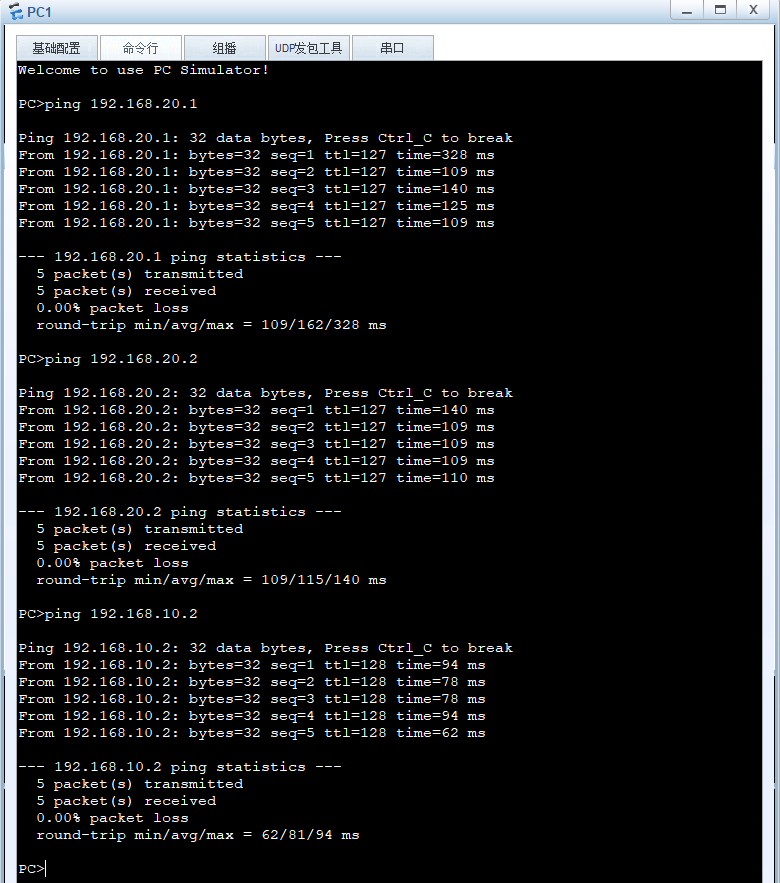
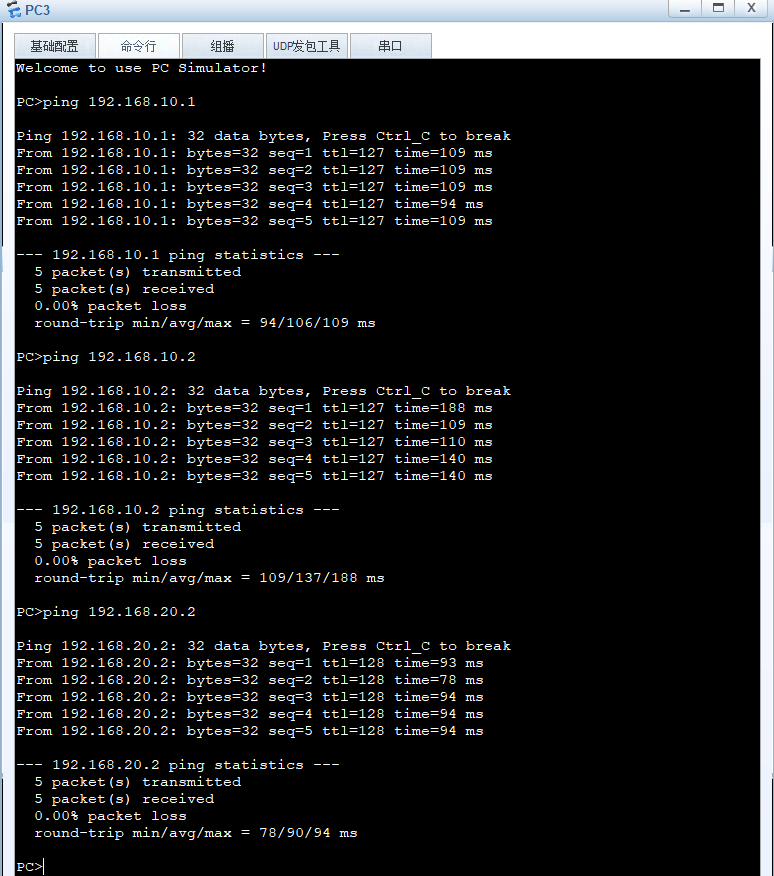
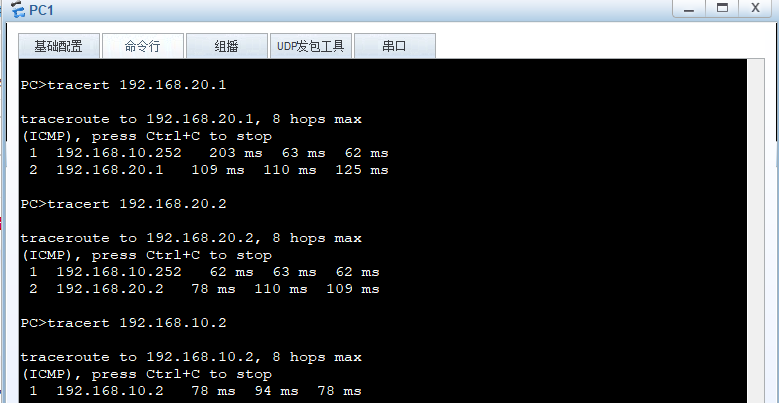
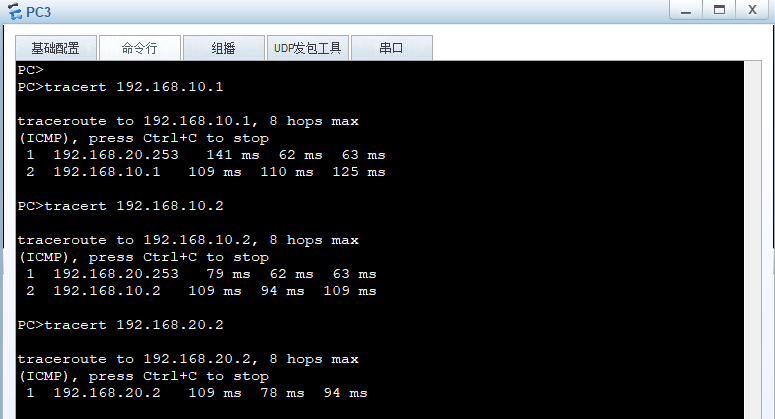
四、验证