概述
在数据分析和案件侦查系统中,可视化展示溯源信息是提升用户体验和工作效率的关键。本文将深入解析一个基于Vue.js + Element UI的溯源信息展示组件,该组件实现了图片相似度匹配结果的瀑布流展示、跨域图片处理和时间轴可视化等功能。
一、组件架构与设计思路
1.1 组件定位
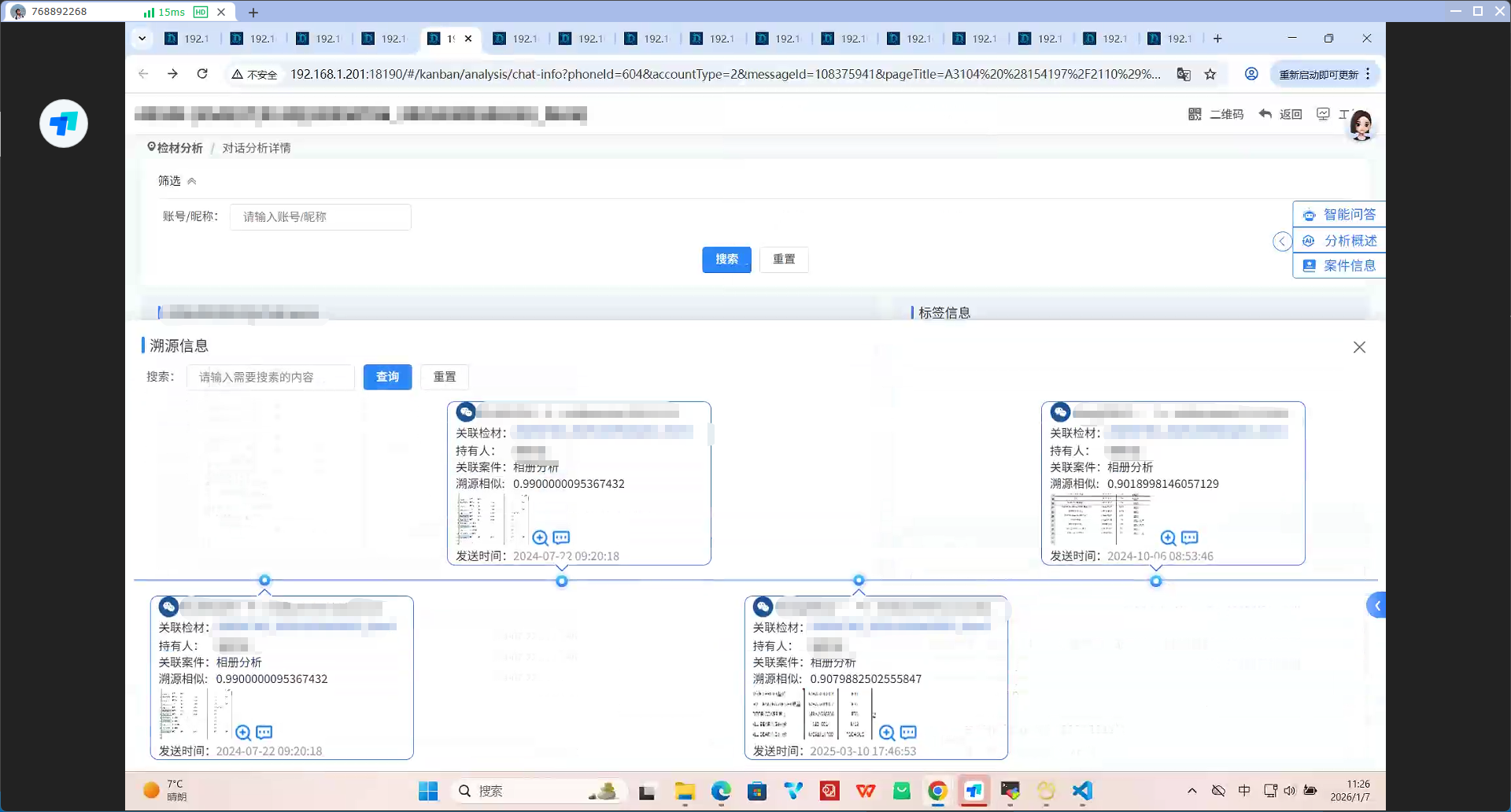
这是一个从底部弹出的抽屉式组件,用于展示图片溯源分析结果,支持:
图片相似度匹配结果展示
时间轴形式的关联关系可视化
多平台账号图标识别
图片预览与大图查看
1.2 技术栈
Vue 2
Element UI
Canvas API(用于图片处理)
Less(CSS预处理器)
二、核心功能实现详解
2.1 抽屉式交互设计
组件通信与状态管理
javascript
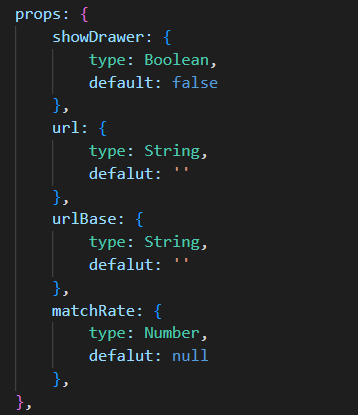
props: {
  showDrawer: Boolean,  // 控制抽屉显示
  url: String,          // 图片URL
  urlBase: String,      // Base64格式图片
  matchRate: Number     // 匹配相似度阈值
},
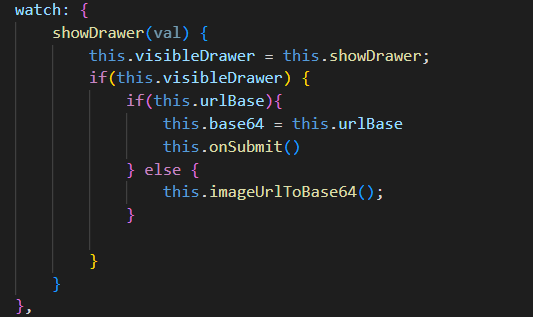
watch: {
  showDrawer(val) {
    this.visibleDrawer = this.showDrawer;
    if (this.visibleDrawer) {
      // 初始化时处理图片数据
      if (this.urlBase) {
        this.base64 = this.urlBase;
        this.onSubmit();
      } else {
        this.imageUrlToBase64(); // 转换外部URL为Base64
      }
    }
  }
}
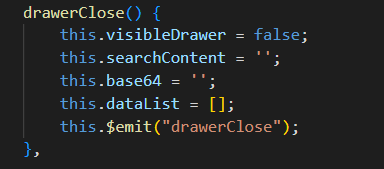
抽屉关闭清理
javascript
drawerClose() {
  this.visibleDrawer = false;
  this.searchContent = '';     // 清空搜索内容
  this.base64 = '';            // 清空图片数据
  this.dataList = [];          // 清空结果列表
  this.$emit("drawerClose");   // 通知父组件
}
2.2 跨域图片处理方案
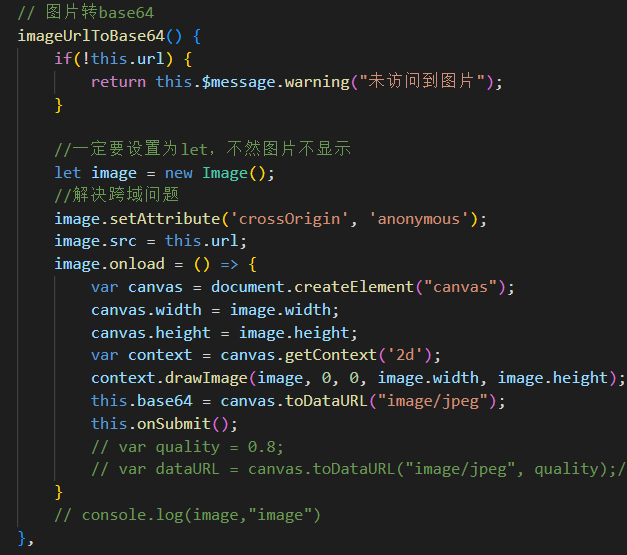
Base64转换实现
javascript
imageUrlToBase64() {
  if (!this.url) {
    return this.$message.warning("未访问到图片");
  }

  // 创建Image对象
  let image = new Image();

  // 关键:设置跨域属性
  image.setAttribute('crossOrigin', 'anonymous');
  image.src = this.url;

  image.onload = () => {
    // 创建Canvas进行转换
    var canvas = document.createElement("canvas");
    canvas.width = image.width;
    canvas.height = image.height;

    var context = canvas.getContext('2d');
    context.drawImage(image, 0, 0, image.width, image.height);

    // 转换为JPEG格式的Base64(避免PNG体积过大)
    this.base64 = canvas.toDataURL("image/jpeg");
    this.onSubmit(); // 转换完成后发起查询
  };

  image.onerror = () => {
    this.$message.error("图片加载失败");
  };
}
动态图片URL构建
javascript
getImageUrl(item) {
  if (!item.pic_name) return "";

  // 从全局配置获取基础路径
  const pic_URL = window.g?.pic_URL || "";

  if (!pic_URL) {
    console.warn("pic_URL 配置未找到");
    return "";
  }

  // 构建完整路径:基础URL + /pic + 图片名称
  return `${pic_URL}/pic/${item.pic_name}`;
}
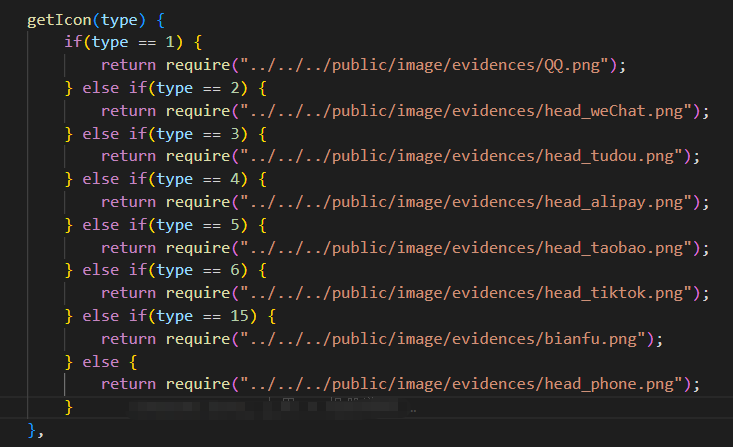
2.3 平台图标智能识别
多平台图标映射
javascript
getIcon(type) {
  const iconMap = {
    1: require("../../../public/image/evidences/QQ.png"),
    2: require("../../../public/image/evidences/head_weChat.png"),
    3: require("../../../public/image/evidences/head_tudou.png"),
    4: require("../../../public/image/evidences/head_alipay.png"),
    5: require("../../../public/image/evidences/head_taobao.png"),
    6: require("../../../public/image/evidences/head_tiktok.png"),
    15: require("../../../public/image/evidences/bianfu.png")
  };

  return iconMap[type] || require("../../../public/image/evidences/head_phone.png");
}
2.4 图片预览优化
大图查看触发
javascript
showBigPic(refName) {
  // 通过ref找到图片元素并触发点击事件
  this.$refs[refName][0].$el.children[0].click();
}
三、可视化样式设计
3.1 时间轴布局
奇偶行交错布局
html
.talo {
  &:nth-last-of-type(2n + 1) {
    top: -217px;  // 奇数行上移

    .yuan {
      top: auto;
      bottom: 0;  // 原点在底部

      .el-icon-arrow-down {
        top: -16px;
        transform: none;  // 箭头方向调整
      }
    }
  }
}
连接线设计
html
.protal {
  background: linear-gradient(-90deg, rgba(56, 123, 252, 0.4) 0%, rgba(1, 85, 255, 0.4) 100%);
  height: 2px;
  margin-top: 220px;
  // 创建时间轴基线
}
四、性能优化策略
4.1 图片处理优化
Base64转换性能考虑
javascript
// 限制图片最大尺寸
const MAX_WIDTH = 800;
const MAX_HEIGHT = 800;

if (image.width > MAX_WIDTH || image.height > MAX_HEIGHT) {
  const ratio = Math.min(MAX_WIDTH / image.width, MAX_HEIGHT / image.height);
  canvas.width = image.width * ratio;
  canvas.height = image.height * ratio;
}