前言
在刑侦数据分析、情报研判等专业领域,前端系统需要处理复杂的数据关系和多样的分析维度。本文将深入剖析一个高度复杂的数据分析平台前端实现,该系统支持8种分析类型 、动态列渲染 、智能检索 和实时数据联动,是大型企业级数据分析系统的典型代表
一、组件概览
1.1 功能模块划分
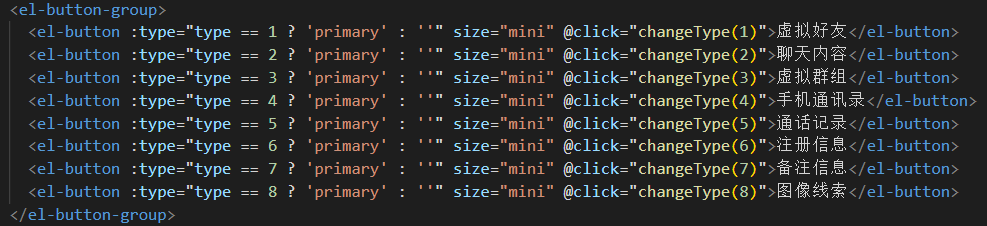
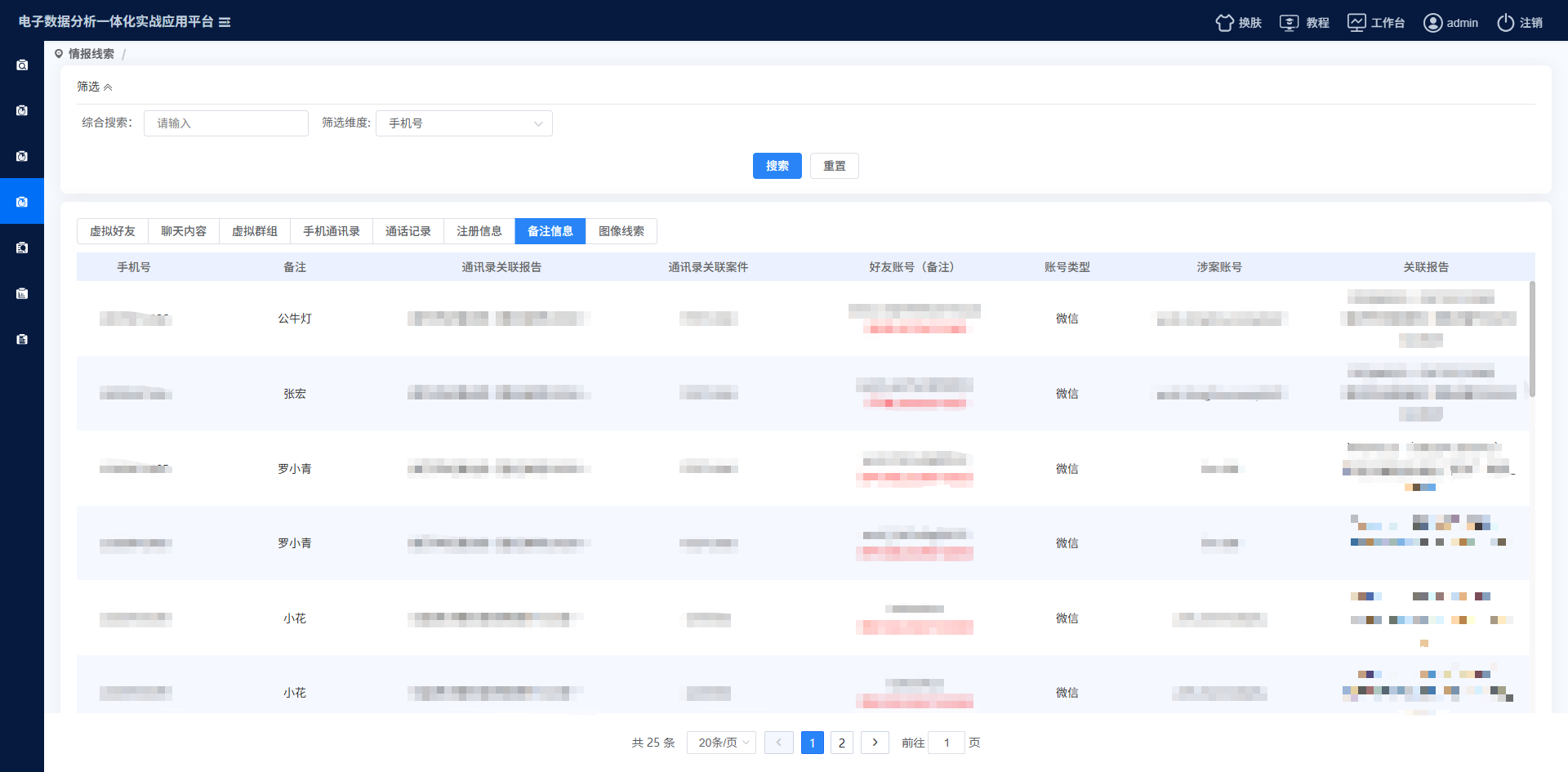
系统支持8种核心分析类型:
虚拟好友 - 社交关系分析
聊天内容 - 敏感信息检索
虚拟群组 - 群组关系网络
手机通讯录 - 联系人关系分析
通话记录 - 通信行为分析
注册信息 - 账户注册溯源
备注信息 - 社交备注分析
图像线索 - 图片关联分析
1.2 技术构图
html
┌─────────────────────────────────────────────────┐
│               用户界面层 (UI Layer)                │
├─────────────────────────────────────────────────┤
│  主表格视图    │   筛选面板    │   详情抽屉    │
├─────────────────────────────────────────────────┤
│             业务逻辑层 (Business Logic)            │
│  类型路由     │  动态列渲染    │  智能检索引擎    │
├─────────────────────────────────────────────────┤
│             数据适配层 (Data Adapter)             │
│  类型适配器   │  列配置映射    │  数据格式化器    │
├─────────────────────────────────────────────────┤
│             服务层 (Service Layer)               │
│  接口代理     │  缓存管理     │  错误处理      │
└─────────────────────────────────────────────────┘
二、核心设计
2.1 动态列渲染系统
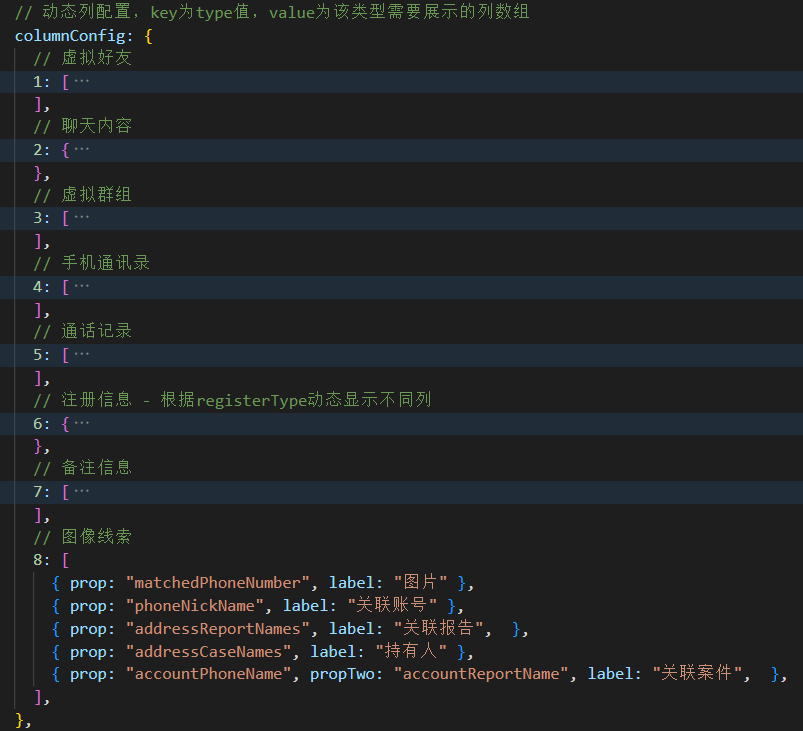
列配置中心化设计
javascript
// 统一的列配置管理中心
columnConfig: {
  // 虚拟好友 - 固定列配置
  1: [
    {
      prop: "friendsNumber",
      propTwo: "friendsNick",
      label: "好友账号",
      isHref: true,
      slotName: "default"
    }
  ],

  // 聊天内容 - 根据类型动态配置
  2: {
    0: [/* 敏感词列配置 */],
    1: [/* 关键词列配置 */]
  },

  // 注册信息 - 根据子类型配置
  6: {
    1: [/* 通讯录列配置 */],
    2: [/* 通话记录列配置 */],
    3: [/* 要素信息列配置 */]
  }
}
动态列计算属性
javascript
computed: {
  currentColumns() {
    // 聊天内容类型需要根据子类型获取配置
    if (this.type === 2) {
      const registerConfig = this.columnConfig[2];
      return registerConfig[this.searchForm.type] || registerConfig[0];
    }

    // 注册信息类型根据registerType获取配置
    if (this.type === 6) {
      const registerConfig = this.columnConfig[6];
      return registerConfig[this.searchForm.registerType] || registerConfig[1];
    }

    return this.columnConfig[this.type] || [];
  }
}
2.2 智能筛选
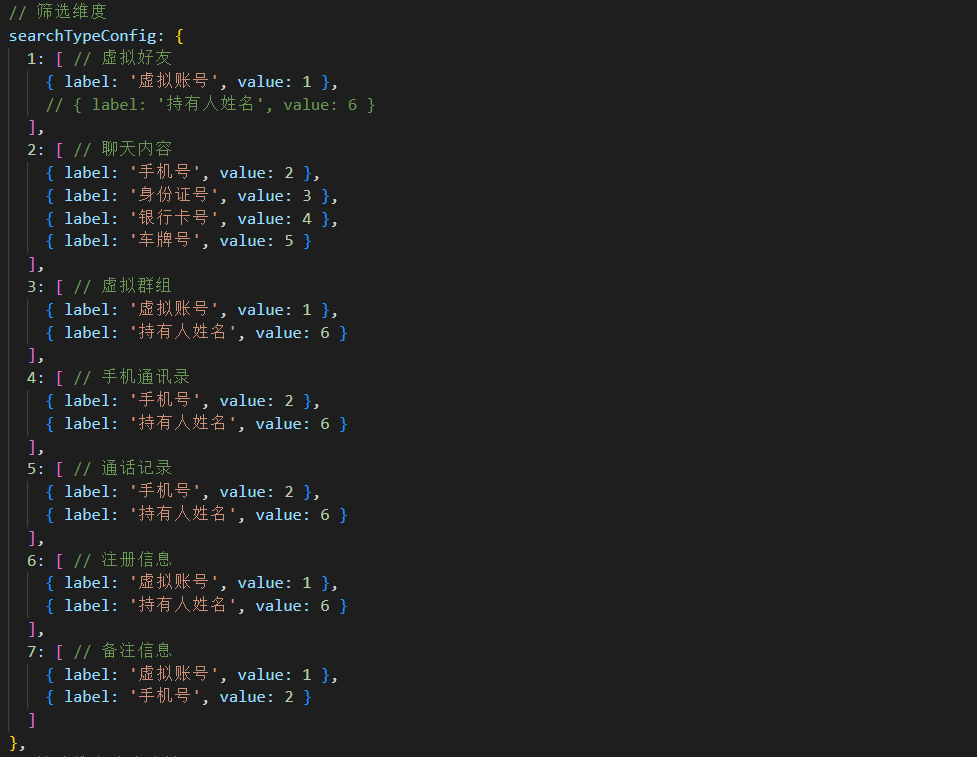
筛选维度动态配置
javascript
searchTypeConfig: {
  1: [ // 虚拟好友
    { label: '虚拟账号', value: 1 },
    { label: '持有人姓名', value: 6 }
  ],
  2: [ // 聊天内容
    { label: '手机号', value: 2 },
    { label: '身份证号', value: 3 },
    { label: '银行卡号', value: 4 },
    { label: '车牌号', value: 5 }
  ]
  // ... 其他类型配置
}
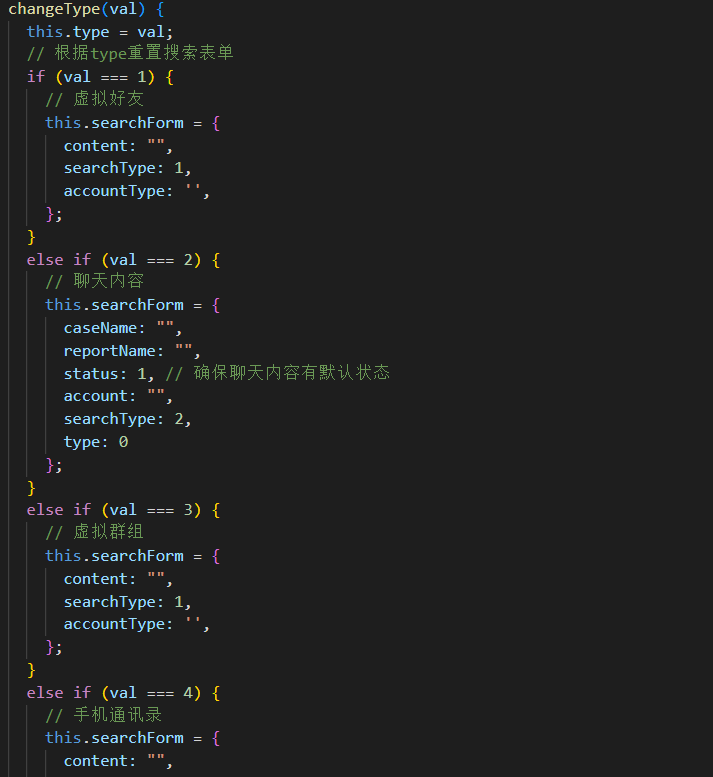
类型切换时的智能重置
javascript
changeType(val) {
  this.type = val;

  // 根据类型智能重置搜索表单
  const typeConfigMap = {
    1: { content: "", searchType: 1 },  // 虚拟好友
    2: {
      caseName: "",
      reportName: "",
      status: 1,
      searchType: 2
    },  // 聊天内容
    3: { content: "", searchType: 1 },  // 虚拟群组
    // ... 其他类型配置
  };

  this.searchForm = {
    ...this.searchForm,
    ...typeConfigMap[val]
  };

  this.$nextTick(() => {
    this.resize();  // 重新计算布局
  });

  this.page(1);  // 重新加载数据
}
三、复杂数据处理
3.1 数据格式化与展示
账户信息格式化
javascript
formatAccountSimple(value) {
  if (!value) return '';

  // 字符串处理:逗号分隔转行显示
  if (typeof value === 'string') {
    return value.replace(/,\s*/g, '\n');
  }

  // 数组处理:行显示
  if (Array.isArray(value)) {
    return value.join('\n');
  }

  // 对象处理:智能提取关键字段
  if (typeof value === 'object') {
    if (value.name) return value.name;
    if (value.title) return value.title;
    if (value.phoneName) return value.phoneName;
    return String(value);
  }

  return String(value);
}
持有人信息去重与合并
javascript
getUniqueHolders(row) {
  const holders = [];
  const seenNames = new Set();

  // 多源数据合并:phoneInfo + relatePhoneInfo
  const sources = [
    { data: row.phoneInfo, source: 'phoneInfo' },
    { data: row.relatePhoneInfo, source: 'relatePhoneInfo' }
  ];

  sources.forEach(({ data, source }) => {
    if (data && data.phoneName) {
      const name = data.phoneName;
      const documentNo = data.documentNo?.trim() || null;

      if (!seenNames.has(name)) {
        holders.push({
          name,
          documentNo,
          source,
          phoneInfo: data
        });
        seenNames.add(name);
      }
    }
  });

  return holders;
}
3.2 关联数据智能解析
案件信息合并策略
javascript
getRegisterCaseNames(row) {
  let caseNames = [];

  // 多维度数据源合并策略
  const dataSources = [
    { field: 'phoneInfo', caseField: 'caseName' },
    { field: 'relatePhoneInfo', caseField: 'caseName' },
    { field: 'caseName', separator: ',' },
    { field: 'caseNames', isArray: true },
    { field: 'case_name', separator: '\n' }
  ];

  dataSources.forEach(source => {
    const data = row[source.field];
    if (!data) return;

    if (source.isArray && Array.isArray(data)) {
      data.forEach(item => {
        if (item && !caseNames.includes(item)) {
          caseNames.push(item);
        }
      });
    } else if (source.separator && typeof data === 'string') {
      data.split(source.separator).forEach(name => {
        const trimmed = name.trim();
        if (trimmed && !caseNames.includes(trimmed)) {
          caseNames.push(trimmed);
        }
      });
    } else if (data.caseName && !caseNames.includes(data.caseName)) {
      caseNames.push(data.caseName);
    }
  });

  return caseNames;
}
四、实时交互与性能优化
4.1 底部抽屉式详情展示
平滑动画与状态管理
javascript
// 详情展开/收起控制
messageInfo(row) {
  this.curObj = { ...row };

  // 根据类型加载不同详情数据
  const typeHandlers = {
    1: () => this.getVirtualFriendDetailList(1),
    2: () => this.getMessageList(1),
    3: () => this.getVitualDetailList(1),
    4: () => this.getPhoneAddressDetailList(1),
    5: () => this.getPhoneCallLogDetailList(1)
  };

  typeHandlers[this.type]?.();

  this.isShowBottom = true;

  // 平滑动画过渡
  setTimeout(() => this.packUp(), 10);
}

packUp() {
  this.isShowTab = !this.isShowTab;
  if (!this.isShowTab) {
    // 延迟隐藏,确保动画完成
    setTimeout(() => {
      this.isShowBottom = false;
    }, 500);
  }
}
加载状态优化
javascript
startBottomListLoading() {
  if (this.bottomListLoadingTimer) {
    clearTimeout(this.bottomListLoadingTimer);
  }

  this.bottomListLoading = true;
  this.bottomListLoadingStart = Date.now();
}

finishBottomListLoading() {
  const MIN_DURATION = 1000; // 最小显示1秒,避免闪烁
  const elapsed = Date.now() - this.bottomListLoadingStart;
  const remaining = Math.max(0, MIN_DURATION - elapsed);

  if (remaining === 0) {
    this.bottomListLoading = false;
  } else {
    this.bottomListLoadingTimer = setTimeout(() => {
      this.bottomListLoading = false;
      this.bottomListLoadingTimer = null;
    }, remaining);
  }
}
4.2 数据加载
分页与缓存策略
javascript
async page(page_data) {
  // 防重复加载
  if (this.loadingInstance) {
    this.loadingInstance.close();
  }

  this.loadingInstance = this.openLoading();
  this.curPage = page_data;

  // 构建类型化请求参数
  const requestData = this.buildRequestData(page_data);

  try {
    // 动态接口调用
    const typeApiMap = {
      1: getIntelligenceClueListGrouping,
      2: queryByMultiCondition,
      6: getCaseAnalysisList,
      7: getPhoneAggregateList
    };

    const apiFunc = typeApiMap[this.type] || getIntelligenceClueListGrouping;
    const res = await apiFunc(requestData);

    if (res.data.code == 1) {
      this.tableList = res.data.data || [];
      this.parentMsg = res.data.count || 0;

      // 数据预加载优化
      this.preloadNextPage();
    }
  } catch (e) {
    console.error('请求异常:', e);
  } finally {
    this.loadingInstance.close();
  }
}
五、可视化与用户体验
5.1 响应式表格设计
智能列宽计算
javascript
// 列宽度智能分配
getSmartColumnWidth(columns, containerWidth) {
  const totalFlexWidth = columns
    .filter(col => !col.width)
    .reduce((sum, col) => sum + (col.minWidth || 100), 0);

  const fixedWidth = columns
    .filter(col => col.width)
    .reduce((sum, col) => sum + col.width, 0);

  const remainingWidth = containerWidth - fixedWidth - 50; // 减去操作列和边距

  return columns.map(col => {
    if (col.width) return col;

    const flexRatio = (col.minWidth || 100) / totalFlexWidth;
    return {
      ...col,
      width: Math.max(col.minWidth || 100, remainingWidth * flexRatio)
    };
  });
}
5.2 可点击元素与跳转详情明细
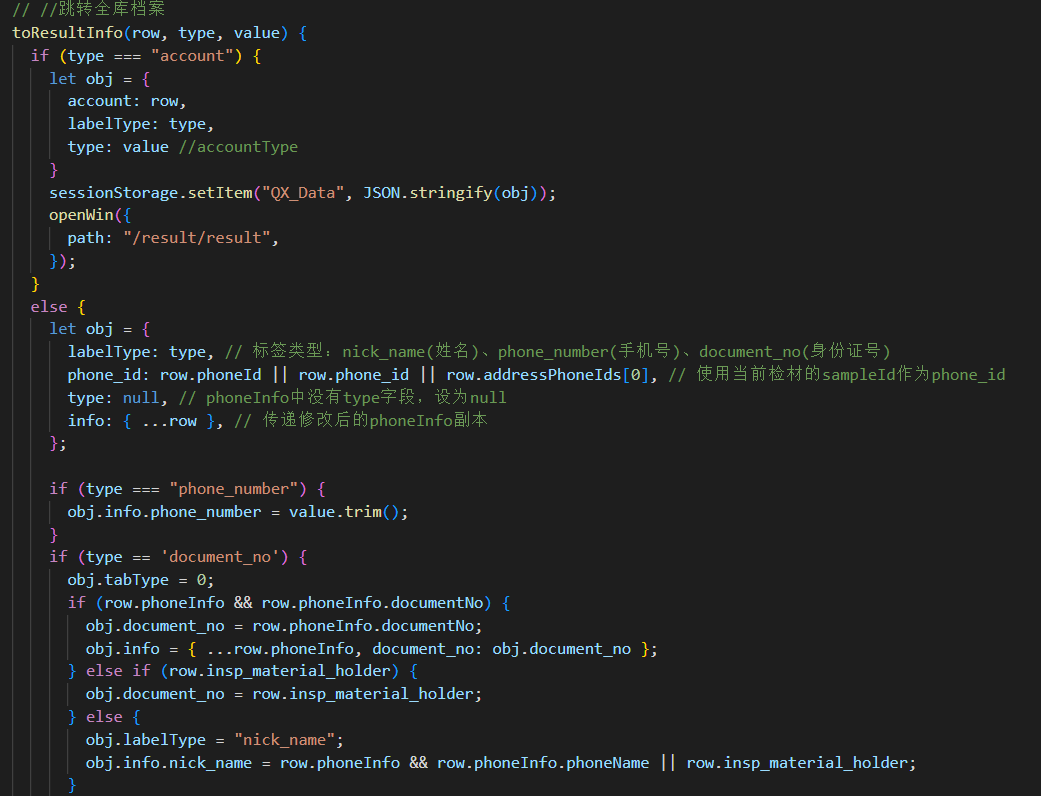
统一跳转处理器
javascript
toResultInfo(row, type, value) {
  // 账户跳转
  if (type === "account") {
    const sessionData = {
      account: row,
      labelType: type,
      type: value
    };
    sessionStorage.setItem("QX_Data", JSON.stringify(sessionData));

    openWin({
      path: "/result/result",
    });
    return;
  }

  // 个人信息跳转
  const jumpData = this.buildPersonJumpData(row, type, value);
  sessionStorage.setItem("QX_Phone_Data", JSON.stringify(jumpData));

  openWin({
    path: "/phoneResult/baseInfo",
  });
}

buildPersonJumpData(row, type, value) {
  const data = {
    labelType: type,
    phone_id: row.phoneId || row.phone_id || row.addressPhoneIds?.[0],
    type: null,
    info: { ...row }
  };

  // 数据增强
  if (type === "phone_number") {
    data.info.phone_number = value.trim();
  }

  if (type === 'document_no') {
    data.tabType = 0;
    if (row.phoneInfo?.documentNo) {
      data.document_no = row.phoneInfo.documentNo;
      data.info = { ...row.phoneInfo, document_no: data.document_no };
    }
  }

  return data;
}
六、组件演进与最佳实践
6.1 组件拆分策略
XML
components/
├── AnalysisTable/           # 主表格组件
│   ├── DynamicColumns.vue   # 动态列渲染
│   ├── SmartFilter.vue      # 智能筛选
│   └── TypeRouter.vue       # 类型路由
├── DetailDrawer/           # 详情抽屉
│   ├── VirtualFriendDetail.vue
│   ├── ChatContentDetail.vue
│   └── CallRecordDetail.vue
└── DataVisualization/      # 数据可视化
    ├── RelationGraph.vue   # 关系图
    ├── Timeline.vue        # 时间轴
    └── HeatMap.vue         # 热力图
结语
这个复杂的数据分析组件前端实现展示了企业级应用在面对多维度、大数据量、复杂交互场景时的架构设计思路,同时在刑侦数据分析、情报研判等专业领域也有不小的作用。关键成功因素包括:
配置驱动开发 - 通过配置而非硬编码实现功能
模块化设计 - 高内聚低耦合的组件拆分
性能优化 - 多层次缓存与懒加载策略
用户体验 - 平滑动画与智能交互
可维护性 - 清晰的代码结构与完善的错误处理