比如我要下载 https://huggingface.co/black-forest-labs/FLUX.1-Kontext-dev
先登录,然后点同意权限
-
通常会非常醒目,写着 "Request access to the model" 、"Agree and access repository" 或类似的按钮。
然后去取key
最后安装相应的库去下载 我用的是window power shell 管理员权限,下到E:\FLUX.1-Kontext-dev目录
先设置国内镜像指令
$env:HF_ENDPOINT = "https://hf-mirror.com"
然后再执行指令
huggingface-cli download --resume-download black-forest-labs/FLUX.1-Kontext-dev --local-dir "E:\FLUX.1-Kontext-dev" --token "hf_你的新访问令牌"
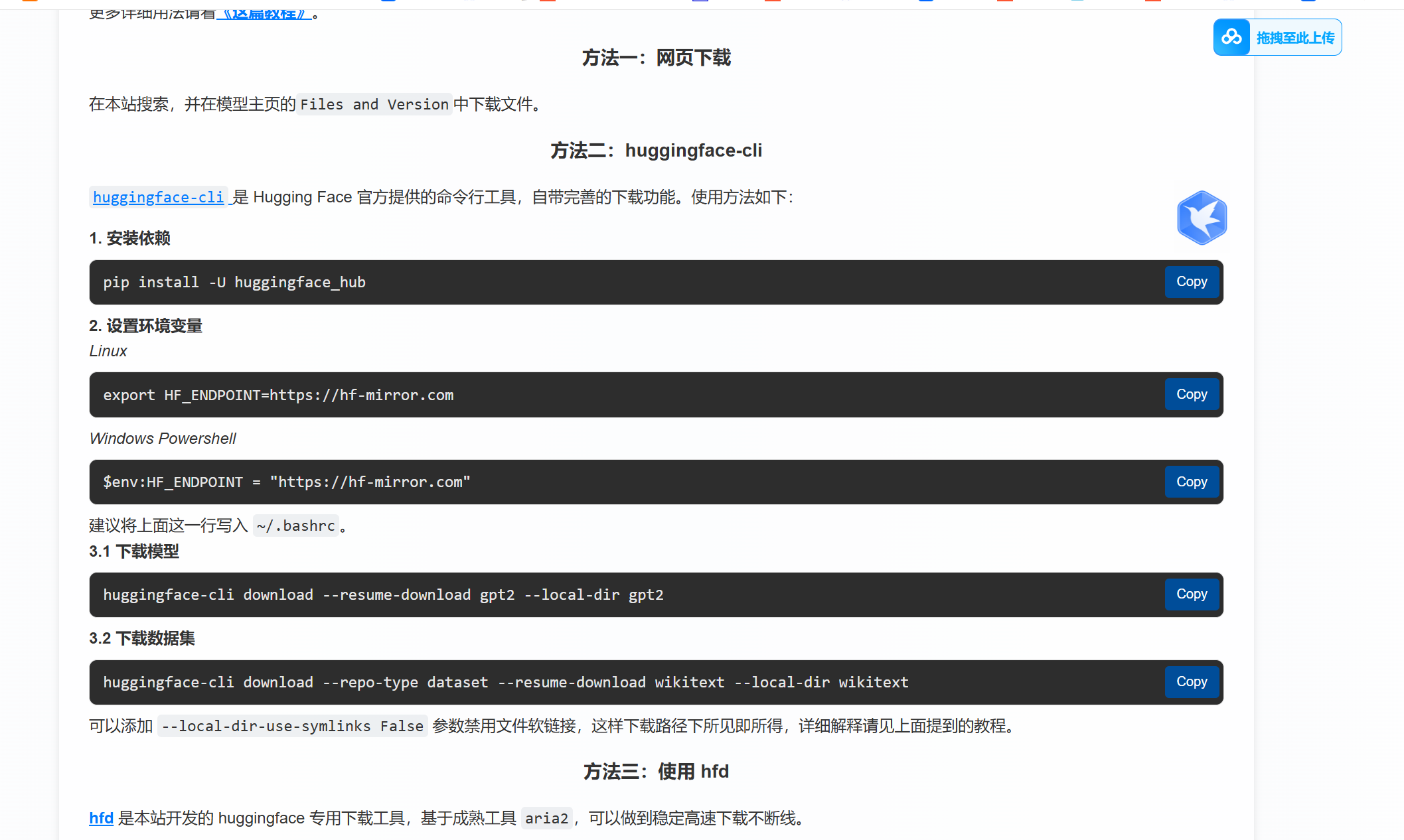
相关key设置
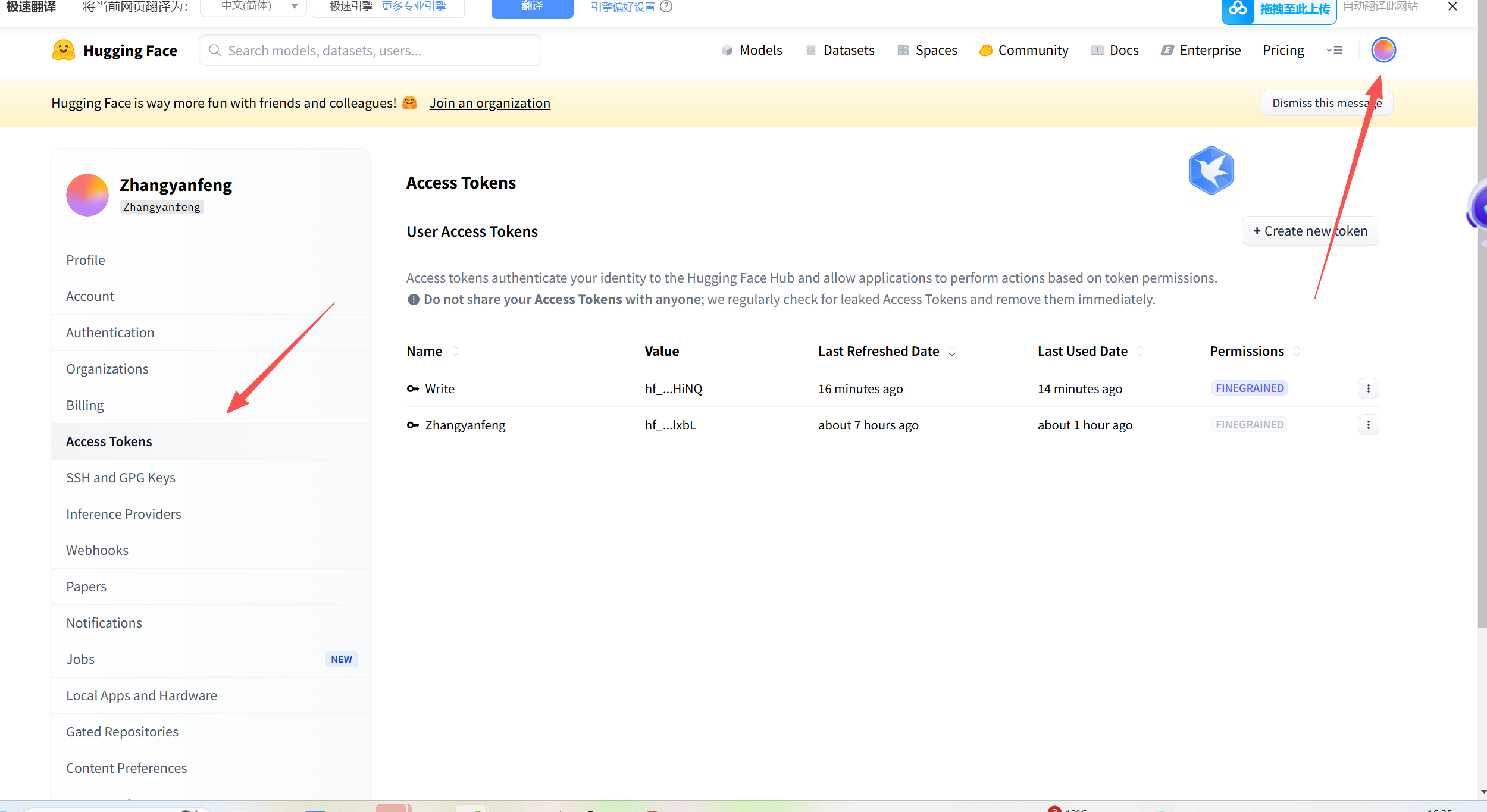
重点不知道是不是这个,原来没设置需要权限的模型要不一直下载不了

python环境
python -m pip install pip==24.0
pip install huggingface-hub==0.24.0python我装的是3.12
注意点,默认装的我的机子一直是 huggingface-hub-1.2.4 后面我是指定版本,实际是1.2.4看起来版本大,还像是比较老的,建议下不了先删除了再重新下
还有一个要注意的就是
先科学上网取 token
然后关掉科学上网用ci命令下载
最后本地模型用,以下部分未验证啊,我还在试啊
要先在终端****huggingface-cli login 然后输入accesent_token 回车
#python E:\FLUX.1-Kontext-dev\image2.py

#huggingface-cli login
#hf_token

import torch
from diffusers import DiffusionPipeline
from diffusers.utils import load_image

# switch to "mps" for apple devices
#pipe = DiffusionPipeline.from_pretrained("black-forest-labs/FLUX.1-Kontext-dev", dtype=torch.bfloat16, device_map="cpu")
pipe = DiffusionPipeline.from_pretrained("E:/FLUX.1-Kontext-dev", dtype=torch.bfloat16, device_map="cpu")

prompt = "Turn this cat into a dog"
input_image = load_image("https://huggingface.co/datasets/huggingface/documentation-images/resolve/main/diffusers/cat.png")

image = pipe(image=input_image, prompt=prompt).images[0]