1 bootrom的内容
在Pico中,Bootrom基本就等于PC的bios。整个Bootrom是16K,内容如下:
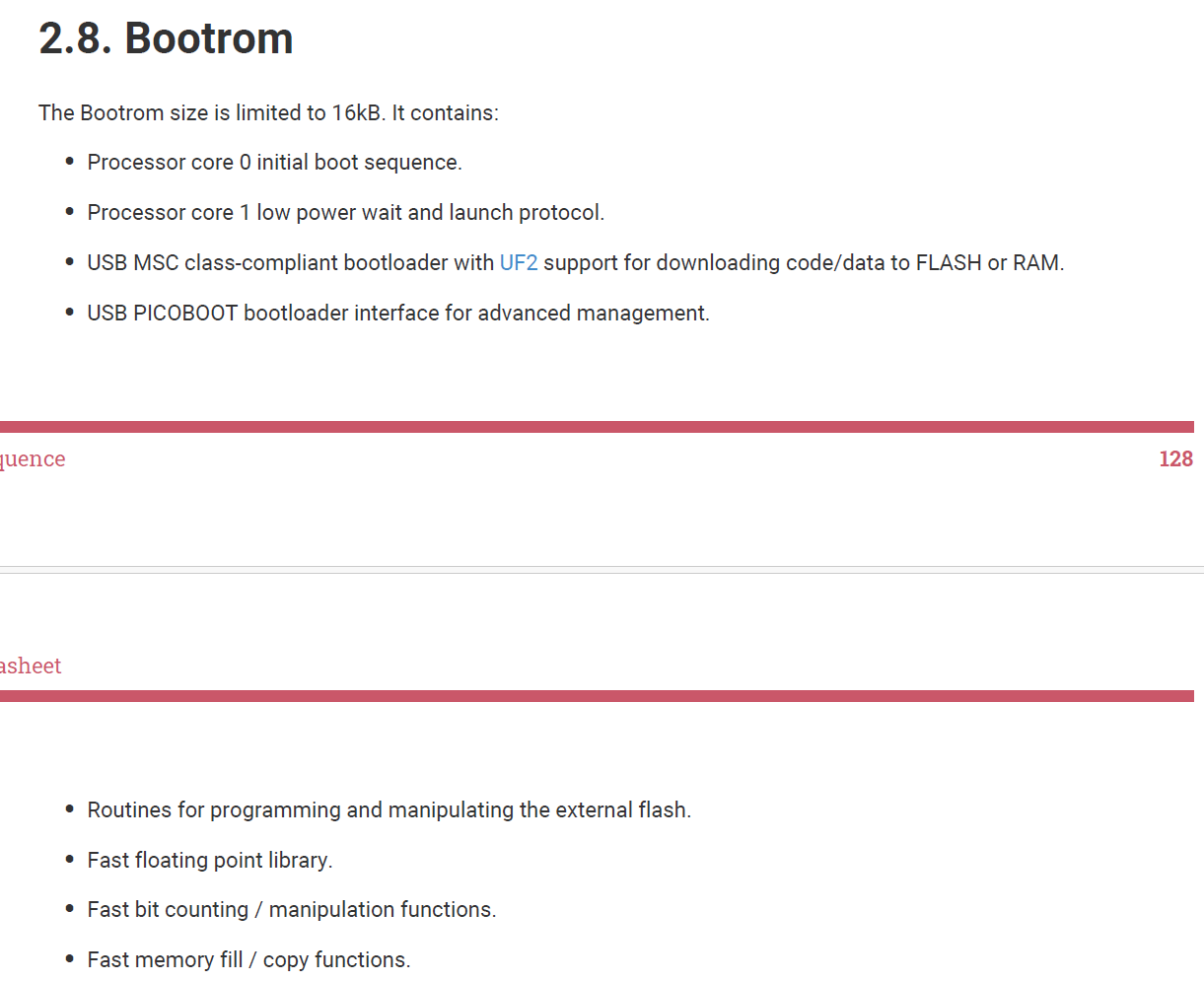
源代码是在:https://github.com/raspberrypi/pico-bootrom-rp2040
Pico的启动过程分3级
1 Bootrom,将打包出来的elf中的头256字节放入SRAM。
2 Boot2,启动XIP,将Flash映射到内存地址空间,之后跳到0x10000100也就是向量表。
3 Main,读取Reset Vector,执行初始化(搬运数据段.data到RAM,清空.bss),最后跳到main。
Pico (RP2040/RP2350) 的Bootrom很类似PC的BIOS,不过Bootrom是直接刻死在芯片内部的硅片上的(ROM)。所以无法修改它,也无法刷坏。PC的BIOS存储在主板的Flash芯片里。启动后的第一件事都是检查硬件,Pico的Bootrom检查系统时钟、堆栈指针和基本的外部存储(Flash)。之后Pico 的Bootrom寻找外部SPI Flash里的用户程序。
Pico的Bootrom比较特别的是具有UF2模式,按住板子上的Bootsel,就会被认为是一个U盘,确实这样刷机方便了很多。盲猜是实现了usb storage和UF2格式的解析。
最后Pico的Bootrom 比PC BIOS多了一个很有趣的设计:它内部固化了一些高度优化的数学函数(比如浮点运算、除法、三角函数)。因为RP2040 硬件本身没有浮点运算单元(FPU),用户的代码在调用 sin() 或 cos() 时,SDK 实际上会通过一个查表机制去调用 Bootrom 里的这些固化函数。这节省了宝贵的 Flash 空间(不用自己写算法库),而且运行速度极快。
实际上只要用标准的 math.h,Pico SDK就会自动帮你连接到 Bootrom,对于一般的用户基本上感觉不到。
官方介绍是在2.8.3.1
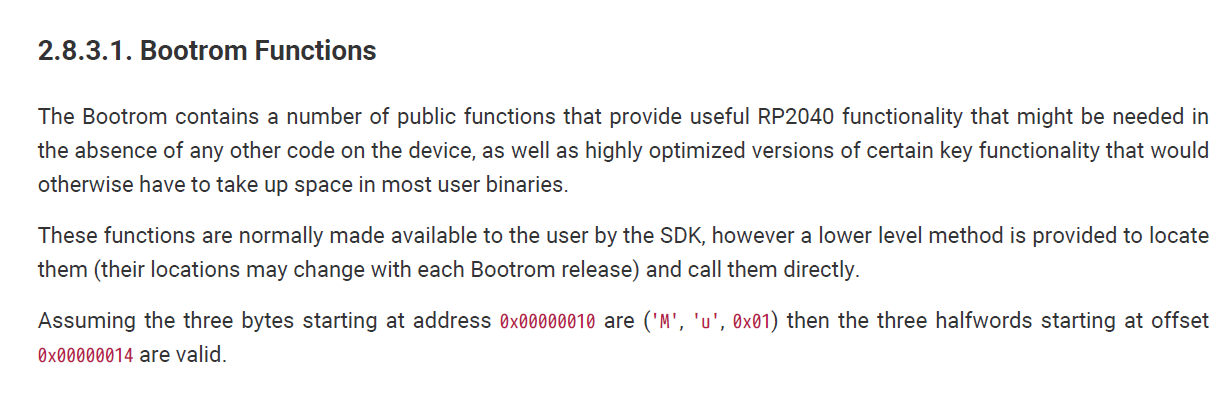
是有好几类函数:
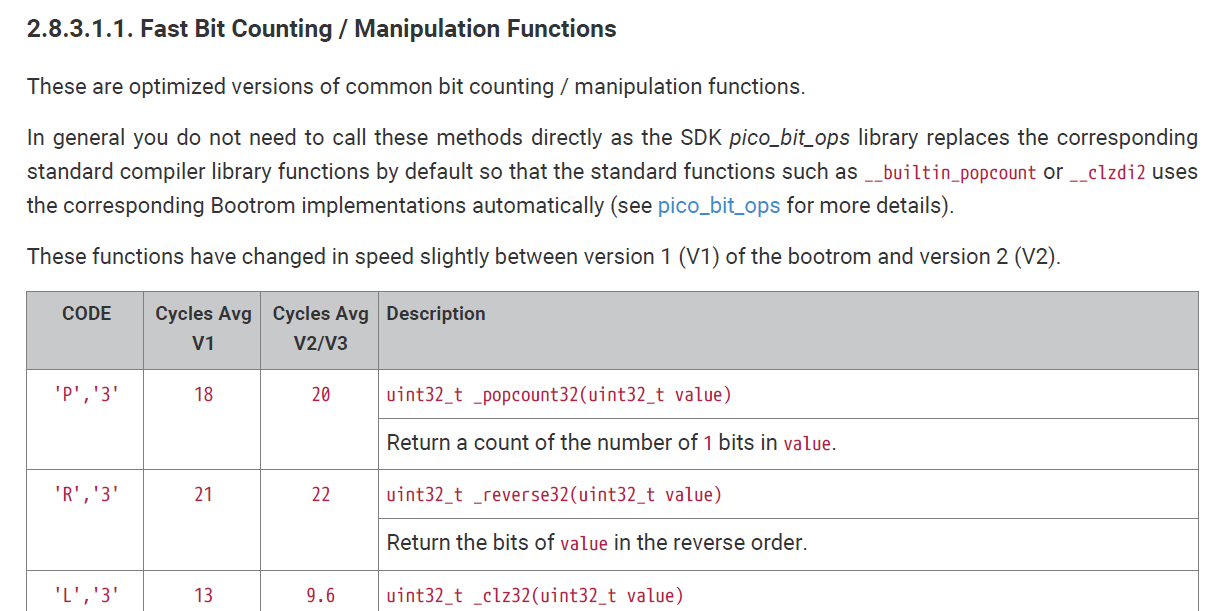
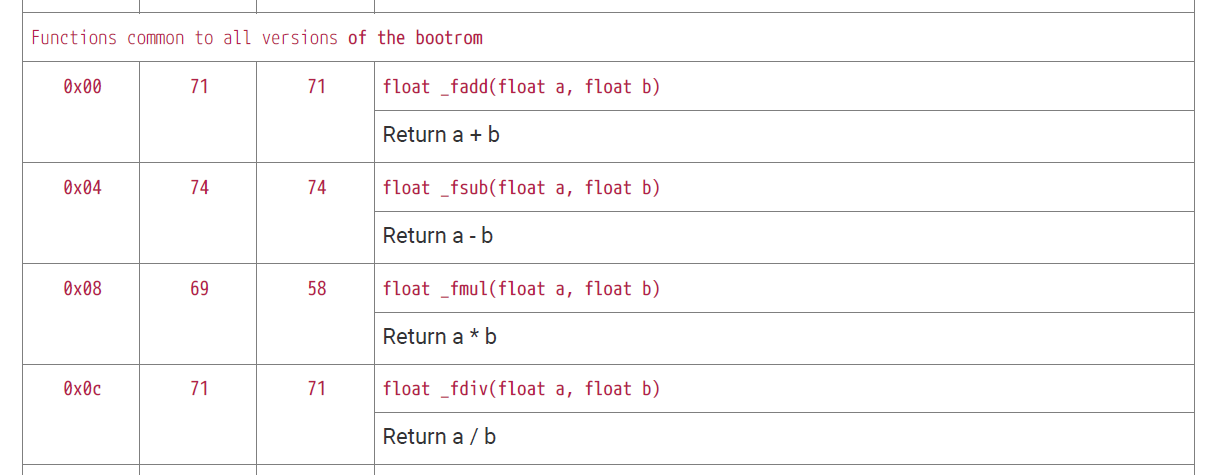
这些函数由树莓派的大神进行了高度优化并且保存在读取最快的ROM中,根据树莓派官方的基准测试:
在处理浮点数(float/double)运算时,使用 Bootrom 优化的库通常比标准的软件模拟库(如旧版的编译器自带库)快 2倍到10倍。在处理整数除法时,由于 Bootrom 配合了硬件加速逻辑,速度提升更为显著。
再完整的看官方手册吧。。。
2 调用
如果是在SDK下手动调用,大概是这样的:
查找
cpp
void *rom_func_lookup(uint32_t code) {
    13 return rom_func_lookup_inline(code);
}

void *rom_data_lookup(uint32_t code) {
    return rom_data_lookup_inline(code);
}
code就源于之前的表,算法是
cpp
uint32_t rom_table_code(char c1, char c2) {
    return (c2 << 8) | c1;
}学习代码还是来自:https://github.com/carlosftm/RPi-Pico-Baremetal/blob/main/14_bootrom_func_data/bootrom_func_data.c
cpp
    /* 1. Read and print the copyright string */
    volatile int* pRomTableLookup = ROM_TABLE_LOOKUP;                                       // pointer to rom_table_lookup() function
    uint32_t ( *romTableLookup )( uint16_t* dataTable, uint32_t code ) = *pRomTableLookup;  // function pointer assignment
    uint16_t *pDataTable = ( uint16_t* ) rom_hword_as_ptr( ROM_DATA_TABLE );                // pointer to the rom_data_table
    int code = genCode('C', 'R');                                                           // generate the code for the copyright_string
    char* copyrightString = (*romTableLookup)(pDataTable, code);                            // get the pointer to the copyright_string

    uartTxStr( "Copyright string from bootrom:\r\n") ;
    while(*copyrightString != 0)
    {
        uartTx(*copyrightString);
        copyrightString++;
    }
    uartTxStr("\r\n");

    /* 2. Call the bootrom popcount32() function */
    uint16_t *pFuncTable = ( uint16_t* ) rom_hword_as_ptr( ROM_FUNC_TABLE );                // pointer to the rom_func_table
    code = genCode('P', '3');                                                               // generate the code for the popcount32() function
    uint32_t* pFunction = ( *romTableLookup )( pFuncTable, code );                          // get pointer to the popcount32() function
    uint32_t ( *popCount32 )( uint32_t value ) = pFunction;                                 // function pointer assignment
    uint32_t result1s = ( *popCount32 )( 0xFF000001 );                                      // call popcount32() function

    uartTxStr( "\n\rCalculate number of binary 1 on 0xFF00001: \r\n");
    uartPrintDW( result1s );

    /* 3. Call the bootrom memset() function to initialize a 64byte memory block */
    unsigned char charArray[64];
    *pFuncTable = ( uint16_t* ) rom_hword_as_ptr( ROM_FUNC_TABLE );                         // pointer to the rom_func_table
    code = genCode('M', 'S');                                                               // generate the code for the memset() function
    pFunction = ( *romTableLookup )( pFuncTable, code );                                    // get pointer to the memset() function
    uint8_t (*_memset)(uint8_t *ptr, uint8_t c, uint32_t n) = pFunction;                    // function pointer assignment

    unsigned char initChar = 'a';
    while( initChar < 'd' )
    {
        (*_memset)(&charArray[0], initChar++, 64);                                          // call memset() function
        for ( int cnt = 0; cnt < 64; cnt++ )
        {
            uartTx(charArray[cnt]);
        }
        uartTxStr( "\n\r");
        SIO->GPIO_OUT_XOR_b.GPIO_OUT_XOR = ( 1 << 25 );     // XOR the LED pin
        delaySec( 1 );
    }
这里的代码好像也没用逻辑的寄存器位置,也是C的写法。
如果是使用SDK中,可以用hardware/bootrom.h。比如:
printf
cpp
#include "hardware/bootrom.h"

typedef void (*rom_printf_fn)(const char *, ...);

void rom_debug(void) {
    rom_printf_fn rp = (rom_printf_fn)rom_func_lookup(ROM_FUNC_PRINTF);
    rp("Hello from Boot ROM!\n");
}
memcpy/memset
cpp
#include "hardware/bootrom.h"

typedef void (*memcpy_fn)(void *, const void *, size_t);

void *rom_memcpy(void *dst, const void *src, size_t n) {
    memcpy_fn fn = (memcpy_fn)rom_func_lookup(ROM_FUNC_MEMCPY);
    return fn(dst, src, n);
}
3 小结
树莓派Pico这种玩法确实以前也没见过,说实话,重写这些库也要极高的水平。也算是有趣的一个地方。关键就是用途。我感觉用途有这几个。
1 Boot和裸片。Pico的Boot1是肯定没法写的,256字节的Boot2倒是可能魔改,这时候就要用这个。此外裸片的时候也只能用这个。
2 SDK。SDK应该也是封装了不少,高度定制了runtime lib,这个也是使用最多的场景。当然,这个时候对最终用户基本上也是无感的。
3 应用的时候手动调用。这个就见仁见智了,有说这样弄是高手,有说这样弄破坏封装结构的。只有具体涉及到的时候再看了。。。