前言:
因为vue-element-plus-admin的mini分支与主分支的版本差距较大,且mini分支更适合二次开发,所以我采用mini分支进行前后端分离的项目开发,在这过程中遇到了不少问题。
在此记录一部分,后续如果有新的问题再继续更新
①mini分支使用pnpm i命令时报错
git克隆后,使用pnpm i命令报错,原因是pnpm的默认版本过低
可以使用pnpm -v 查看版本,
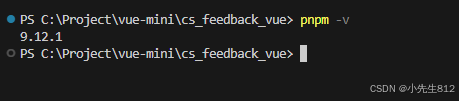
通过npm i -g pnpm@9.12.1升级版本解决。
npm i -g pnpm@9.12.1②mini分支使用局部刷新按钮跳转至404页面
src\router\index.ts文件中找到以下代码
TypeScript
{
    path: '/redirect',
    component: () => import('@/views/Redirect/Redirect.vue'),
    name: 'Redirect',
    meta: {
      hidden: true,
      noTagsView: true
    }
  },
对这段代码进行替换,改为主分支的如下代码就可以了
TypeScript
{
    path: '/redirect',
    component: Layout,
    name: 'RedirectWrap',
    children: [
      {
        path: '/redirect/:path(.*)',
        name: 'Redirect',
        component: () => import('@/views/Redirect/Redirect.vue'),
        meta: {}
      }
    ],
    meta: {
      hidden: true,
      noTagsView: true
    }
  },
③富文本编辑器图片上传功能
富文本控件官方文档:菜单配置 | wangEditor
我这边进行的配置如下:
3.1 修改Editor.vue文件
首先在修改路径\src\components\Editor\src\Editor.vue文件
TypeScript
const props = defineProps({
  editorId: propTypes.string.def('wangeEditor-1'),
  height: propTypes.oneOfType([Number, String]).def('500px'),
  editorConfig: {
    type: Object as PropType<IEditorConfig>,
    default: () => undefined
  },
  // 新增:图片上传配置,由父组件传入(例如自定义上传)
  uploadImage: {
    type: Object as PropType<{
      customUpload?: (
        file: File,
        insertFn: (url: string, alt?: string, href?: string) => void
      ) => void
      // 如需扩展 server、headers 等,可继续在此补充
    }>,
    default: () => undefined
  },
  modelValue: propTypes.string.def('')
})
3.2使用富文本控件时具体配置
TypeScript
{
    field: 'replyContent', // 改为与 rules / watch 一致的字段名
    component: 'Editor',
    colProps: { span: 24 },
    componentProps: {
      uploadImage: {
        async customUpload(file: File, insertFn: (url: string, alt: string, href: string) => void) {
          try {
            const res = await saveImageEditApi(file)
            if (res?.code === 200 && res.data) {
              // console.log('图片上传成功:', res.data)
              insertFn(res.data.url, res.data.alt, res.data.herf)
            } else {
              console.error('图片上传失败:', res || '未知错误')
            }
          } catch (e) {
            console.error('图片上传错误:', e)
          }
        }
      }
    },
    label: t('exampleDemo.content')
  }
3.3 关于接口回参
官方推荐的返回格式
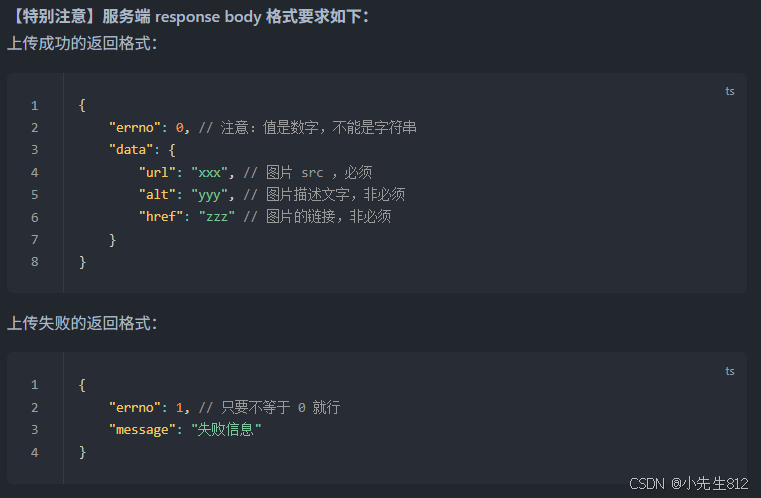
我swagger文档中的回参格式
javascript
{
  "code": 0,
  "erron": 0,
  "message": "string",
  "data": {
    "url": "string",
    "alt": "string",
    "href": "string"
  }
}
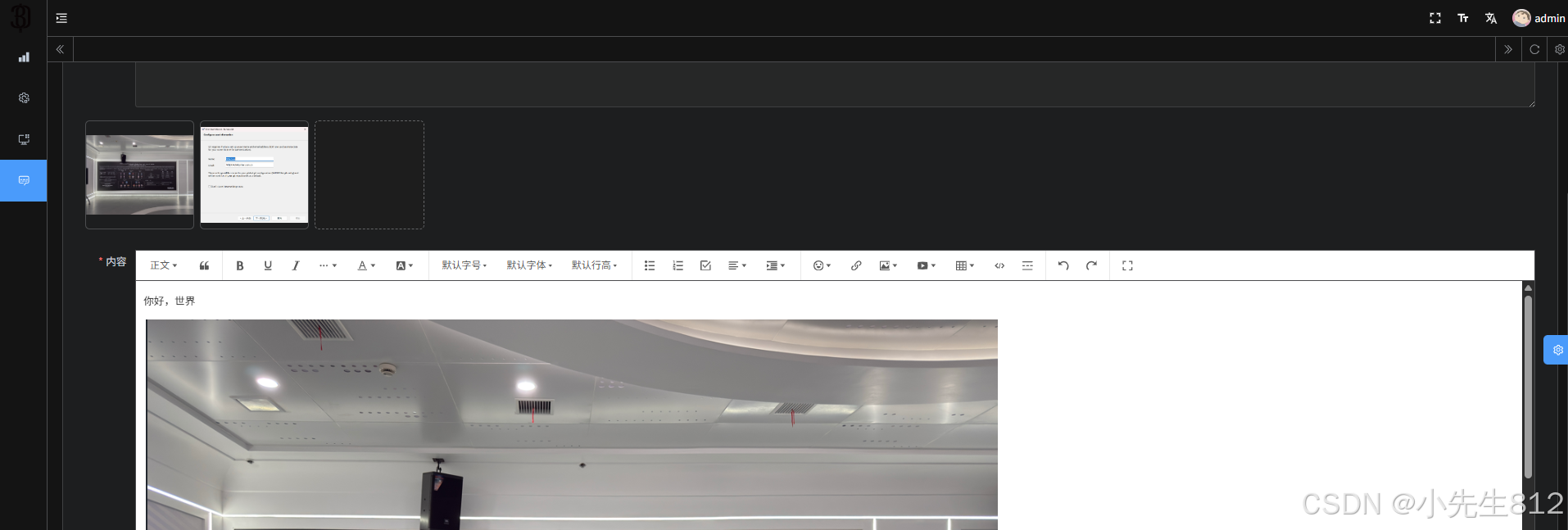
3.4 效果截图