Step 1:Fork 官方仓库(必须)
Fork the repository using the following link
操作:
-
点击右上角 Fork
-
生成你自己的仓库:
https://github.com/<yourname>/mimic-code
Step 2:本地 clone 你的 fork(不是 clone 官方)
git clone https://github.com/<yourname>/mimic-code.git cd mimic-code
然后加 upstream(强烈推荐,但官方没写):
git remote add upstream https://github.com/MIT-LCP/mimic-code.git git remote -v
Step 3:新建一个功能分支(非常重要)
git checkout -b feat/concepts-postgres-sofa
原因:
-
官方 reviewers 不希望你直接在 master/main 上改
-
分支名清楚表达:
feat / fix / docs
Step 4:按官方"concepts"范式写代码
官方给了一个非常重要的示例:
ventilation durations can be acquired by creating the
ventdurationsview in
concepts/durations/ventilation_durations.sql
这意味着你应该遵循:
1️⃣ 放在正确目录
例如:
concepts/ sepsis/ sepsis3.sql firstday/ first_day_sofa.sql durations/ ventilation_durations.sql
不要:
-
随意新建奇怪目录
-
把 SQL 放在根目录
Step 5:本地验证(PR 是否通过的核心)
官方虽然没写,但 reviewers 一定会默认你做过验证。
你至少应该能在 PR 里回答:
-
PostgreSQL 版本(例如 14 / 15)
-
MIMIC 版本(MIMIC-III v1.4 / MIMIC-IV v2.2)
-
如何运行:
psql -f concepts/xxx/your_view.sql -
是否成功创建 view
-
大概耗时(分钟级 / 秒级)
👉 这是你和"只会写 SQL 的人"的分水岭。
Step 6:Commit(注意 License 已默认同意)
先add再commit
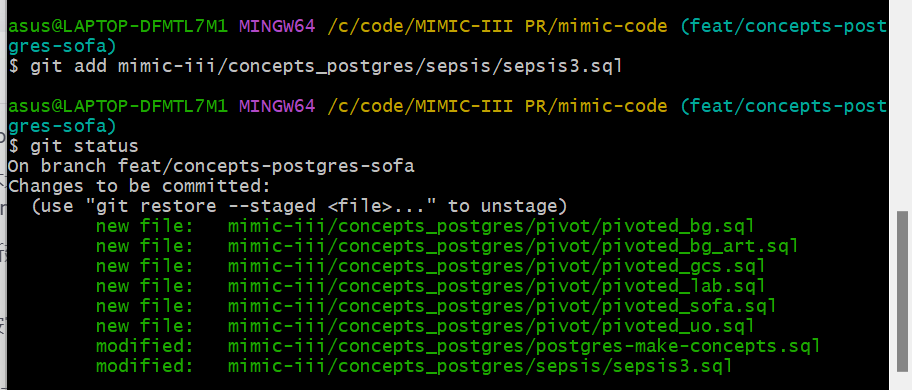
# 带提交信息的 commit(推荐)
git commit -m "Feat: add SOFA related PostgreSQL scripts"

# 如果你之前想执行无参数的 git commit(会打开编辑器写信息),也可以直接执行
git commit
官方已经写清楚:
By committing your code ... you agree to release under MIT License
所以:
-
不需要额外声明
-
不要引入 GPL / 非 MIT 代码
Step 7:Push 到你的 fork
git push origin feat/concepts-postgres-sofa
Step 8:在 GitHub 上提交 Pull Request
-
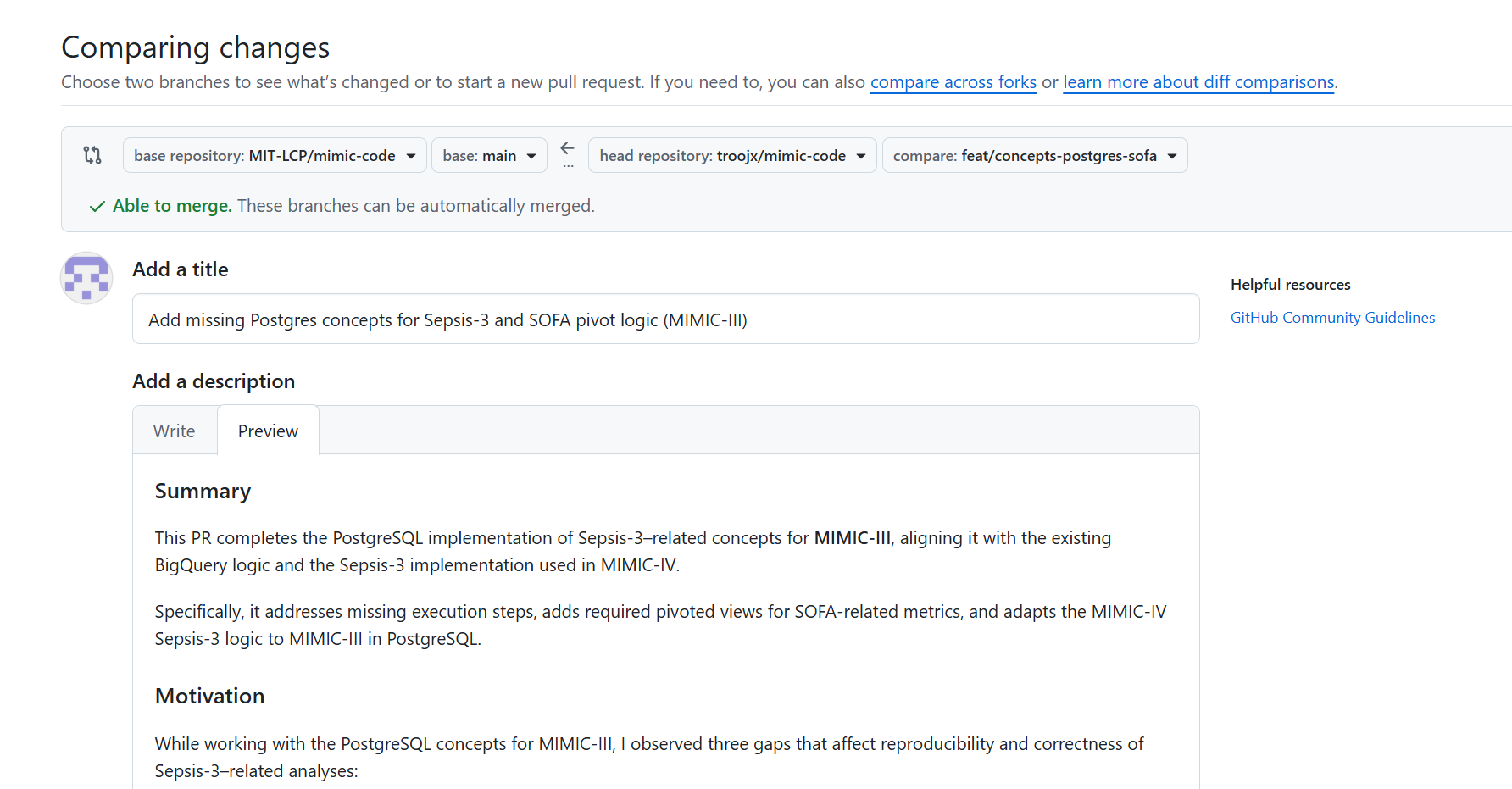
base repo:
MIT-LCP/mimic-code -
base branch:
master或main -
compare:你刚才的分支
-
打开 PR 链接:
- 方式 1:推送成功后,终端里会给出 PR 链接(类似
https://github.com/troojx/mimic-code/pull/new/feat/concepts-postgres-sofa),直接复制到浏览器打开; - 方式 2:手动打开 GitHub → 进入你的
mimic-code仓库 → 点击顶部的「Pull requests」→ 点击「New pull request」→ 选择你的分支feat/concepts-postgres-sofa作为「compare」分支,选择目标分支(通常是原仓库的main/master,如果是 fork 仓库要选对上游)。
- 方式 1:推送成功后,终端里会给出 PR 链接(类似
-
填写 PR 信息(关键,影响 Review 效率):
- Title :保持和 commit 信息一致且简洁,比如
Feat: add SOFA related PostgreSQL scripts; - Description :简要说明你做的修改(比如 "新增 / 优化了 PostgreSQL 版本的 SOFA 评分相关脚本,包括 pivot 目录、sepsis3.sql 等文件"),如果有相关的 issue 编号,也可以关联上(比如
Fixes #123)。
- Title :保持和 commit 信息一致且简洁,比如
-
提交 PR:确认信息无误后,点击「Create pull request」按钮,PR 就提交成功了。
第一次为开源社区贡献自己的代码,非常兴奋