安装gitlab
下载路径:https://mirrors.tuna.tsinghua.edu.cn/gitlab-ce/yum/el7/?C=M\&O=D
1.## 安装必要组件
sudo yum install -y curl policycoreutils-python openssh-server perl
2.## 开启https
firewall-cmd --permanent --add-service=http
firewall-cmd --permanent --add-service=https
systemctl reload firewalld ##刷新防火墙
3.## 开启sshd
systemctl enable sshd
systemctl start sshd
4.## 安装gitlab 安装包
rpm -ivh gitlab-ce-17.1.1-ce.0.el7.x86_64.rpm --force --nodeps
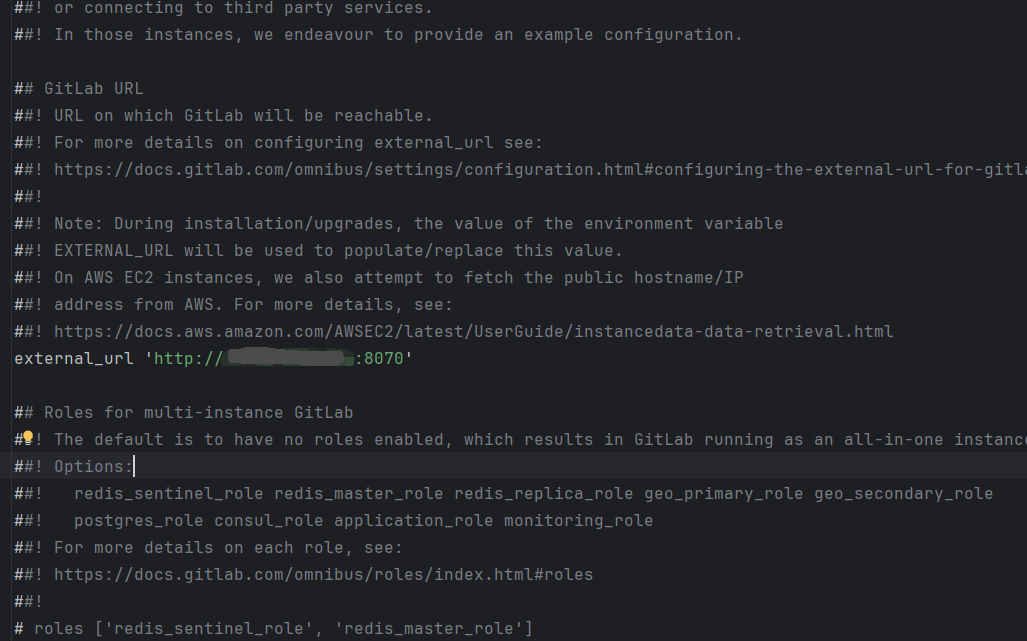
5.## 编辑配置 修改属性 external_url 'http://ip:8070' //或直接修改域名
vi /etc/gitlab/gitlab.rb
6.## 刷新配置
gitlab-ctl reconfigure
7.## 重启
gitlab-ctl restart
8.## 查看初始化密码
cat /etc/gitlab/initial_root_password