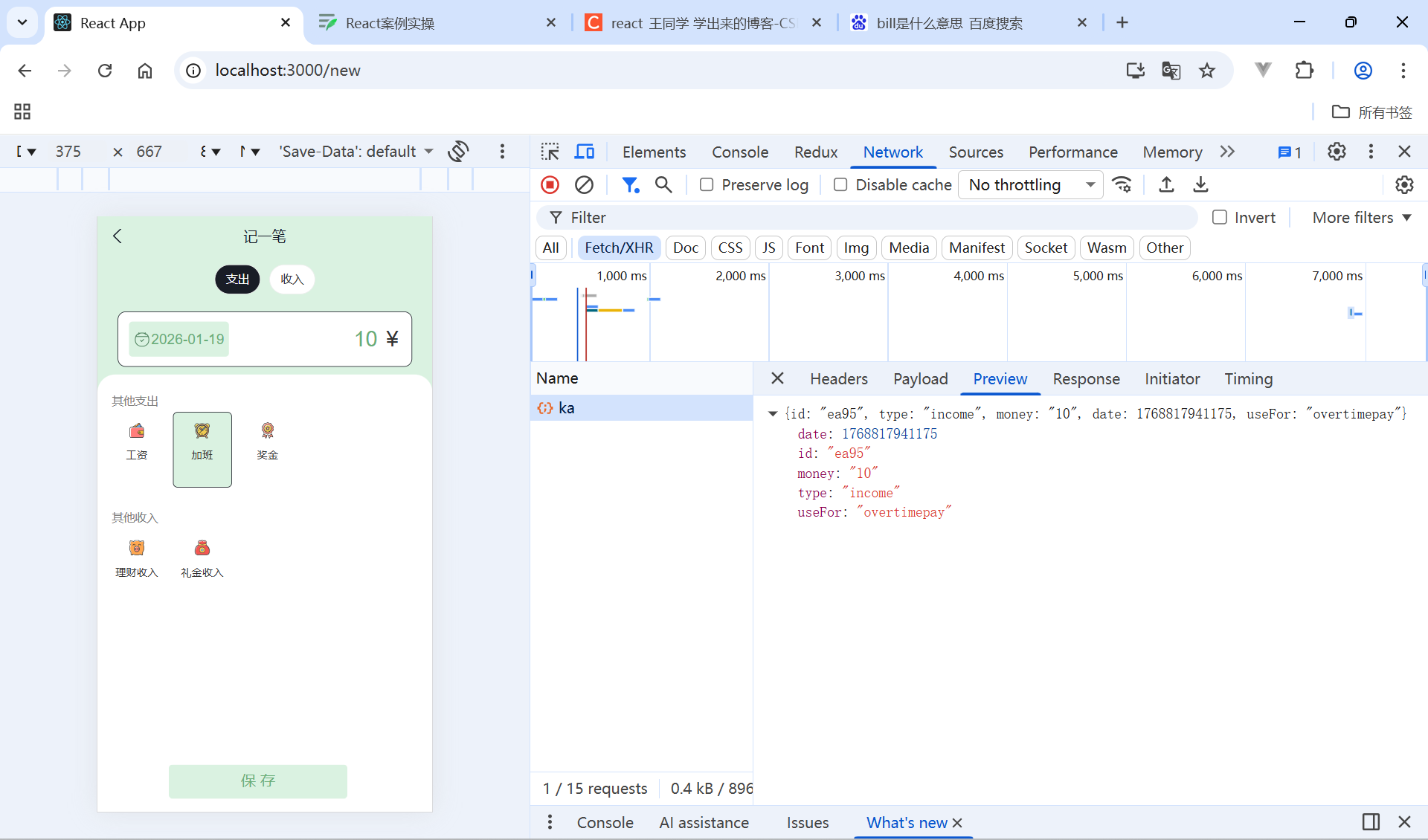
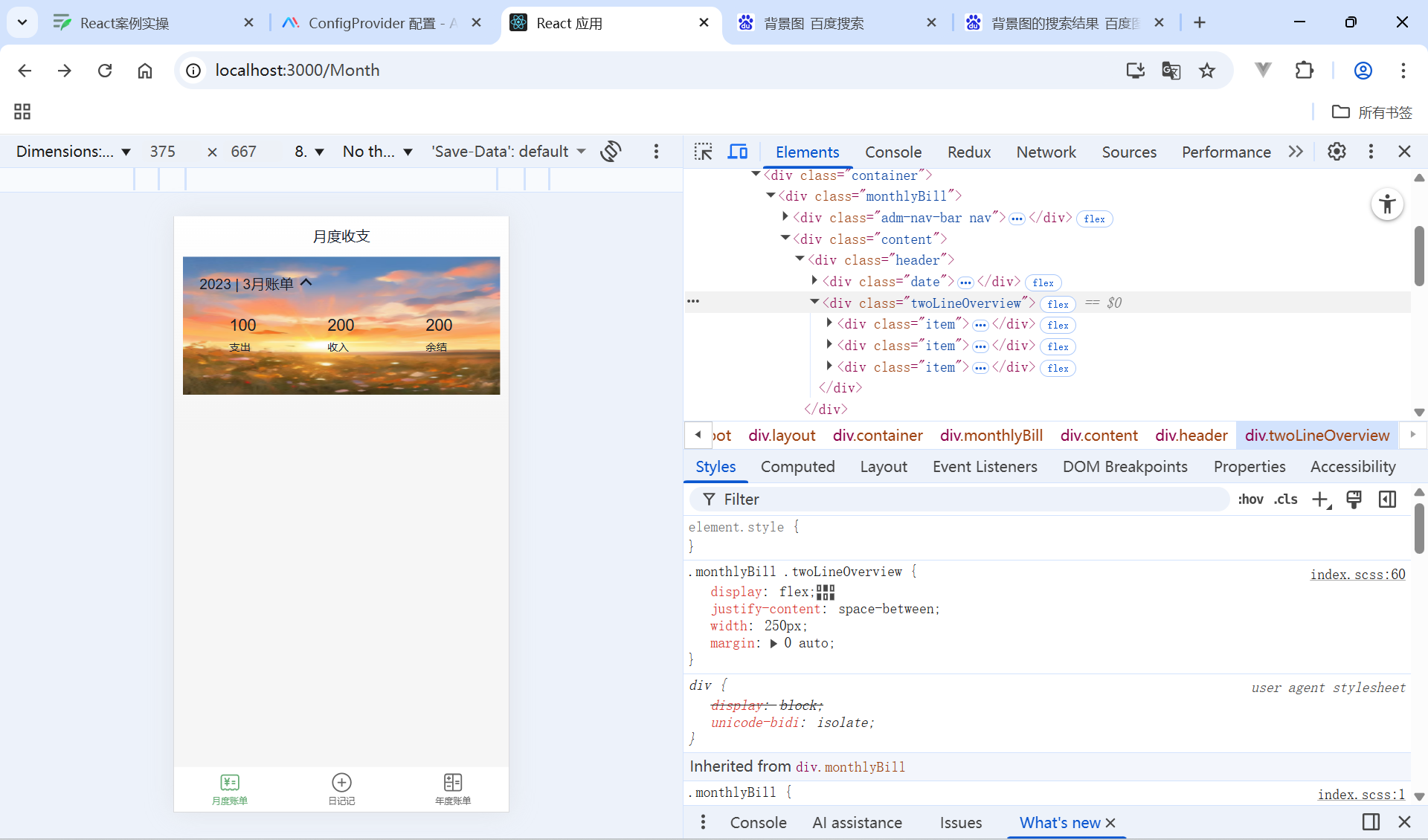
月度账单-统计区域
Month.js静态搭建
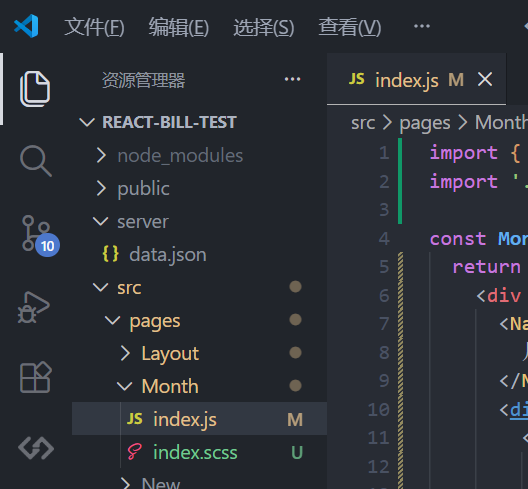
import { NavBar, DatePicker } from 'antd-mobile'
import './index.scss'

const Month = () => {
  return (
    <div className="monthlyBill">
      <NavBar className="nav" backArrow={false}>
        月度收支
      </NavBar>
      <div className="content">
        <div className="header">
          {/* 时间切换区域 */}
          <div className="date">
            <span className="text">
              2023 | 3月账单
            </span>
            <span className='arrow expand'></span>
          </div>
          {/* 统计区域 */}
          <div className='twoLineOverview'>
            <div className="item">
              <span className="money">{100}</span>
              <span className="type">支出</span>
            </div>
            <div className="item">
              <span className="money">{200}</span>
              <span className="type">收入</span>
            </div>
            <div className="item">
              <span className="money">{200}</span>
              <span className="type">结余</span>
            </div>
          </div>
          {/* 时间选择器 */}
          <DatePicker
            className="kaDate"
            title="记账日期"
            precision="month"
            visible={false}
            max={new Date()}
          />
        </div>
      </div>
    </div >
  )
}

export default Month
index.scss
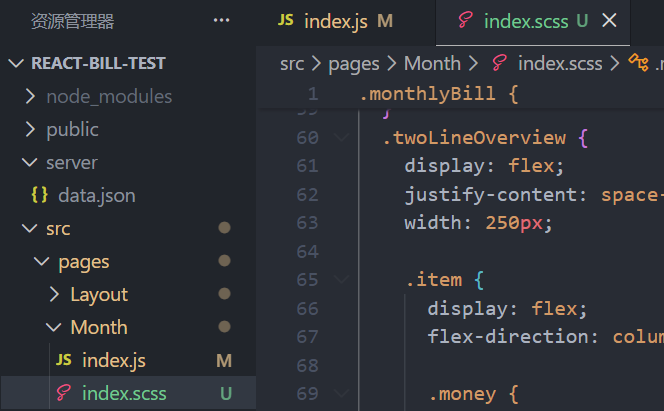
.monthlyBill {
  --ka-text-color: #191d26;
  height: 100%;
  background: linear-gradient(180deg, #ffffff, #f5f5f5 100%);
  background-size: 100% 240px;
  background-repeat: no-repeat;
  background-color: rgba(245, 245, 245, 0.9);
  color: var(--ka-text-color);

  .nav {
    --adm-font-size-10: 16px;
    color: #121826;
    background-color: transparent;
    .adm-nav-bar-back-arrow {
      font-size: 20px;
    }
  }

  .content {
    height: 573px;
    padding: 0 10px;
    overflow-y: scroll;
    -ms-overflow-style: none; /* Internet Explorer 10+ */
    scrollbar-width: none; /* Firefox */
    &::-webkit-scrollbar {
      display: none; /* Safari and Chrome */
    }

    > .header {
      height: 135px;
      padding: 20px 20px 0px 18.5px;
      margin-bottom: 10px;
      background-image: url(https://img1.baidu.com/it/u=2338180606,154682688&fm=253&app=138&f=JPEG?w=500&h=889);
      background-size: 100% 100%;

      .date {
        display: flex;
        align-items: center;
        margin-bottom: 25px;
        font-size: 16px;

        .arrow {
          display: inline-block;
          width: 7px;
          height: 7px;
          margin-top: -3px;
          margin-left: 9px;
          border-top: 2px solid #121826;
          border-left: 2px solid #121826;
          transform: rotate(225deg);
          transform-origin: center;
          transition: all 0.3s;
        }
        .arrow.expand {
          transform: translate(0, 2px) rotate(45deg);
        }
      }
    }
  }
  .twoLineOverview {
    display: flex;
    justify-content: space-between;
    width: 250px;
    margin: 0 auto;

    .item {
      display: flex;
      flex-direction: column;

      .money {
        height: 24px;
        line-height: 24px;
        margin-bottom: 5px;
        font-size: 18px;
      }
      .type {
        height: 14px;
        line-height: 14px;
        font-size: 12px;
      }
    }
  }
}
月度账单-统计区域-点击切换时间选择框

点击打开弹框
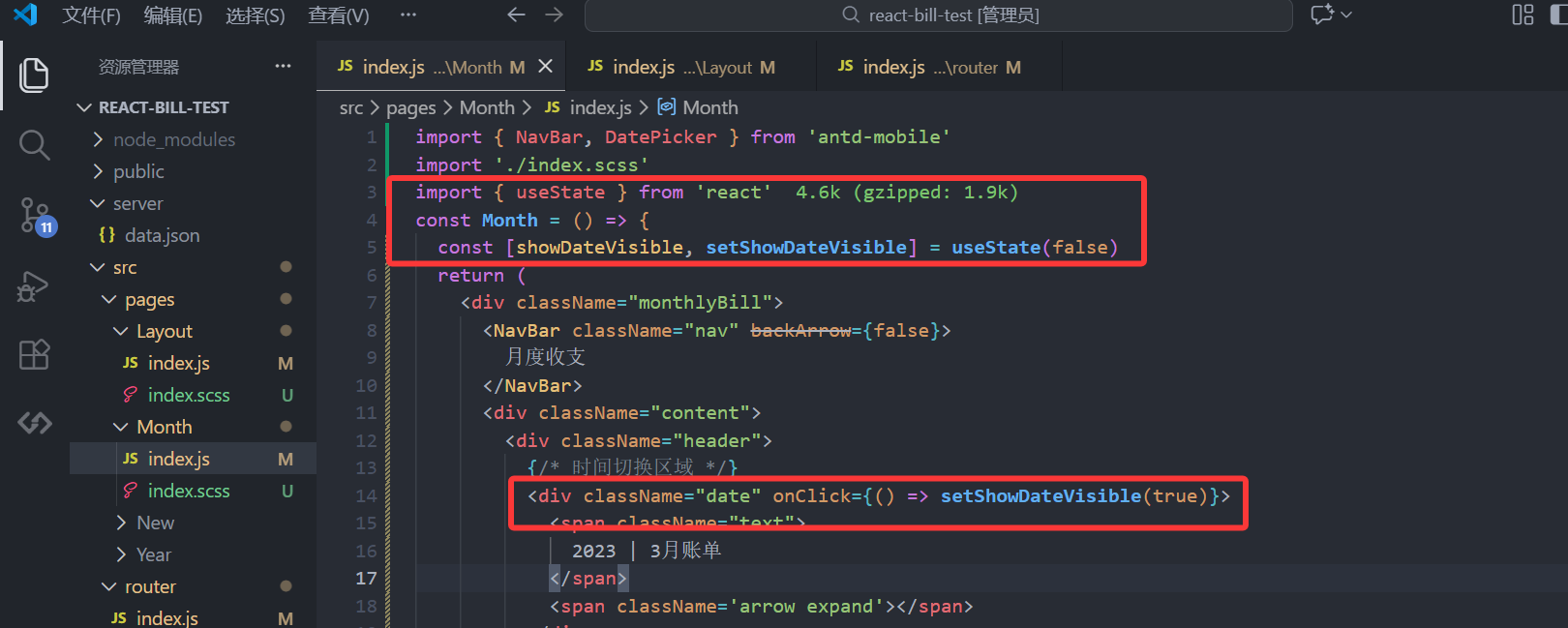
import { useState } from 'react'

const [showDateVisible, setShowDateVisible] = useState(false)
<div className="date" onClick={() => setShowDateVisible(true)}>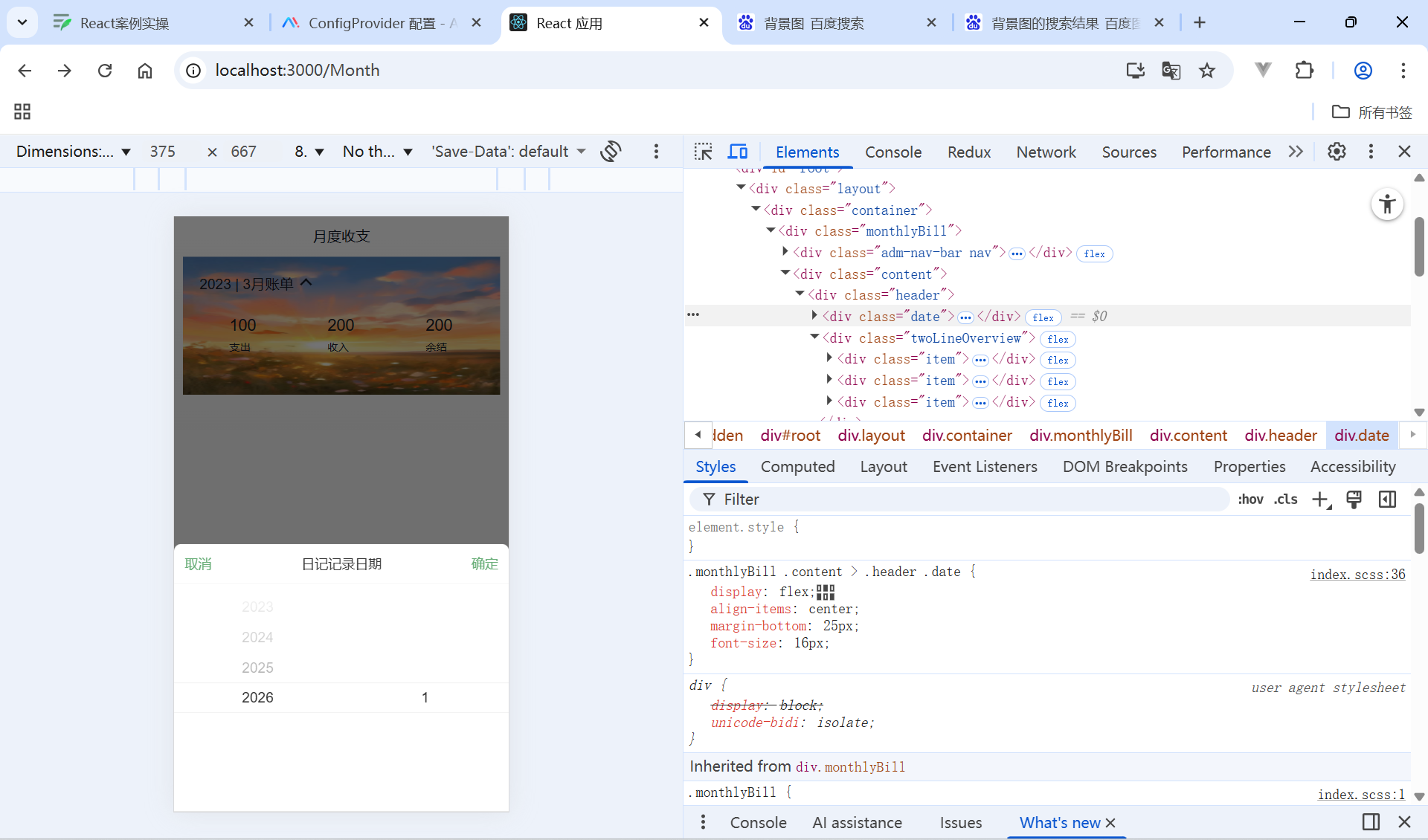
点击取消/确认按钮以及蒙层区域都可以关闭弹框
import { NavBar, DatePicker } from 'antd-mobile'
import './index.scss'
import { useState } from 'react'
const Month = () => {
  const [showDateVisible, setShowDateVisible] = useState(false)
  const onConfirm = () => {
    setShowDateVisible(false)
    //触发逻辑
  }
  return (
    <div className="monthlyBill">
      <NavBar className="nav" backArrow={false}>
        月度收支
      </NavBar>
      <div className="content">
        <div className="header">
          {/* 时间切换区域 */}
          <div className="date" onClick={() => setShowDateVisible(true)}>
            <span className="text">
              2023 | 3月账单
            </span>
            <span className='arrow expand'></span>
          </div>
          {/* 统计区域 */}
          <div className='twoLineOverview'>
            <div className="item">
              <span className="money">{100}</span>
              <span className="type">支出</span>
            </div>
            <div className="item">
              <span className="money">{200}</span>
              <span className="type">收入</span>
            </div>
            <div className="item">
              <span className="money">{200}</span>
              <span className="type">结余</span>
            </div>
          </div>
          {/* 时间选择器 */}
          <DatePicker
            className="kaDate"
            title="记账日期"
            precision="month"
            visible={showDateVisible}
            onCancel={() => setShowDateVisible(false)}
            onClose={() => setShowDateVisible(false)}
            onConfirm={onConfirm}
            max={new Date()}

          />
        </div>
      </div>
    </div >
  )
}

export default Month
弹框关闭时箭头朝下,打开是箭头朝上
import classNames from 'classnames'
<span className={classNames('arrow',showDateVisible && 'expand')} ></span>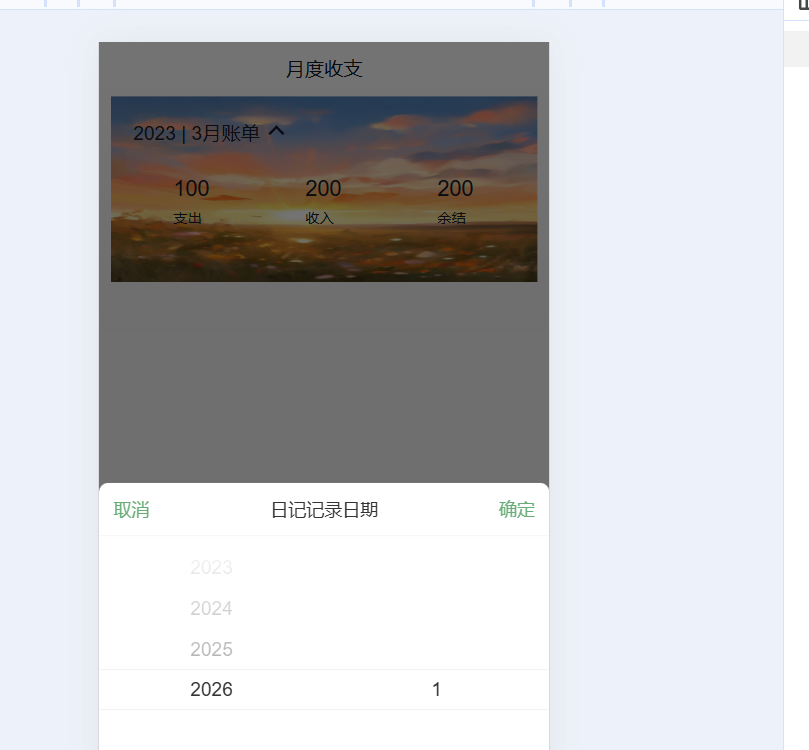
全部代码
import { NavBar, DatePicker } from 'antd-mobile'
import './index.scss'
import { useState } from 'react'
import classNames from 'classnames'
const Month = () => {
  const [showDateVisible, setShowDateVisible] = useState(false)
  const onConfirm = () => {
    setShowDateVisible(false)
    //触发逻辑
  }
  return (
    <div className="monthlyBill">
      <NavBar className="nav" backArrow={false}>
        月度收支
      </NavBar>
      <div className="content">
        <div className="header">
          {/* 时间切换区域 */}
          <div className="date" onClick={() => setShowDateVisible(true)}>
            <span className="text">
              2023 | 3月账单
            </span>
            <span className={classNames('arrow',showDateVisible && 'expand')} ></span>
          </div>
          {/* 统计区域 */}
          <div className='twoLineOverview'>
            <div className="item">
              <span className="money">{100}</span>
              <span className="type">支出</span>
            </div>
            <div className="item">
              <span className="money">{200}</span>
              <span className="type">收入</span>
            </div>
            <div className="item">
              <span className="money">{200}</span>
              <span className="type">结余</span>
            </div>
          </div>
          {/* 时间选择器 */}
          <DatePicker
            className="kaDate"
            title="记账日期"
            precision="month"
            visible={showDateVisible}
            onCancel={() => setShowDateVisible(false)}
            onClose={() => setShowDateVisible(false)}
            onConfirm={onConfirm}
            max={new Date()}

          />
        </div>
      </div>
    </div >
  )
}

export default Month
月度账单-统计区域-点击确定切换时间显示
引入dayjs换日期格式并且写时间控制显示,渲染出来
import { NavBar, DatePicker } from 'antd-mobile'
import './index.scss'
import { useState } from 'react'
import classNames from 'classnames'
import dayjs from 'dayjs'
const Month = () => {
  //日期选择器显示控制
  const [showDateVisible, setShowDateVisible] = useState(false)
  //控制时间显示
  const [date, setDate] = useState(() => {
    return  dayjs(new Date()).format('YYYY-MM')
  })
  const onConfirm = (date) => {
    setShowDateVisible(false)
    //触发逻辑
    const selectDate = dayjs(date).format('YYYY-MM')
    setDate(selectDate)
  }
  return (
    <div className="monthlyBill">
      <NavBar className="nav" backArrow={false}>
        月度收支
      </NavBar>
      <div className="content">
        <div className="header">
          {/* 时间切换区域 */}
          <div className="date" onClick={() => setShowDateVisible(true)}>
            <span className="text">
                {date+''}
            </span>
            <span className={classNames('arrow',showDateVisible && 'expand')} ></span>
          </div>
          {/* 统计区域 */}
          <div className='twoLineOverview'>
            <div className="item">
              <span className="money">{100}</span>
              <span className="type">支出</span>
            </div>
            <div className="item">
              <span className="money">{200}</span>
              <span className="type">收入</span>
            </div>
            <div className="item">
              <span className="money">{200}</span>
              <span className="type">结余</span>
            </div>
          </div>
          {/* 时间选择器 */}
          <DatePicker
            className="kaDate"
            title="记账日期"
            precision="month"
            visible={showDateVisible}
            onCancel={() => setShowDateVisible(false)}
            onClose={() => setShowDateVisible(false)}
            onConfirm={onConfirm}
            max={new Date()}

          />
        </div>
      </div>
    </div >
  )
}

export default Month
月度账单-统计区域-数据按月分组实现

从Redux拿到数据放入Memo
import { useSelector } from 'react-redux'
import { useMemo } from 'react'
//按月份分组
  const billList = useSelector(state=>state.billStore.billList)
  const monthGroup = useMemo(()=>{
    return billList
  },[billList])
  console.log(monthGroup);
按月份分组
npm i lodash应用
import _ from 'lodash'
 //按月份分组
  const billList = useSelector(state=>state.billStore.billList)
  const monthGroup = useMemo(()=>{
    return _.groupBy(billList,(item=>dayjs(item.date).format('YYYY-MM')))
  },[billList])
  console.log(monthGroup);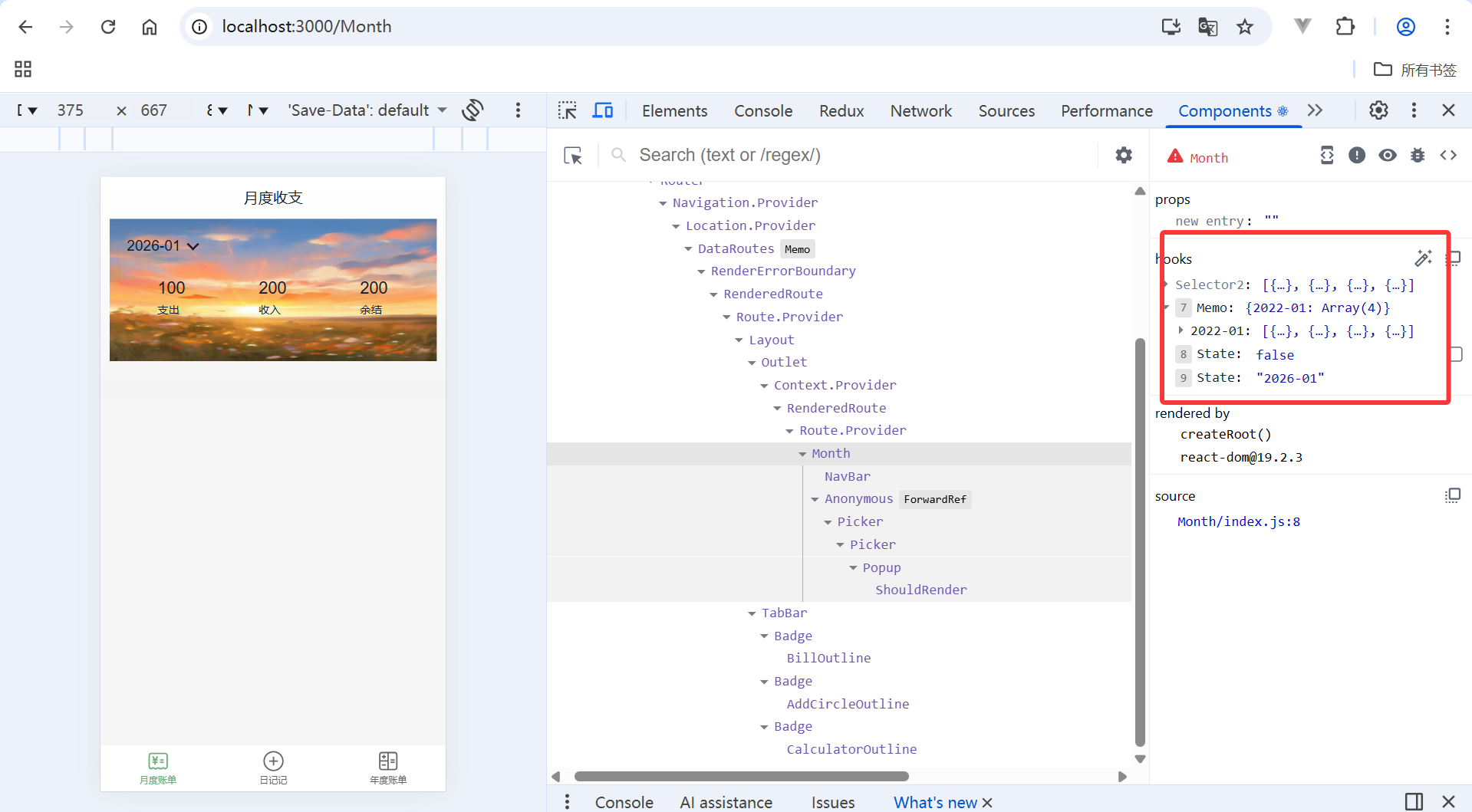
月度账单-统计区域-计算选择月份之后的统计数据

获取当前月并且找到对应数组
const [monthList , setMonthList] = useState([])
const onConfirm = (date) => {
    setShowDateVisible(false)
    //触发逻辑
    const selectDate = dayjs(date).format('YYYY-MM')
    //存月份列表
    setMonthList(monthGroup[selectDate])
    setDate(selectDate)
  }
计算
  const monthResult = useMemo(()=>{
    //支出和收入结余
    const pay = monthList.filter(item=>item.type==='pay').reduce((a,c)=>a+=c.money,0)
    const income = monthList.filter(item=>item.type==='income').reduce((a,c)=>a+=c.money,0)
    return {
      pay,
      income,
      total:income+pay
    }
  },[monthList])
全部代码
import { NavBar, DatePicker } from 'antd-mobile'
import './index.scss'
import { useState } from 'react'
import classNames from 'classnames'
import dayjs from 'dayjs'
import { useSelector } from 'react-redux'
import { useMemo } from 'react'
import _ from 'lodash'
const Month = () => {
  //按月份分组
  const billList = useSelector(state=>state.billStore.billList)
  const monthGroup = useMemo(()=>{
    return _.groupBy(billList,(item=>dayjs(item.date).format('YYYY-MM')))
  },[billList])
  console.log(monthGroup);
  //存月份
  const [monthList , setMonthList] = useState([])
  const monthResult = useMemo(()=>{
    //支出和收入结余
    const pay = monthList.filter(item=>item.type==='pay').reduce((a,c)=>a+=c.money,0)
    const income = monthList.filter(item=>item.type==='income').reduce((a,c)=>a+=c.money,0)
    return {
      pay,
      income,
      total:income+pay
    }
  },[monthList])
  //日期选择器显示控制
  const [showDateVisible, setShowDateVisible] = useState(false)
  //控制时间显示
  const [date, setDate] = useState(() => {
    return  dayjs(new Date()).format('YYYY-MM')
  })
  const onConfirm = (date) => {
    setShowDateVisible(false)
    //触发逻辑
    const selectDate = dayjs(date).format('YYYY-MM')
    //存月份列表
    setMonthList(monthGroup[selectDate])
    setDate(selectDate)
  }
  return (
    <div className="monthlyBill">
      <NavBar className="nav" backArrow={false}>
        月度收支
      </NavBar>
      <div className="content">
        <div className="header">
          {/* 时间切换区域 */}
          <div className="date" onClick={() => setShowDateVisible(true)}>
            <span className="text">
                {date+''}
            </span>
            <span className={classNames('arrow',showDateVisible && 'expand')} ></span>
          </div>
          {/* 统计区域 */}
          <div className='twoLineOverview'>
            <div className="item">
              <span className="money">{monthResult.pay}</span>
              <span className="type">支出</span>
            </div>
            <div className="item">
              <span className="money">{monthResult.income}</span>
              <span className="type">收入</span>
            </div>
            <div className="item">
              <span className="money">{monthResult.total}</span>
              <span className="type">结余</span>
            </div>
          </div>
          {/* 时间选择器 */}
          <DatePicker
            className="kaDate"
            title="记账日期"
            precision="month"
            visible={showDateVisible}
            onCancel={() => setShowDateVisible(false)}
            onClose={() => setShowDateVisible(false)}
            onConfirm={onConfirm}
            max={new Date()}

          />
        </div>
      </div>
    </div >
  )
}

export default Month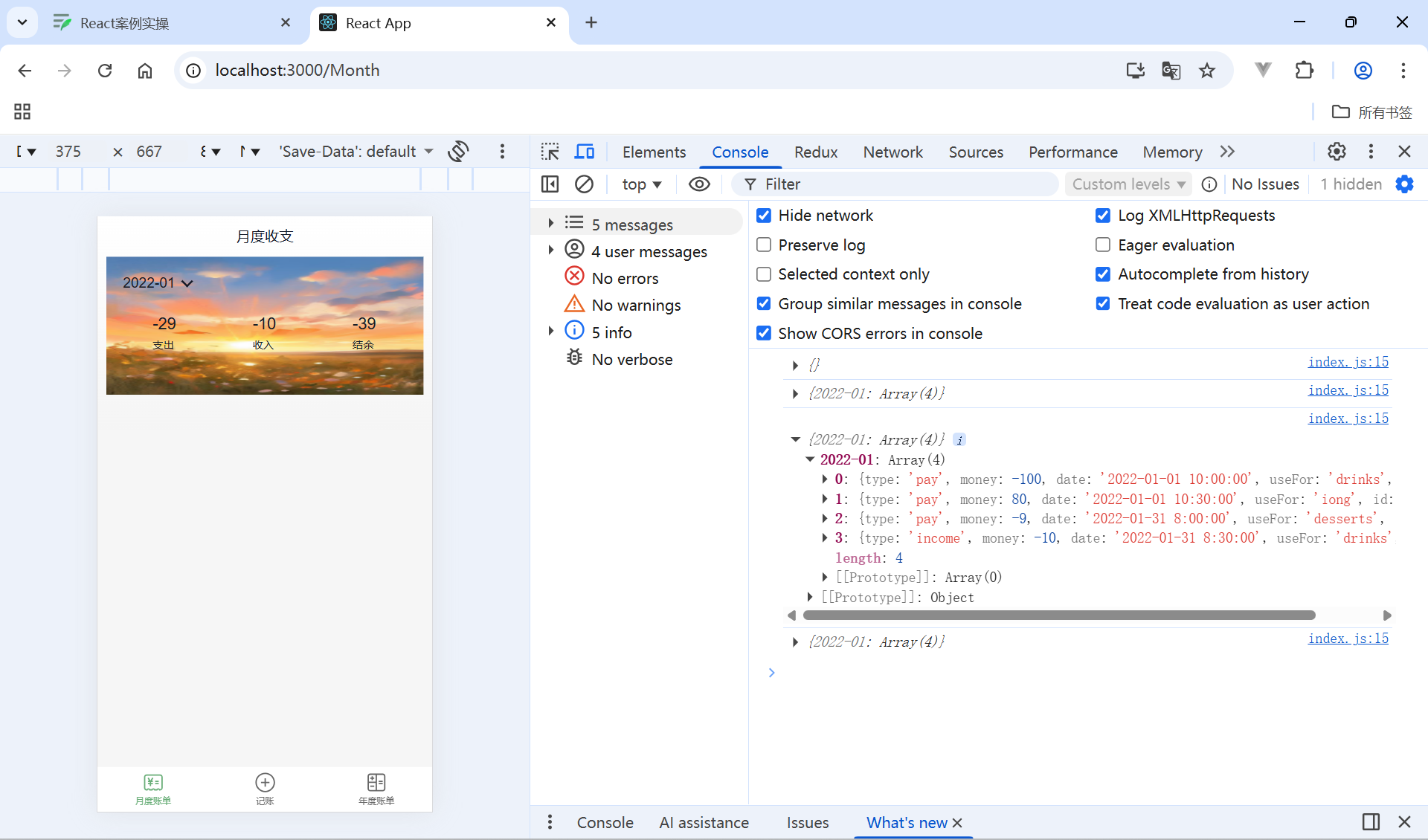
月度账单-统计区域-初始化渲染统计数据
重构一下数据
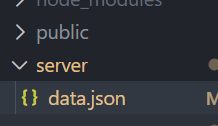
{
   "ka":[
     {
        "type": "pay",
        "money": -100,
        "date": "2022-01-01 10:00:00",
        "useFor": "drinks",
        "id": 1
    },
    {
        "type": "pay",
        "money": 80,
        "date": "2022-01-01 10:30:00",
        "useFor": "iong",
        "id": 1
    },
    {
        "type": "pay",
        "money": -9,
        "date": "2022-01-31 8:00:00",
        "useFor": "desserts",
        "id": 1
    },
    {
        "type": "income",
        "money": -10,
        "date": "2022-01-31 8:30:00",
        "useFor": "drinks",
        "id": 1
    }, {
        "type": "pay",
        "money": -1900,
        "date": "2026-01-18 8:00:00",
        "useFor": "desserts",
        "id": 1
    },
    {
        "type": "income",
        "money": -10,
        "date": "2026-01-19 8:30:00",
        "useFor": "drinks",
        "id": 1
    },
     {
        "type": "income",
        "money": -10,
        "date": "2026-01-20 8:30:00",
        "useFor": "drinks",
        "id": 1
    }
   ]
}
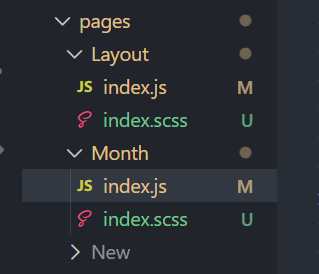
//初始化把当前月显示出来
  useEffect(()=>{
    const now = dayjs().format('YYYY-MM')
    //边界值控制
    if(monthGroup[now]){
      setMonthList(monthGroup[now])
    }
  },[monthGroup])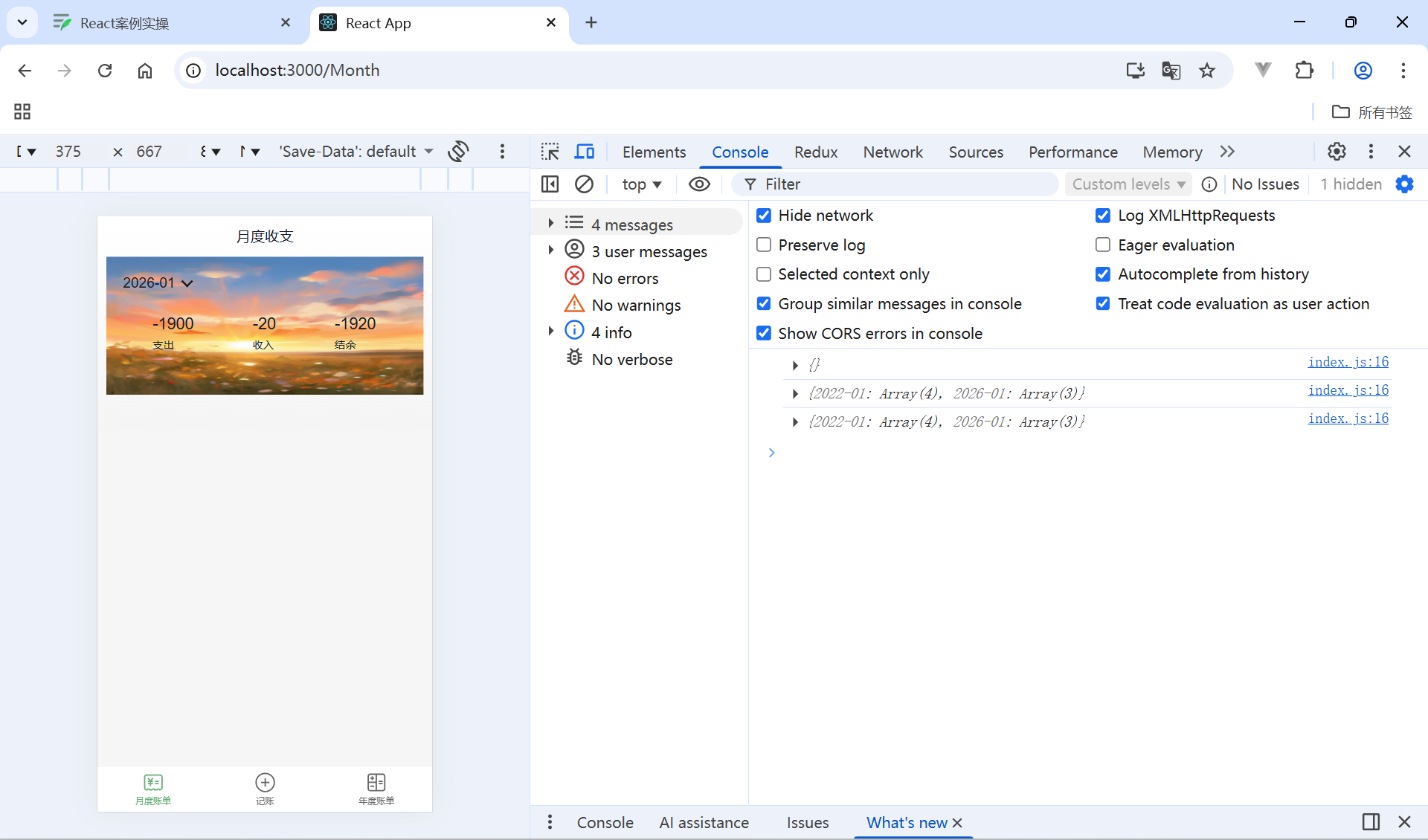
月度账单-列表区域-单日统计列表实现

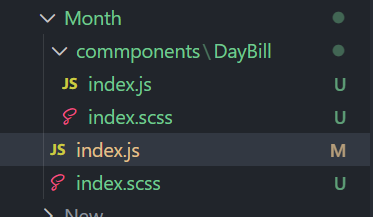
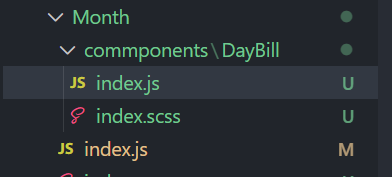
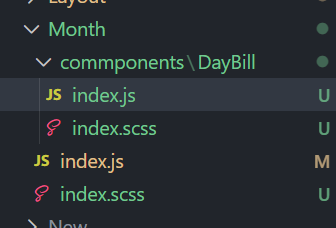
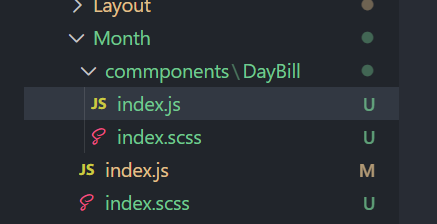
新建组件文件
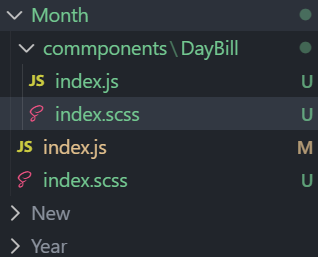
静态搭建
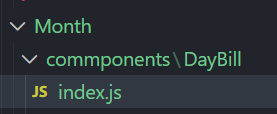
import classNames from 'classnames'
import './index.scss'

const DailyBill = () => {
  return (
    <div className={classNames('dailyBill')}>
      <div className="header">
        <div className="dateIcon">
          <span className="date">{'03月23日'}</span>
          <span className={classNames('arrow')}></span>
        </div>
        <div className="oneLineOverview">
          <div className="pay">
            <span className="type">支出</span>
            <span className="money">{100}</span>
          </div>
          <div className="income">
            <span className="type">收入</span>
            <span className="money">{200}</span>
          </div>
          <div className="balance">
            <span className="money">{100}</span>
            <span className="type">结余</span>
          </div>
        </div>
      </div>
    </div>
  )
}
export default DailyBill
index.scss
.dailyBill {
  margin-bottom: 10px;
  border-radius: 10px;
  background: #ffffff;

  .header {
    --ka-text-color: #888c98;
    padding: 15px 15px 10px 15px;

    .dateIcon {
      display: flex;
      justify-content: space-between;
      align-items: center;
      height: 21px;
      margin-bottom: 9px;
      .arrow {
        display: inline-block;
        width: 5px;
        height: 5px;
        margin-top: -3px;
        margin-left: 9px;
        border-top: 2px solid #888c98;
        border-left: 2px solid #888c98;
        transform: rotate(225deg);
        transform-origin: center;
        transition: all 0.3s;
      }
      .arrow.expand {
        transform: translate(0, 2px) rotate(45deg);
      }

      .date {
        font-size: 14px;
      }
    }
  }
  .oneLineOverview {
    display: flex;
    justify-content: space-between;

    .pay {
      flex: 1;
      .type {
        font-size: 10px;
        margin-right: 2.5px;
        color: #e56a77;
      }
      .money {
        color: var(--ka-text-color);
        font-size: 13px;
      }
    }

    .income {
      flex: 1;
      .type {
        font-size: 10px;
        margin-right: 2.5px;
        color: #4f827c;
      }
      .money {
        color: var(--ka-text-color);
        font-size: 13px;
      }
    }

    .balance {
      flex: 1;
      margin-bottom: 5px;
      text-align: right;

      .money {
        line-height: 17px;
        margin-right: 6px;
        font-size: 17px;
      }
      .type {
        font-size: 10px;
        color: var(--ka-text-color);
      }
    }
  }

  .billList {
    padding: 15px 10px 15px 15px;
    border-top: 1px solid #ececec;
    .bill {
      display: flex;
      justify-content: space-between;
      align-items: center;
      height: 43px;
      margin-bottom: 15px;

      &:last-child {
        margin-bottom: 0;
      }

      .icon {
        margin-right: 10px;
        font-size: 25px;
      }
      .detail {
        flex: 1;
        padding: 4px 0;
        .billType {
          display: flex;
          align-items: center;
          height: 17px;
          line-height: 17px;
          font-size: 14px;
          padding-left: 4px;
        }
      }
      .money {
        font-size: 17px;

        &.pay {
          color: #ff917b;
        }
        &.income {
          color: #4f827c;
        }
      }
    }
  }
}
.dailyBill.expand {
  .header {
    border-bottom: 1px solid #ececec;
  }
  .billList {
    display: block;
  }
}
引入
import DailyBill from './commponents/DayBill'
{/* 每日账本 */}
        <DailyBill />
      </div>
    </div >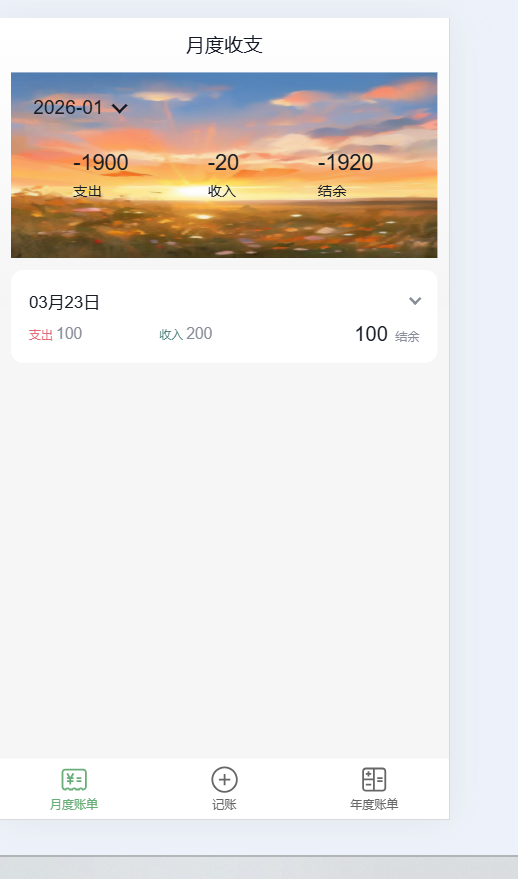
把当前月的数据按照日来分组
month.js
//按月份分组
  const billList = useSelector(state=>state.billStore.billList)
  const monthGroup = useMemo(()=>{
    return _.groupBy(billList,(item=>dayjs(item.date).format('YYYY-MM')))
  },[billList])
  console.log(monthGroup);

  //初始化把当前月显示出来
  useEffect(()=>{
    const now = dayjs().format('YYYY-MM')
    //边界值控制
    if(monthGroup[now]){
      setMonthList(monthGroup[now])
    }
  },[monthGroup])
  //存月份
  const [monthList , setMonthList] = useState([])
  const monthResult = useMemo(()=>{
    //支出和收入结余
    const pay = monthList.filter(item=>item.type==='pay').reduce((a,c)=>a+=c.money,0)
    const income = monthList.filter(item=>item.type==='income').reduce((a,c)=>a+=c.money,0)
    return {
      pay,
      income,
      total:income+pay
    }
  },[monthList])
    //按日分组
  // 把当前月按日分组账单数据
  const dayGroup = useMemo(() => {
    const group = _.groupBy(monthList, (item) => dayjs(item.date).format('YYYY-MM-DD'))
    return {
      dayKeys: Object.keys(group),
      group
    }
  }, [monthList])
  console.log(dayGroup)
  {/* 单日列表统计 */}
        {/* 日账单 */}
        {dayGroup.dayKeys.map(dayKey => (
          <DailyBill key={dayKey} date={dayKey} billList={dayGroup.group[dayKey]} />
        ))}

      </div>
    </div >
接收数据计算统计渲染页面
import classNames from 'classnames'
import './index.scss'
import { useMemo } from 'react'

const DailyBill = ({ date, billList }) => {
  const dayResult = useMemo(() => {
    // 支出  /  收入  / 结余
    const pay = billList.filter(item => item.type === 'pay').reduce((a, c) => a + c.money, 0)
    const income = billList.filter(item => item.type === 'income').reduce((a, c) => a + c.money, 0)
    return {
      pay,
      income,
      total: pay + income
    }
  }, [billList])
  return (
    <div className={classNames('dailyBill')}>
      <div className="header">
        <div className="dateIcon">
          <span className="date">{date}</span>
        </div>
        <div className="oneLineOverview">
          <div className="pay">
            <span className="type">支出</span>
            <span className="money">{dayResult.pay.toFixed(2)}</span>
          </div>
          <div className="income">
            <span className="type">收入</span>
            <span className="money">{dayResult.income.toFixed(2)}</span>
          </div>
          <div className="balance">
            <span className="money">{dayResult.total.toFixed(2)}</span>
            <span className="type">结余</span>
          </div>
        </div>
      </div>
    </div>
  )
}

export default DailyBill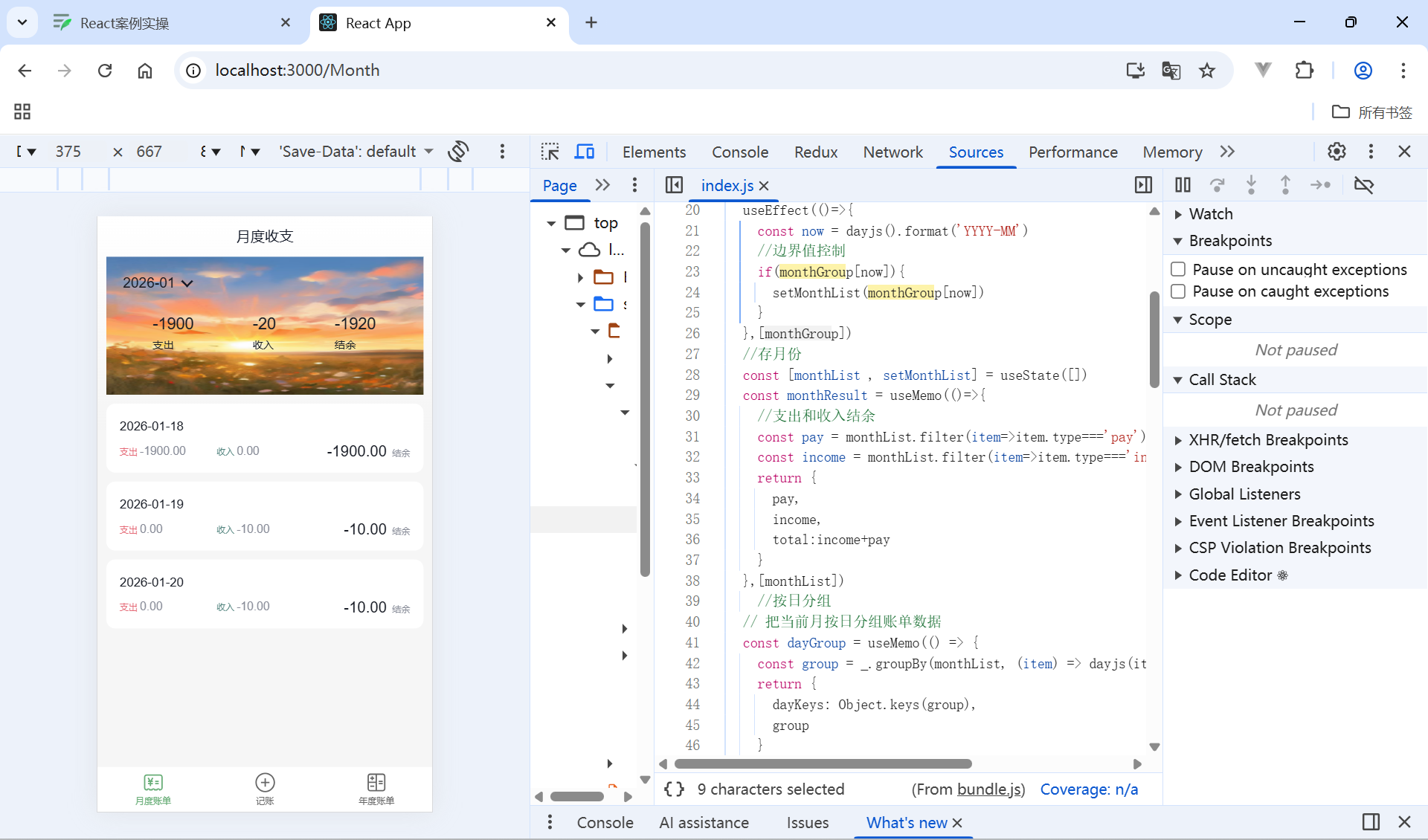
月度账单-列表区域-单日账单列表渲染显示
在子组件静态列表
import classNames from 'classnames'
import './index.scss'
import { useMemo } from 'react'

const DailyBill = ({ date, billList }) => {
  const dayResult = useMemo(() => {
    // 支出  /  收入  / 结余
    const pay = billList.filter(item => item.type === 'pay').reduce((a, c) => a + c.money, 0)
    const income = billList.filter(item => item.type === 'income').reduce((a, c) => a + c.money, 0)
    return {
      pay,
      income,
      total: pay + income
    }
  }, [billList])
  return (
    <div className={classNames('dailyBill')}>
      <div className="header">
        <div className="dateIcon">
          <span className="date">{date}</span>
        </div>
        <div className="oneLineOverview">
          <div className="pay">
            <span className="type">支出</span>
            <span className="money">{dayResult.pay.toFixed(2)}</span>
          </div>
          <div className="income">
            <span className="type">收入</span>
            <span className="money">{dayResult.income.toFixed(2)}</span>
          </div>
          <div className="balance">
            <span className="money">{dayResult.total.toFixed(2)}</span>
            <span className="type">结余</span>
          </div>
        </div>
      </div>
      {/* 单日列表 */}
        <div className="billList">
        {billList.map(item => {
            return (
            <div className="bill" key={item.id}>
                <div className="detail">
                <div className="billType">{item.useFor}</div>
                </div>
                <div className={classNames('money', item.type)}>
                {item.money.toFixed(2)}
                </div>
            </div>
            )
        })}
        </div>
    </div>
  )
}

export default DailyBill
准备静态数据
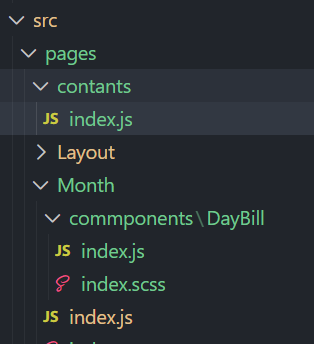
export const billListData = {
  pay: [
    {
      type: 'foods',
      name: '餐饮',
      list: [
        { type: 'food', name: '餐费' },
        { type: 'drinks', name: '酒水饮料' },
        { type: 'dessert', name: '甜品零食' },
      ],
    },
    {
      type: 'taxi',
      name: '出行交通',
      list: [
        { type: 'taxi', name: '打车租车' },
        { type: 'longdistance', name: '旅行票费' },
      ],
    },
    {
      type: 'recreation',
      name: '休闲娱乐',
      list: [
        { type: 'bodybuilding', name: '运动健身' },
        { type: 'game', name: '休闲玩乐' },
        { type: 'audio', name: '媒体影音' },
        { type: 'travel', name: '旅游度假' },
      ],
    },
    {
      type: 'daily',
      name: '日常支出',
      list: [
        { type: 'clothes', name: '衣服裤子' },
        { type: 'bag', name: '鞋帽包包' },
        { type: 'book', name: '知识学习' },
        { type: 'promote', name: '能力提升' },
        { type: 'home', name: '家装布置' },
      ],
    },
    {
      type: 'other',
      name: '其他支出',
      list: [{ type: 'community', name: '社区缴费' }],
    },
  ],
  income: [
    {
      type: 'professional',
      name: '其他支出',
      list: [
        { type: 'salary', name: '工资' },
        { type: 'overtimepay', name: '加班' },
        { type: 'bonus', name: '奖金' },
      ],
    },
    {
      type: 'other',
      name: '其他收入',
      list: [
        { type: 'financial', name: '理财收入' },
        { type: 'cashgift', name: '礼金收入' },
      ],
    },
  ],
}

export const billTypeToName = Object.keys(billListData).reduce((prev, key) => {
  billListData[key].forEach(bill => {
    bill.list.forEach(item => {
      prev[item.type] = item.name
    })
  })
  return prev
}, {})
import { billTypeToName } from '@/pages/contants/index'
<div className="billType">{billTypeToName[item.useFor]}</div>
全部代码
import classNames from 'classnames'
import './index.scss'
import { useMemo } from 'react'
import { billTypeToName } from '@/pages/contants/index'
const DailyBill = ({ date, billList }) => {
  const dayResult = useMemo(() => {
    // 支出  /  收入  / 结余
    const pay = billList.filter(item => item.type === 'pay').reduce((a, c) => a + c.money, 0)
    const income = billList.filter(item => item.type === 'income').reduce((a, c) => a + c.money, 0)
    return {
      pay,
      income,
      total: pay + income
    }
  }, [billList])
  return (
    <div className={classNames('dailyBill')}>
      <div className="header">
        <div className="dateIcon">
          <span className="date">{date}</span>
        </div>
        <div className="oneLineOverview">
          <div className="pay">
            <span className="type">支出</span>
            <span className="money">{dayResult.pay.toFixed(2)}</span>
          </div>
          <div className="income">
            <span className="type">收入</span>
            <span className="money">{dayResult.income.toFixed(2)}</span>
          </div>
          <div className="balance">
            <span className="money">{dayResult.total.toFixed(2)}</span>
            <span className="type">结余</span>
          </div>
        </div>
      </div>
      {/* 单日列表 */}
        <div className="billList">
        {billList.map(item => {
            return (
            <div className="bill" key={item.id}>
                <div className="detail">
                <div className="billType">{billTypeToName[item.useFor]}</div>
                </div>
                <div className={classNames('money', item.type)}>
                {item.money.toFixed(2)}
                </div>
            </div>
            )
        })}
        </div>
    </div>
  )
}

export default DailyBill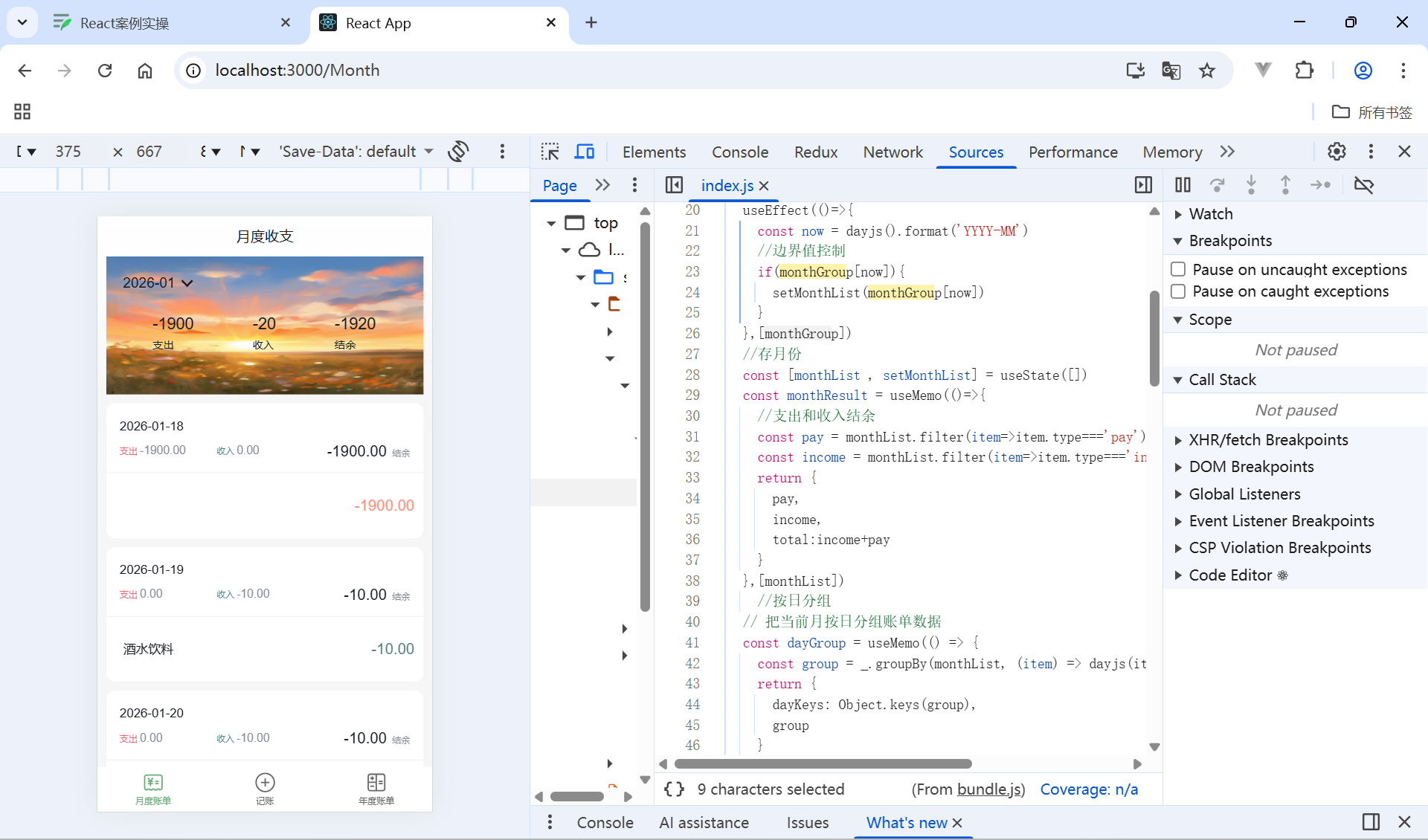
月度账单-切换打开关闭

控制显示隐藏
// 声明状态
const [visible, setVisible] = useState(false)

// 控制箭头
 <span
   className={classNames('arrow', !visible && 'expand')}
   onClick={() => setVisible(!visible)}></span>

// 控制列表显示
<div className="billList" style={{ display: !visible && 'none' }}></div>
全部代码
import classNames from 'classnames'
import './index.scss'
import { useMemo } from 'react'
import { billTypeToName } from '@/pages/contants/index'
import { useState } from 'react'
const DailyBill = ({ date, billList }) => {
  const dayResult = useMemo(() => {
    // 支出  /  收入  / 结余
    const pay = billList.filter(item => item.type === 'pay').reduce((a, c) => a + c.money, 0)
    const income = billList.filter(item => item.type === 'income').reduce((a, c) => a + c.money, 0)
    return {
      pay,
      income,
      total: pay + income
    }
  }, [billList])
  //控制显示
  const [visable,setVisable]=useState(false)
  return (
    <div className={classNames('dailyBill')}>
      <div className="header">
        <div className="dateIcon">
          <span className="date">{date}</span>
            <span className={classNames('arrow', visable && 'expand')} onClick={()=>setVisable(!visable)}></span>
        </div>
        <div className="oneLineOverview">
          <div className="pay">
            <span className="type">支出</span>
            <span className="money">{dayResult.pay.toFixed(2)}</span>
          </div>
          <div className="income">
            <span className="type">收入</span>
            <span className="money">{dayResult.income.toFixed(2)}</span>
          </div>
          <div className="balance">
            <span className="money">{dayResult.total.toFixed(2)}</span>
            <span className="type">结余</span>
          </div>
        </div>
      </div>
      {/* 单日列表 */}
        <div className="billList" style={{display:visable?'block':'none'}}>
        {billList.map(item => {
            return (
            <div className="bill" key={item.id}>
                <div className="detail">
                <div className="billType">{billTypeToName[item.useFor]}</div>
                </div>
                <div className={classNames('money', item.type)}>
                {item.money.toFixed(2)}
                </div>
            </div>
            )
        })}
        </div>
    </div>
  )
}

export default DailyBill
月度账单-账单类型图标组件封装
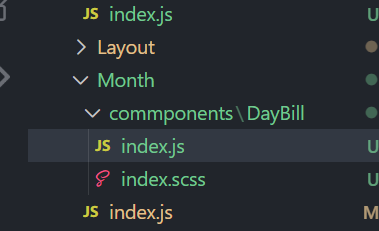
新建图标组件
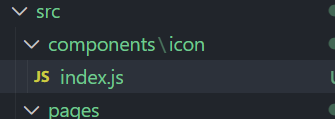
const Icon = ({type}) => {
  return (
    <img
      src={`https://yjy-teach-oss.oss-cn-beijing.aliyuncs.com/reactbase/ka/${type}.svg`}
      alt="icon"
      style={{
        width: 20,
        height: 20,
      }}
      />
  )
}

export default Icon
引用图标组件
import Icon from '@/components/icon'
  {/* 单日列表 */}
        <div className="billList" style={{display:visable?'block':'none'}}>
        {billList.map(item => {
            return (
            <div className="bill" key={item.id}>
                 <Icon type={item.useFor} />
                <div className="detail">
                <div className="billType">{billTypeToName[item.useFor]}</div>
                </div>
                <div className={classNames('money', item.type)}>
                {item.money.toFixed(2)}
                </div>
            </div>
            )
        })}
        </div>
全部代码
import classNames from 'classnames'
import './index.scss'
import { useMemo } from 'react'
import { billTypeToName } from '@/pages/contants/index'
import { useState } from 'react'
import Icon from '@/components/icon'
const DailyBill = ({ date, billList }) => {
  const dayResult = useMemo(() => {
    // 支出  /  收入  / 结余
    const pay = billList.filter(item => item.type === 'pay').reduce((a, c) => a + c.money, 0)
    const income = billList.filter(item => item.type === 'income').reduce((a, c) => a + c.money, 0)
    return {
      pay,
      income,
      total: pay + income
    }
  }, [billList])
  //控制显示
  const [visable,setVisable]=useState(false)
  return (
    <div className={classNames('dailyBill')}>
      <div className="header">
        <div className="dateIcon">
          <span className="date">{date}</span>
            <span className={classNames('arrow', visable && 'expand')} onClick={()=>setVisable(!visable)}></span>
        </div>
        <div className="oneLineOverview">
          <div className="pay">
            <span className="type">支出</span>
            <span className="money">{dayResult.pay.toFixed(2)}</span>
          </div>
          <div className="income">
            <span className="type">收入</span>
            <span className="money">{dayResult.income.toFixed(2)}</span>
          </div>
          <div className="balance">
            <span className="money">{dayResult.total.toFixed(2)}</span>
            <span className="type">结余</span>
          </div>
        </div>
      </div>
      {/* 单日列表 */}
        <div className="billList" style={{display:visable?'block':'none'}}>
        {billList.map(item => {
            return (
            <div className="bill" key={item.id}>
                 <Icon type={item.useFor} />
                <div className="detail">
                <div className="billType">{billTypeToName[item.useFor]}</div>
                </div>
                <div className={classNames('money', item.type)}>
                {item.money.toFixed(2)}
                </div>
            </div>
            )
        })}
        </div>
    </div>
  )
}

export default DailyBill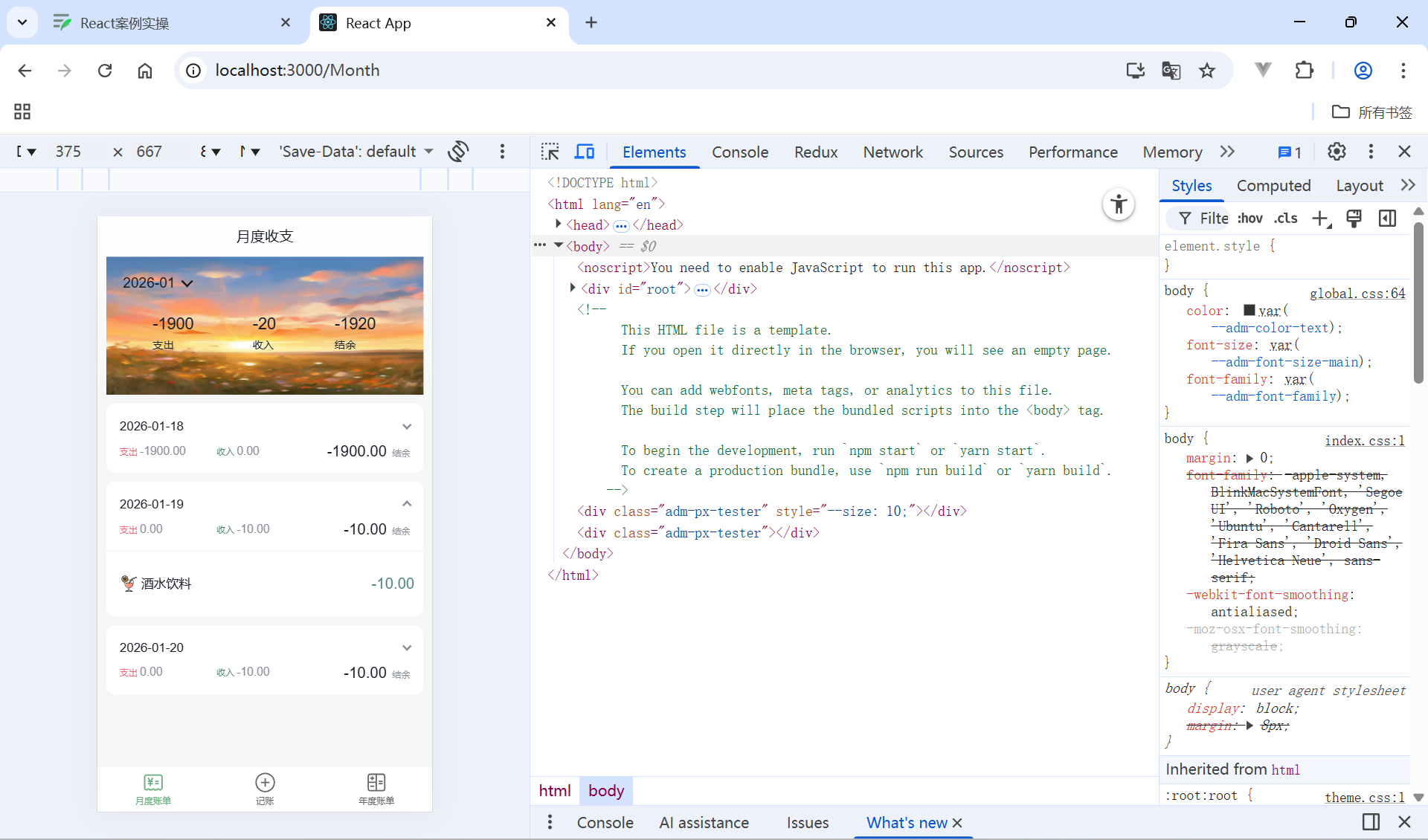
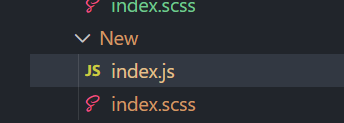
新增账单-结构搭建
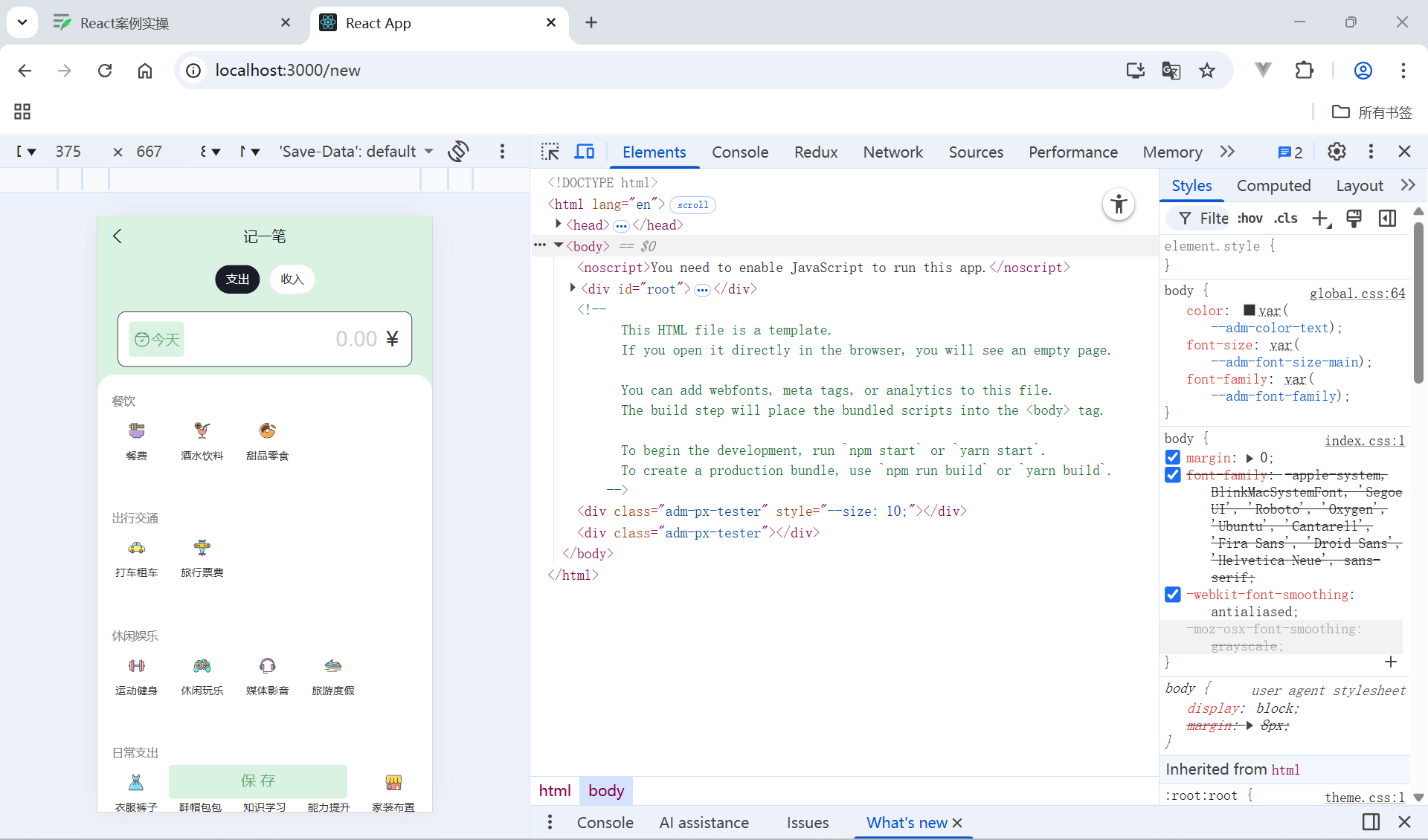
静态搭建
import { Button, DatePicker, Input, NavBar } from 'antd-mobile'
import Icon from '@/components/icon/index.js'
import './index.scss'
import classNames from 'classnames'
import { billListData } from '@/pages/contants/index'
import { useNavigate } from 'react-router-dom'

const New = () => {
  const navigate = useNavigate()
  return (
    <div className="keepAccounts">
      <NavBar className="nav" onBack={() => navigate(-1)}>
        记一笔
      </NavBar>

      <div className="header">
        <div className="kaType">
          <Button
            shape="rounded"
            className={classNames('selected')}
          >
            支出
          </Button>
          <Button
            className={classNames('')}
            shape="rounded"
          >
            收入
          </Button>
        </div>

        <div className="kaFormWrapper">
          <div className="kaForm">
            <div className="date">
              <Icon type="calendar" className="icon" />
              <span className="text">{'今天'}</span>
              <DatePicker
                className="kaDate"
                title="记账日期"
                max={new Date()}
              />
            </div>
            <div className="kaInput">
              <Input
                className="input"
                placeholder="0.00"
                type="number"
              />
              <span className="iconYuan">¥</span>
            </div>
          </div>
        </div>
      </div>

      <div className="kaTypeList">
        {billListData['pay'].map(item => {
          return (
            <div className="kaType" key={item.type}>
              <div className="title">{item.name}</div>
              <div className="list">
                {item.list.map(item => {
                  return (
                    <div
                      className={classNames(
                        'item',
                        ''
                      )}
                      key={item.type}

                    >
                      <div className="icon">
                        <Icon type={item.type} />
                      </div>
                      <div className="text">{item.name}</div>
                    </div>
                  )
                })}
              </div>
            </div>
          )
        })}
      </div>

      <div className="btns">
        <Button className="btn save">
          保 存
        </Button>
      </div>
    </div>
  )
}

export default New
index.scss
.keepAccounts {
  --ka-bg-color: #daf2e1;
  --ka-color: #69ae78;
  --ka-border-color: #191d26;

  height: 100%;
  background-color: var(--ka-bg-color);

  .nav {
    --adm-font-size-10: 16px;
    color: #121826;
    background-color: transparent;
    &::after {
      height: 0;
    }

    .adm-nav-bar-back-arrow {
      font-size: 20px;
    }
  }

  .header {
    height: 132px;

    .kaType {
      padding: 9px 0;
      text-align: center;

      .adm-button {
        --adm-font-size-9: 13px;

        &:first-child {
          margin-right: 10px;
        }
      }
      .selected {
        color: #fff;
        --background-color: var(--ka-border-color);
      }
    }

    .kaFormWrapper {
      padding: 10px 22.5px 20px;

      .kaForm {
        display: flex;
        padding: 11px 15px 11px 12px;
        border: 0.5px solid var(--ka-border-color);
        border-radius: 9px;
        background-color: #fff;

        .date {
          display: flex;
          align-items: center;
          height: 28px;
          padding: 5.5px 5px;
          border-radius: 4px;
          // color: #4f825e;
          color: var(--ka-color);
          background-color: var(--ka-bg-color);

          .icon {
            margin-right: 6px;
            font-size: 17px;
          }
          .text {
            font-size: 16px;
          }
        }

        .kaInput {
          flex: 1;
          display: flex;
          align-items: center;

          .input {
            flex: 1;
            margin-right: 10px;
            --text-align: right;
            --font-size: 24px;
            --color: var(--ka-color);
            --placeholder-color: #d1d1d1;
          }

          .iconYuan {
            font-size: 24px;
          }
        }
      }
    }
  }

  .container {
  }
  .kaTypeList {
    height: 490px;
    padding: 20px 11px;
    padding-bottom: 70px;
    overflow-y: scroll;
    background: #ffffff;
    border-radius: 20px 20px 0 0;
    -ms-overflow-style: none; /* Internet Explorer 10+ */
    scrollbar-width: none; /* Firefox */
    &::-webkit-scrollbar {
      display: none; /* Safari and Chrome */
    }

    .kaType {
      margin-bottom: 25px;
      font-size: 12px;
      color: #333;

      .title {
        padding-left: 5px;
        margin-bottom: 5px;
        font-size: 13px;
        color: #808080;
      }
      .list {
        display: flex;

        .item {
          width: 65px;
          height: 65px;
          padding: 9px 0;
          margin-right: 7px;
          text-align: center;
          border: 0.5px solid #fff;
          &:last-child {
            margin-right: 0;
          }

          .icon {
            height: 25px;
            line-height: 25px;
            margin-bottom: 5px;
            font-size: 25px;
          }
        }
        .item.selected {
          border: 0.5px solid var(--ka-border-color);
          border-radius: 5px;
          background: var(--ka-bg-color);
        }
      }
    }
  }

  .btns {
    position: fixed;
    bottom: 15px;
    width: 100%;
    text-align: center;

    .btn {
    width: 200px;
    --border-width: 0;
    --background-color: #fafafa;
    --text-color: #616161;
    &:first-child {
    margin-right: 15px;
    }
    }
    .btn.save {
    --background-color: var(--ka-bg-color);
    --text-color: var(--ka-color);
    }
    }
  }
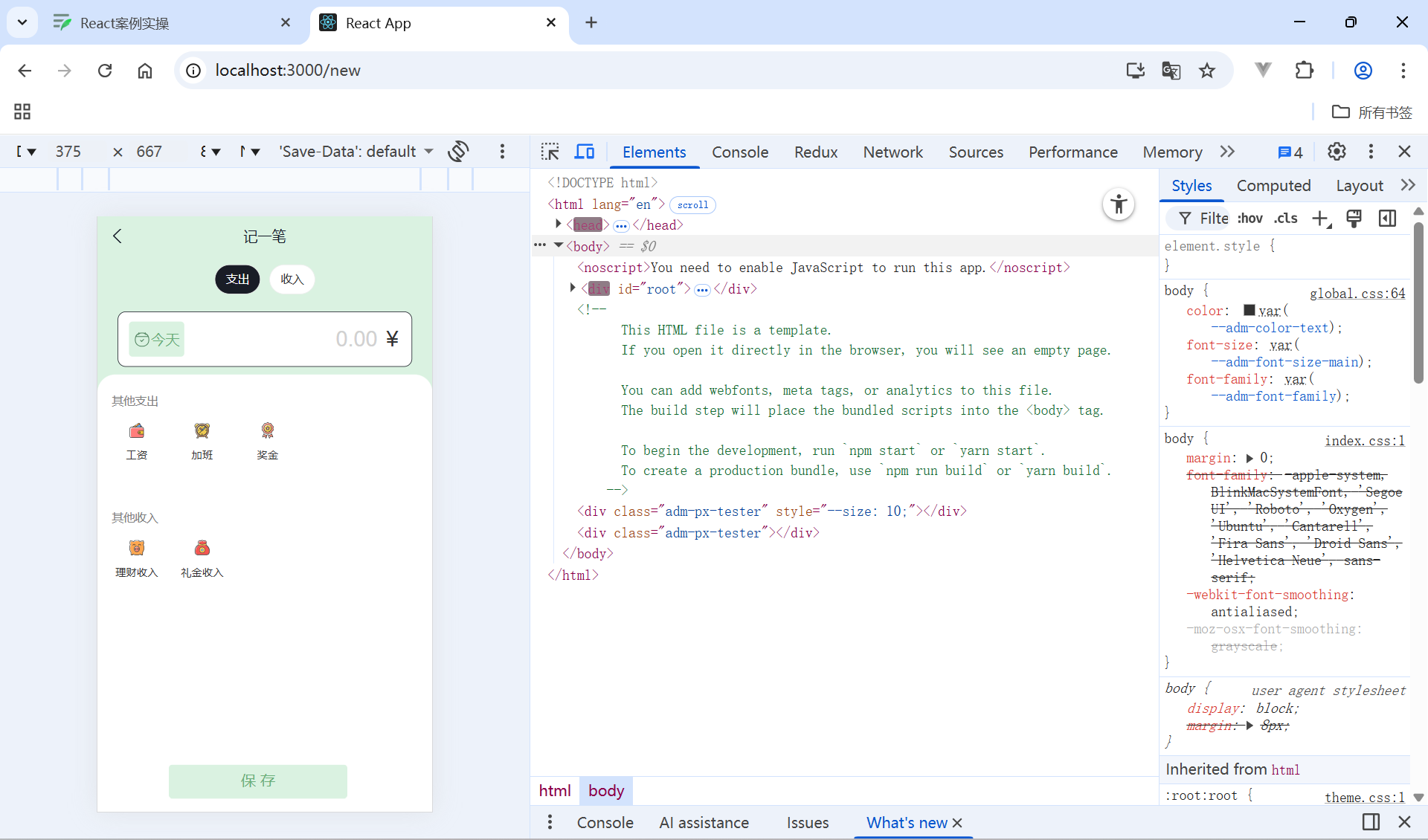
新增账单-支出和收入功能实现
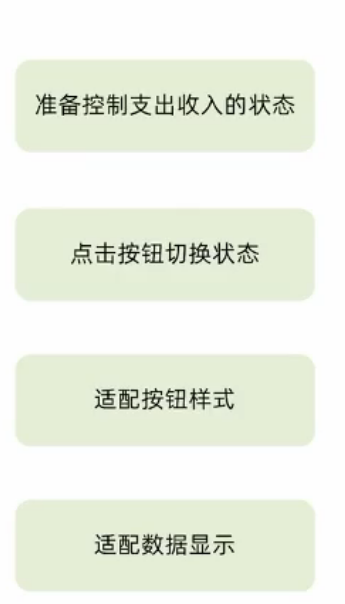
const new = ()=>{
  // 1. 区分账单状态
  const [billType, setBillType] = useState('income')
  return (
     <div className="keepAccounts">
      <div className="kaType">
        {/* 2. 点击切换状态 */}
        <Button
          shape="rounded"
          className={classNames(billType==='pay'?'selected':'')}
          onClick={() => setBillType('pay')}
        >
          支出
        </Button>
        <Button
          className={classNames(billType==='income'?'selected':'')}
          onClick={() => setBillType('income')}
          shape="rounded"
        >
          收入
        </Button>
      </div>
      {/* 2. 适配数据 */}
      <div className="kaTypeList">
          {billListData[billType].map(item => {
              return (
            <div className="kaType" key={item.type}>
              <div className="title">{item.name}</div>
              <div className="list">
                {item.list.map(item => {
                  return (
                    <div
                      className={classNames(
                        'item',
                        ''
                      )}
                      key={item.type}

                    >
                      <div className="icon">
                        <Icon type={item.type} />
                      </div>
                      <div className="text">{item.name}</div>
                    </div>
                  )
          })}
      </div>
    </div>
  )
}
新增账单-新增表单实现
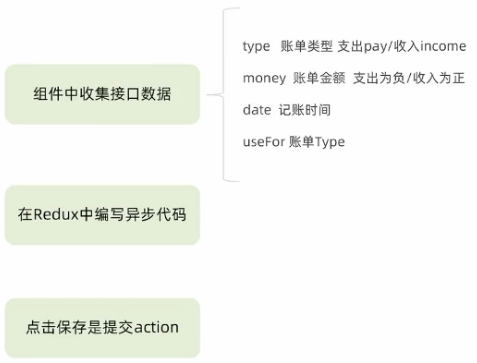
收集金额
 const [cunMoney,setcunMoney]=useState(0)
  const ChangeMoney=(value)=>{
    setcunMoney(value)//存储金额
  }
  //存储账单类型
  const [useFor,setuseFor]=useState('')
   const dispatch = useDispatch();
  //存储金额类型+调用接口
  const MonthData = ()=>{
    const data={
      type:billtype,
      money:cunMoney,
      date:new Date().getTime(),
      useFor:useFor
    }
    console.log(data);
  }
  return (
            <div className="kaInput">
              <Input
                className="input"
                placeholder="0.00"
                type="number"
                value={cunMoney}
                onChange={ChangeMoney}
              />


      <div className="kaTypeList">
        {billListData[billtype].map(item => {
          return (
            <div className="kaType" key={item.type}>
              <div className="title">{item.name}</div>
              <div className="list">
                {item.list.map(item => {
                  return (
                    <div
                      className={classNames(
                        'item',
                        ''
                      )}
                      key={item.type}
                      onClick={()=>setuseFor(item.type)}
                    >

      <div className="btns">
        <Button className="btn save" onClick={MonthData}>
          保 存
        </Button>
      </div>
    </div>
  )
}

export default New
Redux存储
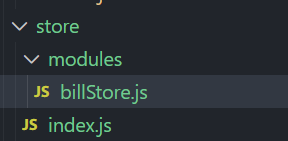
//账单相关store
import { createSlice } from "@reduxjs/toolkit";
import axios from "axios";
const billStore = createSlice({
  name: "billStore",
  initialState: {
    billList: [],
  },
  reducers: {
    //同步修改方法
    setBillList(state, action) {
        state.billList = action.payload;
    },
    //同步修改新增账单方法
    addbillList(state, action) {
        state.billList.push(action.payload);
    }
  }
})
const { setBillList,addbillList } = billStore.actions;
//编写异步
const getBillList=()=> {
    return async (dispatch)=>{
        const res = await axios.get("http://localhost:8888/ka");
        dispatch(setBillList(res.data));
    }
}
const getAddBillList=(data)=> {
    return async (dispatch)=>{
        const res = await axios.post("http://localhost:8888/ka",data);
        dispatch(addbillList(res.data));
    }
}
export { getBillList, getAddBillList };
const reducer = billStore.reducer;
export default reducer;
action提交
  //存储金额类型+调用接口
  const MonthData = ()=>{
    const data={
      type:billtype,
      money:cunMoney,
      date:new Date().getTime(),
      useFor:useFor

    }
    console.log(data);
    dispatch(getAddBillList(data))
  }
全部代码
import { Button, DatePicker, Input, NavBar } from 'antd-mobile'
import Icon from '@/components/icon/index.js'
import './index.scss'
import classNames from 'classnames'
import { billListData } from '@/pages/contants/index'
import { useNavigate } from 'react-router-dom'
import { useState } from 'react'
import { getAddBillList } from '@/store/modules/billStore'
import { useDispatch } from 'react-redux'
const New = () => {
  const navigate = useNavigate()
  const [billtype,setbilltype]=useState('income')

  const [cunMoney,setcunMoney]=useState(0)
  const ChangeMoney=(value)=>{
    setcunMoney(value)//存储金额
  }
  //存储账单类型
  const [useFor,setuseFor]=useState('')
   const dispatch = useDispatch();
  //存储金额类型+调用接口
  const MonthData = ()=>{
    const data={
      type:billtype,
      money:cunMoney,
      date:new Date().getTime(),
      useFor:useFor

    }
    console.log(data);
    dispatch(getAddBillList(data))
  }
  return (
    <div className="keepAccounts">
      <NavBar className="nav" onBack={() => navigate(-1)}>
        记一笔
      </NavBar>

      <div className="header">
        <div className="kaType">
          <Button
            shape="rounded"
            className={classNames('selected')}
            onClick={()=>setbilltype('pay')}
          >
            支出
          </Button>
          <Button
            className={classNames('')}
            shape="rounded"
            onClick={()=>setbilltype('income')}
          >
            收入
          </Button>
        </div>

        <div className="kaFormWrapper">
          <div className="kaForm">
            <div className="date">
              <Icon type="calendar" className="icon" />
              <span className="text">{'今天'}</span>
              <DatePicker
                className="kaDate"
                title="记账日期"
                max={new Date()}
              />
            </div>
            <div className="kaInput">
              <Input
                className="input"
                placeholder="0.00"
                type="number"
                value={cunMoney}
                onChange={ChangeMoney}
              />
              <span className="iconYuan">¥</span>
            </div>
          </div>
        </div>
      </div>

      <div className="kaTypeList">
        {billListData[billtype].map(item => {
          return (
            <div className="kaType" key={item.type}>
              <div className="title">{item.name}</div>
              <div className="list">
                {item.list.map(item => {
                  return (
                    <div
                      className={classNames(
                        'item',
                        ''
                      )}
                      key={item.type}
                      onClick={()=>setuseFor(item.type)}
                    >
                      <div className="icon">
                        <Icon type={item.type} />
                      </div>
                      <div className="text">{item.name}</div>
                    </div>
                  )
                })}
              </div>
            </div>
          )
        })}
      </div>

      <div className="btns">
        <Button className="btn save" onClick={MonthData}>
          保 存
        </Button>
      </div>
    </div>
  )
}

export default New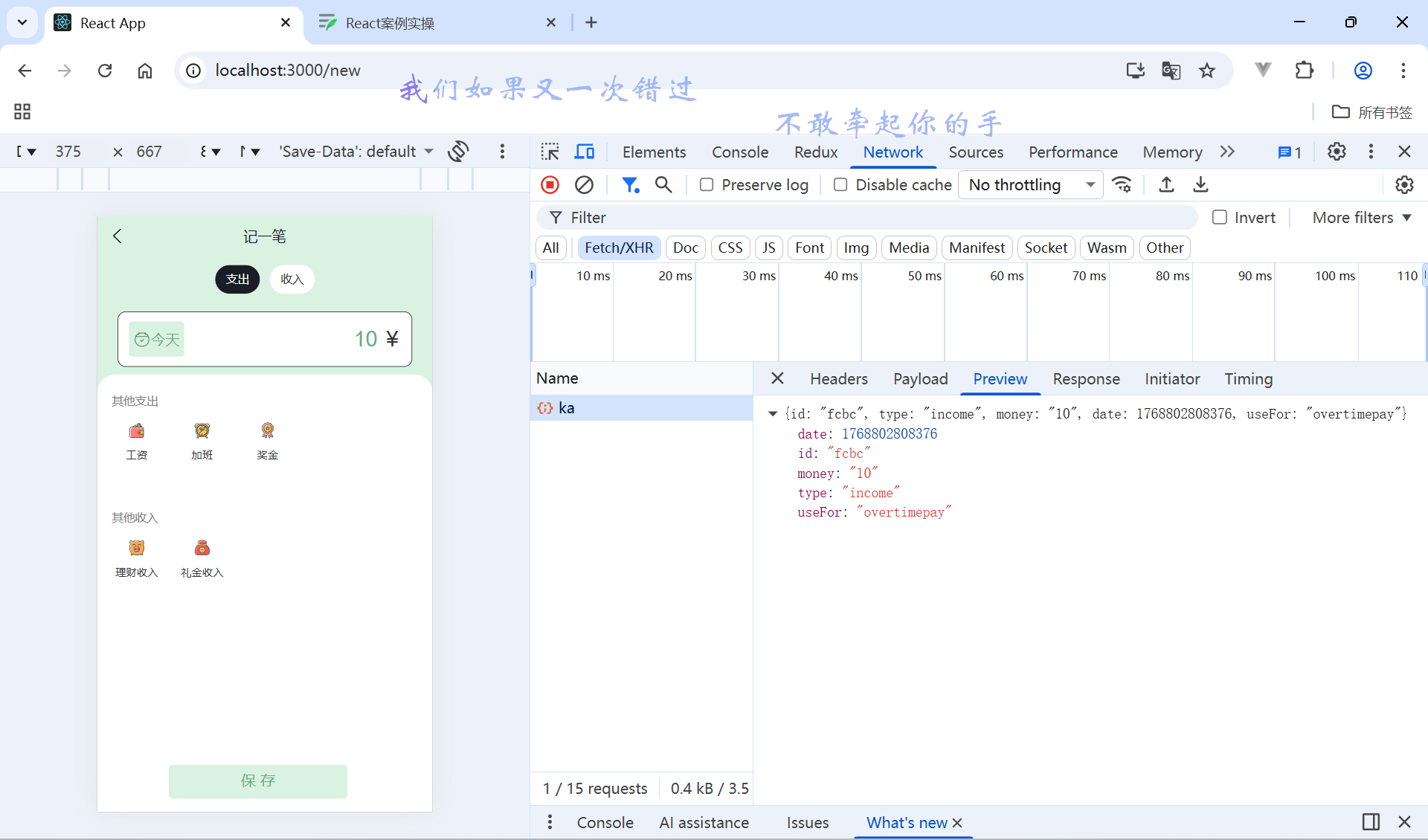
整体优化
判断选中样式
  <div className="kaType" key={item.type}>
              <div className="title">{item.name}</div>
              <div className="list">
                {item.list.map(item => {
                  return (
                    <div
                    /**这里**/
                      className={classNames(
                        'item',
                        useFor === item.type ? 'selected' : ''
                      )}
                      key={item.type}
                      onClick={()=>setuseFor(item.type)}
                    >
                      <div className="icon">
                        <Icon type={item.type} />
                      </div>
                      <div className="text">{item.name}</div>
                    </div>
                  )
                })}
              </div>
            </div>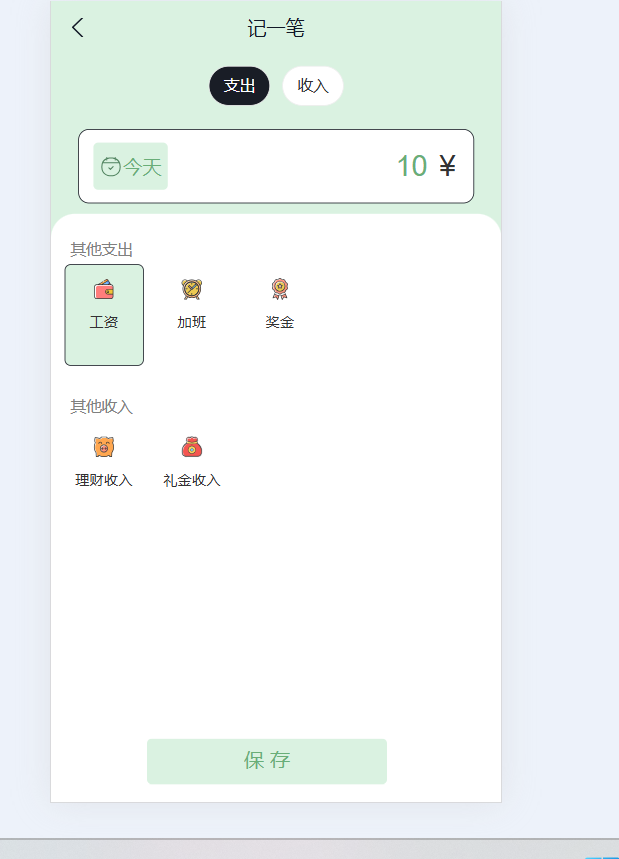
添加时间控制器
import { Button, DatePicker, Input, NavBar } from 'antd-mobile'
import Icon from '@/components/icon/index.js'
import './index.scss'
import classNames from 'classnames'
import { billListData } from '@/pages/contants/index'
import { useNavigate } from 'react-router-dom'
import { useState } from 'react'
import { getAddBillList } from '@/store/modules/billStore'
import { useDispatch } from 'react-redux'
import dayjs from 'dayjs'
const New = () => {
  const navigate = useNavigate()
  const [billtype,setbilltype]=useState('income')
  //时间控制器状态
  const [daydate,setdaydate]=useState(false)
  const [cunMoney,setcunMoney]=useState(0)
  //存储选择时间
  const [day,setday]=useState(new Date())
  const dataConfirm  =(date)=>{
    //点击关闭
    setday(date)
    setdaydate(false)
  }
  const ChangeMoney=(value)=>{
    setcunMoney(value)//存储金额
  }
  //存储账单类型
  const [useFor,setuseFor]=useState('')
   const dispatch = useDispatch();
  //存储金额类型+调用接口
  const MonthData = ()=>{
    const data={
      type:billtype,
      money:cunMoney,
      date:new Date().getTime(),
      useFor:useFor
    }
    console.log(data);
    dispatch(getAddBillList(data))

  }
  return (
    <div className="keepAccounts">
      <NavBar className="nav" onBack={() => navigate(-1)}>
        记一笔
      </NavBar>

      <div className="header">
        <div className="kaType">
          <Button
            shape="rounded"
            className={classNames('selected')}
            onClick={()=>setbilltype('pay')}
          >
            支出
          </Button>
          <Button
            className={classNames('')}
            shape="rounded"
            onClick={()=>setbilltype('income')}
          >
            收入
          </Button>
        </div>
      {/* 时间控制器 */}
        <div className="kaFormWrapper">
          <div className="kaForm">
            <div className="date">
              <Icon type="calendar" className="icon" />
              <span className="text" onClick={()=>setdaydate(true)}>{dayjs(day).format('YYYY-MM-DD')}</span>
              <DatePicker
                className="kaDate"
                title="记账日期"
                max={new Date()}
                visible={daydate}
                onClose={()=>setdaydate(false)}
                onConfirm={dataConfirm}
              />
            </div>
            <div className="kaInput">
              <Input
                className="input"
                placeholder="0.00"
                type="number"
                value={cunMoney}
                onChange={ChangeMoney}
              />
              <span className="iconYuan">¥</span>
            </div>
          </div>
        </div>
      </div>

      <div className="kaTypeList">
        {billListData[billtype].map(item => {
          return (
            <div className="kaType" key={item.type}>
              <div className="title">{item.name}</div>
              <div className="list">
                {item.list.map(item => {
                  return (
                    <div
                      className={classNames(
                        'item',
                        useFor === item.type ? 'selected' : ''
                      )}
                      key={item.type}
                      onClick={()=>setuseFor(item.type)}
                    >
                      <div className="icon">
                        <Icon type={item.type} />
                      </div>
                      <div className="text">{item.name}</div>
                    </div>
                  )
                })}
              </div>
            </div>
          )
        })}
      </div>

      <div className="btns">
        <Button className="btn save" onClick={MonthData}>
          保 存
        </Button>
      </div>
    </div>
  )
}

export default New