思维导图
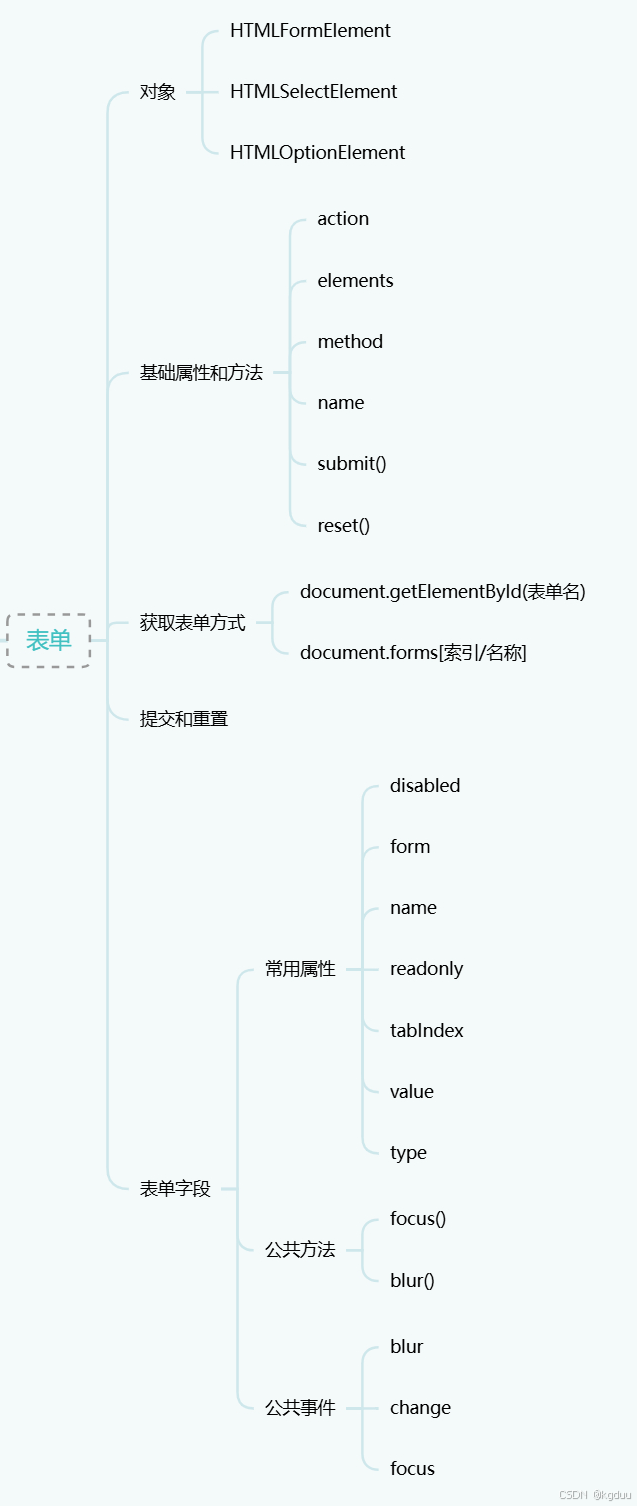
提交和重置
提交按钮定义方式有
- 通用提交按钮:
input的type为submit - 自定义提交按钮:
button的type为submit - 图片按钮:
input的type为image
其对应的事件为submit,在按回车键时会触发,即在向服务器发送请求之前
注意:
通过 submit()方法调用时不会
重置按钮定义方式有
- 通用重置按钮:
input的type为reset - 自定义重置按钮:
button的type为reset
其对应的事件为reset,在点击重置按钮时或者显示调用reset()方法时会触发
表单字段
常用属性
常用属性有
- value:要提交给服务器的值
- disabled:是否禁用
- form:所属表单
- name:控件名
- readonly:是否只读
- tabIndex:tab键时的切换顺序
- type:控件类型,字符串,比如
radio或者checkbox
文本框
有两种形式
- 单行:
input,type为text - 多行:
textarea
选中文本方式有
- 全选:
select() - 部分选择:
setSelectionRange(start, end)
事件有select
ie选择有些特殊,步骤为
javascript
let range = textbox.createTextRange();
range.collapse(true);
range.moveStart("character", start);
range.moveEnd("character", end);
range.select();
剪贴板相关事件有
- beforecut
- cut
- beforecopy
- copy
- beforepaste
- paste
剪贴板数据用event或者window的clipboardData,其有三个方法
- setData()
- getData()
- clearData()
html5约束验证支持的有
- required属性
- input新增类型,如email,url
- 数值范围
- number
- range
- datetime
- datetime-local
- date
- month
- week
- time
- pattern模式
- 表单检查有效性,使用方法
checkValidity() - 表单禁用验证,使用
novalidate属性 - 表单字段禁用验证,使用属性
formnovalidate
选择框
使用select和option
select新增属性,方法有
- multiple:是否支持多选
- options:所有的<option>
- selectedIndex:选中项的索引值,从0开始
- size
- add(newOption, relOption)
- remove(index)
option新增属性,方法有
- index:选项在options集合中的索引
- label:选项的标签
- selected:是否选中了当前选项
- text:选项的文本
- value:选项的值
富文本
支持两种形式
- iframe:即其document.designMode= "on"
- 元素设置了
contenteditable
与富文本交互方式
- iframe的document.execCommand(<command>, false, value)
- document.queryCommandEnabled(<command>)
- document.queryCommandState(<command>)
- document.queryCommandValue(<command>)