什么是 Text?
Text 是 Flutter 中用于显示文本的基础组件,就像 HTML 中的文本标签。
用途:
- 显示标题
- 显示正文内容
- 显示按钮文字
- 显示任何文本信息
基础用法
最简单的文本
dart
Text('Hello Flutter')带样式的文本
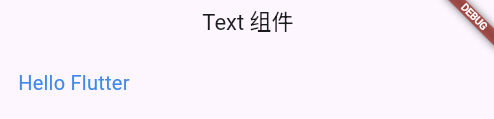
dart
Text(
  'Hello Flutter',
  style: TextStyle(
    fontSize: 20,
    color: Colors.blue,
  ),
)
常用属性
1. 文本内容
dart
Text('这是文本内容')

// 使用变量
String message = '动态文本';
Text(message)

// 字符串插值
int count = 5;
Text('你有 $count 条消息')
2. 文本样式 style
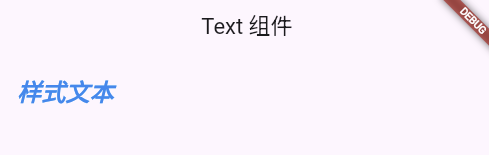
dart
Text(
  '样式文本',
  style: TextStyle(
    fontSize: 24,              // 字体大小
    color: Colors.blue,        // 颜色
    fontWeight: FontWeight.bold,  // 粗体
    fontStyle: FontStyle.italic,  // 斜体
  ),
)
3. 文本对齐 textAlign
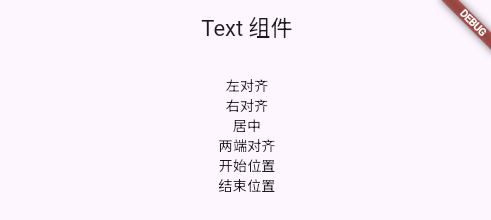
dart
Text(
  '居中对齐',
  textAlign: TextAlign.center,
)

// 对齐方式
textAlign: TextAlign.left,      // 左对齐
textAlign: TextAlign.right,     // 右对齐
textAlign: TextAlign.center,    // 居中
textAlign: TextAlign.justify,   // 两端对齐
textAlign: TextAlign.start,     // 开始位置
textAlign: TextAlign.end,       // 结束位置
4. 最大行数 maxLines
dart
Text(
  '这是一段很长的文本,可能会超出一行显示',
  maxLines: 2,  // 最多显示 2 行
)
5. 文本溢出 overflow
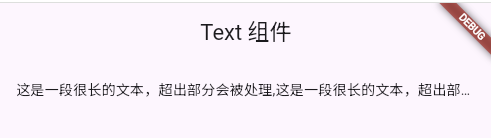
dart
Text(
  '这是一段很长的文本,超出部分会被处理',
  maxLines: 1,
  overflow: TextOverflow.ellipsis,  // 超出显示省略号
)

// 溢出处理方式
overflow: TextOverflow.clip,      // 直接裁剪
overflow: TextOverflow.fade,      // 渐隐
overflow: TextOverflow.ellipsis,  // 省略号 ...
overflow: TextOverflow.visible,   // 可见(超出容器)
6. 软换行 softWrap
dart
Text(
  '这是一段文本',
  softWrap: true,   // 自动换行(默认)
  softWrap: false,  // 不换行
)
TextStyle 详解
1. 字体大小和颜色
dart
TextStyle(
  fontSize: 20,           // 字体大小
  color: Colors.blue,     // 字体颜色
)
2. 字体粗细
dart
TextStyle(
  fontWeight: FontWeight.normal,   // 正常
  fontWeight: FontWeight.bold,     // 粗体
  fontWeight: FontWeight.w100,     // 最细
  fontWeight: FontWeight.w900,     // 最粗
)
3. 字体样式
dart
TextStyle(
  fontStyle: FontStyle.normal,   // 正常
  fontStyle: FontStyle.italic,   // 斜体
)
4. 字间距和行高
dart
TextStyle(
  letterSpacing: 2.0,    // 字间距
  wordSpacing: 5.0,      // 词间距
  height: 1.5,           // 行高(倍数)
)
5. 文本装饰
dart
// 下划线
TextStyle(
  decoration: TextDecoration.underline,
  decorationColor: Colors.red,
  decorationStyle: TextDecorationStyle.solid,
)

// 删除线
TextStyle(
  decoration: TextDecoration.lineThrough,
)

// 上划线
TextStyle(
  decoration: TextDecoration.overline,
)

// 装饰样式
decorationStyle: TextDecorationStyle.solid,    // 实线
decorationStyle: TextDecorationStyle.double,   // 双线
decorationStyle: TextDecorationStyle.dotted,   // 点线
decorationStyle: TextDecorationStyle.dashed,   // 虚线
decorationStyle: TextDecorationStyle.wavy,     // 波浪线
6. 阴影
dart
TextStyle(
  shadows: [
    Shadow(
      color: Colors.black.withOpacity(0.5),
      offset: Offset(2, 2),
      blurRadius: 3,
    ),
  ],
)
7. 背景色
dart
TextStyle(
  backgroundColor: Colors.yellow,
)
8. 自定义字体
dart
TextStyle(
  fontFamily: 'Roboto',  // 需要在 pubspec.yaml 中配置
)
实战案例
案例1:标题文本
dart
Text(
  '文章标题',
  style: TextStyle(
    fontSize: 28,
    fontWeight: FontWeight.bold,
    color: Colors.black87,
  ),
)
案例2:副标题
dart
Text(
  '副标题或描述文字',
  style: TextStyle(
    fontSize: 16,
    color: Colors.grey[600],
    height: 1.5,
  ),
)
案例3:价格标签
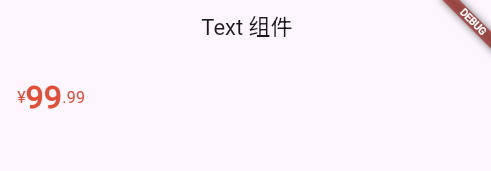
dart
Row(
  children: [
    Text(
      '¥',
      style: TextStyle(
        fontSize: 16,
        color: Colors.red,
      ),
    ),
    Text(
      '99',
      style: TextStyle(
        fontSize: 32,
        fontWeight: FontWeight.bold,
        color: Colors.red,
      ),
    ),
    Text(
      '.99',
      style: TextStyle(
        fontSize: 16,
        color: Colors.red,
      ),
    ),
  ],
)
案例4:原价删除线
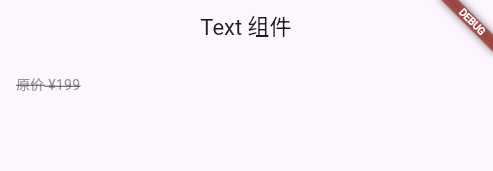
dart
Text(
  '原价 ¥199',
  style: TextStyle(
    fontSize: 14,
    color: Colors.grey,
    decoration: TextDecoration.lineThrough,
  ),
)
案例5:强调文本
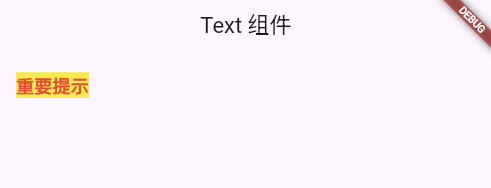
dart
Text(
  '重要提示',
  style: TextStyle(
    fontSize: 18,
    fontWeight: FontWeight.bold,
    color: Colors.red,
    backgroundColor: Colors.yellow,
  ),
)
案例6:链接样式
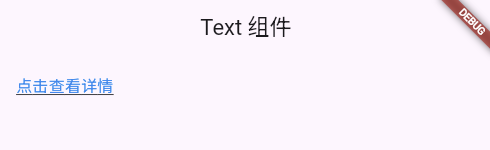
dart
GestureDetector(
  onTap: () {
    print('点击了链接');
  },
  child: Text(
    '点击查看详情',
    style: TextStyle(
      fontSize: 16,
      color: Colors.blue,
      decoration: TextDecoration.underline,
    ),
  ),
)
案例7:多行文本截断
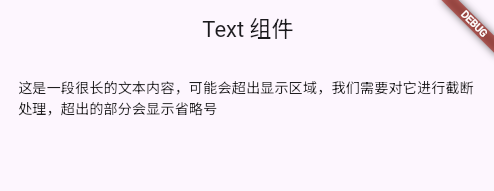
dart
Text(
  '这是一段很长的文本内容,可能会超出显示区域,我们需要对它进行截断处理,超出的部分会显示省略号',
  maxLines: 2,
  overflow: TextOverflow.ellipsis,
  style: TextStyle(
    fontSize: 14,
    color: Colors.black87,
    height: 1.5,
  ),
)
案例8:带阴影的标题
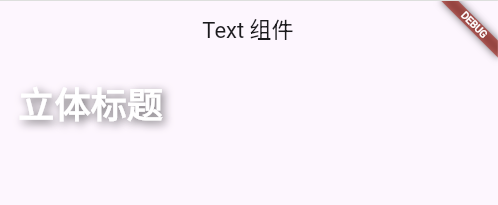
dart
Text(
  '立体标题',
  style: TextStyle(
    fontSize: 36,
    fontWeight: FontWeight.bold,
    color: Colors.white,
    shadows: [
      Shadow(
        color: Colors.black.withOpacity(0.5),
        offset: Offset(3, 3),
        blurRadius: 5,
      ),
    ],
  ),
)
案例9:渐变文本(使用 Shader)
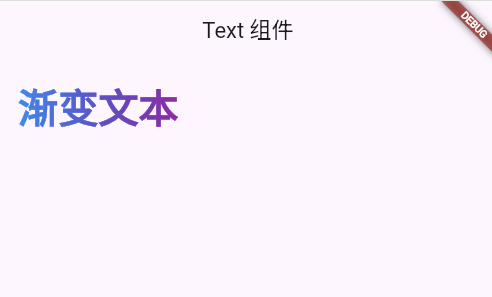
dart
ShaderMask(
  shaderCallback: (bounds) => LinearGradient(
    colors: [Colors.blue, Colors.purple],
  ).createShader(bounds),
  child: Text(
    '渐变文本',
    style: TextStyle(
      fontSize: 40,
      fontWeight: FontWeight.bold,
      color: Colors.white,
    ),
  ),
)
案例10:徽章文本
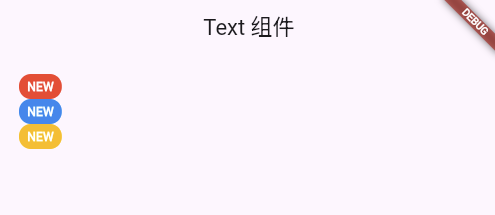
dart
Container(
  padding: EdgeInsets.symmetric(horizontal: 8, vertical: 4),
  decoration: BoxDecoration(
    color: Colors.red,
    borderRadius: BorderRadius.circular(12),
  ),
  child: Text(
    'NEW',
    style: TextStyle(
      fontSize: 12,
      color: Colors.white,
      fontWeight: FontWeight.bold,
    ),
  ),
)
RichText 富文本
当需要在一段文本中使用不同样式时,使用 RichText。
基础用法
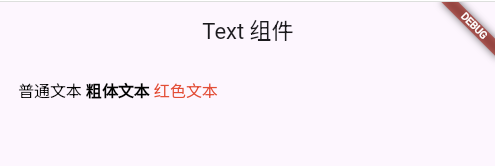
dart
RichText(
  text: TextSpan(
    text: '普通文本 ',
    style: TextStyle(color: Colors.black, fontSize: 16),
    children: [
      TextSpan(
        text: '粗体文本 ',
        style: TextStyle(fontWeight: FontWeight.bold),
      ),
      TextSpan(
        text: '红色文本',
        style: TextStyle(color: Colors.red),
      ),
    ],
  ),
)
案例:文章段落
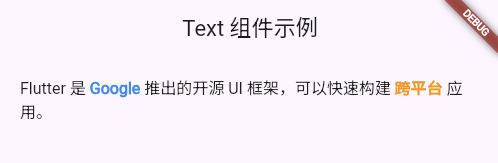
dart
RichText(
  text: TextSpan(
    style: TextStyle(fontSize: 16, color: Colors.black87, height: 1.5),
    children: [
      TextSpan(text: 'Flutter 是 '),
      TextSpan(
        text: 'Google',
        style: TextStyle(
          color: Colors.blue,
          fontWeight: FontWeight.bold,
        ),
      ),
      TextSpan(text: ' 推出的开源 UI 框架,可以快速构建 '),
      TextSpan(
        text: '跨平台',
        style: TextStyle(
          color: Colors.orange,
          fontWeight: FontWeight.bold,
        ),
      ),
      TextSpan(text: ' 应用。'),
    ],
  ),
)
案例:用户协议
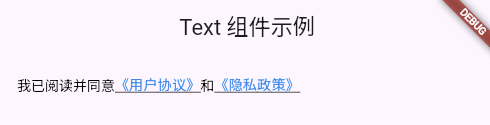
dart
RichText(
  text: TextSpan(
    style: TextStyle(fontSize: 14, color: Colors.black),
    children: [
      TextSpan(text: '我已阅读并同意'),
      WidgetSpan(
        child: GestureDetector(
          onTap: () {
            print('点击了用户协议');
          },
          child: Text(
            '《用户协议》',
            style: TextStyle(
              color: Colors.blue,
              decoration: TextDecoration.underline,
            ),
          ),
        ),
      ),
      TextSpan(text: '和'),
      WidgetSpan(
        child: GestureDetector(
          onTap: () {
            print('点击了隐私政策');
          },
          child: Text(
            '《隐私政策》',
            style: TextStyle(
              color: Colors.blue,
              decoration: TextDecoration.underline,
            ),
          ),
        ),
      ),
    ],
  ),
)
SelectableText 可选择文本
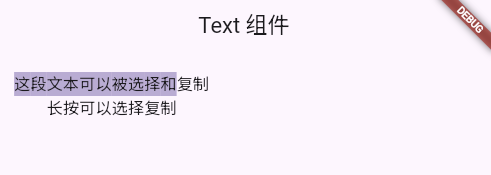
允许用户选择和复制文本。
dart
SelectableText(
  '这段文本可以被选择和复制',
  style: TextStyle(fontSize: 16),
)

// 带工具栏
SelectableText(
  '长按可以选择复制',
  style: TextStyle(fontSize: 16),
  toolbarOptions: ToolbarOptions(
    copy: true,
    selectAll: true,
    cut: false,
    paste: false,
  ),
)
完整示例
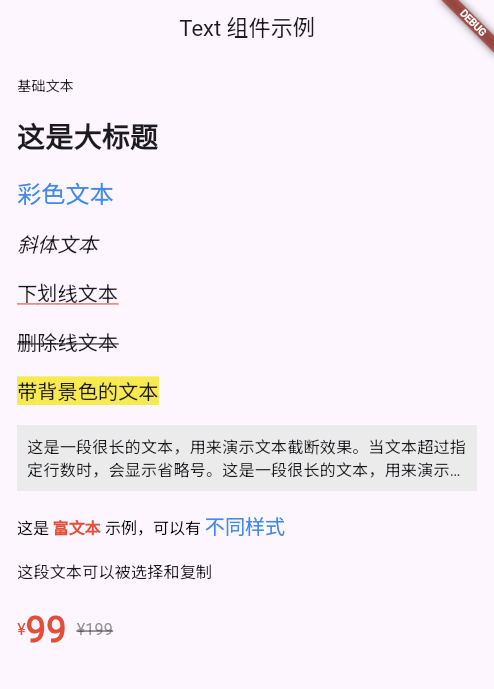
dart
import 'package:flutter/material.dart';

void main() => runApp(MyApp());

class MyApp extends StatelessWidget {
  @override
  Widget build(BuildContext context) {
    return MaterialApp(
      home: TextDemo(),
    );
  }
}

class TextDemo extends StatelessWidget {
  @override
  Widget build(BuildContext context) {
    return Scaffold(
      appBar: AppBar(title: Text('Text 组件示例')),
      body: SingleChildScrollView(
        padding: EdgeInsets.all(20),
        child: Column(
          crossAxisAlignment: CrossAxisAlignment.start,
          children: [
            // 基础文本
            Text('基础文本'),
            SizedBox(height: 20),

            // 大标题
            Text(
              '这是大标题',
              style: TextStyle(
                fontSize: 28,
                fontWeight: FontWeight.bold,
              ),
            ),
            SizedBox(height: 20),

            // 彩色文本
            Text(
              '彩色文本',
              style: TextStyle(
                fontSize: 24,
                color: Colors.blue,
              ),
            ),
            SizedBox(height: 20),

            // 斜体文本
            Text(
              '斜体文本',
              style: TextStyle(
                fontSize: 20,
                fontStyle: FontStyle.italic,
              ),
            ),
            SizedBox(height: 20),

            // 下划线文本
            Text(
              '下划线文本',
              style: TextStyle(
                fontSize: 20,
                decoration: TextDecoration.underline,
                decorationColor: Colors.red,
              ),
            ),
            SizedBox(height: 20),

            // 删除线文本
            Text(
              '删除线文本',
              style: TextStyle(
                fontSize: 20,
                decoration: TextDecoration.lineThrough,
              ),
            ),
            SizedBox(height: 20),

            // 带背景色的文本
            Text(
              '带背景色的文本',
              style: TextStyle(
                fontSize: 20,
                backgroundColor: Colors.yellow,
              ),
            ),
            SizedBox(height: 20),

            // 多行文本截断
            Container(
              width: double.infinity,
              padding: EdgeInsets.all(10),
              color: Colors.grey[200],
              child: Text(
                '这是一段很长的文本,用来演示文本截断效果。当文本超过指定行数时,会显示省略号。这是一段很长的文本,用来演示文本截断效果。',
                maxLines: 2,
                overflow: TextOverflow.ellipsis,
                style: TextStyle(fontSize: 16),
              ),
            ),
            SizedBox(height: 20),

            // 富文本
            RichText(
              text: TextSpan(
                style: TextStyle(fontSize: 16, color: Colors.black),
                children: [
                  TextSpan(text: '这是 '),
                  TextSpan(
                    text: '富文本',
                    style: TextStyle(
                      color: Colors.red,
                      fontWeight: FontWeight.bold,
                    ),
                  ),
                  TextSpan(text: ' 示例,可以有 '),
                  TextSpan(
                    text: '不同样式',
                    style: TextStyle(
                      color: Colors.blue,
                      fontSize: 20,
                    ),
                  ),
                ],
              ),
            ),
            SizedBox(height: 20),

            // 可选择文本
            SelectableText(
              '这段文本可以被选择和复制',
              style: TextStyle(fontSize: 16),
            ),
            SizedBox(height: 20),

            // 价格展示
            Row(
              children: [
                Text(
                  '¥',
                  style: TextStyle(
                    fontSize: 16,
                    color: Colors.red,
                  ),
                ),
                Text(
                  '99',
                  style: TextStyle(
                    fontSize: 36,
                    fontWeight: FontWeight.bold,
                    color: Colors.red,
                  ),
                ),
                SizedBox(width: 10),
                Text(
                  '¥199',
                  style: TextStyle(
                    fontSize: 16,
                    color: Colors.grey,
                    decoration: TextDecoration.lineThrough,
                  ),
                ),
              ],
            ),
          ],
        ),
      ),
    );
  }
}
常见问题
1. 文本不换行?
dart
// ❌ 问题:文本超出屏幕
Text('很长的文本...')

// ✅ 解决:限制宽度
Container(
  width: 200,
  child: Text('很长的文本...'),
)
2. 如何让文本居中?
dart
// 方法1:使用 textAlign
Text(
  '居中文本',
  textAlign: TextAlign.center,
)

// 方法2:使用 Center
Center(
  child: Text('居中文本'),
)
3. 如何设置行间距?
dart
Text(
  '多行文本\n第二行\n第三行',
  style: TextStyle(
    height: 2.0,  // 行高是字体大小的 2 倍
  ),
)
4. 文本颜色不生效?
确保没有被父组件的主题覆盖:
dart
// ✅ 明确指定颜色
Text(
  '文本',
  style: TextStyle(color: Colors.blue),
)
属性速查表
| 属性 | 类型 | 说明 |
|---|---|---|
data |
String | 文本内容 |
style |
TextStyle | 文本样式 |
textAlign |
TextAlign | 对齐方式 |
maxLines |
int | 最大行数 |
overflow |
TextOverflow | 溢出处理 |
softWrap |
bool | 是否自动换行 |
TextStyle 属性
| 属性 | 类型 | 说明 |
|---|---|---|
fontSize |
double | 字体大小 |
color |
Color | 字体颜色 |
fontWeight |
FontWeight | 字体粗细 |
fontStyle |
FontStyle | 字体样式(斜体等) |
letterSpacing |
double | 字间距 |
wordSpacing |
double | 词间距 |
height |
double | 行高 |
decoration |
TextDecoration | 文本装饰(下划线等) |
backgroundColor |
Color | 背景颜色 |
shadows |
List | 阴影 |
总结
Text 组件的核心用途:
- 显示各种文本内容
- 设置丰富的文本样式
- 处理文本溢出和换行
- 创建富文本效果
记住:
- Text 是最基础的组件
- 使用 TextStyle 设置样式
- maxLines + overflow 处理长文本
- RichText 实现富文本
- SelectableText 让文本可选择
掌握 Text 组件是 Flutter 开发的第一步!