前言
笔者在做项目时,发现新版的MySQL(现在最新版)出现explain时tree的结果,本身这个结果也看得懂,但是已经习惯表格模式,还是有点别扭,就看了官方文档,发现explain增加了tree模式和json模式,简单体验一下这2种模式和传统模式的区别。
MySQL验证
使用上次的容器MySQL

版本已经更新到9.5.0,根据官方文档:explain-analyze
SELECT @@explain_format;
发现MySQL新版本已经默认使用tree模式
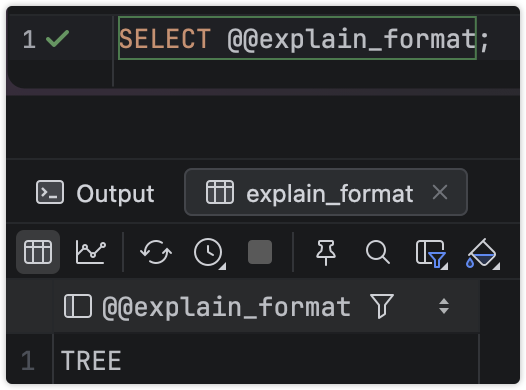
设置为JSON或者TRADITIONAL也行,这个设置是非全局的。
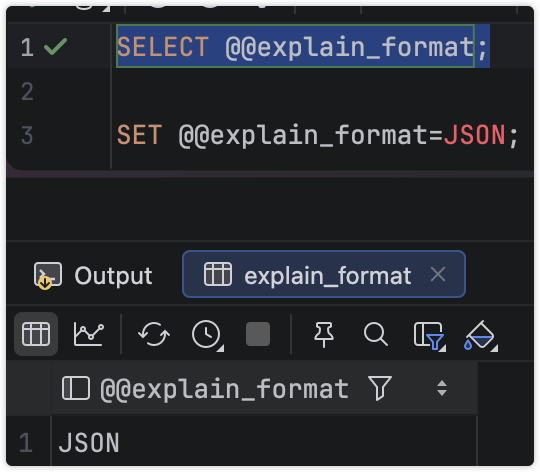
使用demo看看其中有什么差异
JSON模式
上面设置了JSON模式,那么看看JSON是怎么样的,以JPA那篇文章的saveall为例
如果索引设置不合理,那么执行计划如下
explain select * from demo.user where id= "0e604c36-e91e-4ebd-8ec5-2939e4ab1d55";
bash
{
  "query": "/* select#1 */ select `demo`.`user`.`id` AS `id`,`demo`.`user`.`name` AS `name`,`demo`.`user`.`age` AS `age`,`demo`.`user`.`addr` AS `addr`,`demo`.`user`.`iid` AS `iid` from `demo`.`user` where (`demo`.`user`.`id` = '0e604c36-e91e-4ebd-8ec5-2939e4ab1d55')",
  "query_plan": {
    "inputs": [
      {
        "operation": "Table scan on user",
        "table_name": "user",
        "access_type": "table",
        "schema_name": "demo",
        "used_columns": [
          "id",
          "name",
          "age",
          "addr",
          "iid"
        ],
        "estimated_rows": 18078.0,
        "estimated_total_cost": 1960.0181818181818
      }
    ],
    "condition": "(demo.`user`.id = '0e604c36-e91e-4ebd-8ec5-2939e4ab1d55')",
    "operation": "Filter: (demo.`user`.id = '0e604c36-e91e-4ebd-8ec5-2939e4ab1d55')",
    "access_type": "filter",
    "estimated_rows": 1807.8000269383192,
    "filter_columns": [
      "demo.`user`.id"
    ],
    "estimated_total_cost": 1960.0181818181818
  },
  "query_type": "select",
  "json_schema_version": "2.0"
}
说实在的,除了数据有点啰嗦,其实跟表格方式差距不大,修改索引,看看命中索引的情况
bash
{
  "query": "/* select#1 */ select `demo`.`user`.`id` AS `id`,`demo`.`user`.`name` AS `name`,`demo`.`user`.`age` AS `age`,`demo`.`user`.`addr` AS `addr`,`demo`.`user`.`iid` AS `iid` from `demo`.`user` where (`demo`.`user`.`id` = '0e604c36-e91e-4ebd-8ec5-2939e4ab1d55')",
  "query_plan": {
    "covering": false,
    "operation": "Index lookup on user using user_pk (id = '0e604c36-e91e-4ebd-8ec5-2939e4ab1d55')",
    "index_name": "user_pk",
    "table_name": "user",
    "access_type": "index",
    "key_columns": [
      "id"
    ],
    "schema_name": "demo",
    "used_columns": [
      "id",
      "name",
      "age",
      "addr",
      "iid"
    ],
    "estimated_rows": 1.0,
    "lookup_condition": "id = '0e604c36-e91e-4ebd-8ec5-2939e4ab1d55'",
    "index_access_type": "index_lookup",
    "lookup_references": [
      "const"
    ],
    "estimated_total_cost": 0.35
  },
  "query_type": "select",
  "json_schema_version": "2.0"
}
明显可以看到命中索引信息,尤其是评估Total cost,从1960到0.35大幅度下降,且根据B+树的结构,复杂度从全表扫描的O(n)变为O(logmN)--具体复杂度跟索引命中情况和回表有关系。
Tree模式
在MySQL 9.5.0中,Tree模式为默认模式,其实笔者也很喜欢,因为简洁就是王道。

命中索引的情况下,就说使用了那个索引的那个字段值命中,评估cost值
如果没命中索引,给出cost值

关键信息都有了,其他的一概不展示,因为对于绝大部分开发人员优化,就是索引命中和耗时优化。Tree模式作为默认模式确实很友好。
传统模式
这种模式实际上在MySQL8.0之初和之前,都是用的这种模式,其实也方便,但是不能一目了然,表格的数据比较完整,不过不少很友好,不够人性化。
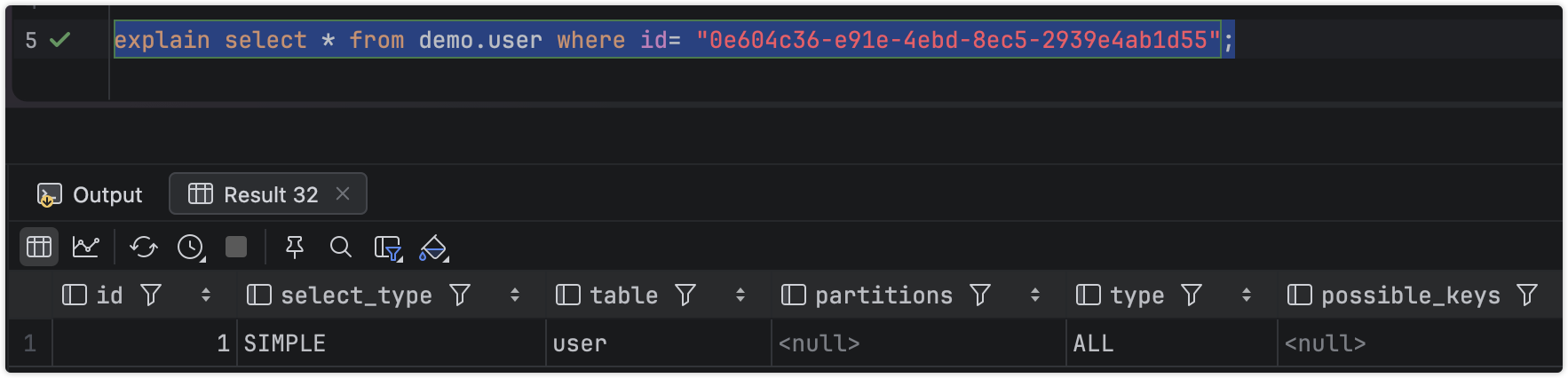
命中索引

没有评估cost,其他该有的都有,不够归类总结。
ANALYZE增强模式
其实这种模式严格上讲是对原有模式的增强
EXPLAIN ANALYZEruns a statement and produces EXPLAIN output along with timing and additional, iterator-based, information about how the optimizer's expectations matched the actual execution. For each iterator, the following information is provided:
Estimated execution cost
(Some iterators are not accounted for by the cost model, and so are not included in the estimate.)
Estimated number of returned rows
Time to return first row
Time spent executing this iterator (including child iterators, but not parent iterators), in milliseconds.
(When there are multiple loops, this figure shows the average time per loop.)
Number of rows returned by the iterator
Number of loops
简单翻译一下:
EXPLAIN ANALYZE 运行执行计划,并生成 EXPLAIN 输出,同时提供时间信息以及额外的、基于迭代器的信息,用于说明优化器的预期与实际执行的匹配情况。对于每个迭代器,提供以下信息:
估计执行成本
(某些迭代器未被成本模型计算,因此不会包含在估算中。)
估计返回的行数
返回第一行所需时间
执行此迭代器所花费的时间(包括子迭代器,但不包括父迭代器),以毫秒为单位。
(当存在多个循环时,此数字表示每次循环的平均时间。)
迭代器返回的行数
循环次数
Tree OR JSON SUPPORT
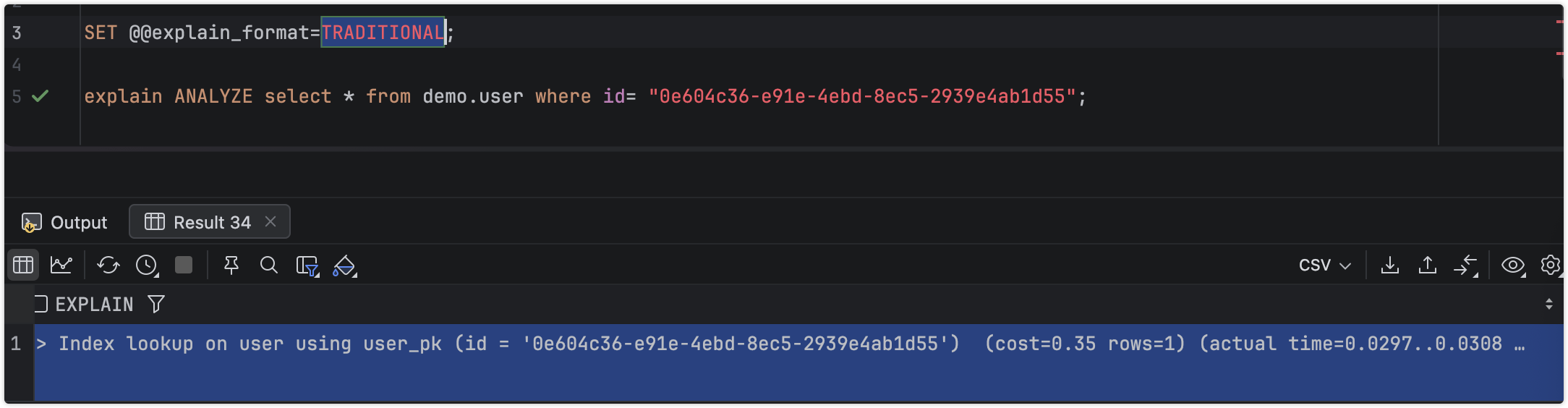
可以使用Tree和JSON输出,建议使用tree模式,简单明了。
-
If the value of this variable is
TRADITIONALorTREE(or the synonymDEFAULT),EXPLAIN ANALYZEuses theTREEformat unless the statement includesFORMAT=JSON. -
If the value of
explain_formatisJSON,EXPLAIN ANALYZEuses the JSON format unlessFORMAT=TREEis specified as part of the statement.
Using FORMAT=TRADITIONAL or FORMAT=DEFAULT with EXPLAIN ANALYZE always raises an error, regardless of the value of explain_format.
总结
其实MySQL的高版本的explain还是没太多的变化,默认增加了cost评估计算,这个非常直观有用,可以看出即使2~3w的数据,命中索引cost为0.35,而未命中索引为1800~2000之间的评估值,这个可以充分的说明差异,当然对于2W多的数据,即使全表扫描也不会很慢,但是随着数据的积累,这个差距会越来越大,笔者在jpa的saveall中发现,如果数据上升200多w,那么这个jpa的saveall耗时20多分钟,这个明显是缺陷,空耗数据库CPU,性能查。
其实展示方式,传统模式,Tree模式还是JSON模式,区别不大,关键是Tree和JSON模式有cost展示,笔者自己比较喜欢Tree模式,简洁,一目了然,效率高。