作者: @遥控小飞机
前言
之前看过大佬分享的添加hook发送通知的教程,奈何要么是Mac环境的,要么执行sh脚本在我这里一直无法执行触发,今天试了下,通过第三方的BurnToastNotification,执行python脚本的方式可以触发了,定制一个属于你的iflow弹出通知。
首先需要一个能够调用windows系统通知中心的插件,我这里选择了BurnToastNotification,Github地址:Windos/BurntToast: Module for creating and displaying Toast Notifications on Microsoft Windows 10.
好处是
- 安装简单,一行命令即可安装成功
bash
Install-Module -Name BurntToast- 定制化强,可以定制你的通知的标题,内容,属性文字,图标,声音,甚至是添加延迟提醒等交互操作。
具体步骤:
- 先按照官方说明,在命令行安装好BurnToastNotification。
- 然后配置你的通知提醒的python脚本,代码我用AI生成的
python
#!/usr/bin/env python3
# -*- coding: utf-8 -*-
# Stop hook脚本-任务完成通知

import subprocess
import os

def send_notification():
    """发送任务完成通知"""
    try:
        # 构建PowerShell命令,我这里加了个图标文件,配置了通知的标题,内容和属性文字,通过powsershell命令调用BurnToastNotification来发送弹出通知
        ps_command = (
            "New-BurntToastNotification -AppLogo ~/.iflow/hooks/iflow.png "
            "-Text 'Mission Complete!','iflow任务完成' -Attribution 'Powered by Samael'"
        )

        # 执行PowerShell命令[6,7,8](@ref)
        result = subprocess.run(
            ["powershell", "-Command", ps_command],
            capture_output=True,
            text=True,
            timeout=30
        )

        if result.returncode == 0:
            print("通知发送成功")
        else:
            print(f"通知发送失败: {result.stderr}")

    except subprocess.TimeoutExpired:
        print("PowerShell命令执行超时")
    except FileNotFoundError:
        print("未找到powershell命令,请确保在Windows系统中运行")
    except Exception as e:
        print(f"执行过程中发生错误: {e}")

def main():
    """主函数"""
    send_notification()

if __name__ == "__main__":
    main()
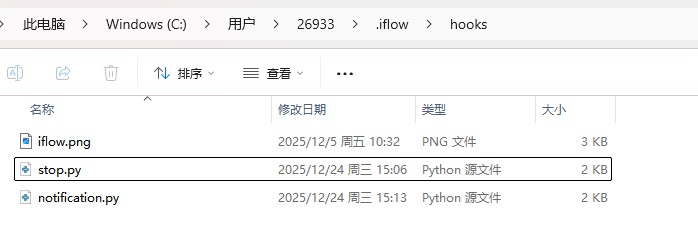
上边的python脚本中,我在powershell命令调用burnToastNotification发送系统通知时,加了个图标文件(如果你不改图标文件的话,BurnToast会用它默认的一个图标),也放到python文件同一个目录下了,就是~/.iflow/hooks/目录,如下图:
3.最后一步,在你的iFlow的settings.json中,添加hook配置,我这里用~/.iflow/目录不生效(命名py中能用不知道为啥),所以我就改成完整路径了,小伙伴们可以根据你的情况来修改路径。
python
"hooks": {
    "Stop": [
      {
        "hooks": [
          {
            "type": "command",
            "command": "python c:/Users/26933/.iflow/hooks/stop.py"
          }
        ]
      }
    ],
    "Notification": [
      {
        "matcher": ".*permission.*",
        "hooks": [
          {
            "type": "command",
            "command": "python c:/Users/26933/.iflow/hooks/notification.py"
          }
        ]
      }
    ]
  }
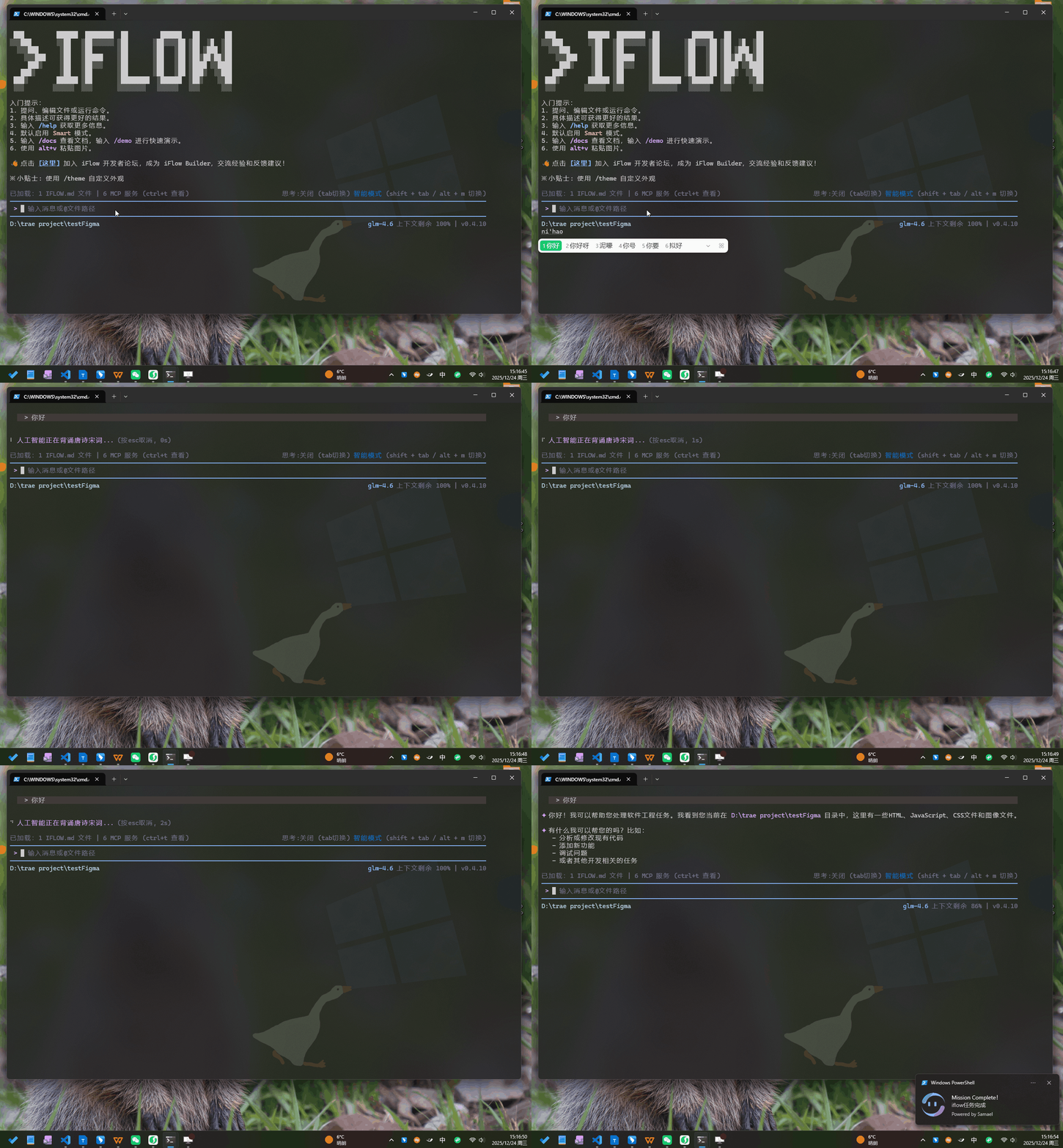
最后的实际效果是这样
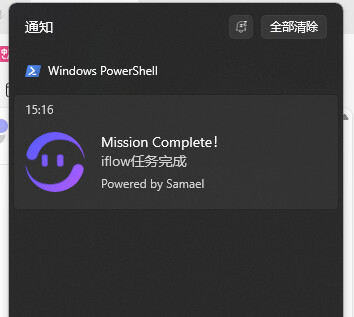
在通知中心中也会有记录:
欢迎大家试用~