Flutter亲子成长记录应用开发教程
项目简介
这是一个专为家长设计的亲子成长记录应用,帮助记录孩子成长过程中的珍贵瞬间、重要里程碑、健康数据等。应用界面温馨可爱,功能全面实用,是记录宝宝成长的好帮手。
运行效果图

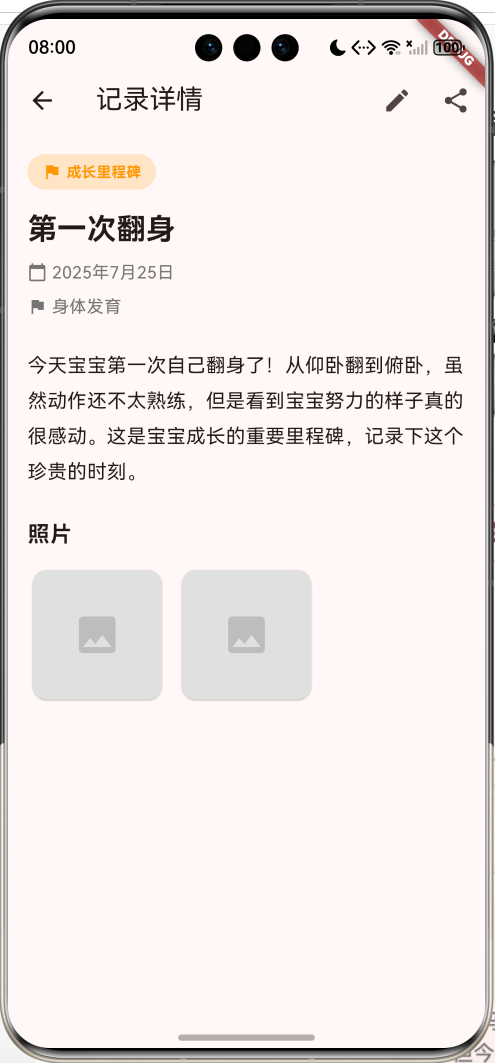
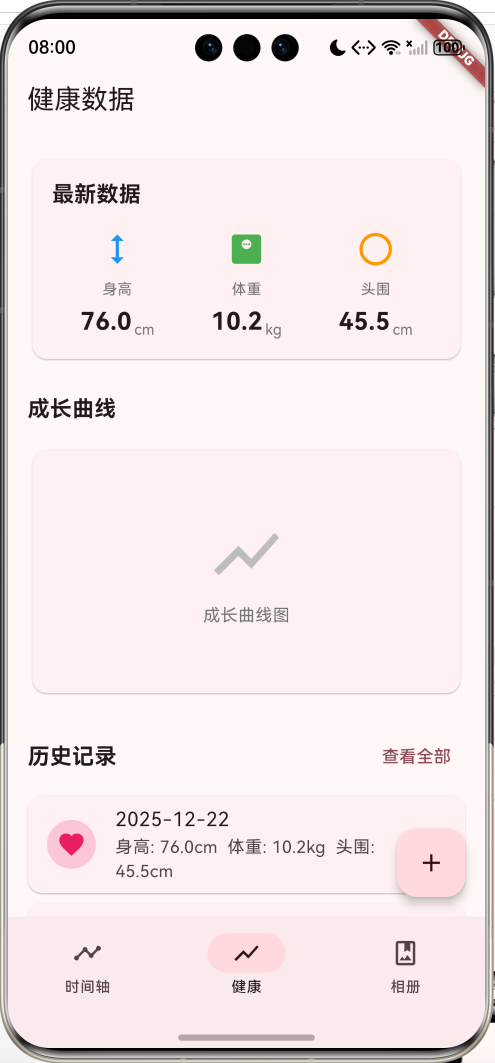
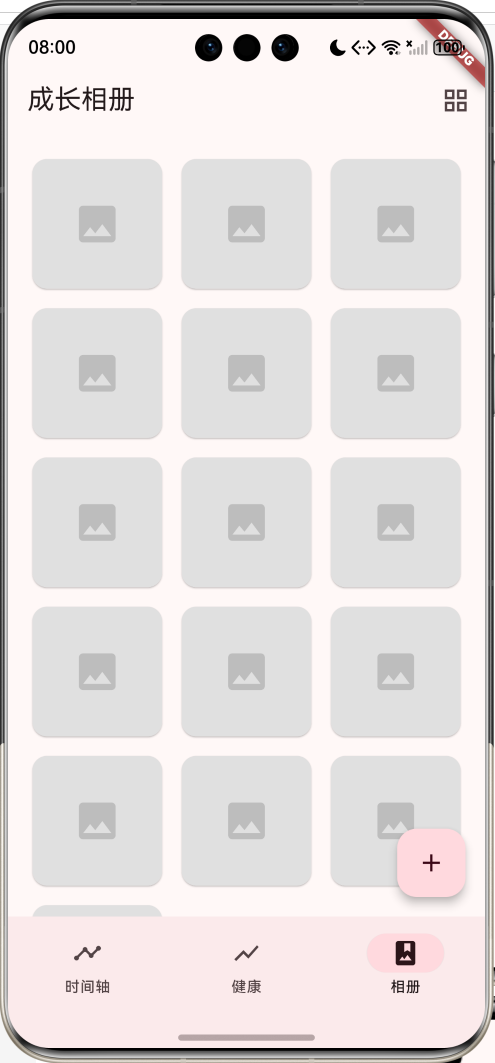
主要功能
- 📝 成长时间轴(记录成长瞬间)
- 🎯 里程碑记录(第一次翻身、走路等)
- 📊 健康数据追踪(身高、体重、头围)
- 📷 成长相册(照片管理)
- ⭐ 收藏重要记录
- 🏷️ 5种记录类型(里程碑、照片、健康、日记、技能)
应用特色
- 时间轴展示:清晰的时间线展示成长历程
- 多类型记录:支持多种类型的成长记录
- 健康追踪:记录身高体重等健康数据
- 相册管理:整理宝宝的成长照片
- 温馨设计:粉色主题,温馨可爱
数据模型设计
1. 记录类型枚举(RecordType)
dart
enum RecordType {
  milestone('成长里程碑', Icons.flag, Colors.orange),
  photo('照片记录', Icons.photo_camera, Colors.blue),
  health('健康数据', Icons.favorite, Colors.red),
  diary('成长日记', Icons.book, Colors.green),
  skill('技能学习', Icons.school, Colors.purple);

  final String label;
  final IconData icon;
  final Color color;
  const RecordType(this.label, this.icon, this.color);
}
2. 里程碑类型枚举(MilestoneType)
dart
enum MilestoneType {
  physical('身体发育', '第一次翻身、爬行、走路等'),
  language('语言发展', '第一次叫爸妈、说话等'),
  social('社交能力', '第一次微笑、认人等'),
  cognitive('认知能力', '认识颜色、数字等'),
  life('生活技能', '自己吃饭、穿衣等');

  final String label;
  final String description;
  const MilestoneType(this.label, this.description);
}
3. 成长记录模型(GrowthRecord)
dart
class GrowthRecord {
  final String id;
  final RecordType type;
  final String title;
  final String content;
  final DateTime date;
  final List<String> photos;
  MilestoneType? milestoneType;
  bool isFavorite;
}
4. 健康数据模型(HealthData)
dart
class HealthData {
  final String id;
  final DateTime date;
  final double height;
  final double weight;
  final double headCircumference;
  final String note;
}
核心功能实现
1. 时间轴展示
使用时间线布局展示成长记录,左侧是时间轴线,右侧是记录内容。
dart
Widget _buildTimelineItem(GrowthRecord record, int index) {
  return Row(
    crossAxisAlignment: CrossAxisAlignment.start,
    children: [
      // 时间轴线
      Column(
        children: [
          if (index > 0)
            Container(width: 2, height: 20, color: Colors.grey[300]),
          CircleAvatar(
            backgroundColor: record.type.color.withOpacity(0.2),
            child: Icon(record.type.icon, color: record.type.color),
          ),
          if (index < records.length - 1)
            Container(width: 2, height: 80, color: Colors.grey[300]),
        ],
      ),
      // 记录内容
      Expanded(
        child: Card(
          child: Padding(
            padding: EdgeInsets.all(16),
            child: Column(
              children: [
                Text(record.title),
                Text(record.content),
                Text(formatDate(record.date)),
              ],
            ),
          ),
        ),
      ),
    ],
  );
}
2. 类型筛选
用户可以按记录类型筛选内容。
dart
List<GrowthRecord> get _filteredRecords {
  if (_selectedType == null) {
    return _records;
  }
  return _records.where((r) => r.type == _selectedType).toList();
}
3. 健康数据展示
展示最新的健康数据和历史记录。
dart
Widget _buildDataItem(String label, String value, String unit, IconData icon, Color color) {
  return Column(
    children: [
      Icon(icon, size: 32, color: color),
      Text(label),
      Row(
        children: [
          Text(value, style: TextStyle(fontSize: 20, fontWeight: FontWeight.bold)),
          Text(unit),
        ],
      ),
    ],
  );
}
4. 添加记录
通过底部弹窗选择记录类型。
dart
void _showAddRecordDialog(BuildContext context) {
  showModalBottomSheet(
    context: context,
    builder: (context) {
      return Container(
        child: Column(
          children: [
            Text('添加记录'),
            ...RecordType.values.map((type) {
              return ListTile(
                leading: Icon(type.icon, color: type.color),
                title: Text(type.label),
                onTap: () => addRecord(type),
              );
            }),
          ],
        ),
      );
    },
  );
}
UI组件结构
整体架构
应用采用3页NavigationBar结构:
┌─────────────────────────────────┐
│       时间轴页(成长记录)       │
│  ┌───────────────────────────┐  │
│  │   类型筛选栏               │  │
│  │  [全部][里程碑][日记]...  │  │
│  └───────────────────────────┘  │
│  ●───┬─────────────────────┐   │
│  │   │ 第一次翻身          │   │
│  │   │ 今天宝宝第一次...   │   │
│  │   │ 📅 2024-01-15      │   │
│  │   └─────────────────────┘   │
│  │                              │
│  ●───┬─────────────────────┐   │
│  │   │ 第一次叫妈妈        │   │
│      └─────────────────────┘   │
└─────────────────────────────────┘
┌─────────────────────────────────┐
│       健康页(健康数据)         │
│  ┌───────────────────────────┐  │
│  │   最新数据                │  │
│  │  身高    体重    头围     │  │
│  │  76cm   10.2kg  45.5cm   │  │
│  └───────────────────────────┘  │
│  ┌───────────────────────────┐  │
│  │   成长曲线图              │  │
│  └───────────────────────────┘  │
│  历史记录                       │
│  [2024-01-15] 76cm 10.2kg...   │
└─────────────────────────────────┘
┌─────────────────────────────────┐
│       相册页(成长相册)         │
│  ┌────┐ ┌────┐ ┌────┐          │
│  │ 📷 │ │ 📷 │ │ 📷 │          │
│  └────┘ └────┘ └────┘          │
│  ┌────┐ ┌────┐ ┌────┐          │
│  │ 📷 │ │ 📷 │ │ 📷 │          │
│  └────┘ └────┘ └────┘          │
└─────────────────────────────────┘
功能扩展建议
1. 成长曲线图
使用图表库绘制身高体重成长曲线。
dart
import 'package:fl_chart/fl_chart.dart';

class GrowthChart extends StatelessWidget {
  final List<HealthData> data;

  @override
  Widget build(BuildContext context) {
    return LineChart(
      LineChartData(
        lineBarsData: [
          LineChartBarData(
            spots: data.map((d) => FlSpot(
              d.date.millisecondsSinceEpoch.toDouble(),
              d.height,
            )).toList(),
          ),
        ],
      ),
    );
  }
}
2. 照片上传
支持拍照或从相册选择照片。
dart
import 'package:image_picker/image_picker.dart';

Future<void> pickImage() async {
  final picker = ImagePicker();
  final image = await picker.pickImage(source: ImageSource.camera);
  if (image != null) {
    // 保存照片
  }
}
3. 数据导出
导出成长记录为PDF或图片。
4. 提醒功能
设置体检提醒、疫苗接种提醒等。
dart
class Reminder {
  final String id;
  final String title;
  final DateTime time;
  final bool isRepeat;
}
5. 多宝宝管理
支持管理多个孩子的成长记录。
dart
class Baby {
  final String id;
  final String name;
  final DateTime birthday;
  final String avatar;
  final List<GrowthRecord> records;
}
部署指南
环境要求
- Flutter SDK: 3.0+
- Dart SDK: 3.0+
- 支持平台: Android、iOS、Web、HarmonyOS
依赖包配置
yaml
dependencies:
  flutter:
    sdk: flutter
  cupertino_icons: ^1.0.2
运行步骤
- 安装依赖
bash
flutter pub get- 运行应用
bash
flutter run- 打包发布
bash
# Android
flutter build apk --release

# iOS
flutter build ios --release

# HarmonyOS
flutter build hap --release
技术要点
1. 时间轴布局
使用Row和Column组合实现时间轴效果。
2. 枚举的使用
使用增强型枚举定义记录类型和里程碑类型。
3. 状态管理
使用StatefulWidget管理记录列表和筛选状态。
4. 底部弹窗
使用showModalBottomSheet显示添加记录选项。
注意事项
1. 数据持久化
- 使用本地数据库存储记录
- 定期备份数据
- 支持云端同步
2. 隐私保护
- 不上传敏感照片
- 本地加密存储
- 提供隐私设置
3. 用户体验
- 简化操作流程
- 提供快速记录入口
- 支持语音输入
总结
本教程介绍了亲子成长记录应用的开发过程,包括数据模型设计、核心功能实现、UI组件构建等。应用功能全面,界面温馨,是记录宝宝成长的实用工具。
欢迎加入开源鸿蒙跨平台社区:https://openharmonycrossplatform.csdn.net