1、创建WebApi项目
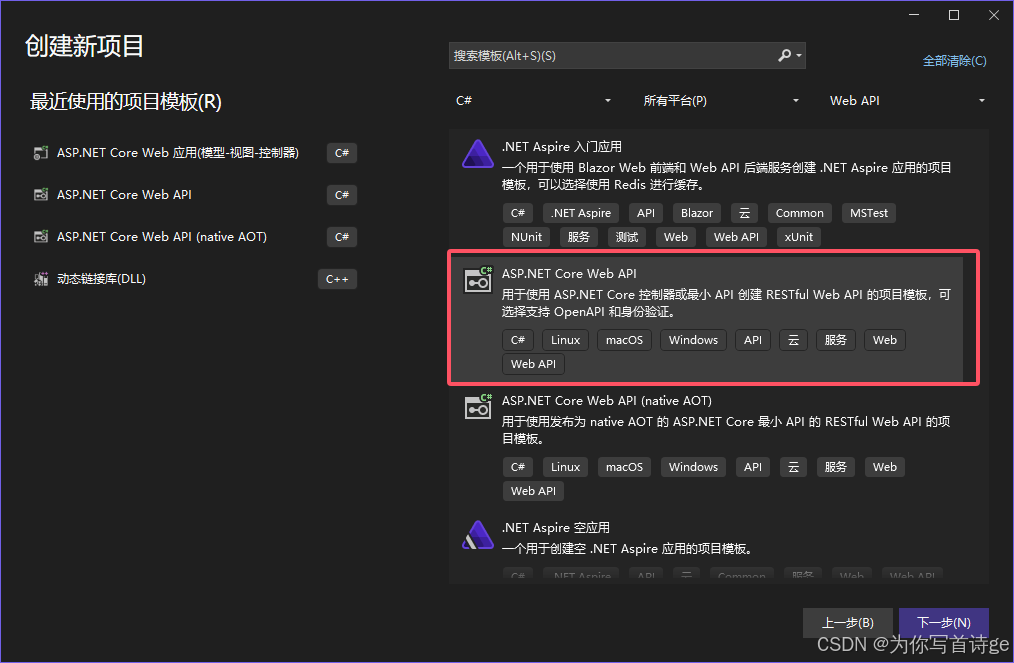
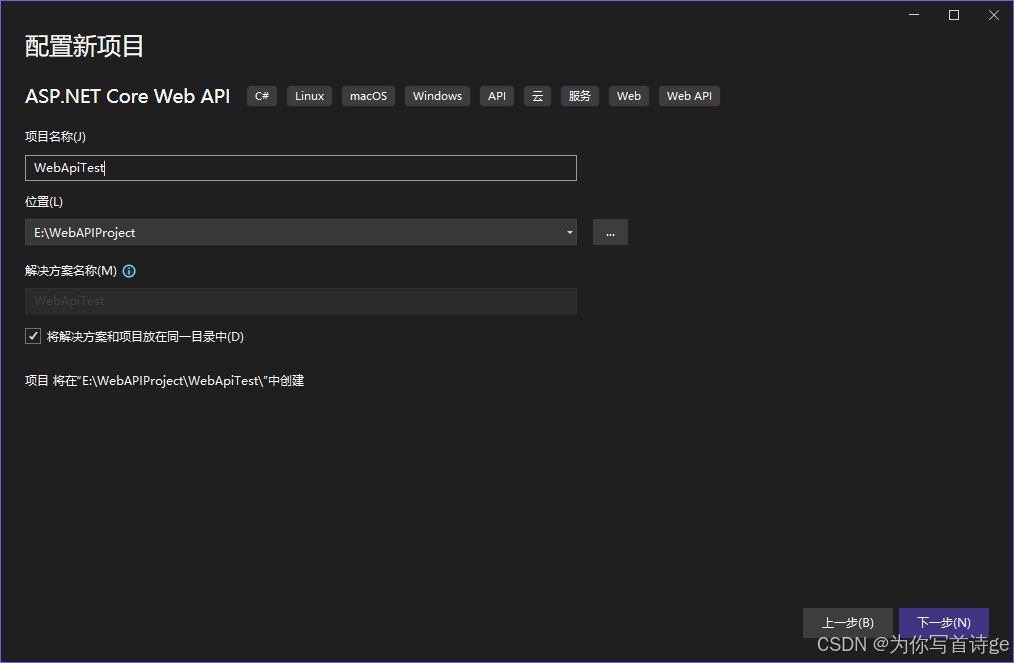
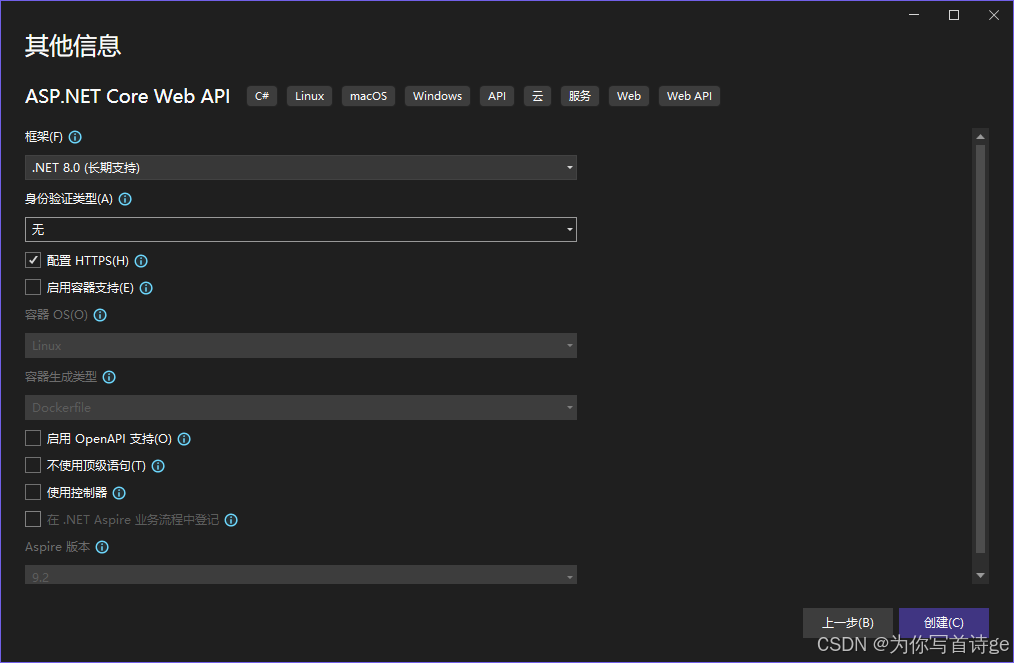
Prgram.cs代码保留如下
cs
var builder = WebApplication.CreateBuilder(args);

// Add services to the container.

var app = builder.Build();

// Configure the HTTP request pipeline.

app.UseHttpsRedirection();

app.Run();
2、Minmal APIs最小API使用
Prgram.cs中进行最小API使用
cs
var builder = WebApplication.CreateBuilder(args);

// Add services to the container.

var app = builder.Build();

// Configure the HTTP request pipeline.

app.UseHttpsRedirection();

//获取所有衬衫数据列表
app.MapGet("/shirts", () =>
{
    return "获取所有衬衫数据列表";
});

//获取指定ID的衬衫数据
app.MapGet("/shirts/{id}", (int id) =>
{
    return $"获取ID为 {id} 的衬衫数据";
});

//创建一件新的衬衫
app.MapPost("/shirts", () =>
{
    return "创建一件新的衬衫";
});

//更新指定ID的衬衫数据
app.MapPut("/shirts/{id}", (int id) =>
{
    return $"更新ID为 {id} 的衬衫数据";
});

//删除指定ID的衬衫数据
app.MapDelete("/shirts/{id}", (int id) =>
{
    return $"删除ID为 {id} 的衬衫数据";
});

app.Run();3、ASP.NET Core中间件管道
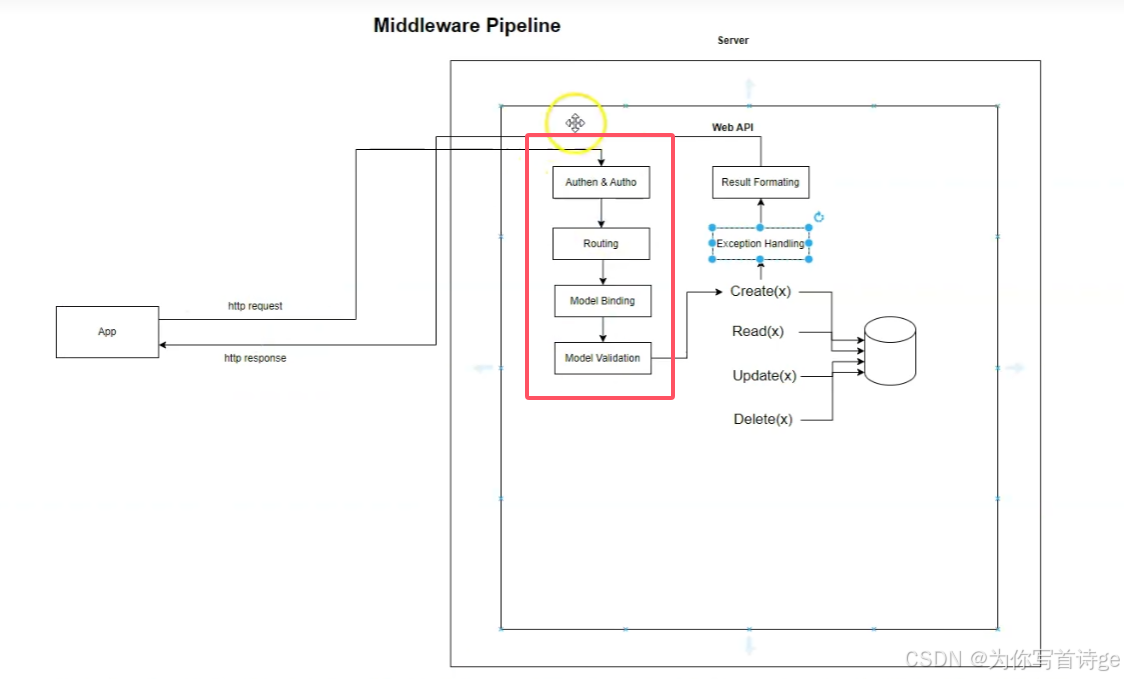
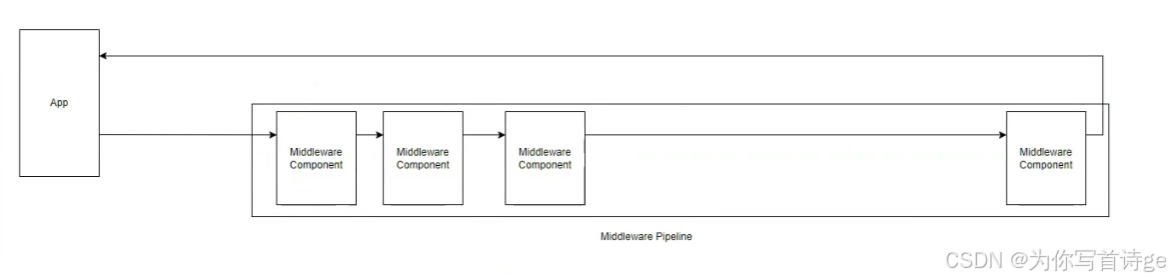
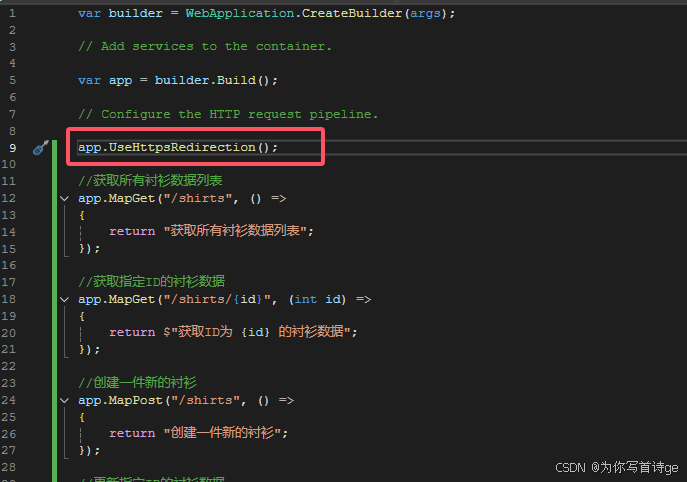
app中的Use开头的方法都是中间件组件使用方法
4、Web API控制器实现Web API
方法1:将路由写在方法前面并指定操作动词
cs
using Microsoft.AspNetCore.Mvc;

namespace WebApiTest.Controllers
{
    [ApiController]
    public class ShirtsController : ControllerBase
    {
        //获取所有衬衫数据列表
        [HttpGet]
        [Route("api/shirts")]
        public string GetShirts()
        {
            return "获取所有衬衫数据列表";
        }

        //获取指定ID的衬衫数据
        [HttpGet]
        [Route("api/shirts/{id}")]
        public string GetShirtById(int id)
        {
            return $"获取ID为 {id} 的衬衫数据";
        }

        //创建一件新的衬衫
        [HttpPost]
        [Route("api/shirts")]
        public string CreateShirt()
        {
            return "创建一件新的衬衫";
        }

        //更新指定ID的衬衫数据
        [HttpPut]
        [Route("api/shirts/{id}")]
        public string UpdateShirt(int id)
        {
            return $"更新ID为 {id} 的衬衫数据";
        }

        //删除指定ID的衬衫数据
        [HttpDelete]
        [Route("api/shirts/{id}")]
        public string DeleteShirt(int id)
        {
            return $"删除ID为 {id} 的衬衫数据";
        }
    }
}
方法2:将路由写在类前面,再在方法前面指定操作动词
cs
using Microsoft.AspNetCore.Mvc;

namespace WebApiTest.Controllers
{
    [ApiController]
    [Route("/api/[controller]")]
    public class ShirtsController : ControllerBase
    {
        //获取所有衬衫数据列表
        [HttpGet]
        public string GetShirts()
        {
            return "获取所有衬衫数据列表";
        }

        //获取指定ID的衬衫数据
        [HttpGet("{id}")]
        public string GetShirtById(int id)
        {
            return $"获取ID为 {id} 的衬衫数据";
        }

        //创建一件新的衬衫
        [HttpPost]
        public string CreateShirt()
        {
            return "创建一件新的衬衫";
        }

        //更新指定ID的衬衫数据
        [HttpPut("{id}")]
        public string UpdateShirt(int id)
        {
            return $"更新ID为 {id} 的衬衫数据";
        }

        //删除指定ID的衬衫数据
        [HttpDelete("{id}")]
        public string DeleteShirt(int id)
        {
            return $"删除ID为 {id} 的衬衫数据";
        }
    }
}
5、基于控制器的Web API的路由
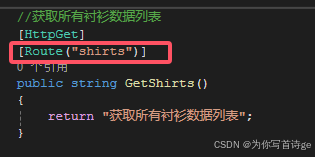
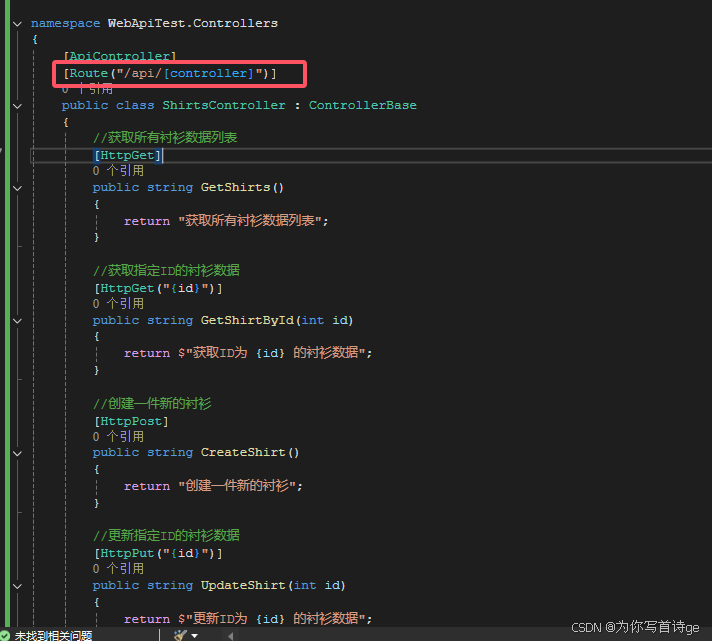
使用注解Route("/shirts")设置Web API的URL,可以在方法前使用,也可以在类前使用
方法前
类前
6、模型绑定,将Http请求中的数据映射到操作方法的参数
6.1 从路由绑定,在路由Route("/shirts/{id}")或在操作动词HttpGet("{id}")设置,在方法参数前设置FromRoute也可以省略
cs
        [HttpGet("{id}")]
        public string GetShirtById([FromRoute]int id)
        {
            return $"获取ID为 {id} 的衬衫数据";
        }
6.2 从查询字符串中绑定,方法参数前使用注解FromQuery
http://localhost:5186/api/shirts/1?color=红色
cs
        [HttpGet("{id}")]
        public string GetShirtById([FromRoute]int id, [FromQuery]string color)
        {
            return $"获取ID为 {id} 的衬衫数据";
        }
6.3 从请求头Header中绑定,方法参数前使用注解FromHeader
cs
        [HttpGet("{id}")]
        public string GetShirtById([FromRoute]int id, [FromQuery]string color, [FromHeader]int size)
        {
            return $"获取ID为 {id} 的衬衫数据,衬衫颜色为{color},大小为{size}";
        }
6.4 从请求体Body JSON格式中绑定,方法参数前使用注解FromBody
cs
        [HttpPost]
        public string CreateShirt([FromBody]Shirt shirt)
        {
            return $"创建一件新的衬衫,{shirt.Id}, {shirt.Name}, {shirt.Color}, {shirt.Gender}, {shirt.Price}";
        }
6.5 从请求体Body 表单中绑定,方法参数前使用注解FromForm
cs
        [HttpPost]
        public string CreateShirt([FromForm]Shirt shirt)
        {
            return $"创建一件新的衬衫,{shirt.Id}, {shirt.Name}, {shirt.Color}, {shirt.Gender}, {shirt.Price}";
        }
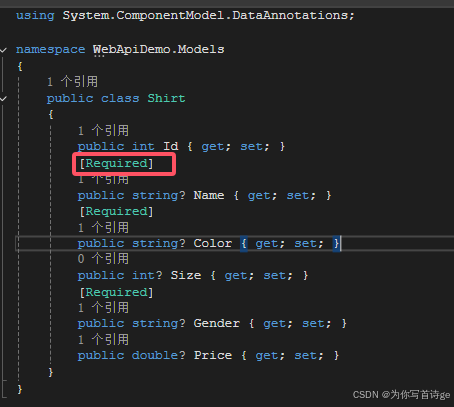
7、数据注解模型验证
8、ValidationAtteibute模型验证,继承ValidationAttribute
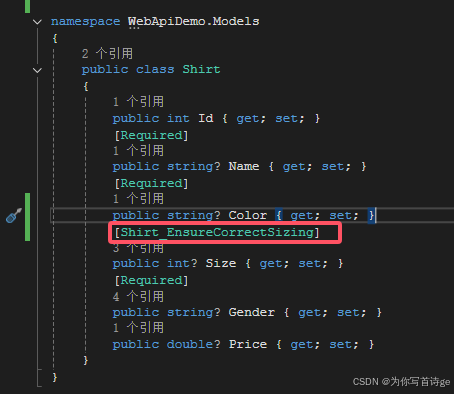
创建脚本Shirt_EnsureCorrectSizingAttribute.cs
cs
using System.ComponentModel.DataAnnotations;
using WebApiDemo.Models;

namespace WebApiTest.Models.Validations
{
    public class Shirt_EnsureCorrectSizingAttribute : ValidationAttribute
    {
        protected override ValidationResult? IsValid(object? value, ValidationContext validationContext)
        {
            var shirt = validationContext.ObjectInstance as Shirt;
            if(shirt != null && !string.IsNullOrEmpty(shirt.Gender))
            {
                if(shirt.Gender.Equals("men", StringComparison.OrdinalIgnoreCase) && shirt.Size < 8)
                {
                    return new ValidationResult("男性衬衫的尺码必须大于或等于8。");
                }
                else if (shirt.Gender.Equals("women", StringComparison.OrdinalIgnoreCase) && shirt.Size < 6)
                {
                    return new ValidationResult("女性衬衫的尺码必须大于或等于6。");
                }
            }

            return ValidationResult.Success;
        }
    }
}
在属性前添加注解
9、Web API返回类型
返回类型使用IActionResult
正确返回使用 Ok(返回数据)
未找到使用 NotFound()
错误响应使用 BadRequest()
cs
        [HttpGet("{id}")]
        public IActionResult GetShirtById([FromRoute]int id, [FromQuery]string color, [FromHeader]int size)
        {
            if(id <= 0)
            {
                //错误响应
                return BadRequest();
            }
            else if(id > 10)
            {
                //未找到
                return NotFound();
            }

            //正确响应
            return Ok($"获取ID为 {id} 的衬衫数据,衬衫颜色为{color},大小为{size}");
        }
10、操作过滤器进行模型验证,继承ActionFilterAttribute
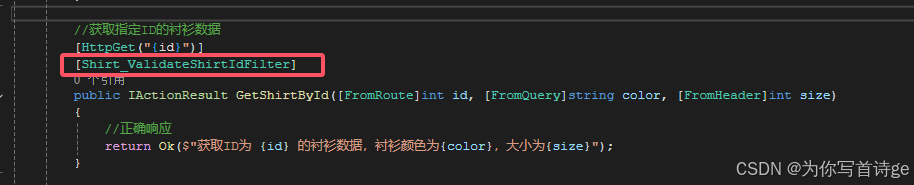
用户输入传递的id可能不符合规范,可以通过操作过滤器进行模型验证对id进行验证
创建脚本Shirt_ValidateShirtIdFilterAttribute
cs
using Microsoft.AspNetCore.Mvc;
using Microsoft.AspNetCore.Mvc.Filters;

namespace WebApiTest.Filters.ActionFilters
{
    public class Shirt_ValidateShirtIdFilterAttribute : ActionFilterAttribute
    {
        public override void OnActionExecuting(ActionExecutingContext context)
        {
            base.OnActionExecuting(context);

            var id = context.ActionArguments["id"] as int?;
            if (id.HasValue)
            {
                if(id.Value <= 0)
                {
                    context.ModelState.AddModelError("Id", "衬衫ID必须大于0。");
                    var problemDetails = new Microsoft.AspNetCore.Mvc.ValidationProblemDetails(context.ModelState)
                    {
                        Status = 400,
                        Title = "请求参数错误",
                    };
                    context.Result = new BadRequestObjectResult(problemDetails);
                }
            }
        }
    }
}
需要使用验证的方法前添加注解
11、异常过滤器实现异常处理
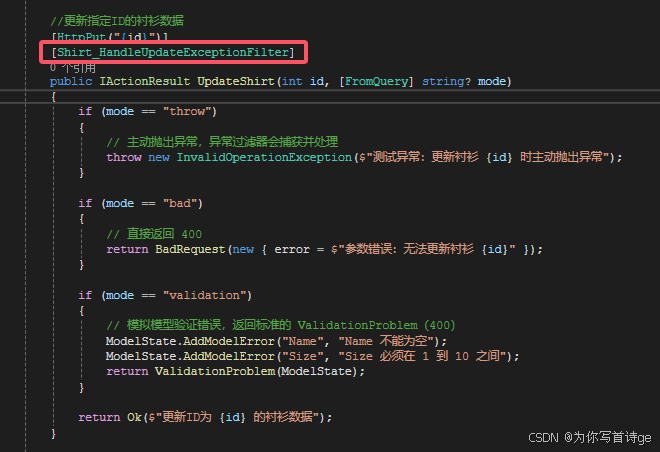
更新衬衫之前可能其他请求把该衬衫已经删掉,更新时可能会报错,模拟该情景
创建脚本Shirt_HandleUpdateExceptionFilterAttribute
cs
using Microsoft.AspNetCore.Mvc;
using Microsoft.AspNetCore.Mvc.Filters;

namespace WebApiTest.Filters.ExceptionFilters
{
    public class Shirt_HandleUpdateExceptionFilterAttribute : ExceptionFilterAttribute
    {
        public int?[] shirtsId = new int?[] { 1, 2, 3, 4, 5 };

        public override void OnException(ExceptionContext context)
        {
            base.OnException(context);

            //判断衬衫ID是否存在 暂时假设shirtsId为数据库中已有的衬衫ID列表
            var strShirtId = context.RouteData.Values["id"] as string;
            if (int.TryParse(strShirtId, out int shirtId))
            {
                if (shirtsId.FirstOrDefault(x => x == shirtId) == null)
                {
                    context.ModelState.AddModelError("Id", $"衬衫已经不存在");
                    var problemDetails = new ValidationProblemDetails(context.ModelState)
                    {
                        Status = StatusCodes.Status404NotFound,
                    };
                    context.Result = new NotFoundObjectResult(problemDetails);
                }
            }
        }
    }
}
在需要异常处理的方法前使用
12、Web API操作数据库
案例使用SqlServer数据库
12.1 安装需要使用的包
12.2 创建数据库上下文
12.3 执行数据库迁移
12.4 使用EF Core实现Get端点
12.5 使用EF Core实现Get by Id端点
12.6 使用EF Core实现Post端点
12.7 使用EF Core实现Put端点
12.8 使用EF Core实现Delete端点