很久之前写了一个部署CAS服务的博客,被亚马逊云科技技术品牌专区收录了(详情点击这里),最近有了一些时间,单独开个系列详细研究下cas。第一节就从把源码跑起来开始吧。
环境准备
JDK:21
开发工具:IntelliJ IDEA 2025.2.3 (Ultimate Edition)
Gradle:9.1.0(如果不知道怎么安装可以参考我的另一篇博文:安装Gradle)
Cas版本:7.3(即当前最新)
官方参考:https://apereo.github.io/cas/developer/Build-Process.html (一定要看,很有用!)
克隆代码
Github主页:https://github.com/apereo/cas
源码克隆:https://github.com/apereo/cas.git
按照官方参考,检出的项目名称最好写成"cas-server"。
编译工程
1、检出后的项目目录如图:

2、设置IDEA的Gradle插件和项目的SDK:
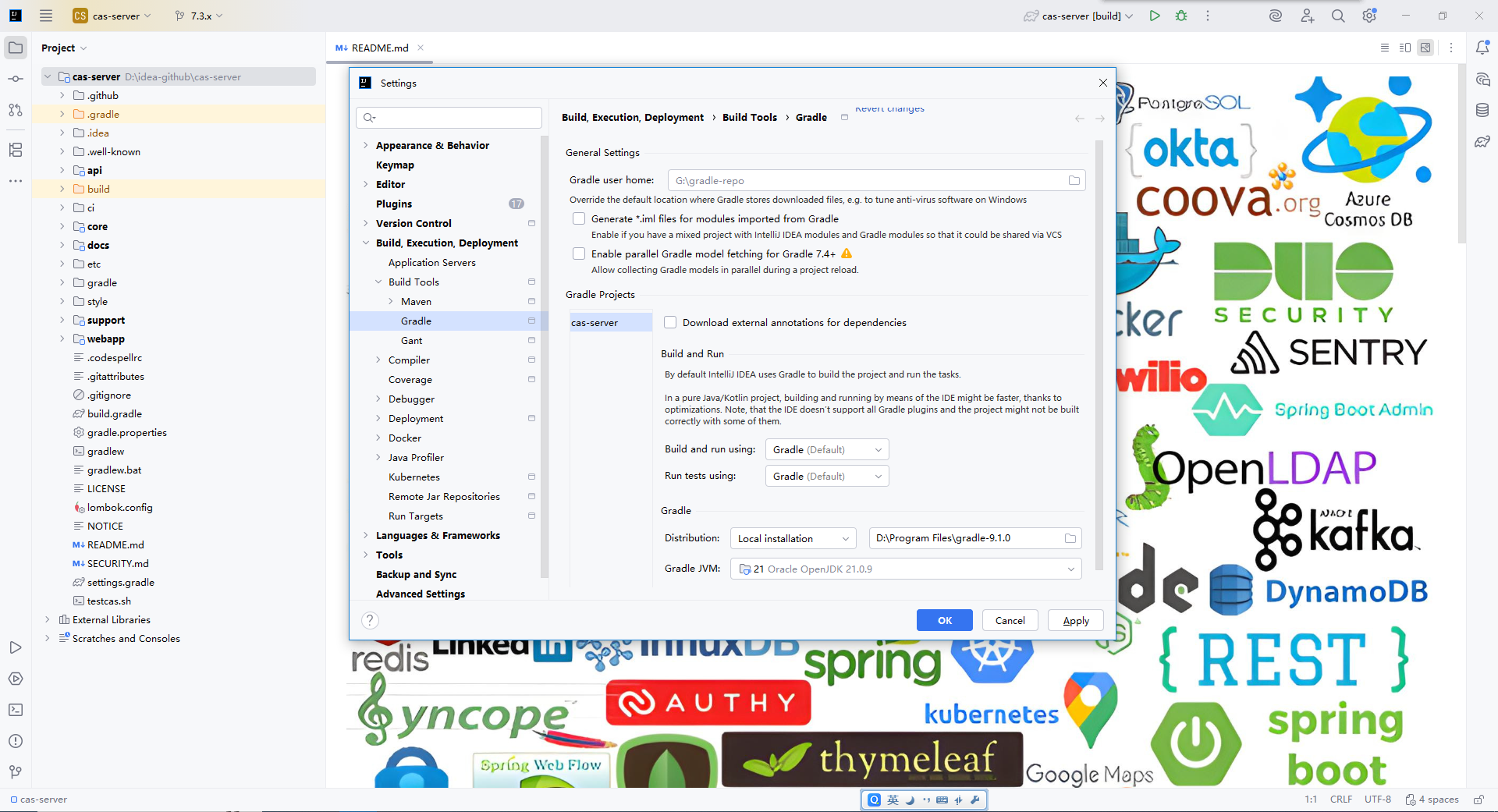
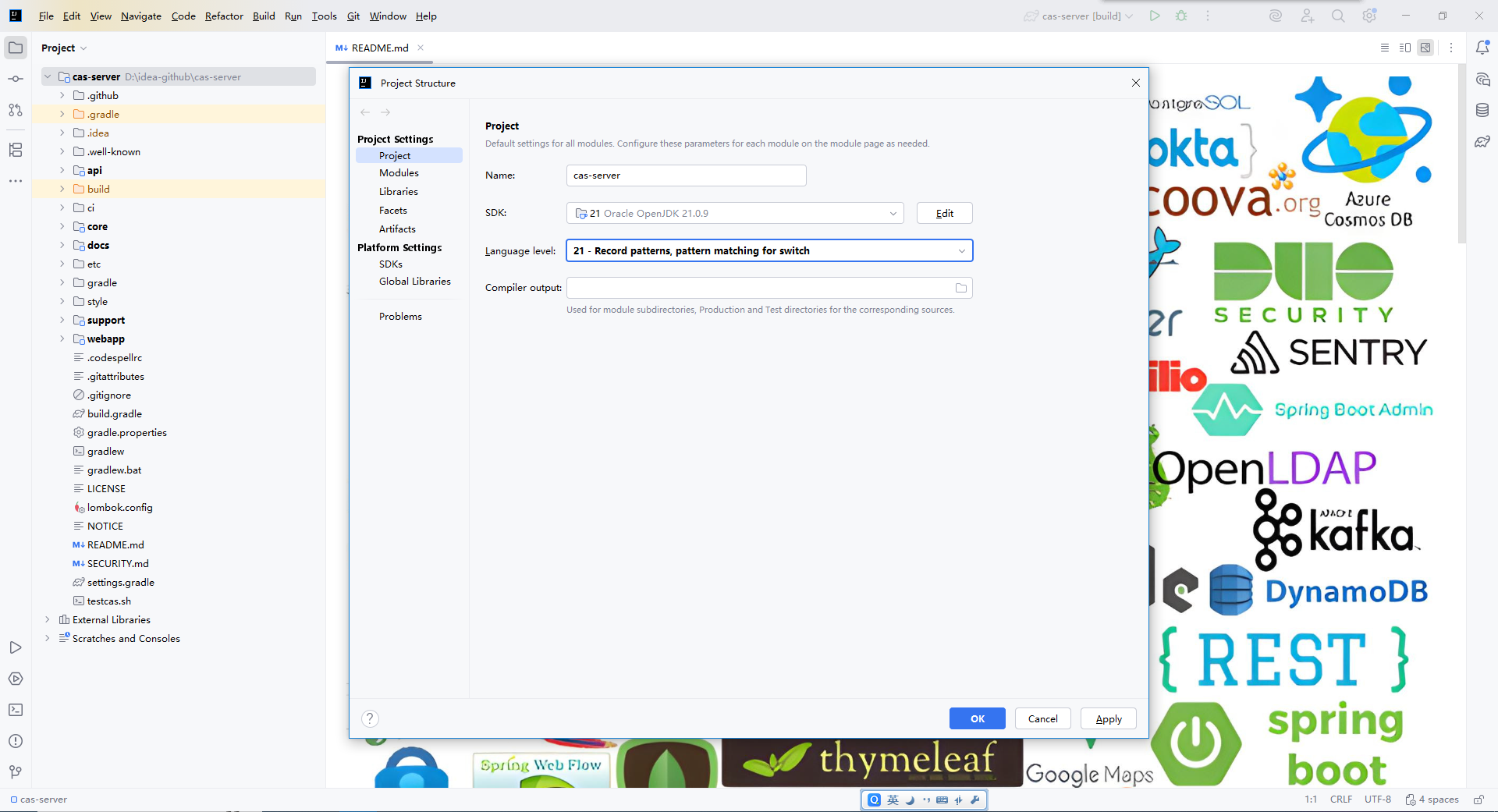
3、设置完成后,把分支切换到7.3版本。如果使用master分支的话,里面用的一些依赖如SpringBoot相关的,都是预发布版本,远程仓库上甚至没有这些依赖,想要本地调通非常困难。我本地也尝试过跑通master分支,但是当发现业务代码中的依赖也不存在之后,就收手了。
重新打开IDEA打开此项目,然后点开Gradle面板,使用刷新按钮,加载Gradle项目,这一步会下载跟多依赖,会耗点时间。

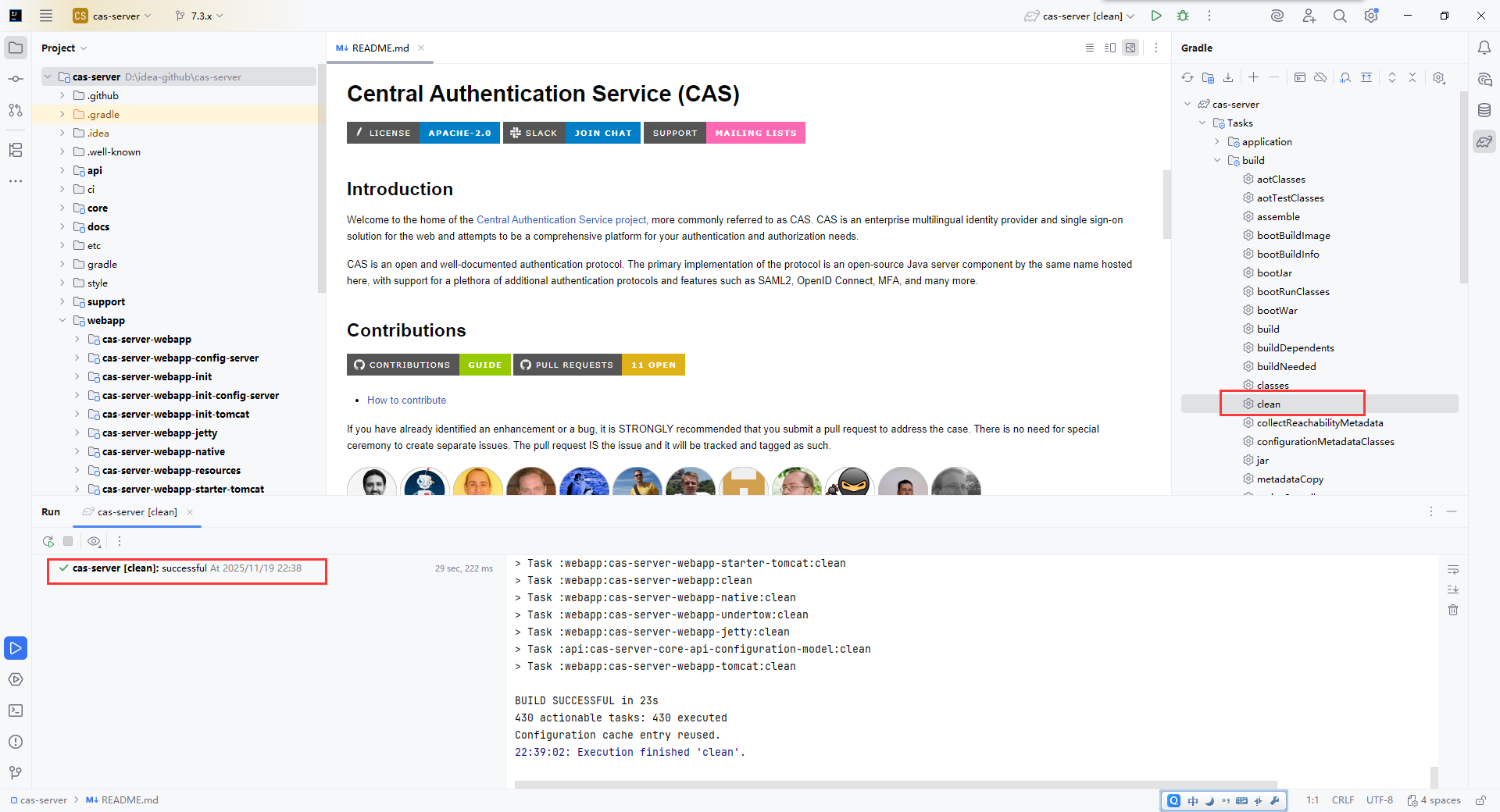
4、执行Gradle的clean任务:
5、执行Gradle的build任务:
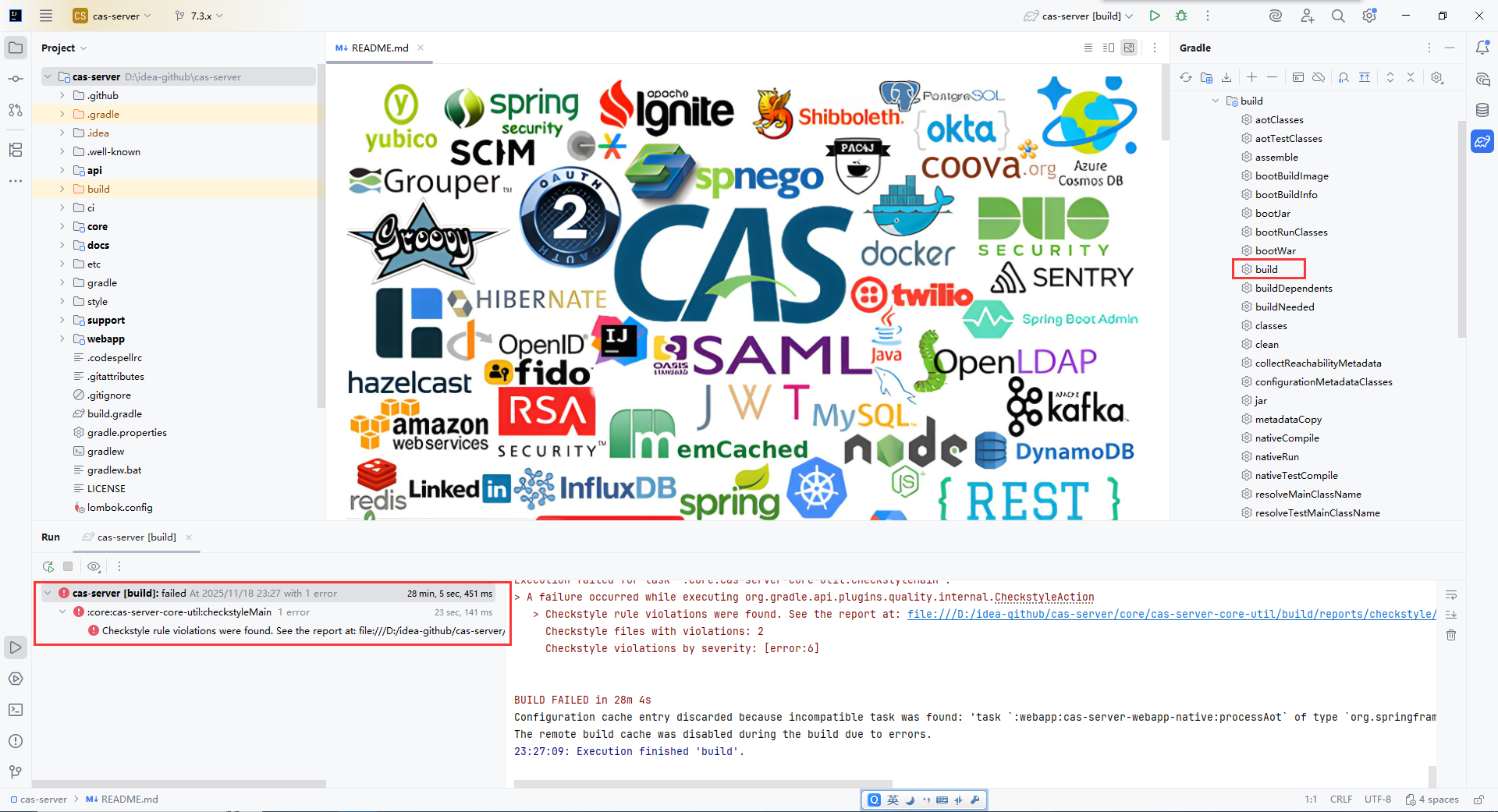
直接执行build任务会报错,内容大致为:
java
> Task :core:cas-server-core-configuration:checkstyleMain
[ant:checkstyle] [ERROR] D:\Program Files\myideaworkspace\cas\core\cas-server-core-configuration\src\main\java\org\apereo\cas\config\CasCoreBaseEnvironmentConfiguration.java:30: Configuration classes for tests must be marked with @TestConfiguration [useTestConfiguration]
[ant:checkstyle] [ERROR] D:\Program Files\myideaworkspace\cas\core\cas-server-core-configuration\src\main\java\org\apereo\cas\config\CasCoreBaseEnvironmentConfiguration.java:34: Configuration classes for tests must be marked with @TestConfiguration [useTestConfiguration]
[ant:checkstyle] [ERROR] D:\Program Files\myideaworkspace\cas\core\cas-server-core-configuration\src\main\java\org\apereo\cas\config\CasCoreBaseEnvironmentConfiguration.java:46: Configuration classes for tests must be marked with @TestConfiguration [useTestConfiguration]
[ant:checkstyle] [ERROR] D:\Program Files\myideaworkspace\cas\core\cas-server-core-configuration\src\main\java\org\apereo\cas\config\CasCoreBaseEnvironmentConfiguration.java:64: Configuration classes for tests must be marked with @TestConfiguration [useTestConfiguration]
[ant:checkstyle] [ERROR] D:\Program Files\myideaworkspace\cas\core\cas-server-core-configuration\src\main\java\org\apereo\cas\config\CasCoreBaseStandaloneConfiguration.java:33: Configuration classes for tests must be marked with @TestConfiguration [useTestConfiguration]
[ant:checkstyle] [ERROR] D:\Program Files\myideaworkspace\cas\core\cas-server-core-configuration\src\main\java\org\apereo\cas\config\CasCoreBaseStandaloneConfiguration.java:37: Configuration classes for tests must be marked with @TestConfiguration [useTestConfiguration]
[ant:checkstyle] [ERROR] D:\Program Files\myideaworkspace\cas\core\cas-server-core-configuration\src\main\java\org\apereo\cas\config\CasCoreBaseStandaloneConfiguration.java:71: Configuration classes for tests must be marked with @TestConfiguration [useTestConfiguration]


> Task :core:cas-server-core-scripting:checkstyleMain
[ant:checkstyle] [ERROR] D:\Program Files\myideaworkspace\cas\core\cas-server-core-scripting\src\main\java\org\apereo\cas\config\CasCoreScriptingAutoConfiguration.java:36: Configuration classes for tests must be marked with @TestConfiguration [useTestConfiguration]


FAILURE: Build completed with 2 failures.

1: Task failed with an exception.
-----------
* What went wrong:
Execution failed for task ':core:cas-server-core-configuration:checkstyleMain'.
> A failure occurred while executing org.gradle.api.plugins.quality.internal.CheckstyleAction
   > Checkstyle rule violations were found. See the report at: file:///D:/Program%20Files/myideaworkspace/cas/core/cas-server-core-configuration/build/reports/checkstyle/main.html
     Checkstyle files with violations: 2
     Checkstyle violations by severity: [error:7]

==============================================================================

2: Task failed with an exception.
-----------
* What went wrong:
Execution failed for task ':core:cas-server-core-scripting:checkstyleMain'.
> A failure occurred while executing org.gradle.api.plugins.quality.internal.CheckstyleAction
   > Checkstyle rule violations were found. See the report at: file:///D:/Program%20Files/myideaworkspace/cas/core/cas-server-core-scripting/build/reports/checkstyle/main.html
     Checkstyle files with violations: 1
     Checkstyle violations by severity: [error:1]

==============================================================================
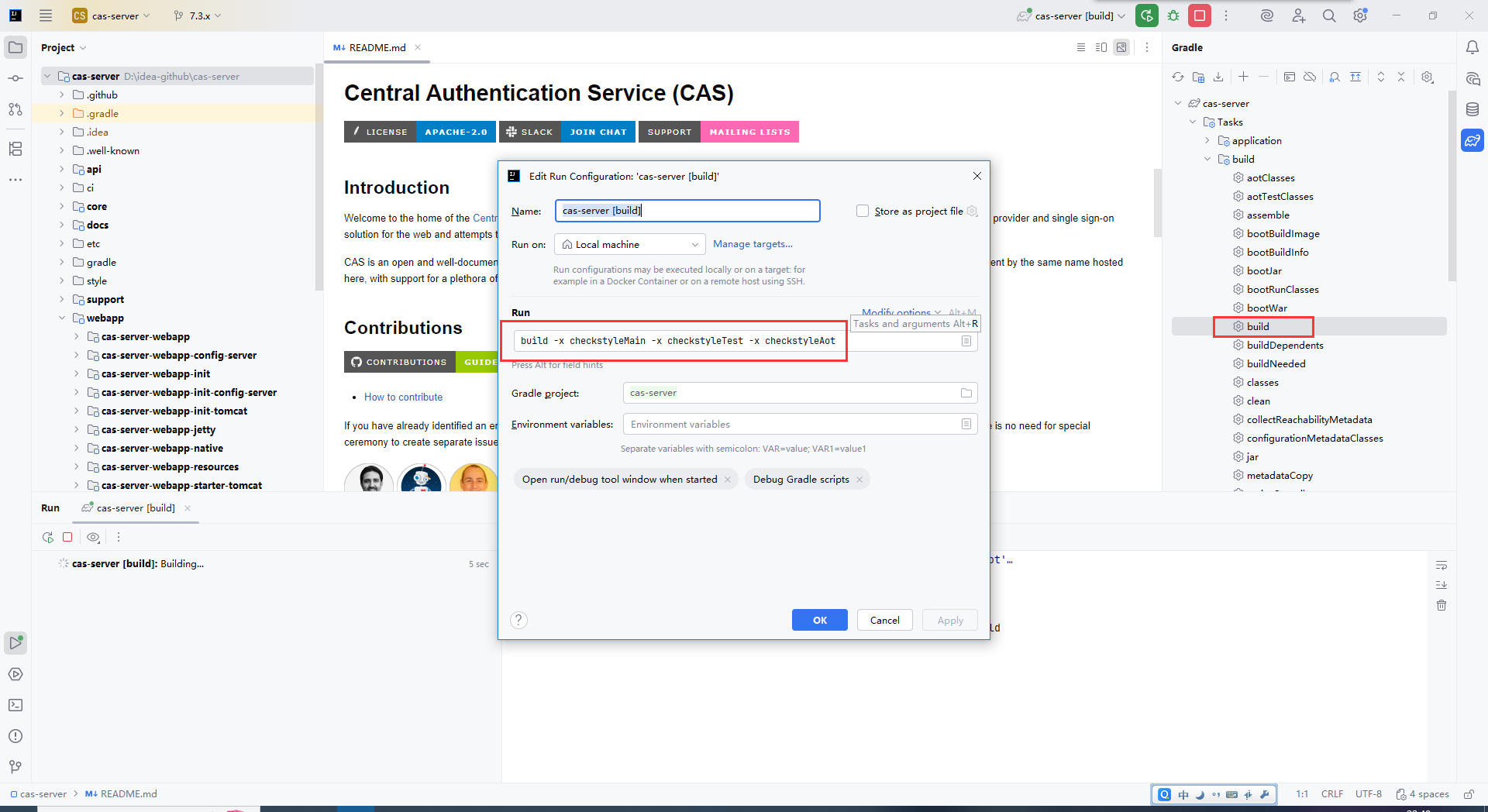
这个报错大致意思是,某些插件的代码格式检查不通过导致的报错(我个人是这么理解的,欢迎大佬指正)。所以我们需要在build的时候跳过代码的检查。在右侧的Gradle面板里,在build上右键,修改运行配置,在弹窗的命令里追加"-x checkstyleMain -x checkstyleTest -x checkstyleAot":
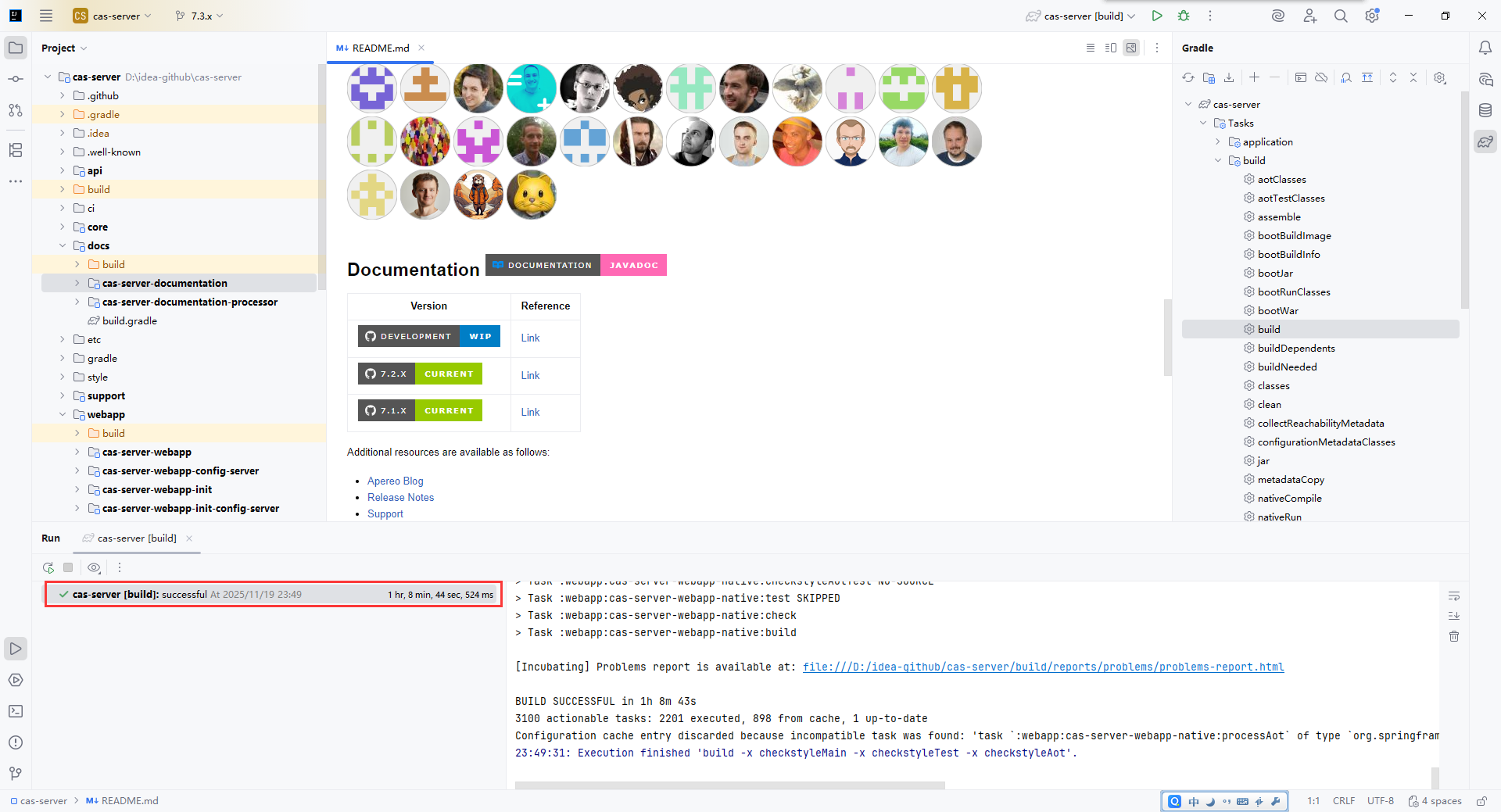
设置好之后再点击build(在我的老伙计奋斗了1小时8分钟之后,总算是结束了......):
启动方式一
通过webapp下cas-server-webapp-native模块的CasNativeWebApplication类进行启动:
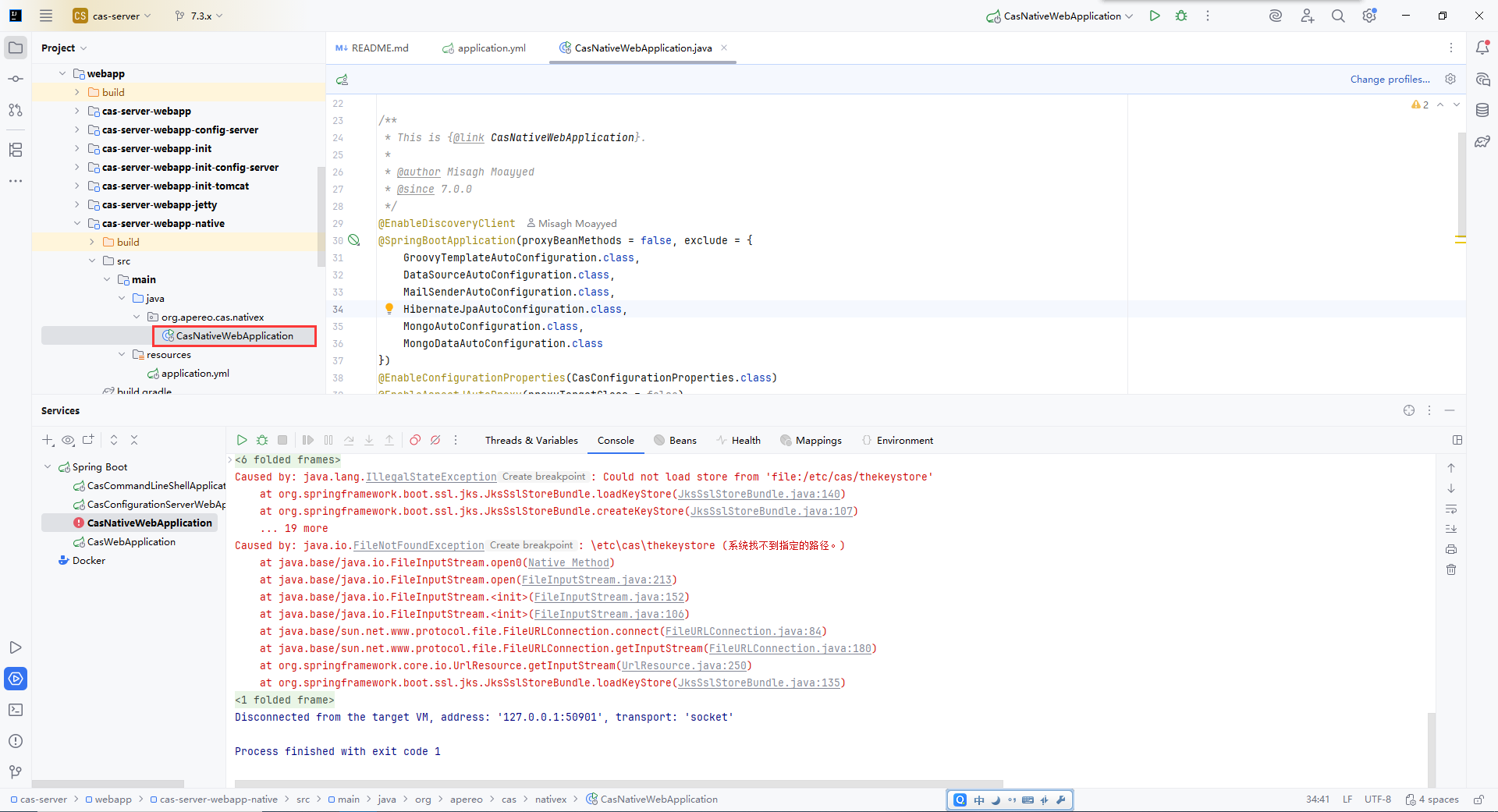
启动的时候可能会有下面的报错,是因为配置文件默认是以https启动的服务,自然也需要加载证书之类的配置。因此我们需要修改配置,把相关内容注释掉:
java
2025-11-19 23:59:37,640 ERROR [org.springframework.boot.SpringApplication] - <Application run failed>
org.springframework.context.ApplicationContextException: Unable to start web server
	at org.springframework.boot.web.servlet.context.ServletWebServerApplicationContext.onRefresh(ServletWebServerApplicationContext.java:170)
	at org.springframework.context.support.AbstractApplicationContext.refresh(AbstractApplicationContext.java:621)
	at org.springframework.boot.web.servlet.context.ServletWebServerApplicationContext.refresh(ServletWebServerApplicationContext.java:146)
	at org.springframework.boot.SpringApplication.refresh(SpringApplication.java:752)
	at org.springframework.boot.SpringApplication.refreshContext(SpringApplication.java:439)
	at org.springframework.boot.SpringApplication.run(SpringApplication.java:318)
	at org.springframework.boot.builder.SpringApplicationBuilder.run(SpringApplicationBuilder.java:149)
	at org.apereo.cas.nativex.CasNativeWebApplication.main(CasNativeWebApplication.java:56)
Caused by: java.lang.IllegalStateException: Unable to create key store: Could not load store from 'file:/etc/cas/thekeystore'
	at org.springframework.boot.ssl.jks.JksSslStoreBundle.createKeyStore(JksSslStoreBundle.java:112)
	at org.springframework.boot.ssl.jks.JksSslStoreBundle.lambda$new$0(JksSslStoreBundle.java:75)
	at org.springframework.util.function.SingletonSupplier.get(SingletonSupplier.java:106)
	at org.springframework.boot.ssl.jks.JksSslStoreBundle.getKeyStore(JksSslStoreBundle.java:81)
	at org.springframework.boot.web.server.WebServerSslBundle.createKeyStore(WebServerSslBundle.java:157)
	at org.springframework.boot.web.server.WebServerSslBundle.createStoreBundle(WebServerSslBundle.java:147)
	at org.springframework.boot.web.server.WebServerSslBundle.get(WebServerSslBundle.java:142)
	at org.springframework.boot.web.server.AbstractConfigurableWebServerFactory.getSslBundle(AbstractConfigurableWebServerFactory.java:198)
	at org.springframework.boot.web.embedded.tomcat.TomcatServletWebServerFactory.customizeSsl(TomcatServletWebServerFactory.java:384)
	at org.springframework.boot.web.embedded.tomcat.TomcatServletWebServerFactory.customizeConnector(TomcatServletWebServerFactory.java:360)
	at org.springframework.boot.web.embedded.tomcat.TomcatServletWebServerFactory.getWebServer(TomcatServletWebServerFactory.java:209)
	at org.springframework.boot.web.servlet.context.ServletWebServerApplicationContext.createWebServer(ServletWebServerApplicationContext.java:193)
	at org.springframework.boot.web.servlet.context.ServletWebServerApplicationContext.onRefresh(ServletWebServerApplicationContext.java:167)
	... 7 more
Caused by: java.lang.IllegalStateException: Could not load store from 'file:/etc/cas/thekeystore'
	at org.springframework.boot.ssl.jks.JksSslStoreBundle.loadKeyStore(JksSslStoreBundle.java:140)
	at org.springframework.boot.ssl.jks.JksSslStoreBundle.createKeyStore(JksSslStoreBundle.java:107)
	... 19 more
Caused by: java.io.FileNotFoundException: \etc\cas\thekeystore (系统找不到指定的路径。)
	at java.base/java.io.FileInputStream.open0(Native Method)
	at java.base/java.io.FileInputStream.open(FileInputStream.java:213)
	at java.base/java.io.FileInputStream.<init>(FileInputStream.java:152)
	at java.base/java.io.FileInputStream.<init>(FileInputStream.java:106)
	at java.base/sun.net.www.protocol.file.FileURLConnection.connect(FileURLConnection.java:84)
	at java.base/sun.net.www.protocol.file.FileURLConnection.getInputStream(FileURLConnection.java:180)
	at org.springframework.core.io.UrlResource.getInputStream(UrlResource.java:250)
	at org.springframework.boot.ssl.jks.JksSslStoreBundle.loadKeyStore(JksSslStoreBundle.java:135)
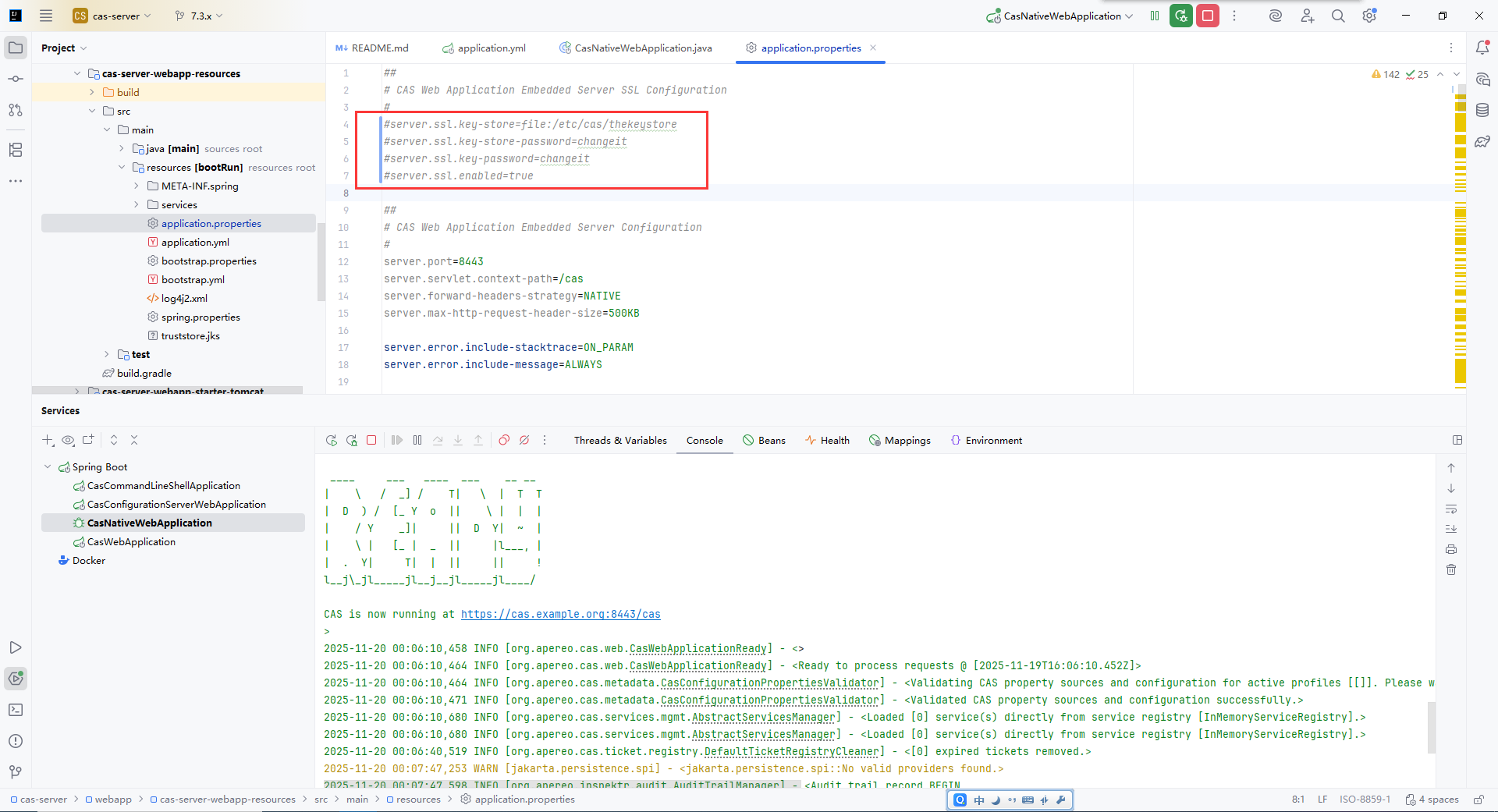
我们注释掉webapp下cas-server-webapp-resources目录下的application.properties中下面几个属性,在重新启动,终于是启动成功:
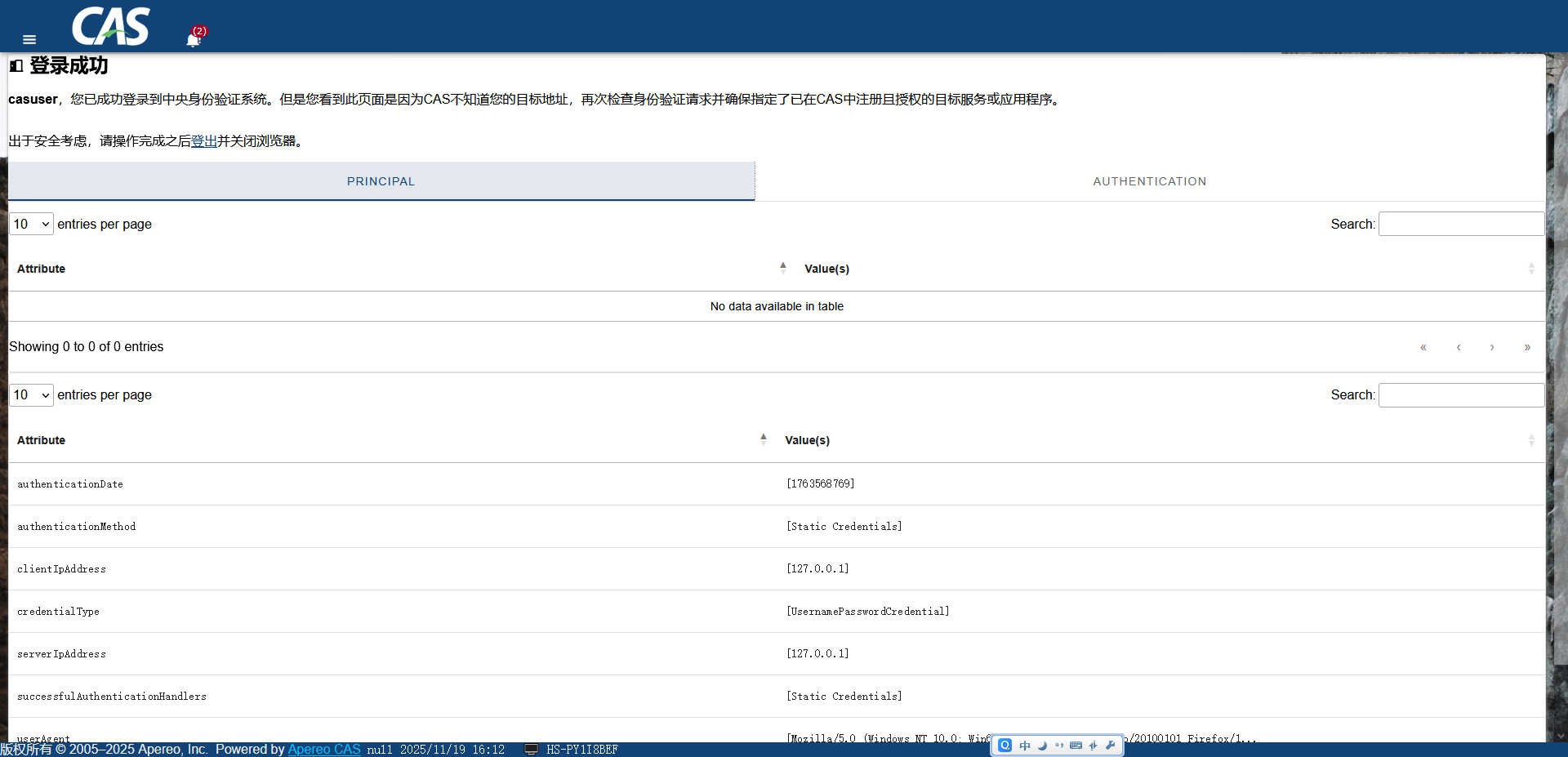
输入地址"http://localhost:8443/cas/login",输入用户名密码:casuser/Mellon,即可登录。这个用户密码对也是在该配置文件中配置的,往下翻可以找到。

启动方式二
使用idea里的终端,进入到\cas-server\webapp\cas-server-webapp-tomcat\build\libs目录,然后执行下面的命令。这个可能还是报错"\etc\cas\thekeystore (系统找不到指定的路径。)",这是因为之前打包没事先像方式一一样,把那几个配置注释掉。可以注释那几个属性,重新运行gradle面板的build命令即可。
bash
java -jar cas-server-webapp-tomcat-7.3.2-SNAPSHOT.war接下来会研究使用本地用户数据源进行登陆验证~
最后,希望大家多多支持,多多关注,欢迎留言,随时交流~