1、Ollama本地大模型部署
1.1LLM大模型工具Ollama
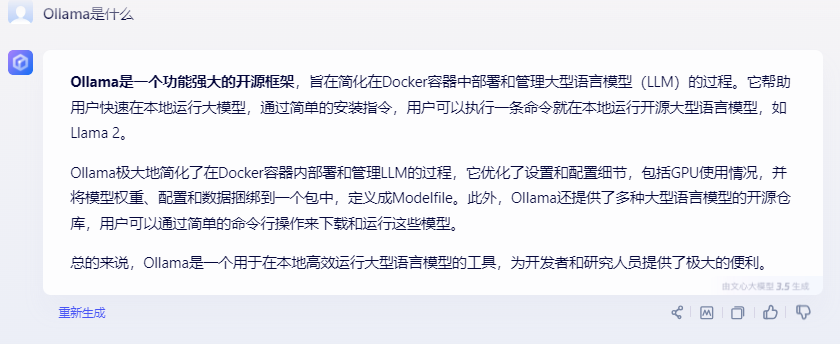
1、是什么?
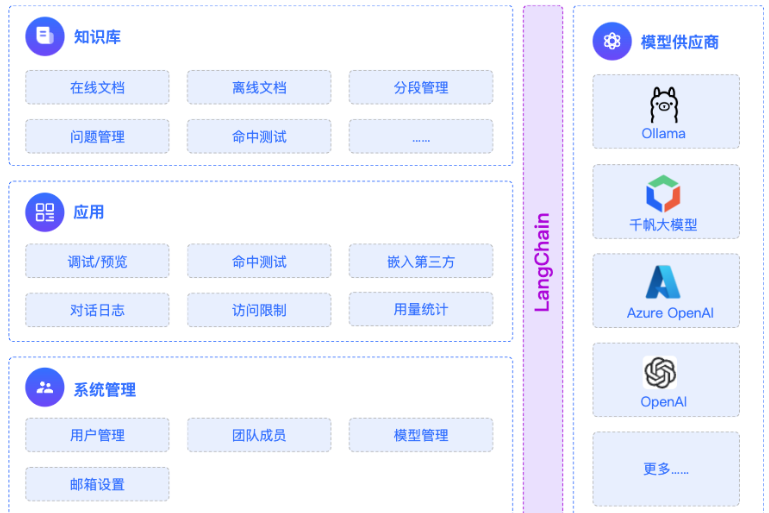
2、产品定位
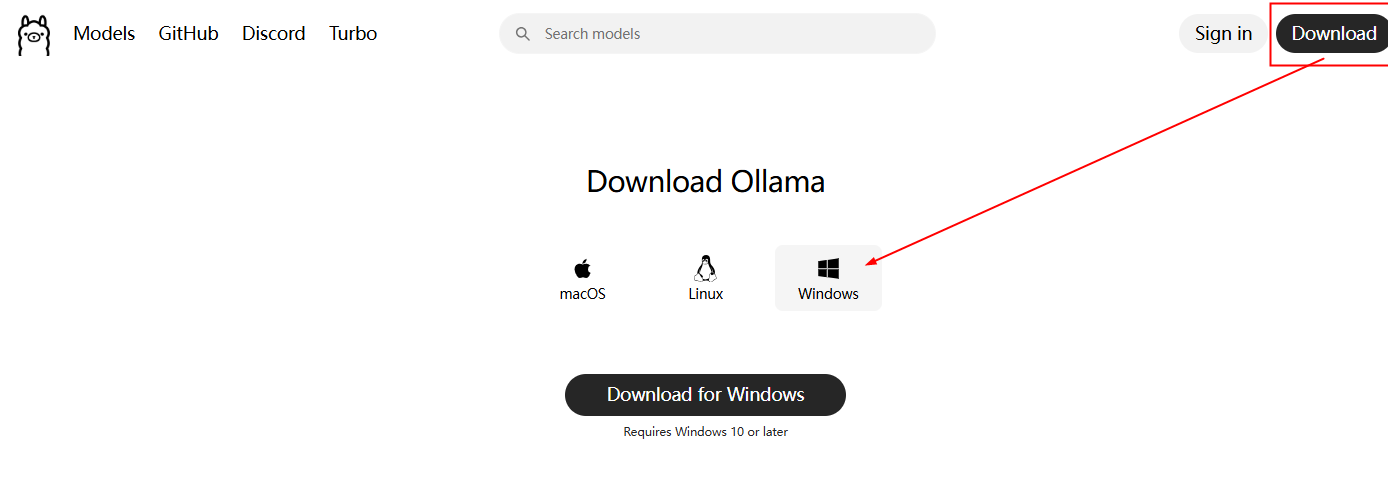
3、去 哪下
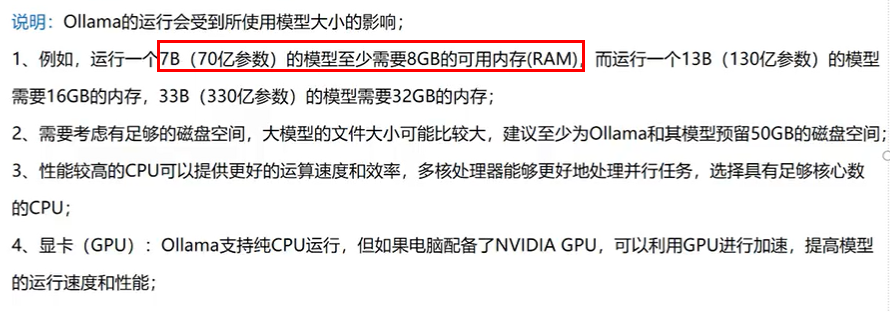
4、怎么玩?
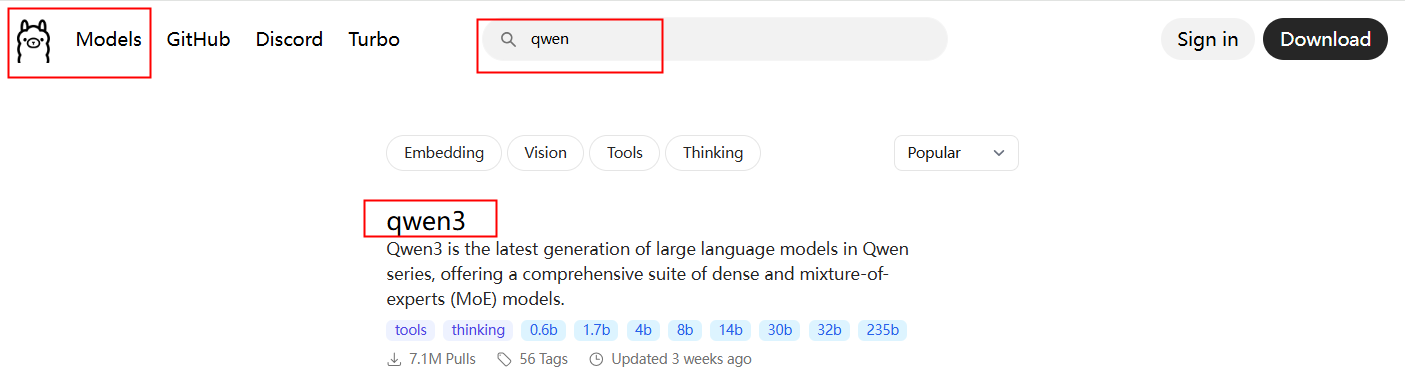
在models搜索你需要的模型(本地机器可以先从4B开始尝试、好的机器可以跑更大的模型 )
2、安装Ollama
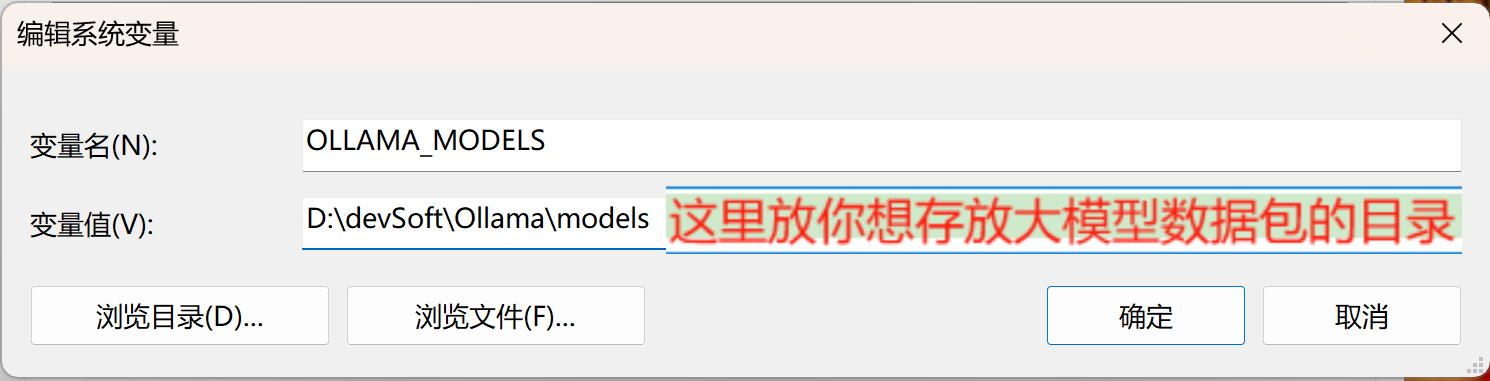
2.1 自定义Ollama安装路径
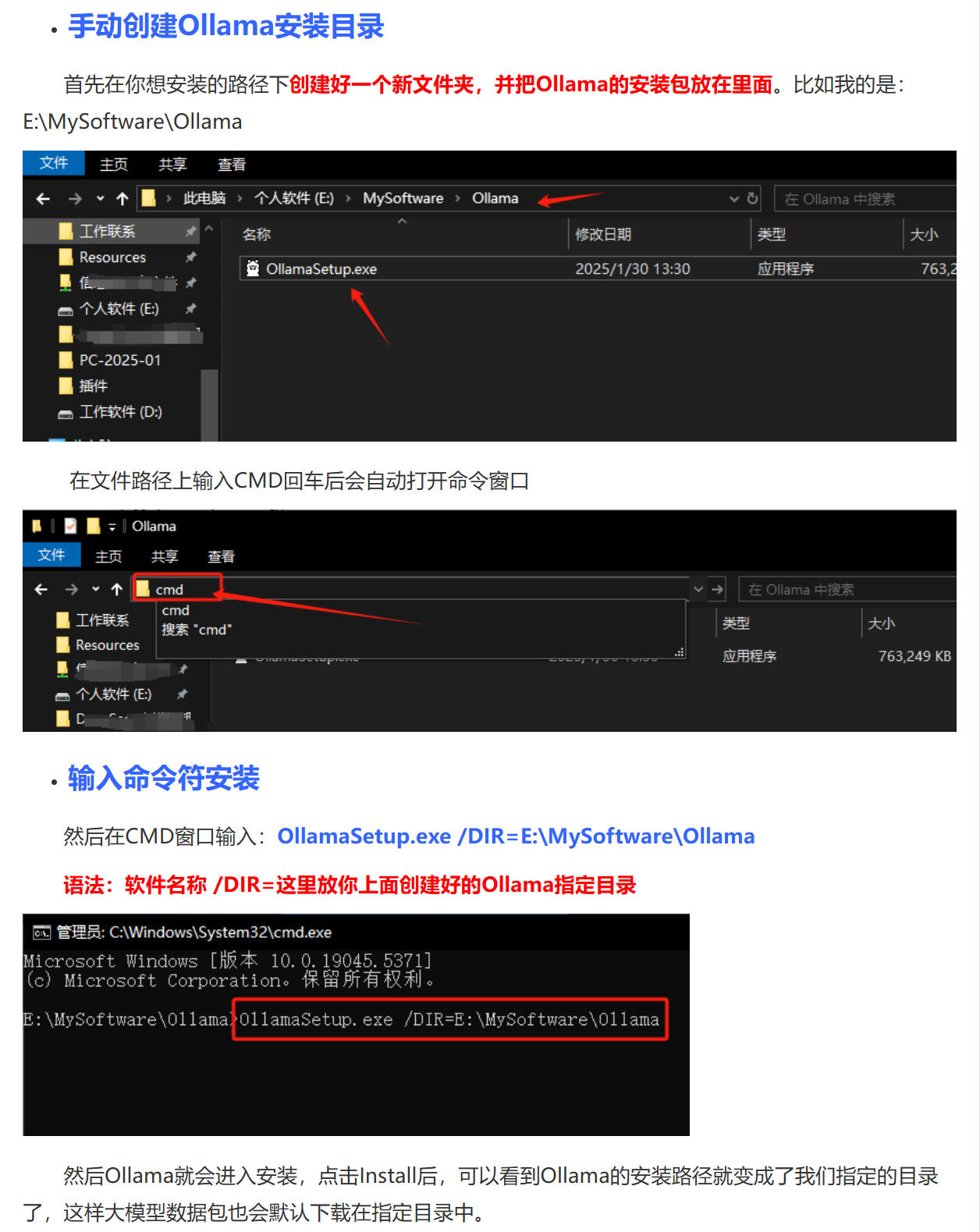
2.2手动创建大模型存储目录
新建一个环境变量
OLLAMA_MODELS
D:\devSoft\Ollama\models
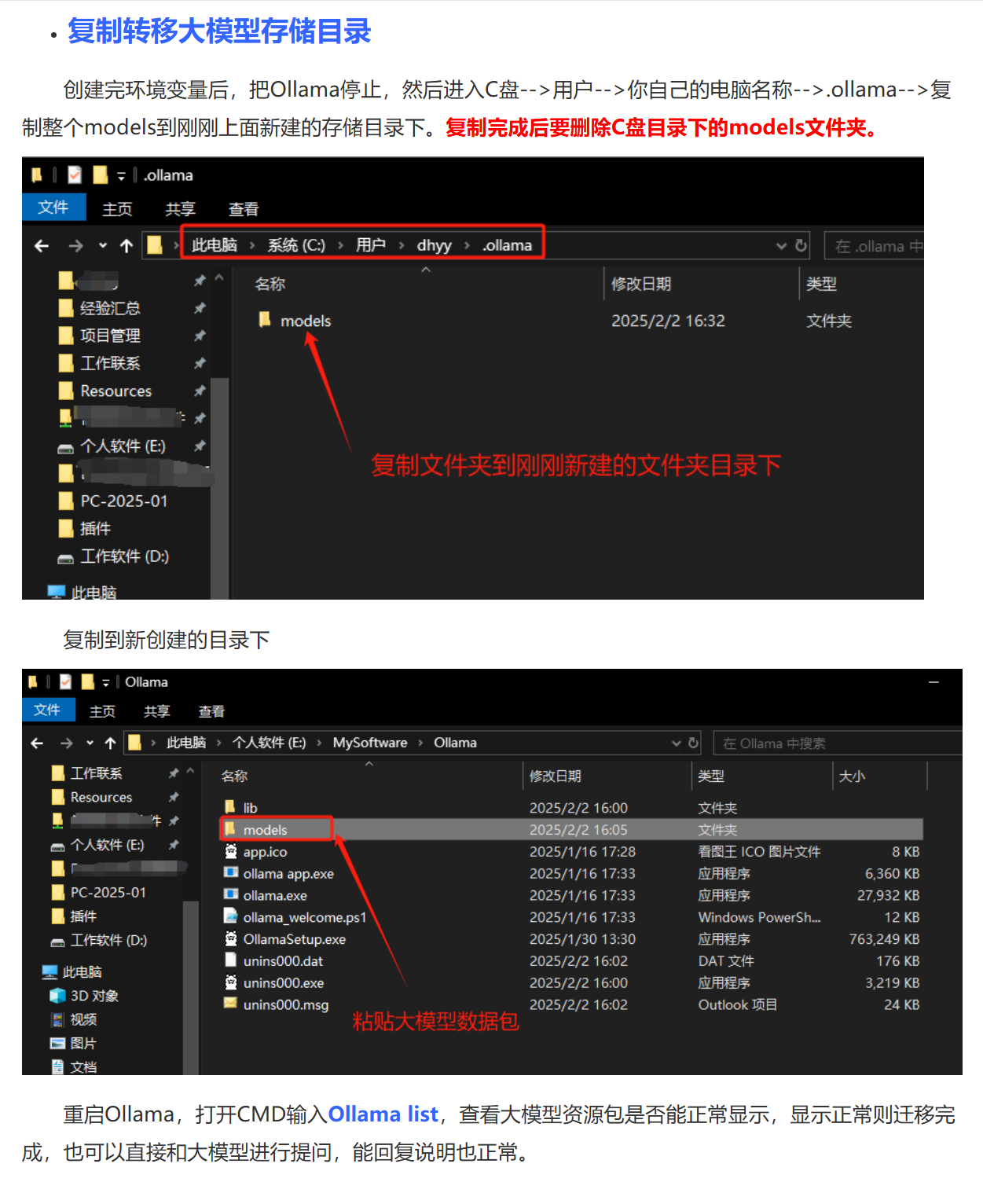
2.3复制转移大模型存储目录
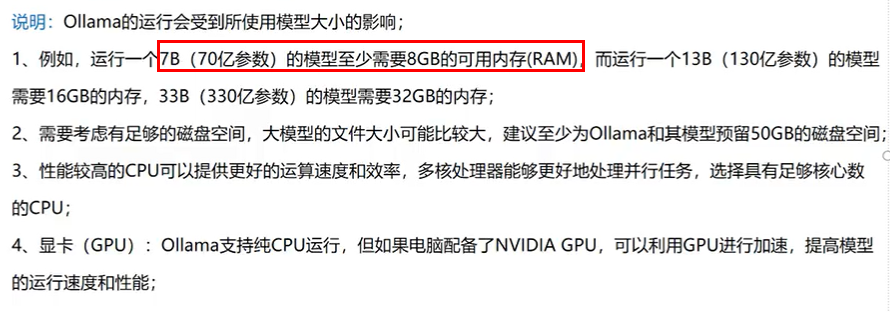
3、安装通义千问大模型
3.1验证ollama是否安装成功
cmd
netstat -ano | findstr 11434
ollama --version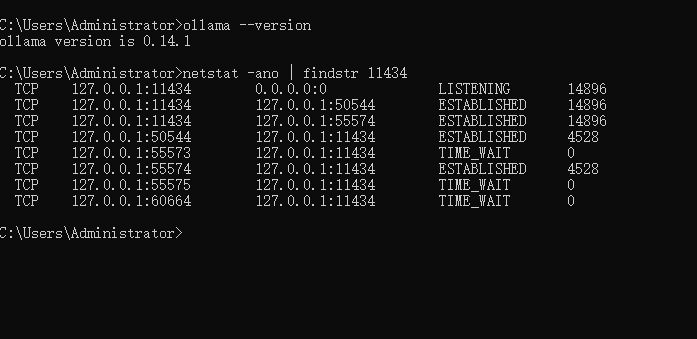
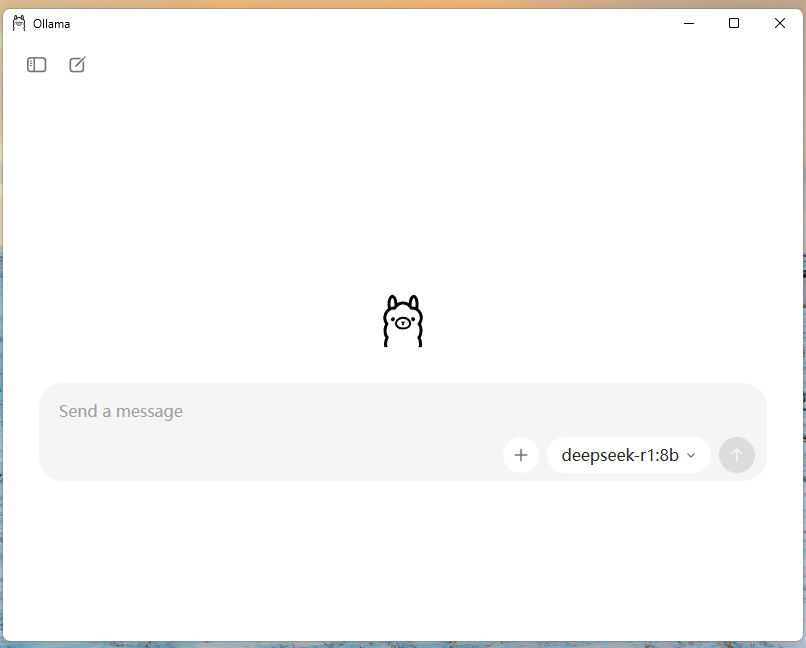
3.2千问模型为例
cmd
ollama run qwen:4b
3.3 deepseek
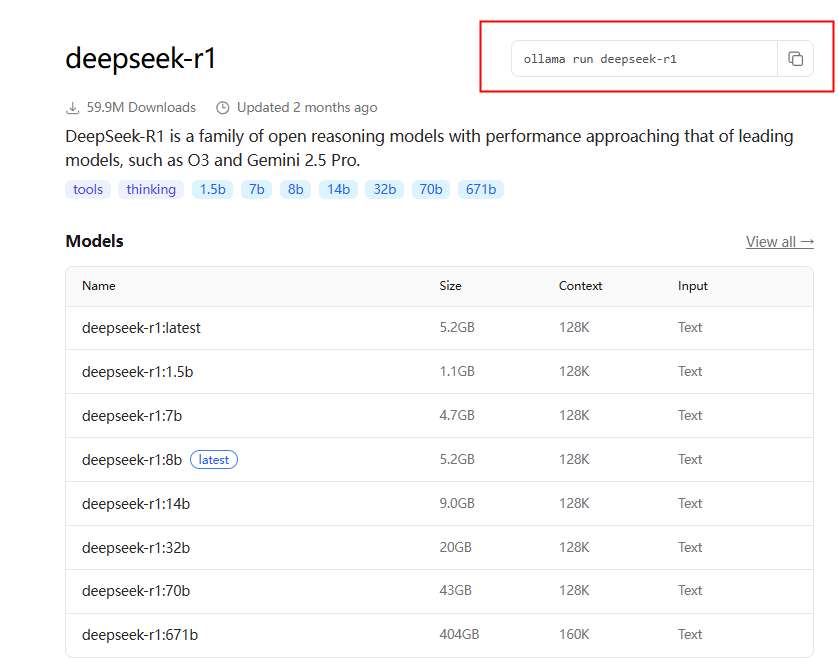
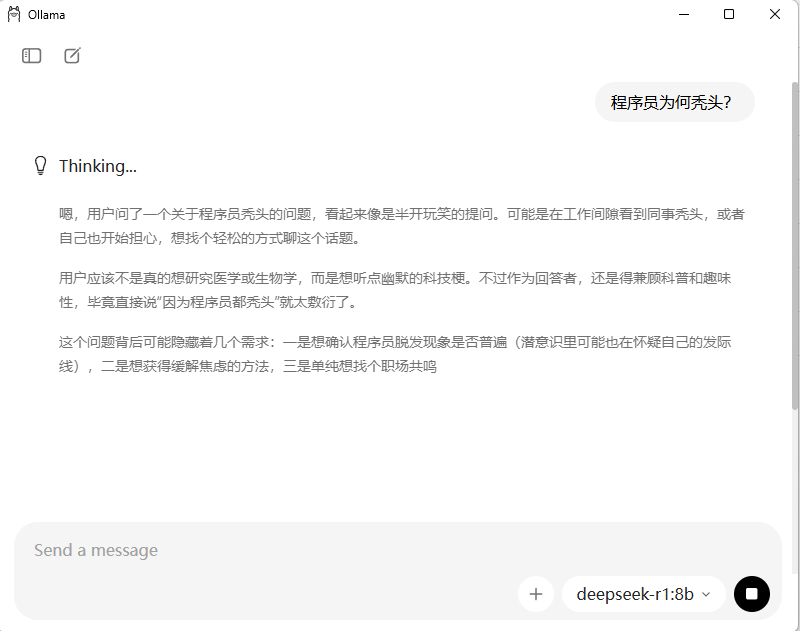
这样你就拥有属于自己的本地大模型了。
4、微服务对接本地大模型(编码案例)
4.1 建Module
新建SAA-02Ollama,跟之前文章一样,就不重复赘述
4.2 改POM
xml
<?xml version="1.0" encoding="UTF-8"?>
<project xmlns="http://maven.apache.org/POM/4.0.0"
         xmlns:xsi="http://www.w3.org/2001/XMLSchema-instance"
         xsi:schemaLocation="http://maven.apache.org/POM/4.0.0 http://maven.apache.org/xsd/maven-4.0.0.xsd">
    <modelVersion>4.0.0</modelVersion>

    <parent>
        <groupId>org.orange.study</groupId>
        <artifactId>SpringAIAlibaba-V1</artifactId>
        <version>1.0-SNAPSHOT</version>
    </parent>

    <artifactId>SAA-02Ollama</artifactId>


    <properties>
        <maven.compiler.source>21</maven.compiler.source>
        <maven.compiler.target>21</maven.compiler.target>
        <project.build.sourceEncoding>UTF-8</project.build.sourceEncoding>
    </properties>

    <dependencies>
        <dependency>
            <groupId>org.springframework.boot</groupId>
            <artifactId>spring-boot-starter-web</artifactId>
        </dependency>
        <!--spring-ai-alibaba dashscope-->
        <dependency>
            <groupId>com.alibaba.cloud.ai</groupId>
            <artifactId>spring-ai-alibaba-starter-dashscope</artifactId>
        </dependency>
        <!--ollama-->
        <dependency>
            <groupId>org.springframework.ai</groupId>
            <artifactId>spring-ai-starter-model-ollama</artifactId>
            <version>1.0.0</version>
        </dependency>
        <!--lombok-->
        <dependency>
            <groupId>org.projectlombok</groupId>
            <artifactId>lombok</artifactId>
            <optional>true</optional>
        </dependency>
        <!--hutool-->
        <dependency>
            <groupId>cn.hutool</groupId>
            <artifactId>hutool-all</artifactId>
            <version>5.8.22</version>
        </dependency>
        <dependency>
            <groupId>org.springframework.boot</groupId>
            <artifactId>spring-boot-starter-test</artifactId>
            <scope>test</scope>
        </dependency>
    </dependencies>

    <build>
        <plugins>
            <plugin>
                <groupId>org.springframework.boot</groupId>
                <artifactId>spring-boot-maven-plugin</artifactId>
            </plugin>
            <plugin>
                <groupId>org.apache.maven.plugins</groupId>
                <artifactId>maven-compiler-plugin</artifactId>
                <version>3.11.0</version>
                <configuration>
                    <compilerArgs>
                        <arg>-parameters</arg>
                    </compilerArgs>
                    <source>21</source>
                    <target>21</target>
                </configuration>
            </plugin>
        </plugins>
    </build>

    <repositories>
        <repository>
            <id>spring-milestones</id>
            <name>Spring Milestones</name>
            <url>https://repo.spring.io/milestone</url>
            <snapshots>
                <enabled>false</enabled>
            </snapshots>
        </repository>
    </repositories>

</project>
4.3 写YML
yaml
server.port=8002

server.servlet.encoding.enabled=true
server.servlet.encoding.force=true
server.servlet.encoding.charset=UTF-8

spring.application.name=SAA-02Ollama

# ====ollama Config=============
spring.ai.dashscope.api-key=${aliQwen-api}
spring.ai.ollama.base-url=http://localhost:11434
spring.ai.ollama.chat.model=qwen2.5:latest
4.4主启动
java
package org.orange.study;

import org.springframework.boot.SpringApplication;
import org.springframework.boot.autoconfigure.SpringBootApplication;

@SpringBootApplication
public class Saa02OllamaApplication
{
    public static void main(String[] args)
    {
        SpringApplication.run(Saa02OllamaApplication.class,args);
    }
}
4.5业务类
❌️错误演示
java
package org.orange.study.controller;

import jakarta.annotation.Resource;
import org.springframework.ai.chat.model.ChatModel;
import org.springframework.beans.factory.annotation.Qualifier;
import org.springframework.web.bind.annotation.GetMapping;
import org.springframework.web.bind.annotation.RequestParam;
import org.springframework.web.bind.annotation.RestController;
import reactor.core.publisher.Flux;


@RestController
public class OllamaController
{
    @Resource
    private ChatModel chatModel;

    /**
     * http://localhost:8002/ollama/chat?msg=你是谁
     * @param msg
     * @return
     */
    @GetMapping("/ollama/chat")
    public String chat(@RequestParam(name = "msg") String msg)
    {
        String result = chatModel.call(msg);
        System.out.println("---结果:" + result);
        return result;
    }

    @GetMapping("/ollama/streamchat")
    public Flux<String> streamchat(@RequestParam(name = "msg",defaultValue = "你是谁") String msg)
    {
        return chatModel.stream(msg);
    }
}
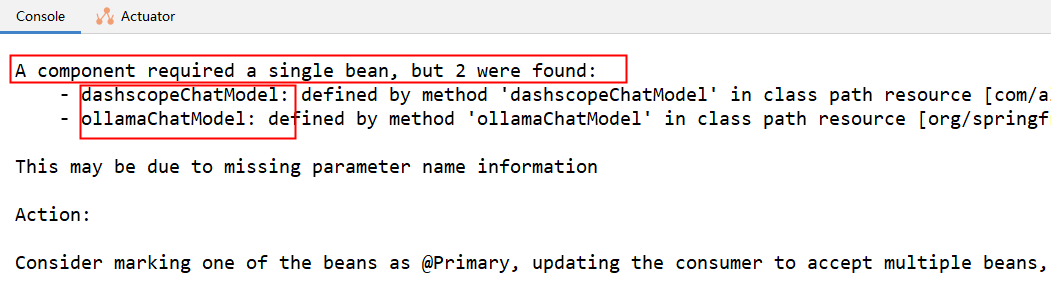
故障现象
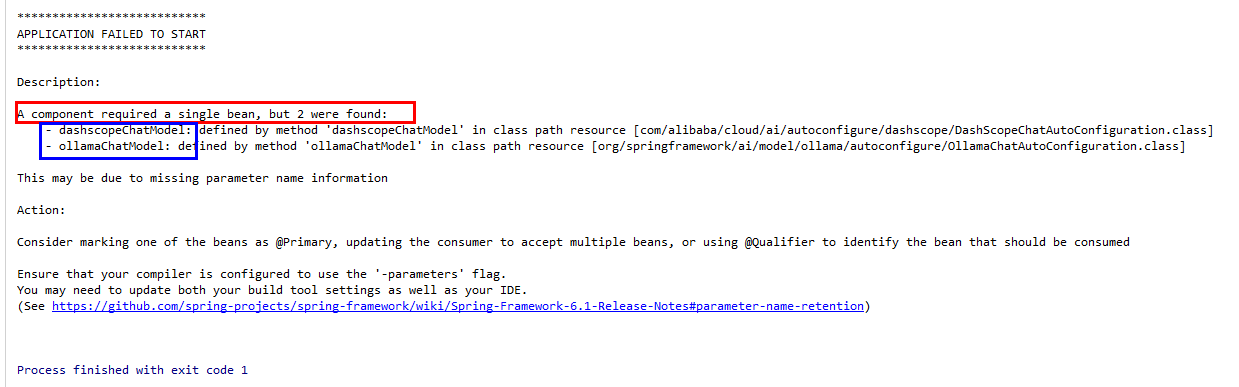
错误原因:有冲突
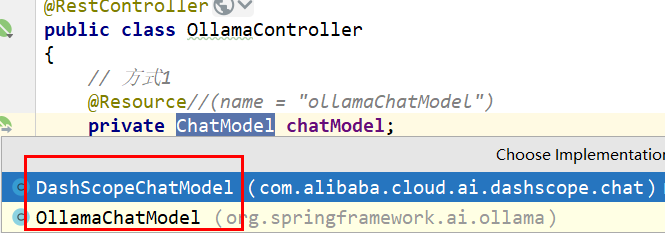
正确的
java
package org.orange.study.controller;

import jakarta.annotation.Resource;
import org.springframework.ai.chat.model.ChatModel;
import org.springframework.beans.factory.annotation.Qualifier;
import org.springframework.web.bind.annotation.GetMapping;
import org.springframework.web.bind.annotation.RequestParam;
import org.springframework.web.bind.annotation.RestController;
import reactor.core.publisher.Flux;


@RestController
public class OllamaController
{
	//指定使用哪个
	//方式1
    @Resource(name = "ollamaChatModel")
    private ChatModel chatModel;


    //方式2
  /**  @Resource
   * @Qualifier("ollamaChatModel")
   * private ChatModel chatModel;
    */

    /**
     * http://localhost:8002/ollama/chat?msg=你是谁
     * @param msg
     * @return
     */
    @GetMapping("/ollama/chat")
    public String chat(@RequestParam(name = "msg") String msg)
    {
        String result = chatModel.call(msg);
        System.out.println("---结果:" + result);
        return result;
    }

    @GetMapping("/ollama/streamchat")
    public Flux<String> streamchat(@RequestParam(name = "msg",defaultValue = "你是谁") String msg)
    {
        return chatModel.stream(msg);
    }
}
启动项目,调用接口则能代码访问本地部署大模型。