Hardware interfaces
pls note, WiFi, IPCam support are not default, they are optional, there is extra charge on them.
video demo, vehicle mount mDVR full connection and basic settings, https://vt.tiktok.com/ZSSSPeRCV/
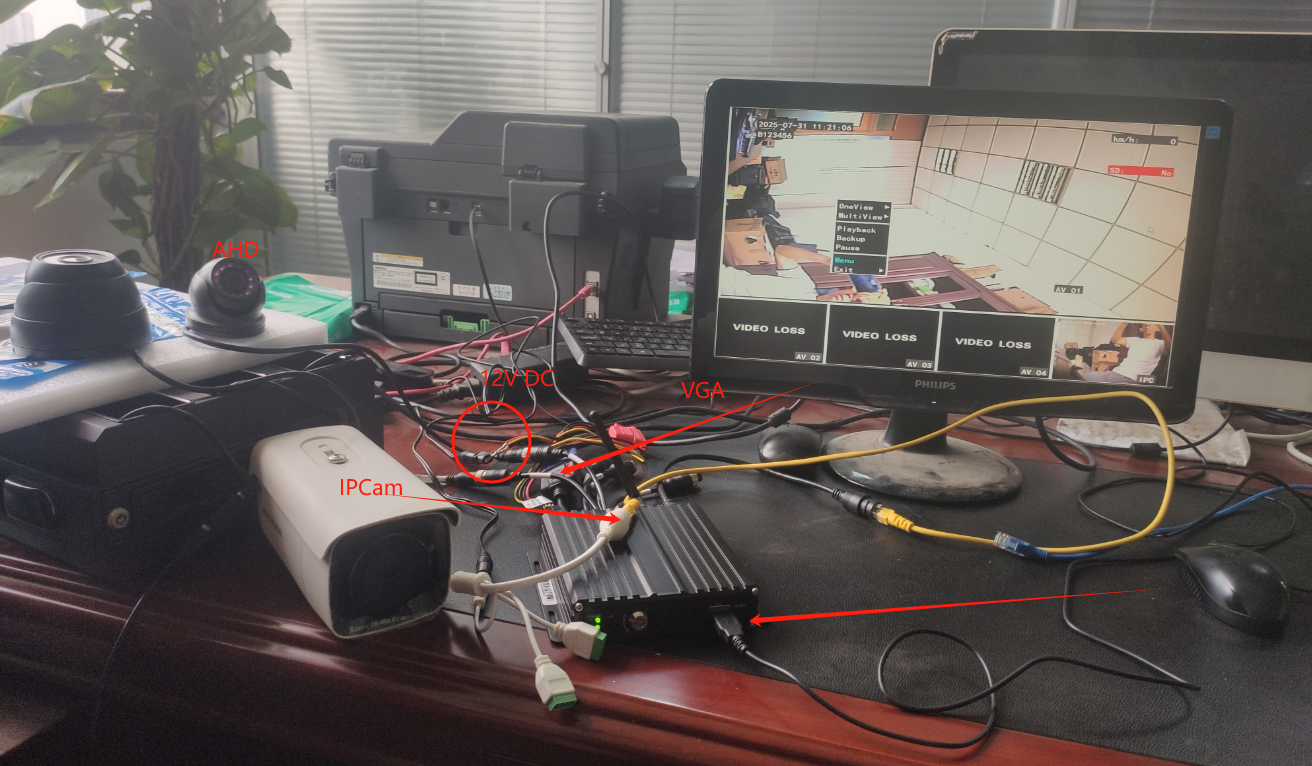
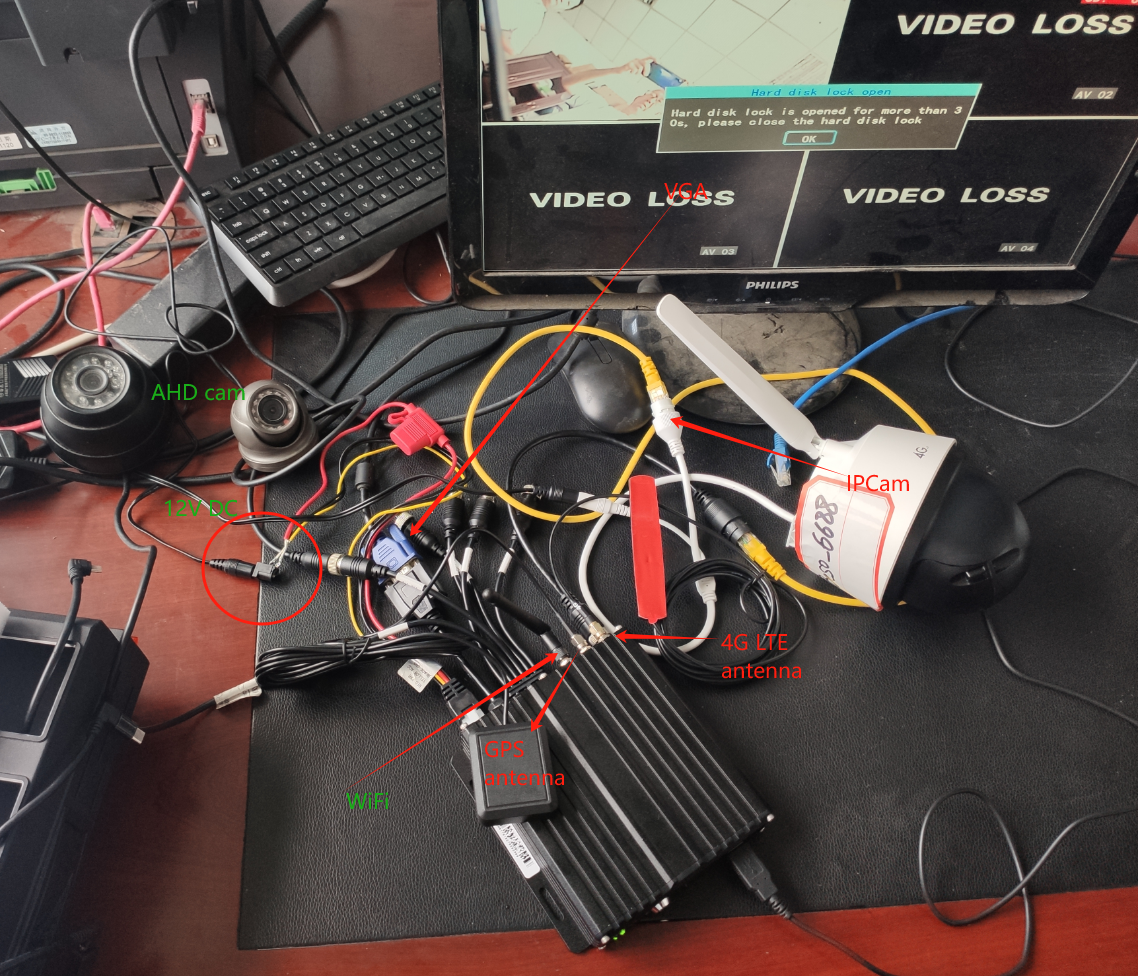
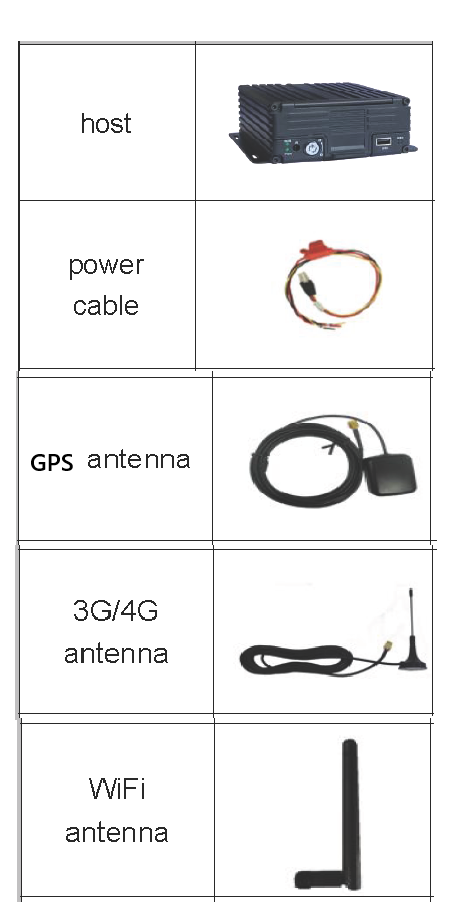
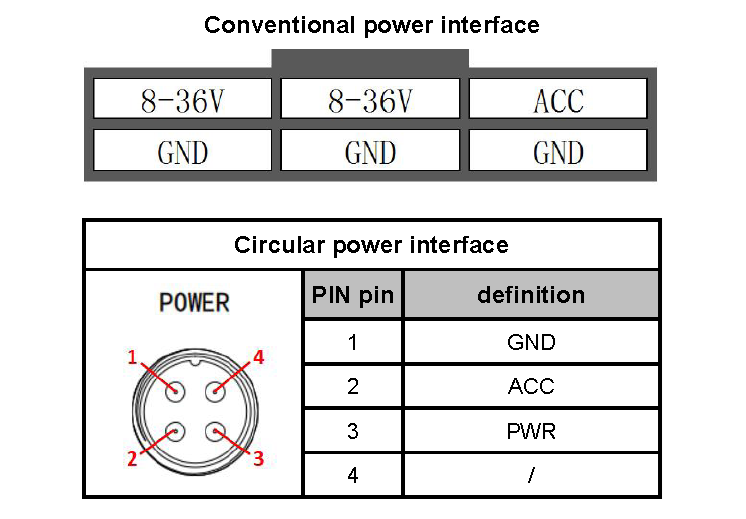
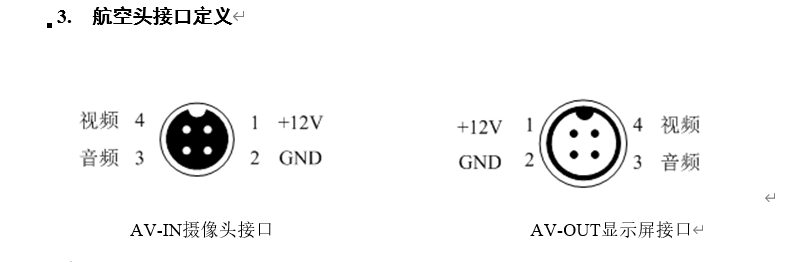
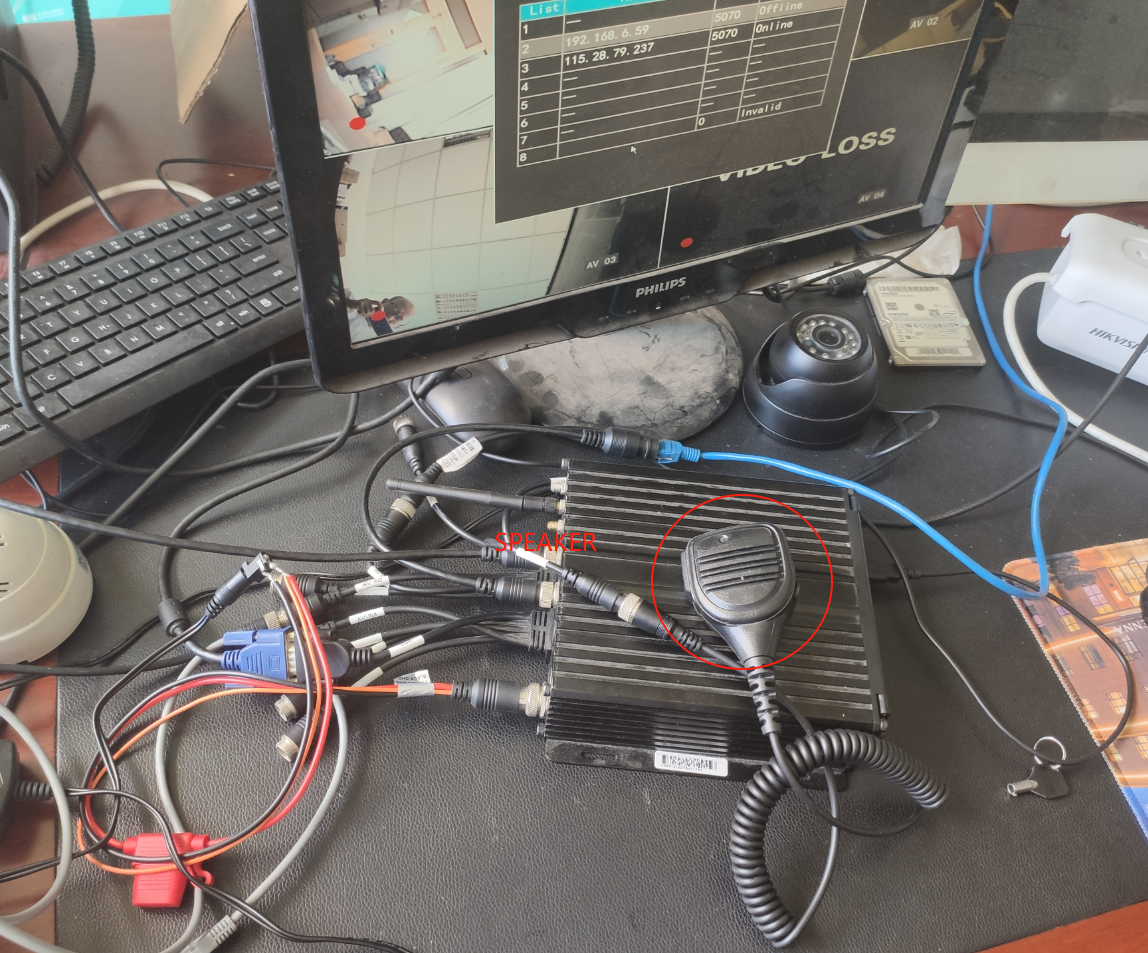
for audio input, there is MIC inside the AHD camera, and there is MIC+loud speaker battery all-in-one handset for 2way audio-talk,
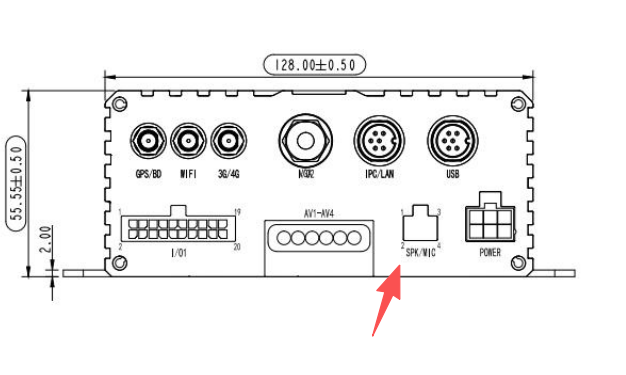
and also there is standalone cabled-MIC for HDD model, as shown below SPK/MIC connector,
basic settings by VGA/AV display+USB mouse
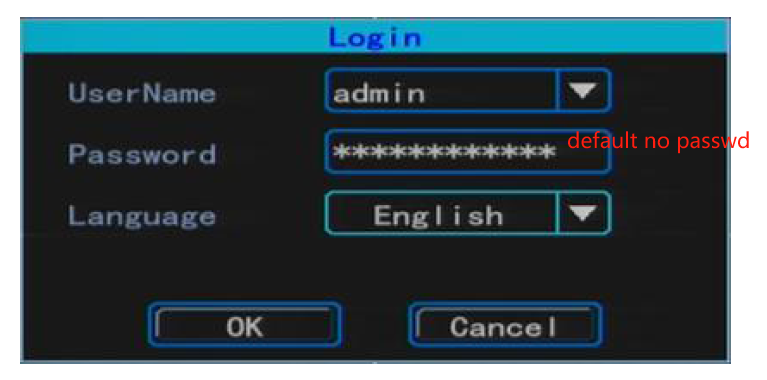
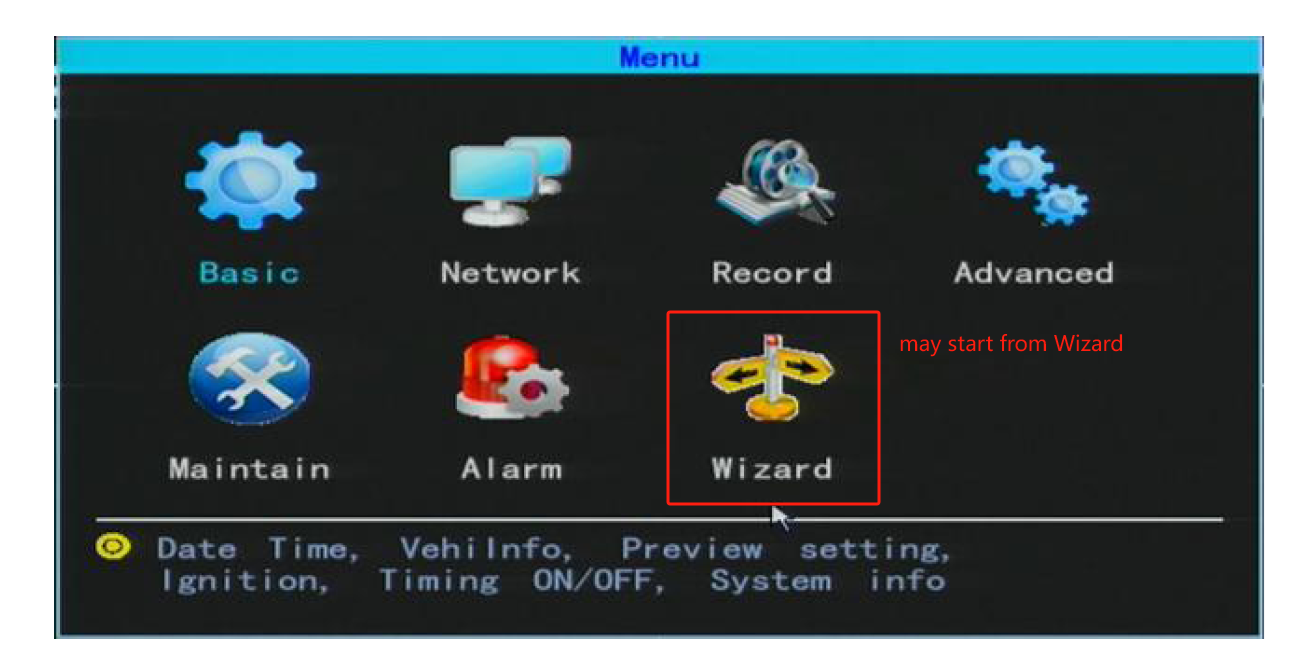
After the equipment is powered on, please connect the CVBS or VGA monitor, insert the mouse into the front panel of the device, click right to display the user login interface, user: admin, no passwd by default, click OK to log in. After logging in, right-click on the mouse to enter the main menu. there is wizzard for new users, but wizzard is not necessary.
language select at mouse-right-click login
right click to enter menu settings,
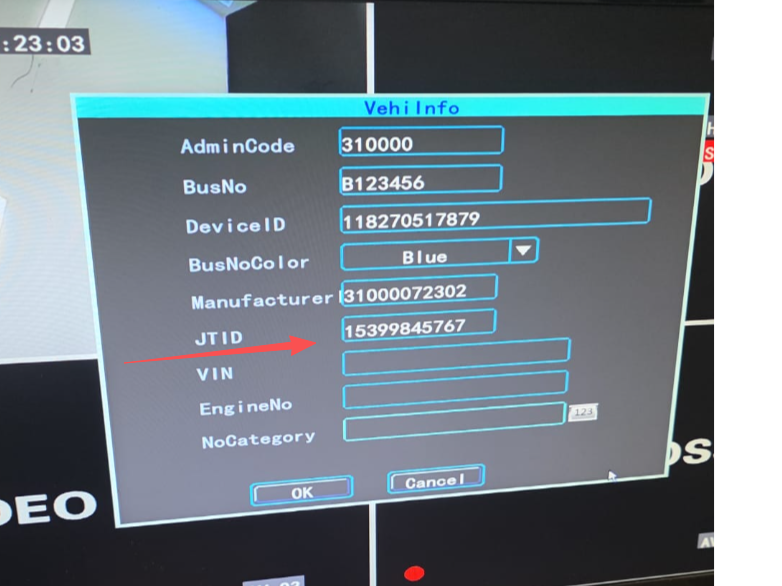
set device info, 11-digit phone number(JTID) and car plate etc.
setup network
there are 3way to access internet,
-
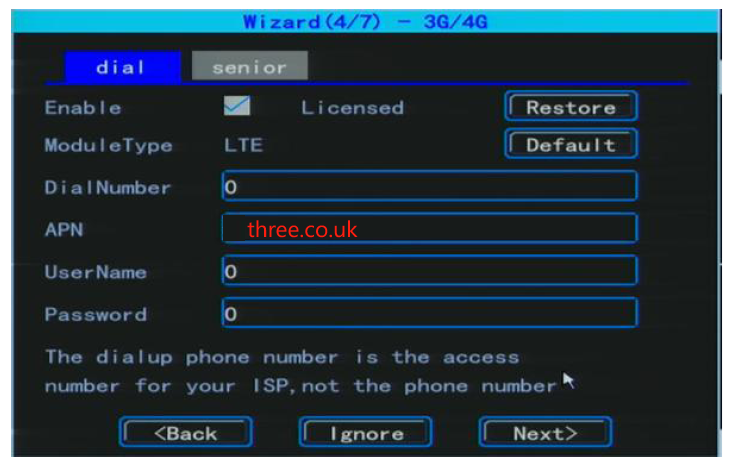
by 4G LTE SIM card, setup APN before use
-
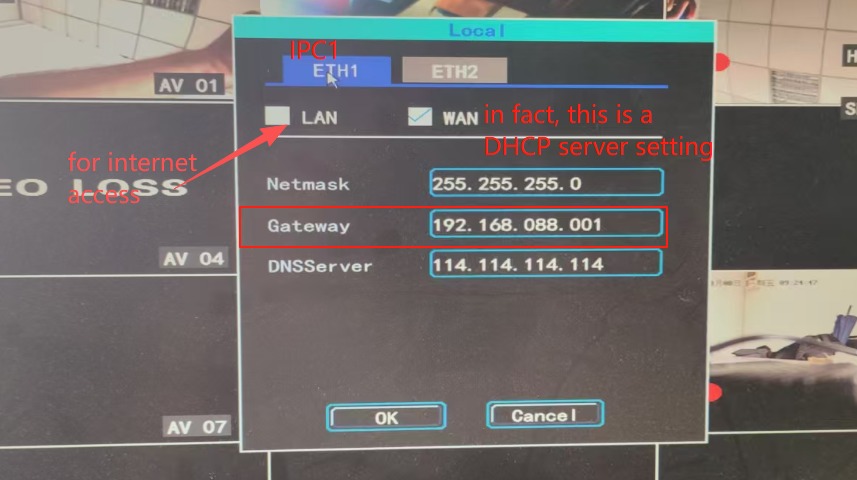
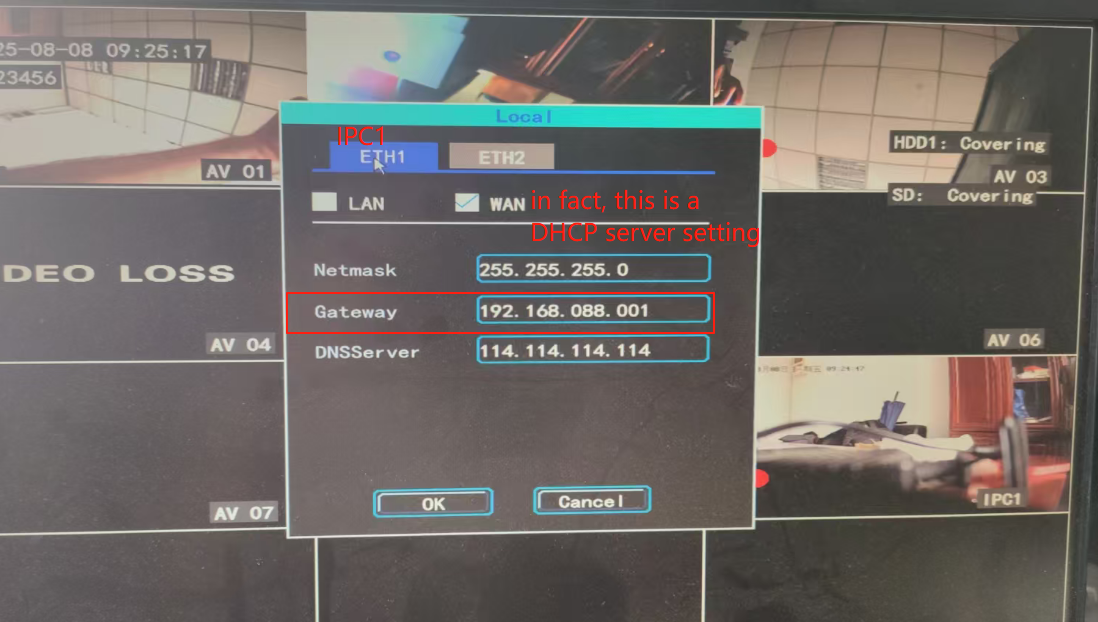
by ethernet cable to eth RJ45 port(not default item, only provided for IPCam support, optional), setup LAN IP, pls note, WAN IP is for IPCam input,
- by WiFi, but WiFi is optional item, not default
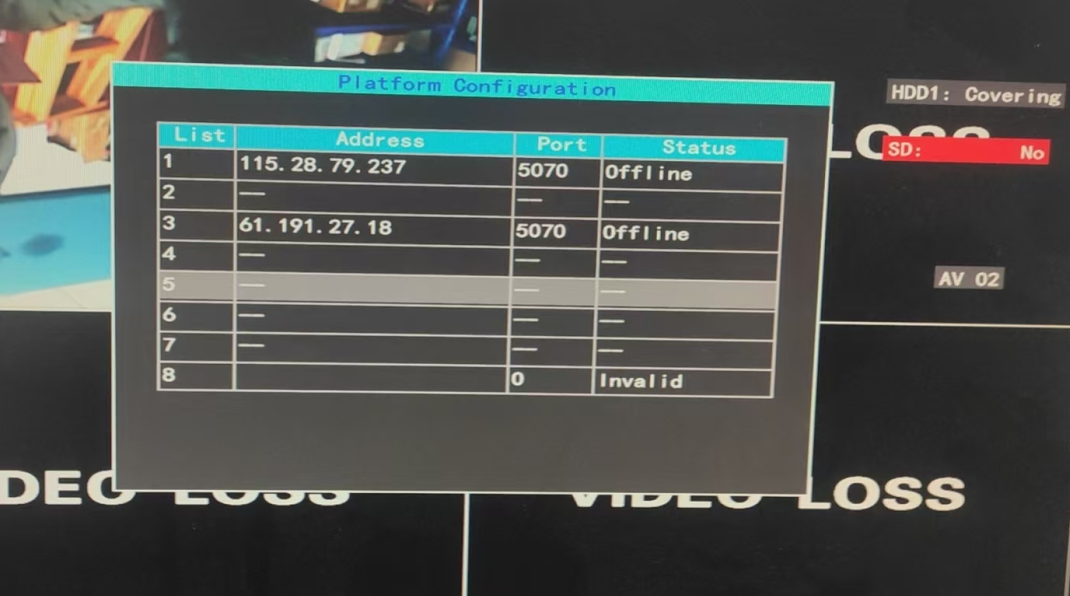
setup smarteye server IP&port
JTID must be set, 11-digit, as shown above.
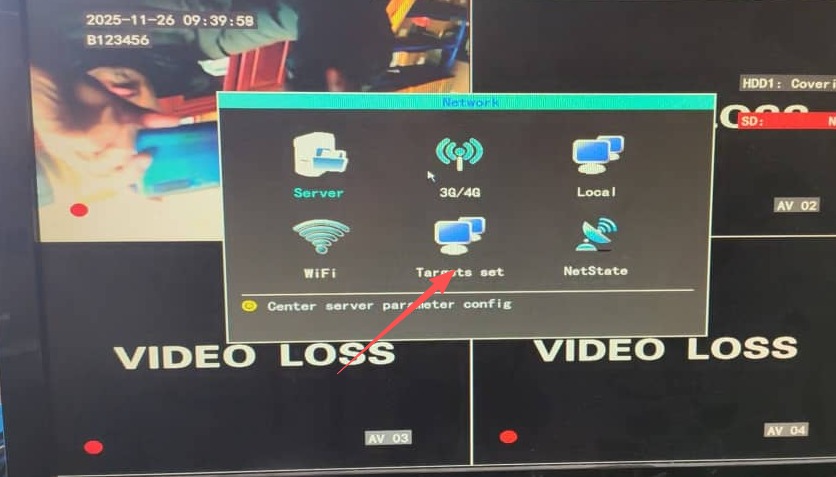
menu ---> network---->target set, enter your smarteye server IP and port(default 5070)
setup APN for local SIM card
other settings
- USB recovery
e.g., VGA out is disabled, copy "vga.config.ini" file to U-disk, connect this U-disk to mDVR at power off, then power up, new setting will take effect.
- SMS command
connect a IPCamera(ONVIF) in
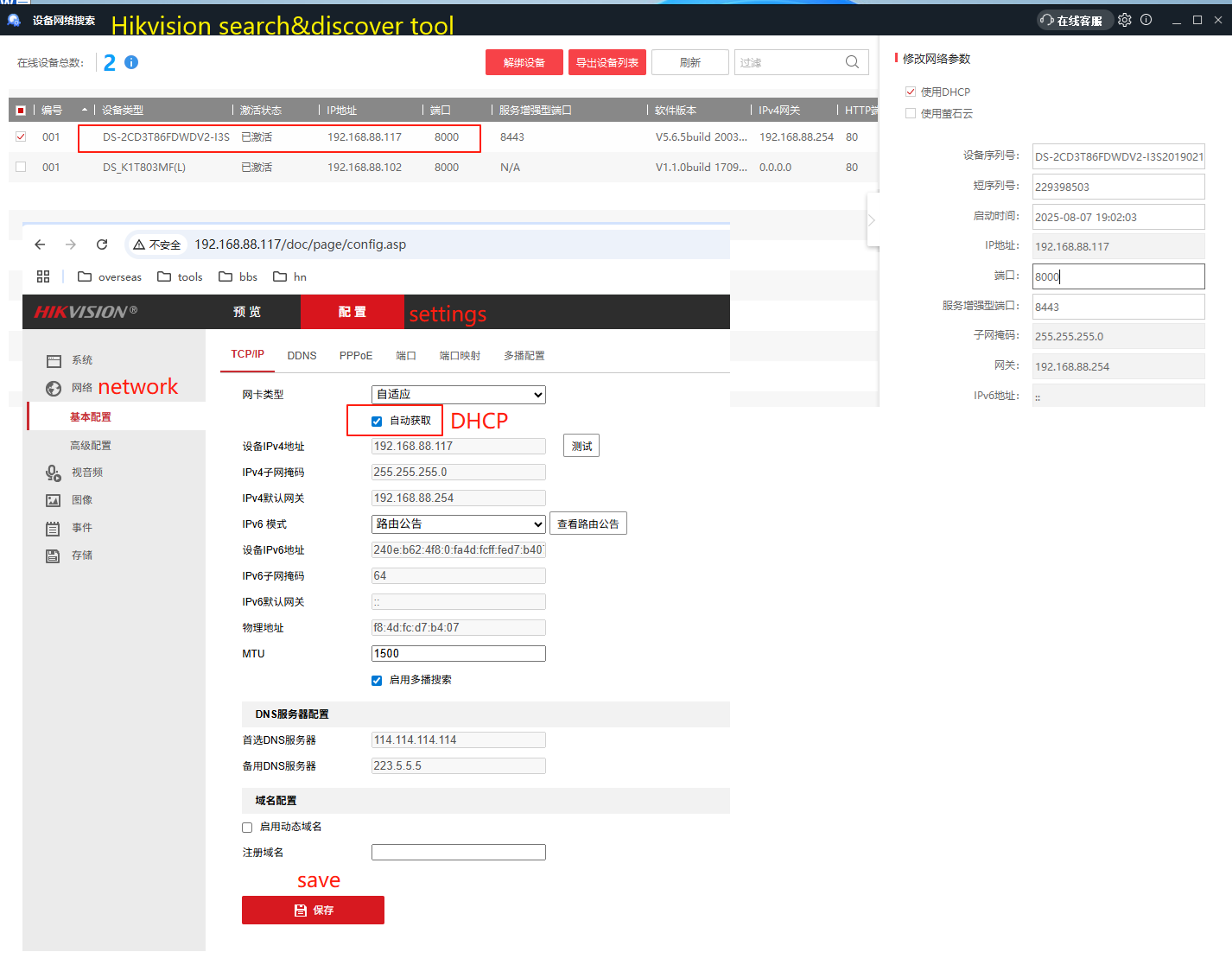
connect an ONVIF-standard IPCamera to the ethernet port RJ45, make sure it's ONVIF-complied, user/passwd confirmed, and H.264, pls note, do not use H.265, it's not supported by the mDVR. make sure the mDVR LAN IP and the IPCam's IP in same IP segment, e.g. 192.168.88.xxx.
Usually, set IPCam to DHCP mode, the mDVR provides DHCP server on its WAN, so set an IP to mDVR's WAN, so it may assign IP to IPCam by DHCP, thus mDVR can discover this IPCam.
the mDVR takes the sub-stream from the IPCamera by default.
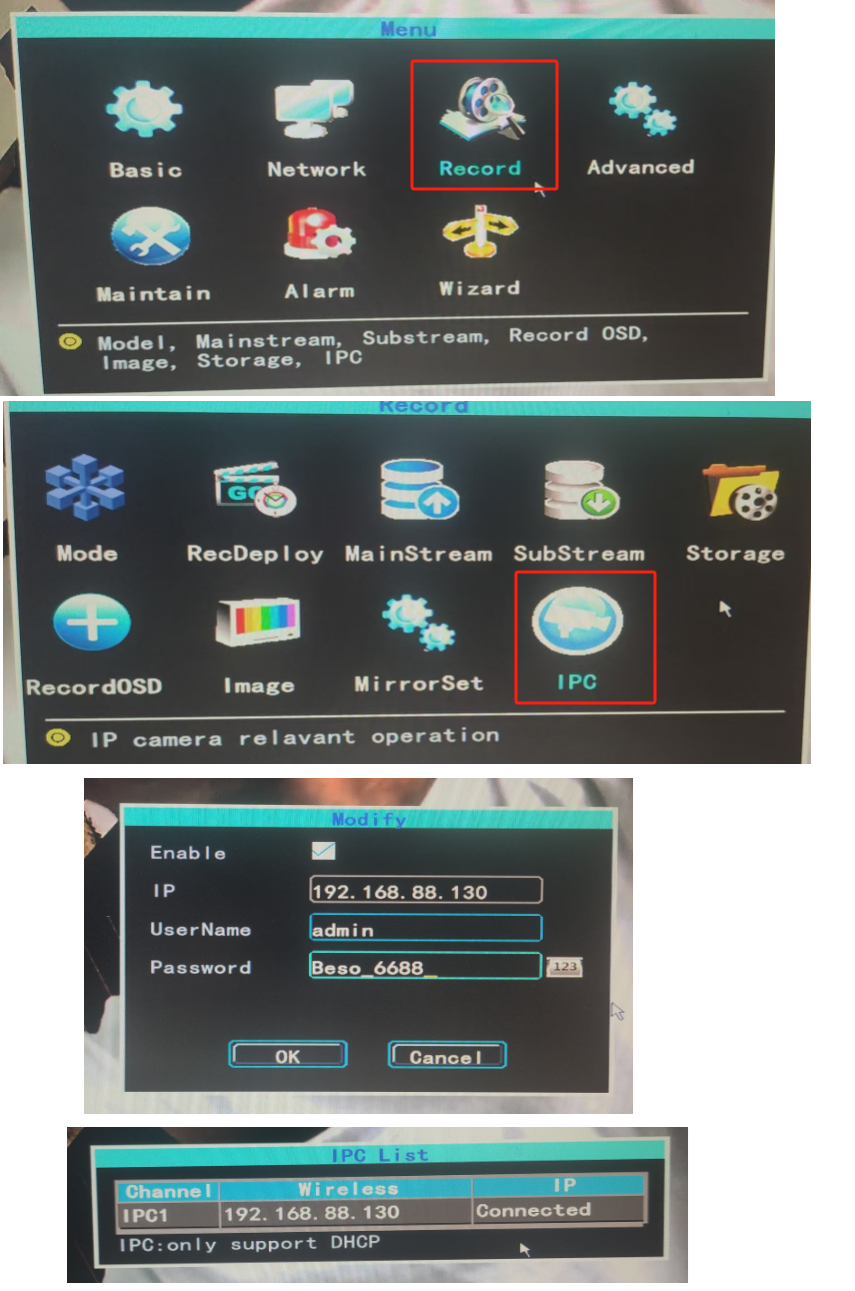
if failure persists here, pls create a user account in your IPCam WEB settings other than admin.
in smarteye WEB
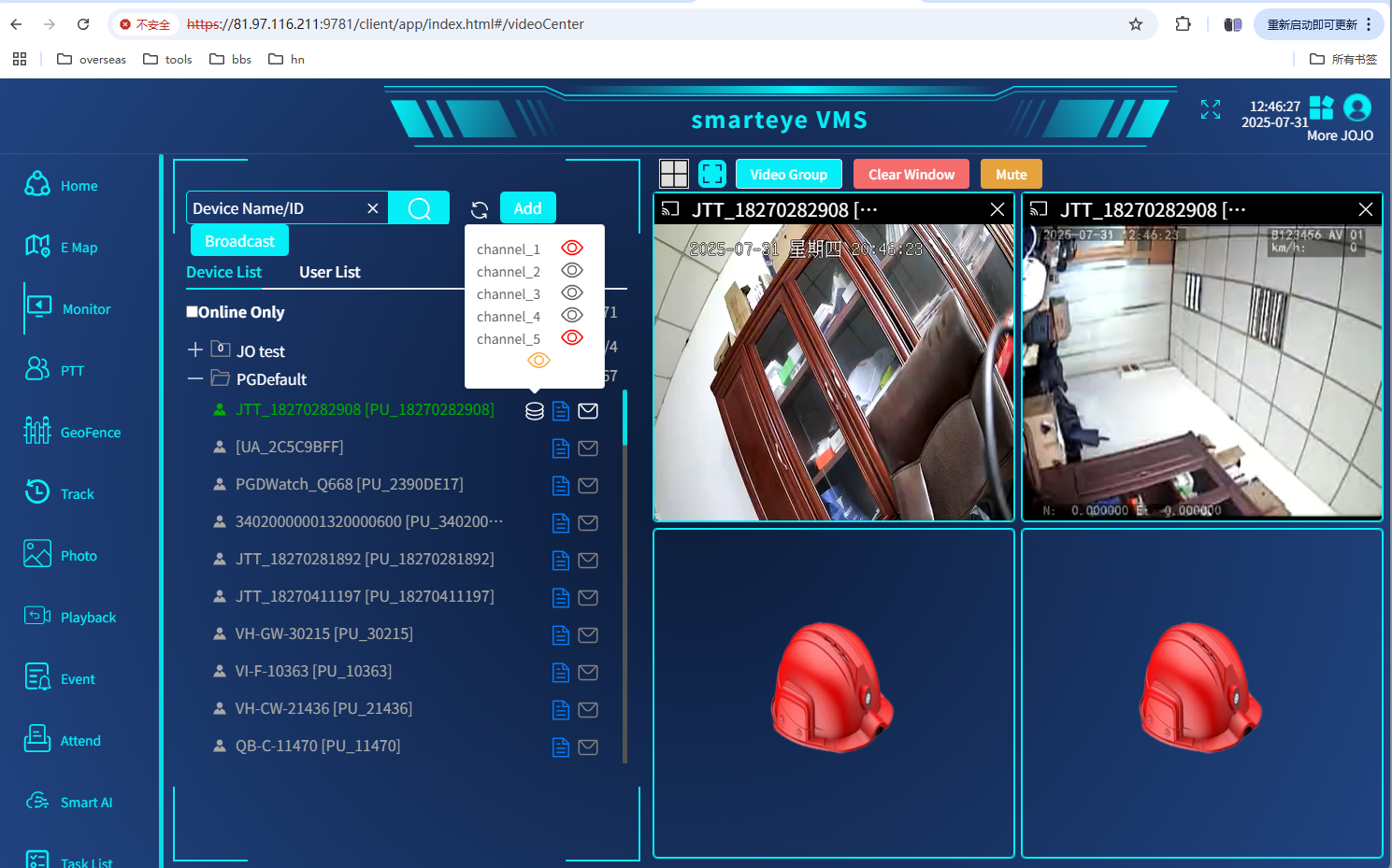
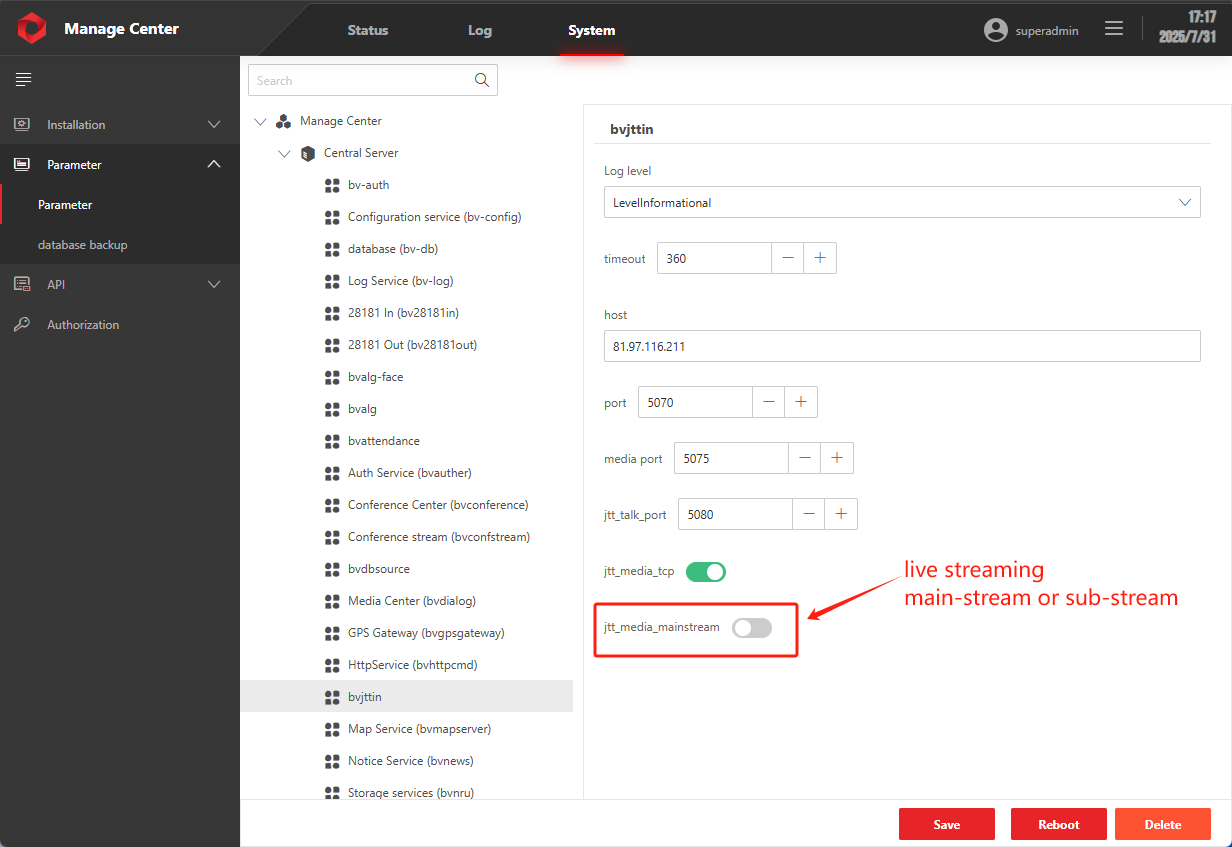
pls note,
ethernet port RJ45 can be used to access internet to VMS/smarteye, set IP/gateway for LAN, while WAN is in DHCP server for IPCamera.
5070~5075/TCP ports should be enabled on server side, server authID to enable JT/T1078 and set public IP in management center,
SD/HDD format to use
SD card has to be locked well before use.
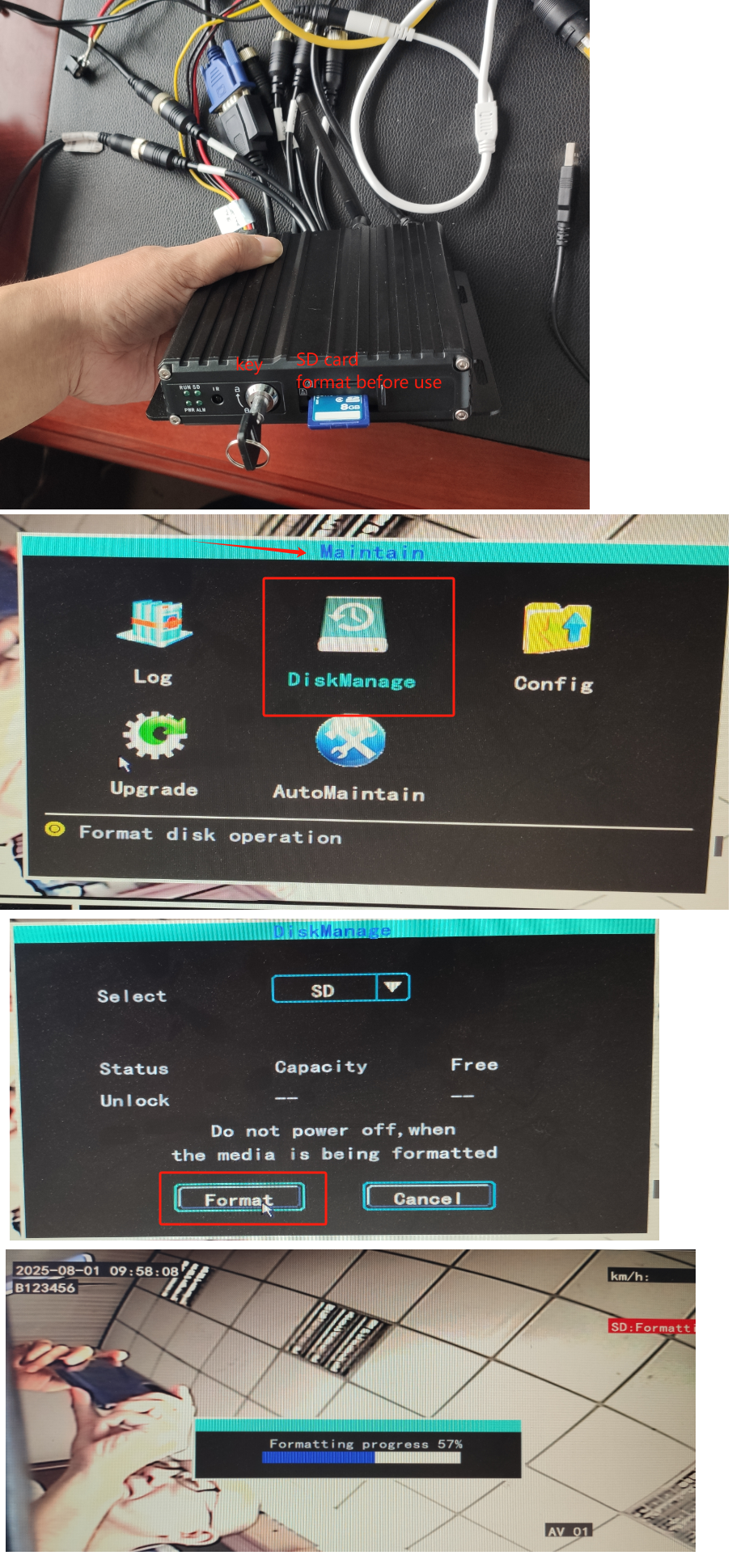
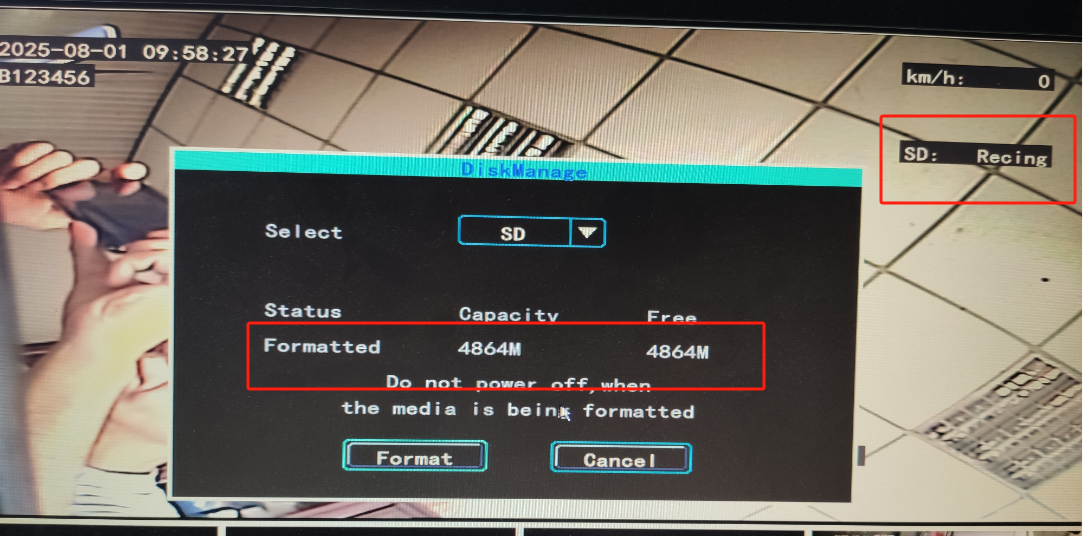
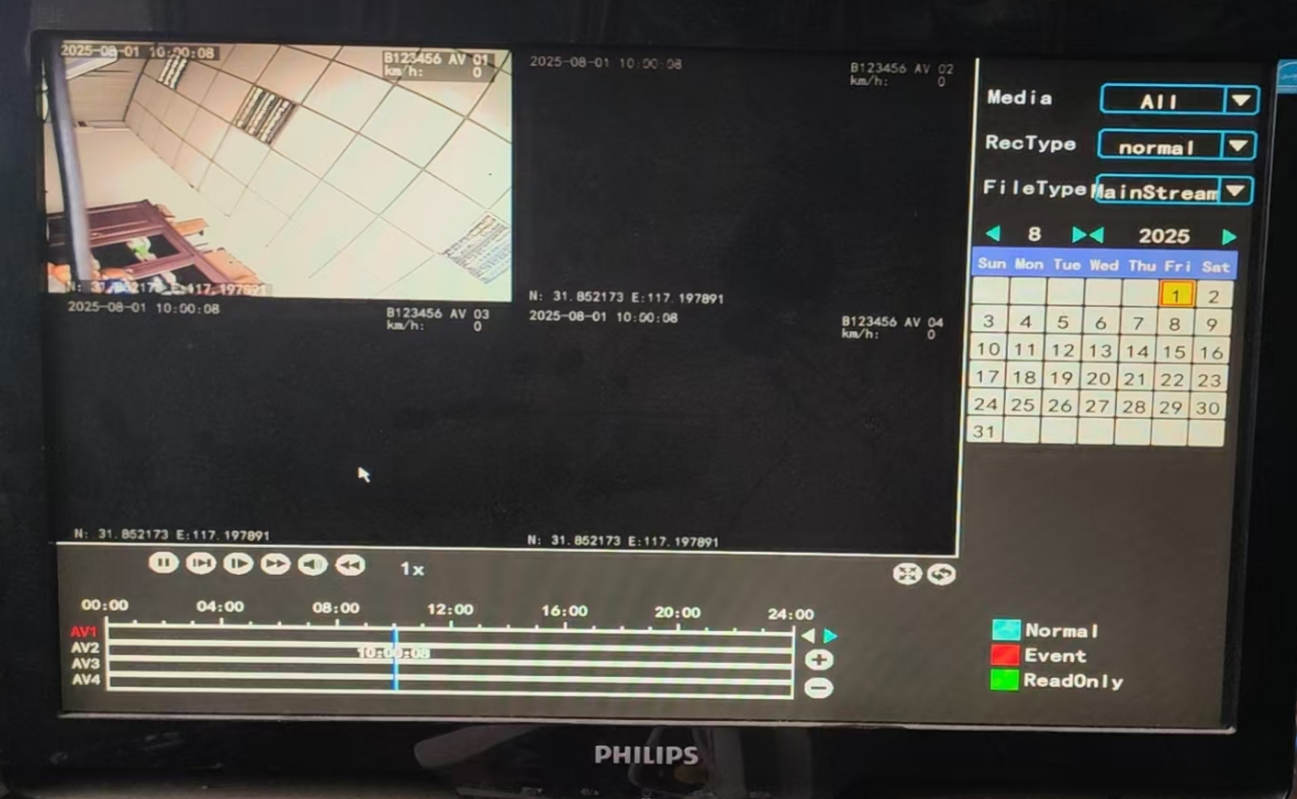
recording&playback
auto-recording on all channels by default, can be played back on VGA monitor.
2way audio talk
by handset connected to SPEAKER cable, PTT button pressed to speak.
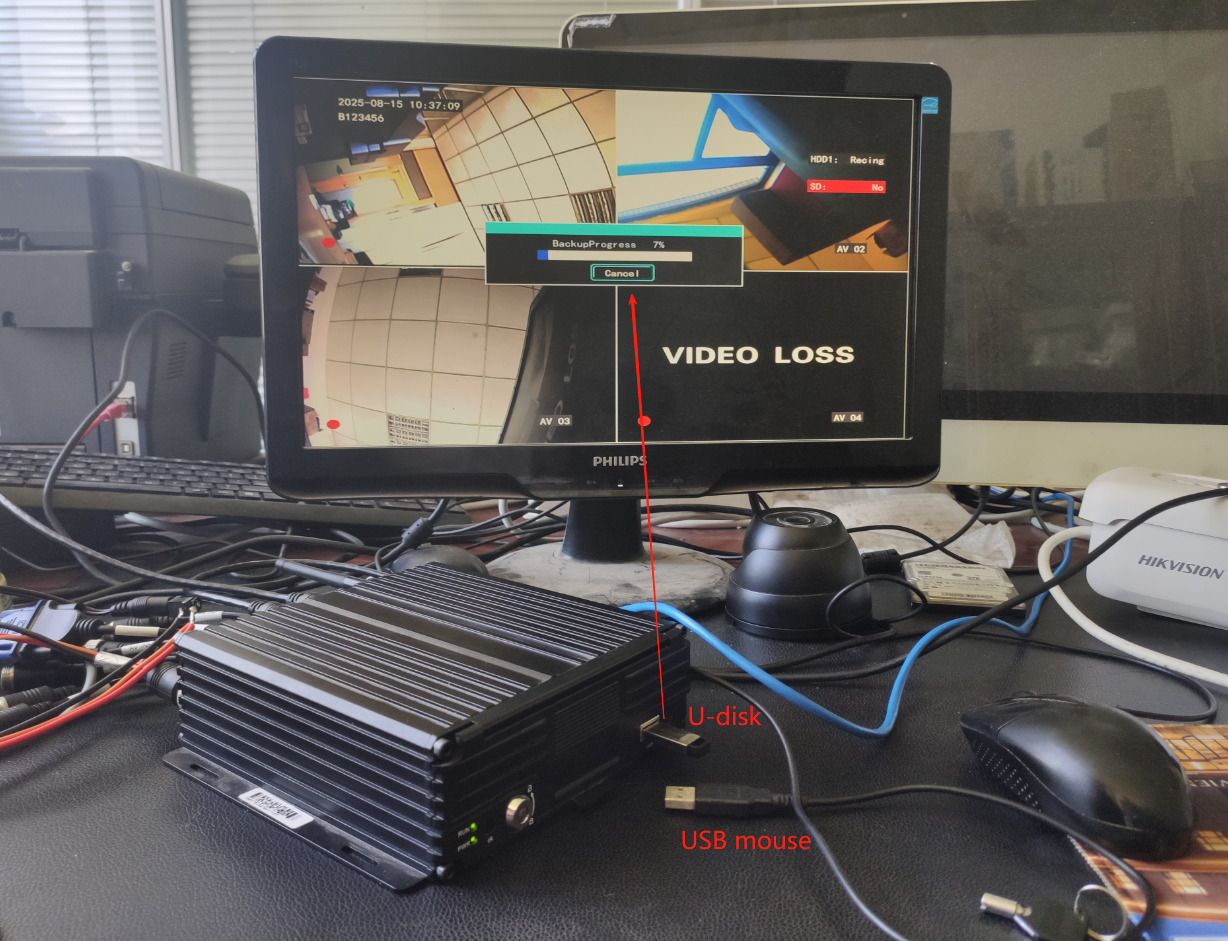
recording clip files copy out/backup&playback
HDD mDVR howto, https://www.besovideo.com/en/detail?t=1&i=485
4ch IPCamera mobile NVR user manual, https://www.besovideo.com/en/detail?t=1&i=488
anti-jitter, EIS, groupPTT/push2talk/PoC, star-light night vision, explosion-proof 4G/5G/GPS body camera DVR, 4G/5G/GPS helmet camera DVR/hardhat camera, ODM/OEM acceptable, AI box, vehicle mount mDVR, GPS tracker, 4G/5GHDMI DVR for drones/UAV, walkie talkie, fixed/cable IPcamera, all-in-one dome PTZ4G/5G camera, RTK/UWB, 4G torch camera DVR, glass camera/AR glass camera, all in large scale VMS/smarteye, RTSP to milestone.