网址:https://pvp.qq.com/web201605/herolist.shtml
现在我们需要使用协程爬取皮肤图片。
我们进入这个网址然后打开开发者工具。我们看到
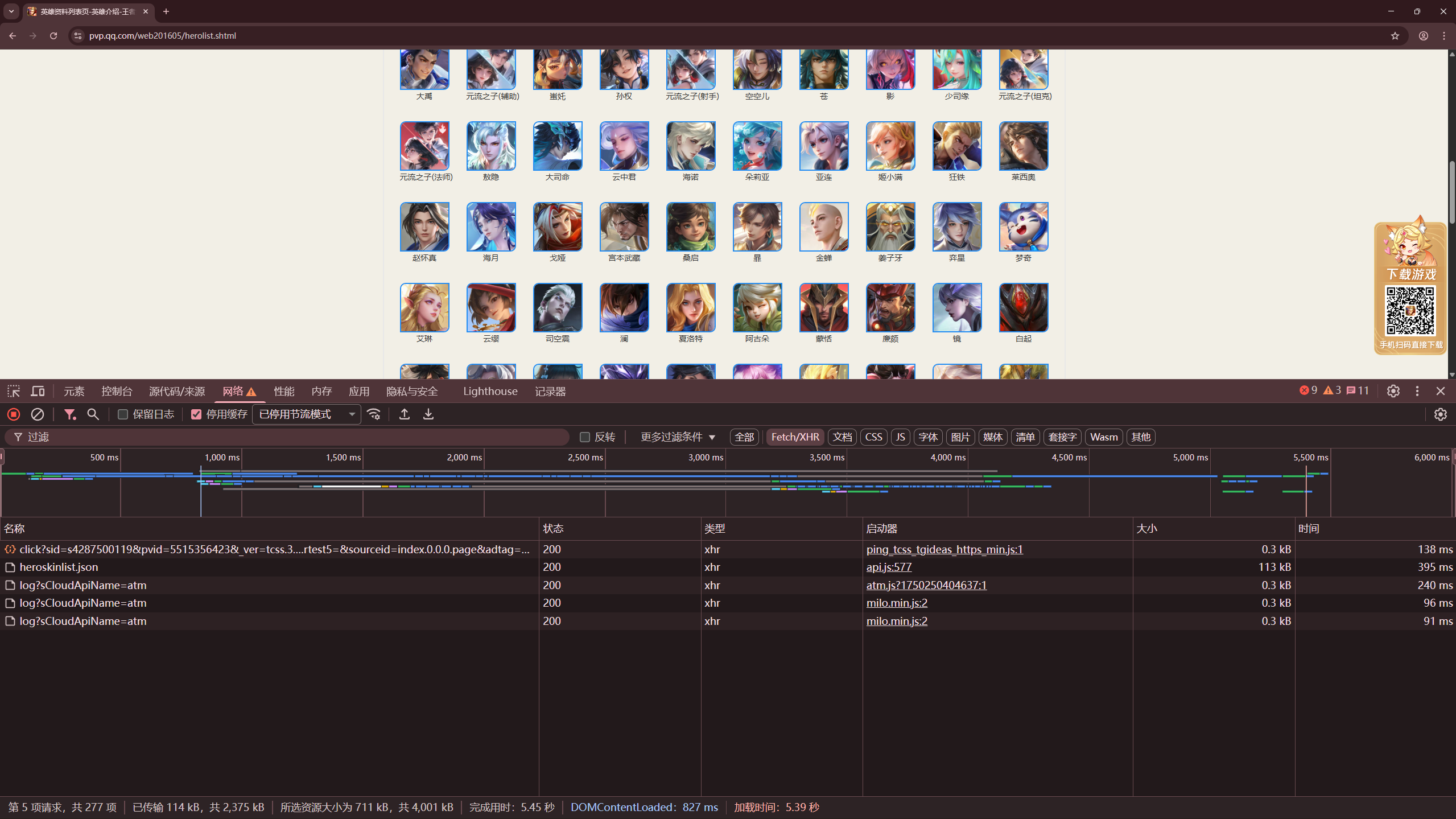
在网络的Fetch/XHR中,有个heroskinlist.jso的文件请求。我们下载下来就发现是一串json数据。其中的一小段数据是这样的

在json数据中的fmlb_4536中就是他的皮肤图片地址,我们请求后下载到指定的文件就可以了。接下来我们看看程序实现。
python
import os
import asyncio
import aiofile
import aiohttp


class HeroSpider:
    def __init__(self):
        self.json_url = 'https://pvp.qq.com/zlkdatasys/heroskinlist.json'
        self.headers = {
            'User-Agent': 'Mozilla/5.0 (Windows NT 10.0; Win64; x64) AppleWebKit/537.36 (KHTML, like Gecko) Chrome/80.0.3987.149 Safari/537.36',
        }


    async def get_image_content(self, session, name, skin_url):
        try:
            async with session.get(skin_url, headers=self.headers ) as response:
                if response.status == 200:
                    content = await response.read()
                    async with aiofile.async_open('./images/{}.jpg'.format(name), 'wb') as f:
                        await f.write(content)
                        print('下载成功:{}'.format(name))
                else:
                    print(f'HTTP错误 {response.status}: {name}')
        except Exception as e:
            print(f'下载失败 {name}: {e}')

    async def main(self):
        tasks = []
        async with aiohttp.ClientSession() as session:
            async with session.get(self.json_url, headers=self.headers) as response:
                result = await response.json(content_type=None)
                for item in result['pflb20_3469']:
                    name = item['pfmclb_7523']
                    url = item['fmlb_4536']
                    print(f'正在下载:{name}, URL: {url}')
                    con_j = asyncio.create_task(self.get_image_content(session, name, url))
                    tasks.append(con_j)
                await asyncio.gather(*tasks)


if __name__ == '__main__':
    if not os.path.exists('./images'):
        os.mkdir('./images')

    spider = HeroSpider()
    asyncio.run(spider.main())