下雪环境效果
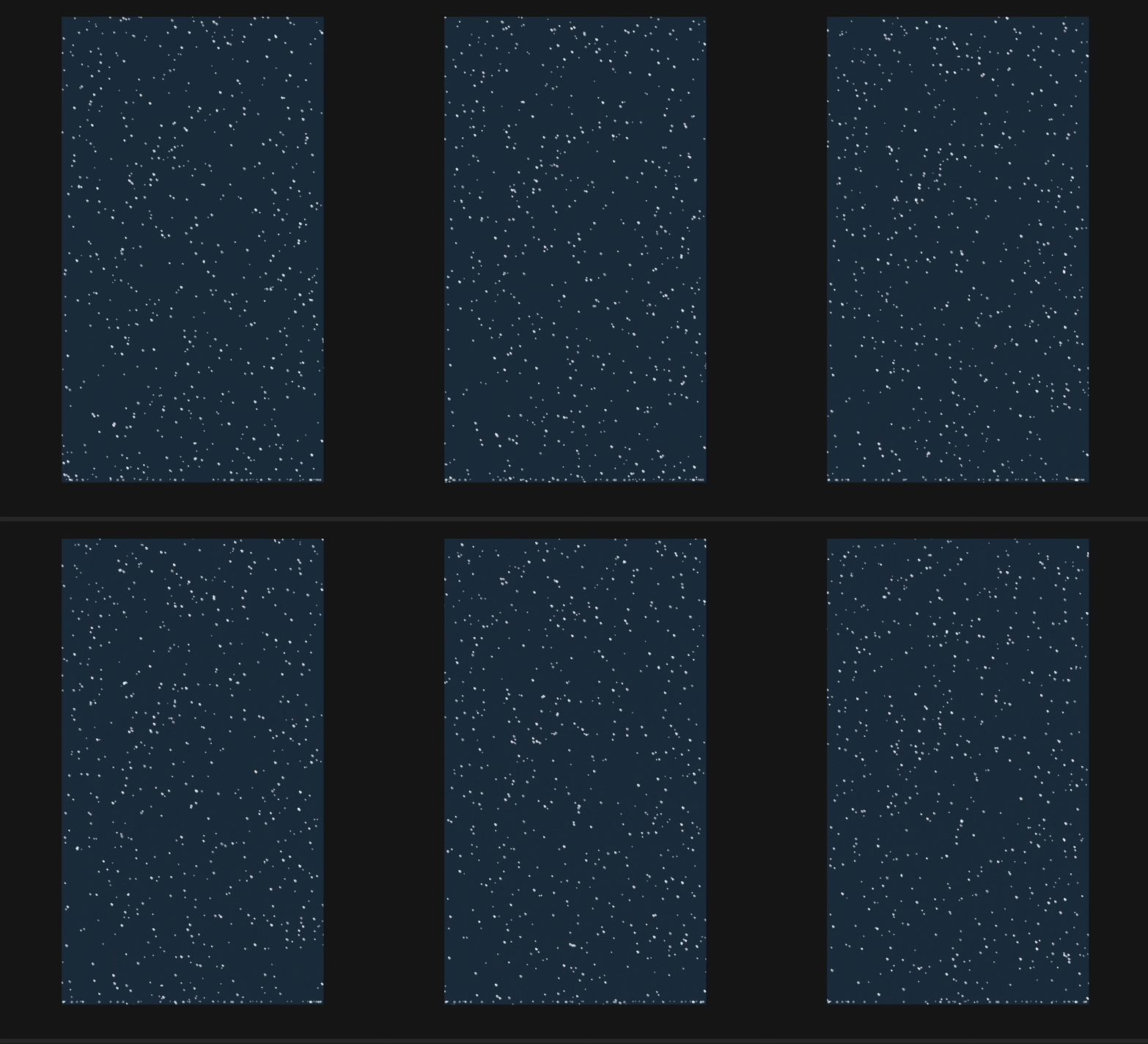
一个基于 LayaAir 的 2D 下雪粒子特效系统,支持纹理图片和默认绘制两种模式,包含雪花飘落、地面积雪效果。
效果预览
文件结构
environment/
└── SnowSystem.ts    # 下雪效果完整实现
快速使用
方式一:IDE 中挂载脚本
- 在 IDE 中创建一个 2D Sprite 节点
- 添加
SnowEnvironmentScript组件 - (可选)在属性面板中拖入雪花纹理图片
- 在属性面板中调整参数
方式二:代码中使用
typescript
import { SnowEnvironmentScript } from "./environment/SnowSystem";

// 添加下雪脚本
const snowScript = sprite.addComponent(SnowEnvironmentScript);

// 动态调整参数
snowScript.setSnowIntensity(5);     // 设置雪量
snowScript.setSnowSpeed(0.5, 2);    // 设置速度
snowScript.setWind(1);              // 设置风力
snowScript.setSwing(30, 0.02);      // 设置摇摆幅度和速度
配置参数
| 参数 | 类型 | 说明 | 默认值 |
|---|---|---|---|
snowTexture |
Texture | 雪花纹理图片(可选,不设置则使用默认圆形) | null |
snowIntensity |
Number | 雪量大小 (0-15) | 5 |
minSpeed |
Number | 最小下落速度 | 0.5 |
maxSpeed |
Number | 最大下落速度 | 2 |
wind |
Number | 风力(负数向左,正数向右) | 0 |
minScale |
Number | 最小缩放 | 0.5 |
maxScale |
Number | 最大缩放 | 1.2 |
enableAccumulation |
Boolean | 是否启用地面积雪 | true |
accumulationRate |
Number | 积雪频率 (0-1) | 0.15 |
maxParticles |
Number | 最大粒子数(影响性能) | 800 |
雪量参考
| 效果 | 雪量 | 速度范围 |
|---|---|---|
| 小雪 | 1-3 | 0.5-1.5 |
| 中雪 | 3-6 | 0.5-2 |
| 大雪 | 6-10 | 0.5-2.5 |
| 暴雪 | 10-15 | 1-3 |
实现原理
核心架构
SnowEnvironmentScript (主脚本)
    │
    ├── SnowSystem (雪花系统)
    │       └── SnowFlakeSprite[] (雪花粒子数组)
    │
    └── SnowAccumulationSystem (积雪系统)
            └── Sprite[] (积雪粒子数组)
1. 雪花粒子 (SnowFlakeSprite)
每个雪花是一个独立的粒子对象,支持纹理和默认绘制两种模式:
typescript
class SnowFlakeSprite {
    sprite: Laya.Sprite;        // 精灵对象
    texture: Laya.Texture;      // 纹理(可选)
    vy: number;                 // Y方向速度(下落)
    scale: number;              // 缩放比例
    alpha: number;              // 透明度
    startX: number;             // 起始X位置(用于摇摆计算)
    time: number;               // 时间累加(用于正弦摇摆)
    swingAmount: number;        // 摇摆幅度
    swingSpeed: number;         // 摇摆速度
    windX: number;              // 风力
}渲染方式:根据是否有纹理选择绘制方式
typescript
// 有纹理时:使用 drawTexture 绘制 PNG 图片
if (this.texture) {
    this.sprite.graphics.drawTexture(
        this.texture,
        0, 0,
        this.texture.width,
        this.texture.height
    );
}
// 无纹理时:使用 drawCircle 绘制默认圆形雪花
else {
    const size = 8;
    this.sprite.graphics.drawCircle(size / 2, size / 2, size / 2 - 1, "rgba(255, 255, 255, 0.8)");
    this.sprite.graphics.drawCircle(size / 2 - 2, size / 2 - 2, size / 4, "rgba(255, 255, 255, 1)");
}
纹理绑定 :使用 @property({type: Laya.Texture}) 装饰器实现 IDE 拖拽绑定
typescript
@property({type: Laya.Texture, tooltip: "雪花纹理(拖入图片资源)"})
snowTexture: Laya.Texture | null = null;
2. 雪花摇摆效果
雪花使用正弦函数实现左右摇摆,模拟真实飘落效果:
typescript
update(stageHeight: number): boolean {
    // 更新时间和摇摆位置
    this.time += this.swingSpeed;
    const swingOffset = Math.sin(this.time) * this.swingAmount * 0.01;

    // 更新位置:风力 + 摇摆 + 下落
    this.startX += this.windX * 0.1;
    this.sprite.x = this.startX + swingOffset;
    this.sprite.y += this.vy;

    // 超出屏幕底部则移除
    if (this.sprite.y >= stageHeight + 20) {
        this.recycle();
        return false;
    }
    return true;
}摇摆原理:
time随时间累加,作为正弦函数的输入Math.sin(time)产生 -1 到 1 的周期值- 乘以
swingAmount控制摇摆幅度 swingSpeed控制摇摆快慢
3. 雪花系统 (SnowSystem)
职责:管理所有雪花粒子的创建、更新和销毁
3.1 雪花生成
每帧根据 intensity 参数生成新雪花,但不超过最大粒子数:
typescript
update() {
    const texture = this.texture;
    const toAdd = Math.min(this.intensity, this.maxParticles - this.flakes.length);
    for (let i = 0; i < toAdd; i++) {
        const x = Math.random() * (this.stageWidth + 100) - 50;
        const y = -20;
        const flake = SnowFlakeSprite.acquire(x, y, this.config, texture);
        this.flakes.push(flake);
        this.container.addChild(flake.sprite);
    }

    // 更新现有雪花...
}
4. 积雪系统 (SnowAccumulationSystem)
职责:管理地面积雪堆积效果,同样支持纹理和默认绘制:
typescript
accumulate(x: number, y: number, scale: number, texture: Laya.Texture | null): void {
    const sprite = new Laya.Sprite();
    sprite.pos(x, y);
    sprite.scaleX = scale;
    sprite.scaleY = scale;
    sprite.alpha = 0.6;

    // 根据是否有纹理选择绘制方式
    if (texture) {
        sprite.graphics.drawTexture(texture, 0, 0, texture.width, texture.height);
    } else {
        // 使用 Graphics 绘制默认积雪
        const size = 6;
        sprite.graphics.drawCircle(size / 2, size / 2, size / 2, "rgba(255, 255, 255, 0.8)");
    }

    this.container.addChild(sprite);
    this.particles.push(sprite);

    // 5-8秒后自动消失
    Laya.timer.once(5000 + Math.random() * 3000, this, () => {
        // 移除积雪...
    });
}
5. 参数配置系统
使用接口定义配置,支持灵活扩展:
typescript
interface SnowFlakeConfig {
    minSpeed: number;      // 最小速度
    maxSpeed: number;      // 最大速度
    minScale: number;      // 最小缩放
    maxScale: number;      // 最大缩放
    windX: number;         // 风力
    swingAmount: number;   // 摇摆幅度
    swingSpeed: number;    // 摇摆速度
}

// 默认配置 + 自定义覆盖
this.config = {...DEFAULT_SNOW_CONFIG, ...config};
6. 性能优化
6.1 对象池
使用 LayaAir 内置的对象池复用粒子对象:
typescript
// 获取雪花
static acquire(x: number, y: number, config: SnowFlakeConfig, texture: Laya.Texture | null): SnowFlakeSprite {
    let flake = Laya.Pool.getItemByClass("SnowFlakeSprite", SnowFlakeSprite);
    if (!flake) {
        flake = new SnowFlakeSprite();
    }
    flake.init(x, y, config, texture);
    return flake;
}

// 回收雪花
recycle(): void {
    this.inUse = false;
    this.sprite.visible = false;
    this.sprite.graphics.clear();
    this.texture = null;
    if (this.sprite.parent) {
        this.sprite.parent.removeChild(this.sprite);
    }
    Laya.Pool.recover("SnowFlakeSprite", this);
}优点:
- 减少对象创建和销毁的开销
- 降低垃圾回收压力
- 提高帧率稳定性
6.2 最大粒子数限制
防止粒子数量无限增长导致性能下降:
typescript
const toAdd = Math.min(this.intensity, this.maxParticles - this.flakes.length);6.3 批量更新
使用反向循环遍历,安全删除元素:
typescript
for (let i = this.flakes.length - 1; i >= 0; i--) {
    const alive = this.flakes[i].update(this.stageHeight);
    if (!alive) {
        this.flakes.splice(i, 1);
    }
}
API 参考
SnowEnvironmentScript
| 方法 | 说明 |
|---|---|
setSnowIntensity(value) |
设置雪量 (0-15) |
getSnowIntensity() |
获取当前雪量 |
setSnowSpeed(min, max) |
设置下落速度范围 |
setWind(windX) |
设置风力 |
setSwing(amount, speed) |
设置摇摆幅度和速度 |
SnowSystem
| 方法 | 说明 |
|---|---|
setIntensity(value) |
设置雪量 |
getIntensity() |
获取当前雪量 |
setSpeed(min, max) |
设置速度 |
setWind(windX) |
设置风力 |
setScale(min, max) |
设置缩放范围 |
setSwing(amount, speed) |
设置摇摆参数 |
setMaxParticles(value) |
设置最大粒子数 |
getParticleCount() |
获取当前粒子数 |
destroy() |
销毁系统 |
SnowFlakeSprite
| 静态方法 | 说明 |
|---|---|
SnowFlakeSprite.acquire(x, y, config, texture) |
从对象池获取雪花 |
SnowFlakeSprite.clearPool() |
清空雪花对象池 |
使用场景
游戏中的降雪场景
typescript
// 在游戏场景中添加降雪效果
const snowScript = scene2D.addComponent(SnowEnvironmentScript);
snowScript.setSnowIntensity(8);
snowScript.setSnowSpeed(1, 2.5);
动态天气变化
typescript
class WeatherSystem extends Laya.Script {
    private snow!: SnowEnvironmentScript;

    async onAwake() {
        this.snow = this.owner.addComponent(SnowEnvironmentScript);

        // 模拟天气变化:从小雪到大雪
        Laya.timer.loop(5000, this, this.changeWeather);
    }

    changeWeather() {
        const intensity = 2 + Math.random() * 10;
        this.snow.setSnowIntensity(intensity);
        this.snow.setWind((Math.random() - 0.5) * 4);
    }
}
扩展建议
添加雪花旋转效果
typescript
class SnowFlakeSprite {
    private rotation: number = 0;
    private rotationSpeed: number = 0;

    init(...) {
        // 随机旋转速度
        this.rotationSpeed = (Math.random() - 0.5) * 0.05;
    }

    update() {
        this.rotation += this.rotationSpeed;
        this.sprite.rotation = this.rotation;
        // ...
    }
}
添加风向变化
typescript
private updateWind(): void {
    // 缓慢变化风向
    const time = Laya.timer.currTimer * 0.0001;
    const wind = Math.sin(time) * 1.5;
    this.snowSystem.setWind(wind);
}
夜晚降雪效果
typescript
async onAwake() {
    // 深蓝色夜空
    Laya.stage.bgColor = "#0a1520";

    // 添加月亮
    const moon = new Laya.Sprite();
    moon.graphics.drawCircle(0, 0, 40, "#fffae0");
    moon.pos(Laya.stage.width - 100, 100);
    this.owner.addChild(moon);
}