OpenXml中使用FooterPart类保存Word文档内所有页脚信息,为文档中各节使用页脚提供引用目标。采用解压缩软件打开Word文档,其内的word文件夹中保存页脚文件,每个页脚都对应独立的footer.xml文件,然后在word文件夹的document.xml文件内引用页脚信息,如下图所示。
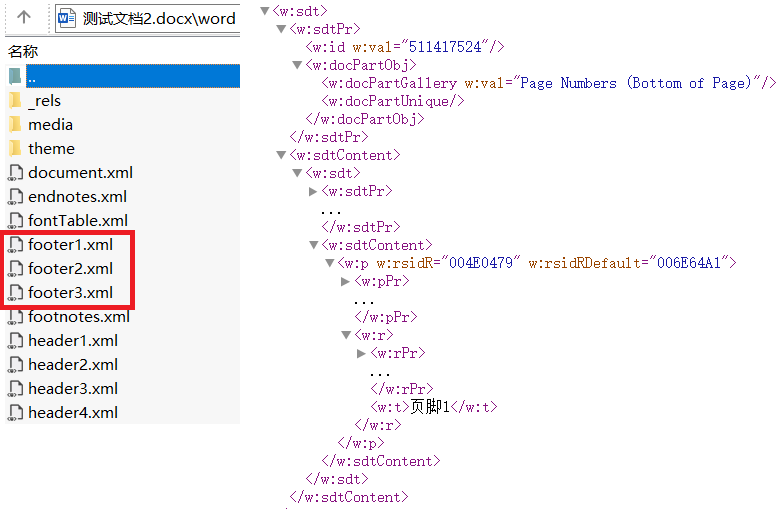
MainDocumentPart类的FooterParts属性保存页脚信息集合,其类型为IEnumerable <FooterPart>,FooterPart类存储单个页脚对象,命名空间为DocumentFormat.OpenXml. Packaging。
FooterPart类支持存储文本、图片、页码等类型内容,下图左侧的属性用于存储页脚中各种类型的数据,供页脚引用,其中Footer属性为页脚的根元素,包含所有页脚内容,下图右侧的类型列表为其支持保存的child type列表。
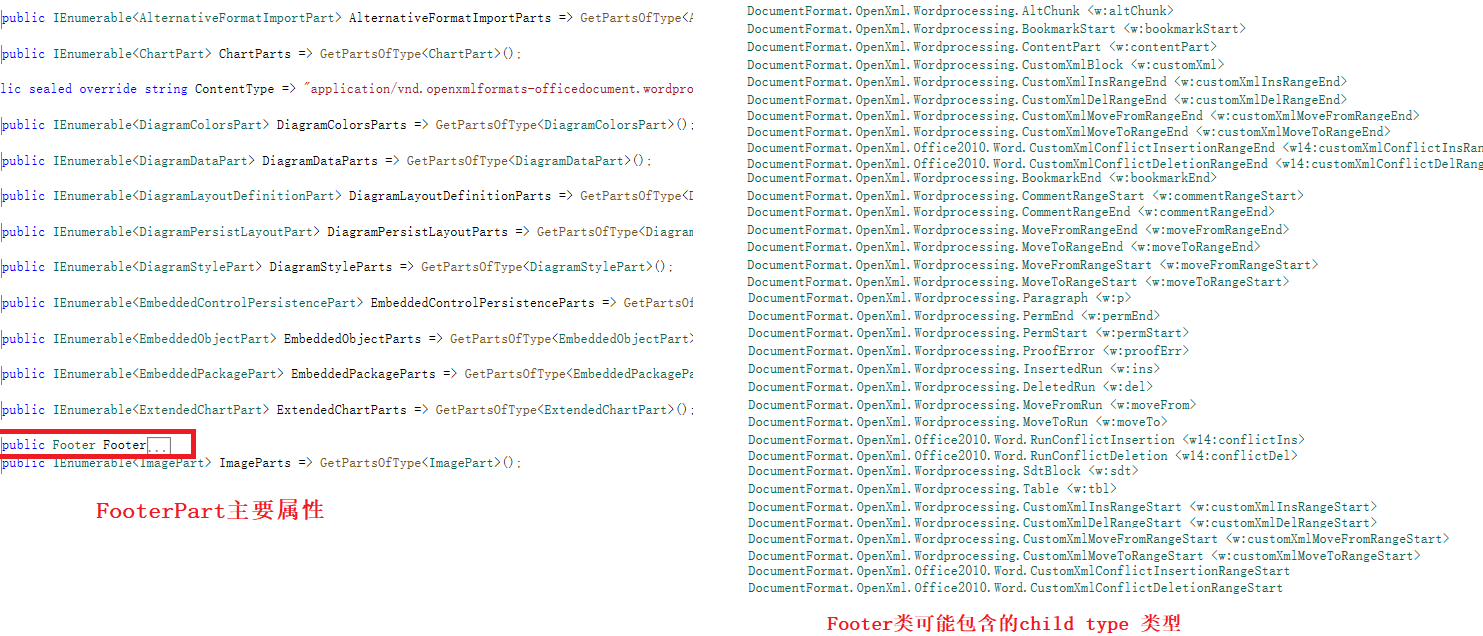
word文档可以有多个页脚,文档中每个节(Section)可以有自己的页脚设置,如果文档有多个节,每个节都可以有不同的页脚,设置不同的页脚类型(首页、奇数页、偶数页)。FooterPart类实例对象通过ID与文档关联,确保在添加页脚时正确建立关系。
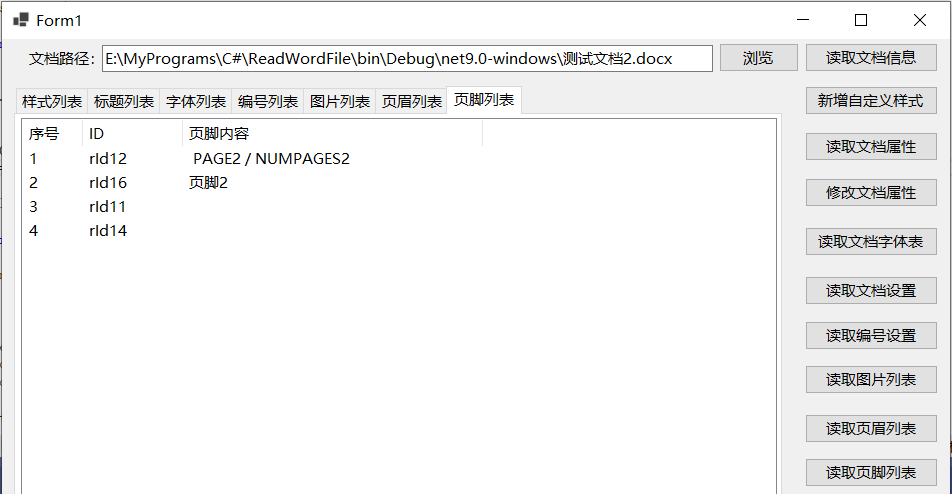
与页眉内容通常保存在Paragraph类内不同,显示文本或页码的页脚内容通常保存在SdtBlock类内,下面的代码及截图用于获取word文档的页脚列表并读取页脚内容:
csharp
lstPageFooter.Items.Clear();

using (WordprocessingDocument doc = WordprocessingDocument.Open(txtFilePath.Text, false))
{
    MainDocumentPart mainPart = doc.MainDocumentPart;

    if (mainPart.FooterParts != null)
    {
        StringBuilder sb = new StringBuilder();
        foreach (FooterPart footerPart in mainPart.FooterParts)
        {
            sb.Remove(0, sb.Length);

            // 读取页脚内容
            DocumentFormat.OpenXml.Wordprocessing.Footer footer = footerPart.Footer;

            foreach (SdtBlock sdtBlock in footer.Elements<SdtBlock>())
            {
                foreach (var element in sdtBlock.Elements())
                {
                    sb.Append(element.InnerText);
                }
            }

            ListViewItem item = new ListViewItem(Convert.ToString(lstPageFooter.Items.Count + 1));
            item.SubItems.Add(mainPart.GetIdOfPart(footerPart));
            item.SubItems.Add(sb.ToString());

            lstPageFooter.Items.Add(item);
        }
    }
}
参考文献
1https://github.com/dotnet/Open-XML-SDK
2https://learn.microsoft.com/zh-cn/office/open-xml/open-xml-sdk