Flutter for OpenHarmony:调用原生能力与平台特定组件集成
在 Flutter for OpenHarmony 开发中,尽管 Flutter 提供了丰富的跨平台 UI 和基础能力,但某些场景仍需依赖 OpenHarmony 平台特有的功能,例如分布式任务调度、系统级通知、设备协同或原生 UI 控件(如 Picker、DatePicker 等)。此时,Platform Channel 成为连接 Dart 层与 OpenHarmony 原生层(ArkTS/JS)的关键桥梁。
本文将完整演示如何通过 MethodChannel 调用 OpenHarmony 原生 API,并进一步展示如何将原生 UI 控件封装为 Flutter 可用的 Widget,实现"混合组件"开发模式,在保留 Flutter 开发效率的同时,深度集成 OpenHarmony 系统能力。

目录
- [1. Platform Channel 工作原理](#1. Platform Channel 工作原理)
- [2. 准备 OpenHarmony 原生端(ohos 目录)](#2. 准备 OpenHarmony 原生端(ohos 目录))
- [2.1 注册 MethodChannel](#2.1 注册 MethodChannel)
- [2.2 实现原生方法:发送系统通知](#2.2 实现原生方法:发送系统通知)
- [3. Dart 端调用原生方法](#3. Dart 端调用原生方法)
- [4. 封装原生 UI 控件:以 DatePicker 为例](#4. 封装原生 UI 控件:以 DatePicker 为例)
- [4.1 原生端创建 UI 容器](#4.1 原生端创建 UI 容器)
- [4.2 Dart 端使用 PlatformView](#4.2 Dart 端使用 PlatformView)
- [5. OpenHarmony 特有注意事项](#5. OpenHarmony 特有注意事项)
- [6. 性能与调试建议](#6. 性能与调试建议)
- [7. 总结](#7. 总结)
1. Platform Channel 工作原理
Flutter 通过 Platform Channel 实现 Dart 与原生代码的双向通信。在 OpenHarmony 中:
- Dart 端 :使用
MethodChannel发送方法调用 - 原生端(ArkTS) :在
MainAbilityStage或UIAbility中注册同名 Channel,处理调用并返回结果
通信流程如下:
Dart (Flutter)
   → MethodChannel.invokeMethod("showNotification", args)
   → OpenHarmony (ArkTS) onMethodCall
   → 执行原生 API(如 @ohos.notificationManager)
   → result.success(data) / result.error(...)
   → Dart Future 返回结果
⚠️ 注意:OpenHarmony 的原生层基于 ArkTS(非 Java/Kotlin),需使用 DevEco Studio 编写原生逻辑。
2. 准备 OpenHarmony 原生端(ohos 目录)
2.1 注册 MethodChannel
在 ohos/src/main/ets/entryability/EntryAbility.ts 中初始化 Channel:
typescript
// EntryAbility.ts
import { AbilityStage } from '@ohos/app.ability.AbilityStage';
import { UIAbility } from '@ohos/app.ability.UIAbility';
import { MethodChannel } from '@ohos/flutter';

export default class EntryAbility extends UIAbility {
  onCreate() {
    // 注册名为 'openharmony/native' 的 MethodChannel
    const channel = new MethodChannel('openharmony/native');
    channel.setMethodCallHandler((call, result) => {
      if (call.method === 'showNotification') {
        this.handleShowNotification(call.arguments, result);
      } else {
        result.notImplemented();
      }
    });
  }

  private handleShowNotification(args: any, result: any) {
    // 实现见下文
  }
}
✅ 命名建议 :Channel 名采用反向域名格式,如
com.example/native,避免冲突。
2.2 实现原生方法:发送系统通知
使用 OpenHarmony 的 @ohos.notificationManager API:
typescript
import notificationManager from '@ohos.notificationManager';

private async handleShowNotification(args: any, result: any) {
  try {
    const request = {
      id: 1001,
      title: args.title || '默认标题',
      text: args.content || '默认内容',
      smallIcon: 'common_icon', // 需在 resources 中定义
    };

    await notificationManager.publish(request);
    result.success({ status: 'success' });
  } catch (error) {
    console.error('Failed to show notification:', error);
    result.error('NOTIFICATION_ERROR', error.message, null);
  }
}
🔐 权限声明 :
在
module.json5中添加通知权限:
json"requestPermissions": [ { "name": "ohos.permission.NOTIFICATION_CONTROLLER" } ]
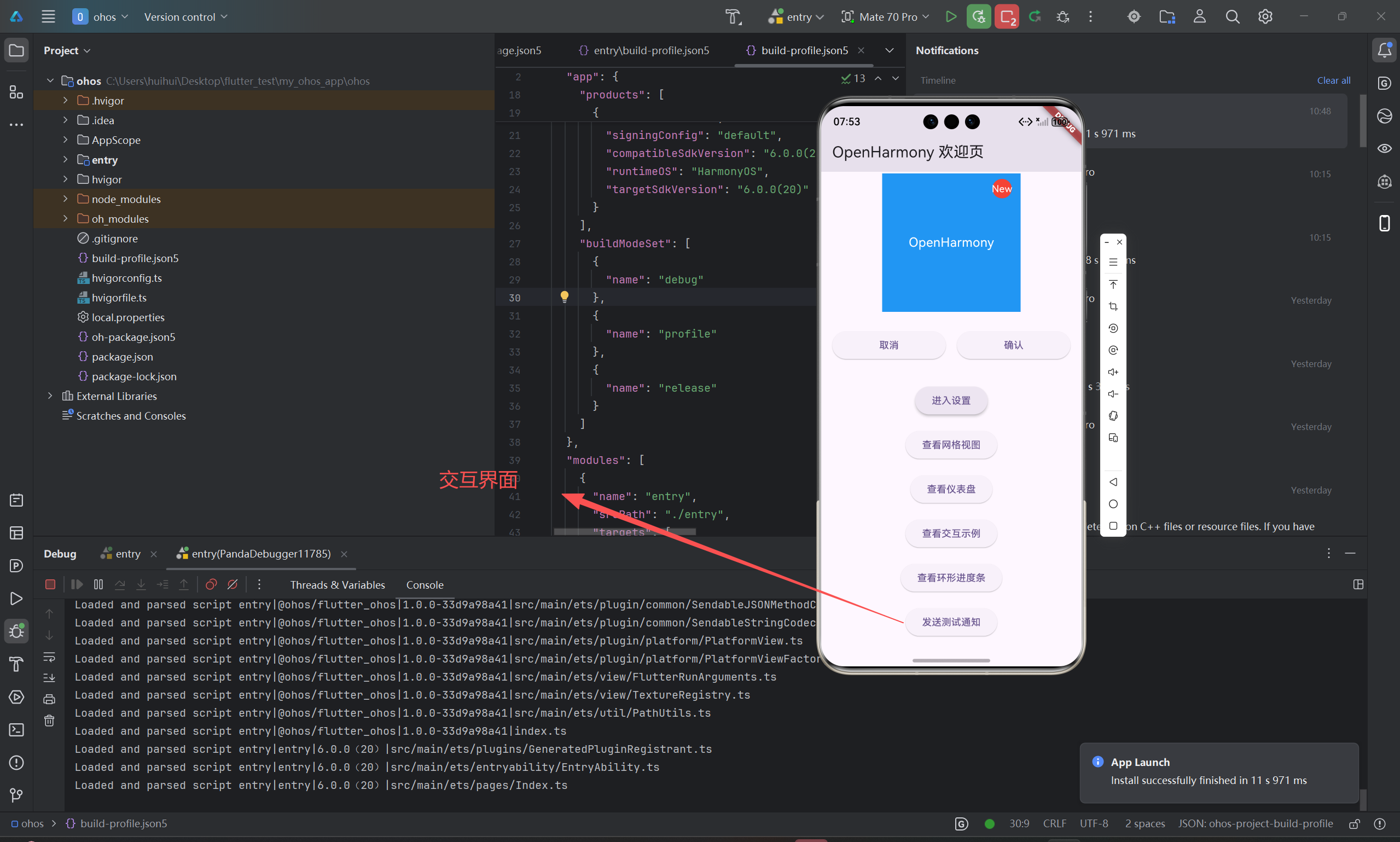
3. Dart 端调用原生方法
在 Flutter 项目中创建通知服务:
dart
// lib/services/notification_service.dart
import 'package:flutter/services.dart';

class NotificationService {
  static const _channel = MethodChannel('openharmony/native');

  static Future<void> show({
    required String title,
    required String content,
  }) async {
    try {
      await _channel.invokeMethod('showNotification', {
        'title': title,
        'content': content,
      });
    } on PlatformException catch (e) {
      print('通知调用失败: ${e.message}');
    }
  }
}
在 UI 中调用:
dart
ElevatedButton(
  onPressed: () => NotificationService.show(
    title: 'Hello OpenHarmony',
    content: 'This is a native notification.',
  ),
  child: Text('发送系统通知'),
)
✅ 优势:Dart 层无需关心原生实现细节,仅通过方法名和参数交互。
4. 封装原生 UI 控件:以 DatePicker 为例
对于无法通过 MethodChannel 模拟的复杂 UI(如日期选择器),需使用 PlatformView (在 OpenHarmony 中对应 FlutterTextureRenderer 或 ComponentContainer)。
4.1 原生端创建 UI 容器
在 ohos/src/main/ets/components/DatePickerView.ts 中定义原生组件:
typescript
// DatePickerView.ts
import datePicker from '@ohos.arkui.components.DatePicker';

export class DatePickerView {
  private picker: datePicker.DatePicker;

  constructor() {
    this.picker = new datePicker.DatePicker();
    this.picker.onDateChange((date) => {
      // 通过 EventChannel 或回调通知 Dart
    });
  }

  getView() {
    return this.picker;
  }
}
并在 EntryAbility 中注册 ViewFactory(简化示意):
typescript
// 注册 PlatformView 工厂
Flutter.registerViewFactory('openharmony/date_picker', (id) => {
  return new DatePickerView().getView();
});
⚠️ 注意:OpenHarmony 对 PlatformView 的支持仍在演进,部分版本需使用 纹理共享(Texture) 方案替代直接嵌入。
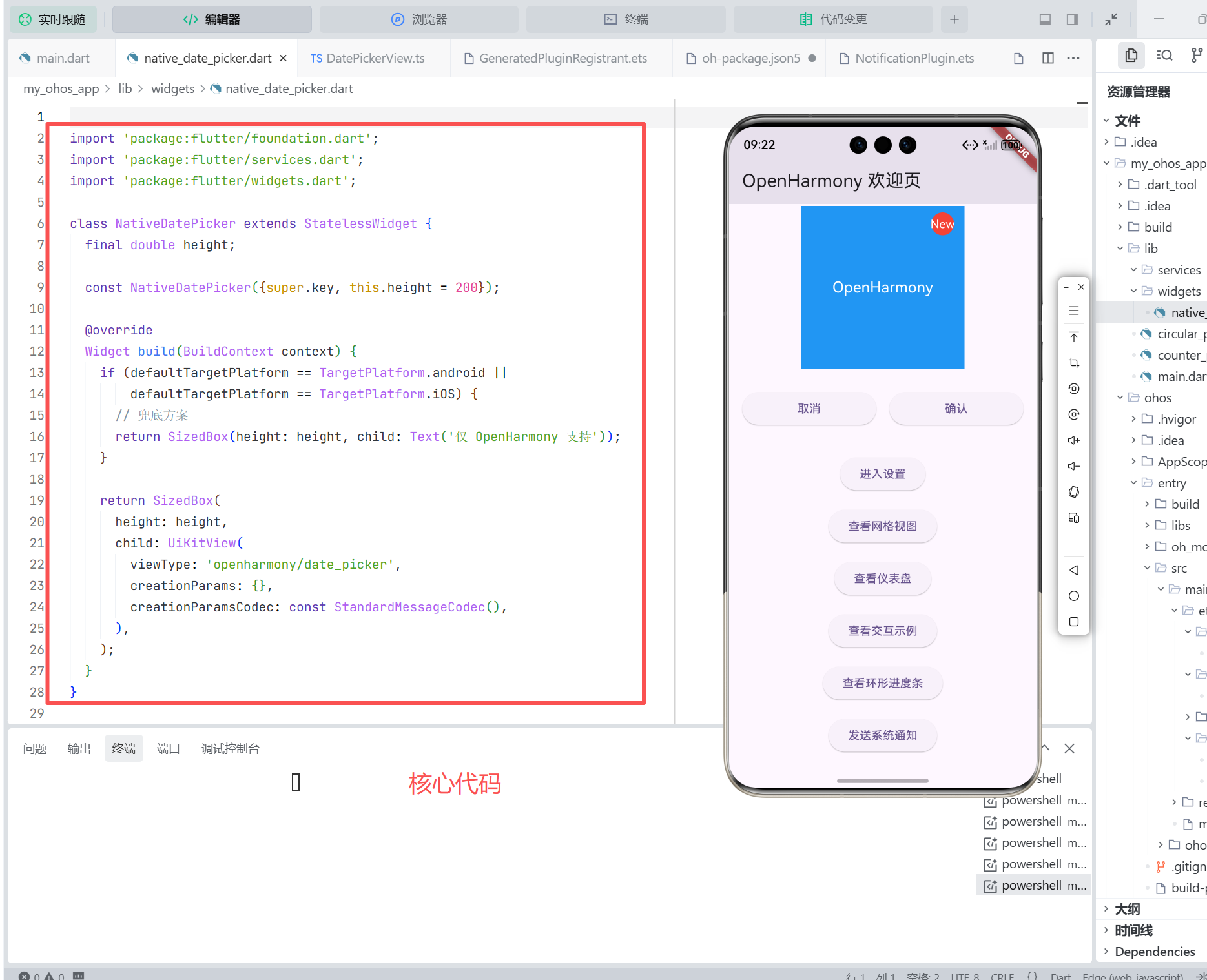
4.2 Dart 端使用 PlatformView
dart
// lib/widgets/native_date_picker.dart
import 'package:flutter/services.dart';
import 'package:flutter/widgets.dart';

class NativeDatePicker extends StatelessWidget {
  final double height;

  const NativeDatePicker({super.key, this.height = 200});

  @override
  Widget build(BuildContext context) {
    if (defaultTargetPlatform == TargetPlatform.android ||
        defaultTargetPlatform == TargetPlatform.iOS) {
      // 兜底方案
      return SizedBox(height: height, child: Text('仅 OpenHarmony 支持'));
    }

    return SizedBox(
      height: height,
      child: UiKitView(
        viewType: 'openharmony/date_picker',
        creationParams: {},
        creationParamsCodec: const StandardMessageCodec(),
      ),
    );
  }
}
📌 说明:
UiKitView是 Flutter 用于嵌入原生视图的 Widget- 在 OpenHarmony 上,其底层映射到 ArkTS 的 UI 组件容器
5. OpenHarmony 特有注意事项
| 问题 | 解决方案 |
|---|---|
| 原生 API 异步性 | 所有 OpenHarmony API 均为异步,需在 ArkTS 中使用 async/await 并通过 result.success() 回传 |
| 权限管理严格 | 必须在 module.json5 声明权限,并在运行时动态申请(如位置、通知) |
| PlatformView 支持有限 | 优先使用 MethodChannel;若必须嵌入 UI,建议通过 全屏弹窗 或 跳转原生页面 替代内联嵌入 |
| 调试困难 | 使用 DevEco Studio 同时调试 Dart 与 ArkTS 代码,查看 hilog 日志 |
6. 性能与调试建议
- 减少跨平台调用频率:避免在动画帧或高频事件中调用原生方法
- 使用 EventChannel 处理流式数据:如传感器、位置更新
- 日志统一 :Dart 层用
print,ArkTS 层用console.log,通过hdc shell hilog -L查看 - 真机测试必做:模拟器可能无法完整模拟分布式能力或通知行为
7. 总结
在 Flutter for OpenHarmony 中集成原生能力,核心在于:
- MethodChannel:适用于调用无 UI 的系统 API(通知、文件、设备信息等)
- PlatformView(谨慎使用):适用于必须嵌入原生 UI 的场景,但需评估兼容性
- 权限与异步处理:严格遵循 OpenHarmony 安全模型与异步编程范式
- 混合架构思维:将 Flutter 用于主 UI 与业务逻辑,原生层专注平台特有能力
通过合理使用 Platform Channel,开发者可在保持 Flutter 跨平台开发效率的同时,充分释放 OpenHarmony 的系统级优势,构建真正深度集成的鸿蒙应用。
欢迎加入开源鸿蒙跨平台社区: https://openharmonycrossplatform.csdn.net