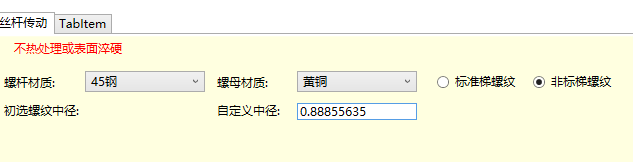
这是 WPF 中处理输入限制最健壮且最推荐的方式。
我将提供一个纯整数限制的附加属性,并确保它能处理键盘输入、粘贴和所有特殊情况。
利用自定义附加属性基类DependencyProperty封装一个附加属性传给textbox这个控件使用,
实际上自定义属性是可重复使用的,界面上的textbox都可以使用这个属性进行限制只能输入正整数和正浮点数
步骤一:创建附加属性类(自定义属性)
请在您的项目(例如 NX_Openg.Control 命名空间下)创建一个名为 TextBoxBehavior.cs 的文件,并粘贴以下代码:
cs
using System.Text.RegularExpressions;
using System.Windows;
using System.Windows.Controls;
using System.Windows.Input;

namespace NX_Openg.Control
{
    /// <summary>
    /// 提供TextBox的附加行为,用于限制输入为纯整数。
    /// </summary>
    public static class TextBoxBehavior
    {
        public static readonly DependencyProperty IsIntegerProperty =
            DependencyProperty.RegisterAttached(
                "IsInteger",
                typeof(bool),
                typeof(TextBoxBehavior),
                new PropertyMetadata(false, OnIsIntegerChanged));

        public static bool GetIsInteger(DependencyObject obj)
        {
            return (bool)obj.GetValue(IsIntegerProperty);
        }

        public static void SetIsInteger(DependencyObject obj, bool value)
        {
            obj.SetValue(IsIntegerProperty, value);
        }

        private static void OnIsIntegerChanged(DependencyObject d, DependencyPropertyChangedEventArgs e)
        {
            if (d is TextBox textBox)
            {
                if ((bool)e.NewValue)
                {
                    // 附加事件处理器:处理字符输入
                    textBox.PreviewTextInput += TextBox_PreviewTextInput;
                    // 附加事件处理器:处理特殊按键
                    textBox.PreviewKeyDown += TextBox_PreviewKeyDown;
                    // 附加事件处理器:专门处理粘贴操作
                    DataObject.AddPastingHandler(textBox, TextBox_Pasting);
                }
                else
                {
                    // 移除事件处理器
                    textBox.PreviewTextInput -= TextBox_PreviewTextInput;
                    textBox.PreviewKeyDown -= TextBox_PreviewKeyDown;
                    DataObject.RemovePastingHandler(textBox, TextBox_Pasting);
                }
            }
        }

        // 负责过滤字符输入(包括输入法和粘贴的字符)
        private static void TextBox_PreviewTextInput(object sender, TextCompositionEventArgs e)
        {
            // 检查输入是否为数字
            if (!char.IsDigit(e.Text, 0))
            {
                e.Handled = true; // 阻止非数字字符
            }
        }

        // 负责处理特殊按键(如 Backspace, Delete, 方向键, 空格)
        private static void TextBox_PreviewKeyDown(object sender, KeyEventArgs e)
        {
            // 1. 允许控制键:Back、Delete、Tab、Enter、方向键
            if (e.Key == Key.Back || e.Key == Key.Delete || e.Key == Key.Tab || e.Key == Key.Enter ||
                (e.Key >= Key.Left && e.Key <= Key.Down))
            {
                return;
            }

            // 2. 允许 Ctrl 组合键 (A, C, V, X)
            if ((Keyboard.Modifiers & ModifierKeys.Control) == ModifierKeys.Control)
            {
                return;
            }

            // 3. 阻止空格键
            if (e.Key == Key.Space)
            {
                e.Handled = true;
                return;
            }

            // 4. 阻止所有非数字按键(字母、符号等)
            // 注意:我们不在这里处理数字键,让它们继续触发 PreviewTextInput
            // 但如果是非数字键,且不是控制键,则直接阻止。

            // 检查是否为数字键(主键盘和数字键盘)
            bool isDigit = (e.Key >= Key.D0 && e.Key <= Key.D9) ||
                           (e.Key >= Key.NumPad0 && e.Key <= Key.NumPad9);

            if (!isDigit)
            {
                e.Handled = true;
            }
            // 如果是数字键,我们让它通过,由 PreviewTextInput 再次确认
        }

        // 专门处理粘贴操作,确保粘贴的内容是纯数字
        private static void TextBox_Pasting(object sender, DataObjectPastingEventArgs e)
        {
            if (e.DataObject.GetDataPresent(typeof(string)))
            {
                string pasteText = (string)e.DataObject.GetData(typeof(string));

                // 检查粘贴内容是否只包含数字
                Regex regex = new Regex("^[0-9]+$");

                if (!regex.IsMatch(pasteText))
                {
                    e.CancelCommand(); // 取消粘贴命令
                }
            }
            else
            {
                e.CancelCommand(); // 取消非文本粘贴
            }
        }
    }
}
DependencyProperty
是系统自带的自定义属性封装基类,创建这个自定义属性对象可以封装我们自己所需功能的自定义属性,属性可以被wpf大部分控件随意调用,只不过,我们这个属性类封装的代码是用来处理键盘输入的,只能适用于textbox这类的输入控件
这个类我们封装了 IsPositiveFloatProperty这个自定义属性对象,ui就是通过调用这个对象来使用自定义属性
步骤二:修改 XAML (应用附加属性)
1.引用自定义属性类所在文件夹的uri
cs
xmlns:cjp="clr-namespace:NX_Openg.Control" 2.在您的 TextBox 上,应用新的附加属性cjp:类名.对象名="True"
XML
 <TextBox Name="text_d2"
          IsEnabled="{Binding ScrewInfo.Textbox2_look}"
          HorizontalAlignment="Left" Margin="303,67,0,0"
          TextWrapping="Wrap" Text="8" VerticalAlignment="Top"
          cjp:TextBoxBehavior.IsPositiveFloat="True"
          Width="120"/>