一、什么是 Spring AI Alibaba
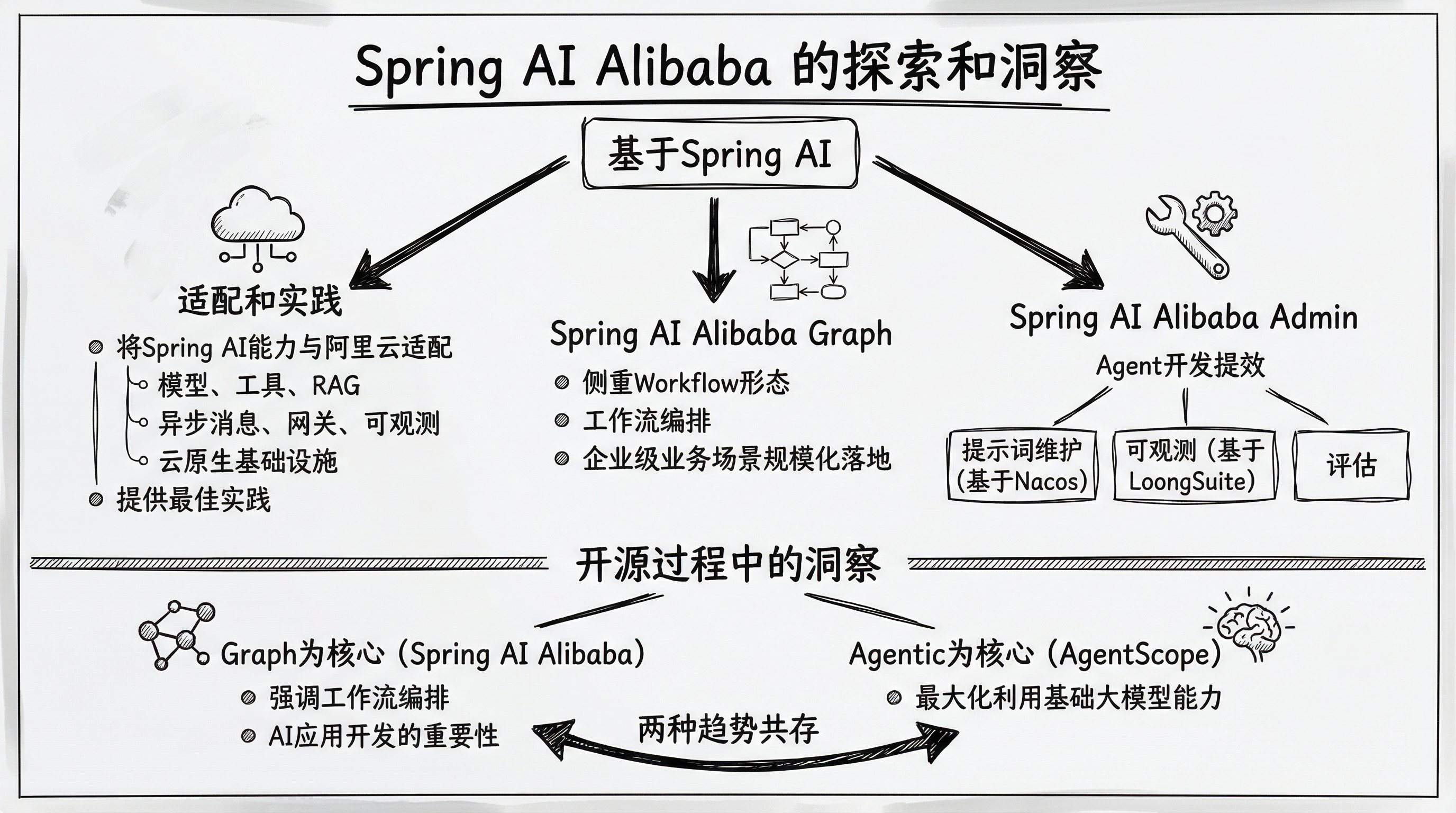
Spring AI Alibaba 是一款以 Spring AI 为基础,深度集成百炼平台,支持 ChatBot、工作流、多智能体应用开发模式的 AI 框架。
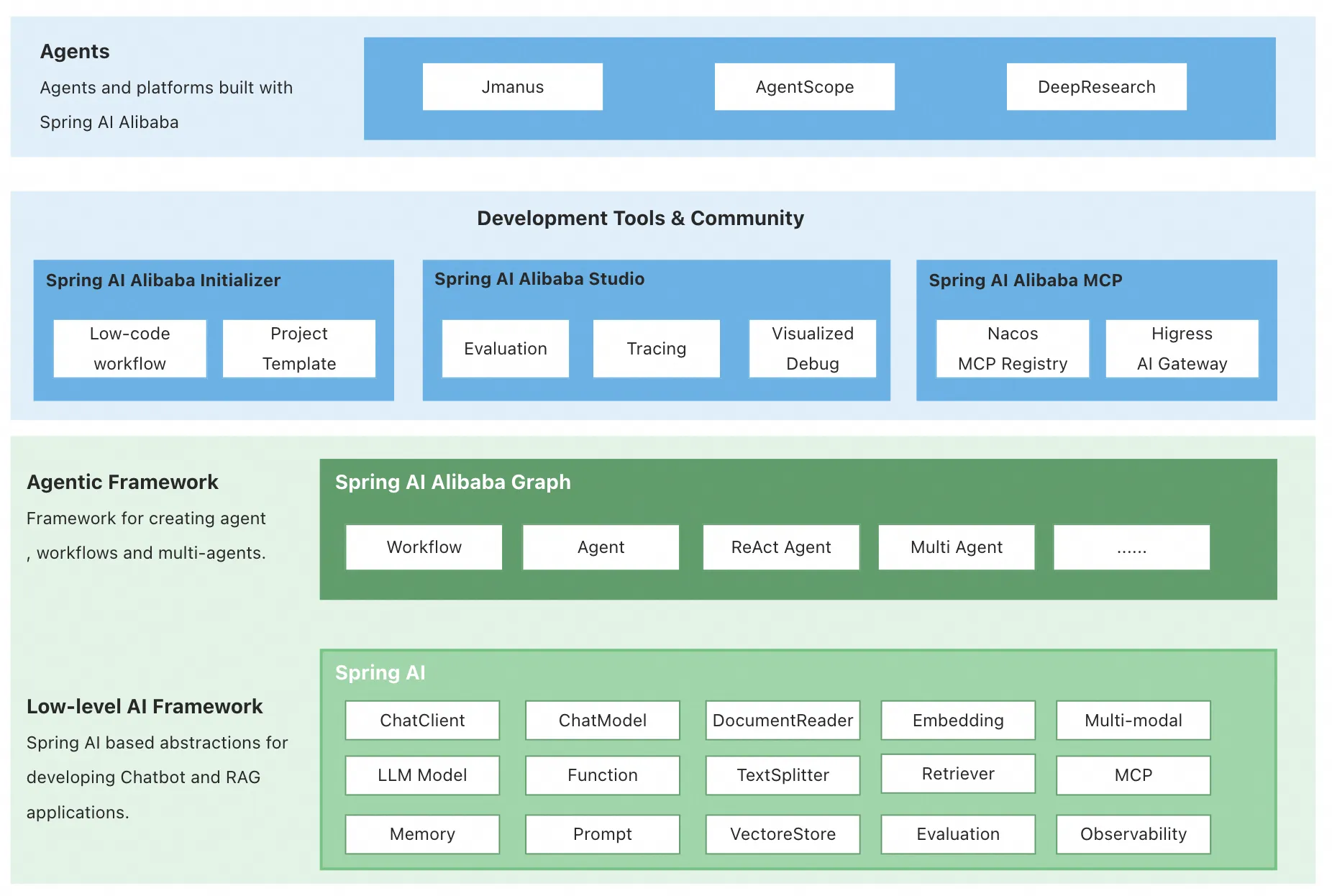
在 1.0 版本中,Spring AI Alibaba 提供以下核心能力,让开发者可以快速构建自己的 Agent、Workflow 或 Multi-Agent 应用。
Graph 多智能体框架。 基于 Spring AI Alibaba Graph,开发者可快速构建工作流、多智能体应用,无需关心流程编排、上下文记忆管理等底层实现。通过 Graph 与低代码、自规划智能体结合,为开发者提供从低代码、高代码到零代码构建智能体的更灵活选择。
通过 AI 生态集成,解决企业智能体落地过程中关心的痛点问题。 Spring AI Alibaba 支持与百炼平台深度集成,提供模型接入、RAG 知识库解决方案;支持 ARMS、Langfuse 等可观测产品无缝接入;支持企业级的 MCP 集成,包括 Nacos MCP Registry 分布式注册与发现、自动 Router 路由等。
探索具备自主规划能力的通用智能体产品与平台。 社区发布了基于 Spring AI Alibaba 框架实现的 JManus 智能体,除了对标 Manus 的通用智能体能力外,我们的目标是基于 JManus 探索自主规划在智能体开发方向的应用,为开发者提供从低代码、高代码到零代码构建智能体的更灵活选择。
github:https://github.com/alibaba/spring-ai-alibaba
二、Quickly Run a ChatBot
There's a ChatBot example provided by the community at examples/chatbot.
1,Download the code.
java
git clone --depth=1 https://github.com/alibaba/spring-ai-alibaba.git
cd spring-ai-alibaba/examples/chatbot
2,Start the ChatBot.
Before starting, set API-KEY first (visit Aliyun Bailian to get API-KEY):
bash
# this example uses 'spring-ai-alibaba-starter-dashscope', visit https://java2ai.com to learn how to use OpenAI/DeepSeek.
export AI_DASHSCOPE_API_KEY=your-api-key
这里我们修改application.properties使用本地Ollama模型:
bash
# Spring AI Configuration - DashScope (Disabled)
spring.autoconfigure.exclude=\
  com.alibaba.cloud.ai.autoconfigure.dashscope.DashScopeChatAutoConfiguration,\
  com.alibaba.cloud.ai.autoconfigure.dashscope.DashScopeAgentAutoConfiguration,\
  com.alibaba.cloud.ai.autoconfigure.dashscope.DashScopeAudioSpeechAutoConfiguration,\
  com.alibaba.cloud.ai.autoconfigure.dashscope.DashScopeAudioTranscriptionAutoConfiguration

# Spring AI Configuration - Ollama (Enabled)
spring.ai.ollama.base-url=http://localhost:11434
spring.ai.ollama.chat.enabled=true
spring.ai.ollama.chat.model=qwen2.5:0.5b
spring.ai.ollama.chat.temperature=0.7
spring.ai.model.chat=ollama
bash
mvn spring-boot:run3,Chat with ChatBot.
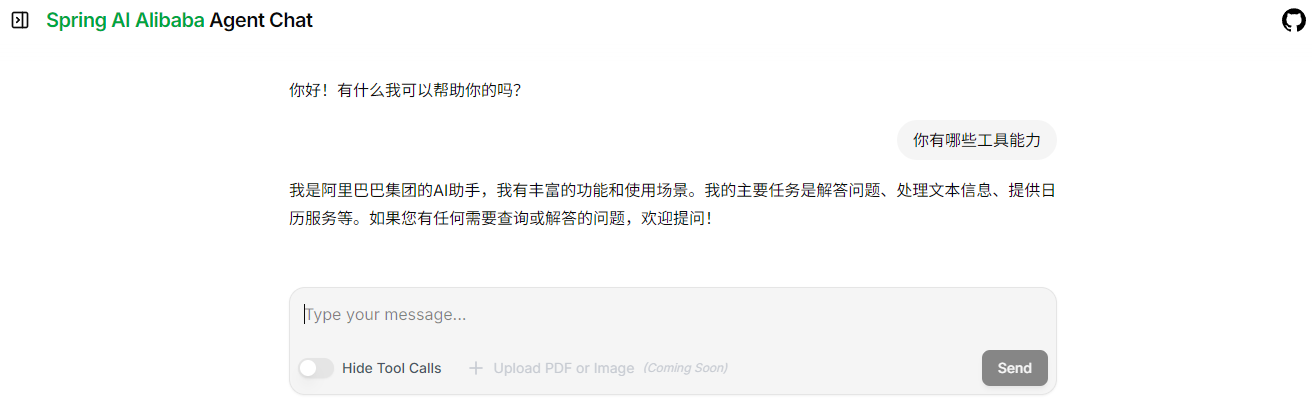
Open the browser and visit http://localhost:8080/chatui/index.html to chat with the ChatBot.