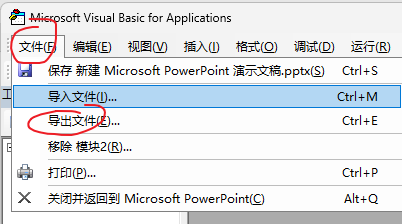
步骤1:
按alt+F11进入如下界面:
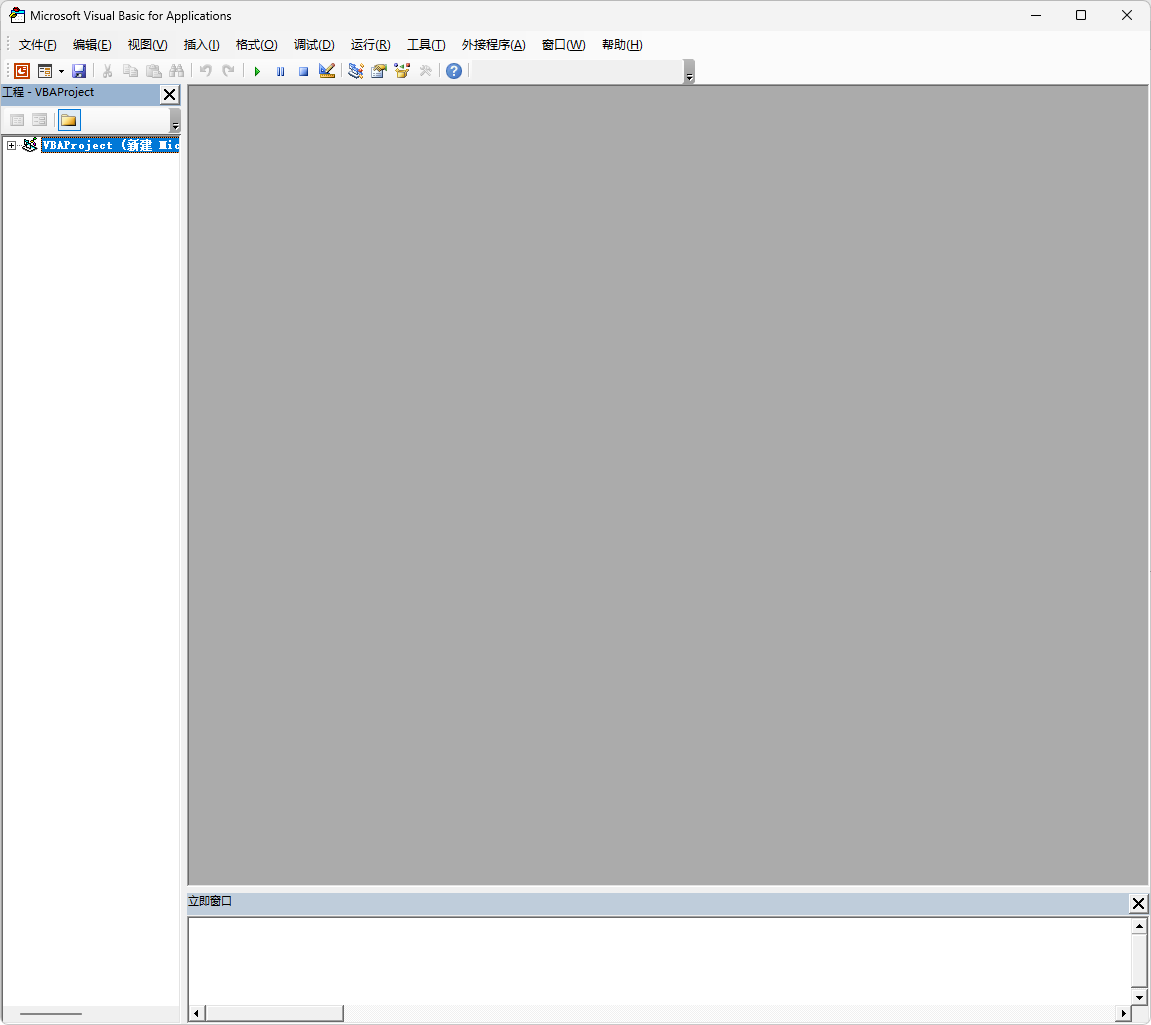
步骤2:
按插入--->模块弹出:
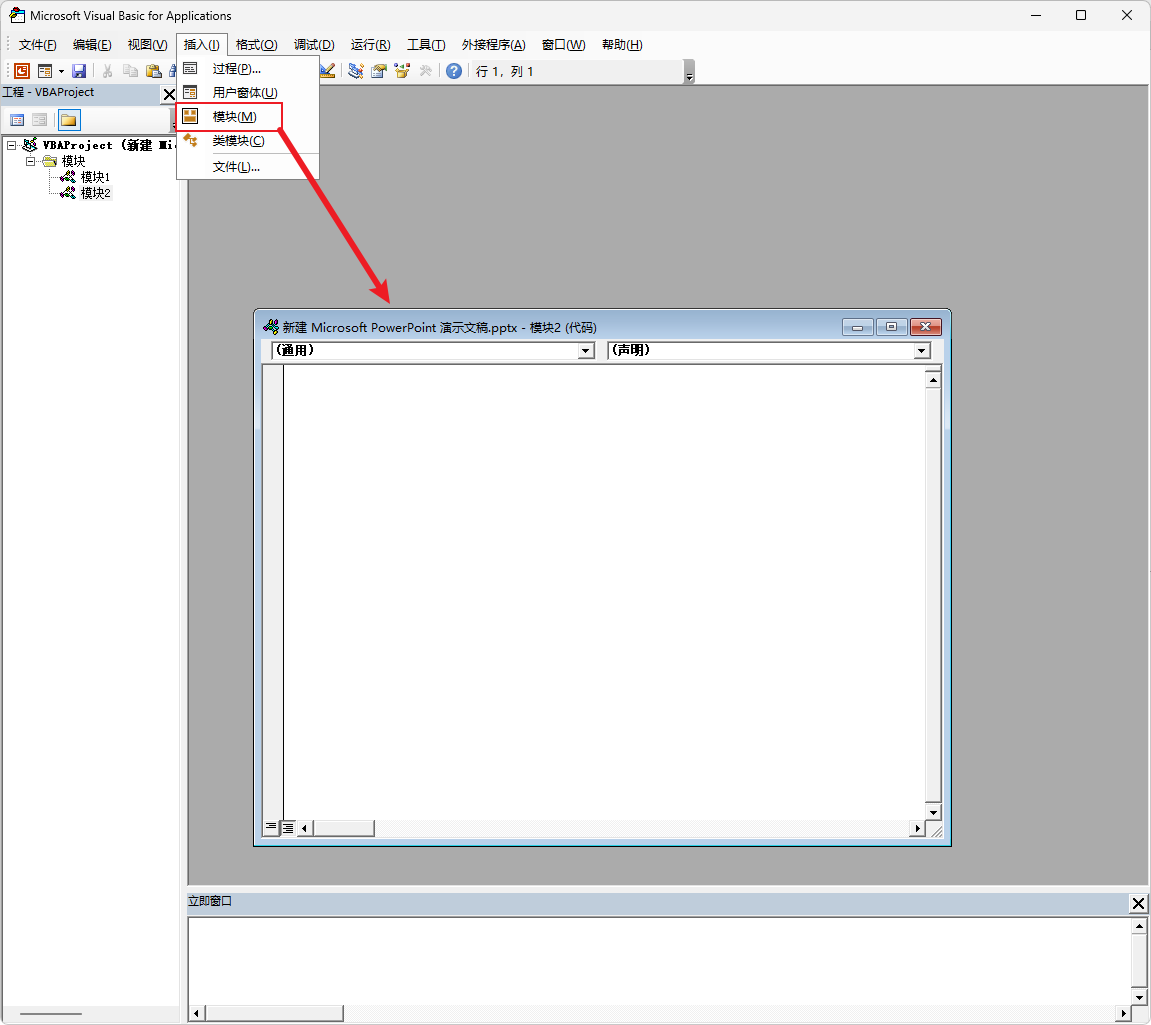
步骤3:
将下面代码复制进去,然后将文件保存到本地,方便以后随时加载。
Sub ExportNotesToWord()
    Dim pptSlide As Slide
    Dim pptNotes As String
    Dim i As Integer
    Dim WordApp As Object
    Dim WordDoc As Object
    Dim FilePath As String
    Dim presPath As String
    Dim presName As String
    Dim dotPos As Long
    Dim baseName As String

    ' 先确保PPT已保存,才能拿到路径
    presPath = ActivePresentation.Path
    If presPath = "" Then
        MsgBox "当前PPT尚未保存到磁盘,请先保存PPT,再导出备注。"
        Exit Sub
    End If

    ' 用PPT文件名生成"讲稿.docx"
    presName = ActivePresentation.Name
    dotPos = InStrRev(presName, ".")
    If dotPos > 0 Then
        baseName = Left(presName, dotPos - 1)
    Else
        baseName = presName
    End If
    FilePath = presPath & "\" & baseName & "讲稿.docx"

    ' 启动Word
    On Error Resume Next
    Set WordApp = CreateObject("Word.Application")
    On Error GoTo 0
    If WordApp Is Nothing Then
        MsgBox "无法启动 Word 应用程序,请确保已安装 Microsoft Word。"
        Exit Sub
    End If

    Set WordDoc = WordApp.Documents.Add
    ' WordApp.Visible = True '需要调试可打开

    ' 遍历幻灯片
    i = 0
    For Each pptSlide In ActivePresentation.Slides
        i = i + 1

        pptNotes = ""
        On Error Resume Next
        pptNotes = pptSlide.NotesPage.Shapes.Placeholders(2).TextFrame.TextRange.Text
        On Error GoTo 0

        Dim startPos As Long, endPos As Long
        Dim headText As String, fullText As String
        Dim rng As Object

        headText = "Page " & i & ": "              ' 需要加粗的部分
        fullText = headText & pptNotes & vbCrLf & vbCrLf

        ' 记录插入前的末尾位置(Word 的 Range.Start 是字符位置)
        startPos = WordDoc.Content.End - 1  ' -1 避免落在文档末尾标记之后

        ' 插入文本
        WordDoc.Content.InsertAfter fullText

        ' 计算加粗区间:从 startPos 开始,长度为 headText
        endPos = startPos + Len(headText)

        Set rng = WordDoc.Range(startPos, endPos)
        rng.Font.Bold = True
    Next pptSlide

    ' 统一Word格式:宋体、小四、1.2倍行距
    With WordDoc.Content.Font
        .Name = "宋体"
        .Size = 12  ' 小四
    End With

    ' 保存并退出
    WordDoc.SaveAs FilePath
    WordDoc.Close
    WordApp.Quit

    Set WordDoc = Nothing
    Set WordApp = Nothing

    MsgBox "备注已导出到:" & FilePath
End Sub先导出 到本地,后期需要导出备注时,就需要点击导入,然后加载这个代码。