Flutter for OpenHarmony 实战:mango_shop 通用组件库的封装与跨端复用

作者:爱吃大芒果
个人主页 爱吃大芒果
本文所属专栏Flutter
更多专栏
Ascend C 算子开发教程(进阶)
鸿蒙集成
OpenAgents
openJiuwen
从0到1自学C++
组件库现状分析
mango_shop 项目目前已经实现了一些基础组件,主要集中在首页模块,包括:
- MgSlider:轮播图组件,支持自动轮播和点击交互
- MgCategory:分类导航组件,使用网格布局展示分类图标
- MgHot:热门商品组件,横向滚动展示热门商品
- MgSuggestion:推荐商品组件
- MgMoreList:更多商品列表组件
这些组件采用了一致的设计模式:
- 基于
StatefulWidget实现 - 内部管理组件状态和数据
- 支持响应式布局,根据屏幕宽度调整显示效果
- 包含动画效果和交互反馈
通用组件库封装方案
1. 组件库架构设计
1.1 目录结构优化
建议将组件库重构为以下结构:
lib/
├── components/
│   ├── common/           # 通用基础组件
│   │   ├── MgButton/      # 按钮组件
│   │   ├── MgCard/        # 卡片组件
│   │   ├── MgImage/       # 图片组件
│   │   └── MgText/        # 文本组件
│   ├── layout/            # 布局组件
│   │   ├── MgGrid/        # 网格布局
│   │   ├── MgList/        # 列表布局
│   │   └── MgStack/       # 堆叠布局
│   ├── home/              # 首页专用组件
│   │   ├── MgSlider/      # 轮播图
│   │   ├── MgCategory/    # 分类导航
│   │   └── MgHot/         # 热门商品
│   └── widgets/           # 业务组件
│       ├── MgProductCard/ # 商品卡片
│       └── MgCartItem/    # 购物车项
├── utils/
│   ├── theme/             # 主题相关
│   │   ├── colors.dart    # 颜色定义
│   │   └── styles.dart    # 样式定义
│   └── platform/          # 平台适配
│       └── adapter.dart   # 平台适配器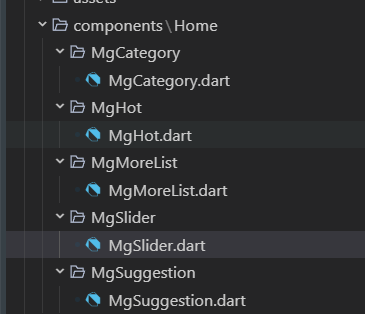
1.2 组件设计原则
- 单一职责:每个组件只负责一个功能
- 可配置性:通过参数配置组件行为和样式
- 可扩展性:支持自定义子组件和样式
- 跨平台兼容:确保在所有平台上表现一致
- 性能优化:避免不必要的重建和计算
2. 基础组件封装
2.1 MgButton 组件
dart
import 'package:flutter/material.dart';
import 'package:mango_shop/utils/theme/colors.dart';

enum MgButtonType {
  primary,
  secondary,
  outline,
  text,
}

class MgButton extends StatelessWidget {
  final String text;
  final VoidCallback? onPressed;
  final MgButtonType type;
  final bool disabled;
  final double? width;
  final double? height;
  final EdgeInsets? padding;
  final TextStyle? textStyle;
  final Decoration? decoration;

  const MgButton({
    Key? key,
    required this.text,
    this.onPressed,
    this.type = MgButtonType.primary,
    this.disabled = false,
    this.width,
    this.height,
    this.padding,
    this.textStyle,
    this.decoration,
  }) : super(key: key);

  @override
  Widget build(BuildContext context) {
    Color backgroundColor;
    Color textColor;
    Color borderColor;

    switch (type) {
      case MgButtonType.primary:
        backgroundColor = disabled ? AppColors.gray300 : AppColors.primary;
        textColor = Colors.white;
        borderColor = Colors.transparent;
        break;
      case MgButtonType.secondary:
        backgroundColor = disabled ? AppColors.gray300 : AppColors.secondary;
        textColor = Colors.white;
        borderColor = Colors.transparent;
        break;
      case MgButtonType.outline:
        backgroundColor = Colors.transparent;
        textColor = disabled ? AppColors.gray300 : AppColors.primary;
        borderColor = disabled ? AppColors.gray300 : AppColors.primary;
        break;
      case MgButtonType.text:
        backgroundColor = Colors.transparent;
        textColor = disabled ? AppColors.gray300 : AppColors.primary;
        borderColor = Colors.transparent;
        break;
    }

    return Container(
      width: width,
      height: height,
      decoration: decoration ?? BoxDecoration(
        color: backgroundColor,
        border: type == MgButtonType.outline
            ? Border.all(color: borderColor, width: 1)
            : null,
        borderRadius: BorderRadius.circular(8),
      ),
      child: TextButton(
        onPressed: disabled ? null : onPressed,
        style: TextButton.styleFrom(
          padding: padding ?? EdgeInsets.symmetric(horizontal: 16, vertical: 10),
          shape: RoundedRectangleBorder(
            borderRadius: BorderRadius.circular(8),
          ),
        ),
        child: Text(
          text,
          style: textStyle ?? TextStyle(
            color: textColor,
            fontSize: 14,
            fontWeight: FontWeight.w500,
          ),
        ),
      ),
    );
  }
}
2.2 MgProductCard 组件
dart
import 'package:flutter/material.dart';
import 'package:mango_shop/utils/theme/colors.dart';
import 'package:mango_shop/utils/theme/styles.dart';

class MgProductCard extends StatelessWidget {
  final String id;
  final String name;
  final String image;
  final double price;
  final double? originalPrice;
  final int sales;
  final List<String>? tags;
  final VoidCallback? onTap;
  final VoidCallback? onAddToCart;

  const MgProductCard({
    Key? key,
    required this.id,
    required this.name,
    required this.image,
    required this.price,
    this.originalPrice,
    required this.sales,
    this.tags,
    this.onTap,
    this.onAddToCart,
  }) : super(key: key);

  @override
  Widget build(BuildContext context) {
    return GestureDetector(
      onTap: onTap,
      child: Container(
        decoration: BoxDecoration(
          color: AppColors.white,
          borderRadius: BorderRadius.circular(12),
          boxShadow: [
            BoxShadow(
              color: AppColors.black.withOpacity(0.1),
              spreadRadius: 2,
              blurRadius: 16,
              offset: Offset(0, 6),
            ),
          ],
          border: Border.all(
            color: AppColors.gray300.withOpacity(0.2),
            width: 1,
          ),
        ),
        child: Column(
          children: [
            Container(
              height: 160,
              decoration: BoxDecoration(
                borderRadius: BorderRadius.vertical(top: Radius.circular(12)),
                image: DecorationImage(
                  image: AssetImage(image),
                  fit: BoxFit.cover,
                ),
              ),
              child: Stack(
                children: [
                  // 标签
                  if (tags != null && tags!.isNotEmpty)
                    Positioned(
                      top: 8,
                      left: 8,
                      child: Container(
                        padding: EdgeInsets.symmetric(
                          horizontal: 8,
                          vertical: 4,
                        ),
                        decoration: BoxDecoration(
                          color: Colors.red.withOpacity(0.9),
                          borderRadius: BorderRadius.circular(4),
                        ),
                        child: Text(
                          tags![0],
                          style: TextStyle(
                            color: Colors.white,
                            fontSize: 10,
                            fontWeight: FontWeight.bold,
                          ),
                        ),
                      ),
                    ),
                ],
              ),
            ),
            Padding(
              padding: EdgeInsets.all(12),
              child: Column(
                crossAxisAlignment: CrossAxisAlignment.start,
                children: [
                  Text(
                    name,
                    style: AppTextStyles.bodyMedium.copyWith(
                      fontWeight: FontWeight.w500,
                    ),
                    maxLines: 2,
                    overflow: TextOverflow.ellipsis,
                  ),
                  SizedBox(height: 6),
                  Row(
                    children: [
                      Text(
                        '¥$price',
                        style: AppTextStyles.price.copyWith(
                          fontSize: 16,
                          fontWeight: FontWeight.bold,
                        ),
                      ),
                      if (originalPrice != null)
                        Row(
                          children: [
                            SizedBox(width: 6),
                            Text(
                              '¥$originalPrice',
                              style: TextStyle(
                                color: AppColors.textHint,
                                fontSize: 12,
                                decoration: TextDecoration.lineThrough,
                              ),
                            ),
                          ],
                        ),
                    ],
                  ),
                  SizedBox(height: 6),
                  Row(
                    mainAxisAlignment: MainAxisAlignment.spaceBetween,
                    children: [
                      Text(
                        '已售$sales件',
                        style: TextStyle(
                          color: AppColors.textHint,
                          fontSize: 11,
                        ),
                      ),
                      if (onAddToCart != null)
                        GestureDetector(
                          onTap: onAddToCart,
                          child: Container(
                            width: 28,
                            height: 28,
                            decoration: BoxDecoration(
                              color: AppColors.primary,
                              borderRadius: BorderRadius.circular(14),
                            ),
                            child: Icon(
                              Icons.add,
                              color: Colors.white,
                              size: 16,
                            ),
                          ),
                        ),
                    ],
                  ),
                ],
              ),
            ),
          ],
        ),
      ),
    );
  }
}
3. 高级组件封装
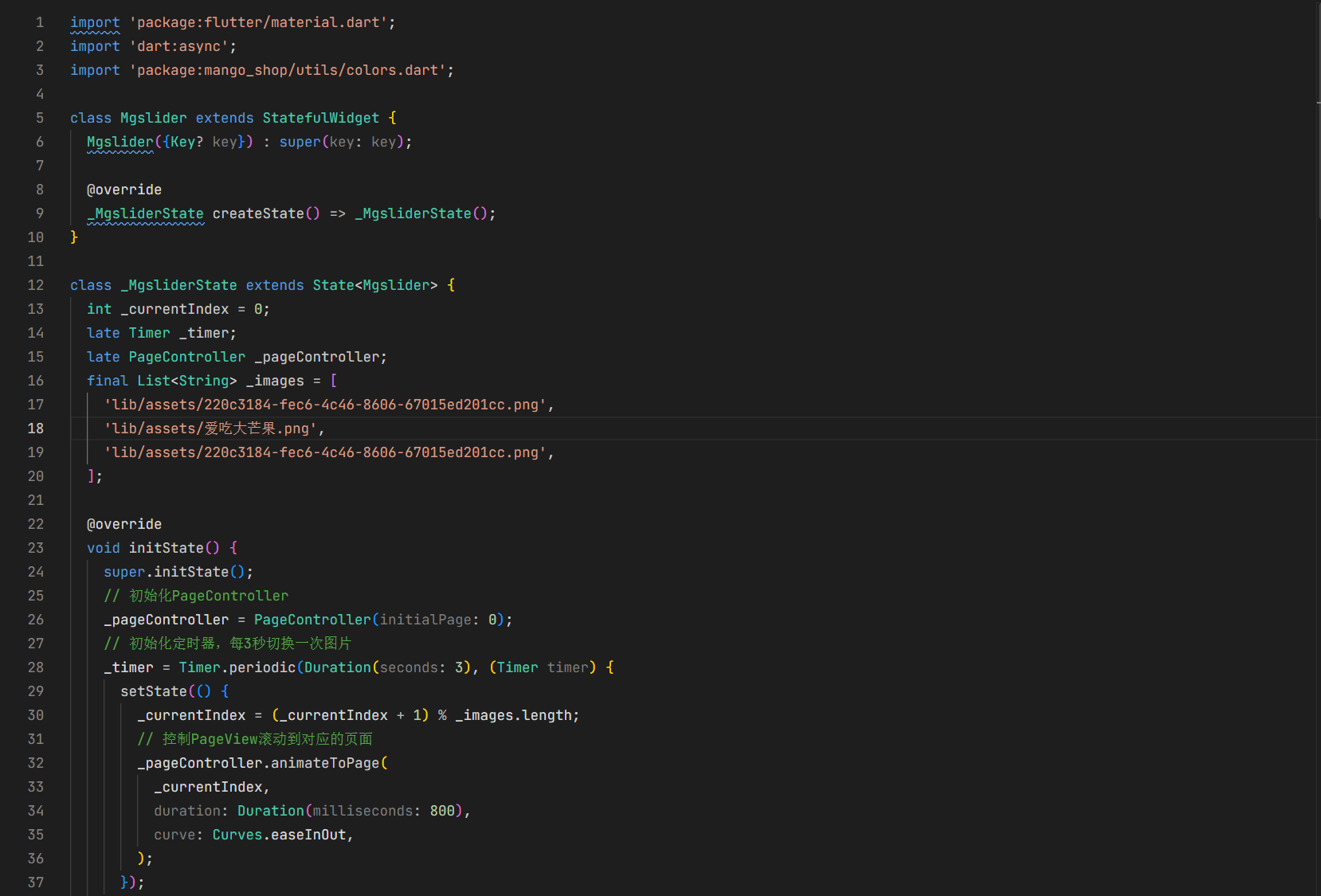
3.1 MgSlider 组件优化
dart
import 'package:flutter/material.dart';
import 'dart:async';
import 'package:mango_shop/utils/theme/colors.dart';

class MgSlider extends StatefulWidget {
  final List<String> images;
  final Duration autoPlayDuration;
  final bool autoPlay;
  final ValueChanged<int>? onImageTap;
  final double height;

  const MgSlider({
    Key? key,
    required this.images,
    this.autoPlayDuration = const Duration(seconds: 3),
    this.autoPlay = true,
    this.onImageTap,
    this.height = 220,
  }) : super(key: key);

  @override
  _MgSliderState createState() => _MgSliderState();
}

class _MgSliderState extends State<MgSlider> {
  int _currentIndex = 0;
  late Timer _timer;
  late PageController _pageController;

  @override
  void initState() {
    super.initState();
    _pageController = PageController(initialPage: 0);

    if (widget.autoPlay && widget.images.length > 1) {
      _startAutoPlay();
    }
  }

  void _startAutoPlay() {
    _timer = Timer.periodic(widget.autoPlayDuration, (Timer timer) {
      setState(() {
        _currentIndex = (_currentIndex + 1) % widget.images.length;
        _pageController.animateToPage(
          _currentIndex,
          duration: Duration(milliseconds: 800),
          curve: Curves.easeInOut,
        );
      });
    });
  }

  @override
  void dispose() {
    if (widget.autoPlay) {
      _timer.cancel();
    }
    _pageController.dispose();
    super.dispose();
  }

  @override
  void didUpdateWidget(covariant MgSlider oldWidget) {
    super.didUpdateWidget(oldWidget);

    if (widget.autoPlay != oldWidget.autoPlay ||
        widget.images.length != oldWidget.images.length) {
      if (_timer.isActive) {
        _timer.cancel();
      }

      if (widget.autoPlay && widget.images.length > 1) {
        _startAutoPlay();
      }
    }
  }

  @override
  Widget build(BuildContext context) {
    final screenWidth = MediaQuery.of(context).size.width;
    final isLargeScreen = screenWidth > 600;
    final sliderHeight = widget.height > 0
        ? widget.height
        : (isLargeScreen ? 280 : 220);

    if (widget.images.isEmpty) {
      return Container(
        height: sliderHeight,
        color: AppColors.gray200,
        child: Center(
          child: Text('暂无轮播图'),
        ),
      );
    }

    return Container(
      height: sliderHeight,
      child: Stack(
        children: [
          PageView.builder(
            controller: _pageController,
            itemCount: widget.images.length,
            onPageChanged: (index) {
              setState(() {
                _currentIndex = index;
              });
            },
            itemBuilder: (context, index) {
              return GestureDetector(
                onTap: () {
                  if (widget.onImageTap != null) {
                    widget.onImageTap!(index);
                  }
                },
                child: Container(
                  width: double.infinity,
                  height: double.infinity,
                  child: ClipRRect(
                    child: Image.asset(
                      widget.images[index],
                      fit: BoxFit.cover,
                      width: double.infinity,
                      height: double.infinity,
                    ),
                  ),
                ),
              );
            },
          ),
          if (widget.images.length > 1)
            Positioned(
              bottom: 20,
              left: 0,
              right: 0,
              child: Row(
                mainAxisAlignment: MainAxisAlignment.center,
                children: widget.images.asMap().entries.map((entry) {
                  return AnimatedContainer(
                    duration: Duration(milliseconds: 300),
                    width: _currentIndex == entry.key ? 24 : 8,
                    height: 8,
                    margin: EdgeInsets.symmetric(horizontal: 4),
                    decoration: BoxDecoration(
                      borderRadius: BorderRadius.circular(4),
                      color: _currentIndex == entry.key
                          ? AppColors.primary
                          : AppColors.white.withOpacity(0.8),
                      boxShadow: [
                        BoxShadow(
                          color: AppColors.black.withOpacity(0.1),
                          blurRadius: 4,
                          offset: Offset(0, 2),
                        ),
                      ],
                    ),
                  );
                }).toList(),
              ),
            ),
        ],
      ),
    );
  }
}
4. 主题与样式管理
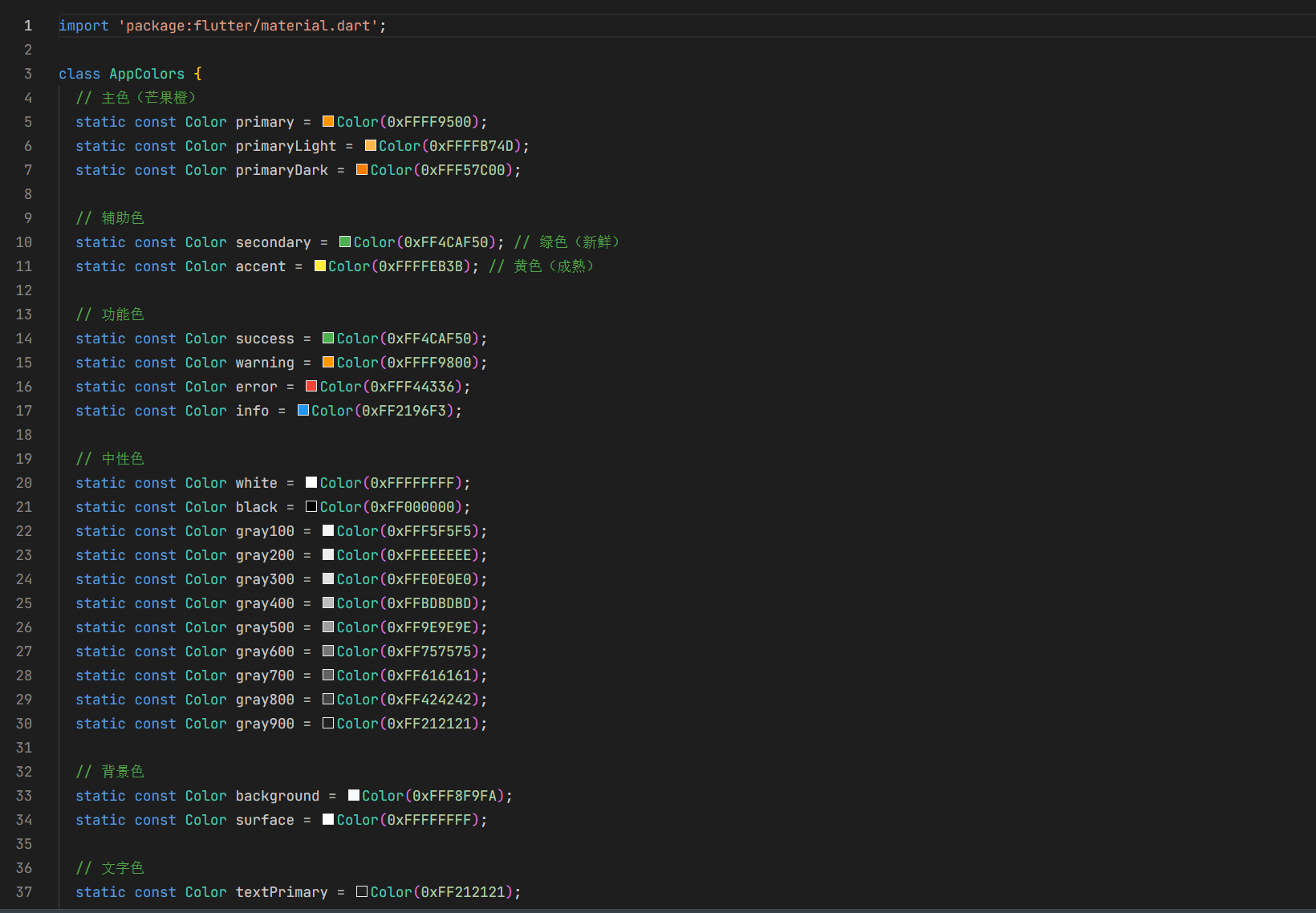
4.1 颜色管理
dart
// lib/utils/theme/colors.dart
class AppColors {
  static const Color primary = Color(0xFFE53935);
  static const Color secondary = Color(0xFF4CAF50);
  static const Color white = Color(0xFFFFFFFF);
  static const Color black = Color(0xFF000000);
  static const Color background = Color(0xFFF5F5F5);
  static const Color textPrimary = Color(0xFF333333);
  static const Color textSecondary = Color(0xFF666666);
  static const Color textHint = Color(0xFF999999);
  static const Color gray200 = Color(0xFFEEEEEE);
  static const Color gray300 = Color(0xFFE0E0E0);
  static const Color gray400 = Color(0xFFBDBDBD);
  static const Color gray500 = Color(0xFF9E9E9E);
}
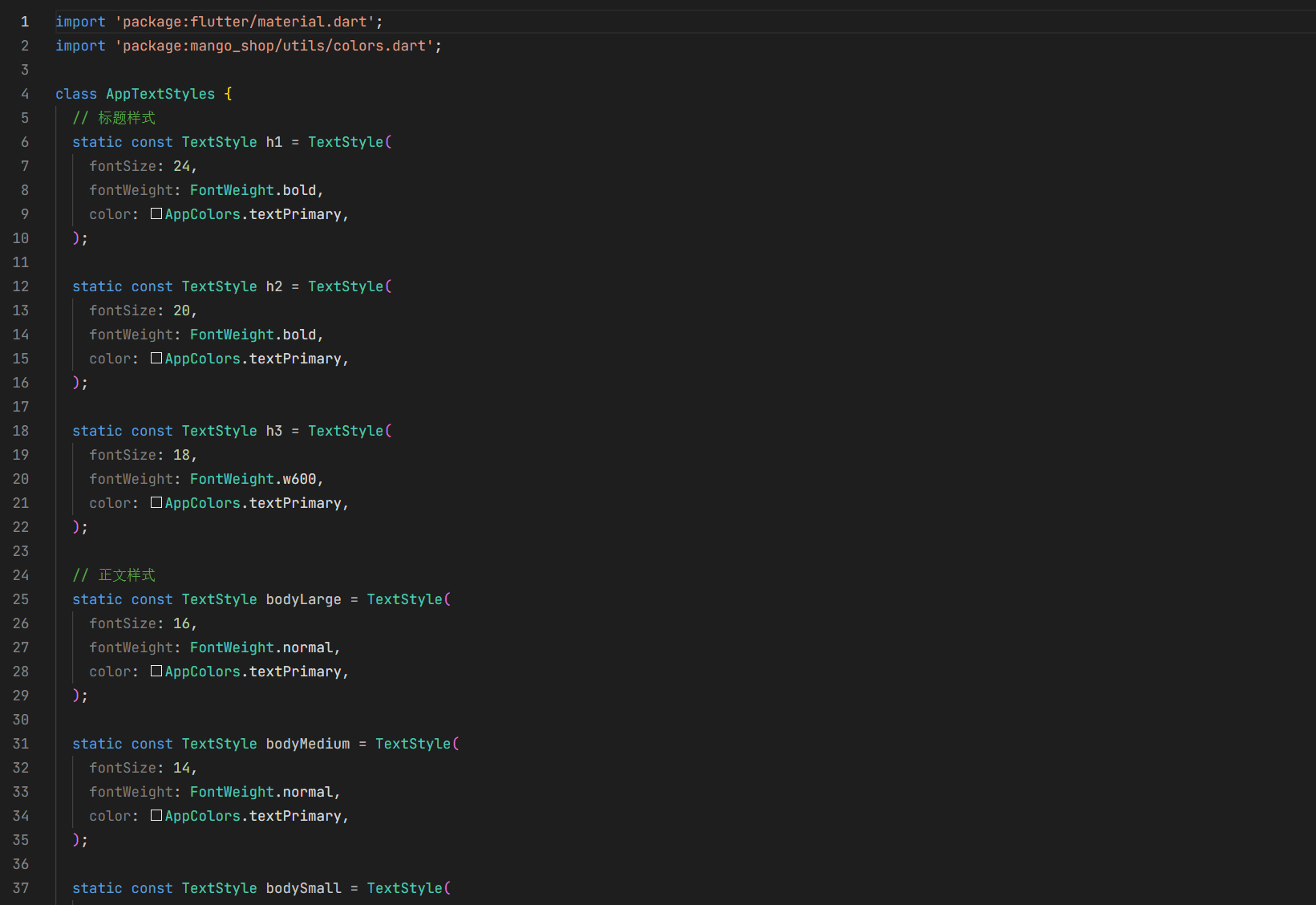
4.2 样式管理
dart
// lib/utils/theme/styles.dart
import 'package:flutter/material.dart';
import 'package:mango_shop/utils/theme/colors.dart';

class AppTextStyles {
  static const TextStyle h1 = TextStyle(
    fontSize: 24,
    fontWeight: FontWeight.bold,
    color: AppColors.textPrimary,
  );

  static const TextStyle h2 = TextStyle(
    fontSize: 20,
    fontWeight: FontWeight.bold,
    color: AppColors.textPrimary,
  );

  static const TextStyle h3 = TextStyle(
    fontSize: 18,
    fontWeight: FontWeight.bold,
    color: AppColors.textPrimary,
  );

  static const TextStyle bodyLarge = TextStyle(
    fontSize: 16,
    color: AppColors.textPrimary,
  );

  static const TextStyle bodyMedium = TextStyle(
    fontSize: 14,
    color: AppColors.textPrimary,
  );

  static const TextStyle bodySmall = TextStyle(
    fontSize: 12,
    color: AppColors.textSecondary,
  );

  static const TextStyle price = TextStyle(
    fontSize: 18,
    fontWeight: FontWeight.bold,
    color: AppColors.primary,
  );
}
跨端复用实现
1. 平台适配层设计
1.1 平台适配器
dart
// lib/utils/platform/adapter.dart
import 'dart:io';
import 'package:flutter/foundation.dart';
import 'package:flutter/material.dart';

class PlatformAdapter {
  // 判断当前平台
  static bool get isAndroid => Platform.isAndroid;
  static bool get isIOS => Platform.isIOS;
  static bool get isWeb => kIsWeb;
  static bool get isWindows => Platform.isWindows;
  static bool get isLinux => Platform.isLinux;
  static bool get isMacOS => Platform.isMacOS;
  static bool get isOpenHarmony {
    // Flutter for OpenHarmony 会设置特定的环境变量
    // 或者可以通过其他方式判断
    return Platform.environment.containsKey('OHOS') ||
           Platform.operatingSystem.toLowerCase() == 'openharmony';
  }

  // 获取平台特定的样式
  static EdgeInsets get platformPadding {
    if (isOpenHarmony) {
      // OpenHarmony 平台的特殊 padding
      return EdgeInsets.symmetric(horizontal: 12);
    }
    return EdgeInsets.symmetric(horizontal: 16);
  }

  // 获取平台特定的字体大小
  static double get platformFontSize(double baseSize) {
    if (isOpenHarmony) {
      // OpenHarmony 平台的字体大小调整
      return baseSize * 0.95;
    }
    return baseSize;
  }

  // 平台特定的图片加载
  static Widget platformImage({
    required String path,
    double? width,
    double? height,
    BoxFit fit = BoxFit.cover,
  }) {
    if (isOpenHarmony) {
      // OpenHarmony 平台的图片加载优化
      return Image.asset(
        path,
        width: width,
        height: height,
        fit: fit,
        // 添加 OpenHarmony 特定的配置
      );
    }
    return Image.asset(
      path,
      width: width,
      height: height,
      fit: fit,
    );
  }
}
2. OpenHarmony 平台特殊适配
2.1 资源适配
Flutter for OpenHarmony 会自动将 pubspec.yaml 中声明的资源文件打包到 OpenHarmony 应用的 rawfile 目录中。但对于需要在 OpenHarmony 原生代码中使用的资源,需要进行手动适配:
- 图标资源 :将应用图标等需要在 OpenHarmony 原生界面使用的图标,复制到
ohos/entry/src/main/resources/base/media/目录 - 字符串资源 :将需要国际化的字符串,添加到对应的
string.json文件中 - 颜色资源 :将主题颜色等,添加到
color.json文件中
2.2 组件适配
对于在 OpenHarmony 平台上有特殊表现要求的组件,可以通过平台判断进行适配:
dart
Widget build(BuildContext context) {
  if (PlatformAdapter.isOpenHarmony) {
    // OpenHarmony 平台特定实现
    return _buildOpenHarmonyVersion();
  }
  // 通用实现
  return _buildCommonVersion();
}
3. 性能优化
3.1 组件性能优化
- 使用 const 构造器:对于不变的组件,使用 const 构造器
- 避免不必要的重建 :使用
const、final和ValueKey避免不必要的重建 - 使用 RepaintBoundary :对于频繁重绘的组件,使用
RepaintBoundary隔离 - 懒加载:对于列表和网格中的组件,使用懒加载
3.2 OpenHarmony 平台性能优化
- 资源预加载:在 OpenHarmony 平台上,预加载首屏需要的资源
- 内存管理:及时释放不再使用的资源,避免内存泄漏
- 渲染优化:减少过度绘制,优化布局层级
组件库使用示例
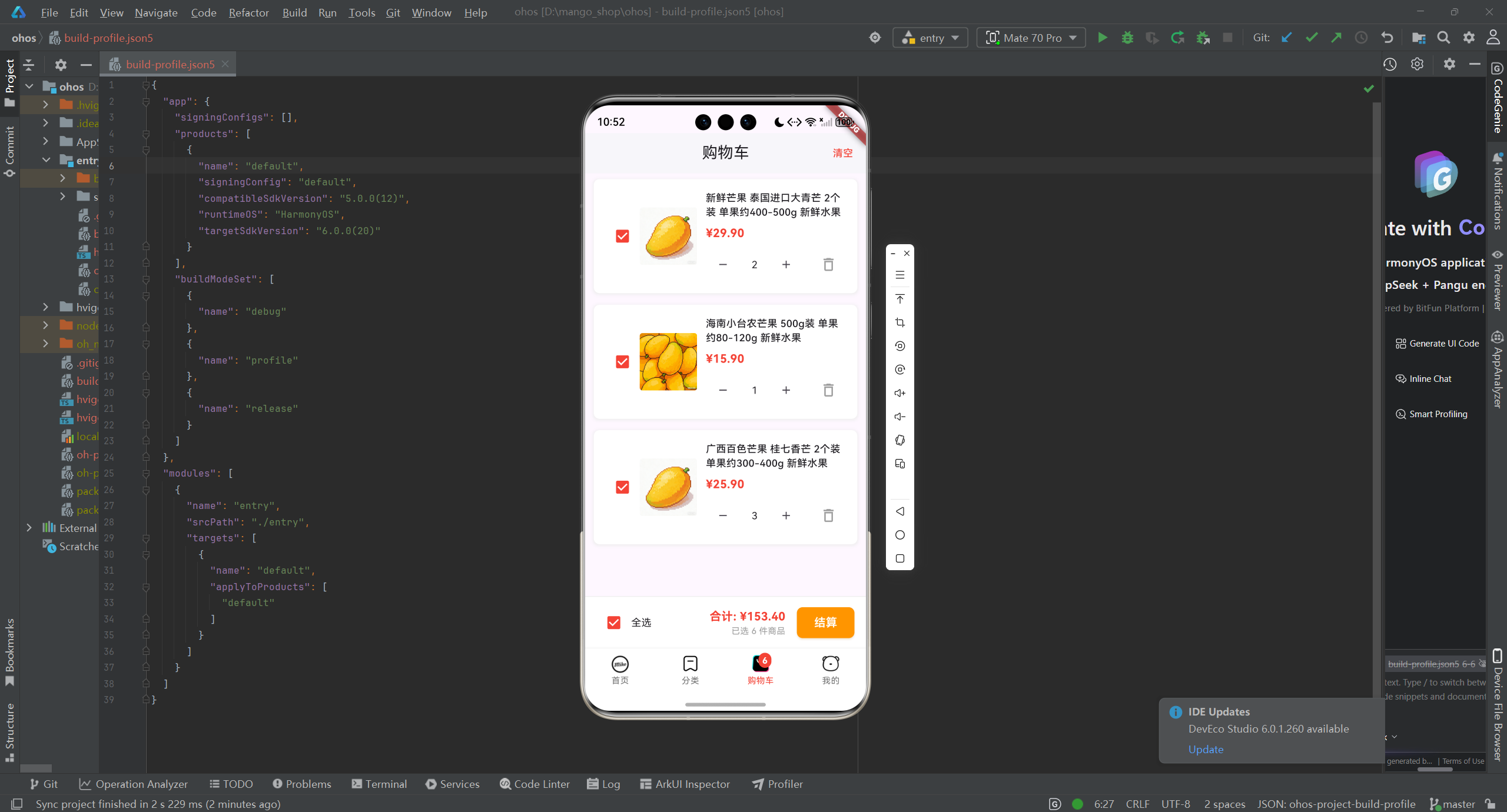
1. 基础组件使用
dart
// 使用 MgButton
MgButton(
  text: '加入购物车',
  type: MgButtonType.primary,
  onTap: () {
    print('加入购物车');
  },
),

// 使用 MgProductCard
MgProductCard(
  id: '1',
  name: '海南芒果 新鲜水果',
  image: 'lib/assets/220c3184-fec6-4c46-8606-67015ed201cc.png',
  price: 19.9,
  originalPrice: 29.9,
  sales: 1234,
  tags: ['热销', '新鲜'],
  onTap: () {
    print('查看商品详情');
  },
  onAddToCart: () {
    print('加入购物车');
  },
),
2. 高级组件使用
dart
// 使用 MgSlider
MgSlider(
  images: [
    'lib/assets/220c3184-fec6-4c46-8606-67015ed201cc.png',
    'lib/assets/爱吃大芒果.png',
    'lib/assets/52da9c14-9404-4e4d-83a1-4a294050350f.png',
  ],
  autoPlay: true,
  autoPlayDuration: Duration(seconds: 4),
  height: 250,
  onImageTap: (index) {
    print('点击了轮播图第${index + 1}张');
  },
),
3. 主题使用
dart
// 使用主题颜色
Container(
  color: AppColors.primary,
  child: Text(
    '主题颜色示例',
    style: AppTextStyles.bodyMedium.copyWith(
      color: AppColors.white,
    ),
  ),
),
项目集成与构建
1. 组件库集成
将组件库集成到项目中:
- 本地集成 :直接将组件库代码复制到项目的
lib/components目录 - 包集成 :将组件库封装为独立的包,通过
pubspec.yaml依赖
2. 构建配置
2.1 pubspec.yaml 配置
yaml
dependencies:
  flutter:
    sdk: flutter
  cupertino_icons: ^1.0.8
  carousel_slider: ^5.1.1
  image_picker: ^1.1.1

dev_dependencies:
  flutter_test:
    sdk: flutter
  flutter_lints: ^5.0.0

flutter:
  uses-material-design: true
  assets:
    - lib/assets/icons/
    - lib/assets/images/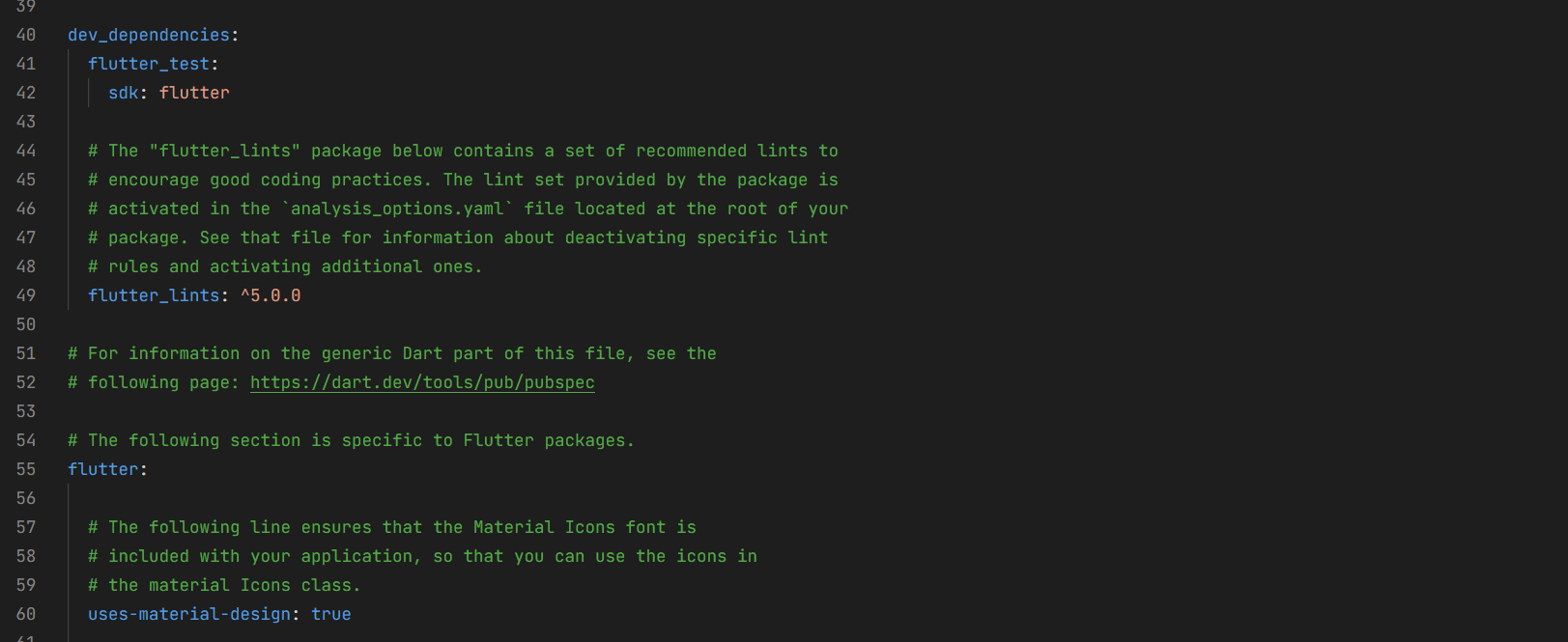
2.2 OpenHarmony 构建配置
确保 ohos/build-profile.json5 和 ohos/entry/module.json5 配置正确,特别是资源相关的配置。
3. 运行与测试
3.1 在不同平台运行
bash
# Android
flutter run -d android

# iOS
flutter run -d ios

# Web
flutter run -d web

# Windows
flutter run -d windows

# Linux
flutter run -d linux

# OpenHarmony
flutter run -d ohos
3.2 测试策略
- 单元测试:测试组件的基本功能
- 集成测试:测试组件在不同场景下的表现
- 性能测试:测试组件的性能表现
- 跨平台测试:确保组件在所有平台上表现一致
总结与展望
通过本文介绍的通用组件库封装方案,我们可以:
- 提高开发效率:通过复用组件,减少重复代码
- 保证一致性:统一的组件设计和实现,确保应用风格一致
- 简化维护:集中管理组件代码,便于后续维护和更新
- 跨平台兼容:确保组件在所有平台上表现一致,特别是 OpenHarmony 平台
未来,可以考虑:
- 组件库文档化:为组件库添加详细的文档和示例
- 组件库发布:将组件库发布为开源包,供更多开发者使用
- 组件库扩展:添加更多功能组件,如表单组件、动画组件等
- 主题定制:支持更灵活的主题定制,适应不同应用的需求
- 性能优化:持续优化组件性能,提升应用体验
Flutter for OpenHarmony 为跨平台开发提供了新的可能性,通过合理的组件库设计和平台适配,可以构建出在所有平台上表现出色的应用。
欢迎加入开源鸿蒙跨平台社区:开源鸿蒙跨平台开发者社区