Nginx 配置文件的管理及优化参数
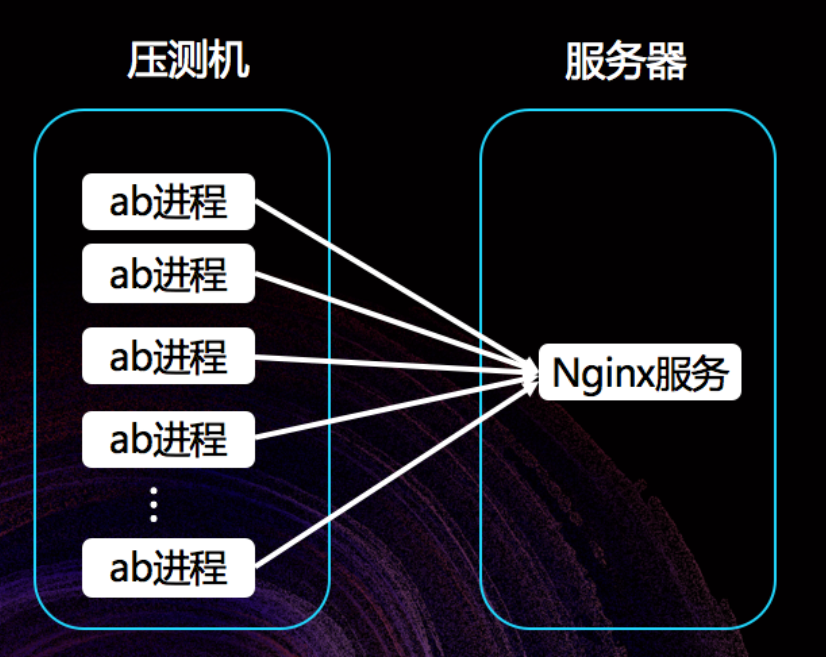
说明:本文件把原始笔记整理为结构化 Markdown,便于保存、查阅与执行。包含常用命令、配置示例、调优思路、压测与排障要点。
1. 目的与概述
本文档整理了常见的 Nginx 配置项、性能调优思路与操作命令,包含:
- Nginx 启停与配置检查
- worker_processes / CPU 亲和性设置
- events 模块调优(并发连接)
- 系统层面限制(文件句柄、内核参数)调整
- 压测命令与常见报错排查
- 调试/监控建议
2. 常用命令(检查 / 重载 / 查看进程)
- 检查配置语法:
bash
[root@Nginx ~]# vim /usr/local/nginx/conf/nginx.conf
user  nginx;
[root@Nginx ~]# nginx  -t
# 示例输出:
# nginx: the configuration file /usr/local/nginx/conf/nginx.conf syntax is ok
# nginx: configuration file /usr/local/nginx/conf/nginx.conf test is successful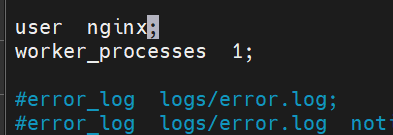
- 平滑重载配置:
bash
[root@Nginx ~]nginx -s reload
- 查看进程:
bash
ps aux | grep nginx
# ��看进程与绑定的 CPU(psr 列)
ps axo pid,cmd,psr | grep nginx
3. worker_processes 与 CPU 亲和性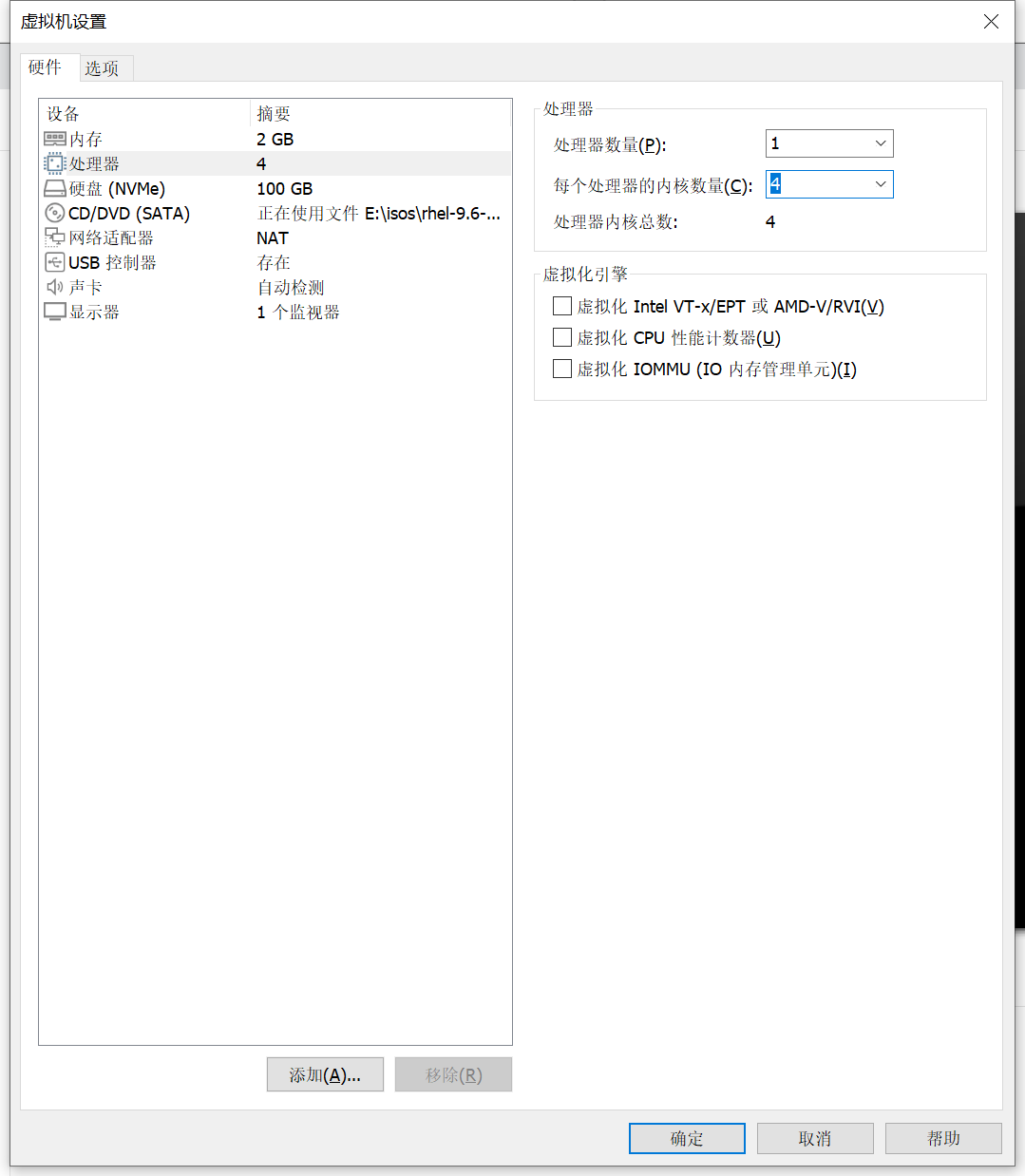
-
worker_processes 决定 Nginx 启动多少 worker 进程:
- 推荐:
worker_processes auto;(自动根据 CPU 核心数) - 也可设置具体数值(例如
2、4)。
- 推荐:
-
worker_cpu_affinity 用于将 worker 绑定到特定 CPU core(位掩码):
-
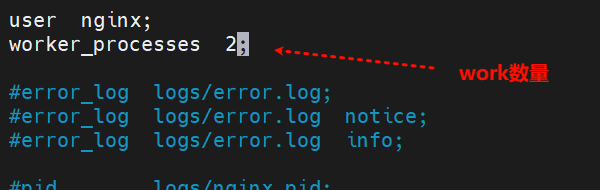
示例(2 core):
[root@Nginx ~]# vim /usr/local/nginx/conf/nginx.conf
worker_processes 2;
[root@Nginx ~]# nginx -s reload
[root@Nginx ~]# ps aux | grep nginx
worker_cpu_affinity 用于将 worker 绑定到特定 CPU core(位掩码):
- 示例(4 core):
-
nginx
[root@Nginx ~]# vim /usr/local/nginx/conf/nginx.conf
worker_processes  auto;
worker_cpu_affinity 0001 0010 0100 1000;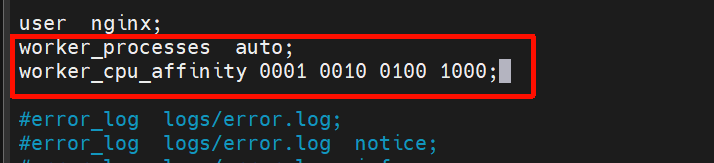
[root@Nginx ~]# ps aux | grep nginx
- 注意:
- 掩码位数要与系统 CPU 核数相对应(低位对应 CPU0)。
- 错误的掩码会导致绑定不生效或效果异常。
- 在多数场景使用
auto即可让 Nginx 自适应。
- 查看Nginx进程在哪个CPU核心上运行
nginx
[root@Nginx ~] ps axo pid,cmd,psr | grep nginx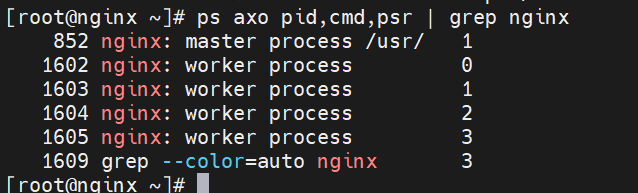
5. 系统级限制(高并发优化测试)
压测(ab)
- 安装 ApacheBench(示例针对 RHEL/CentOS/Fedora):
下载测试高并发插件
[root@Nginx ~]# dnf install httpd-tools -y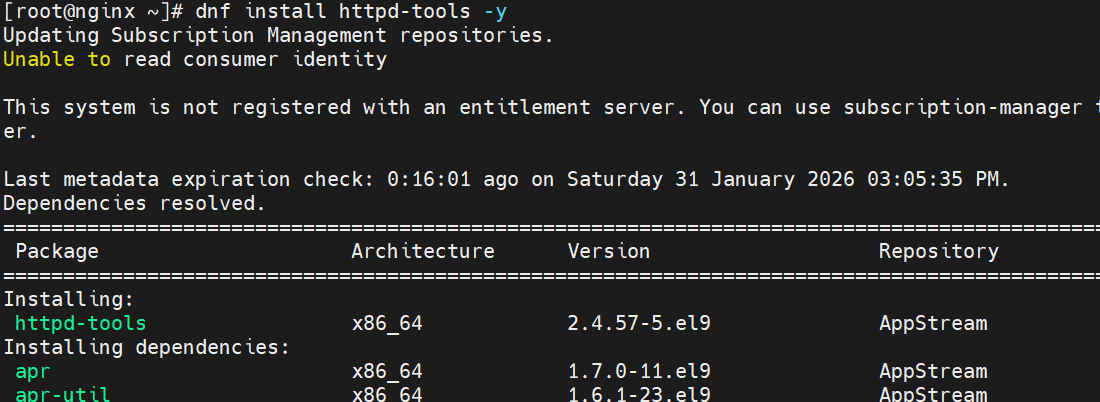
bash
[root@Nginx ~] vim /usr/local/nginx/conf/nginx.conf
events {
    worker_connections  10000;
    use epoll;
    accept_mutex on;
    multi_accept on;
}

[root@Nginx ~] nginx -s reload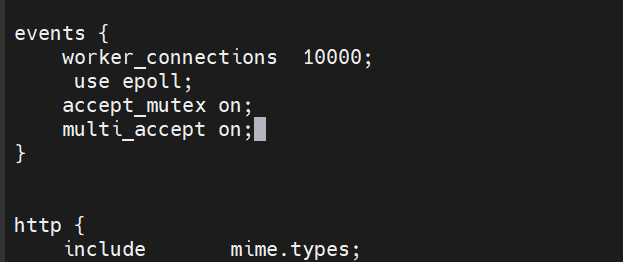
#测试并发
[root@Nginx ~]# ab  -n 100000 -c5000 http://172.25.254.100/index.html
This is ApacheBench, Version 2.3 <$Revision: 1913912 $>
Copyright 1996 Adam Twiss, Zeus Technology Ltd, http://www.zeustech.net/
Licensed to The Apache Software Foundation, http://www.apache.org/

Benchmarking 172.25.254.100 (be patient)
socket: Too many open files (24)				#并发数量过多导致访问失败

#处理本地文件系统的并发文件数量
bash
#处理本地文件系统的并发文件数量
[root@Nginx ~]# vim /etc/security/limits.conf
*               -       nofile          100000
*               -       noproc          100000
root - nofile 100000- 检查当前用户限制:
bash
[root@Nginx ~]# sudo -u nginx ulimit -n- 临时设置(当前 shell 会话):
bash
[root@Nginx ~] ulimit  -n 10000
100000#测试-压测:总请求 100000 并发 10000
[root@Nginx ~]# ab -n 100000 -c10000 http://172.25.254.100/index.html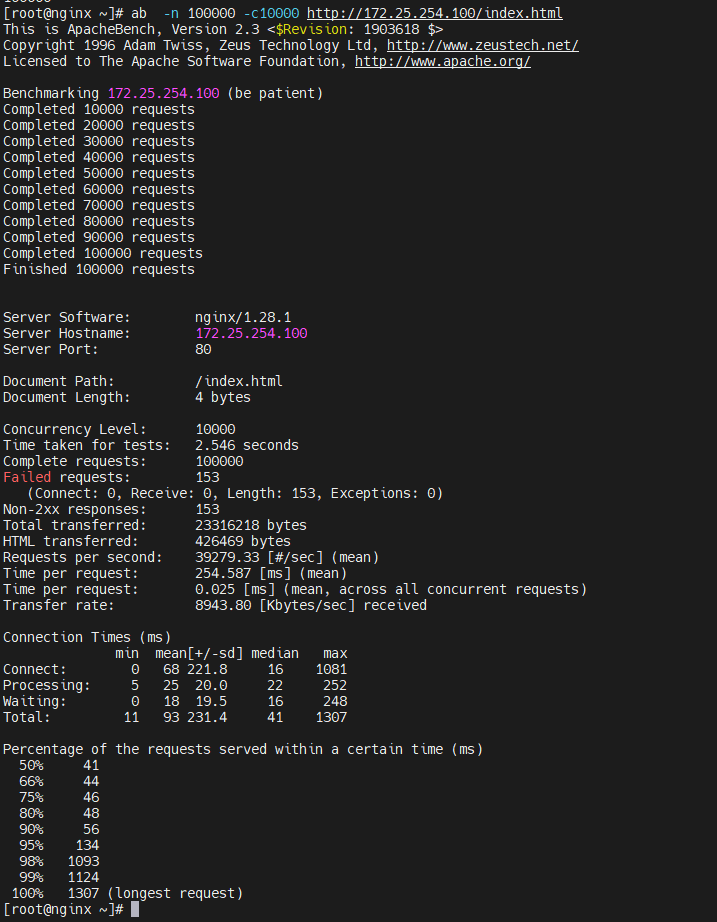
6. 推荐 nginx.conf 关键片段
nginx
user nginx;
worker_processes auto;
# worker_cpu_affinity 0001 0010 0100 1000; # 可选,按需设置
error_log /var/log/nginx/error.log warn;
pid /var/run/nginx.pid;

events {
    use epoll;
    worker_connections 10000;
    multi_accept on;
    accept_mutex on;
}

http {
    include       mime.types;
    default_type  application/octet-stream;

    sendfile        on;
    tcp_nopush      on;
    tcp_nodelay     on;
    keepalive_timeout  65;
    keepalive_requests 10000;

    # 其他 http/server/location 配置...
}- 说明:
sendfile、tcp_nopush、tcp_nodelay有助于 IO 性能优化,具体要根据业务(静态/代理/长连接)调整。
7. 监控与诊断命令
- 查看进程打开文件数:
bash
lsof -p <nginx_worker_pid> | wc -l
cat /proc/<pid>/limits- 网络 / 连接统计:
bash
ss -s
ss -nt state TIME-WAIT
netstat -an | grep TIME_WAIT | wc -l- 系统资源实时监控:
bash
top / htop
vmstat 1
iostat -x 1- 启用 nginx stub_status(用于简单状态监控):
nginx
location /nginx_status {
    stub_status on;
    allow 127.0.0.1;
    deny all;
}
8. 调优思路(排查瓶颈)
- 明确瓶颈类型:CPU、内存、文件句柄、网络(socket)或后端响应慢。
- 逐层排查:
- 检查 Nginx error.log 是否有明显报错。
- 检查进程文件描述符使用情况与系统 fs.file-max。
- 检查网络队列与内核参数(somaxconn、backlog、netdev_max_backlog)。
- 检查后端 upstream 的响应时间与吞吐。
- 调整策略(每次只改一项并对比压测结果):
- 增加 worker_processes 或调整 CPU 亲和性。
- 提高 worker_connections,但同步提升系统 nofile/ fs.file-max。
- 调整 TCP 重用与超时参数,优化网络层面连接复用。
- 压测工具与方法:
- 不要仅依赖单台 ab,必要时用分布式压测。
- 推荐工具:wrk、wrk2、vegeta、locust,视业务场景选型。
9. 常见陷阱与建议
- 不要盲目把 worker_connections 设得非常高而忽视系统级限制(nofile、fs.file-max、systemd LimitNOFILE)。
- systemd 管理下的服务需要在 unit 文件中设置
LimitNOFILE=,否则 PAM limits 可能无效。 - ab 在高并发场景下可能成为瓶颈,推荐更现代的压测工具或分布式压测。
- 确认
worker_cpu_affinity掩码位数与 CPU 数量一致,避免写错掩码导致不可预期行为。 - 在生产环境变更前,先在压测/灰度环境验证效果与安全性。
10. 简易调优检查表(执行步骤)
- 检查 nginx 配置语法并重载:
bash
nginx -t && nginx -s reload- 确认 worker_processes 与 CPU 核数匹配(或使用 auto):
- 在 nginx.conf 中设置合理的 events 参数(use epoll、worker_connections):
- 提升系统文件句柄:
- 编辑
/etc/security/limits.conf - 设置
fs.file-max与相关sysctl参数,执行sysctl -p - 如果使用 systemd,设置
LimitNOFILE并重载 unit:systemctl daemon-reload && systemctl restart nginx
- 编辑
- 进行压测(逐步加并发),观察错误与系统指标:
- 根据监控与压测结果逐项优化(只改一项并重测)。
r_connections): - 提升系统文件句柄:
- 编辑
/etc/security/limits.conf - 设置
fs.file-max与相关sysctl参数,执行sysctl -p - 如果使用 systemd,设置
LimitNOFILE并重载 unit:systemctl daemon-reload && systemctl restart nginx
- 编辑
- 进行压测(逐步加并发),观察错误与系统指标:
- 根据监控与压测结果逐项优化(只改一项并重测)。