img2video
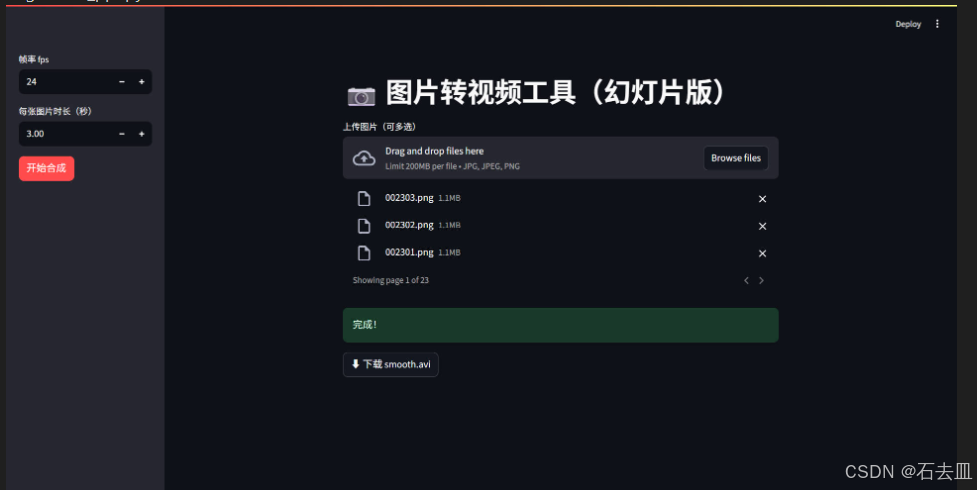
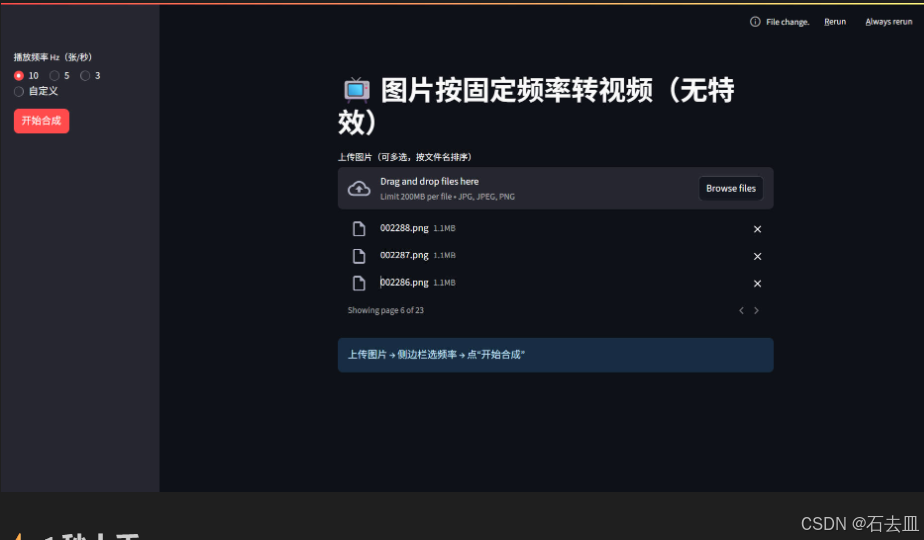
🎞️ 轻量级 Web 应用 ------ 把一堆图片按指定频率(10 Hz / 5 Hz / 3 Hz 或自定义)直接拼成视频,零特效、零依赖、零命令行。
纯 OpenCV 内核,Streamlit 界面;本地一键跑,浏览器即可用。
img2video_ppt.py
⚡ 1 秒上手
bash
git clone https://github.com/YOUR_NAME/img2video.git
cd img2video
pip install streamlit opencv-python natsort
streamlit run img2video.py
浏览器自动打开 → 拖图片 → 选频率 → 下载 avi。
🎯 核心功能
| 播放频率 | 每张图时长(30 fps) | 用途示例 |
|---|---|---|
| 10 Hz | 0.1 s | 快放、延时摄影 |
| 5 Hz | 0.2 s | 中等速度 |
| 3 Hz | 0.33 s | 慢速展示 |
| 自定义 | 任意 | 想多慢多快随你 |
🗂️ 仓库结构
img2video/
├── img2video.py   # 主程序(<100 行)
├── img2video_ppt.py   # 主程序(<100 行)
├── img2video_simpy.py   # 主程序(<100 行)
├── README.md
├── LICENSE
└── resource/
    └── pic1.jpg      # 网页界面示意图1
    └── pic2.jpg      # 网页界面示意图2
🚀 部署小贴士
-
本地 :直接
streamlit run -
服务器 :
streamlit run hz_img2video.py --server.port=8501 --server.address=0.0.0.0 -
Docker :
dockerfileFROM python:3.11-slim WORKDIR /app COPY . . RUN pip install streamlit opencv-python natsort CMD ["streamlit", "run", "hz_img2video.py", "--server.port=8501", "--server.address=0.0.0.0"]
📄 协议
MIT © YOUR_NAME
欢迎 PR & Star!