联合编程之连接相机
一,连接相机(1)
1,相关重点:
【1】,//OwnedExposureParams 获取曝光参数
textBox1.Text = acq.Operator.OwnedExposureParams.ToString();
【2】,//OwnedBrightnessParams //设置亮度的参数
textBox2.Text = acq.Operator.OwnedBrightnessParams.ToString();
【3】,//设置对比度
textBox3.Text = acq.Operator.OwnedContrastParams.Contrast.ToString();
【4】,CogAcqFifoTool acq = new CogAcqFifoTool();
//acq 相机工具
//acq.Operator 相机本机
//acq.Operator.FrameGrabber 相机采集图像时的对象
【5】, cogRecordDisplay1.StartLiveDisplay(acq.Operator);// 开启实时显示
// cogRecordDisplay1.StopLiveDisplay(); // 关闭实时显示
操作如下:
1,先在Winform界面添加以下相关控件:
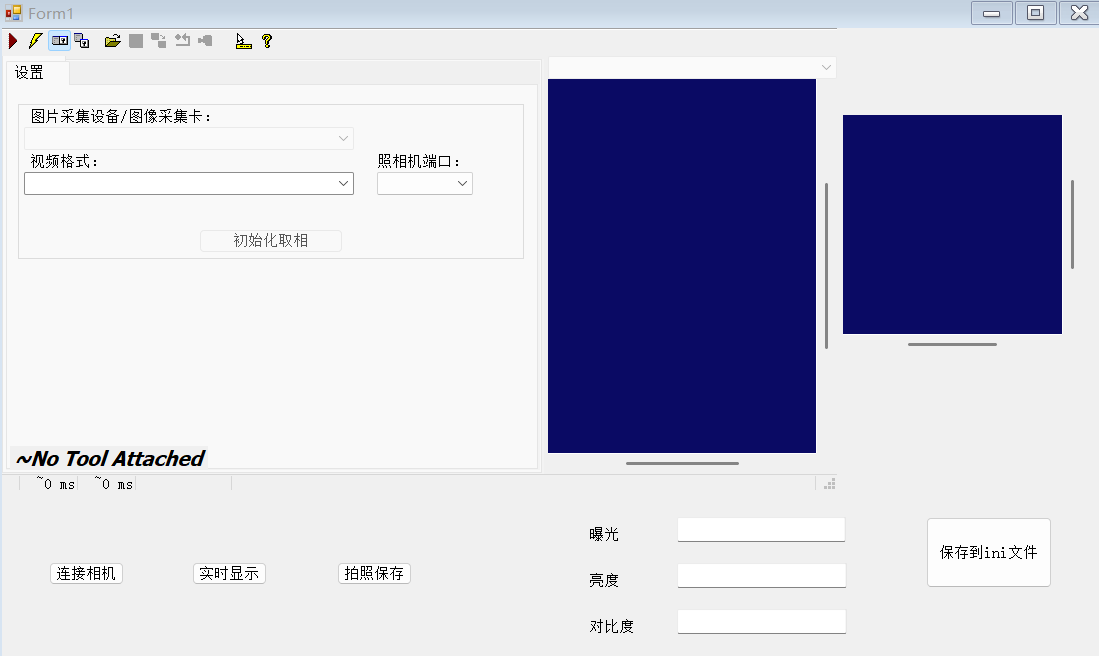
然后代码编写如下:
CogAcqFifoTool acq = new CogAcqFifoTool();
1, //窗口加载按钮
private void Form1_Load(object sender, EventArgs e)
{
string path = @"C:\Users\Administrator\Desktop\acq.vpp";
acq = CogSerializer.LoadObjectFromFile(path) as CogAcqFifoTool;
cogAcqFifoEditV21.Subject = acq;
//读取ini相机配置文件
double e1 = IniAPI.GetPrivateProfileDouble("相机","曝光",0,"C:\\Users\\Administrator\\Desktop\\第45天\\02连接相机1\\bin\\Debug\\1.ini");
double e2 = IniAPI.GetPrivateProfileDouble("相机", "亮度", 0, "C:\\Users\\Administrator\\Desktop\\第45天\\02连接相机1\\bin\\Debug\\1.ini");
double e3 = IniAPI.GetPrivateProfileDouble("相机", "对比度", 0, "C:\\Users\\Administrator\\Desktop\\第45天\\02连接相机1\\bin\\Debug\\1.ini");
//设置相机参数
acq.Operator.OwnedExposureParams.Exposure = e1;
acq.Operator.OwnedBrightnessParams.Brightness = e2;
acq.Operator.OwnedContrastParams.Contrast = e3;
//显示输入框上面
//OwnedExposureParams 获取曝光参数
//Exposure 曝光
textBox1.Text = acq.Operator.OwnedExposureParams.Exposure.ToString();
//OwnedBrightnessParams 设置亮度的参数
//Brightness 亮度
textBox2.Text = acq.Operator.OwnedBrightnessParams.Brightness.ToString();
//设置对比度
//Contrast 对比度
textBox3.Text = acq.Operator.OwnedContrastParams.Contrast.ToString();
}
2,连接相机按钮
private void button1_Click(object sender, EventArgs e)
{
}
//实时显示
private void button2_Click(object sender, EventArgs e)
{
//acq CogAcqFifoTool类型
//acq.Operator ICogAcqFifo
cogRecordDisplay1.StartLiveDisplay(acq.Operator);// 开启实时显示
// cogRecordDisplay1.StopLiveDisplay(); // 关闭实时显示
}
3,拍照保存按钮
private void button3_Click(object sender, EventArgs e)
{
//设置相机参数
acq.Operator.OwnedExposureParams.Exposure = double.Parse(textBox1.Text);
acq.Operator.OwnedBrightnessParams.Brightness = double.Parse(textBox2.Text);
acq.Operator.OwnedContrastParams.Contrast = double.Parse(textBox3.Text);
//acq 加载vpp不成功了 acq为null
//acq.Operator=n=ull 连接相机失败
if (acq!=null && acq.Operator!=null)
{
acq.Run();
cogRecordDisplay1.Image = acq.OutputImage; // 运行工具 把相机输出图进行展示
cogRecordDisplay1.Fit();
}
4,保存相机设置
private void button4_Click(object sender, EventArgs e)
{
IniAPI.INIWriteValue("C:\\Users\\Administrator\\Desktop\\第45天\\02连接相机1\\bin\\Debug\\1.ini", "相机","曝光",textBox1.Text);
IniAPI.INIWriteValue("C:\\Users\\Administrator\\Desktop\\第45天\\02连接相机1\\bin\\Debug\\1.ini", "相机", "亮度", textBox2.Text);
IniAPI.INIWriteValue("C:\\Users\\Administrator\\Desktop\\第45天\\02连接相机1\\bin\\Debug\\1.ini", "相机", "对比度", textBox3.Text);
}
//窗体关闭时候 释放相机
private void Form1_FormClosing(object sender, FormClosingEventArgs e)
{
cogRecordDisplay1.StopLiveDisplay();//关闭实时显示
if (acq!=null&&acq.Operator!=null)
{
//acq visionpro的相机工具
//acq.Operator 相机
// acq.Operator.FrameGrabber 相机的采集图像的对象
acq.Operator.FrameGrabber.Disconnect(false); // 释放相机
}
}
}
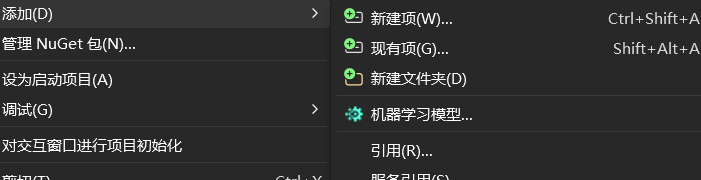
注意:如果报错,请在解决方案界面添加现有项浏览加入Ini即可。