前言
行为是WPF中用于增强UI元素功能的一种重要模式,它允许在不修改原始控件代码的情况下,为控件添加交互逻辑。它可以封装某些功能(如拖放、命令执行、状态管理等),使这些功能可以在不同控件间复用
1、新建行为类
下面的代码给所有控件添加一个行为,添加行为分为两个步骤,第一步就是新建一个类继承Behavior,第二步就是在view视图代码中给指定的控件附加行为, Behavior中的T用于指定行为可以用在哪种控件上,这里使用了Control,由于Control是所有控件的基类,所以所以这个行为可以被所有控件使用,当鼠标进入控件时(在控件上方)更改控件的字体颜色为黄色,当鼠标离开控件时恢复控件原来的字体颜色。行为主要是重写OnAttached和OnDetaching方法,在OnAttached方法中订阅事件,在OnDetaching方法方法中取消订阅事件。下面的代码中在OnAttached订阅了MouseEnter和MouseLeave两个事件。
csharp
class ChangeForegroundBehavior : Behavior<Control>
    {
        private Brush originalForeground;
        private static readonly Brush hoverBrush = Brushes.Yellow  ;

        protected override void OnAttached()
        {
            base.OnAttached();
            originalForeground = AssociatedObject.Foreground ;
            AssociatedObject.MouseEnter += OnMouseEnter;
            AssociatedObject.MouseLeave += OnMouseLeave;
        }

        protected override void OnDetaching()
        {
            base.OnDetaching();
            // 取消订阅事件
            AssociatedObject.MouseEnter -= OnMouseEnter;
            AssociatedObject.MouseLeave -= OnMouseLeave;
        }

        private void OnMouseEnter(object sender, MouseEventArgs e)
        {
            // 当鼠标进入时,改变字体颜色
            AssociatedObject.Foreground  = hoverBrush;
        }

        private void OnMouseLeave(object sender, MouseEventArgs e)
        {
            // 当鼠标离开时,恢复字体颜色
            AssociatedObject.Foreground = originalForeground;
        }
    }
2、给指定控件添加行为
下面的代码中分别给Label 和Button添加ChangeForegroundBehavior行为,
csharp
<Window x:Class="行为.MainWindow"
        xmlns="http://schemas.microsoft.com/winfx/2006/xaml/presentation"
        xmlns:x="http://schemas.microsoft.com/winfx/2006/xaml"
        xmlns:d="http://schemas.microsoft.com/expression/blend/2008"
        xmlns:mc="http://schemas.openxmlformats.org/markup-compatibility/2006"
        xmlns:local="clr-namespace:行为"
        xmlns:i="http://schemas.microsoft.com/xaml/behaviors"
        xmlns:ei="clr-namespace:Microsoft.Xaml.Behaviors.Core;assembly=Microsoft.Xaml.Behaviors"
        mc:Ignorable="d"
        Title="MainWindow" Height="450" Width="800">
    <Grid>
        <Grid.RowDefinitions >
            <RowDefinition Height="1*"/>
            <RowDefinition Height="1*"/>
        </Grid.RowDefinitions >
        <Label   Grid.Row=" 0" Content="test" Width="100" Height="30" Foreground="Red"  Background="Blue"  FontSize="15">
            <i:Interaction.Behaviors>
                <local:ChangeForegroundBehavior />
            </i:Interaction.Behaviors>
        </Label>
        <Button  Grid.Row=" 1" Content="test" Width="100" Height="30" Foreground="Red"  FontSize="15">
            <i:Interaction.Behaviors>
                <local:ChangeForegroundBehavior />
            </i:Interaction.Behaviors>
        </Button>
    </Grid>
</Window>
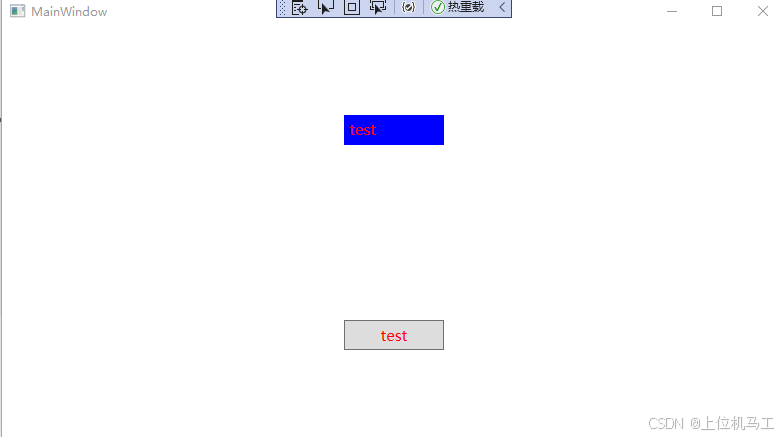
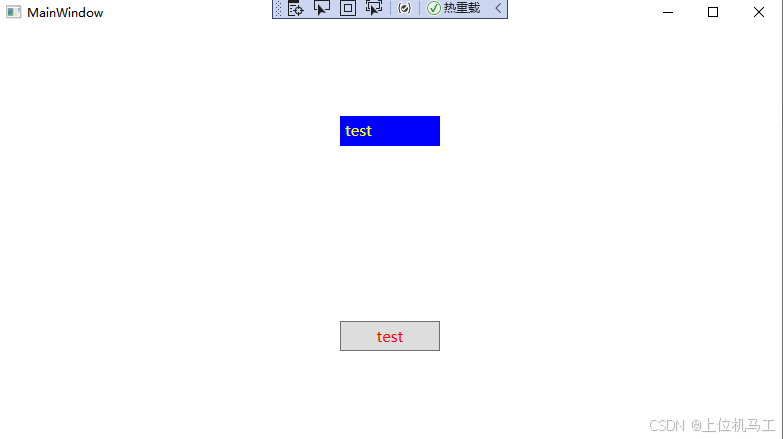
1)鼠标放在Label上方时
2)鼠标离开Label上方时