🔗官方介绍 :https://support.google.com/gemini/answer/16283624
本文下面使用:ChromeAI 代替:chrome浏览器中的Gemini,注意Chrome AI并非官方正式术语。
一、基本要求
Chrome 中的 Gemini 是 Chrome 的一项功能(而非插件),与 Gemini 网页版及移动端应用是不同的体验。通过它,你可以轻松地向 Gemini 共享页面内容,并在浏览时获得帮助。
重要提示: Chrome 中的 Gemini 目前尚未对所有用户开放。我们正在逐步推出此功能,因此您可能暂时还无法使用。
要在计算机上使用 Chrome 中的 Gemini,需要满足以下条件:
- 年满 18 周岁且位于美国。
- 使用 Chromebook Plus 、Mac 或 Windows 电脑。
- 使用 最新版本的 Chrome 浏览器。
- 登录 Chrome。此功能在无痕模式下不可用。
- 将 Chrome 的 语言设置为英语(美国)。
- 如果你通过工作或学校 Google 帐号使用 Chrome 中的 Gemini,则必须由您的管理员启用访问权限。
这些是基本的要求,实际上满足了也未必能开启,需要手动设置一下参数,我以及将它打包为可执行程序,直接运行即可,见本文第四小节。
二、 使用 Chrome 中的 Gemini 可以做什么
在侧边栏中开启功能后,您可以直接与 Gemini 聊天。例如,您可以尝试让 Chrome 中的 Gemini 帮您:
| 功能类别 | 具体操作示例 |
|---|---|
| 内容提炼 | 总结文章的关键要点 |
| 知识解读 | 用另一种方式解释复杂的主题 |
| 学习辅助 | 帮助您测试对正在学习的新知识的掌握程度 |
| 生活助手 | 修改食谱以满足特定的饮食需求 |
| 多页比对 | 跨页面比较或整合信息 |
| 个性化推荐 | 根据您的偏好提供建议 |
| 任务执行 | 代表您完成多步骤的操作 |
| 沟通协作 | 使用 Gmail 为他人起草邮件草稿 |
这是Google写的,但实际上很简单,就是代替你浏览网页,没错,只能浏览,任何实际的点击、输入操作都是不支持的。
- 虽然不能点击,但是,网页的内容如果需要手动展开才能肉眼看见的,ChromeAI可以直接浏览到;
- 为什么不能代替鼠标键盘实现点击和输入:出于
安全性、隐私保护以及技术架构的考虑。举个例子,如果可以点击页面,那就可以当做爬虫来用了,其它的不展开说了。
三、实际使用体验
🟢 (1)浏览网页
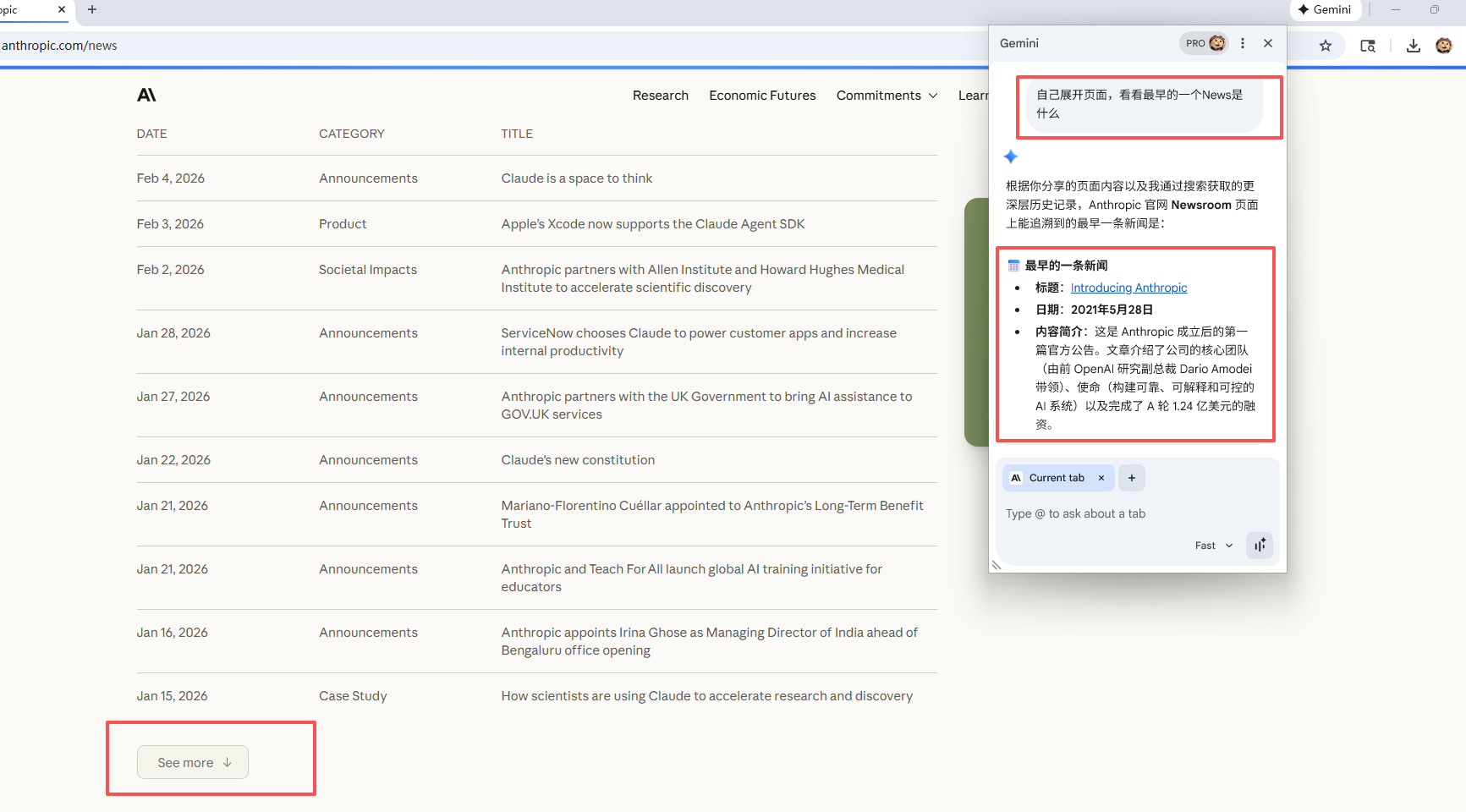
如下图,我需要手动点击Show More才能看见所有的News,但是ChromeAI可以直接看到所有内容:
这里需要告诉他展开页面(不是真的点击),否则只能读取未展开状态的所有内容。
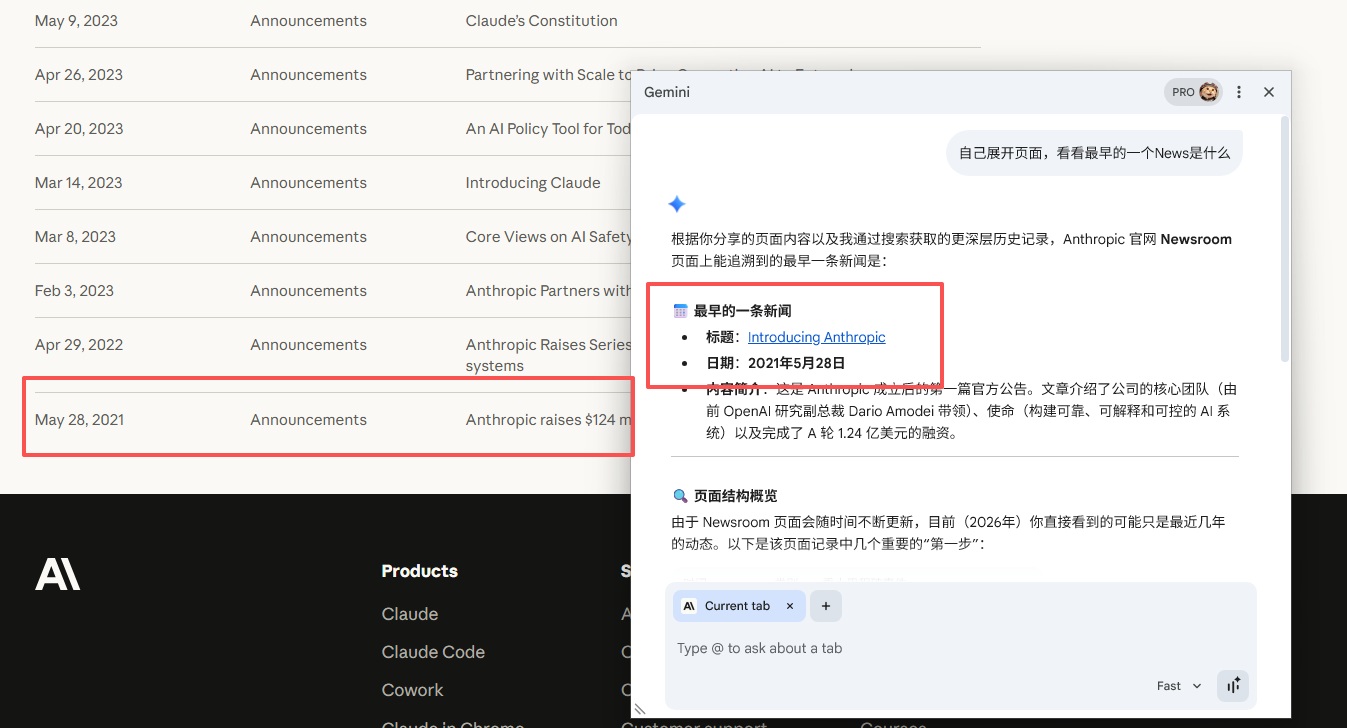
手动展开验证:无误
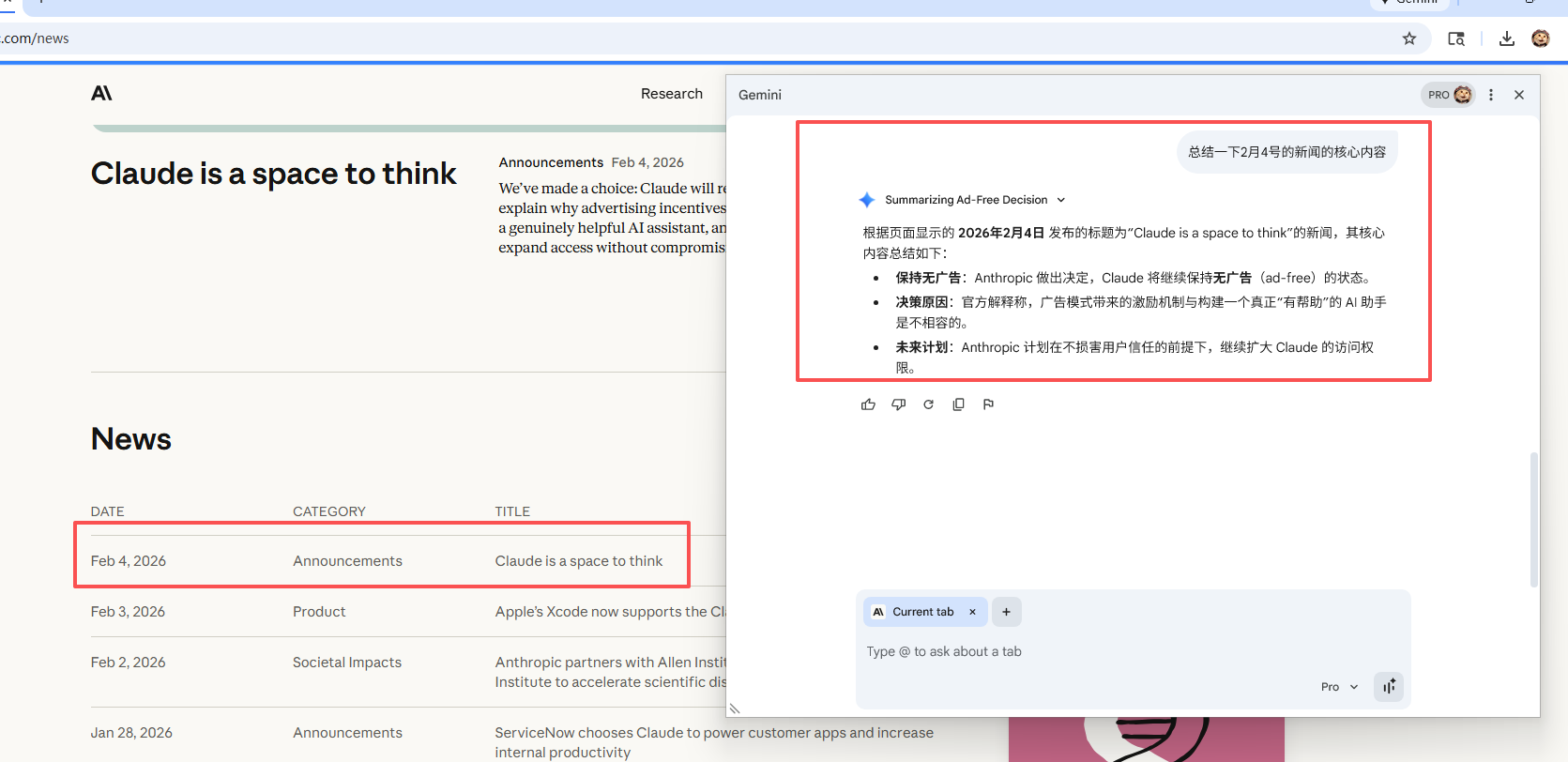
同理,需要点击进去才能看见的内容,它也可以直接"看"到内容:
🟢 (2)画图
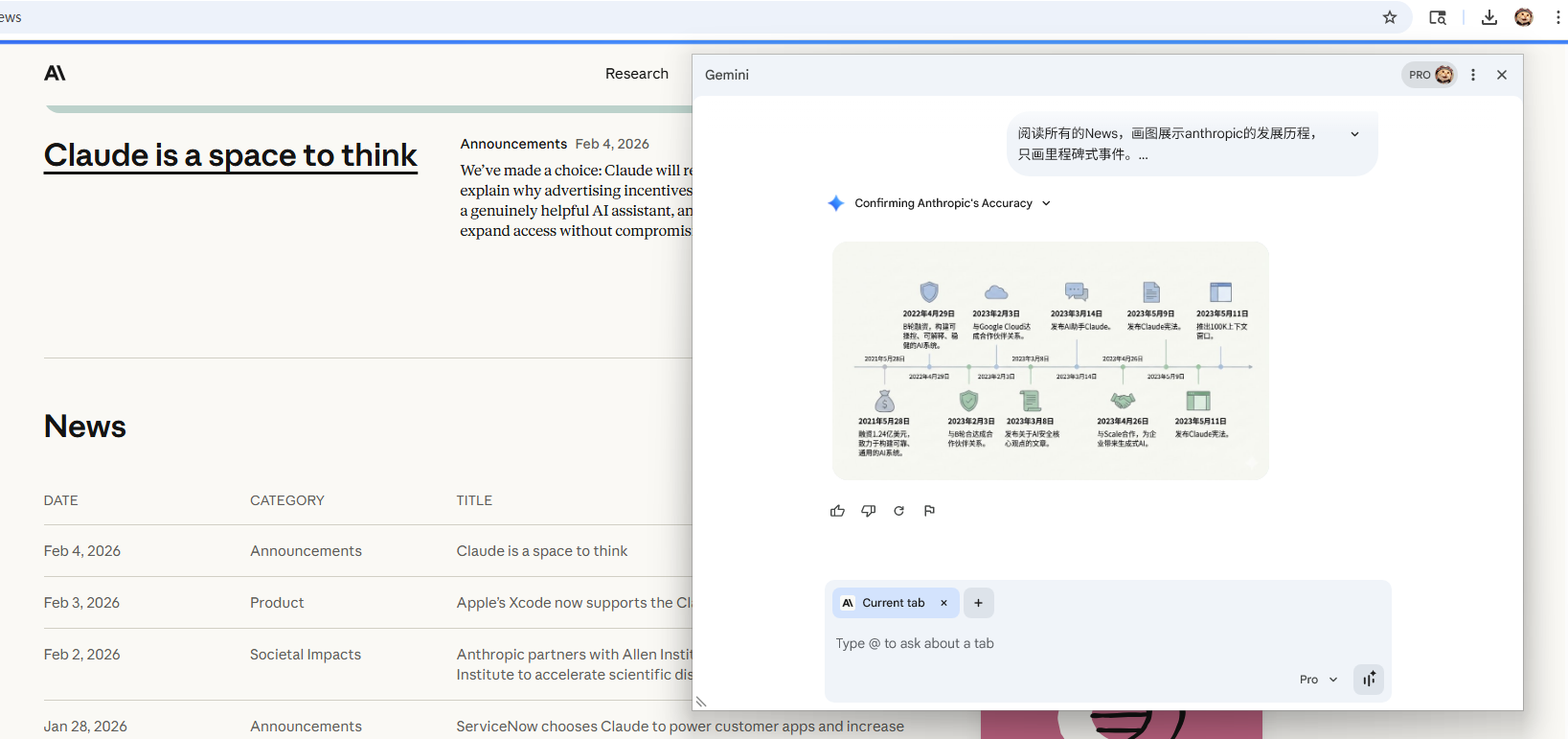
可以使用Nano Banana画图,如用图像总结网页内容:
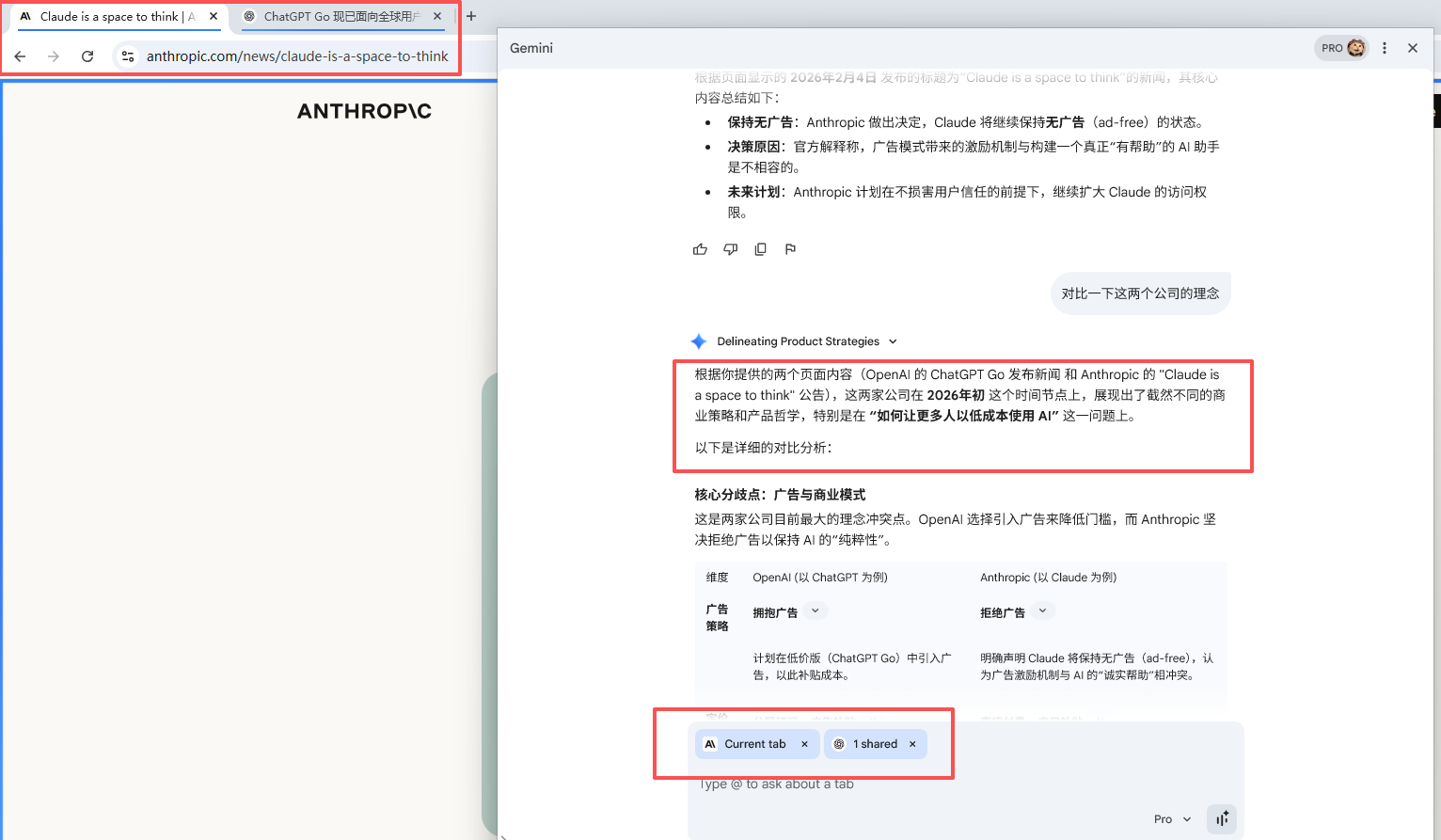
🟢 (3)比较多标签页
实测暂时只支持2个网页:
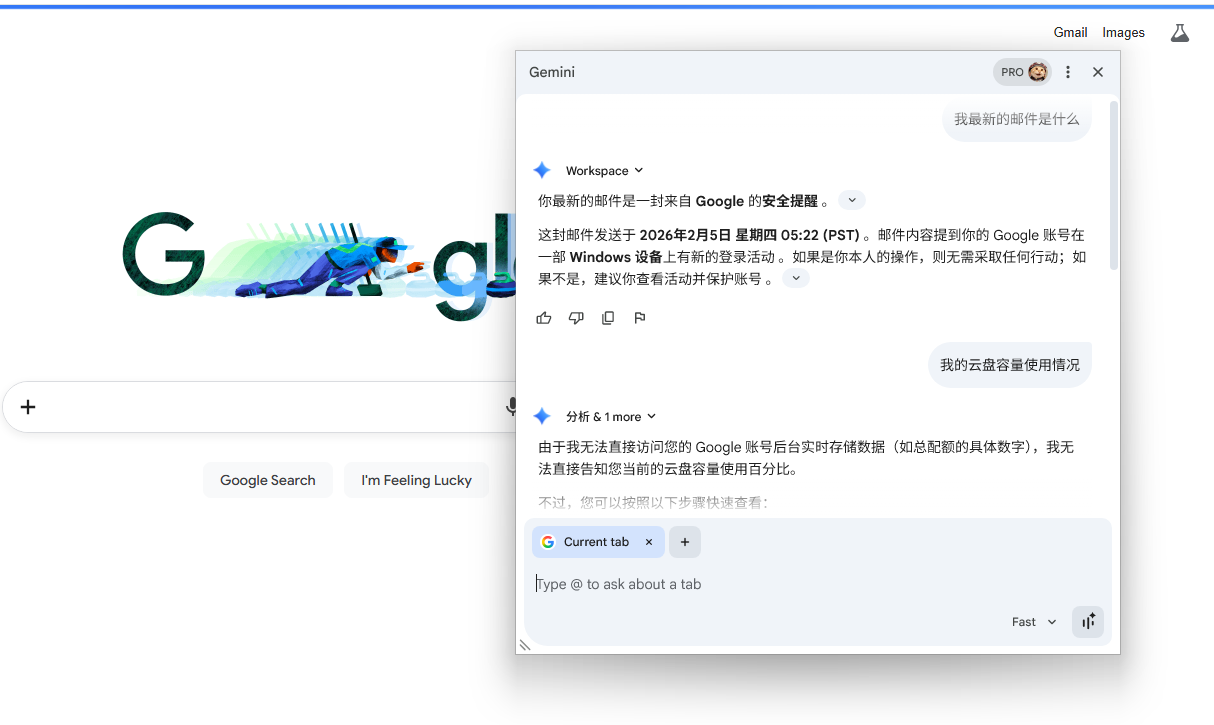
🟢 (4)读取Google系App的内容
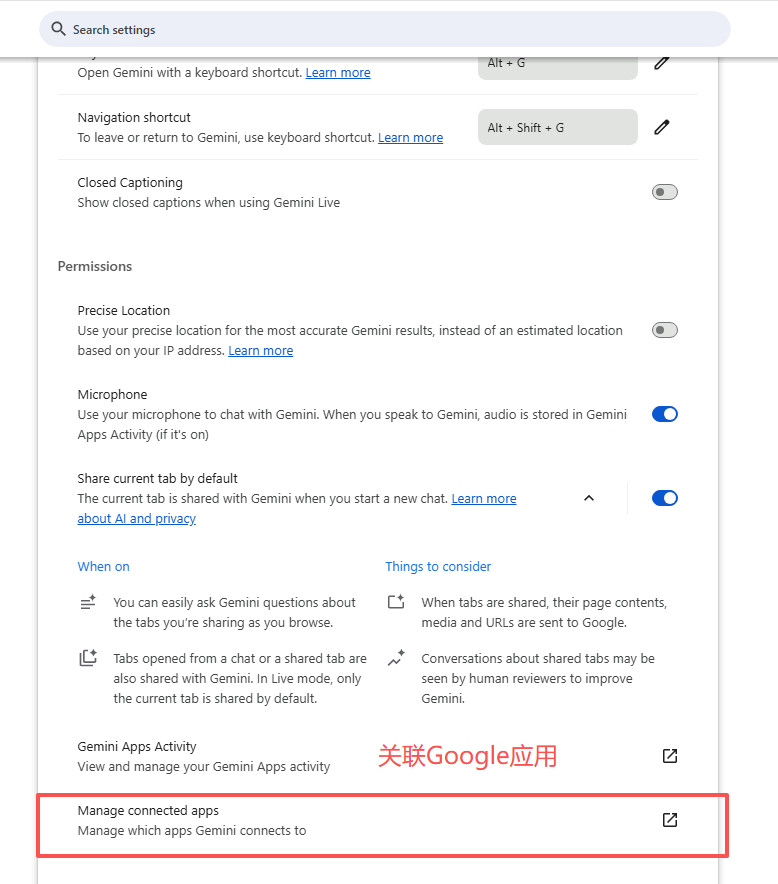
需要手动授权,才能读取(方法见第四小节)。如下图,正确的读取了我最新的邮寄内容。
慎重开启哦。
四、开启方法
首先要美国ip、美国谷歌账号,Gemini Pro或者Ultra。
🔗查看Google账号归属地:https://policies.google.com/terms?hl=zh_CN
🔗修改Google账号地址,一般一天内就完成了:https://policies.google.com/country-association-form?hl=zh_CN
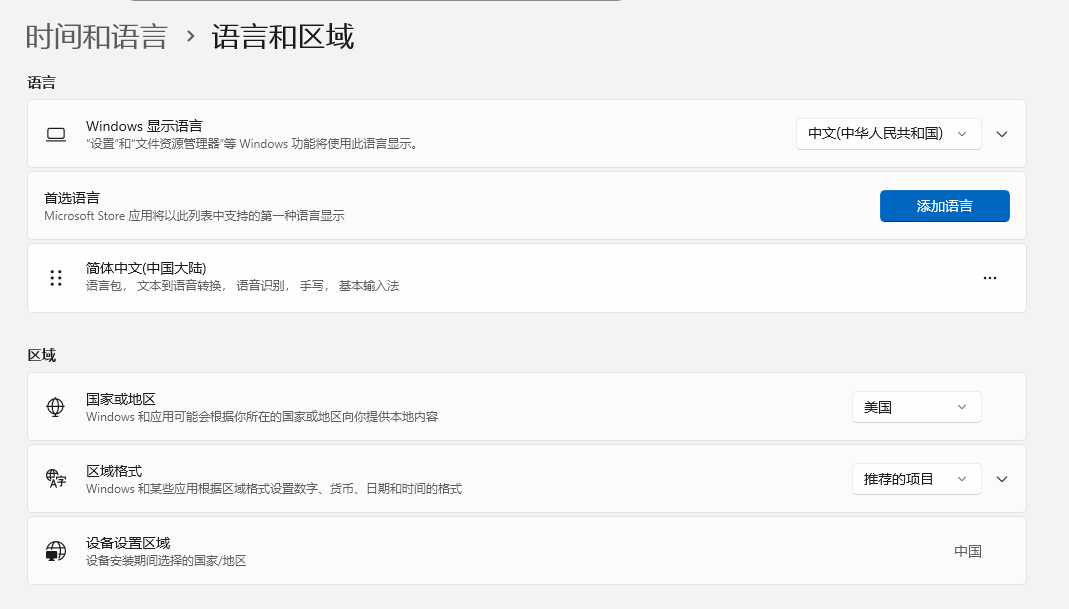
电脑的地区设为美国,语言不用:
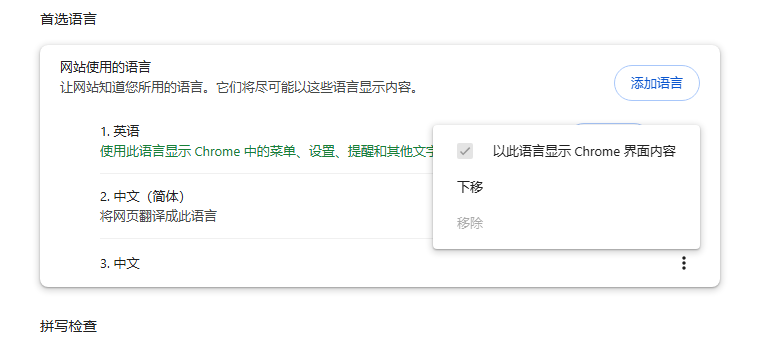
Chrome浏览器的语言必须设为英语:
🔗使用这个仓库的代码开启:https://github.com/lcandy2/enable-chrome-ai?tab=readme-ov-file
仓库里面就一个main.py是用到的代码,我将代码贴在文末了,并且我把代码打包成exe了,你可以直接下载使用,获取方法:
- 直接在后台回复:
chrome
我只打包了Windows的代码,Linux和mac的自己复制一下代码,然后运行就行了,代码很简单,环境也很简单。
先完成前面说的地区和语言设置,关闭chrome,然后运行代码或者exe即可。
代码主要对 Chrome 的配置文件进行了以下三个维度的修改,目的是强制激活 Chrome 的 Glic (AI 助手) 功能并绕过地区限制:
| 修改对象 (Key) | 修改方式 | 修改后的值 | 修改目的 |
|---|---|---|---|
is_glic_eligible |
全局递归搜索并替换 | True |
强制激活 Glic (AI 助手) 的功能准入资格 |
variations_country |
根目录直接修改 | "us" |
将浏览器地区伪装为美国,绕过区域限制 |
variations_permanent_consistency_country |
列表元素覆盖 | [last_version, "us"] |
锁定版本与地区的对应关系,防止配置被自动还原 |
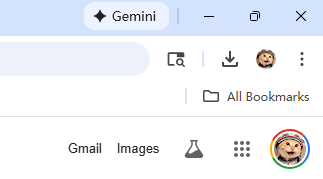
开启后,浏览器右上角会出现下图这样的图标,点击激活即可:
简要说明:
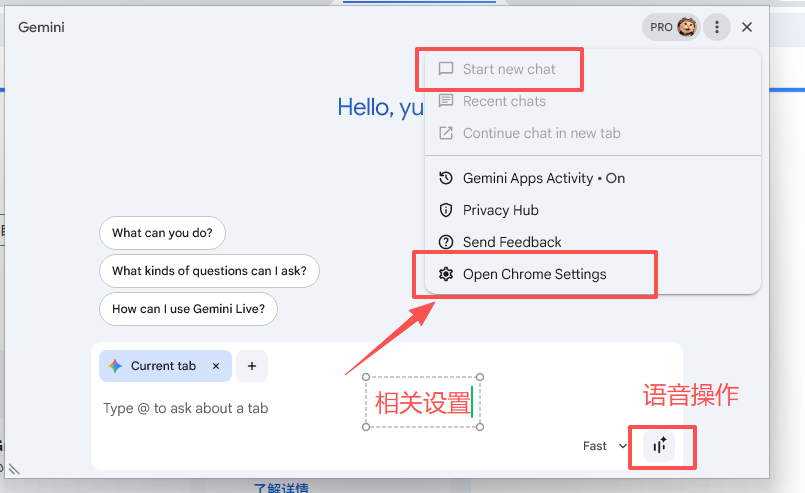
在上图中的设置里面可以设置Gemini读取Google系应用的内容:这个涉及隐私,按需开启,非必要不开启
c
# -*- coding = utf-8 -*-
# @TIME : 2026/02/05 21:42
# @Author : https://github.com/lcandy2/enable-chrome-ai?tab=readme-ov-file
# @File : main.py
# @Software : PyCharm Professional 2025.1.2
# Introduction:
import os
import sys
import json
import subprocess

import psutil


def get_version_and_user_data_path():
    os_and_user_data_paths = {
        'win32': {
            'stable': '~/AppData/Local/Google/Chrome/User Data',
            'canary': '~/AppData/Local/Google/Chrome SxS/User Data',
            'dev': '~/AppData/Local/Google/Chrome Dev/User Data',
            'beta': '~/AppData/Local/Google/Chrome Beta/User Data',
        },
        'linux': {
            'stable': '~/.config/google-chrome',
            'canary': '~/.config/google-chrome-canary',
            'dev': '~/.config/google-chrome-unstable',
            'beta': '~/.config/google-chrome-beta',
        },
        'darwin': {
            'stable': '~/Library/Application Support/Google/Chrome',
            'canary': '~/Library/Application Support/Google/Chrome Canary',
            'dev': '~/Library/Application Support/Google/Chrome Dev',
            'beta': '~/Library/Application Support/Google/Chrome Beta',
        },
    }

    for platform, version_and_user_data_path in os_and_user_data_paths.items():
        available_version_and_user_data_path = {}
        if sys.platform.startswith(platform):
            for version, user_data_path in version_and_user_data_path.items():
                user_data_path = os.path.abspath(os.path.expanduser(user_data_path))
                if os.path.exists(user_data_path):
                    available_version_and_user_data_path[version] = user_data_path
            return available_version_and_user_data_path

    raise Exception('Unsupported platform %s' % sys.platform)


def shutdown_chrome():
    terminated_chromes = set()
    for process in psutil.process_iter():
        try:
            if sys.platform == 'darwin':
                if not process.name().startswith('Google Chrome'):
                    continue
            elif os.path.splitext(process.name())[0] != 'chrome':
                continue
            elif not process.is_running():
                continue
            elif process.parent() is not None and process.parent().name() == process.name():
                continue
            location = process.exe()
            process.kill()
            terminated_chromes.add(location)
        except psutil.NoSuchProcess:
            pass
    return terminated_chromes


def get_last_version(user_data_path):
    last_version_file = os.path.join(user_data_path, 'Last Version')
    if not os.path.exists(last_version_file):
        return None
    with open(last_version_file, 'r', encoding='utf-8') as fp:
        return fp.read()


def set_all_is_glic_eligible(obj):
    """Recursively find and set all is_glic_eligible to true."""
    modified = False
    if isinstance(obj, dict):
        for key, value in obj.items():
            if key == 'is_glic_eligible' and value != True:
                obj[key] = True
                modified = True
            elif isinstance(value, (dict, list)):
                if set_all_is_glic_eligible(value):
                    modified = True
    elif isinstance(obj, list):
        for item in obj:
            if isinstance(item, (dict, list)):
                if set_all_is_glic_eligible(item):
                    modified = True
    return modified


def patch_local_state(user_data_path, last_version):
    local_state_file = os.path.join(user_data_path, 'Local State')
    if not os.path.exists(local_state_file):
        print('Failed to patch Local State. File not found', local_state_file)
        return

    with open(local_state_file, 'r', encoding='utf-8') as fp:
        local_state = json.load(fp)

    modified = False

    # 1. Set all is_glic_eligible to true (recursive)
    if set_all_is_glic_eligible(local_state):
        modified = True
        print('Patched is_glic_eligible')

    # 2. Set variations_country to "us" (root level)
    if local_state.get('variations_country') != 'us':
        local_state['variations_country'] = 'us'
        modified = True
        print('Patched variations_country')

    # 3. Set variations_permanent_consistency_country[0] to last_version, [1] to "us" (root level)
    if 'variations_permanent_consistency_country' in local_state:
        if isinstance(local_state['variations_permanent_consistency_country'], list) and \
           len(local_state['variations_permanent_consistency_country']) >= 2:
            if local_state['variations_permanent_consistency_country'][0] != last_version or \
               local_state['variations_permanent_consistency_country'][1] != 'us':
                local_state['variations_permanent_consistency_country'][0] = last_version
                local_state['variations_permanent_consistency_country'][1] = 'us'
                modified = True
                print('Patched variations_permanent_consistency_country')

    if modified:
        with open(local_state_file, 'w', encoding='utf-8') as fp:
            json.dump(local_state, fp)
        print('Succeeded in patching Local State')
    else:
        print('No need to patch Local State')


def main():
    version_and_user_data_path = get_version_and_user_data_path()
    if len(version_and_user_data_path) == 0:
        raise Exception('No available user data path found')

    terminated_chromes = shutdown_chrome()
    if len(terminated_chromes) > 0:
        print('Shutdown Chrome')

    for version, user_data_path in version_and_user_data_path.items():
        last_version = get_last_version(user_data_path)
        if last_version is None:
            print('Failed to get version. File not found', os.path.join(user_data_path, 'Last Version'))
            continue
        main_version = int(last_version.split('.')[0])
        print('Patching Chrome', version, last_version, '"'+user_data_path+'"')
        patch_local_state(user_data_path, last_version)

    if len(terminated_chromes) > 0:
        print('Restart Chrome')
        for chrome in terminated_chromes:
            subprocess.Popen([chrome], stderr=subprocess.DEVNULL)

    input('Enter to continue...')


if __name__ == '__main__':
    main()