结合上一篇文章:Vue 3 项目的性能优化策略:从原理到实践
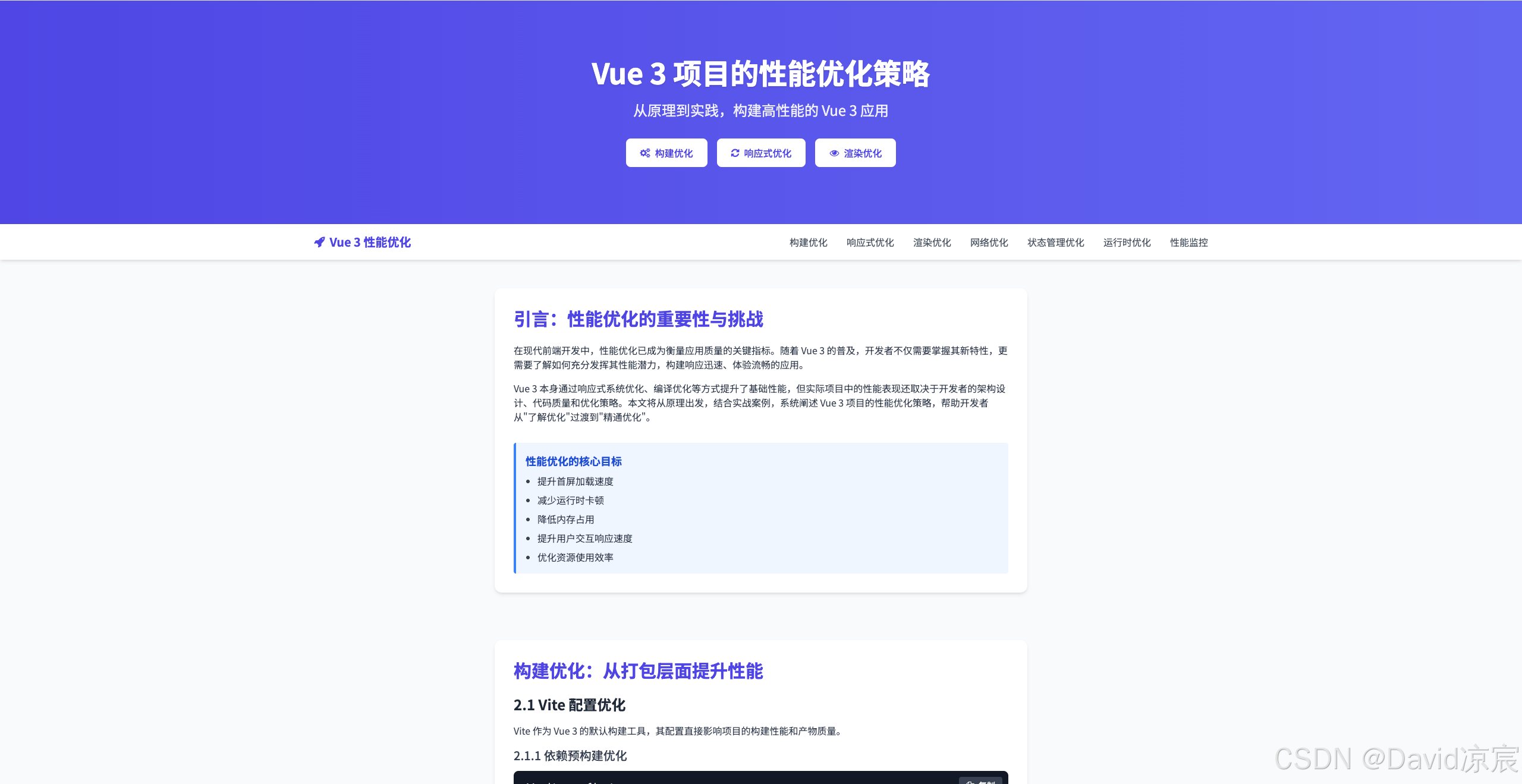
<!DOCTYPE html>
<html lang="zh-CN">
<head>
<meta charset="UTF-8">
<meta name="viewport" content="width=device-width, initial-scale=1.0">
<title>Vue 3 项目的性能优化策略:从原理到实践</title>
<script src="https://cdn.tailwindcss.com"></script>
<link href="https://cdn.jsdelivr.net/npm/font-awesome@4.7.0/css/font-awesome.min.css" rel="stylesheet">
<script src="https://cdn.jsdelivr.net/npm/chart.js@4.4.8/dist/chart.umd.min.js"></script>
<link rel="preconnect" href="https://fonts.googleapis.com">
<link rel="preconnect" href="https://fonts.gstatic.com" crossorigin>
<link href="https://fonts.googleapis.com/css2?family=Noto+Sans+SC:wght@300;400;500;700&display=swap" rel="stylesheet">
<script>
tailwind.config = {
theme: {
extend: {
colors: {
primary: '#4F46E5',
secondary: '#6366F1',
accent: '#818CF8',
dark: '#1E293B',
light: '#F8FAFC'
},
fontFamily: {
sans: ['Noto Sans SC', 'sans-serif']
}
}
}
}
</script>
<style type="text/tailwindcss">
@layer utilities {
.content-auto {
content-visibility: auto;
}
.text-shadow {
text-shadow: 0 2px 4px rgba(0,0,0,0.1);
}
.transition-all-300 {
transition: all 300ms ease-in-out;
}
}
</style>
<style>
html {
scroll-behavior: smooth;
}
body {
font-family: 'Noto Sans SC', sans-serif;
}
.code-block {
position: relative;
}
.code-block .copy-button {
position: absolute;
top: 10px;
right: 10px;
z-index: 10;
}
.progress-bar {
position: fixed;
top: 0;
left: 0;
height: 4px;
background: #4F46E5;
z-index: 100;
transition: width 0.2s ease;
}
.back-to-top {
position: fixed;
bottom: 20px;
right: 20px;
z-index: 99;
opacity: 0;
visibility: hidden;
transition: opacity 0.3s, visibility 0.3s;
}
.back-to-top.visible {
opacity: 1;
visibility: visible;
}
.checklist-item {
transition: all 0.2s ease;
}
.checklist-item.checked {
text-decoration: line-through;
opacity: 0.7;
}
.nav-link {
position: relative;
}
.nav-link::after {
content: '';
position: absolute;
width: 0;
height: 2px;
bottom: -2px;
left: 0;
background-color: #4F46E5;
transition: width 0.3s ease;
}
.nav-link:hover::after {
width: 100%;
}
.nav-link.active::after {
width: 100%;
}
</style>
</head>
<body class="bg-gray-50 text-gray-800">
<!-- 进度条 -->
<div class="progress-bar" id="progressBar"></div>
<!-- 头部 -->
<header class="bg-gradient-to-r from-primary to-secondary text-white shadow-lg">
<div class="container mx-auto px-4 py-16 md:py-24">
<div class="max-w-4xl mx-auto text-center">
<h1 class="text-4xl md:text-5xl font-bold mb-6 text-shadow">Vue 3 项目的性能优化策略</h1>
<p class="text-xl md:text-2xl mb-8 opacity-90">从原理到实践,构建高性能的 Vue 3 应用</p>
<div class="flex flex-wrap justify-center gap-4">
<a href="#build-optimization" class="bg-white text-primary px-6 py-3 rounded-lg font-medium hover:bg-gray-100 transition-all-300 flex items-center gap-2">
<i class="fa fa-cogs"></i> 构建优化
</a>
<a href="#reactive-optimization" class="bg-white text-primary px-6 py-3 rounded-lg font-medium hover:bg-gray-100 transition-all-300 flex items-center gap-2">
<i class="fa fa-refresh"></i> 响应式优化
</a>
<a href="#render-optimization" class="bg-white text-primary px-6 py-3 rounded-lg font-medium hover:bg-gray-100 transition-all-300 flex items-center gap-2">
<i class="fa fa-eye"></i> 渲染优化
</a>
</div>
</div>
</div>
</header>
<!-- 导航栏 -->
<nav class="bg-white shadow-md sticky top-0 z-50">
<div class="container mx-auto px-4">
<div class="flex justify-between items-center py-4">
<a href="#" class="text-xl font-bold text-primary flex items-center gap-2">
<i class="fa fa-rocket"></i>
<span>Vue 3 性能优化</span>
</a>
<div class="hidden md:flex space-x-8">
<a href="#build-optimization" class="nav-link text-gray-600 hover:text-primary transition-all-300">构建优化</a>
<a href="#reactive-optimization" class="nav-link text-gray-600 hover:text-primary transition-all-300">响应式优化</a>
<a href="#render-optimization" class="nav-link text-gray-600 hover:text-primary transition-all-300">渲染优化</a>
<a href="#network-optimization" class="nav-link text-gray-600 hover:text-primary transition-all-300">网络优化</a>
<a href="#state-optimization" class="nav-link text-gray-600 hover:text-primary transition-all-300">状态管理优化</a>
<a href="#runtime-optimization" class="nav-link text-gray-600 hover:text-primary transition-all-300">运行时优化</a>
<a href="#monitoring" class="nav-link text-gray-600 hover:text-primary transition-all-300">性能监控</a>
</div>
<button id="mobile-menu-button" class="md:hidden text-gray-600 hover:text-primary">
<i class="fa fa-bars text-xl"></i>
</button>
</div>
<!-- 移动端菜单 -->
<div id="mobile-menu" class="md:hidden hidden pb-4">
<a href="#build-optimization" class="block py-2 text-gray-600 hover:text-primary">构建优化</a>
<a href="#reactive-optimization" class="block py-2 text-gray-600 hover:text-primary">响应式优化</a>
<a href="#render-optimization" class="block py-2 text-gray-600 hover:text-primary">渲染优化</a>
<a href="#network-optimization" class="block py-2 text-gray-600 hover:text-primary">网络优化</a>
<a href="#state-optimization" class="block py-2 text-gray-600 hover:text-primary">状态管理优化</a>
<a href="#runtime-optimization" class="block py-2 text-gray-600 hover:text-primary">运行时优化</a>
<a href="#monitoring" class="block py-2 text-gray-600 hover:text-primary">性能监控</a>
</div>
</div>
</nav>
<!-- 主要内容 -->
<main class="container mx-auto px-4 py-12">
<!-- 引言 -->
<section id="introduction" class="max-w-4xl mx-auto mb-20">
<div class="bg-white rounded-xl shadow-md p-8">
<h2 class="text-3xl font-bold mb-6 text-primary">引言:性能优化的重要性与挑战</h2>
<p class="mb-4 text-gray-700">在现代前端开发中,性能优化已成为衡量应用质量的关键指标。随着 Vue 3 的普及,开发者不仅需要掌握其新特性,更需要了解如何充分发挥其性能潜力,构建响应迅速、体验流畅的应用。</p>
<p class="mb-4 text-gray-700">Vue 3 本身通过响应式系统优化、编译优化等方式提升了基础性能,但实际项目中的性能表现还取决于开发者的架构设计、代码质量和优化策略。本文将从原理出发,结合实战案例,系统阐述 Vue 3 项目的性能优化策略,帮助开发者从"了解优化"过渡到"精通优化"。</p>
<div class="mt-8 bg-blue-50 border-l-4 border-blue-500 p-4 rounded">
<h3 class="text-lg font-semibold text-blue-700 mb-2">性能优化的核心目标</h3>
<ul class="list-disc pl-5 space-y-2 text-gray-700">
<li>提升首屏加载速度</li>
<li>减少运行时卡顿</li>
<li>降低内存占用</li>
<li>提升用户交互响应速度</li>
<li>优化资源使用效率</li>
</ul>
</div>
</div>
</section>
<!-- 构建优化 -->
<section id="build-optimization" class="max-w-4xl mx-auto mb-20">
<div class="bg-white rounded-xl shadow-md p-8">
<h2 class="text-3xl font-bold mb-6 text-primary">构建优化:从打包层面提升性能</h2>
<h3 class="text-2xl font-semibold mb-4 text-gray-800">2.1 Vite 配置优化</h3>
<p class="mb-4 text-gray-700">Vite 作为 Vue 3 的默认构建工具,其配置直接影响项目的构建性能和产物质量。</p>
<h4 class="text-xl font-medium mb-3 text-gray-700">2.1.1 依赖预构建优化</h4>
<div class="code-block bg-gray-900 rounded-lg overflow-hidden mb-6">
<pre class="text-gray-100 p-4 overflow-x-auto"><code>// vite.config.ts
import { defineConfig } from 'vite'
import vue from '@vitejs/plugin-vue'
export default defineConfig({
plugins: [vue()],
optimizeDeps: {
// 强制预构建的依赖:确保大型依赖被预构建
// 这样可以避免首次访问时的构建延迟,提高开发服务器启动速度
include: ['lodash-es', 'echarts', 'ant-design-vue'],
// 排除不需要预构建的依赖
// 例如已经是 ESM 格式的依赖,或者构建速度很快的依赖
exclude: ['some-library'],
// 自定义 esbuild 选项
// target 设置为 es2015 以平衡兼容性和性能
esbuildOptions: {
target: 'es2015'
}
}
})</code></pre>
<button class="copy-button bg-gray-700 text-white px-3 py-1 rounded text-sm hover:bg-gray-600 transition-all-300">
<i class="fa fa-copy mr-1"></i> 复制
</button>
</div>
<div class="bg-green-50 border-l-4 border-green-500 p-4 rounded mb-6">
<h4 class="font-semibold text-green-700 mb-2">原理与收益</h4>
<ul class="list-disc pl-5 space-y-1 text-gray-700">
<li><strong>依赖预构建</strong>:Vite 使用 esbuild 将 CommonJS 依赖转换为 ESM,并缓存构建结果,减少开发时的重复转换</li>
<li><strong>include 配置</strong>:强制预构建大型依赖,避免首次访问时的构建延迟</li>
<li><strong>esbuild 优化</strong>:通过 target 配置平衡兼容性和性能</li>
</ul>
</div>
<h4 class="text-xl font-medium mb-3 text-gray-700">2.1.2 构建产物优化</h4>
<div class="code-block bg-gray-900 rounded-lg overflow-hidden mb-6">
<pre class="text-gray-100 p-4 overflow-x-auto"><code>// vite.config.ts
export default defineConfig({
build: {
// 代码压缩:使用 terser 进行更高级的代码压缩
minify: 'terser',
terserOptions: {
compress: {
// 移除控制台日志,减少打包体积
drop_console: true,
// 移除 debugger 语句,提高生产环境性能
drop_debugger: true
}
},
// 资源内联限制:小于 4KB 的资源会被内联到 HTML 中
// 这样可以减少 HTTP 请求数量,提高加载速度
assetsInlineLimit: 4096, // 4KB
// CSS 代码分割:将 CSS 拆分为多个文件,按需加载
// 避免单个 CSS 文件过大,影响首屏加载速度
cssCodeSplit: true,
// 预加载:自动预加载关键资源
// 提高后续页面或组件的加载速度
preload: {
include: 'auto'
},
// 代码分割:自定义 chunk 分割策略
rollupOptions: {
output: {
manualChunks: {
// 第三方库:将核心依赖打包在一起
vendor: ['vue', 'pinia', 'vue-router'],
// UI 库:将 UI 组件库单独打包
ui: ['ant-design-vue'],
// 图表库:将图表库单独打包
chart: ['echarts'],
// 工具库:将工具库单独打包
utils: ['lodash-es', 'axios']
// 这样可以提高缓存利用率,只有当依赖更新时才需要重新下载
}
}
}
}
})</code></pre>
<button class="copy-button bg-gray-700 text-white px-3 py-1 rounded text-sm hover:bg-gray-600 transition-all-300">
<i class="fa fa-copy mr-1"></i> 复制
</button>
</div>
<h3 class="text-2xl font-semibold mb-4 text-gray-800">2.2 代码分割策略</h3>
<h4 class="text-xl font-medium mb-3 text-gray-700">2.2.1 路由级代码分割</h4>
<div class="code-block bg-gray-900 rounded-lg overflow-hidden mb-6">
<pre class="text-gray-100 p-4 overflow-x-auto"><code>// router/index.ts
import { createRouter, createWebHistory } from 'vue-router'
const router = createRouter({
history: createWebHistory(),
routes: [
{
path: '/',
// 使用动态导入实现路由级代码分割
// 这样首页加载时不会加载其他路由的组件代码
component: () => import('@/views/Home.vue')
},
{
path: '/dashboard',
// 按需加载仪表板组件
// 只有当用户访问 /dashboard 路由时才会加载对应的代码
component: () => import('@/views/Dashboard.vue')
},
{
path: '/admin',
// 按需加载管理页面组件
// 减少初始包大小,提高首屏加载速度
component: () => import('@/views/Admin.vue')
}
]
})
// 路由级代码分割的优势:
// 1. 减少初始包大小,提高首屏加载速度
// 2. 按需加载,节省带宽和资源
// 3. 提高缓存利用率,不同路由的代码分开缓存</code></pre>
<button class="copy-button bg-gray-700 text-white px-3 py-1 rounded text-sm hover:bg-gray-600 transition-all-300">
<i class="fa fa-copy mr-1"></i> 复制
</button>
</div>
<h4 class="text-xl font-medium mb-3 text-gray-700">2.2.2 组件级代码分割</h4>
<div class="code-block bg-gray-900 rounded-lg overflow-hidden mb-6">
<pre class="text-gray-100 p-4 overflow-x-auto"><code><template>
<div>
<h1>首页</h1>
<button @click="showHeavyComponent = true">显示重型组件</button>
<!-- 条件渲染重型组件 -->
<!-- 只有当 showHeavyComponent 为 true 时才会触发组件的加载 -->
<HeavyComponent v-if="showHeavyComponent" />
</div>
</template>
<script setup lang="ts">
import { ref, defineAsyncComponent } from 'vue'
const showHeavyComponent = ref(false)
// 异步加载重型组件
// 使用 defineAsyncComponent 实现组件级代码分割
const HeavyComponent = defineAsyncComponent({
// 组件加载器函数:返回一个 Promise
loader: () => import('@/components/HeavyComponent.vue'),
// 加载时显示的组件
loadingComponent: () => import('@/components/Loading.vue'),
// 加载失败时显示的组件
errorComponent: () => import('@/components/Error.vue'),
// 延迟显示加载组件的时间(毫秒)
// 避免快速加载时的闪烁
delay: 200,
// 加载超时时间(毫秒)
// 如果超过这个时间组件还没加载完成,就显示错误组件
timeout: 3000
})
// 组件级代码分割的优势:
// 1. 减少初始包大小,提高首页加载速度
// 2. 按需加载重型组件,节省资源
// 3. 提供更好的用户体验(加载状态和错误处理)
</script></code></pre>
<button class="copy-button bg-gray-700 text-white px-3 py-1 rounded text-sm hover:bg-gray-600 transition-all-300">
<i class="fa fa-copy mr-1"></i> 复制
</button>
</div>
<h3 class="text-2xl font-semibold mb-4 text-gray-800">2.3 Tree-shaking 优化</h3>
<div class="code-block bg-gray-900 rounded-lg overflow-hidden mb-6">
<pre class="text-gray-100 p-4 overflow-x-auto"><code>// 优化前:导入整个库
// 这样会将整个 lodash 库打包到最终产物中,即使只使用了其中一个方法
// 导致打包体积过大,影响加载性能
import _ from 'lodash'
const result = _.debounce(() => {}, 300)
// 优化后:按需导入
// 只导入需要的 debounce 方法,配合 Tree-shaking 可以移除未使用的代码
// 显著减少打包体积,提高加载性能
// 使用 lodash-es 而不是 lodash,因为它是 ES 模块格式,更适合 Tree-shaking
import { debounce } from 'lodash-es'
const result = debounce(() => {}, 300)
// 或者使用动态导入 + webpack 魔法注释
// 进一步优化,只在需要时才加载 debounce 方法
import('lodash-es/debounce')
// Tree-shaking 优化的关键:
// 1. 使用 ES 模块格式(import/export)
// 2. 按需导入,避免导入整个库
// 3. 确保构建工具配置正确,启用 Tree-shaking
// 4. 避免使用副作用较大的代码,影响 Tree-shaking 效果</code></pre>
<button class="copy-button bg-gray-700 text-white px-3 py-1 rounded text-sm hover:bg-gray-600 transition-all-300">
<i class="fa fa-copy mr-1"></i> 复制
</button>
</div>
</div>
</section>
<!-- 响应式系统优化 -->
<section id="reactive-optimization" class="max-w-4xl mx-auto mb-20">
<div class="bg-white rounded-xl shadow-md p-8">
<h2 class="text-3xl font-bold mb-6 text-primary">响应式系统优化:充分利用 Vue 3 的响应式特性</h2>
<h3 class="text-2xl font-semibold mb-4 text-gray-800">3.1 ref 与 reactive 的合理选择</h3>
<div class="code-block bg-gray-900 rounded-lg overflow-hidden mb-6">
<pre class="text-gray-100 p-4 overflow-x-auto"><code>// 基本类型使用 ref
// ref 适合存储基本类型值,提供 .value 访问方式
// 底层使用 Proxy 包装,实现响应式更新
const count = ref(0)
// 对象类型使用 reactive
// reactive 适合存储对象类型值,直接访问属性,无需 .value
// 底层使用 Proxy 包装对象,实现响应式更新
const user = reactive({
name: 'John',
age: 30
})
// 复杂对象考虑使用 shallowReactive
// shallowReactive 只对对象的顶层属性进行响应式处理
// 对于深层嵌套的复杂对象,使用 shallowReactive 可以显著减少响应式开销
// 提高性能,特别是当深层嵌套对象不需要响应式更新时
const complexObject = shallowReactive({
// 深层嵌套对象
deep: {
nested: {
data: {}
}
}
})
// 选择合适的响应式 API 的原则:
// 1. 基本类型 → 使用 ref
// 2. 简单对象 → 使用 reactive
// 3. 复杂深层嵌套对象 → 使用 shallowReactive
// 4. 需要保持引用的对象 → 考虑使用 ref 包装对象</code></pre>
<button class="copy-button bg-gray-700 text-white px-3 py-1 rounded text-sm hover:bg-gray-600 transition-all-300">
<i class="fa fa-copy mr-1"></i> 复制
</button>
</div>
<div class="bg-green-50 border-l-4 border-green-500 p-4 rounded mb-6">
<h4 class="font-semibold text-green-700 mb-2">原理与收益</h4>
<ul class="list-disc pl-5 space-y-1 text-gray-700">
<li><strong>ref 优势</strong>:基本类型的响应式包装,访问和修改简单(.value)</li>
<li><strong>reactive 优势</strong>:对象类型的响应式代理,无需 .value 访问</li>
<li><strong>shallowReactive 优势</strong>:仅对顶层属性响应式,适合深层嵌套对象,减少响应式开销</li>
</ul>
</div>
<h3 class="text-2xl font-semibold mb-4 text-gray-800">3.2 避免响应式陷阱</h3>
<h4 class="text-xl font-medium mb-3 text-gray-700">3.2.1 避免直接修改响应式对象</h4>
<div class="code-block bg-gray-900 rounded-lg overflow-hidden mb-6">
<pre class="text-gray-100 p-4 overflow-x-auto"><code>// 优化前:直接修改响应式对象
// 这里存在响应式陷阱:直接替换整个 reactive 对象会失去响应式
// 因为 reactive 返回的是一个 Proxy 代理对象,直接赋值会覆盖这个代理
const user = reactive({ name: 'John' })
user = { name: 'Jane' } // 失去响应式 - 现在 user 是一个普通对象,不再是响应式的
// 优化后:修改属性而非替换对象
// 正确的做法是修改对象的属性,而不是替换整个对象
// 这样可以保持响应式,因为 Proxy 代理仍然有效
const user = reactive({ name: 'John' })
user.name = 'Jane' // 保持响应式 - 修改属性值,Proxy 会捕获到这个变化
// 或者使用 ref 包装
// ref 包装的对象可以通过 .value 直接替换,仍然保持响应式
// 因为 ref 内部会处理这种情况,确保替换后的值仍然是响应式的
const user = ref({ name: 'John' })
user.value = { name: 'Jane' } // 保持响应式 - ref 会自动处理对象替换
// 避免响应式陷阱的原则:
// 1. 对于 reactive 对象,不要直接替换整个对象,而是修改其属性
// 2. 对于需要频繁替换的对象,使用 ref 包装
// 3. 理解 Proxy 和 ref 的工作原理,避免常见的响应式陷阱</code></pre>
<button class="copy-button bg-gray-700 text-white px-3 py-1 rounded text-sm hover:bg-gray-600 transition-all-300">
<i class="fa fa-copy mr-1"></i> 复制
</button>
</div>
<h4 class="text-xl font-medium mb-3 text-gray-700">3.2.2 避免响应式对象的解构赋值</h4>
<div class="code-block bg-gray-900 rounded-lg overflow-hidden mb-6">
<pre class="text-gray-100 p-4 overflow-x-auto"><code>// 优化前:解构赋值失去响应式
// 这里存在响应式陷阱:对 reactive 对象进行解构赋值会失去响应式
// 因为解构出来的 name 是一个普通字符串,不再是响应式的引用
const user = reactive({ name: 'John' })
const { name } = user // name 不再是响应式 - 现在是一个普通字符串值
// 优化后:使用 toRefs 保持响应式
// toRefs 会将 reactive 对象的每个属性转换为对应的 ref
// 这样解构出来的 name 仍然是一个响应式的 ref 对象
import { toRefs } from 'vue'
const user = reactive({ name: 'John' })
const { name } = toRefs(user) // name 保持响应式 - 现在是一个 ref 对象,需要通过 name.value 访问
// 或者使用 computed
// 使用计算属性也是一种保持响应式的方法
// 计算属性会追踪依赖,当 user.name 变化时自动更新
import { computed } from 'vue'
const userName = computed(() => user.name) // userName 是一个响应式的计算属性
// 避免解构赋值陷阱的原则:
// 1. 对 reactive 对象进行解构时,使用 toRefs 保持响应式
// 2. 对于需要频繁访问的属性,考虑使用 computed 创建计算属性
// 3. 理解 ref 和 reactive 的工作差异,选择合适的 API
// 4. 在组件模板中,Vue 会自动解包 ref,所以可以直接使用,无需 .value</code></pre>
<button class="copy-button bg-gray-700 text-white px-3 py-1 rounded text-sm hover:bg-gray-600 transition-all-300">
<i class="fa fa-copy mr-1"></i> 复制
</button>
</div>
<h3 class="text-2xl font-semibold mb-4 text-gray-800">3.3 高级响应式 API 的使用</h3>
<h4 class="text-xl font-medium mb-3 text-gray-700">3.3.1 使用 shallowRef 处理大型对象</h4>
<div class="code-block bg-gray-900 rounded-lg overflow-hidden mb-6">
<pre class="text-gray-100 p-4 overflow-x-auto"><code>import { shallowRef, triggerRef } from 'vue'
// 大型对象使用 shallowRef
// shallowRef 只对 .value 本身进行响应式处理,不会递归处理对象内部的属性
// 对于包含大量数据的大型对象或数组,使用 shallowRef 可以显著减少响应式开销
// 提高性能,避免不必要的深度代理
const largeList = shallowRef([])
// 批量更新后手动触发响应式
function updateLargeList(newData) {
// 直接修改 shallowRef 的 value
// 由于是 shallowRef,内部对象的变化不会自动触发响应式更新
largeList.value = newData
// 手动触发响应式更新
// 当需要更新视图时,使用 triggerRef 手动触发响应式系统的更新
// 这样可以控制更新时机,避免频繁的不必要更新
triggerRef(largeList)
}
// shallowRef 的使用场景:
// 1. 存储大型列表或深层嵌套对象
// 2. 数据不频繁变化,或变化时需要完全替换
// 3. 性能敏感的场景,需要减少响应式开销
// 4. 与 triggerRef 配合使用,手动控制更新时机
// 注意事项:
// - shallowRef 内部的对象不是响应式的,修改内部属性不会触发更新
// - 需要通过修改 .value 或使用 triggerRef 来触发更新
// - 适用于数据作为一个整体进行替换的场景</code></pre>
<button class="copy-button bg-gray-700 text-white px-3 py-1 rounded text-sm hover:bg-gray-600 transition-all-300">
<i class="fa fa-copy mr-1"></i> 复制
</button>
</div>
<h4 class="text-xl font-medium mb-3 text-gray-700">3.3.2 使用 markRaw 标记非响应式对象</h4>
<div class="code-block bg-gray-900 rounded-lg overflow-hidden mb-6">
<pre class="text-gray-100 p-4 overflow-x-auto"><code>import { markRaw } from 'vue'
// 第三方库实例标记为非响应式
// 第三方库实例(如 Chart.js、D3.js 等)通常不需要响应式
// 将其标记为非响应式可以避免 Vue 的响应式系统对其进行代理
// 提高性能,避免可能的兼容性问题
const chartInstance = markRaw(new Chart())
// 常量数据标记为非响应式
// 对于不会变化的常量数据,使用 markRaw 可以避免不必要的响应式处理
// 减少内存占用和响应式开销,提高应用性能
const constantData = markRaw({
// 不会变化的数据
})
// markRaw 的使用场景:
// 1. 第三方库实例(如图表、地图等)
// 2. 常量数据或配置对象
// 3. 大型不可变对象
// 4. 性能敏感的场景,需要避免响应式开销
// 注意事项:
// - markRaw 标记的对象永远不会成为响应式的,即使被放入 reactive 或 ref 中
// - 修改 markRaw 标记的对象不会触发视图更新
// - 只对确实不需要响应式的对象使用 markRaw</code></pre>
<button class="copy-button bg-gray-700 text-white px-3 py-1 rounded text-sm hover:bg-gray-600 transition-all-300">
<i class="fa fa-copy mr-1"></i> 复制
</button>
</div>
</div>
</section>
<!-- 渲染优化 -->
<section id="render-optimization" class="max-w-4xl mx-auto mb-20">
<div class="bg-white rounded-xl shadow-md p-8">
<h2 class="text-3xl font-bold mb-6 text-primary">渲染优化:提升组件渲染性能</h2>
<h3 class="text-2xl font-semibold mb-4 text-gray-800">4.1 模板指令优化</h3>
<h4 class="text-xl font-medium mb-3 text-gray-700">4.1.1 使用 v-memo 缓存渲染结果</h4>
<div class="code-block bg-gray-900 rounded-lg overflow-hidden mb-6">
<pre class="text-gray-100 p-4 overflow-x-auto"><code><template>
<div>
<h1>商品列表</h1>
<ul>
<!-- 使用 v-for 渲染商品列表 -->
<!-- 添加 v-memo 指令缓存渲染结果 -->
<!-- v-memo 的依赖数组包含 item.price 和 item.stock -->
<!-- 只有当这些依赖值变化时,才会重新渲染该列表项 -->
<li v-for="item in items" :key="item.id" v-memo="[item.price, item.stock]">
<h3>{{ item.name }}</h3>
<p>价格: {{ item.price }}</p>
<p>库存: {{ item.stock }}</p>
<!-- 复杂的折扣计算 -->
<!-- 由于使用了 v-memo,只有当 price 或 stock 变化时才会重新计算 -->
<p>折扣: {{ calculateDiscount(item.price, item.stock) }}</p>
</li>
</ul>
</div>
</template>
<script setup lang="ts">
import { ref } from 'vue'
const items = ref([
{ id: 1, name: '商品1', price: 100, stock: 50 },
{ id: 2, name: '商品2', price: 200, stock: 30 },
{ id: 3, name: '商品3', price: 150, stock: 20 }
])
const calculateDiscount = (price, stock) => {
// 复杂的折扣计算逻辑
// 假设这是一个计算密集型的函数
return stock > 40 ? price * 0.9 : price
}
</script>
<!-- v-memo 的性能优势:
1. 缓存渲染结果,避免不必要的重复渲染
2. 减少计算密集型操作的执行次数
3. 特别适合大型列表或包含复杂计算的场景
4. 与 v-for 配合使用效果最佳
v-memo 的使用原则:
1. 只包含影响渲染结果的依赖值
2. 依赖数组的长度应尽可能小
3. 避免在依赖数组中使用复杂表达式
4. 对于确实不需要更新的内容使用 v-memo --></code></pre>
<button class="copy-button bg-gray-700 text-white px-3 py-1 rounded text-sm hover:bg-gray-600 transition-all-300">
<i class="fa fa-copy mr-1"></i> 复制
</button>
</div>
<h4 class="text-xl font-medium mb-3 text-gray-700">4.1.2 使用 v-once 渲染静态内容</h4>
<div class="code-block bg-gray-900 rounded-lg overflow-hidden mb-6">
<pre class="text-gray-100 p-4 overflow-x-auto"><code><template>
<div>
<!-- 静态内容使用 v-once -->
<!-- v-once 指令告诉 Vue 只渲染该元素一次,然后将其缓存 -->
<!-- 对于不会变化的静态内容,使用 v-once 可以避免不必要的重渲染 -->
<!-- 提高性能,减少渲染开销 -->
<div v-once>
<h1>网站标题</h1>
<p>这是一段静态文本,不会变化</p>
</div>
<!-- 动态内容 -->
<!-- 动态内容仍然会正常响应数据变化 -->
<div>
<p>计数器: {{ count }}</p>
<button @click="count++">增加</button>
</div>
</div>
</template>
<script setup lang="ts">
import { ref } from 'vue'
const count = ref(0)
</script>
<!-- v-once 的性能优势:
1. 减少静态内容的渲染开销
2. 避免不必要的虚拟 DOM 比较
3. 提高应用的整体渲染性能
4. 特别适合包含大量静态内容的页面
v-once 的使用场景:
1. 网站标题、版权信息等不会变化的内容
2. 静态导航栏、页脚等布局元素
3. 从服务器获取的静态数据
4. 任何不需要响应式更新的内容 --></code></pre>
<button class="copy-button bg-gray-700 text-white px-3 py-1 rounded text-sm hover:bg-gray-600 transition-all-300">
<i class="fa fa-copy mr-1"></i> 复制
</button>
</div>
<h3 class="text-2xl font-semibold mb-4 text-gray-800">4.2 计算属性与监听器优化</h3>
<h4 class="text-xl font-medium mb-3 text-gray-700">4.2.1 合理使用 computed 缓存计算结果</h4>
<div class="code-block bg-gray-900 rounded-lg overflow-hidden mb-6">
<pre class="text-gray-100 p-4 overflow-x-auto"><code>// 优化前:每次访问都会重新计算
// 每次调用 getFullName 函数都会执行字符串拼接操作
// 即使 firstName 和 lastName 没有变化,也会重新计算
// 对于复杂的计算逻辑,这会导致性能问题
function getFullName() {
return `${firstName.value} ${lastName.value}`
}
// 优化后:使用 computed 缓存计算结果
// computed 会缓存计算结果,只有当依赖的响应式数据变化时才会重新计算
// 多次访问 fullName 时,只会在依赖变化时执行一次计算
// 提高性能,避免不必要的重复计算
const fullName = computed(() => {
return `${firstName.value} ${lastName.value}`
})
// computed 的性能优势:
// 1. 缓存计算结果,避免重复计算
// 2. 自动追踪依赖,只在依赖变化时重新计算
// 3. 提高代码可读性和可维护性
// 4. 适合处理需要基于响应式数据的计算逻辑
// computed 的使用场景:
// 1. 基于响应式数据的派生状态
// 2. 复杂的计算逻辑
// 3. 需要频繁访问的计算结果
// 4. 依赖多个响应式数据的场景</code></pre>
<button class="copy-button bg-gray-700 text-white px-3 py-1 rounded text-sm hover:bg-gray-600 transition-all-300">
<i class="fa fa-copy mr-1"></i> 复制
</button>
</div>
<h4 class="text-xl font-medium mb-3 text-gray-700">4.2.2 监听器的优化</h4>
<div class="code-block bg-gray-900 rounded-lg overflow-hidden mb-6">
<pre class="text-gray-100 p-4 overflow-x-auto"><code>// 优化前:深度监听整个对象
// 深度监听会递归遍历对象的所有属性,当任何属性变化时都会触发回调
// 对于大型对象,深度监听会导致性能问题,因为它需要遍历整个对象树
// 而且每次对象发生变化时都会执行回调,即使变化的属性与业务逻辑无关
watch(user, (newVal) => {
console.log('User changed:', newVal)
}, { deep: true })
// 优化后:监听特定属性
// 只监听 user.name 属性,避免深度遍历整个对象
// 这样只有当 name 属性变化时才会触发回调,提高性能
// 使用函数形式的监听源,Vue 会自动追踪函数中使用的响应式数据
watch(() => user.name, (newVal) => {
console.log('User name changed:', newVal)
})
// 或者使用 watchEffect
// watchEffect 会自动追踪其回调函数中使用的所有响应式数据
// 当这些数据变化时,回调会重新执行
// 相比 watch,watchEffect 更简洁,适合处理副作用
watchEffect(() => {
console.log('User name:', user.name)
})
// 监听器优化的原则:
// 1. 避免使用 deep: true 监听大型对象
// 2. 尽量监听具体的属性,而不是整个对象
// 3. 使用函数形式的监听源,提高性能和可读性
// 4. 对于只需要执行一次的初始化逻辑,考虑使用 immediate: true
// 5. 对于计算属性,优先使用 computed 而不是 watch
// 6. 及时清理监听器,避免内存泄漏</code></pre>
<button class="copy-button bg-gray-700 text-white px-3 py-1 rounded text-sm hover:bg-gray-600 transition-all-300">
<i class="fa fa-copy mr-1"></i> 复制
</button>
</div>
<h3 class="text-2xl font-semibold mb-4 text-gray-800">4.3 组件优化策略</h3>
<h4 class="text-xl font-medium mb-3 text-gray-700">4.3.1 合理使用组件拆分</h4>
<div class="code-block bg-gray-900 rounded-lg overflow-hidden mb-6">
<pre class="text-gray-100 p-4 overflow-x-auto"><code><!-- 父组件 -->
<template>
<div>
<h1>用户管理</h1>
<!-- 拆分出用户列表组件 -->
<!-- 将用户列表拆分为独立组件,提高代码复用性和可维护性 -->
<!-- 当 users 数据变化时,只有 UserList 组件会重新渲染,父组件其他部分不受影响 -->
<UserList :users="users" />
<!-- 拆分出用户表单组件 -->
<!-- 将用户表单拆分为独立组件,实现关注点分离 -->
<!-- 表单的状态变化不会影响列表的渲染,提高性能 -->
<UserForm @submit="addUser" />
</div>
</template>
<!-- 子组件:UserList.vue -->
<template>
<ul>
<li v-for="user in users" :key="user.id">
{{ user.name }}
</li>
</ul>
</template>
<script setup lang="ts">
// 定义组件 props
// 使用 TypeScript 类型定义,提高代码可读性和类型安全性
// 子组件只接收必要的 props,避免不必要的依赖
// 当父组件传递新的 users 数组时,子组件会根据需要重新渲染
// 但子组件内部的状态变化不会影响父组件
const props = defineProps<{
users: { id: number; name: string }[]
}>()
</script>
<!-- 组件拆分的性能优势:
1. 减少不必要的重渲染:当子组件的数据变化时,只有子组件会重新渲染
2. 提高渲染性能:更小的组件树,Vue 可以更高效地追踪和更新
3. 更好的代码组织:关注点分离,提高代码可读性和可维护性
4. 便于测试:更小的组件更容易测试
5. 支持异步加载:大型组件可以使用 defineAsyncComponent 实现懒加载
组件拆分的原则:
1. 单一职责:每个组件只负责一个功能
2. 合理粒度:组件大小适中,避免过细或过粗的拆分
3. 明确接口:通过 props 和 emit 定义清晰的组件接口
4. 避免过度通信:减少组件间的复杂通信,避免性能瓶颈
5. 复用优先:识别可复用的 UI 模式,提取为公共组件 --></code></pre>
<button class="copy-button bg-gray-700 text-white px-3 py-1 rounded text-sm hover:bg-gray-600 transition-all-300">
<i class="fa fa-copy mr-1"></i> 复制
</button>
</div>
</div>
</section>
<!-- 网络优化 -->
<section id="network-optimization" class="max-w-4xl mx-auto mb-20">
<div class="bg-white rounded-xl shadow-md p-8">
<h2 class="text-3xl font-bold mb-6 text-primary">网络优化:提升数据加载性能</h2>
<h3 class="text-2xl font-semibold mb-4 text-gray-800">5.1 API 请求优化</h3>
<h4 class="text-xl font-medium mb-3 text-gray-700">5.1.1 使用 axios 拦截器和缓存</h4>
<div class="code-block bg-gray-900 rounded-lg overflow-hidden mb-6">
<pre class="text-gray-100 p-4 overflow-x-auto"><code>// utils/http.ts
import axios from 'axios'
// 创建 axios 实例
// 配置基础 URL 和超时时间
// 基础 URL 统一设置,避免重复代码
// 超时时间设置为 10 秒,避免请求长时间挂起
const http = axios.create({
baseURL: '/api',
timeout: 10000
})
// 请求缓存
// 使用 Map 存储缓存的请求结果
// Map 具有更快的查找速度,适合缓存场景
// 缓存可以减少重复的网络请求,提高性能和用户体验
const cache = new Map()
// 请求拦截器
// 在发送请求前执行的逻辑
http.interceptors.request.use(
config => {
// 添加缓存逻辑
// 只缓存 GET 请求,因为 GET 请求通常是幂等的
if (config.method === 'get') {
// 生成缓存键:URL + 参数的 JSON 字符串
// 这样可以确保不同参数的相同 URL 有不同的缓存
const cacheKey = config.url + JSON.stringify(config.params)
// 检查缓存中是否已有结果
// 如果有,直接返回缓存的结果,避免网络请求
if (cache.has(cacheKey)) {
return Promise.resolve({ data: cache.get(cacheKey) })
}
}
return config
},
error => {
// 处理请求错误
return Promise.reject(error)
}
)
// 响应拦截器
// 在接收到响应后执行的逻辑
http.interceptors.response.use(
response => {
// 缓存 GET 请求结果
// 只缓存成功的 GET 请求响应
if (response.config.method === 'get') {
// 生成与请求拦截器相同的缓存键
const cacheKey = response.config.url + JSON.stringify(response.config.params)
// 将响应数据存入缓存
cache.set(cacheKey, response.data)
}
return response
},
error => {
// 处理响应错误
return Promise.reject(error)
}
)
// 导出配置好的 axios 实例
export default http
// 缓存策略的优势:
// 1. 减少重复的网络请求,提高性能
// 2. 减轻服务器负担
// 3. 提高应用响应速度,改善用户体验
// 4. 可以在网络不稳定时提供更好的用户体验
// 缓存策略的注意事项:
// 1. 只缓存 GET 请求,避免缓存非幂等操作
// 2. 考虑缓存失效策略,避免使用过期数据
// 3. 对于大型应用,可以考虑使用更复杂的缓存方案(如 LRU 缓存)
// 4. 监控缓存大小,避免内存泄漏</code></pre>
<button class="copy-button bg-gray-700 text-white px-3 py-1 rounded text-sm hover:bg-gray-600 transition-all-300">
<i class="fa fa-copy mr-1"></i> 复制
</button>
</div>
<h4 class="text-xl font-medium mb-3 text-gray-700">5.1.2 防抖和节流</h4>
<div class="code-block bg-gray-900 rounded-lg overflow-hidden mb-6">
<pre class="text-gray-100 p-4 overflow-x-auto"><code>// composables/useDebounce.ts
import { ref, watch } from 'vue'
// 防抖函数的 TypeScript 实现
// 泛型 T 支持任何类型的值
// delay 参数默认为 300 毫秒
// 防抖的核心思想是:当事件触发后,等待一段时间再执行回调
// 如果在等待期间事件再次触发,则重新开始计时
// 这样可以避免频繁触发事件处理函数,提高性能
// 特别适合搜索输入、窗口 resize 等频繁触发的场景
export function useDebounce<T>(value: T, delay: number = 300) {
// 创建一个响应式的防抖值
// 初始值为传入的 value
const debouncedValue = ref(value as T)
// 存储定时器的引用
let timeout: ReturnType<typeof setTimeout>
// 监听原始 value 的变化
// 当 value 变化时,清除之前的定时器
// 重新设置一个新的定时器
watch(() => value, (newValue) => {
// 清除之前的定时器
// 这样可以确保只有最后一次触发的事件会执行
clearTimeout(timeout)
// 设置新的定时器
// 延迟 delay 毫秒后更新防抖值
timeout = setTimeout(() => {
debouncedValue.value = newValue
}, delay)
})
// 返回防抖值
// 外部可以通过监听这个防抖值来执行后续操作
return debouncedValue
}
// 使用示例
// 创建搜索查询的响应式变量
const searchQuery = ref('')
// 使用 useDebounce 函数创建防抖版本的查询变量
// 延迟时间设置为 500 毫秒
// 这样用户输入停止 500 毫秒后才会更新 debouncedQuery
const debouncedQuery = useDebounce(searchQuery, 500)
// 监听防抖查询变量的变化
// 当 debouncedQuery 变化时,发起搜索请求
// 这样可以避免用户输入过程中频繁发起搜索请求
// 减少服务器负担,提高应用性能和用户体验
watch(debouncedQuery, (query) => {
// 发起搜索请求
searchUsers(query)
})
// 防抖的应用场景:
// 1. 搜索框输入:用户输入停止后再发起搜索
// 2. 窗口 resize:调整窗口大小停止后再执行布局计算
// 3. 滚动事件:滚动停止后再执行相关操作
// 4. 表单验证:用户输入停止后再进行验证
// 节流的应用场景(与防抖类似但有区别):
// 1. 鼠标移动:限制鼠标移动事件的触发频率
// 2. 游戏中的射击:限制射击频率
// 3. 高频点击:限制按钮点击的触发频率
// 防抖与节流的区别:
// - 防抖:等待事件停止触发后执行一次
// - 节流:在事件持续触发过程中,每隔一段时间执行一次</code></pre>
<button class="copy-button bg-gray-700 text-white px-3 py-1 rounded text-sm hover:bg-gray-600 transition-all-300">
<i class="fa fa-copy mr-1"></i> 复制
</button>
</div>
<h3 class="text-2xl font-semibold mb-4 text-gray-800">5.2 资源加载优化</h3>
<h4 class="text-xl font-medium mb-3 text-gray-700">5.2.1 图片优化</h4>
<div class="code-block bg-gray-900 rounded-lg overflow-hidden mb-6">
<pre class="text-gray-100 p-4 overflow-x-auto"><code><template>
<div>
<!-- 使用 WebP 格式图片 -->
<!-- WebP 是一种现代图片格式,比 JPEG 和 PNG 更小,加载更快 -->
<!-- 使用 picture 标签可以提供多个图片格式,浏览器会选择支持的格式 -->
<!-- 这样可以在支持 WebP 的浏览器中使用更小的图片,提高加载速度 -->
<!-- 在不支持 WebP 的浏览器中会回退到 JPEG 格式,确保兼容性 -->
<picture>
<source srcset="image.webp" type="image/webp">
<img src="image.jpg" alt="Image">
</picture>
<!-- 图片懒加载 -->
<!-- 懒加载是指图片进入视口时才加载,而不是页面加载时就加载所有图片 -->
<!-- 这样可以减少初始页面加载时间,提高首屏速度 -->
<!-- v-lazy 是一个自定义指令,用于实现图片懒加载 -->
<img v-lazy="image.url" alt="Lazy Image">
</div>
</template>
<script setup lang="ts">
import { useIntersectionObserver } from '@vueuse/core'
// 自定义图片懒加载逻辑
// 使用 @vueuse/core 提供的 useIntersectionObserver 钩子
// IntersectionObserver API 可以监听元素是否进入视口
// 相比传统的 scroll 事件监听,性能更好,因为它是浏览器原生支持的
const { stop, isIntersecting } = useIntersectionObserver(
imgRef, // 要观察的图片元素引用
([{ isIntersecting }]) => { // 回调函数,接收一个包含交叉信息的数组
if (isIntersecting) { // 当图片进入视口时
imgRef.value.src = image.url // 设置图片的 src 属性,开始加载
stop() // 停止观察,因为图片已经加载完成
}
}
)
</script>
<!-- 图片优化的最佳实践:
1. 使用现代图片格式:WebP 格式比传统格式更小,加载更快
2. 响应式图片:使用 srcset 和 sizes 属性提供不同尺寸的图片
3. 图片懒加载:只在需要时加载图片,减少初始加载时间
4. 图片压缩:使用工具压缩图片,减少文件大小
5. CDN 加速:使用 CDN 分发图片,提高加载速度
6. 预加载关键图片:对于首屏重要图片,使用 preload 预加载
7. 适当的图片尺寸:根据显示尺寸提供合适大小的图片,避免过大的图片
图片优化的性能优势:
1. 减少带宽使用:更小的图片文件大小
2. 提高加载速度:更快的图片加载,减少页面加载时间
3. 改善用户体验:减少等待时间,提高页面响应速度
4. 减少服务器负担:减少图片请求和传输的数据量
5. 提高 SEO:页面加载速度是 SEO 的重要因素 --></code></pre>
<button class="copy-button bg-gray-700 text-white px-3 py-1 rounded text-sm hover:bg-gray-600 transition-all-300">
<i class="fa fa-copy mr-1"></i> 复制
</button>
</div>
</div>
</section>
<!-- 状态管理优化 -->
<section id="state-optimization" class="max-w-4xl mx-auto mb-20">
<div class="bg-white rounded-xl shadow-md p-8">
<h2 class="text-3xl font-bold mb-6 text-primary">状态管理优化:Pinia 的性能最佳实践</h2>
<h3 class="text-2xl font-semibold mb-4 text-gray-800">5.1 Pinia store 设计优化</h3>
<div class="code-block bg-gray-900 rounded-lg overflow-hidden mb-6">
<pre class="text-gray-100 p-4 overflow-x-auto"><code>// stores/user.ts
import { defineStore } from 'pinia'
import { ref, computed } from 'vue'
// 使用 Pinia 的组合式 API 创建 store
// defineStore 的第一个参数是 store 的唯一标识
// 第二个参数是一个函数,返回 store 的状态、计算属性和动作
// 组合式 API 风格的 store 更灵活,更适合 TypeScript
// 相比选项式 API,组合式 API 可以更好地组织代码,提高可读性
export const useUserStore = defineStore('user', () => {
// 状态
// 使用 ref 创建响应式状态
// users 存储用户列表
// loading 存储加载状态,用于显示加载指示器
const users = ref([])
const loading = ref(false)
// 计算属性
// 使用 computed 创建缓存的计算属性
// activeUsers 计算出所有激活状态的用户
// 计算属性会缓存结果,只有当依赖的状态变化时才会重新计算
// 这样可以避免重复的过滤操作,提高性能
const activeUsers = computed(() => {
return users.value.filter(user => user.active)
})
// 动作
// 定义异步动作 fetchUsers 用于从 API 获取用户数据
// 动作可以是异步的,使用 async/await
// 动作中处理副作用(如网络请求)
async function fetchUsers() {
// 设置加载状态为 true
loading.value = true
try {
// 发起网络请求
const response = await fetch('/api/users')
// 更新用户列表状态
users.value = await response.json()
} catch (error) {
// 处理错误
console.error('Failed to fetch users:', error)
} finally {
// 无论成功还是失败,都设置加载状态为 false
loading.value = false
}
}
// 返回 store 的公开接口
// 只有返回的属性和方法才能在组件中使用
// 这样可以控制 store 的访问权限,提高代码安全性
return {
users,
loading,
activeUsers,
fetchUsers
}
})
// Pinia store 设计的最佳实践:
// 1. 使用组合式 API 风格创建 store,提高代码组织性和 TypeScript 支持
// 2. 合理使用计算属性缓存计算结果,避免重复计算
// 3. 将异步操作放在动作中,保持状态的可预测性
// 4. 只暴露必要的状态和方法,控制访问权限
// 5. 模块化设计,按功能拆分不同的 store
// 6. 使用 TypeScript 类型定义,提高代码安全性和可读性
// Pinia 的性能优势:
// 1. 更轻量:相比 Vuex,Pinia 的体积更小
// 2. 更好的 TypeScript 支持:自动推断类型,无需手动定义
// 3. 组合式 API 集成:与 Vue 3 的组合式 API 无缝集成
// 4. 更少的样板代码:简化 store 的定义
// 5. 更好的开发体验:支持热更新,无需重新加载页面</code></pre>
<button class="copy-button bg-gray-700 text-white px-3 py-1 rounded text-sm hover:bg-gray-600 transition-all-300">
<i class="fa fa-copy mr-1"></i> 复制
</button>
</div>
<h3 class="text-2xl font-semibold mb-4 text-gray-800">5.2 Pinia 性能优化策略</h3>
<h4 class="text-xl font-medium mb-3 text-gray-700">5.2.1 使用持久化存储</h4>
<div class="code-block bg-gray-900 rounded-lg overflow-hidden mb-6">
<pre class="text-gray-100 p-4 overflow-x-auto"><code>// 安装插件
// npm install pinia-plugin-persistedstate
// stores/index.ts
import { createPinia } from 'pinia'
// 导入 pinia-plugin-persistedstate 插件
// 该插件用于实现 Pinia store 的持久化存储
// 可以将 store 中的状态保存到 localStorage、sessionStorage 或其他存储中
import piniaPluginPersistedstate from 'pinia-plugin-persistedstate'
// 创建 Pinia 实例
const pinia = createPinia()
// 使用持久化存储插件
// 将插件添加到 Pinia 实例中
// 这样所有的 store 都可以使用持久化功能
pinia.use(piniaPluginPersistedstate)
// 导出配置好的 Pinia 实例
export default pinia
// stores/user.ts
import { defineStore } from 'pinia'
// 使用选项式 API 创建 store
// 配置 persist 选项实现持久化存储
export const useUserStore = defineStore('user', {
// ...
// 持久化配置
persist: {
// 存储的键名,默认为 store 的 id
// 自定义键名可以避免冲突,提高可读性
key: 'user-storage',
// 存储介质,默认为 localStorage
// 也可以使用 sessionStorage 或自定义存储
storage: localStorage,
// 持久化的路径,即要保存的状态字段
// 仅持久化 user.name 和 user.age 字段
// 这样可以减少存储的数据量,提高性能
// 避免存储不必要的大对象或敏感数据
paths: ['user.name', 'user.age'] // 仅持久化特定字段
}
})
// 持久化存储的优势:
// 1. 保持用户状态:页面刷新后状态不会丢失,提高用户体验
// 2. 减少重复请求:可以缓存 API 请求结果,减少网络请求
// 3. 提高应用响应速度:从本地存储读取数据比网络请求更快
// 4. 支持离线使用:在离线状态下也能加载之前保存的数据
// 持久化存储的注意事项:
// 1. 不要存储敏感数据:localStorage 是明文存储的,不安全
// 2. 限制存储数据大小:localStorage 有大小限制(通常为 5MB)
// 3. 合理选择存储路径:只存储必要的数据,避免存储过大的对象
// 4. 考虑存储过期策略:对于需要定期更新的数据,添加过期机制
// 5. 注意跨域问题:localStorage 遵循同源策略,跨域无法访问</code></pre>
<button class="copy-button bg-gray-700 text-white px-3 py-1 rounded text-sm hover:bg-gray-600 transition-all-300">
<i class="fa fa-copy mr-1"></i> 复制
</button>
</div>
</div>
</section>
<!-- 运行时优化 -->
<section id="runtime-optimization" class="max-w-4xl mx-auto mb-20">
<div class="bg-white rounded-xl shadow-md p-8">
<h2 class="text-3xl font-bold mb-6 text-primary">运行时优化:提升应用运行性能</h2>
<h3 class="text-2xl font-semibold mb-4 text-gray-800">6.1 事件处理优化</h3>
<h4 class="text-xl font-medium mb-3 text-gray-700">6.1.1 使用事件委托</h4>
<div class="code-block bg-gray-900 rounded-lg overflow-hidden mb-6">
<pre class="text-gray-100 p-4 overflow-x-auto"><code><template>
<!-- 使用事件委托:将点击事件监听器添加到父容器上 -->
<!-- 而不是为每个子元素单独添加监听器 -->
<!-- 这样可以减少事件监听器的数量,提高性能 -->
<!-- 特别适合大型列表或动态生成的元素 -->
<div @click="handleClick" class="list-container">
<!-- 使用 v-for 渲染列表项 -->
<!-- 为每个列表项添加 data-id 属性,用于在点击时识别元素 -->
<div v-for="item in items" :key="item.id" :data-id="item.id">
{{ item.name }}
</div>
</div>
</template>
<script setup lang="ts">
import { ref } from 'vue'
// 模拟列表数据
const items = ref([
{ id: 1, name: 'Item 1' },
{ id: 2, name: 'Item 2' }
])
// 事件处理函数
// 使用事件对象的 target 属性获取实际点击的元素
// 通过 dataset.id 获取元素的 data-id 属性值
function handleClick(event: MouseEvent) {
// 将 event.target 转换为 HTMLElement 类型
const target = event.target as HTMLElement
// 获取 data-id 属性值
const itemId = target.dataset.id
// 检查 itemId 是否存在
// 只有当点击的元素有 data-id 属性时才执行后续操作
if (itemId) {
console.log('Item clicked:', itemId)
// 这里可以根据 itemId 执行相应的操作
// 例如,打开详情页、删除项目等
}
}
</script>
<!-- 事件委托的优势:
1. 减少事件监听器的数量:无论有多少个子元素,都只需要一个监听器
2. 提高性能:减少内存占用和事件处理开销
3. 支持动态元素:新添加的子元素自动继承事件处理,无需重新绑定
4. 简化代码:集中管理事件处理逻辑,提高代码可维护性
事件委托的原理:
- 利用 DOM 事件的冒泡机制,事件从目标元素向上冒泡到父元素
- 在父元素上监听事件,通过 event.target 识别实际触发事件的元素
- 根据目标元素的属性(如 data-id)执行相应的操作
适合使用事件委托的场景:
1. 大型列表或表格
2. 动态生成的元素
3. 按钮组、导航菜单等重复元素
4. 任何需要为多个相似元素添加相同事件监听器的场景 --></code></pre>
<button class="copy-button bg-gray-700 text-white px-3 py-1 rounded text-sm hover:bg-gray-600 transition-all-300">
<i class="fa fa-copy mr-1"></i> 复制
</button>
</div>
<h4 class="text-xl font-medium mb-3 text-gray-700">6.1.2 清理事件监听器</h4>
<div class="code-block bg-gray-900 rounded-lg overflow-hidden mb-6">
<pre class="text-gray-100 p-4 overflow-x-auto"><code>import { onMounted, onUnmounted } from 'vue'
// 在组件挂载时添加事件监听器
// 使用 onMounted 生命周期钩子,确保 DOM 已经挂载
// 添加 window resize 事件监听器
// 注意:对于全局对象(如 window、document)的事件监听器,
// 必须在组件卸载时清理,否则会导致内存泄漏
onMounted(() => {
window.addEventListener('resize', handleResize)
})
// 在组件卸载时清理事件监听器
// 使用 onUnmounted 生命周期钩子,确保组件在卸载时执行清理操作
// 移除之前添加的 resize 事件监听器
// 这样可以避免内存泄漏,提高应用性能
onUnmounted(() => {
window.removeEventListener('resize', handleResize)
})
// 事件处理函数
// 处理窗口 resize 事件的逻辑
function handleResize() {
// 处理 resize 事件
// 例如,调整组件大小、重新计算布局等
}
// 清理事件监听器的重要性:
// 1. 避免内存泄漏:未清理的事件监听器会占用内存,即使组件已卸载
// 2. 提高性能:减少不必要的事件处理,避免事件监听器堆积
// 3. 防止意外行为:避免组件卸载后事件监听器仍然执行的情况
// 4. 避免内存泄漏的其他场景:
// - 定时器(setTimeout、setInterval)
// - 第三方库的实例
// - 网络请求(如 WebSocket 连接)
// - 其他异步操作</code></pre>
<button class="copy-button bg-gray-700 text-white px-3 py-1 rounded text-sm hover:bg-gray-600 transition-all-300">
<i class="fa fa-copy mr-1"></i> 复制
</button>
</div>
<h3 class="text-2xl font-semibold mb-4 text-gray-800">6.2 内存优化</h3>
<h4 class="text-xl font-medium mb-3 text-gray-700">6.2.1 避免内存泄漏</h4>
<div class="code-block bg-gray-900 rounded-lg overflow-hidden mb-6">
<pre class="text-gray-100 p-4 overflow-x-auto"><code>// 优化前:未清理定时器
import { onMounted } from 'vue'
onMounted(() => {
// 创建定时器,但没有保存引用
// 组件卸载时,定时器仍然在运行
// 这会导致内存泄漏,因为定时器无法被垃圾回收
// 即使组件已经不再使用,定时器仍然会执行,消耗资源
setInterval(() => {
// 定期执行任务
}, 1000)
})
// 优化后:清理定时器
import { onMounted, onUnmounted } from 'vue'
// 声明定时器变量,用于存储定时器的引用
// 使用 ReturnType<typeof setInterval> 类型,提高 TypeScript 类型安全性
let timer: ReturnType<typeof setInterval>
onMounted(() => {
// 创建定时器并保存引用
// 这样可以在组件卸载时通过引用清理定时器
timer = setInterval(() => {
// 定期执行任务
}, 1000)
})
onUnmounted(() => {
// 清理定时器
// 在组件卸载时调用 clearInterval 清理定时器
// 这样可以避免内存泄漏,释放资源
clearInterval(timer)
})
// 定时器管理的最佳实践:
// 1. 始终保存定时器的引用,以便后续清理
// 2. 在组件卸载时清理定时器,避免内存泄漏
// 3. 对于 setTimeout,同样需要清理:使用 clearTimeout
// 4. 对于需要在特定条件下停止的定时器,提供明确的停止方法
// 5. 考虑使用 Vue 的 watch 或 computed 代替定时器,当可能时
// 内存泄漏的危害:
// 1. 应用性能下降:内存使用不断增加,导致应用运行缓慢
// 2. 浏览器崩溃:严重的内存泄漏可能导致浏览器标签页崩溃
// 3. 资源浪费:不必要的定时器、事件监听器等会持续消耗 CPU 和内存资源
// 4. 难以调试:内存泄漏通常是渐进式的,难以在开发阶段发现</code></pre>
<button class="copy-button bg-gray-700 text-white px-3 py-1 rounded text-sm hover:bg-gray-600 transition-all-300">
<i class="fa fa-copy mr-1"></i> 复制
</button>
</div>
</div>
</section>
<!-- 性能监控 -->
<section id="monitoring" class="max-w-4xl mx-auto mb-20">
<div class="bg-white rounded-xl shadow-md p-8">
<h2 class="text-3xl font-bold mb-6 text-primary">性能监控与分析:持续优化的关键</h2>
<h3 class="text-2xl font-semibold mb-4 text-gray-800">7.1 性能监控工具</h3>
<h4 class="text-xl font-medium mb-3 text-gray-700">7.1.1 使用 Vue DevTools</h4>
<p class="mb-4 text-gray-700">Vue DevTools 提供了性能分析工具,可以帮助开发者:</p>
<ul class="list-disc pl-5 space-y-2 text-gray-700 mb-6">
<li><strong>组件渲染时间</strong>:分析每个组件的渲染时间</li>
<li><strong>响应式数据追踪</strong>:查看响应式数据的依赖关系</li>
<li><strong>性能时间线</strong>:追踪组件的生命周期和更新</li>
</ul>
<h4 class="text-xl font-medium mb-3 text-gray-700">7.1.2 使用 Web Vitals</h4>
<div class="code-block bg-gray-900 rounded-lg overflow-hidden mb-6">
<pre class="text-gray-100 p-4 overflow-x-auto"><code>// 安装依赖
// npm install web-vitals
// 监控性能指标
// 导入 web-vitals 库中的性能指标监控函数
// web-vitals 是 Google 提供的库,用于测量和报告核心 Web 性能指标
// 这些指标是衡量用户体验的重要标准
import { onCLS, onFID, onLCP, onTTFB } from 'web-vitals'
// 累积布局偏移 (CLS)
// 测量页面元素意外移动的程度
// 低 CLS 分数意味着页面布局稳定,用户体验更好
// 值越小越好,理想值小于 0.1
onCLS(console.log) // 累积布局偏移
// 首次输入延迟 (FID)
// 测量用户首次与页面交互到浏览器响应的时间
// 低 FID 分数意味着页面响应迅速,用户体验更好
// 值越小越好,理想值小于 100ms
onFID(console.log) // 首次输入延迟
// 最大内容绘制 (LCP)
// 测量页面最大内容元素加载完成的时间
// 低 LCP 分数意味着页面加载速度快,用户可以更快地看到主要内容
// 值越小越好,理想值小于 2.5s
onLCP(console.log) // 最大内容绘制
// 首字节时间 (TTFB)
// 测量浏览器请求到接收第一个字节的时间
// 低 TTFB 分数意味着服务器响应速度快
// 值越小越好,理想值小于 100ms
onTTFB(console.log) // 首字节时间
// Web Vitals 的使用建议:
// 1. 在生产环境中监控这些指标,了解真实用户体验
// 2. 将数据发送到分析服务(如 Google Analytics)进行长期跟踪
// 3. 针对得分较低的指标进行优化
// 4. 定期检查性能趋势,确保优化措施有效
// 5. 结合其他工具(如 Chrome DevTools)进行深入分析
// 核心 Web 指标的重要性:
// 1. 它们直接反映用户体验质量
// 2. Google 将这些指标作为搜索排名的因素之一
// 3. 良好的性能指标可以提高用户满意度和转化率
// 4. 有助于识别应用中的性能瓶颈</code></pre>
<button class="copy-button bg-gray-700 text-white px-3 py-1 rounded text-sm hover:bg-gray-600 transition-all-300">
<i class="fa fa-copy mr-1"></i> 复制
</button>
</div>
<h3 class="text-2xl font-semibold mb-4 text-gray-800">7.2 性能分析工具</h3>
<h4 class="text-xl font-medium mb-3 text-gray-700">7.2.1 使用 Vite 构建分析</h4>
<div class="code-block bg-gray-900 rounded-lg overflow-hidden mb-6">
<pre class="text-gray-100 p-4 overflow-x-auto"><code>// vite.config.ts
import { defineConfig } from 'vite'
// 导入 rollup-plugin-visualizer 插件
// 该插件用于生成构建产物的可视化分析报告
// 可以帮助开发者了解构建产物的组成,识别体积过大的模块
// 从而有针对性地进行优化
import { visualizer } from 'rollup-plugin-visualizer'
export default defineConfig({
plugins: [
// ...
// 配置 visualizer 插件
visualizer({
// 构建完成后自动打开分析报告
open: true,
// 分析报告的输出文件名
// 默认输出到项目根目录,这里指定输出到 dist 目录
filename: 'dist/stats.html'
})
]
})
// 构建分析的使用建议:
// 1. 定期运行构建分析,了解项目体积变化
// 2. 识别体积过大的依赖,考虑按需导入或替换为更轻量的替代方案
// 3. 检查代码分割效果,确保合理的 chunk 大小
// 4. 分析重复代码,考虑提取公共模块
// 5. 结合构建分析结果,制定有针对性的优化策略
// 构建分析报告的主要内容:
// 1. 模块大小:显示每个模块的大小和占比
// 2. 依赖关系:展示模块之间的依赖关系
// 3. 构建时间:分析构建过程的时间消耗
// 4. Chunk 分析:展示代码分割的效果
// 5. 压缩前后对比:显示压缩前后的大小差异</code></pre>
<button class="copy-button bg-gray-700 text-white px-3 py-1 rounded text-sm hover:bg-gray-600 transition-all-300">
<i class="fa fa-copy mr-1"></i> 复制
</button>
</div>
</div>
</section>
<!-- 实战案例 -->
<section id="case-study" class="max-w-4xl mx-auto mb-20">
<div class="bg-white rounded-xl shadow-md p-8">
<h2 class="text-3xl font-bold mb-6 text-primary">实战案例:从 3 秒到 1 秒的性能优化之旅</h2>
<h3 class="text-2xl font-semibold mb-4 text-gray-800">8.1 项目背景</h3>
<p class="mb-4 text-gray-700">某电商后台管理系统,基于 Vue 3 + Pinia + Vite 构建,初始加载时间约 3 秒,用户体验较差。</p>
<h3 class="text-2xl font-semibold mb-4 text-gray-800">8.2 性能瓶颈分析</h3>
<p class="mb-4 text-gray-700">通过 Chrome DevTools 和 Vite 构建分析,识别出以下瓶颈:</p>
<ol class="list-decimal pl-5 space-y-2 text-gray-700 mb-6">
<li><strong>构建产物过大</strong>:未优化的第三方依赖(如 echarts、ant-design-vue)</li>
<li><strong>响应式开销</strong>:深层嵌套对象的响应式代理</li>
<li><strong>渲染性能</strong>:大量列表项的重复渲染</li>
<li><strong>网络请求</strong>:未缓存的 API 请求</li>
</ol>
<h3 class="text-2xl font-semibold mb-4 text-gray-800">8.3 优化策略实施</h3>
<h4 class="text-xl font-medium mb-3 text-gray-700">8.3.1 构建优化</h4>
<ul class="list-disc pl-5 space-y-2 text-gray-700 mb-4">
<li><strong>代码分割</strong>:按需加载路由和组件</li>
<li><strong>依赖优化</strong>:按需引入 ant-design-vue,使用 echarts 的按需导入</li>
<li><strong>构建配置</strong>:优化 Vite 配置,减小打包体积</li>
</ul>
<h4 class="text-xl font-medium mb-3 text-gray-700">8.3.2 响应式优化</h4>
<ul class="list-disc pl-5 space-y-2 text-gray-700 mb-4">
<li><strong>合理使用 shallowRef</strong>:处理深层嵌套对象</li>
<li><strong>避免直接修改</strong>:使用正确的响应式 API</li>
<li><strong>markRaw</strong>:标记非响应式对象</li>
</ul>
<h4 class="text-xl font-medium mb-3 text-gray-700">8.3.3 渲染优化</h4>
<ul class="list-disc pl-5 space-y-2 text-gray-700 mb-4">
<li><strong>v-memo</strong>:缓存列表项渲染结果</li>
<li><strong>组件拆分</strong>:将大型组件拆分为更小的组件</li>
<li><strong>计算属性</strong>:缓存复杂计算结果</li>
</ul>
<h4 class="text-xl font-medium mb-3 text-gray-700">8.3.4 网络优化</h4>
<ul class="list-disc pl-5 space-y-2 text-gray-700 mb-6">
<li><strong>缓存策略</strong>:使用 Pinia 持久化存储</li>
<li><strong>防抖节流</strong>:优化搜索和滚动事件</li>
<li><strong>图片优化</strong>:使用 WebP 格式和懒加载</li>
</ul>
<h3 class="text-2xl font-semibold mb-4 text-gray-800">8.4 优化效果</h3>
<div class="overflow-x-auto mb-6">
<table class="min-w-full bg-white border border-gray-200 rounded-lg">
<thead>
<tr class="bg-gray-100">
<th class="py-3 px-4 border-b text-left text-gray-700">指标</th>
<th class="py-3 px-4 border-b text-left text-gray-700">优化前</th>
<th class="py-3 px-4 border-b text-left text-gray-700">优化后</th>
<th class="py-3 px-4 border-b text-left text-gray-700">提升比例</th>
</tr>
</thead>
<tbody>
<tr>
<td class="py-3 px-4 border-b text-gray-700">首屏加载时间</td>
<td class="py-3 px-4 border-b text-gray-700">3.2s</td>
<td class="py-3 px-4 border-b text-gray-700">1.1s</td>
<td class="py-3 px-4 border-b text-green-600 font-medium">65.6%</td>
</tr>
<tr>
<td class="py-3 px-4 border-b text-gray-700">构建产物大小</td>
<td class="py-3 px-4 border-b text-gray-700">2.1MB</td>
<td class="py-3 px-4 border-b text-gray-700">850KB</td>
<td class="py-3 px-4 border-b text-green-600 font-medium">59.5%</td>
</tr>
<tr>
<td class="py-3 px-4 border-b text-gray-700">组件渲染时间</td>
<td class="py-3 px-4 border-b text-gray-700">120ms</td>
<td class="py-3 px-4 border-b text-gray-700">45ms</td>
<td class="py-3 px-4 border-b text-green-600 font-medium">62.5%</td>
</tr>
<tr>
<td class="py-3 px-4 text-gray-700">内存占用</td>
<td class="py-3 px-4 text-gray-700">45MB</td>
<td class="py-3 px-4 text-gray-700">28MB</td>
<td class="py-3 px-4 text-green-600 font-medium">37.8%</td>
</tr>
</tbody>
</table>
</div>
<div class="mb-6">
<canvas id="performanceChart" height="300"></canvas>
</div>
</div>
</section>
<!-- 最佳实践总结 -->
<section id="best-practices" class="max-w-4xl mx-auto mb-20">
<div class="bg-white rounded-xl shadow-md p-8">
<h2 class="text-3xl font-bold mb-6 text-primary">最佳实践总结:Vue 3 性能优化清单</h2>
<div class="grid md:grid-cols-2 gap-6">
<div>
<h3 class="text-xl font-semibold mb-4 text-gray-800 flex items-center gap-2">
<i class="fa fa-cogs text-primary"></i>
构建层面
</h3>
<ul class="space-y-2">
<li class="checklist-item flex items-center gap-2">
<input type="checkbox" class="form-checkbox h-5 w-5 text-primary rounded">
<span>优化 Vite 配置(依赖预构建、代码分割)</span>
</li>
<li class="checklist-item flex items-center gap-2">
<input type="checkbox" class="form-checkbox h-5 w-5 text-primary rounded">
<span>按需引入第三方库</span>
</li>
<li class="checklist-item flex items-center gap-2">
<input type="checkbox" class="form-checkbox h-5 w-5 text-primary rounded">
<span>使用 Tree-shaking 移除未使用代码</span>
</li>
<li class="checklist-item flex items-center gap-2">
<input type="checkbox" class="form-checkbox h-5 w-5 text-primary rounded">
<span>优化构建产物(压缩、资源内联)</span>
</li>
</ul>
</div>
<div>
<h3 class="text-xl font-semibold mb-4 text-gray-800 flex items-center gap-2">
<i class="fa fa-refresh text-primary"></i>
响应式系统层面
</h3>
<ul class="space-y-2">
<li class="checklist-item flex items-center gap-2">
<input type="checkbox" class="form-checkbox h-5 w-5 text-primary rounded">
<span>合理选择 ref 与 reactive</span>
</li>
<li class="checklist-item flex items-center gap-2">
<input type="checkbox" class="form-checkbox h-5 w-5 text-primary rounded">
<span>避免响应式陷阱(直接修改、解构赋值)</span>
</li>
<li class="checklist-item flex items-center gap-2">
<input type="checkbox" class="form-checkbox h-5 w-5 text-primary rounded">
<span>使用 shallowRef、shallowReactive 处理大型对象</span>
</li>
<li class="checklist-item flex items-center gap-2">
<input type="checkbox" class="form-checkbox h-5 w-5 text-primary rounded">
<span>使用 markRaw 标记非响应式对象</span>
</li>
</ul>
</div>
<div>
<h3 class="text-xl font-semibold mb-4 text-gray-800 flex items-center gap-2">
<i class="fa fa-eye text-primary"></i>
渲染层面
</h3>
<ul class="space-y-2">
<li class="checklist-item flex items-center gap-2">
<input type="checkbox" class="form-checkbox h-5 w-5 text-primary rounded">
<span>使用 v-memo 缓存渲染结果</span>
</li>
<li class="checklist-item flex items-center gap-2">
<input type="checkbox" class="form-checkbox h-5 w-5 text-primary rounded">
<span>使用 v-once 渲染静态内容</span>
</li>
<li class="checklist-item flex items-center gap-2">
<input type="checkbox" class="form-checkbox h-5 w-5 text-primary rounded">
<span>合理使用 computed 缓存计算结果</span>
</li>
<li class="checklist-item flex items-center gap-2">
<input type="checkbox" class="form-checkbox h-5 w-5 text-primary rounded">
<span>优化监听器(精确监听、避免深度监听)</span>
</li>
<li class="checklist-item flex items-center gap-2">
<input type="checkbox" class="form-checkbox h-5 w-5 text-primary rounded">
<span>组件拆分与异步加载</span>
</li>
</ul>
</div>
<div>
<h3 class="text-xl font-semibold mb-4 text-gray-800 flex items-center gap-2">
<i class="fa fa-globe text-primary"></i>
网络层面
</h3>
<ul class="space-y-2">
<li class="checklist-item flex items-center gap-2">
<input type="checkbox" class="form-checkbox h-5 w-5 text-primary rounded">
<span>实现请求缓存</span>
</li>
<li class="checklist-item flex items-center gap-2">
<input type="checkbox" class="form-checkbox h-5 w-5 text-primary rounded">
<span>使用防抖节流优化事件处理</span>
</li>
<li class="checklist-item flex items-center gap-2">
<input type="checkbox" class="form-checkbox h-5 w-5 text-primary rounded">
<span>图片优化(WebP、懒加载)</span>
</li>
<li class="checklist-item flex items-center gap-2">
<input type="checkbox" class="form-checkbox h-5 w-5 text-primary rounded">
<span>预加载和预连接</span>
</li>
</ul>
</div>
<div>
<h3 class="text-xl font-semibold mb-4 text-gray-800 flex items-center gap-2">
<i class="fa fa-database text-primary"></i>
状态管理层面
</h3>
<ul class="space-y-2">
<li class="checklist-item flex items-center gap-2">
<input type="checkbox" class="form-checkbox h-5 w-5 text-primary rounded">
<span>模块化 store 设计</span>
</li>
<li class="checklist-item flex items-center gap-2">
<input type="checkbox" class="form-checkbox h-5 w-5 text-primary rounded">
<span>使用持久化存储</span>
</li>
<li class="checklist-item flex items-center gap-2">
<input type="checkbox" class="form-checkbox h-5 w-5 text-primary rounded">
<span>合理使用计算属性</span>
</li>
</ul>
</div>
<div>
<h3 class="text-xl font-semibold mb-4 text-gray-800 flex items-center gap-2">
<i class="fa fa-bolt text-primary"></i>
运行时层面
</h3>
<ul class="space-y-2">
<li class="checklist-item flex items-center gap-2">
<input type="checkbox" class="form-checkbox h-5 w-5 text-primary rounded">
<span>使用事件委托</span>
</li>
<li class="checklist-item flex items-center gap-2">
<input type="checkbox" class="form-checkbox h-5 w-5 text-primary rounded">
<span>清理事件监听器和定时器</span>
</li>
<li class="checklist-item flex items-center gap-2">
<input type="checkbox" class="form-checkbox h-5 w-5 text-primary rounded">
<span>合理使用 WeakMap 和 WeakSet</span>
</li>
</ul>
</div>
<div>
<h3 class="text-xl font-semibold mb-4 text-gray-800 flex items-center gap-2">
<i class="fa fa-line-chart text-primary"></i>
监控与分析层面
</h3>
<ul class="space-y-2">
<li class="checklist-item flex items-center gap-2">
<input type="checkbox" class="form-checkbox h-5 w-5 text-primary rounded">
<span>使用 Vue DevTools 分析性能</span>
</li>
<li class="checklist-item flex items-center gap-2">
<input type="checkbox" class="form-checkbox h-5 w-5 text-primary rounded">
<span>集成 Web Vitals 监控用户体验</span>
</li>
<li class="checklist-item flex items-center gap-2">
<input type="checkbox" class="form-checkbox h-5 w-5 text-primary rounded">
<span>使用构建分析工具识别瓶颈</span>
</li>
</ul>
</div>
</div>
</div>
</section>
<!-- 结论 -->
<section id="conclusion" class="max-w-4xl mx-auto mb-20">
<div class="bg-white rounded-xl shadow-md p-8">
<h2 class="text-3xl font-bold mb-6 text-primary">结论:性能优化是一个持续的过程</h2>
<p class="mb-4 text-gray-700">Vue 3 为前端性能优化提供了强大的工具和特性,但真正的性能优化需要开发者在实际项目中根据具体情况选择合适的策略。从构建优化到运行时优化,从响应式系统到渲染层面,每个环节都有优化的空间。</p>
<p class="mb-4 text-gray-700">性能优化不是一蹴而就的,而是一个持续迭代的过程。通过本文介绍的策略和工具,开发者可以系统地提升 Vue 3 应用的性能,为用户提供更流畅、更响应迅速的体验。</p>
<p class="mb-6 text-gray-700">记住,性能优化的终极目标是提升用户体验,而不是追求纯粹的技术指标。在优化过程中,要始终以用户为中心,根据实际用户数据和反馈调整优化策略,才能真正构建出高性能的 Vue 3 应用。</p>
<div class="bg-blue-50 border-l-4 border-blue-500 p-4 rounded">
<h3 class="text-lg font-semibold text-blue-700 mb-2">性能优化的核心原则</h3>
<ul class="list-disc pl-5 space-y-2 text-gray-700">
<li><strong>针对性优化</strong>:根据性能瓶颈有针对性地进行优化,避免盲目优化</li>
<li><strong>数据驱动</strong>:基于实际性能数据和用户反馈进行优化决策</li>
<li><strong>持续监控</strong>:建立性能监控体系,持续跟踪优化效果</li>
<li><strong>渐进式优化</strong>:采用渐进式策略,逐步提升性能,避免过度优化</li>
<li><strong>用户体验优先</strong>:始终以提升用户体验为最终目标</li>
</ul>
</div>
</div>
</section>
</main>
<!-- 返回顶部按钮 -->
<button id="backToTop" class="back-to-top bg-primary text-white p-3 rounded-full shadow-lg hover:bg-secondary transition-all-300">
<i class="fa fa-arrow-up"></i>
</button>
<!-- 页脚 -->
<footer class="bg-gray-900 text-white py-12">
<div class="container mx-auto px-4">
<div class="max-w-4xl mx-auto text-center">
<h3 class="text-2xl font-bold mb-4">Vue 3 项目的性能优化策略</h3>
<p class="mb-6 opacity-80">从原理到实践,构建高性能的 Vue 3 应用</p>
<div class="flex justify-center space-x-6 mb-8">
<a href="#build-optimization" class="hover:text-primary transition-all-300">构建优化</a>
<a href="#reactive-optimization" class="hover:text-primary transition-all-300">响应式优化</a>
<a href="#render-optimization" class="hover:text-primary transition-all-300">渲染优化</a>
<a href="#network-optimization" class="hover:text-primary transition-all-300">网络优化</a>
</div>
<p class="text-sm opacity-60">© 2026 Vue 3 性能优化指南. All rights reserved.</p>
</div>
</div>
</footer>
<!-- JavaScript -->
<script>
// 移动端菜单切换
document.getElementById('mobile-menu-button').addEventListener('click', function() {
const mobileMenu = document.getElementById('mobile-menu');
mobileMenu.classList.toggle('hidden');
});
// 代码复制功能
document.querySelectorAll('.copy-button').forEach(button => {
button.addEventListener('click', function() {
const codeBlock = this.closest('.code-block');
const code = codeBlock.querySelector('code').textContent;
navigator.clipboard.writeText(code).then(() => {
const originalText = this.innerHTML;
this.innerHTML = '<i class="fa fa-check mr-1"></i> 已复制';
setTimeout(() => {
this.innerHTML = originalText;
}, 2000);
});
});
});
// 进度条
window.addEventListener('scroll', function() {
const winScroll = document.body.scrollTop || document.documentElement.scrollTop;
const height = document.documentElement.scrollHeight - document.documentElement.clientHeight;
const scrolled = (winScroll / height) * 100;
document.getElementById('progressBar').style.width = scrolled + '%';
});
// 返回顶部按钮
window.addEventListener('scroll', function() {
const backToTopButton = document.getElementById('backToTop');
if (document.body.scrollTop > 300 || document.documentElement.scrollTop > 300) {
backToTopButton.classList.add('visible');
} else {
backToTopButton.classList.remove('visible');
}
});
document.getElementById('backToTop').addEventListener('click', function() {
window.scrollTo({ top: 0, behavior: 'smooth' });
});
// 检查清单交互
document.querySelectorAll('.checklist-item input[type="checkbox"]').forEach(checkbox => {
checkbox.addEventListener('change', function() {
const checklistItem = this.closest('.checklist-item');
if (this.checked) {
checklistItem.classList.add('checked');
} else {
checklistItem.classList.remove('checked');
}
});
});
// 性能图表
document.addEventListener('DOMContentLoaded', function() {
const ctx = document.getElementById('performanceChart').getContext('2d');
new Chart(ctx, {
type: 'bar',
data: {
labels: ['首屏加载时间', '构建产物大小', '组件渲染时间', '内存占用'],
datasets: [
{
label: '优化前',
data: [3.2, 2.1, 120, 45],
backgroundColor: 'rgba(239, 68, 68, 0.7)',
borderColor: 'rgba(239, 68, 68, 1)',
borderWidth: 1
},
{
label: '优化后',
data: [1.1, 0.85, 45, 28],
backgroundColor: 'rgba(59, 130, 246, 0.7)',
borderColor: 'rgba(59, 130, 246, 1)',
borderWidth: 1
}
]
},
options: {
responsive: true,
scales: {
y: {
beginAtZero: true,
title: {
display: true,
text: '数值'
}
},
x: {
title: {
display: true,
text: '性能指标'
}
}
},
plugins: {
legend: {
position: 'top',
},
title: {
display: true,
text: '性能优化效果对比'
}
}
}
});
});
</script>
</body>
</html>