前言
在现代Web应用中,根据用户的地理位置提供不同的内容是一种常见的需求。本文将详细介绍如何使用Nginx和GeoIP2模块实现按国家或地区的智能路由的功能,我们可以实现更加精准的内容分发、个性化的用户体验和合规化的服务策略。
这里只实现了根据国家或地区就行区分,如果需要根据城市,下载城市对应的IP数据就行。
一、准备工作
本文是在服务器完全没安装nginx的情况下进行操作的。
服务器:centos7
Nginx版本:1.26.3
ngx_http_geoip2_module版本:3.4
1.1 下载Nginx
首先在Nginx官网下载页面:
下载链接:https://nginx.org/en/download.html
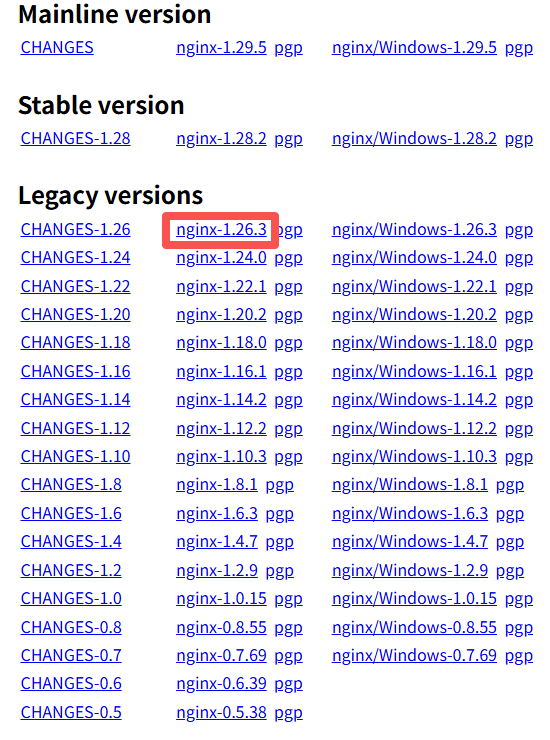
选择适合的版本下载,本文以nginx-1.26.3为例。
1.2 下载ngx_http_geoip2_module
访问GitHub下载ngx_http_geoip2_module:
下载地址:https://github.com/leev/ngx_http_geoip2_module/releases/tag/3.4
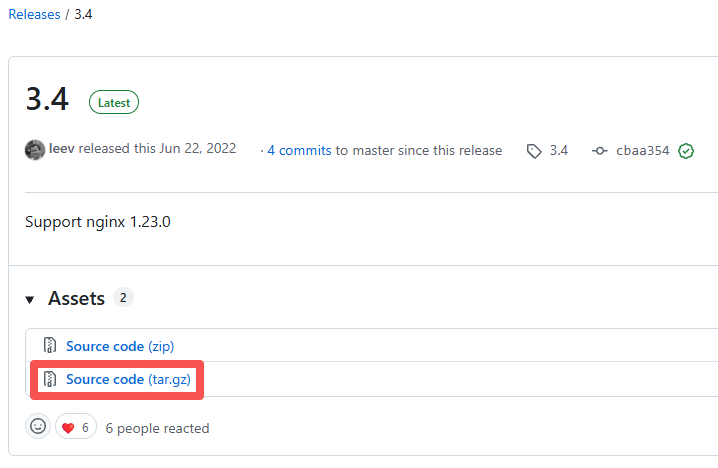
1.3 下载GeoIP2数据库
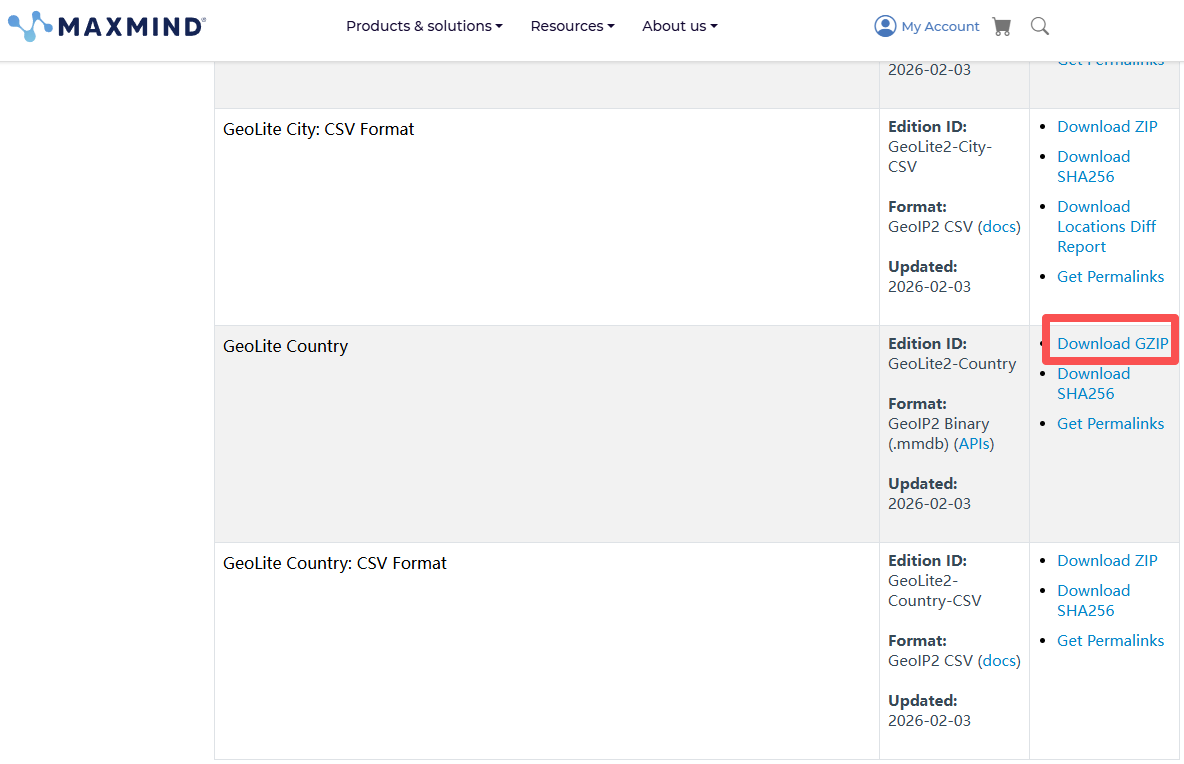
访问MaxMind官网下载GeoLite2数据库,需要自己注册一个账号:
下载地址:https://www.maxmind.com/en/accounts/1293507/geoip/downloads
二、安装依赖和准备环境
2.1 安装GeoIP依赖库
shell
yum install -y epel-release
yum install -y geoip-devel libmaxminddb-devel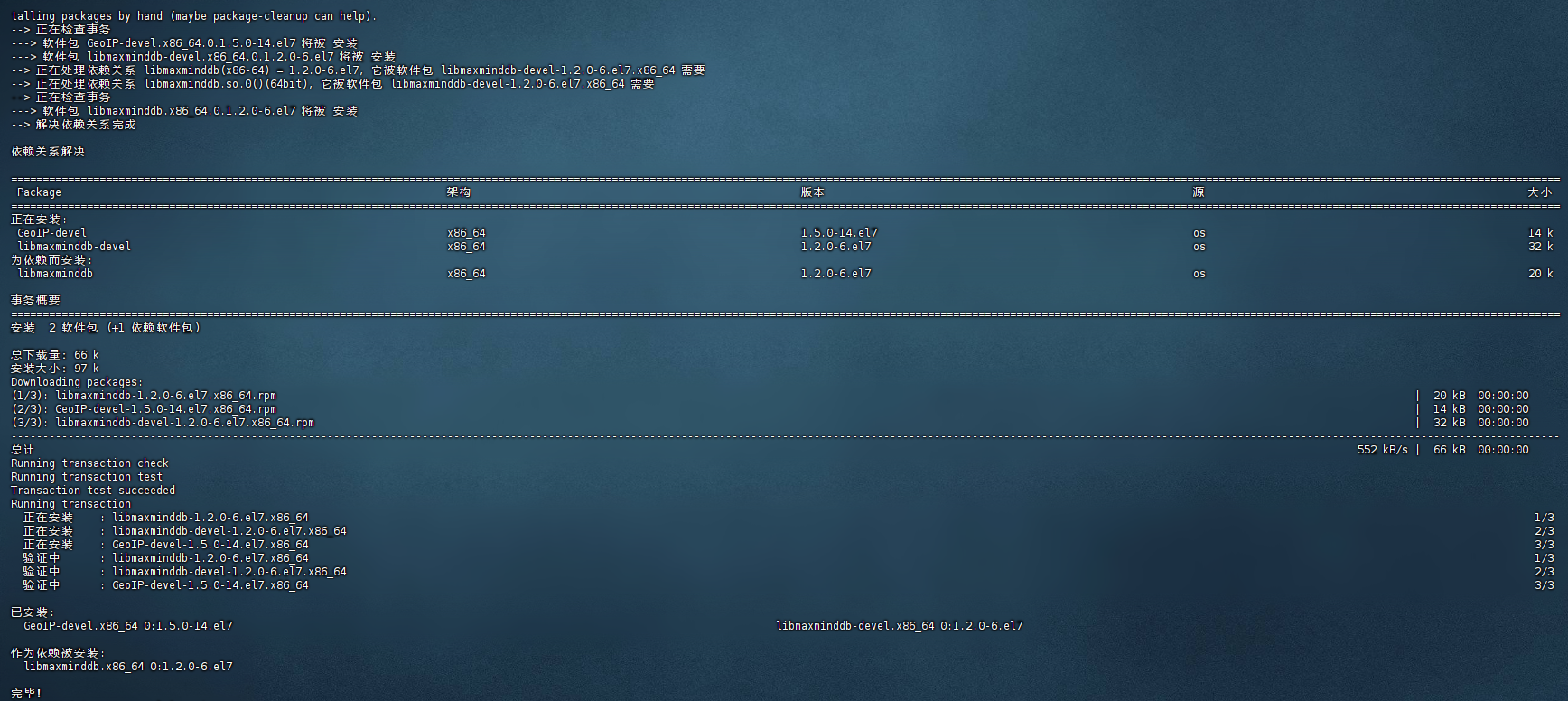
2.2 创建工作目录并解压文件
创建/maple目录作为工作目录:
shell
cd /maple

# 解压Nginx
tar -zxvf nginx-1.26.3.tar.gz

# 解压GeoIP2模块
tar -zxvf ngx_http_geoip2_module-3.4.tar.gz
解压后的目录结构如下:
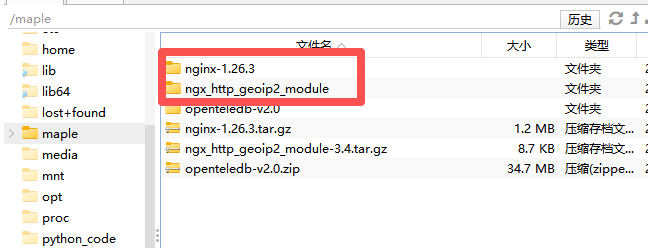
注意 :为方便操作,可以将
ngx_http_geoip2_module-3.4目录重命名为ngx_http_geoip2_module
三、编译安装Nginx并添加GeoIP2模块
3.1 配置和编译
进入Nginx源码目录并配置编译参数:
shell
cd nginx-1.26.3/

./configure --with-compat --add-dynamic-module=/maple/ngx_http_geoip2_module

make

make install
make install执行完截图如下:
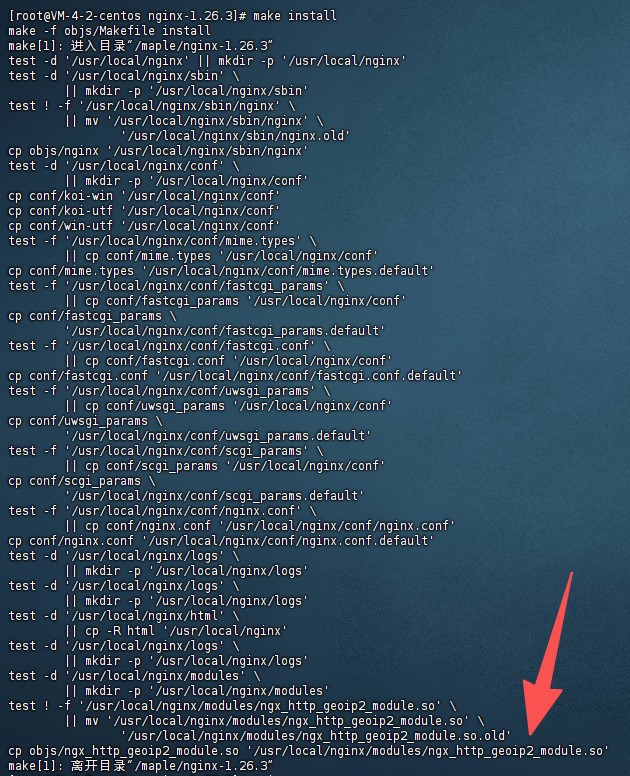
编译安装完成后,Nginx默认安装在/usr/local/nginx目录。
3.2 安装GeoIP2数据库
shell
# 进入Nginx安装目录
cd /usr/local/nginx

# 创建geoip目录
mkdir geoip

# 解压GeoIP2数据库
tar -zxvf GeoLite2-Country_xxxxx.tar.gz提示:解压后可以将目录重命名为简单的名称,我这里去掉了日期后缀
四、配置测试页面
批量创建不同国家的测试页面目录和内容,直接复制使用就行:
shell
# 创建各国目录
mkdir -p /usr/local/nginx/html/{default,cn,us,jp,kr,gb,de,fr}

# 创建各国首页内容
echo '<h1>欢迎访问我们的中国站点!</h1>' > /usr/local/nginx/html/cn/index.html
echo '<h1>Welcome to our global site!</h1>' > /usr/local/nginx/html/default/index.html
echo '<h1>日本のサイトへようこそ!</h1>' > /usr/local/nginx/html/jp/index.html
echo '<h1>Welcome to our US site!</h1>' > /usr/local/nginx/html/us/index.html
五、配置Nginx
5.1 编辑主配置文件
shell
cd /usr/local/nginx/conf/
vim nginx.conf
配置内容如下(去掉了注释后的简洁版本):
nginx
#user  nobody;
worker_processes  1;

# 加载GeoIP2模块 - 必须放在最前面
load_module /usr/local/nginx/modules/ngx_http_geoip2_module.so;

events {
    worker_connections  1024;
}

http {
    include       mime.types;
    default_type  application/octet-stream;

    sendfile        on;
    keepalive_timeout  65;

    # 包含额外配置文件
    include /usr/local/nginx/conf/extra/*.conf;
}
5.2 创建额外配置目录和文件
shell
# 创建extra目录
mkdir -p /usr/local/nginx/conf/extra

# 创建geoip配置文件
vim /usr/local/nginx/conf/extra/geoip.confgeoip.conf配置文件内容:
这里使用了8033端口,可根据实际修改。
nginx
log_format main_8033 '$remote_addr [$time_local] "$request" $status '
                        'country="$geoip2_country_code"';

geoip2 /usr/local/nginx/geoip/GeoLite2-Country/GeoLite2-Country.mmdb {
   # 定义变量:国家代码(如 CN、US、JP)
   $geoip2_country_code country iso_code;

   # 定义变量:国家名称(如 China、United States)
   $geoip2_country_name country names en;
}

# 定义国家代码映射 - 使用 geoip2 定义的变量
map $geoip2_country_code $country_path {
   default /default;
   CN      /cn;
   US      /us;
   JP      /jp;
}

# 定义语言映射
map $geoip2_country_code $lang {
   default en;
   CN      zh;
   US      en;
   JP      ja;
}

server {
   listen 8033;
   server_name localhost;

   # 设置根目录
   root /usr/local/nginx/html;
   index index.html index.php;

   # 根据国家跳转到不同目录
   location / {
       try_files $country_path$uri $country_path/index.html $uri /default/index.html;
   }

   # API接口可以返回JSON格式的国家信息
   location /api/country {
       add_header Content-Type application/json;
       return 200 '{"country":"$geoip2_country_code","$geoip2_country_name":"$geoip2_country_code","lang":"$lang"}';
   }
}
5.3 如果前端传了请求头,以前端传递的为准
调整geoip.conf配置文件内容:
nginx
log_format main_8033 '$remote_addr [$time_local] "$request" $status '
                    'country="$geoip2_country_code"';
geoip2 /usr/local/nginx/geoip/GeoLite2-Country/GeoLite2-Country.mmdb {
   # 定义变量:国家代码(如 CN、US、JP)
   $geoip2_country_code country iso_code;

   # 定义变量:国家名称(如 China、United States)
   $geoip2_country_name country names en;
}

# 从请求头中获取客户端传递的国家代码
# 注意:Country请求头对应$http_country变量
map $http_country $client_country {
    default "";
    "~*^[A-Z]{2}$" $http_country;  # 只接受两个大写字母的国家代码
}

# 最终使用的国家代码:优先使用客户端传递的,否则使用GeoIP检测的
map $client_country $final_country_code {
    "" $geoip2_country_code;  # 如果客户端没有传递,使用GeoIP检测的
    default $client_country;  # 如果客户端传递了,使用客户端的
}

# 定义国家代码映射 - 使用最终确定的变量
map $final_country_code $country_path {
   default /default;
   CN      /cn;
   US      /us;
   JP      /jp;
}

# 定义语言映射
map $final_country_code $lang {
   default en;
   CN      zh;
   US      en;
   JP      ja;
}

server {
   listen 8033;
   server_name localhost;

   # 设置根目录
   root /usr/local/nginx/html;
   index index.html index.php;

   # 根据国家跳转到不同目录
   location / {
       try_files $country_path$uri $country_path/index.html $uri /default/index.html;
   }

   # API接口可以返回JSON格式的国家信息
   location /api/country {
       add_header Content-Type application/json;
       return 200 '{"country":"$final_country_code","lang":"$lang"}';
   }
}
六、启动和测试
6.1 启动Nginx
shell
/usr/local/nginx/sbin/nginx -c /usr/local/nginx/conf/nginx.conf6.2 测试访问
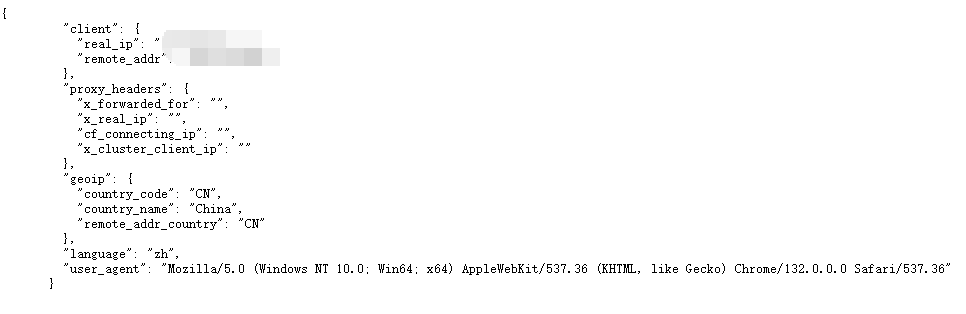
访问API接口查看国家信息:
http://你的服务器IP:8033/api/country返回结果示例如下:
6.3 查看访问日志
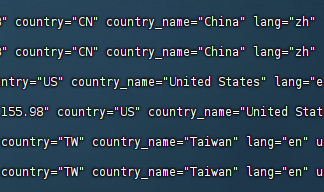
shell
tail -f -n 100 /usr/local/nginx/logs/8033_access.log日志输出示例,可以看到不同的国家或地区的访问来源,页面也会跳转到对应的国家或地区的页面:
七、常见问题排查
7.1 模块加载失败
- 检查
load_module指令是否放在nginx.conf文件最前面 - 确认模块路径是否正确
- 检查编译时是否成功添加了GeoIP2模块
7.2 数据库文件问题
- 确认GeoLite2数据库文件路径正确
- 检查数据库文件权限是否可读
- 定期更新GeoIP2数据库以保证准确性
7.3 配置错误
- 使用
nginx -t测试配置文件语法 - 检查日志文件获取详细错误信息
- 确认端口8033没有被其他程序占用
7.4 访问错误
- 如果在vpn的情况下进行访问,需要切换全局
八、总结
通过本文的步骤,您已经成功搭建了一个基于Nginx和GeoIP2的智能路由系统。这个系统可以根据访问者的地理位置提供不同的内容,适用于国际化网站、CDN加速、内容分发等多种场景。
主要优势:
- 高性能:Nginx原生支持,性能损耗极小
- 精准度高:使用MaxMind的GeoIP2数据库
- 灵活配置:可根据需求轻松扩展国家支持
- 易于维护:模块化配置,便于管理
后续优化建议:
- 定期更新GeoIP2数据库
- 添加缓存机制提高性能