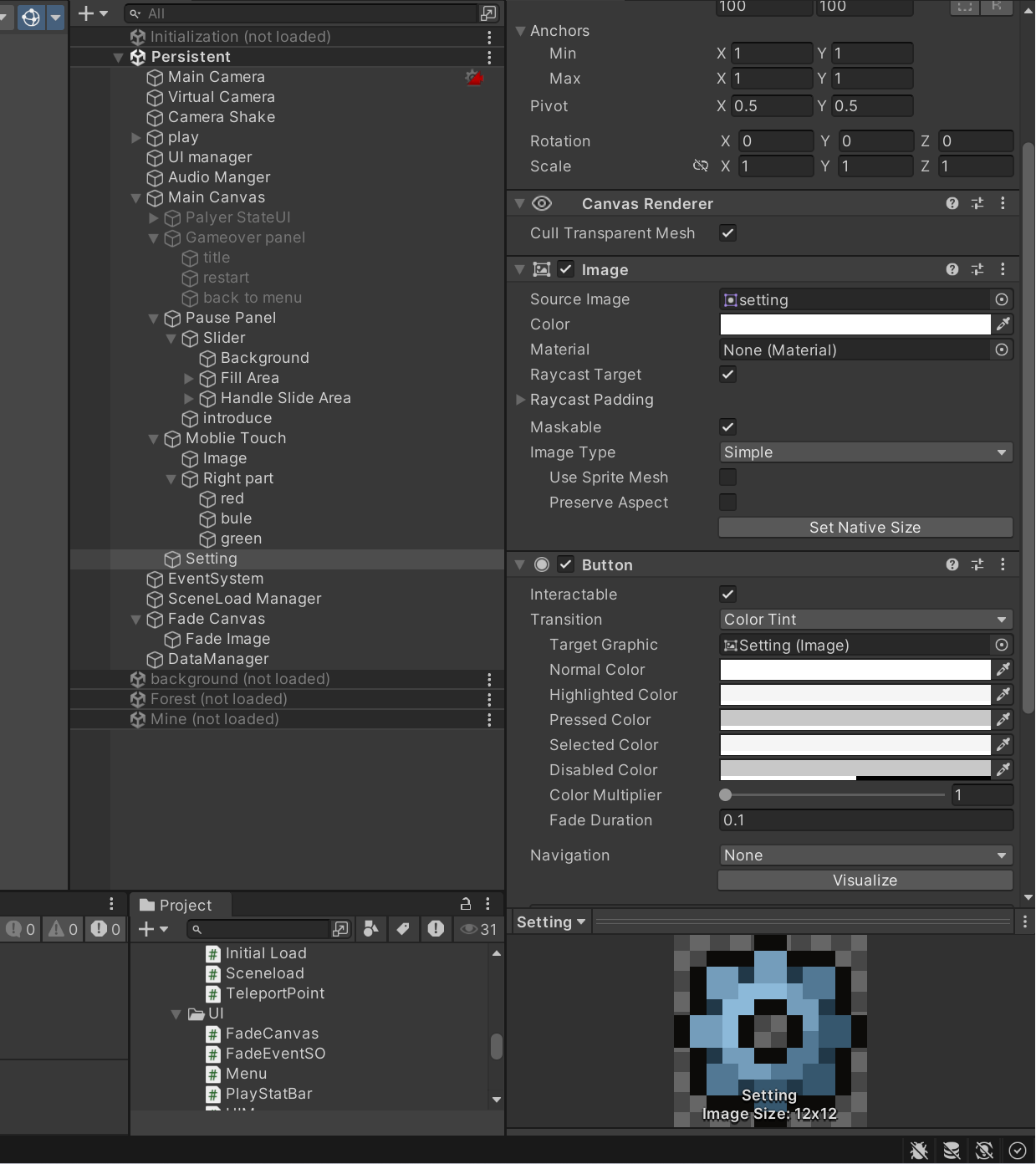
制作游戏结束面板
设计结束面板,首先要创建一个panel
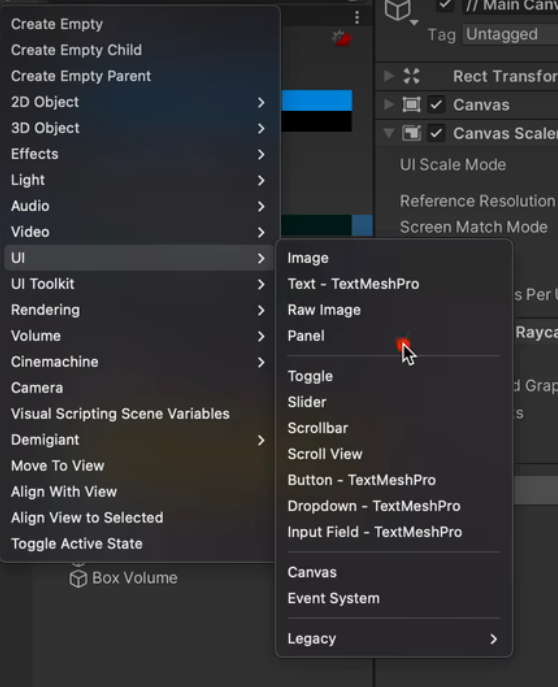
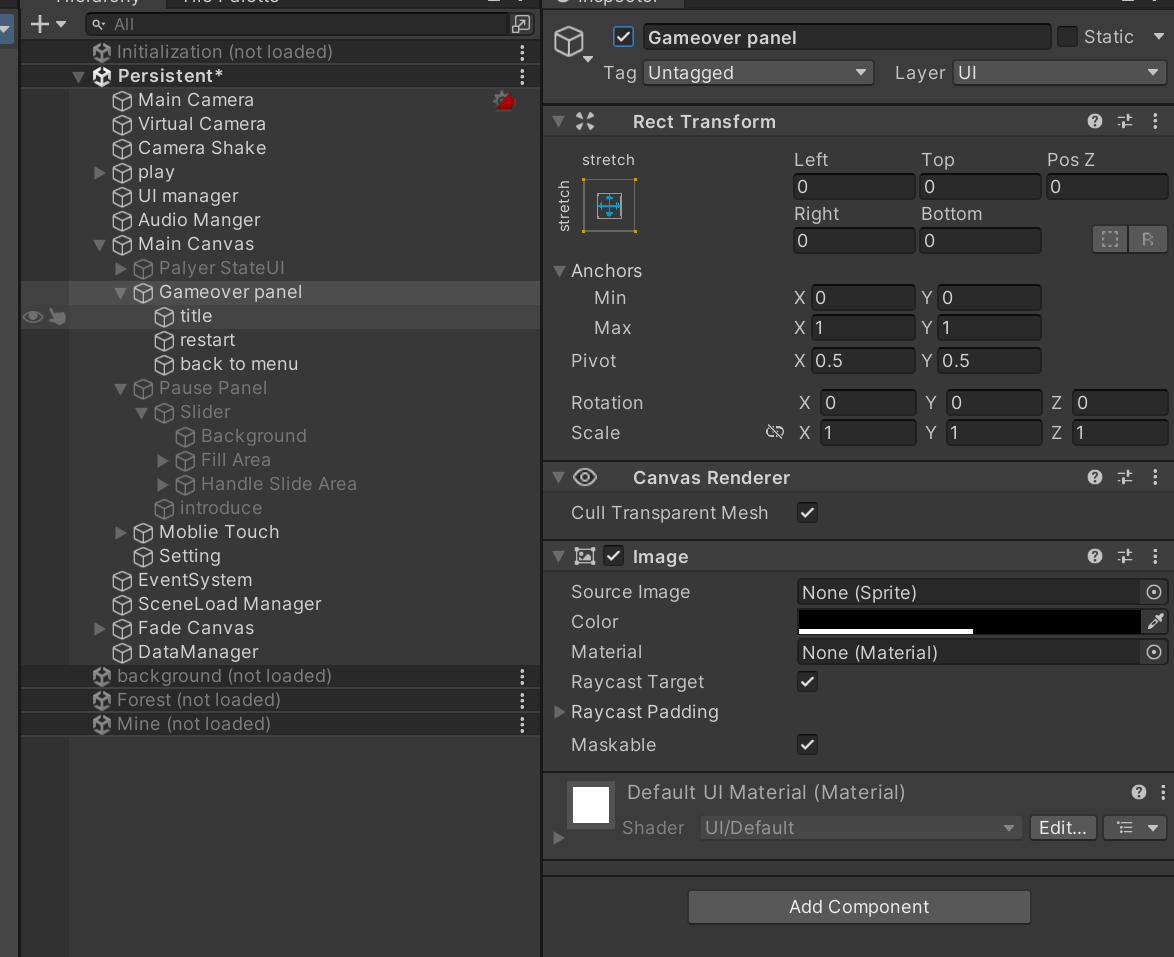
panel里面有文字和按钮
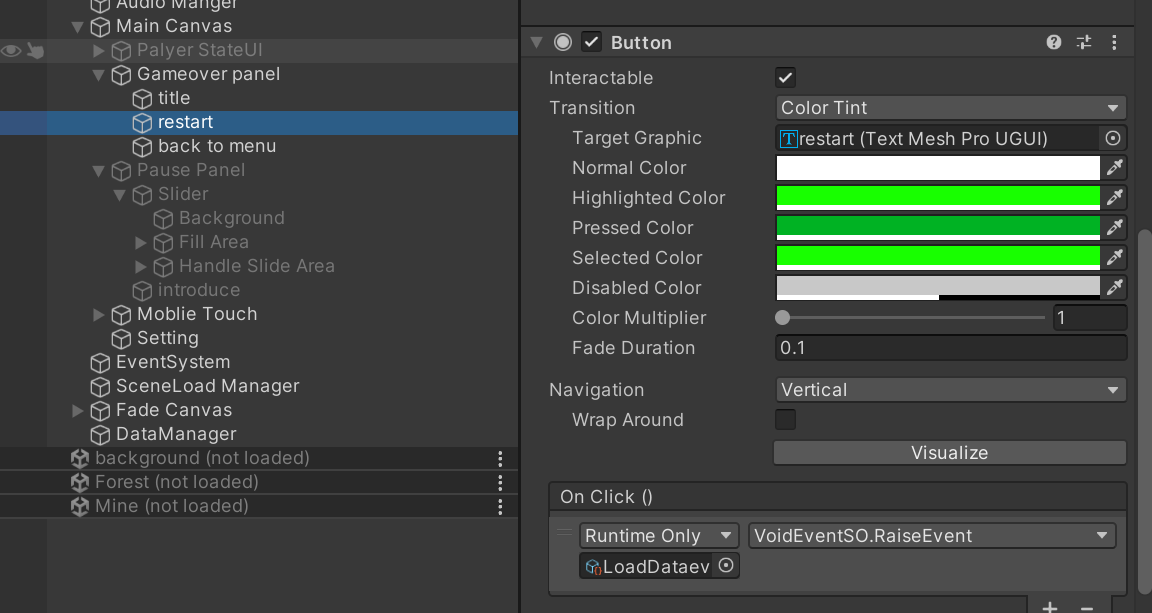
加入button组件,on click发送事件
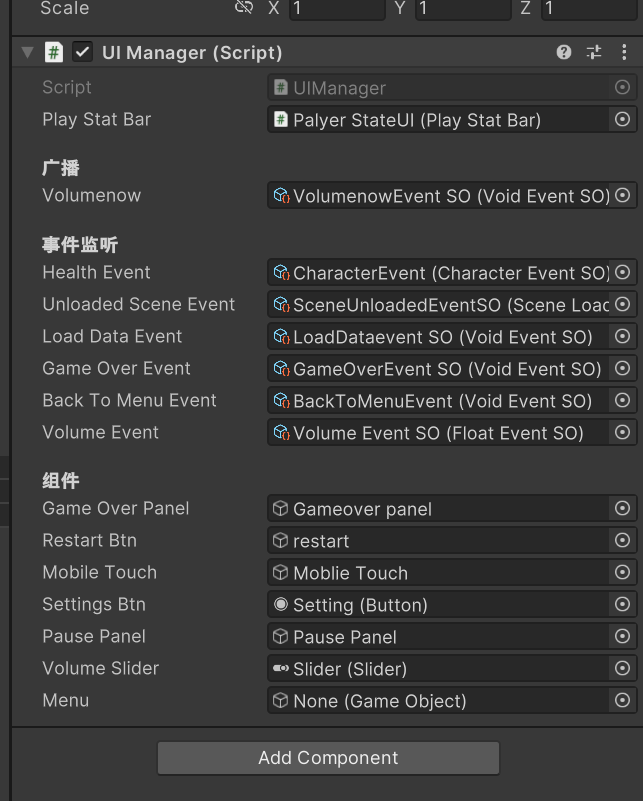
(这里为全部代码,包括后序的)
cs
using System;
using System.Collections;
using System.Collections.Generic;
using UnityEngine;
using UnityEngine.EventSystems;
using UnityEngine.UI;

public class UIManager : MonoBehaviour

{
    public PlayStatBar playStatBar;

    [Header("广播")]
    public VoidEventSO volumenow;

    [Header("事件监听")]
    public CharacterEventSO healthEvent;
    public SceneLoadEventSO unloadedSceneEvent;
    public VoidEventSO loadDataEvent;
    public VoidEventSO gameOverEvent;
    public VoidEventSO backToMenuEvent;
    public FloatEventSO volumeEvent;


    [Header("组件")]
    public GameObject gameOverPanel;
    public GameObject restartBtn;
    public GameObject mobileTouch;
    public Button settingsBtn;
    public GameObject pausePanel;
    public Slider volumeSlider;
    public GameObject menu;


    void Awake()
    {
#if UNITY_STANDALONE
         mobileTouch.SetActive(false);
#endif

    settingsBtn.onClick.AddListener(TogglePausePanel);

    }

    void OnEnable()
    {
        healthEvent.OnEventRaised += OnHealthEvent;
        unloadedSceneEvent.LoadRequestEvent += OnUnLoadedSceneEvent;
        loadDataEvent.OnEventRaised += OnUnLoadedDataEvent;
        gameOverEvent.OnEventRaised += OnGameOverEvent;
        backToMenuEvent.OnEventRaised += OnUnLoadedDataEvent;
        volumeEvent.OnEventRaised += OnvolumeEvent;
    }


    void OnDisable()
    {
        healthEvent.OnEventRaised -= OnHealthEvent;
        unloadedSceneEvent.LoadRequestEvent -= OnUnLoadedSceneEvent;
        loadDataEvent.OnEventRaised -= OnUnLoadedDataEvent;
        gameOverEvent.OnEventRaised -= OnGameOverEvent;
        backToMenuEvent.OnEventRaised -= OnUnLoadedDataEvent;
        volumeEvent.OnEventRaised += OnvolumeEvent;
    }

    private void OnvolumeEvent(float amount)
    {
        volumeSlider.value = (amount + 80) / 100;
    }

    private void TogglePausePanel()
    {

        if (menu == null)
        {
            menu = GameObject.Find("GameMenuCanvas");
        }


        if(pausePanel.activeInHierarchy)
        {
            pausePanel.SetActive(false);
            Time.timeScale = 1;
            menu.SetActive(true);
        }
        else
        {
            if(volumenow != null) volumenow.RaiseEvent(); // 加个非空判断更安全
            pausePanel.SetActive(true);
            Time.timeScale = 0;
            menu.SetActive(false);
        }
    }

    private void OnUnLoadedSceneEvent(GameSceneSO sceneToLoad, Vector3 arg1, bool arg2)
    {
        var isMenu = sceneToLoad.sceneType == SceneType.Menu;
        playStatBar.gameObject.SetActive(!isMenu);

    }


    private void OnHealthEvent(Character character)
    {
        var persentage = character.currentHealth / character.maxHealth;
        playStatBar.OnHealthChange(persentage);
    }
    private void OnUnLoadedDataEvent()
    {
        Debug.Log("close");
        gameOverPanel.SetActive(false);
    }

        private void OnGameOverEvent()
    {
        Debug.Log("DEAD");
        gameOverPanel.SetActive(true);
        EventSystem.current.SetSelectedGameObject(restartBtn);
    }

}
同时在playercontroller里面使用事件让人物在重新开始的时候为存活
cs
private void OnLoadDataEvent()
    {
        isDead = false;
    }
backtomenu
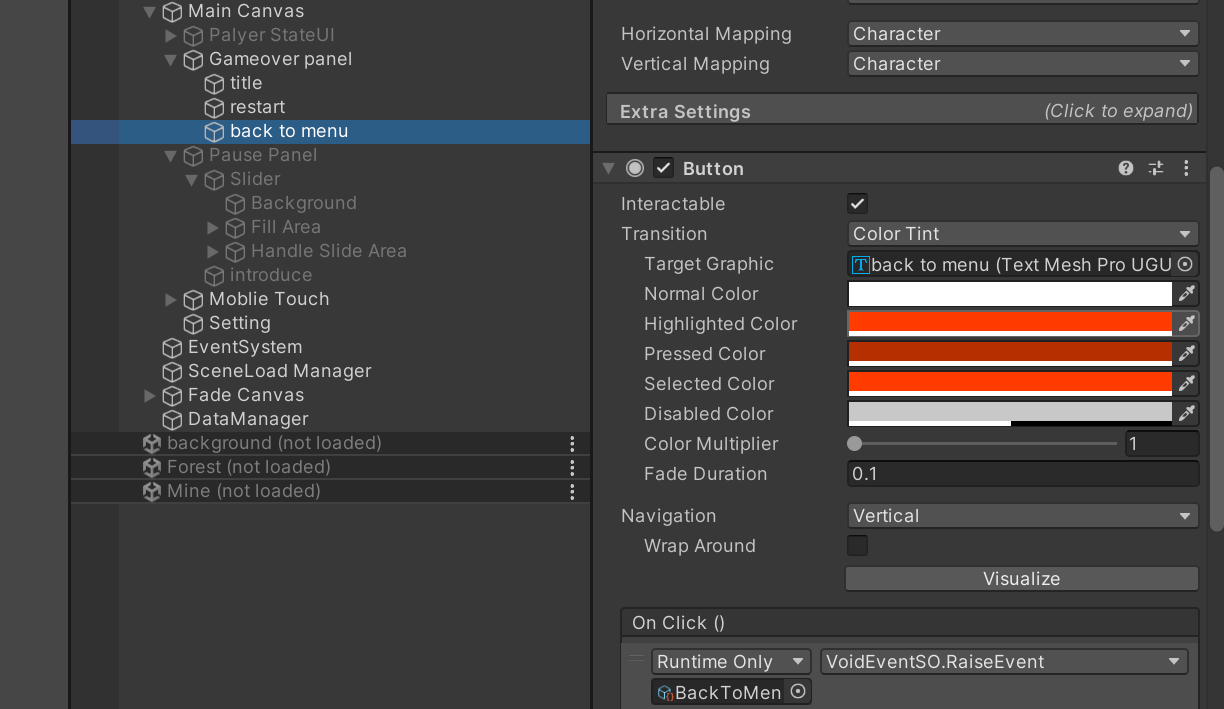
同样这些代码也是全部的代码
cs
using System;
using System.Collections;
using System.Collections.Generic;
using System.Drawing.Printing;
using TMPro;
using Unity.VisualScripting;
using UnityEngine;
using UnityEngine.AddressableAssets;
using UnityEngine.ResourceManagement.AsyncOperations;
using UnityEngine.ResourceManagement.ResourceProviders;
using UnityEngine.SceneManagement;
public class Sceneload : MonoBehaviour,iSaveable
{
    public Transform playerTrans;
    public Vector3 firstPosition;
    public Vector3 menuPosition;

    [Header("事件监听")]
    public SceneLoadEventSO loadEventSO;
    public VoidEventSO newGameEvent;
    public VoidEventSO backToMenuEvent;


    [Header("广播")]
    public VoidEventSO afterSceneLoadedEvent;
    public FadeEventSO fadeEvent;
    public SceneLoadEventSO unloadedSceneEvent;

    [Header("场景")]
    public GameSceneSO firstLoadScene;
    public GameSceneSO menuScene;
    private GameSceneSO currentLoadedScene;
    private GameSceneSO sceneToLoad;
    private Vector3 positionToGo;
    private bool fadeScreen;
    private bool isLoading;

    public float fadeDuration;

    void Start()
    {
        loadEventSO.RaiseLoadRequestEvent(menuScene, menuPosition, true);
        //NewGame();
    }
    private void Awake()
    {

        //currentLoadedScene = firstLoadScene;
        //currentLoadedScene.sceneReference.LoadSceneAsync(LoadSceneMode.Additive);
    }
    void OnEnable()
    {
        loadEventSO.LoadRequestEvent += OnLoadRequestEvent;
        newGameEvent.OnEventRaised += NewGame;
        backToMenuEvent.OnEventRaised += OnBackToMenuEvent;

        iSaveable saveable = this;
        saveable.RegisterSaveData();
    }
    void OnDisable()
    {
        loadEventSO.LoadRequestEvent -= OnLoadRequestEvent;
        newGameEvent.OnEventRaised -= NewGame;
        backToMenuEvent.OnEventRaised -= OnBackToMenuEvent;

        iSaveable saveable = this;
        saveable.UnRegisterSaveData();
    }

    private void OnBackToMenuEvent()
    {
        sceneToLoad = menuScene;
        loadEventSO.RaiseLoadRequestEvent(sceneToLoad, menuPosition, true);
    }

    private void NewGame()
    {
        sceneToLoad = firstLoadScene;
        //OnLoadRequestEvent(sceneToLoad, firstPosition, true);
        loadEventSO.RaiseLoadRequestEvent(sceneToLoad, firstPosition, true);
    }

    private void OnLoadRequestEvent(GameSceneSO locationToLoad, Vector3 posToGo, bool fadeScreen)
    {
        if(isLoading)
            return;
        isLoading = true;
        sceneToLoad = locationToLoad;
        positionToGo = posToGo;
        this.fadeScreen = fadeScreen;
        if(currentLoadedScene != null)
        {
            StartCoroutine(UnLoadPreviousScene());
        }
        else
        {
            LoadNewScene();
        }
    }

    private IEnumerator UnLoadPreviousScene()
    {
        if(fadeScreen)
        {
            fadeEvent.FadeIn(fadeDuration);
        }
        yield return new WaitForSeconds(fadeDuration);

        unloadedSceneEvent.RaiseLoadRequestEvent(sceneToLoad, positionToGo, true);

        if(currentLoadedScene != null)
        {
            yield return currentLoadedScene.sceneReference.UnLoadScene();
        }
        //关闭人物
        playerTrans.gameObject.SetActive(false);

        LoadNewScene();
    }
    private void LoadNewScene()
    {
        var loadingOption = sceneToLoad.sceneReference.LoadSceneAsync(LoadSceneMode.Additive, true);
        loadingOption.Completed += OnLoadCompleted;
    }

    /// <summary>
    /// 场景加载完毕后
    /// </summary>
    /// <param name="handle"></param>
    private void OnLoadCompleted(AsyncOperationHandle<SceneInstance> handle)
    {
        currentLoadedScene = sceneToLoad;

        playerTrans.position = positionToGo;

        playerTrans.gameObject.SetActive(true);
        if(fadeScreen)
        {
            fadeEvent.FadeOut(fadeDuration);
        }
        isLoading = false;

        if(currentLoadedScene.sceneType != SceneType.Menu)
            afterSceneLoadedEvent.RaiseEvent();
    }

    public DataDefination GetDataID()
    {
        return GetComponent<DataDefination>();
    }

    public void GetSaveData(Data data)
    {
        data.SaveGameSvene(currentLoadedScene);
    }

    public void LoadData(Data data)
    {
        var playerID = playerTrans.GetComponent<DataDefination>().ID;
        if(data.characterPosDict.ContainsKey(playerID))
        {
            positionToGo = data.characterPosDict[playerID];
            sceneToLoad = data.GetSacedScene();

            OnLoadRequestEvent(sceneToLoad, positionToGo, true);
        }
    }
}
实现移动设备屏幕操控
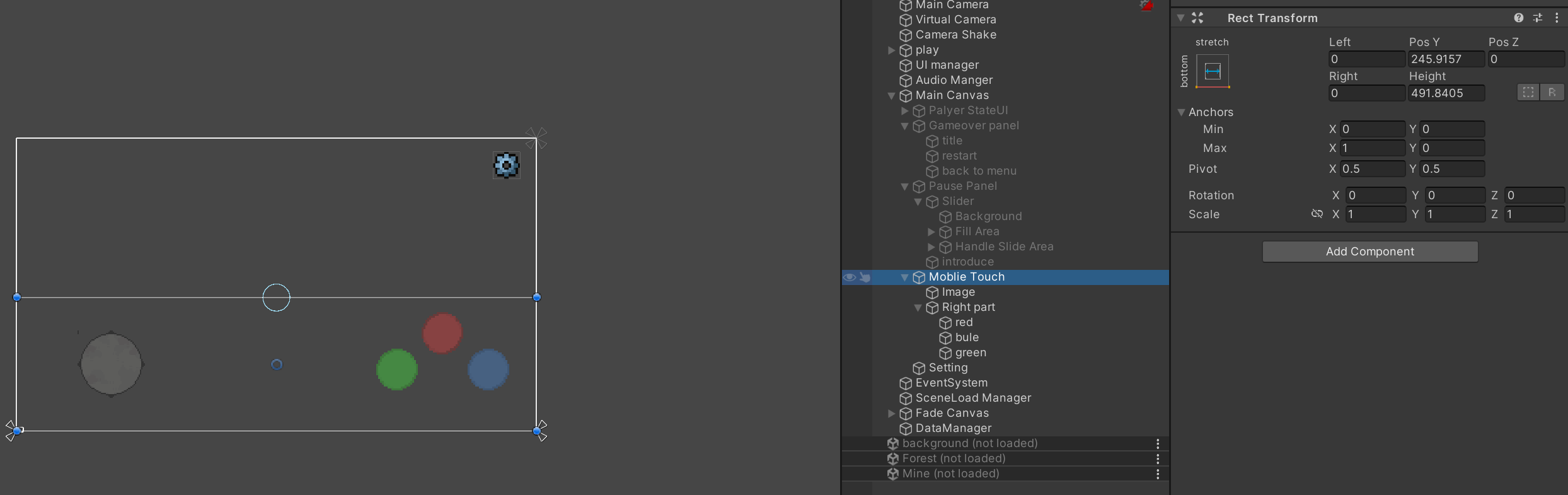
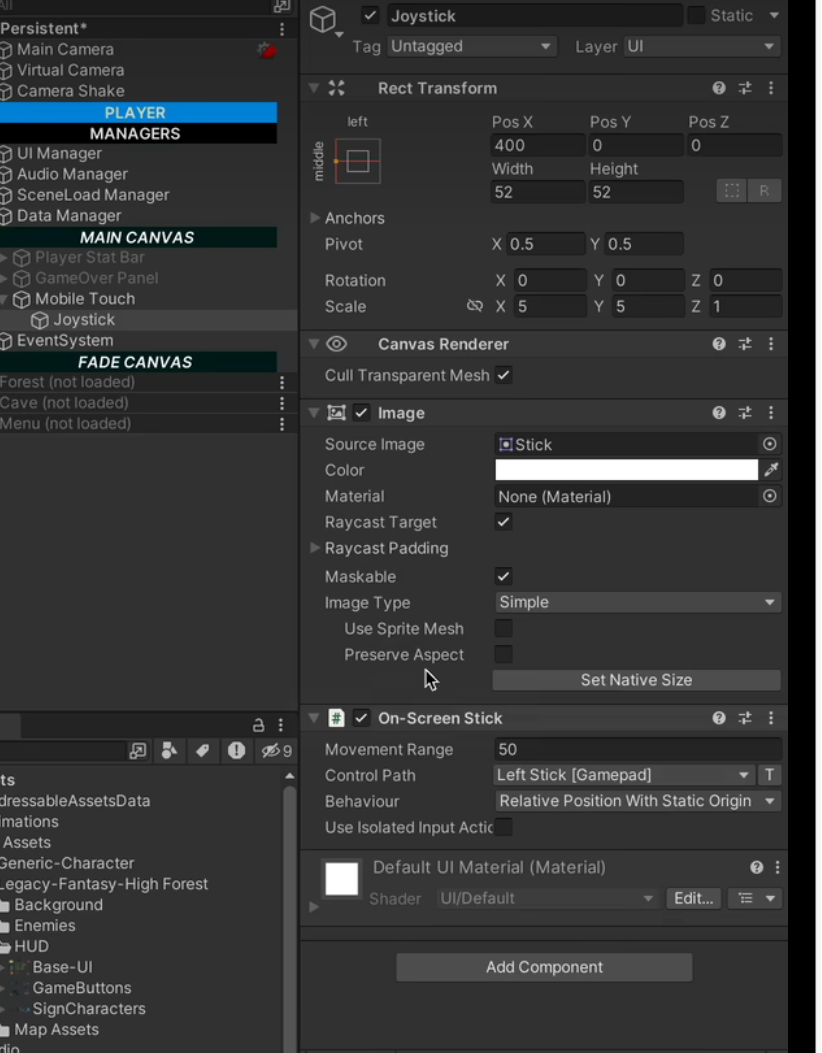
辨别是在什么平台登录代码在UIManager里面
暂停面板及声音控制
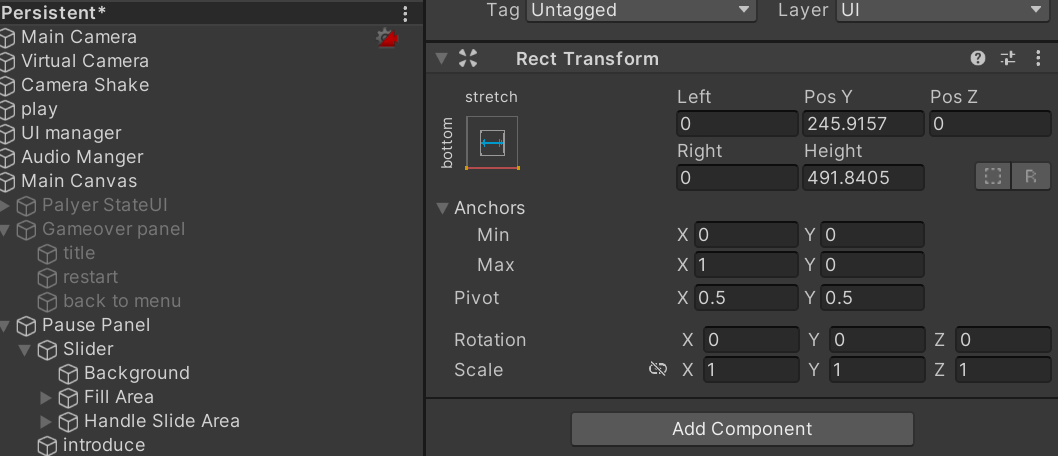
修改设置
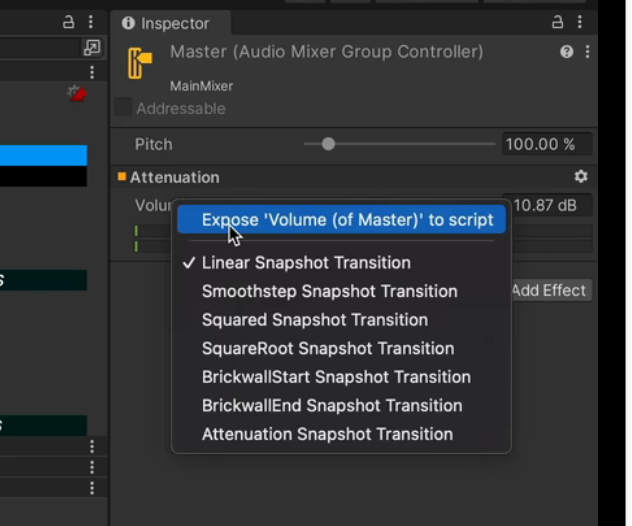
cs
using System;
using System.Collections;
using System.Collections.Generic;
using UnityEngine;
using UnityEngine.Audio;

public class AudioManager : MonoBehaviour
{

    [Header("广播")]
    public FloatEventSO volume;


    [Header("事件监听")]
    public PlayAudioEventSO FXEvent;
    public PlayAudioEventSO BGMEvent;
    public FloatEventSO volumeEvent;
    public VoidEventSO volumenowEvent;

    public AudioSource BGMSource;

    public AudioSource FXSource;
    public AudioMixer mixer;

    void OnEnable()
    {
        FXEvent.OnEventRaised += OnFXEvent;
        BGMEvent.OnEventRaised += OnBGMEvent;
        volumeEvent.OnEventRaised += OnVolumEvent;
        volumenowEvent.OnEventRaised += OnVolumenow;
    }

    void OnDisable()
    {
        FXEvent.OnEventRaised -= OnFXEvent;
        BGMEvent.OnEventRaised -= OnBGMEvent;
        volumeEvent.OnEventRaised -= OnVolumEvent;
        volumenowEvent.OnEventRaised -= OnVolumenow;
    }

    private void OnVolumenow()
    {
        float amount;
        mixer.GetFloat("MasterVolume", out amount);

        volume.RadiseEvent(amount);

    }

    private void OnVolumEvent(float amount)
    {
        mixer.SetFloat("MasterVolume", amount * 100 -80);
    }

    private void OnBGMEvent(AudioClip clip)
    {
        BGMSource.clip = clip;
        BGMSource.Play();
    }

    private void OnFXEvent(AudioClip clip)
    {
        FXSource.clip = clip;
        FXSource.Play();
    }
}
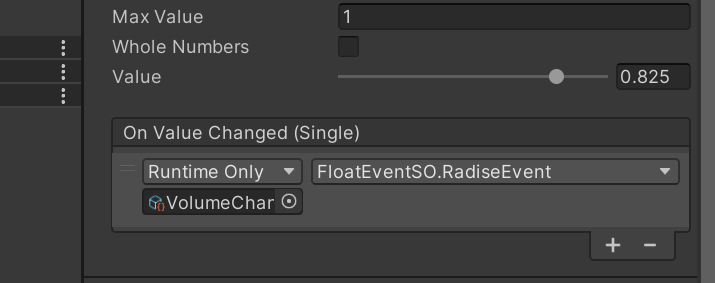
创建传递float参数事件
cs
using System.Collections;
using System.Collections.Generic;
using UnityEngine;
using UnityEngine.Events;

[CreateAssetMenu(menuName = "Event/FloatEventSO")]

public class FloatEventSO : ScriptableObject
{
    public UnityAction<float> OnEventRaised;

    public void RadiseEvent(float amount)
    {
        OnEventRaised?.Invoke(amount);
    }

}
用小齿轮来当做开启面板(代码在UImanger里面,以及AudioManager)