第一题
题目:
使用os和os.path以及函数的递归完成:
给出一个路径,遍历当前路径所有的文件及文件夹
打印输出所有的文件(遇到文件输出路径,遇到文件夹继续进文件夹)
代码:
python
import os

def traverse_path(path):
    # os.listdir(path):列出指定路径path下所有文件和文件夹名称,返回列表
    for item in os.listdir(path):
        # 拼接父目录路径path和子目录名称item
        full_path = os.path.join(path, item)
        if os.path.isfile(full_path):
            print(f"文件: {full_path}")
        elif os.path.isdir(full_path):
            print(f"文件夹: {full_path}")
            traverse_path(full_path)

target_path = input("请输入要遍历的路径: ")
if os.path.exists(target_path):
    traverse_path(target_path)
else:
    print("输入的路径不存在!")
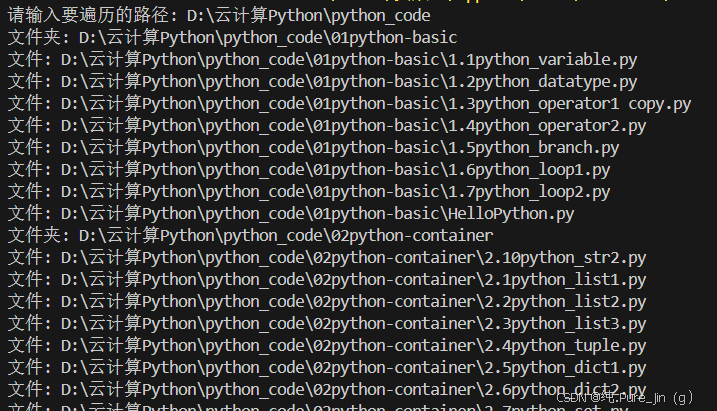
运行结果:
第二题
题目:
使用加密模块及IO模拟登录功能,要求使用文件模拟数据库存储用户名和密码。
代码:
python
#导入加密模块hashlib和文件操作模块os
import hashlib
import os

# 定义模拟数据库的文件名
DB_FILE = "user_db.txt"

# 密码加密函数:输入明文密码,返回MD5加密后的字符串
def encrypt_password(password):
    md5 = hashlib.md5()
    md5.update(password.encode("utf-8"))
    return md5.hexdigest()

# 注册用户函数:输入用户名和密码,加密后写入数据库文件
def register(username, password):
    encrypted_pwd = encrypt_password(password)
    with open(DB_FILE, "a+", encoding="utf-8") as f:
        f.write(f"{username}:{encrypted_pwd}\n")
    print(f"用户 {username} 注册成功!")

# 登录验证函数:输入用户名和密码,与数据库中加密密码比对
def login(username, password):
    if not os.path.exists(DB_FILE):
        print("无用户数据,请先注册!")
        return False
    encrypted_pwd = encrypt_password(password)
    with open(DB_FILE, "r", encoding="utf-8") as f:
        for line in f:
            line = line.strip()
            if not line:
                continue
            db_user, db_pwd = line.split(":")
            if db_user == username and db_pwd == encrypted_pwd:
                print(f"用户 {username} 登录成功!")
                return True
    print("用户名或密码错误!")
    return False

# 直接启动登录/注册交互界面
while True:
    print("\n1. 注册  2. 登录  3. 退出")
    choice = input("请选择操作: ")
    if choice == "1":
        username = input("请输入用户名: ")
        password = input("请输入密码: ")
        register(username, password)
    elif choice == "2":
        username = input("请输入用户名: ")
        password = input("请输入密码: ")
        login(username, password)
    elif choice == "3":
        break
    else:
        print("输入错误,请重新选择!")
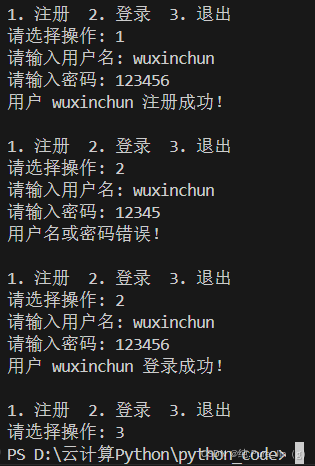
运行结果:
第三题
题目:
使用面向对象编程完成学生信息录入功能,数据存储在本地文件txt中,并读取学生信息并按照成绩进行排序,学生其他属性自行规划
代码:
python
# 导入os模块用于文件操作
import os

# 定义学生类:封装学生信息(姓名、学号、成绩、性别)
class Student:
    def __init__(self, name, stu_id, score, gender="男"):
        self.name = name
        self.stu_id = stu_id
        self.score = score
        self.gender = gender

    # 实例方法:将学生信息转为字符串,用于写入文件
    def to_string(self):
        return f"{self.name},{self.stu_id},{self.score},{self.gender}\n"

    # 静态方法:从文件读取的字符串解析为Student对象
    @staticmethod
    def from_string(line):
        line = line.strip()
        name, stu_id, score, gender = line.split(",")
        return Student(name, stu_id, int(score), gender)

# 定义学生信息管理类:封装添加、读取、排序功能
class StudentManager:
    def __init__(self, file_path="students.txt"):
        self.file_path = file_path

    # 添加学生信息到文件
    def add_student(self, student):
        with open(self.file_path, "a+", encoding="utf-8") as f:
            f.write(student.to_string())
        print(f"学生 {student.name} 信息录入成功!")

    # 读取所有学生并按成绩降序排序
    def get_students_sorted_by_score(self):
        students = []
        if not os.path.exists(self.file_path):
            return students
        with open(self.file_path, "r", encoding="utf-8") as f:
            for line in f:
                if line.strip():
                    students.append(Student.from_string(line))
        # 按成绩降序排序
        return sorted(students, key=lambda s: s.score, reverse=True)

# 创建学生管理对象
manager = StudentManager()

# 直接启动学生信息管理交互界面
while True:
    print("\n1. 录入学生信息  2. 查看按成绩排序的学生  3. 退出")
    choice = input("请选择操作: ")
    if choice == "1":
        name = input("请输入姓名: ")
        stu_id = input("请输入学号: ")
        score = int(input("请输入成绩: "))
        gender = input("请输入性别(默认男): ") or "男"
        student = Student(name, stu_id, score, gender)
        manager.add_student(student)
    elif choice == "2":
        students = manager.get_students_sorted_by_score()
        if not students:
            print("暂无学生数据!")
            continue
        print("按成绩降序排序的学生信息:")
        for s in students:
            print(f"姓名: {s.name} 学号: {s.stu_id} 成绩: {s.score} 性别: {s.gender}")
    elif choice == "3":
        break
    else:
        print("输入错误,请重新选择!")
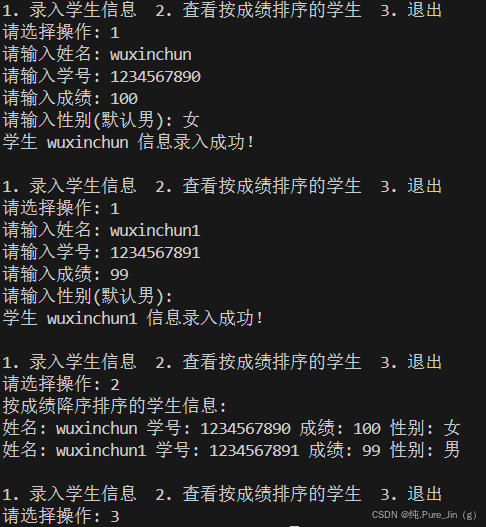
运行结果: