一、Windows下安装
(一)材料下载
华为官方:DevEco Studio for Windows 6.0.2.640(2.7GB)
(二)安装步骤
- 打开安装程序
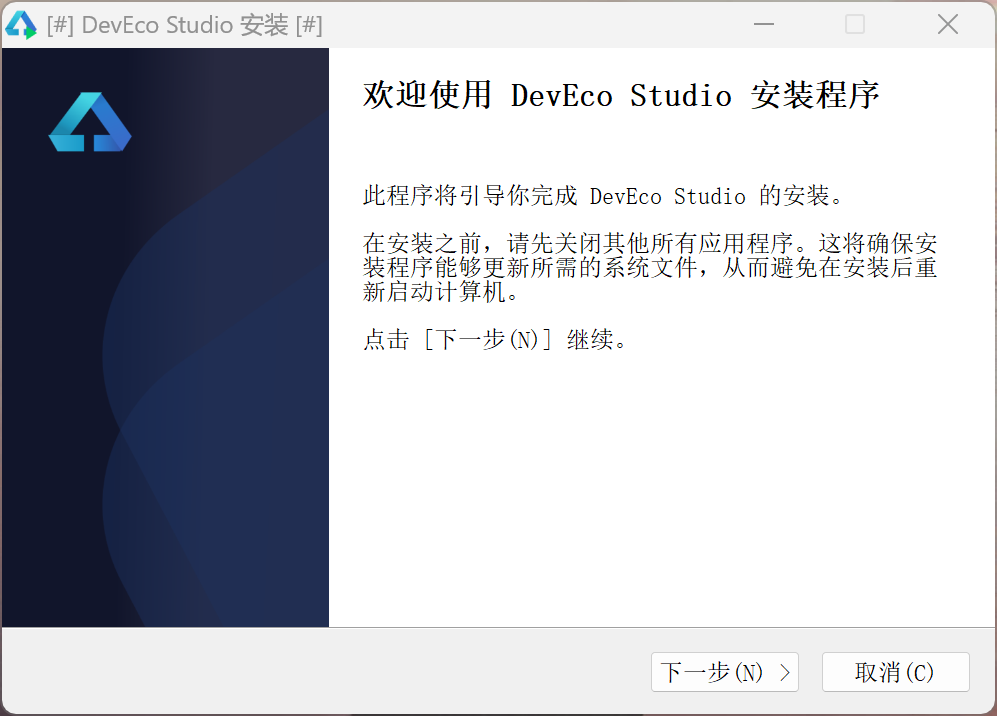
- 点击下一步。
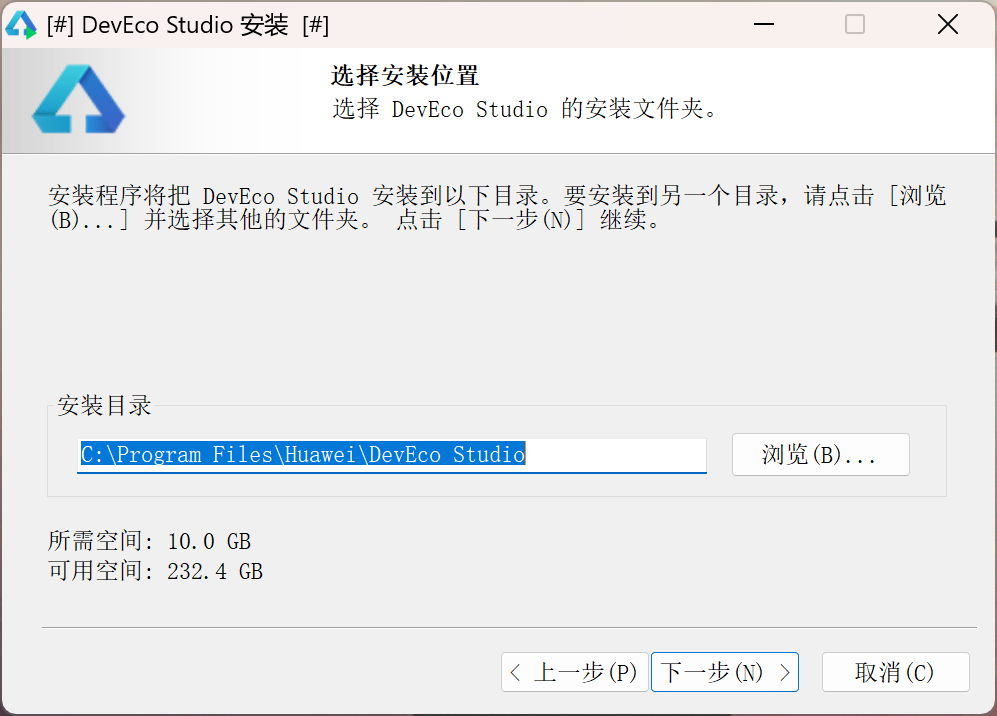
- 选择好安装位置后点击下一步。
不推荐安装在C盘,如果可以,推荐安装到非系统分区的盘。
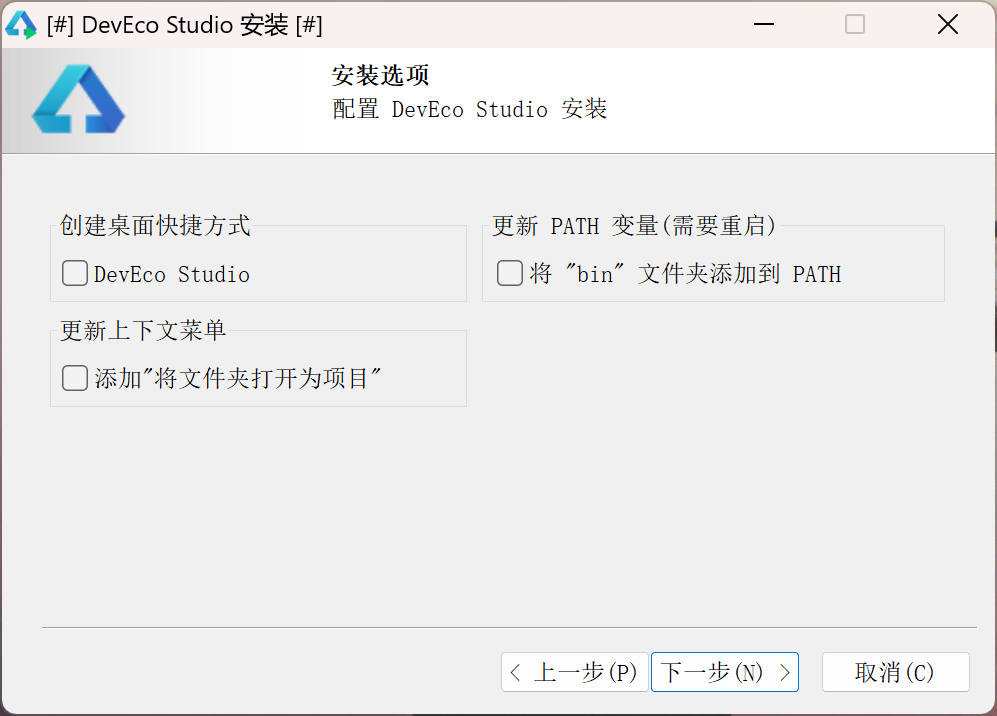
- 选择是否建立桌面快捷方式,是否添加到文件右键菜单上下文,以及是否添加到环境变量以便于在任意位置调用命令行工具。
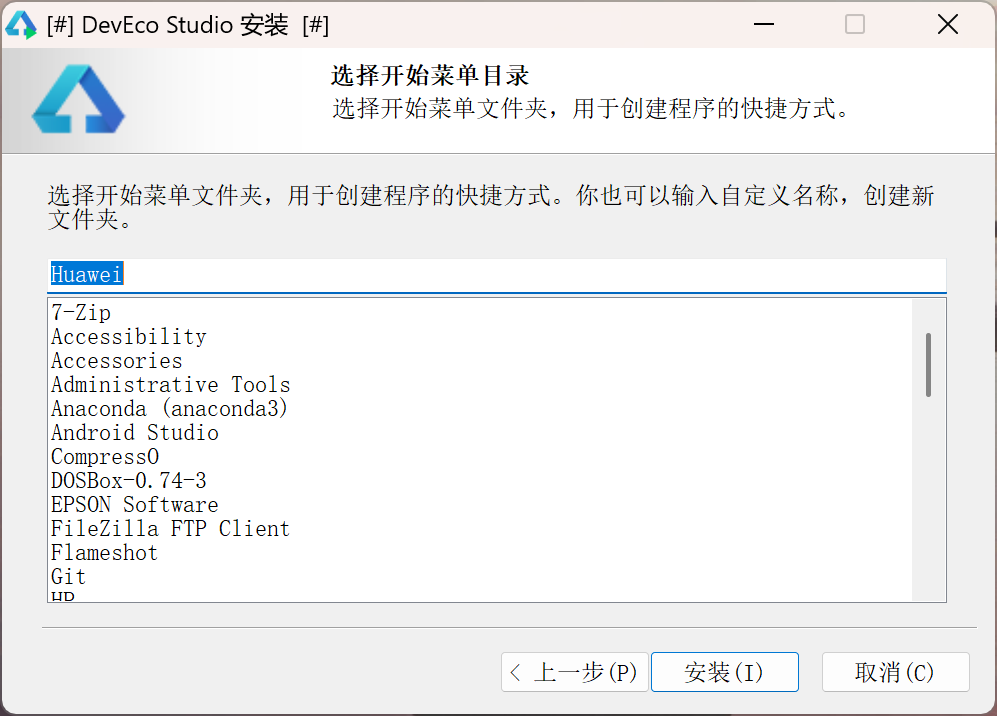
- 选择开始菜单文件夹名称,设置后点击安装。
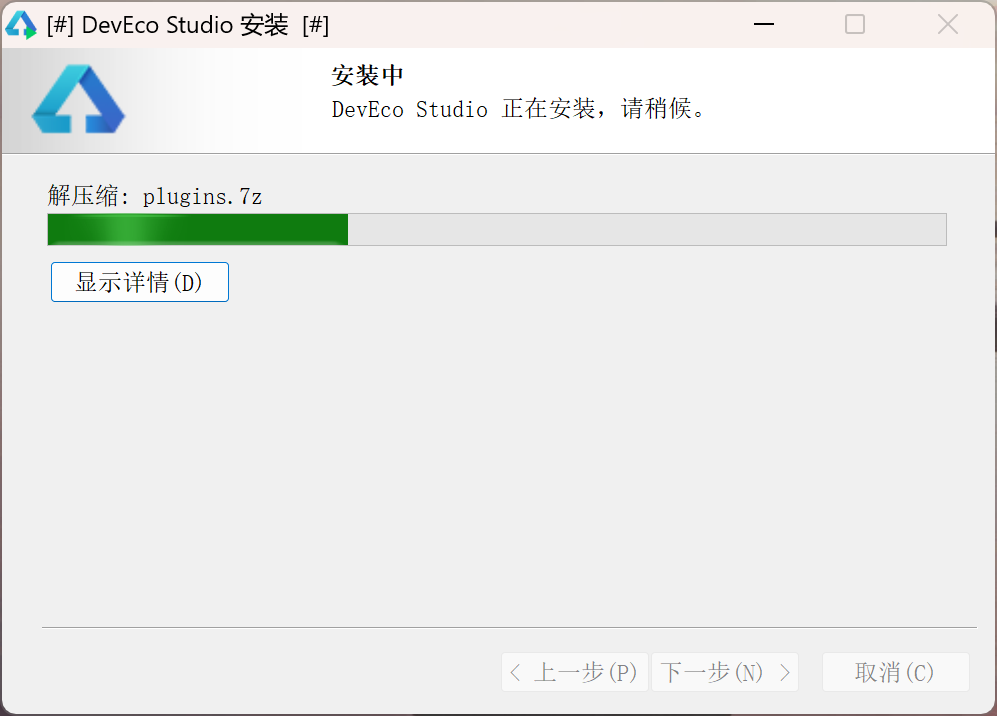
- 等待安装完成,不必着急。
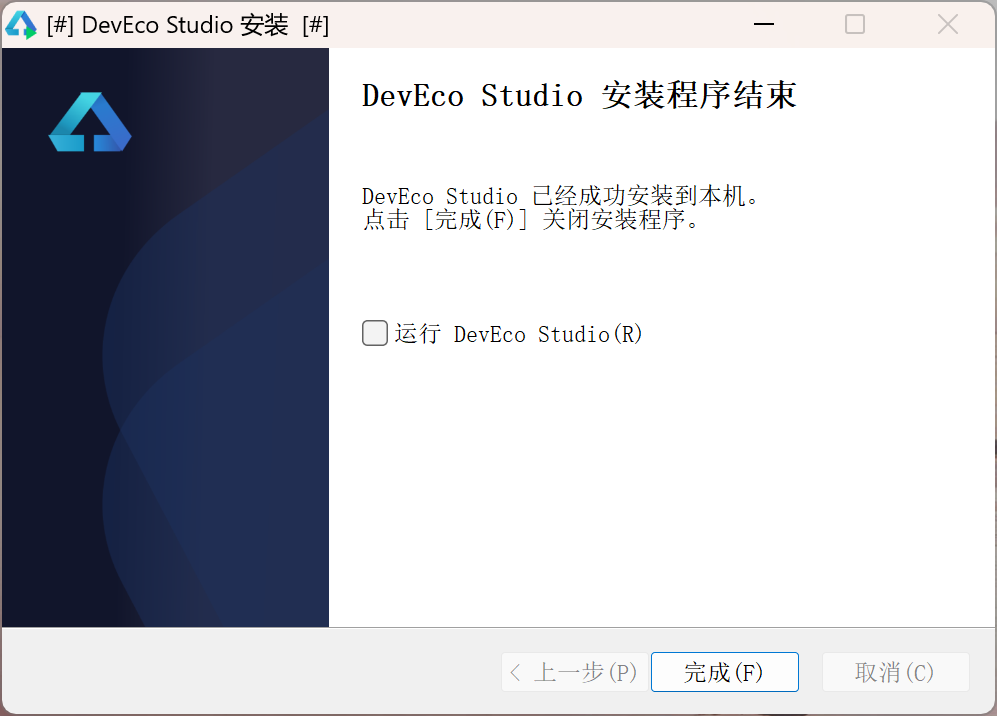
- 安装完成,你可以选择是否在安装后启动,点击完成退出安装程序。
二、Linux下移植
(一)材料下载
第三方工具 (linux版):Node.js、IntelliJ IDEA
华为官方:DevEco Studio for Windows 6.0.2.640(2.7GB)、Command Line Tools for Linux(x86) 6.0.2.640(2.0GB)
下载后可以将第三方工具先解压到一个目录中
(二)获取DevEco Studio的定制组件
在Wine或其他windows系统(包括虚拟机)上正常安装DevEco Studio,获取安装目录下的文件,即xxx/Huawei/DevEco Studio目录,拷贝到你准备安装的路径,例如安装到/opt目录下。
推荐使用"-"代替空格,参考Android Studio的做法
选择DevEco Studio启动器文件后查看属性,可以看到对应的IDEA的版本号。
(三)修改环境组件
1.更换JBR(Jetbrains Runtime)
我们将IDEA中的jbr目录复制替换到DecEco Studio的目录中,或者到Github上进行对应jbr的下载。
2.更换tools目录下组件
Node.js
我们将Note.js整个目录下载替换tools/node目录,根据目录信息,该版本使用18.20LTS最好,后面使用时会有警告,但基本不影响。
进入tools/node/bin,使用下面命令建立链接以便IDE使用,为了减少报错风险,我们参照Windows下的目录建立:
bash
ln -s node ../node
ln -s node ../node.exe
ln -s npx ../ npx
ln -s npm ../npm
ln -s corepack ../corepack
华为组件
我们打开Command Line Tools for Linux(x86) 6.0.2.640的压缩包,复制替换tools目录下的hvigor、ohpm。
3.更换lib目录下的组件
打开IDEA,找到lib目录,替换掉DevEco Studio目录lib下的native, pty4j, jna三个目录。
可以删除这三个目录下的win文件夹,在linux下使用类似lInux-xxx的目录即可
4.更换sdk目录下的windowsSDK为LinuxSDK
删除DevEco Studio目录下的sdk文件夹,打开Command Line Tools for Linux(x86) 6.0.2.640的压缩包,复制sdk文件夹解压到原来sdk文件夹的位置。
也可以在移植后使用官方的SDK下载工具下载
(四)修改启动器
根据对DevEco Studio的启动器bin/devecostudio64.exe的属性查看,我们判断华为对IDEA原版启动器的改动不大,应该可以通过替换启动器直接启动。
1.启动器资源更换
我们将IDEA的bin目录下的文件(除idea.properties)直接复制替换到DevEco Studio目录下的bin中,删除所有的bat、ps1和exe,将idea改名为devecostudio。
3.配置文件修改
参考下面的配置信息进行修改。
注意格式问题!
DevEco Studio目录下的product-info.json
json
{
  "name": "DevEco Studio",
  "version": "6.0.2.640",
  "versionSuffix": "",
  "buildNumber": "243.24978.46.36.602640",
  "productCode": "DS",
  "envVarBaseName": "DEVECOSTUDIO",
  "dataDirectoryName": "DevEcoStudio6.0",
  "svgIconPath": "bin/devecostudio.svg",
  "productVendor": "Huawei",
  "launch": [
    {
      "os": "Linux",
      "arch": "amd64",
      "launcherPath": "bin/devecostudio",
      "javaExecutablePath": "jbr/bin/java",
      "vmOptionsFilePath": "bin/devecostudio64-lin.vmoptions",
      "startupWmClass": "deveco-studio",
      "bootClassPathJarNames": [
        "platform-loader.jar",
        "util-8.jar",
        "util.jar",
        "util_rt.jar",
        "opentelemetry.jar",
        "app.jar",
        "stats.jar",
        "jps-model.jar",
        "external-system-rt.jar",
        "rd.jar",
        "bouncy-castle.jar",
        "protobuf.jar",
        "forms_rt.jar",
        "lib.jar",
        "externalProcess-rt.jar",
        "groovy.jar",
        "annotations.jar",
        "hwlib.jar",
        "idea_rt.jar",
        "kotlinx-coroutines-slf4j-1.8.0-intellij.jar",
        "nio-fs.jar",
        "trove.jar"
      ],
      "additionalJvmArguments": [
        "-Djava.system.class.loader=com.intellij.util.lang.PathClassLoader",
        "-Didea.vendor.name=Huawei",
        "-Didea.paths.selector=DevEcoStudio6.0",
        "-Djna.boot.library.path=$IDE_HOME/lib/jna/amd64",
        "-Dpty4j.preferred.native.folder=$IDE_HOME/lib/pty4j",
        "-Djna.nosys=true",
        "-Djna.noclasspath=true",
        "-Dintellij.platform.runtime.repository.path=$IDE_HOME/modules/module-descriptors.jar",
        "-Didea.platform.prefix=DevEcoStudio",
        "-Dsplash=true",
        "-Daether.connector.resumeDownloads=false",
        "-Dcompose.swing.render.on.graphics=true",
        "--add-opens=java.base/java.io=ALL-UNNAMED",
        "--add-opens=java.base/java.lang=ALL-UNNAMED",
        "--add-opens=java.base/java.lang.ref=ALL-UNNAMED",
        "--add-opens=java.base/java.lang.reflect=ALL-UNNAMED",
        "--add-opens=java.base/java.net=ALL-UNNAMED",
        "--add-opens=java.base/java.nio=ALL-UNNAMED",
        "--add-opens=java.base/java.nio.charset=ALL-UNNAMED",
        "--add-opens=java.base/java.text=ALL-UNNAMED",
        "--add-opens=java.base/java.time=ALL-UNNAMED",
        "--add-opens=java.base/java.util=ALL-UNNAMED",
        "--add-opens=java.base/java.util.concurrent=ALL-UNNAMED",
        "--add-opens=java.base/java.util.concurrent.atomic=ALL-UNNAMED",
        "--add-opens=java.base/java.util.concurrent.locks=ALL-UNNAMED",
        "--add-opens=java.base/jdk.internal.vm=ALL-UNNAMED",
        "--add-opens=java.base/sun.net.dns=ALL-UNNAMED",
        "--add-opens=java.base/sun.nio.ch=ALL-UNNAMED",
        "--add-opens=java.base/sun.nio.fs=ALL-UNNAMED",
        "--add-opens=java.base/sun.security.ssl=ALL-UNNAMED",
        "--add-opens=java.base/sun.security.util=ALL-UNNAMED",
        "--add-opens=java.desktop/com.sun.java.swing=ALL-UNNAMED",
        "--add-opens=java.desktop/java.awt=ALL-UNNAMED",
        "--add-opens=java.desktop/java.awt.dnd.peer=ALL-UNNAMED",
        "--add-opens=java.desktop/java.awt.event=ALL-UNNAMED",
        "--add-opens=java.desktop/java.awt.font=ALL-UNNAMED",
        "--add-opens=java.desktop/java.awt.image=ALL-UNNAMED",
        "--add-opens=java.desktop/java.awt.peer=ALL-UNNAMED",
        "--add-opens=java.desktop/javax.swing=ALL-UNNAMED",
        "--add-opens=java.desktop/javax.swing.plaf.basic=ALL-UNNAMED",
        "--add-opens=java.desktop/javax.swing.text=ALL-UNNAMED",
        "--add-opens=java.desktop/javax.swing.text.html=ALL-UNNAMED",
        "--add-opens=java.desktop/sun.awt=ALL-UNNAMED",
        "--add-opens=java.desktop/sun.awt.datatransfer=ALL-UNNAMED",
        "--add-opens=java.desktop/sun.awt.image=ALL-UNNAMED",
        "--add-opens=java.desktop/sun.awt.windows=ALL-UNNAMED",
        "--add-opens=java.desktop/sun.font=ALL-UNNAMED",
        "--add-opens=java.desktop/sun.java2d=ALL-UNNAMED",
        "--add-opens=java.desktop/sun.swing=ALL-UNNAMED",
        "--add-opens=java.management/sun.management=ALL-UNNAMED",
        "--add-opens=jdk.attach/sun.tools.attach=ALL-UNNAMED",
        "--add-opens=jdk.compiler/com.sun.tools.javac.api=ALL-UNNAMED",
        "--add-opens=jdk.internal.jvmstat/sun.jvmstat.monitor=ALL-UNNAMED",
        "--add-opens=jdk.jdi/com.sun.tools.jdi=ALL-UNNAMED",
        "--add-opens=java.desktop/com.sun.java.swing.plaf.gtk=ALL-UNNAMED",
        "--add-opens=java.desktop/javax.swing.text.html.parser=ALL-UNNAMED",
        "--add-opens=java.desktop/sun.awt.X11=ALL-UNNAMED"
      ],
      "mainClass": "com.intellij.idea.Main"
    }
  ],
  "bundledPlugins": [],
  "modules": [],
  "fileExtensions": [],
  "layout": []
}
DevEco Studio目录下bin目录中的devecostudio64-lin.vmoptions
properties
-Xms256m
-Xmx2048m
-Dfile.encoding=UTF-8
-XX:JbrShrinkingGcMaxHeapFreeRatio=40
-XX:ReservedCodeCacheSize=512m
-XX:+HeapDumpOnOutOfMemoryError
-XX:-OmitStackTraceInFastThrow
-XX:CICompilerCount=2
-XX:+IgnoreUnrecognizedVMOptions
-ea
-Dsun.io.useCanonCaches=false
-Dsun.java2d.metal=true
-Djbr.catch.SIGABRT=true
-Djdk.http.auth.tunneling.disabledSchemes=""
-Djdk.attach.allowAttachSelf=true
-Djdk.module.illegalAccess.silent=true
-Djdk.nio.maxCachedBufferSize=2097152
-Djava.util.zip.use.nio.for.zip.file.access=true
-Dawt.lock.fair=true
-Dsun.tools.attach.tmp.only=true
-Dkotlinx.coroutines.debug=off
-XX:+UnlockDiagnosticVMOptions
-XX:TieredOldPercentage=100000
-Dwsl.use.remote.agent.for.nio.filesystem=true
-Djava.nio.file.spi.DefaultFileSystemProvider=com.intellij.platform.core.nio.fs.MultiRoutingFileSystemProvider
-Djava.security.manager=com.intellij.platform.core.nio.fs.CoreBootstrapSecurityManager
-Djdk.gtk.version=2
-Dsun.java2d.opengl=false
-Dsun.java2d.xrender=false
DevEco Studio目录下bin目录中的idea.properties
properties
# Use ${idea.home.path} macro to specify location relative to IDE installation home.
# Use ${xxx} where xxx is any Java property (including defined in previous lines of this file) to refer to its value.
# Note for Windows users: please make sure you're using forward slashes: C:/dir1/dir2.

#---------------------------------------------------------------------
# Uncomment this option if you want to customize a path to the settings directory.
#---------------------------------------------------------------------
# idea.config.path=${user.home}/.DevEcoStudio/config

#---------------------------------------------------------------------
# Uncomment this option if you want to customize a path to the caches directory.
#---------------------------------------------------------------------
# idea.system.path=${user.home}/.DevEcoStudio/system

#---------------------------------------------------------------------
# Uncomment this option if you want to customize a path to the user-installed plugins directory.
#---------------------------------------------------------------------
# idea.plugins.path=${idea.config.path}/plugins

#---------------------------------------------------------------------
# Uncomment this option if you want to customize a path to the logs directory.
#---------------------------------------------------------------------
# idea.log.path=${idea.system.path}/log

#---------------------------------------------------------------------
# Maximum file size (in KiB) IDE should provide code assistance for.
# The larger file is the slower its editor works and higher overall system memory requirements are
# if code assistance is enabled. Remove this property or set to very large number if you need
# code assistance for any files available regardless of their size.
#---------------------------------------------------------------------
idea.max.intellisense.filesize=2500

#---------------------------------------------------------------------
# Maximum file size (in KiB) the IDE is able to open.
#---------------------------------------------------------------------
idea.max.content.load.filesize=20000

#---------------------------------------------------------------------
# This option controls console cyclic buffer: keeps the console output size not higher than the specified buffer size (KiB).
# Older lines are deleted. In order to disable cycle buffer use idea.cycle.buffer.size=disabled
#---------------------------------------------------------------------
idea.cycle.buffer.size=4096

#---------------------------------------------------------------------
# Configure if a special launcher should be used when running processes from within IDE.
# Using Launcher enables "soft exit" and "thread dump" features
#---------------------------------------------------------------------
idea.no.launcher=false

#---------------------------------------------------------------------
# To avoid too long classpath
#---------------------------------------------------------------------
idea.dynamic.classpath=false

#---------------------------------------------------------------------
# There are two possible values of idea.popup.weight property: "heavy" and "medium".
# If you have WM configured as "Focus follows mouse with Auto Raise" then you have to
# set this property to "medium". It prevents problems with popup menus on some
# configurations.
#---------------------------------------------------------------------
idea.popup.weight=heavy

#---------------------------------------------------------------------
# Removing this property may lead to editor performance degradation under Windows.
#---------------------------------------------------------------------
sun.java2d.d3d=false

#---------------------------------------------------------------------
# Removing this property may lead to editor performance degradation on Java 8+.
#---------------------------------------------------------------------
swing.bufferPerWindow=true

#---------------------------------------------------------------------
# Removing this property may lead to editor performance degradation under X Window.
#---------------------------------------------------------------------
sun.java2d.pmoffscreen=false

#---------------------------------------------------------------------
# Enables HiDPI support in JBR
#---------------------------------------------------------------------
sun.java2d.uiScale.enabled=false

#---------------------------------------------------------------------
# Applicable to the Swing text components displaying HTML (except JEditorPane).
# Rebases CSS size map depending on the component's font size to let relative
# font size values (smaller, larger) scale properly. JBR-only.
#---------------------------------------------------------------------
javax.swing.rebaseCssSizeMap=true


#---------------------------------------------------------------------
# Workaround for accessing (in terms of a11y) long VCS logs on macOS. JBR-only.
#---------------------------------------------------------------------
sun.awt.mac.a11y.tableAccessibleRowCountThreshold=1000

#---------------------------------------------------------------------
# Enabling an optimization that excludes traversal of collapsed accessible nodes from the accessible tree. JBR-4167
#---------------------------------------------------------------------
javax.swing.JTree.excludeAccessibleChildrenFromClosedNodes=true

#---------------------------------------------------------------------
# Workaround to avoid long hangs while accessing clipboard under Mac OS X.
#---------------------------------------------------------------------
#ide.mac.useNativeClipboard=True

#---------------------------------------------------------------------
# Maximum size (KiB) the IDE will use to show historical file contents -
# in Show Diff or when calculating Digest Diff
#---------------------------------------------------------------------
#idea.max.vcs.loaded.size.kb=20480

#---------------------------------------------------------------------
# IDEA file chooser peeks inside directories to detect whether they contain a valid project
# (to mark such directories with a corresponding icon).
# Uncommenting the option prevents this behavior outside the user home directory.
#---------------------------------------------------------------------
#idea.chooser.lookup.for.project.dirs=false

#---------------------------------------------------------------------
# In LWCToolkit.invokeAndWait() listens to EDT state and disposes the invocation event
# when EDT becomes free but the invocation event is not yet dispatched (considered lost).
# This prevents a deadlock and makes the invocation return some default result.
#---------------------------------------------------------------------
sun.lwawt.macosx.LWCToolkit.invokeAndWait.disposeOnEDTFree=true

#---------------------------------------------------------------------
# Experimental options that do a number of things to make truly smooth scrolling possible:
#
# * Enables hardware-accelerated scrolling.
#     Blit-acceleration copies as much of the rendered area as possible and then repaints only newly exposed region.
#     This helps to improve scrolling performance and to reduce CPU usage (especially if drawing is compute-intensive).
#
# * Enables "true double buffering".
#     True double buffering is needed to eliminate tearing on blit-accelerated scrolling and to restore
#     frame buffer content without the usual repainting, even when the EDT is blocked.
#
# * Adds "idea.true.smooth.scrolling.debug" option.
#     Checks whether blit-accelerated scrolling is feasible, and if so, checks whether true double buffering is available.
#
# * Enables handling of high-precision mouse wheel events.
#     Although Java 7 introduced MouseWheelEven.getPreciseWheelRotation() method, JScrollPane doesn't use it so far.
#     Depends on the Editor / General / Smooth Scrolling setting, remote desktop detection and power save mode state.
#     Ideally, we need to patch the runtime (on Windows, Linux and macOS) to improve handling of the fine-grained input data.
#     This feature can be toggled via "idea.true.smooth.scrolling.high.precision" option.
#
# * Enables handling of pixel-perfect scrolling events.
#     Currently, this mode is available only under macOS with JetBrains Runtime.
#     This feature can be toggled via "idea.true.smooth.scrolling.pixel.perfect" option.
#
# * Enables interpolation of scrolling input (scrollbar, mouse wheel, touchpad, keys, etc).
#     Smooths input, which lacks both spatial and temporal resolution, performs the rendering asynchronously.
#     Depends on the Editor / General / Smooth Scrolling setting, remote desktop detection and power save mode state.
#     The feature can be tweaked using the following options:
#       "idea.true.smooth.scrolling.interpolation" - the main switch
#       "idea.true.smooth.scrolling.interpolation.scrollbar" - scrollbar interpolation
#       "idea.true.smooth.scrolling.interpolation.scrollbar.delay" - initial delay for scrollbar interpolation (ms)
#       "idea.true.smooth.scrolling.interpolation.mouse.wheel" - mouse wheel / touchpad interpolation
#       "idea.true.smooth.scrolling.interpolation.mouse.wheel.delay.min" - minimum initial delay for mouse wheel interpolation (ms)
#       "idea.true.smooth.scrolling.interpolation.mouse.wheel.delay.max" - maximum initial delay for mouse wheel interpolation (ms)
#       "idea.true.smooth.scrolling.interpolation.precision.touchpad" - touchpad interpolation
#       "idea.true.smooth.scrolling.interpolation.precision.touchpad.delay" - initial delay for touchpad interpolation (ms)
#       "idea.true.smooth.scrolling.interpolation.other" - interpolation of other input sources
#       "idea.true.smooth.scrolling.interpolation.other.delay" - initial delay for other input source interpolation (ms)
#
# * Adds on-demand horizontal scrollbar in editor.
#     The horizontal scrollbar is shown only when it's actually needed for currently visible content.
#     This helps to save editor space and to prevent occasional horizontal "jitter" on vertical touchpad scrolling.
#     This feature can be toggled via "idea.true.smooth.scrolling.dynamic.scrollbars" option.
#---------------------------------------------------------------------
#idea.true.smooth.scrolling=true


idea.plugins.compatible.build=IC-243.24978.46

#---------------------------------------------------------------------
# Configure the HarmonyOS SDK used by the IDE. Unless you understand the consequences, do not modify the configuration.
#---------------------------------------------------------------------
#ide.harmonyos.sdk.location=/path/hosdk/

#---------------------------------------------------------------------
# Configure ohpm used by the IDE. Unless you understand the consequences, do not modify the configuration.
#---------------------------------------------------------------------
#ide.ohpm.location=/path/ohpm

#---------------------------------------------------------------------
# Configure hvigor used by the IDE. Unless you understand the consequences, do not modify the configuration.
#---------------------------------------------------------------------
#ide.hvigor.location=/path/hvigor

#---------------------------------------------------------------------
# Configure Node.js used by the IDE. Unless you understand the consequences, do not modify the configuration.
#---------------------------------------------------------------------
#ide.node.location=/path/node

#---------------------------------------------------------------------
# Configure the emulator used by the IDE. Unless you understand the consequences, do not modify the configuration.
#---------------------------------------------------------------------
#ide.emulator.location=/path/emulator

#---------------------------------------------------------------------
# Maximum size of a single file that can be scanned by the editor, in KiB. If this parameter is not set, files are not filtered.
# If large files are slowing down the initial scan speed of the editor, you can set this parameter to filter them out.
#---------------------------------------------------------------------
#arkts.server.max.intellisense.filesize=10240

#---------------------------------------------------------------------
# Memory limit for the Node.js process of the editor, in MiB. If this parameter is not set, the default value 8192 MiB is used.
#---------------------------------------------------------------------
#arkts.server.max.old.space.size=8192

#-----------------------------------------------------------------------
# Change to 'enabled' if you want to receive instant visual notifications
# about fatal errors that happen to an IDE or plugins installed.
#-----------------------------------------------------------------------
idea.fatal.error.notification=disabled

jdk.gtk.version=2

hidpi=true
注意:本文件适用于在Wayland下。
(四)签名工具的错误
完成上述步骤后,DevEco Studio已经基本能驱动起来,但签名时找不到工具,此时在jbr目录下建立Contents/Home/,并在其中建立bin链接到jbr/bin/即可。
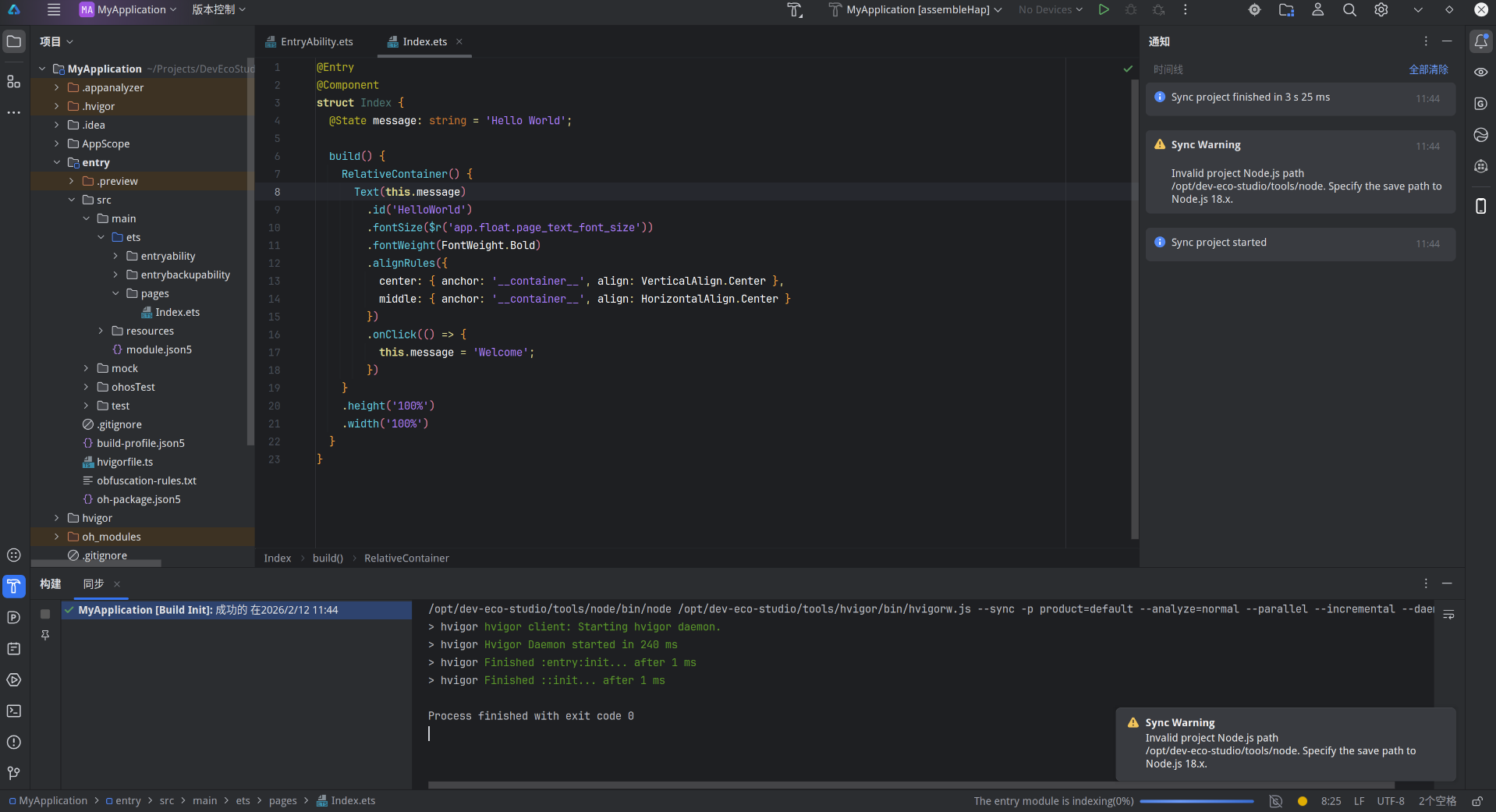
(五)完成效果
(六)还未解决的问题
1.官方模拟器无法启动
当前替代方案,使用 Oniro Emulator的OpenHarmony镜像进行调试。
也可以尝试逆向官方模拟器,使用已经能在linux正常工作的android studio的模拟器作为基础进行修改移植。
2.官方预览器无法启动
当前替代方案,使用 Oniro Emulator的OpenHarmony镜像进行调试。
3.DevEco Studio在关闭后仍然在运行导致下一次无法打开
当前替代方案:手动使用kill命令结束。
4.默认字体太小看不清
当前替代方案:在设置中设置无障碍字体大小24,编辑器字体大小24。
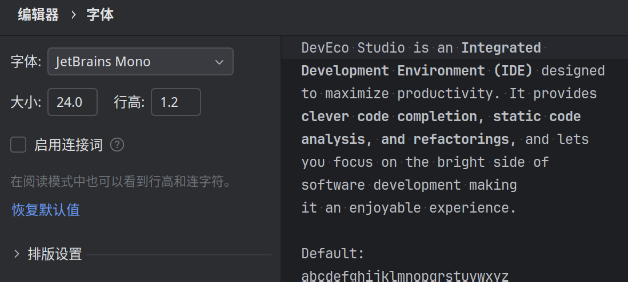
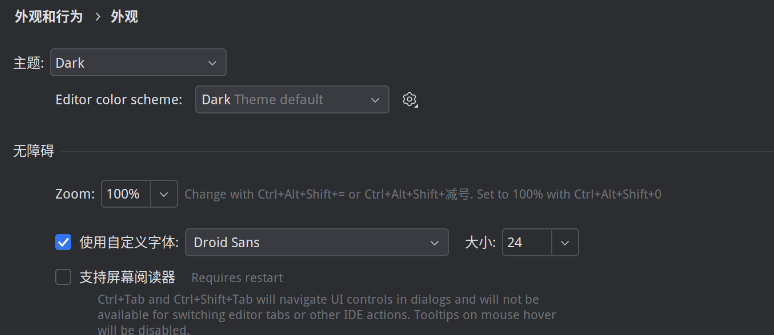
可能导致新建项目时字体过大