🎈 个人主页👉: tbRNA-CSDN博客
💯 个人简介:在校大学生一枚💋.
😍 希望我的文章对大家有着不一样的帮助,欢迎大家关注我,感谢大家的多多支持!🎉 欢迎 👍点赞 ✍评论 ⭐收藏
往期文章👇
1. 为什么学习 string 类?
C++ 标准库(Standard Template Library,STL)是 C++ 的核心组成部分之一,提供了丰富的数据结构和算法。
" <string> 是 C++ 标准库中用于处理字符串的头文件。"
在 C++ 中,字符串是由字符组成的序列,<string> 头文件提供了std::string 类,它是对 C 风格字符串的封装,提供了更安全、更易用的字符串操作功能。
要使用类,关键在于知道它的共有接口,而 string 类包含大量的方法,其中包括若干构造函数,用于将字符串赋值给变量、合并字符串、比较字符串和访问各个元素的重载运算符以及用于在字符串中查找字符和子字符串的工具等。
要在 C++ 程序中使用 <string> 库,首先需要包含这个头文件:
cpp
#include <iostream>
#include <string>
这边我们跟C语言进行一个对比:
-
C语言提供了两种主要的方式来定义字符串:使用字符数组和使用字符指针。
-
C语言在 string.h 中提供了一系列的字符串函数。
2. 标准库中的 string 类
(1) string 类的基本成员函数
😉 在使用 string 类时,必须包含 #include 头文件以及 using namespace std;
1️⃣ string 类的构造函数: Construct string object ( public member function )
构造函数官方文档:string::string - C++ Reference
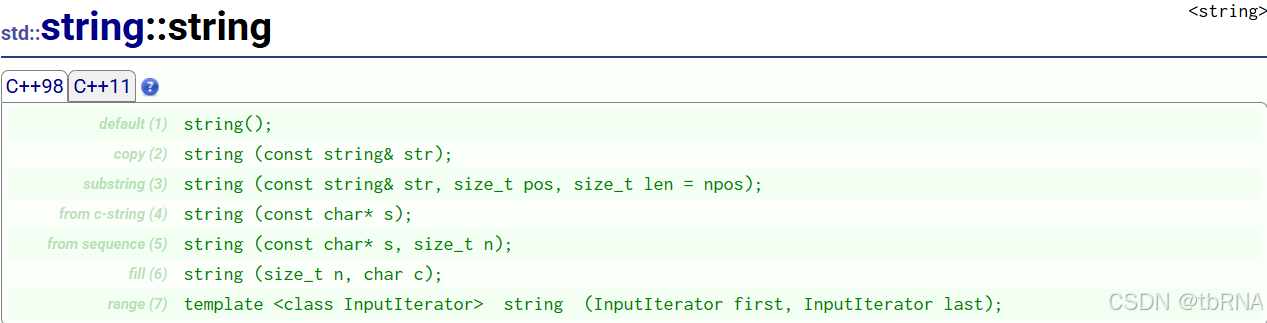
通过文档可以看出,string 构造函数有多种方法,下面给出示例代码帮助理解👇:
cpp
#include<iostream>
#include<string>
using namespace std;

int main()
{
	string s1;
	cout << s1 << endl;

	string s2("hello world!");
	cout << s2 << endl;

	string s3(s2);
	cout << s3 << endl;

	string s4(s2, 6, 6);
	cout << s4 << endl;

	string s5("hello world!", 5);
	cout << s5 << endl;

	string s6(6, 'x');
	cout << s6 << endl;

	return 0;
}
😊 代码运行如下👇:
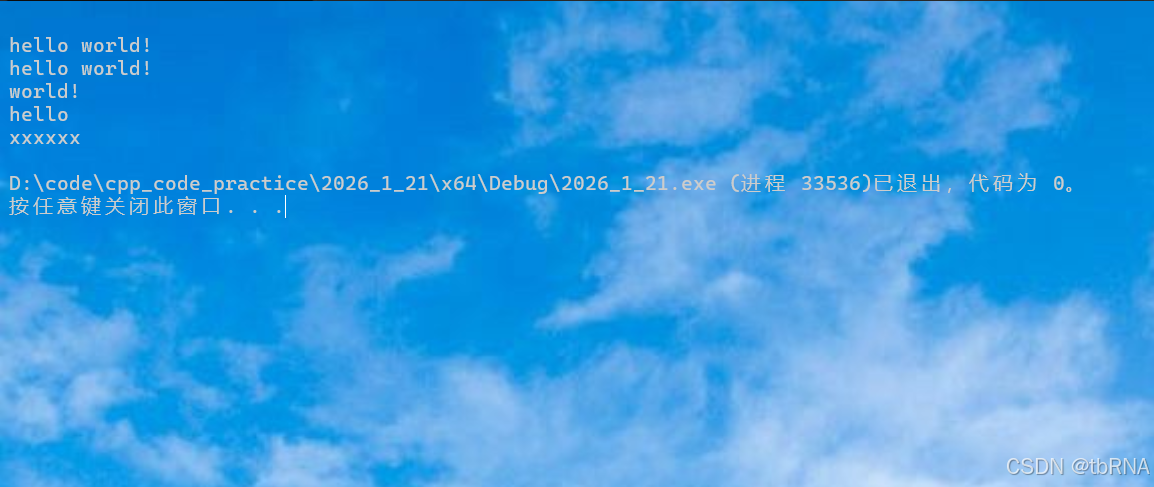
这段代码演示了 string 类的 6 种常用构造函数,涵盖了**"类和对象基础构造方法"** 与 "string 类扩展新增构造方法",展示了不同场景下 string 对象的初始化方式。
我们来总结一下 string 类构造函数的知识点:
- 基础构造方法(类和对象中通用)
(1) 无参构造(s1):创建一个空的 string 对象,无任何字符内容,后续可通过赋值、拼接等操作填充内容。
(2) 字符串常量构造(s2):用字符串常量来初始化 string 对象 ,是日常开发中最常用的构造方式。
(3) 拷贝构造(s3):以一个 已存在的 string 对象为模板 ,拷贝创建一个内容完全一致的 string 对象,新对象与原对象相互独立,修改其一不会影响另一方。
- string 类新增扩展构造方法(专属字符串场景优化)
(1) 子串截取构造(s4):从已有 string 对象的 指定索引位置开始,截取指定长度的字符来初始化新对象 ,适合从已有字符串中提取部分内容。
(2) 截取字符串常量前 N 个字符构造(s5):截取字符串常量的前 N 个字符初始化新对象 ,无需完整使用整个字符串常量。
(3) 重复字符构造(s6):用单个指定字符和指定的重复次数来初始化新对象,适合创建由相同字符组成的字符串。
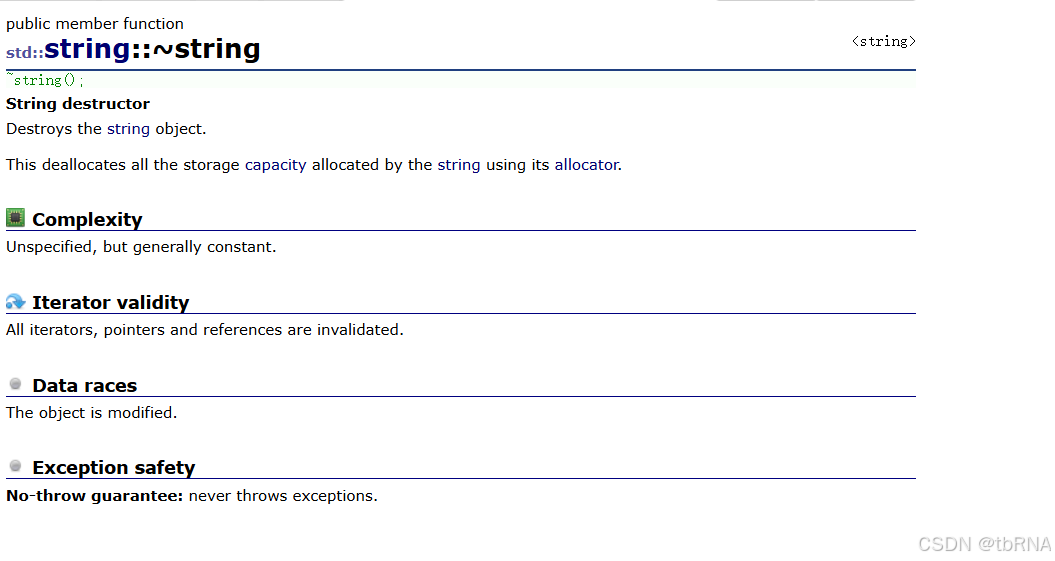
2️⃣ string 类的析构函数:String destructor ( public member function )
析构函数官方文档:string::~string - C++ Reference
3️⃣ string 类的赋值函数 operator= :String assignment ( public member function )
" operator= " 官方文档:string::operator= - C++ Reference
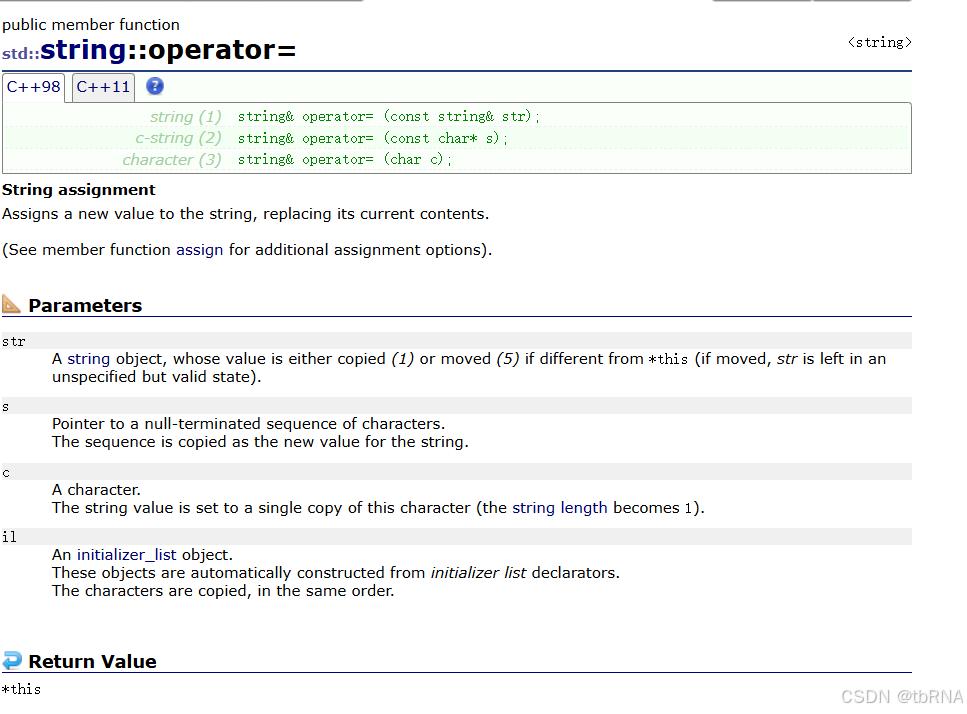
🟫 翻译一下文档:
str − 它是另一个字符串对象。
s − 指向字符数组的指针。
c − 填充字符串的字符。
il − 它是一个 initializer_list 对象。
**因此,operator=**赋值函数用起来很方便,它为字符串分配一个新值,替换其当前内容。
简单举个例子:
cpp
#include<iostream>
#include<string>
using namespace std;

void test2()
{
	string s1("hello world");
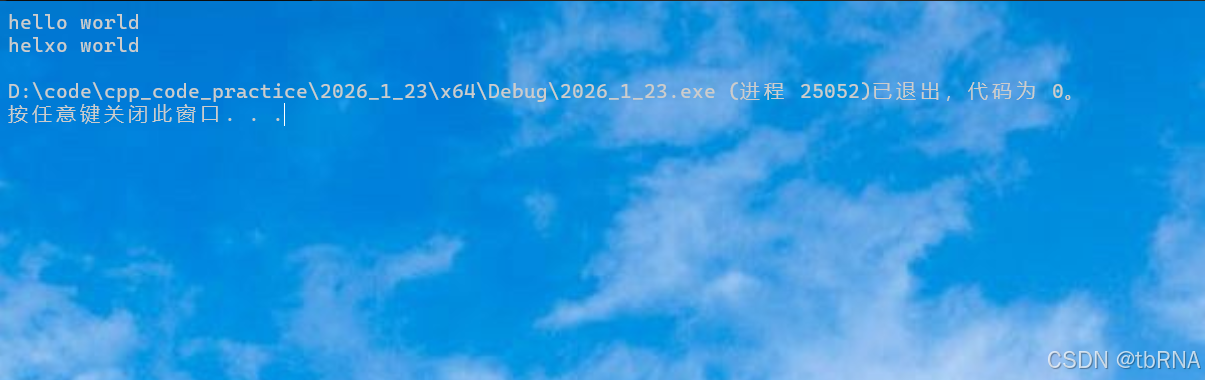
	cout << s1 << endl;

	s1[3] = 'x';
	cout << s1 << endl;
}

int main()
{
	test2();

	return 0;
}
😊 代码运行如下👇:
(2) string 类的迭代器
在使用 string 类时,我们经常需要遍历字符串的每个字符或者进行某些特定的操作,而实现遍历和操作的关键就是使用 string 迭代器 ( iterator )。
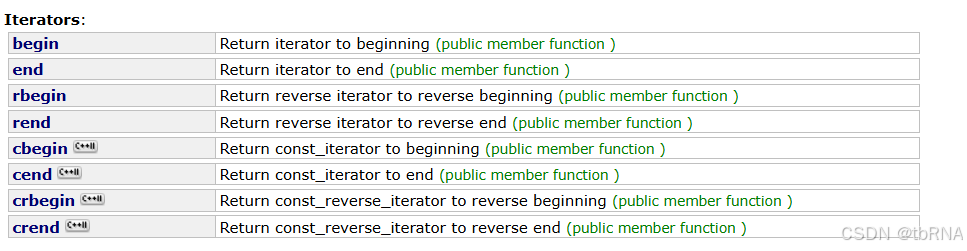
😉 翻译一下👇:
cpp
/*迭代器*/
iterator begin();
//返回指向字符串第一个字符的迭代器

iterator end();
//返回指向字符串最后一个字符的下一个位置的迭代器

reverse_iterator rbegin();
//返回字符串最后一个字符的反向迭代器

reverse_iterator rend();
//返回指向字符串第一个字符之前的反向迭代器

/*常量迭代器*/
iterator cbegin();
//返回指向字符串第一个字符的迭代器

iterator cend();
//返回指向字符串最后一个字符的下一个位置的迭代器

reverse_iterator rcbegin();
//返回字符串最后一个字符的反向迭代器

reverse_iterator rcend();
//返回指向字符串第一个字符之前的反向迭代器
1️⃣ 首先,我们来了解一下什么是迭代器:
当我们需要遍历一个集合(比如数组、列表或字符串)中的元素时,这时候迭代器就派上用场了。
迭代器就像是一个指针,它可以帮助我们在集合中逐个地获取其中的元素,并且可以根据需要进行修改,使用迭代器,我们不需要关心集合内部的具体实现细节,只需要专注于每个元素的访问和操作。
迭代器分为不同的类型,每种类型有着特定的目的和功能。例如,我们可以使用迭代器来读取集合元素的值,也可以使用迭代器来修改元素的值,甚至可以删除或添加元素。
总的来说,迭代器是一种工具,帮助我们在集合中按照一定的顺序遍历和操作每个元素,使得我们能够更方便地处理集合中的数据,使用迭代器,我们可以统一的方式处理不同类型的集合,提高了代码的可复用性和灵活性。
2️⃣ 回到 string 类,我们如何来定义一个 string 迭代器呢?
通过使用 string 类中的静态类成员 iterator:
cpp
string::iterator it当我们说到迭代器时,可以将其想象为一个类似于指针的对象,它允许我们在容器 (例如字符串) 中按顺序访问元素或字符。
下面👇代码是我们通过迭代器来遍历字符串:
cpp
#include<iostream>
#include<string>
using namespace std;

void Test1()
{
	string s1("hello world");
	string::iterator it = s1.begin();
	while (it != s1.end())
	{
		cout << *it << " ";
		it++;
	}
	cout << endl;

	string::reverse_iterator rit = s1.rbegin();
	while (rit != s1.rend())
	{
		cout << *rit << " ";
		rit++;
	}
	cout << endl;
}

void Test2()
{
	const string s2("hello world");
	string::const_iterator cit = s2.begin();
	while (cit != s2.end())
	{
		cout << *cit << " ";
		cit++;
	}
	cout << endl;

	string::const_reverse_iterator crit = s2.rbegin();
	while (crit != s2.rend())
	{
		cout << *crit << " ";
		crit++;
	}
	cout << endl;
}

int main()
{
	Test1();
	Test2();

	return 0;
}
通过这段代码,我们可以了解到:
-
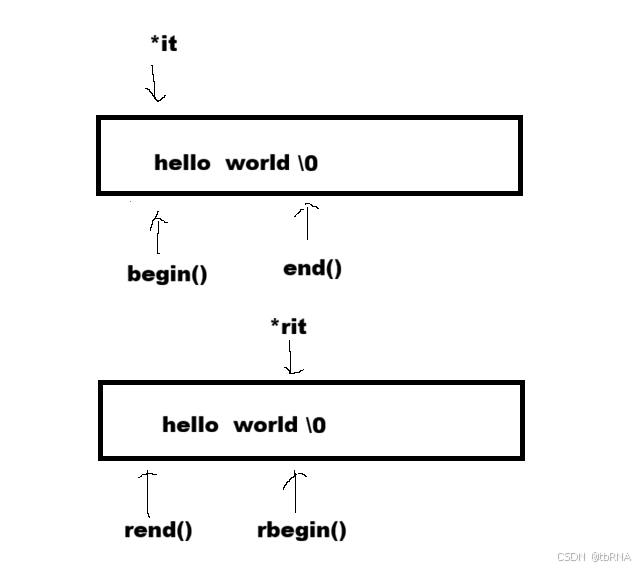
begin() 返回首字符的正向迭代器,end() 返回最后一个有效字符之后 的位置。rbegin() 和 rend() 提供反向迭代器,分别指向最后一个字符和首字符之前 的位置。这些都是常用的返回迭代器接口的成员函数。
-
接下来,我们具体看下这几个成员函数:
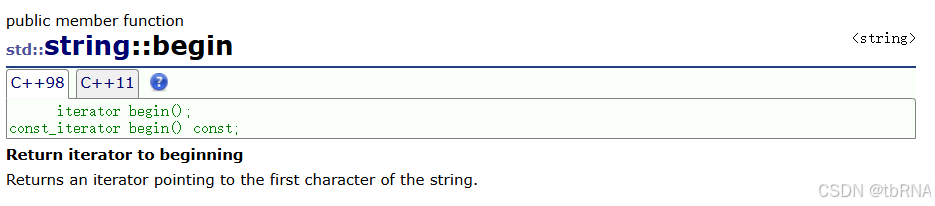
begin() 函数官方文档:string::begin - C++ Reference
对应的迭代器有:interator 和 const_iterator
end() 函数官方文档:string::end - C++ Reference
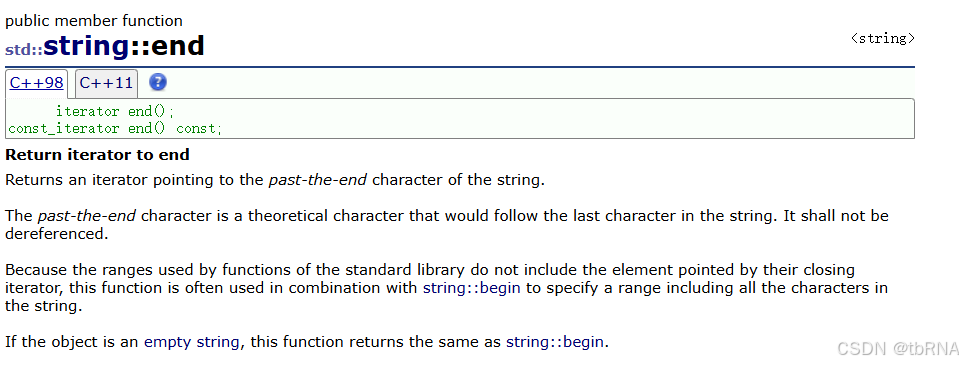
🔴 begin() 和 end() 对应的迭代器有:interator 和 const_iterator
rbegin() 函数官方文档:string::rbegin - C++ Reference
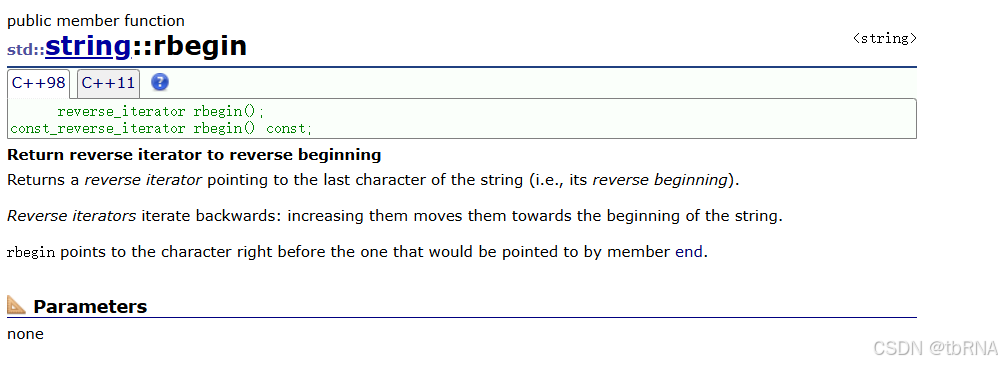
rend() 函数官方文档:string::rend - C++ Reference
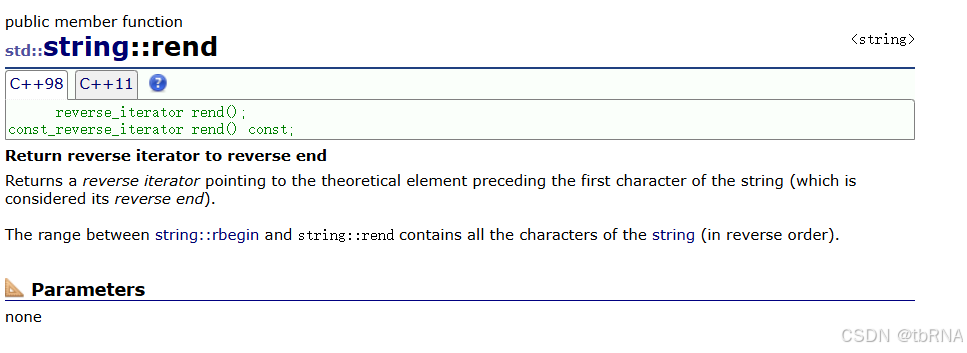
🔴 rbegin() 和 rend() 对应的迭代器有:reverse_interator 和 const_reverse_iterator
此外,C++ 后面改进的过程中还有cbegin(),cend(),crbegin(),crend() 这些成员函数,实际功能跟上面说的功能也是对应,这部分内容了解就行。
(3) auto 和范围 for 循环
1️⃣ auto 关键字:auto in templates? - C++ Forum
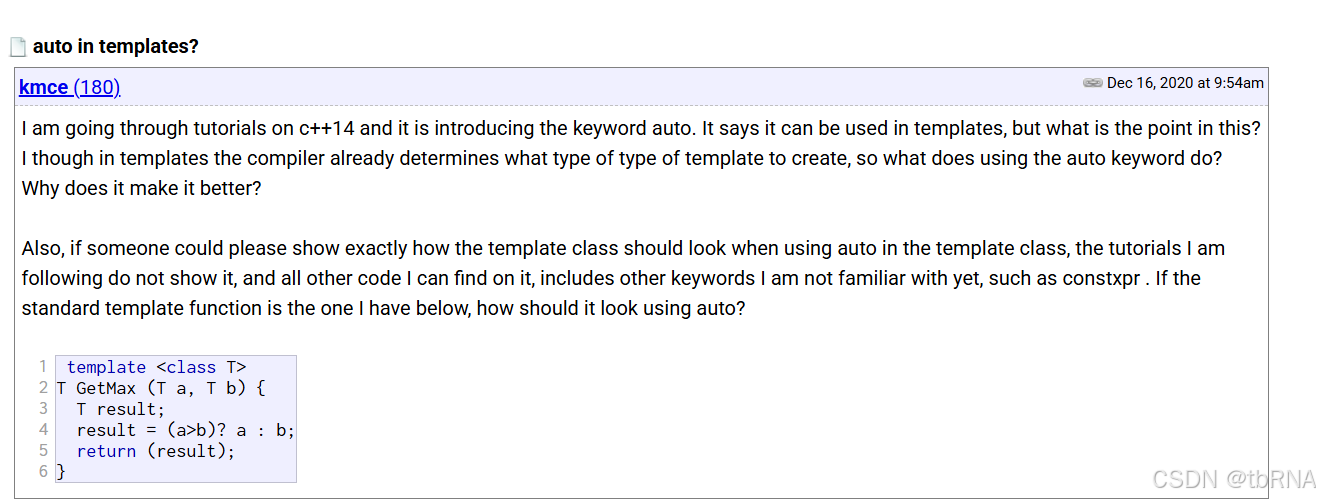
在 C++ 编程中,auto 关键字扮演着至关重要的角色,通过自动类型推导,它可以显著提高代码的可读性和可维护性。
🐵 auto的基本用法:
cpp
auto x = 5;        // x 被推导为 int
auto y = 3.14;     // y 被推导为 double
auto z = "hello";  // z 被推导为 const char*
我们思考一下为什么使用 auto?
答:对于某些较长或较奇怪的数据类型,可交给编译器自行推导,这样使代码更简洁。
举个例子,当我们学到 map 容器的时候:
cpp
#include<iostream>
#include<string>
#include<map>
using namespace std;

int main()
{
    std::map<std::string, std::string> dict = { { "apple", "苹果" }, { "orange", "橙子" }, {"pear", "梨"} };
    // auto的用武之地
    //std::map<std::string, std::string>::iterator it = dict.begin();
    auto it = dict.begin();
    while (it != dict.end())
    {
        cout << it->first << ":" << it->second << endl;
        ++it;
    }

    return 0;
}
可以看出来,当使用auto关键字的时候,可以增强代码的可读性,使代码看起来更简洁。
🦁 在这里补充下两个 C++11 的小语法:
(1) 在早期 C/C++ 中 auto 的含义是:使用 auto 修饰的变量,是具有自动存储器的局部变量,后来这个不重要了。
(2) C++11中,标准委员会变废为宝赋予了 auto 全新的含义即:
auto 不再是一个存储类型指示符,而是作为一个新的类型指示符来指示编译器,auto 声明的变量必须由编译器在编译时期推导而得。
此外,auto 关键字还需要注意:
🐷 用 auto 声明指针类型时,用 auto 和 auto* 没有任何区别,但用 auto 声明引用类型时则必须加&
示例代码👇:
cpp
int x = 10;
auto y = &x;
auto* z = &x;
auto& m = x;

cout << typeid(x).name() << endl;
cout << typeid(y).name() << endl;
cout << typeid(z).name() << endl;
🐮 当在同一行声明多个变量时,这些变量必须是相同的类型,否则编译器将会报错,因为编译器实际只对第一个类型进行推导,然后用推导出来的类型定义其他变量。
示例代码👇:
cpp
// 正确
auto aa = 1, bb = 2;

// 编译报错:error C3538: 在声明符列表中,"auto"必须始终推导为同一类型
auto cc = 3, dd = 4.0;
🐘 auto 不能作为函数的参数,可以做返回值,但是建议谨慎使用。
示例代码👇:
cpp
// 不能做参数
void func2(auto a)
{}

// 可以做返回值,但是建议谨慎使用
auto func3()
{
    return 3;
}
🐰 auto 不能直接用来声明数组。
示例代码👇:
cpp
// 编译报错:error C3318: "auto []": 数组不能具有其中包含 "auto" 的元素类型
auto array[] = { 4, 5, 6 };
2️⃣ 范围 for 循环:基于范围的 for 循环 (C++11 起) - cppreference.cn - C++参考手册
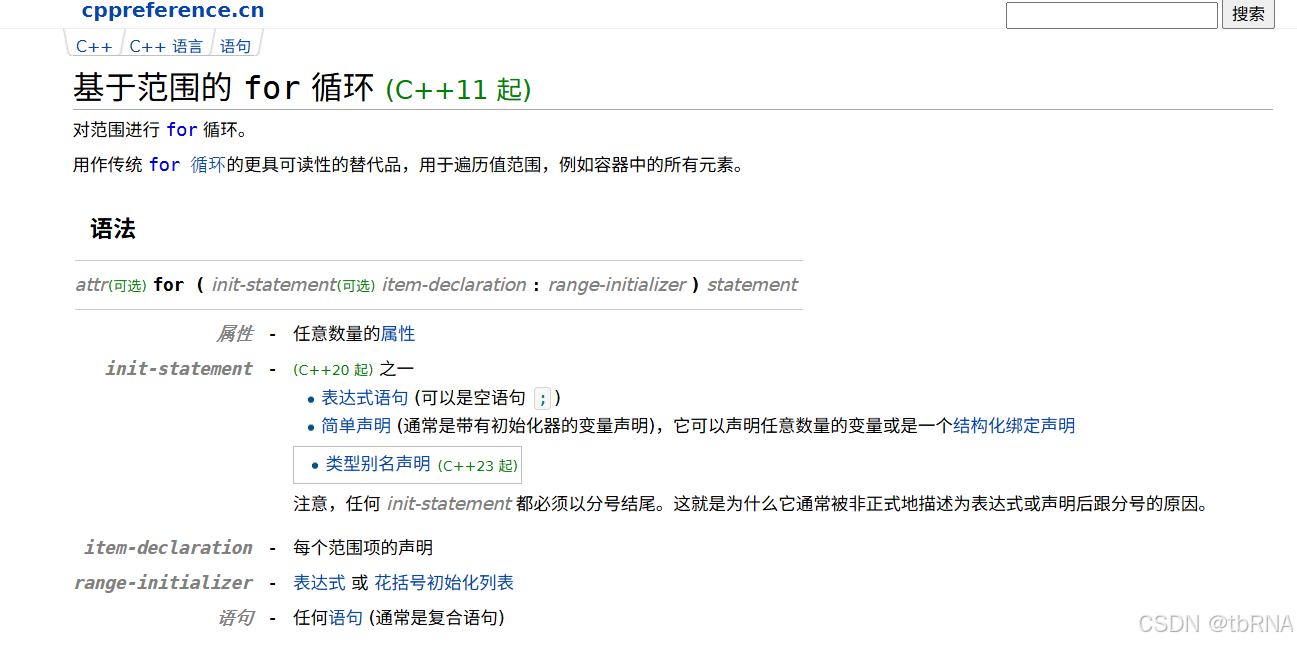
1️⃣ 对于一个有范围的集合而言,由程序员来说明循环的范围是多余的,有时候还会容易犯错误。因此 C++11 中引入了基于范围的 for 循环。
基于范围的 for 循环是 C++11 标准引入的一项特性,它提供了一种更简洁、更安全的遍历容器的方式,与传统的 for 循环相比,基于范围的 for 循环自动处理迭代,避免了迭代器或下标可能引入的错误,使代码更加易于编写和理解。
2️⃣ 范围 for 可以作用到数组和容器对象上进行遍历。
3️⃣ 范围 for 的底层很简单,容器遍历实际就是替换为迭代器,这个从汇编层也可以看到。
🦧 基于范围的 for 循环的基本语法如下:
cpp
for (declaration : expression) {
    // 循环体
}
(1) declaration 是当前范围内元素的声明,通常是一个变量定义,这个变量会依次取得 range 中每个元素的值。
(2) expression 是要迭代的序列,可以是初始化列表、数组、容器类对象等,也可以是返回 string 字符串和容器对象的函数。
我们也给出示例代码👇:
cpp
void Test()
{
    int array[] = { 1, 2, 3, 4, 5 };

    // C++98的遍历
    for (int i = 0; i < sizeof(array) / sizeof(array[0]); ++i)
    {
	    cout << array[i] << endl;
    }

    // C++11的遍历
    for (auto e : array)
	    cout << e << " " << endl;

    string str("hello world");
    for (auto ch : str)
    {
	    cout << ch << " ";
    }
    cout << endl;
}
(4) string 类的常用接口说明
1. string 类对象的常见构造
|---------------------------|---------------------------|
| 构造函数名称 | 功能说明 |
| string() | 构造空的 string 类对象,即空字符串 |
| string(const char* s) | 用 C-string 来构造 string 类对象 |
| string(size_t n , char c) | string 类对象中包含 n 个字符 c |
| string(const string& s) | 拷贝构造函数 |
示例代码👇:
cpp
void Test()
{
	string s1("hello world");
	cout << s1 << endl;

	string s2(6, 'x');
	cout << s2 << endl;

	string s3(s2);
	// string s3 = s2;
	cout << s3 << endl;
}
2. string 类对象的容量操作
|---------------|--------------------------------|
| 函数名称 | 功能说明 |
| size | 返回字符串有效字符长度 |
| length | 返回字符串有效字符长度 |
| capacity | 返回空间总大小即容量大小 |
| empty | 检测字符串释放为空串,是返回 true,否则返回 false |
| clear | 清空有效字符 |
| reserve | 请求更换容量 |
| resize | 将有效字符的个数改成 n 个,多出的空间用字符 c 填充 |
| shrink_to_fit | 用于将 capacity() 减少到 size() |
示例代码👇:
cpp
void Test()
{
	string s1("hello world");

	cout << s1.size() << endl;

	cout << s1.length() << endl;

	cout << s1.max_size() << endl;

	cout << s1.capacity() << endl;

	// vs 不缩容
	// g++ 会缩容
	s1.reserve(100);
	cout << s1.capacity() << endl;

	s1.resize(5);
	cout << s1 << endl;
	s1.resize(10);
	cout << s1 << endl;
	cout << s1.capacity() << endl;
	s1.resize(20);
	cout << s1 << endl;

	s1.clear();
	cout << "s1:" << s1 << endl;

	cout << s1.empty() << endl;

	cout << s1.size() << endl;
	cout << s1.capacity() << endl;

	s1.shrink_to_fit();
	cout << s1.size() << endl;
	cout << s1.capacity() << endl;

}
😪 其中,reserve() 函数和 resize() 函数重点提一下:
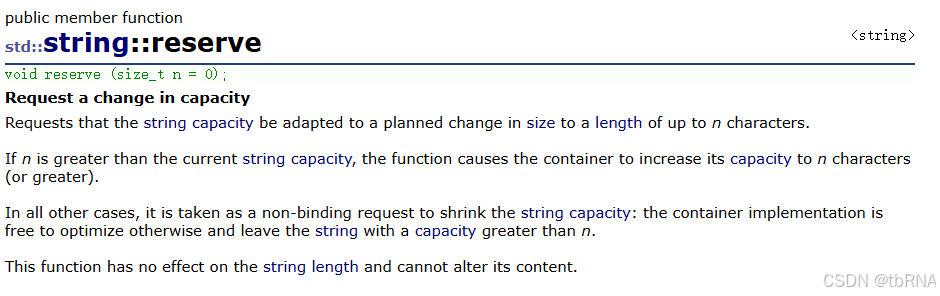
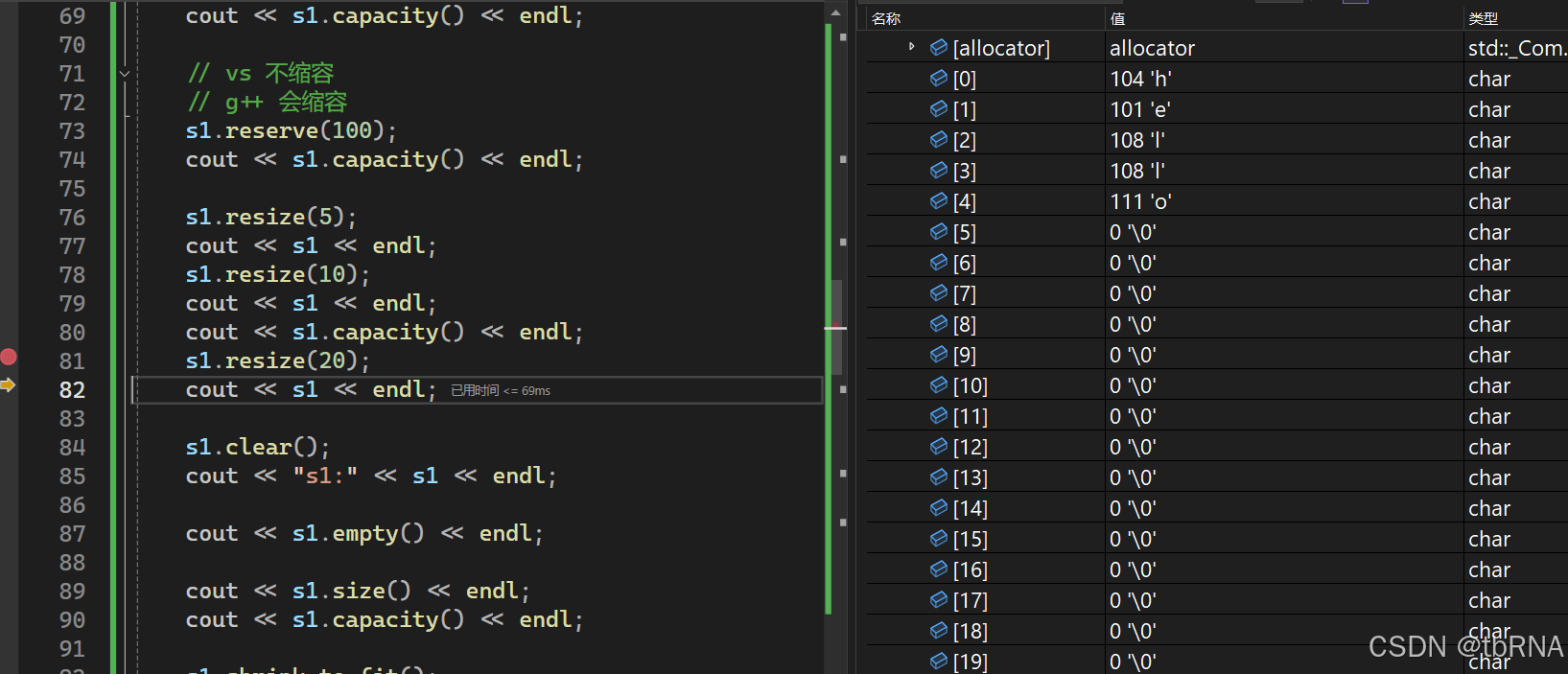
(1) reserve 为容器预留足够的空间,避免不必要的重复分配,分配空间大于等于函数的参数,影响capacity 大小。
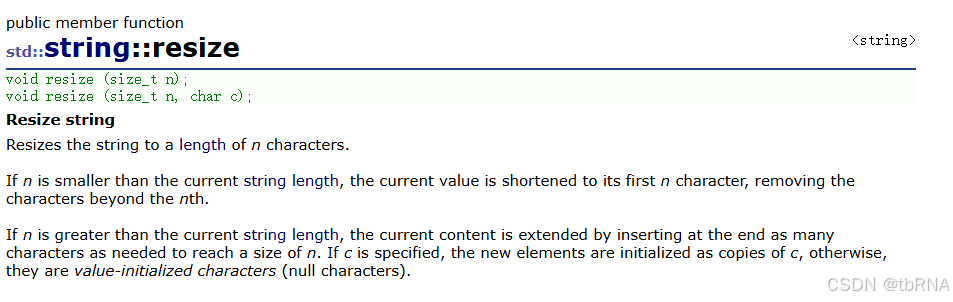
(2) resize 调整容器中有效数据区域的尺寸,如果尺寸变小,则截掉原来多余的数据,若尺寸变大,不够的数据用该函数第二个参数即字符填充,影响 size 大小。
reserve() 函数官方文档:string::reserve - C++ Reference
resize() 函数官方文档:string::resize - C++ Reference
3. string 类对象的访问
|---------------|------------------------------------------|
| 函数名称 | 功能说明 |
| operator\[\] | 返回 pos 位置的字符,const string 类对象调用 |
| begin + end | begin 获取一个字符的迭代器 + end 获取最后一个字符下一个位置的迭代器 |
| rbegin + rend | begin获取一个字符的迭代器 + end 获取最后一个字符下一个位置的迭代器 |
| 范围 for | C++11 支持更简洁的范围 for 的新遍历方式 |
😇 operator\[\] 官方文档:cplusplus.com/reference/string/string/operator\[\]/
operator\[\] 返回字符串中位置 pos 的字符引用。
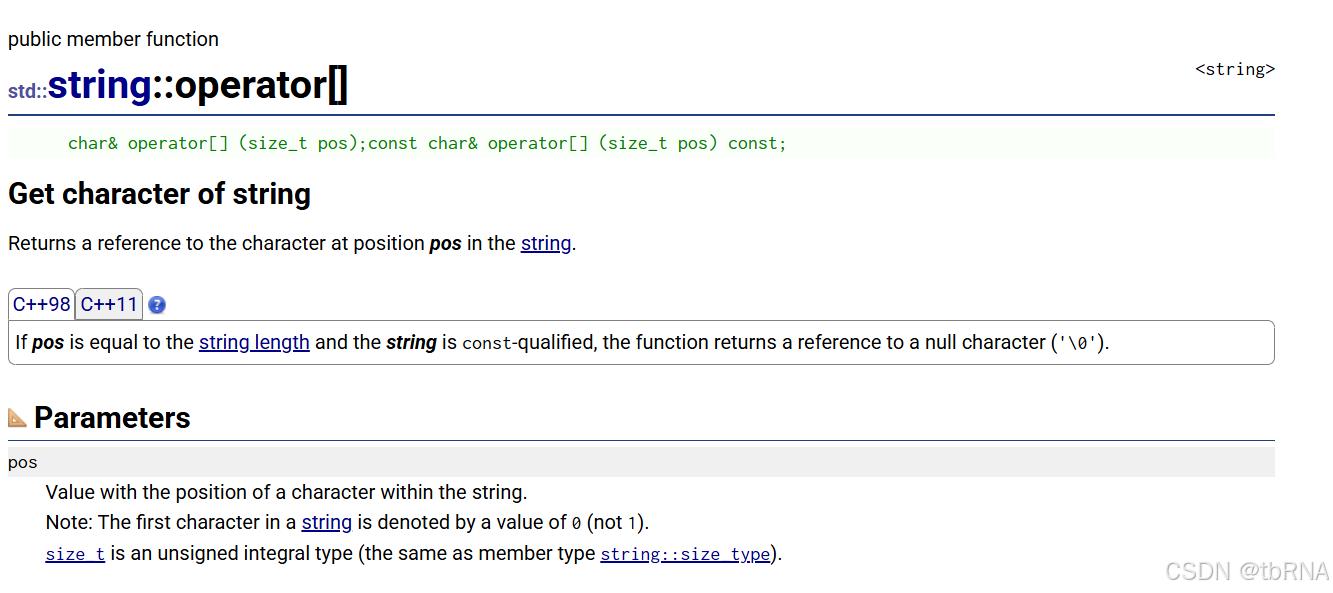
示例代码👇:
cpp
void Test()
{
	const string s2("hello world");

	cout << s2[3] << endl;

	// string::const_iterator cit = s2.begin();
	auto cit = s2.begin();
	while (cit != s2.end())
	{
		cout << *cit << " ";
		cit++;
	}
	cout << endl;

	// string::const_reverse_iterator crit = s2.rbegin();
	auto crit = s2.rbegin();
	while (crit != s2.rend())
	{
		cout << *crit << " ";
		crit++;
	}
	cout << endl;
}
4. string 类对象的修改操作
|------------|-----------------------------------|
| 函数名称 | 功能说明 |
| push_back | 在字符串后尾插字符 c |
| append | 在字符串后追加一个字符串 |
| operator+= | 在字符串后追加字符串 str |
| c_str | 返回 C 格式字符串 |
| substr | 在 str 中从 pos 位置开始,截取 n 个字符,然后将其返回 |
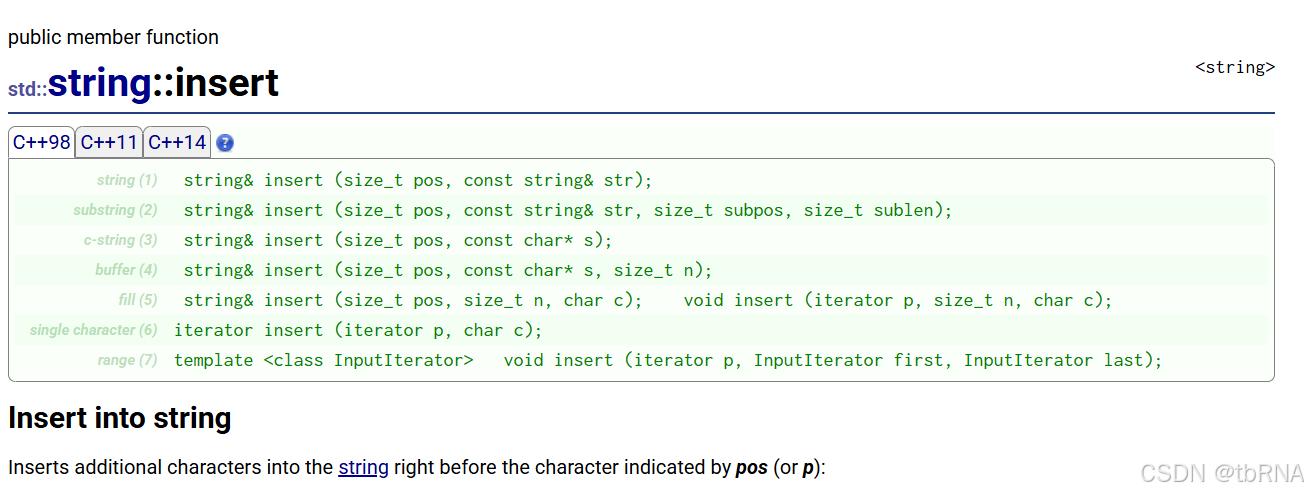
| insert | 在 pos 表示的字符之前,将额外的字符插入字符串中 |
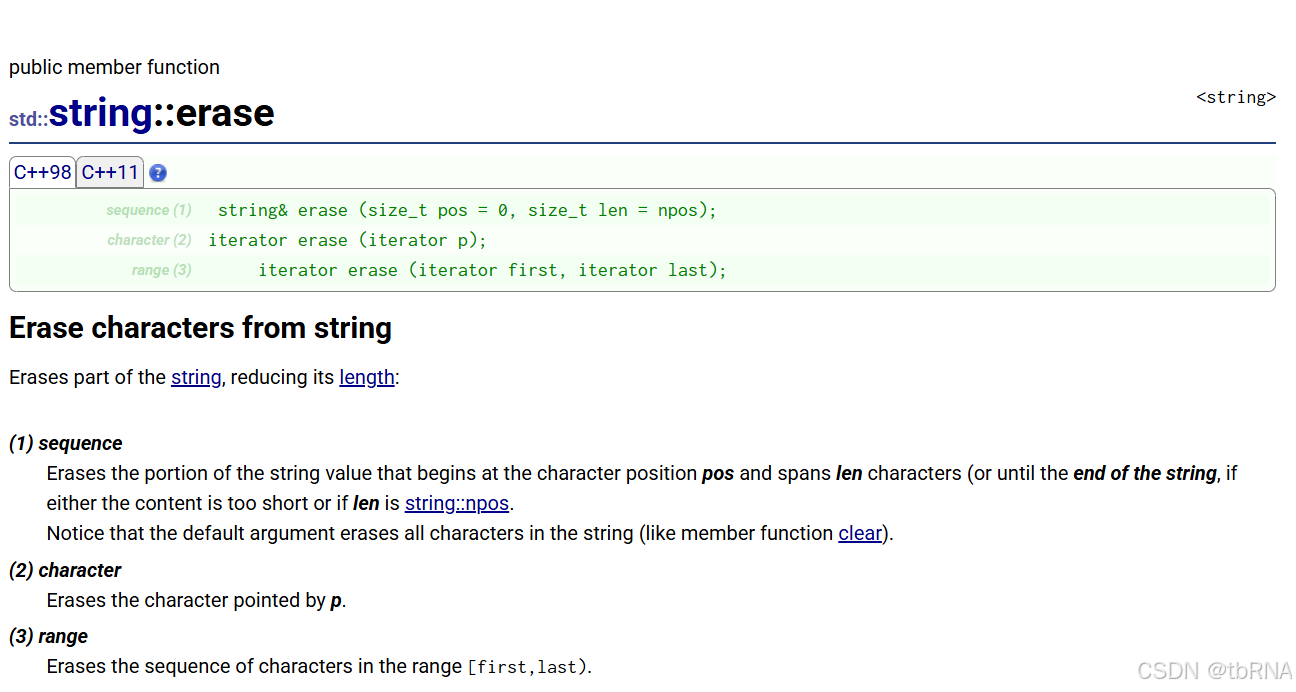
| erase | 删除字符串中的一部分或全部字符 |
重点讲几个接口:
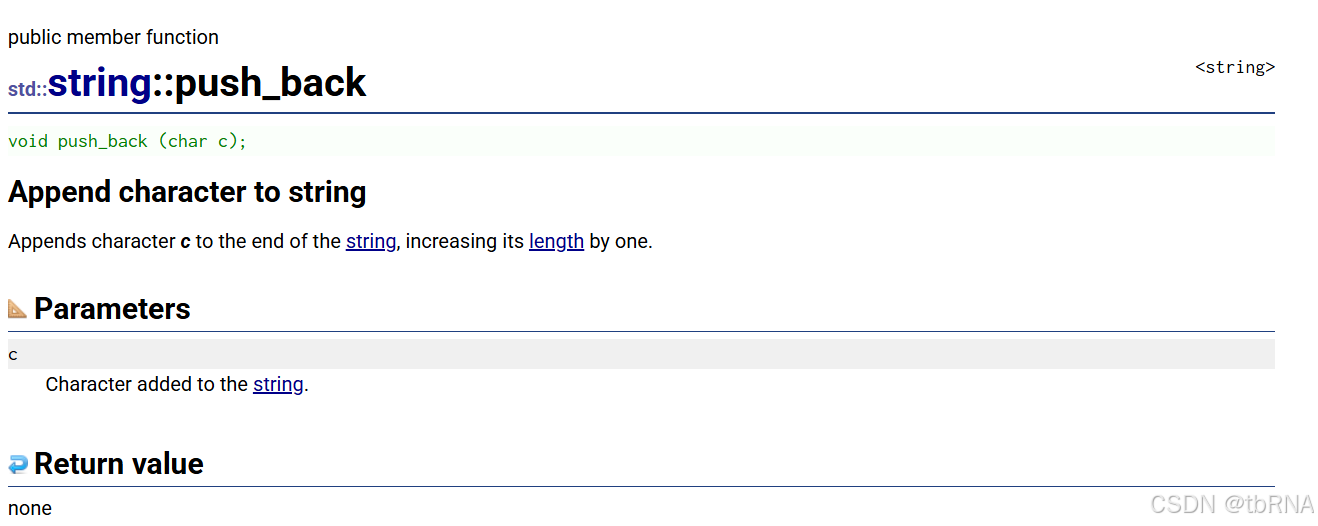
(1) push_back 官方文档:cplusplus.com/reference/string/string/push_back/
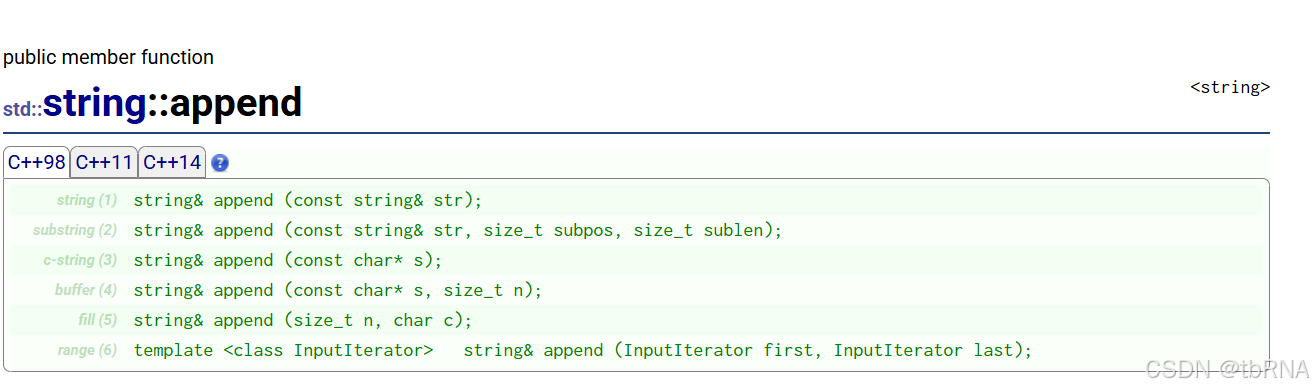
(2) append 官方文档:cplusplus.com/reference/string/string/append/
(3) operator+= 官方文档:http://www.cplusplus.com/reference/string/string/operator+=/
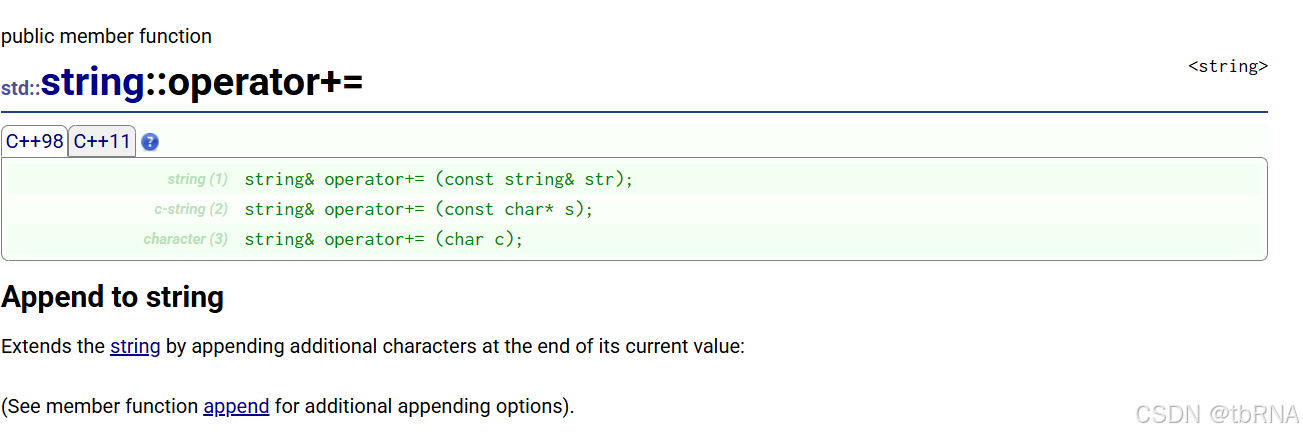
😉 operator+= 的功能等同于 push_back 和 append,更加方便进行插入。
(4) insert 官方文档:cplusplus.com/reference/string/string/insert/
(5) erase 官方文档:cplusplus.com/reference/string/string/erase/
示例代码👇:
cpp
void Test()
{
	string s1("hello world!");
	cout << "s1:" << s1 << endl;

	s1.push_back('x');
	cout << "s1:" << s1 << endl;

	s1.append(5, 'a');
	cout << "s1:" << s1 << endl;

	s1.append("ooooo");
	cout << "s1:" << s1 << endl;

	string s2("wwwbbb");
	s1.append(s2);
	cout << "s1:" << s1 << endl;

	s1.append(s2, 2, 2);
	cout << "s1:" << s1 << endl;

	s1.append("xxxxxxx", 5);
	cout << "s1:" << s1 << endl;

	s1 += ' ';
	s1 += "22222";

	cout << s1 << endl;

	s1.insert(0, "yyyyy ");
	cout << s1 << endl;

	char ch = 'x';
	s1.insert(s1.begin(), ch);
	cout << s1 << endl;

    s1.erase(0, 1);
    cout << s1 << endl;

    s1.erase(s1.begin());
    cout << s1 << endl;

    s1.erase(--s1.end());
    cout << s1 << endl;

}
😋 增加一个 replace 接口:替换字符串中的字符或子字符串。
官方文档:string::replace - C++ Reference
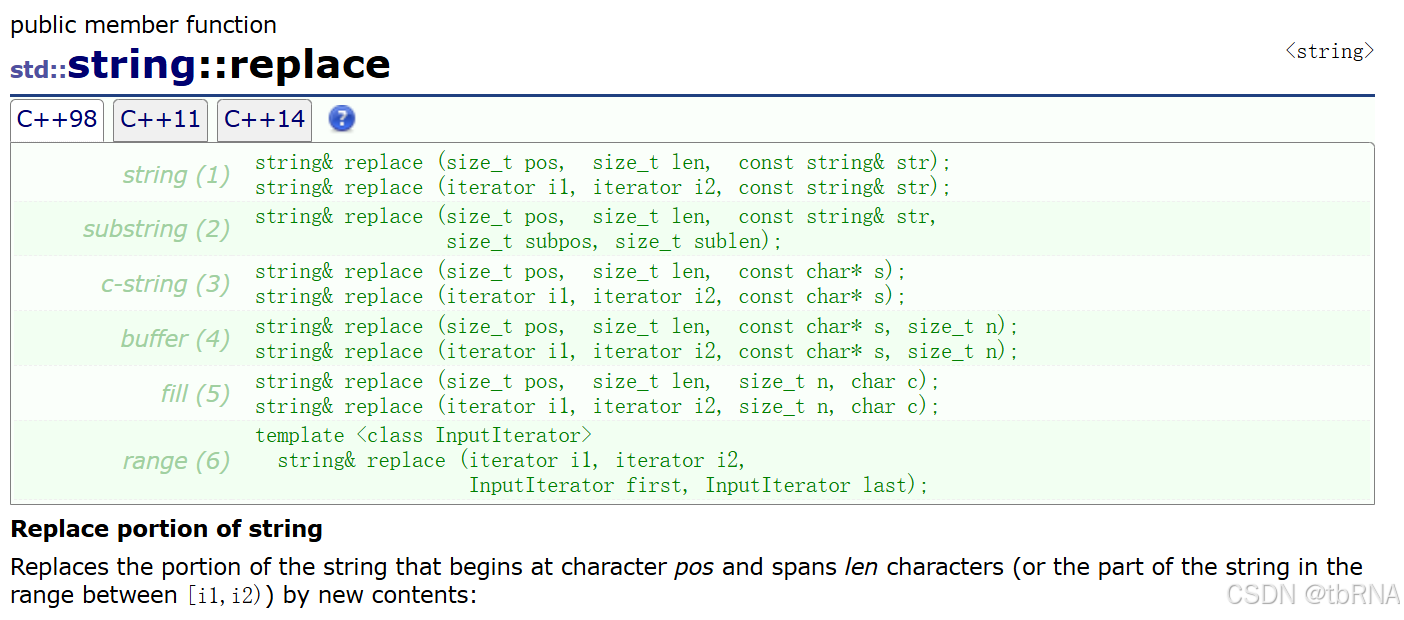
我们都有遇到过替换字符串中的字符或子字符串的情况,这时候使用 replace 就很方便。
例如下面代码中,将字符串中的空格都替换成百分号:
cpp
void Test()
{
	string str("hello world hello morning");
	cout << str << endl;

	size_t pos = str.find(' ');
	while (pos != string::npos)
	{
		str.replace(pos, 1, "%");
		pos = str.find(' ', pos + 1);
	}
	cout << str << endl;
}
最后,重点讲两个查找函数:
🦍 find 函数:从字符串 pos 位置(默认为 0)开始往后找字符 c,返回该字符在字符串中的位置。
官方文档:string::find - C++ Reference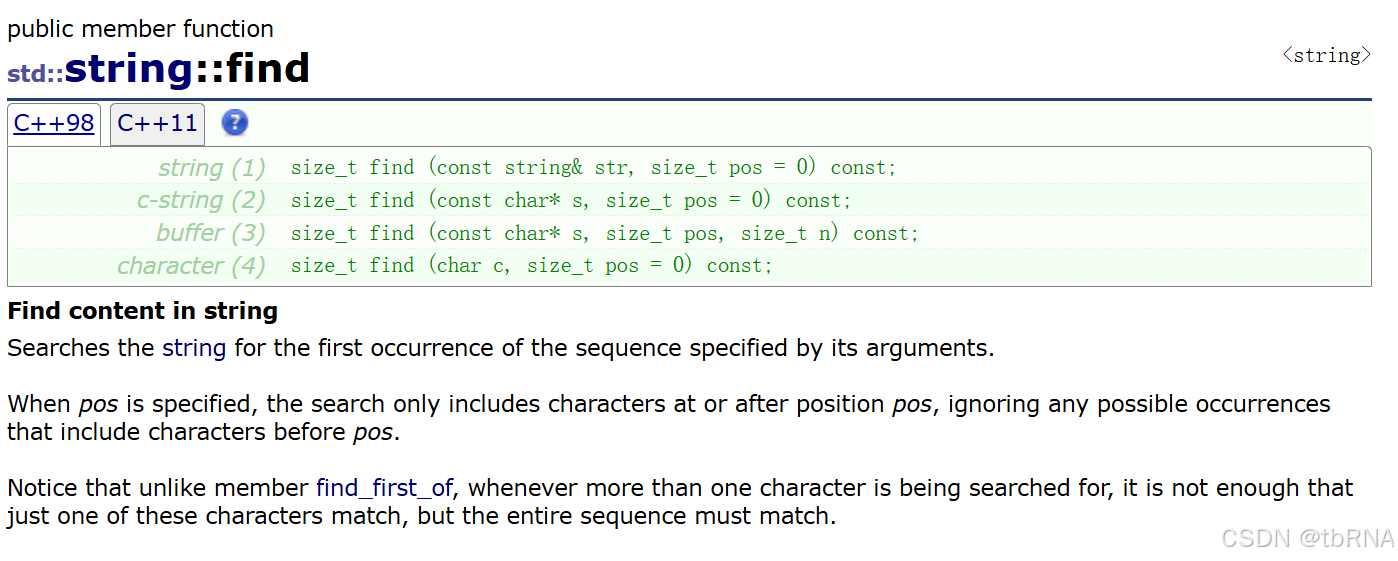
🐒 rfind 函数:从字符串 pos 位置(默认为 npos)开始往前找字符 c,返回该字符在字符串中的位置。
官方文档:string::rfind - C++ Reference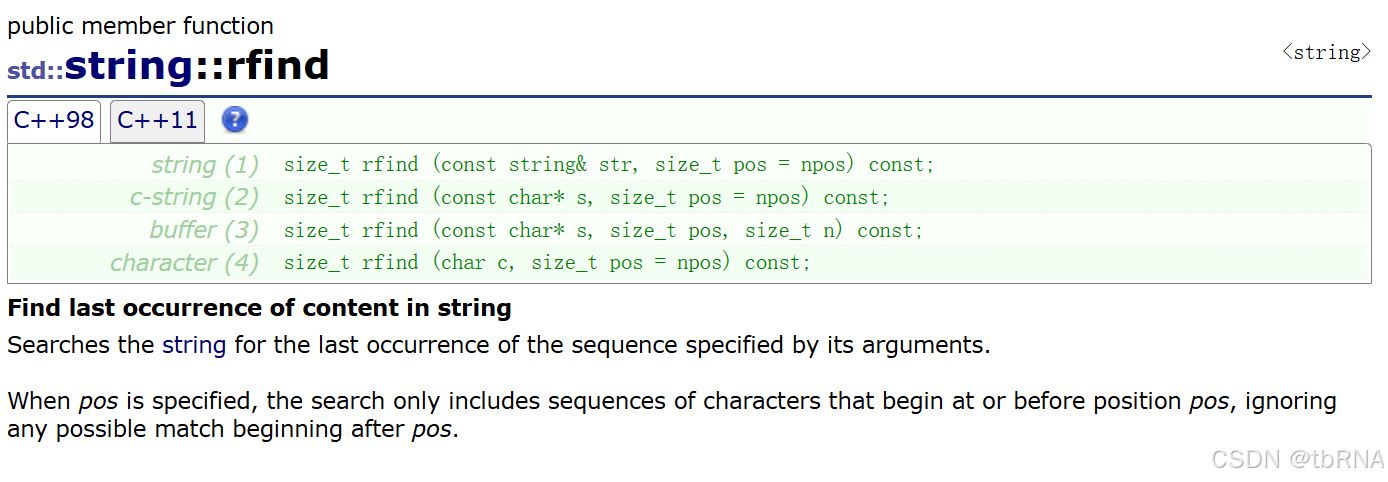
👺 举个简单例子:
当我们需要获取文件的后缀名的时候,可以通过 find 函数进行查找字符 ' . ' ,再通过 substr 函数构建一个新的字符串进行输出。
substr 函数官方文档:string::substr - C++ Reference
cpp
void Test()
{
	string str("Test.cpp");
	size_t pos = str.find('.');
	string ret = str.substr(pos);

	cout << ret << endl;
}
但是,当有多个后缀名的时候,使用 find 函数就不是那么方便了(因为 find 函数是从前往后查找指定字符出现的第一个位置后返回 pos 值)
针对这种情况,这时候就需要 rfind 函数(从后往前进行查找)来进行定位:
cpp
void Test()
{
	string str("Test.cpp.zip");
	size_t pos = str.rfind('.');
	string ret = str.substr(pos);

	cout << ret << endl;
}
5. string 类非成员函数
|----------------------|----------------------|
| 函数 | 功能说明 |
| operator+ | 尽量少用,因为传值返回,导致深拷贝效率低 |
| operator>> | 输入运算符重载 |
| operator<< | 输出运算符重载 |
| getline | 获取一行字符串 |
| relational operators | 大小比较 |
| swap | 交换两串字符串的值 |
(1) operator+ 函数官方文档:operator+ (string) - C++ Reference
返回一个新构造的字符串对象,其值为 lhs 字符的连接,随后是 rhs 字符的连接。
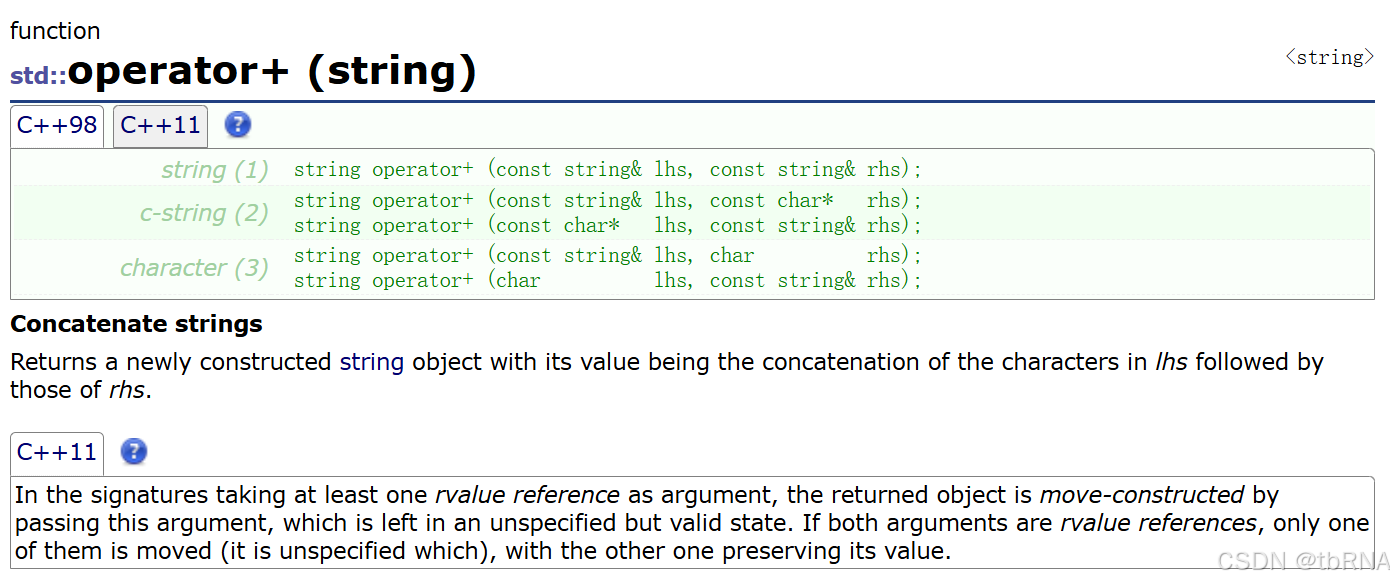
operator+ 函数重载为全局函数的原因是:既可以支持 string+字符串,也支持字符串+string。
👻 二元运算符中,第一个参数为左操作数,第二个参数为右操作数,如果重载为成员函数,那么第一个参数就会被 string 占住,因此需要重载为全局函数。
cpp
void Test2()
{
	string s1("hello");
	string s2 = s1 + "world";
	cout << s2 << endl;

	string s3 = "world" + s1;
	cout << s3 << endl;
}
在这里,我们一起复习下函数重载和运算符重载:
1️⃣ 函数重载:在同一个作用域内,可以声明几个功能类似的同名函数,但是这些同名函数的形式参数(指参数的个数、类型或者顺序)必须不同。
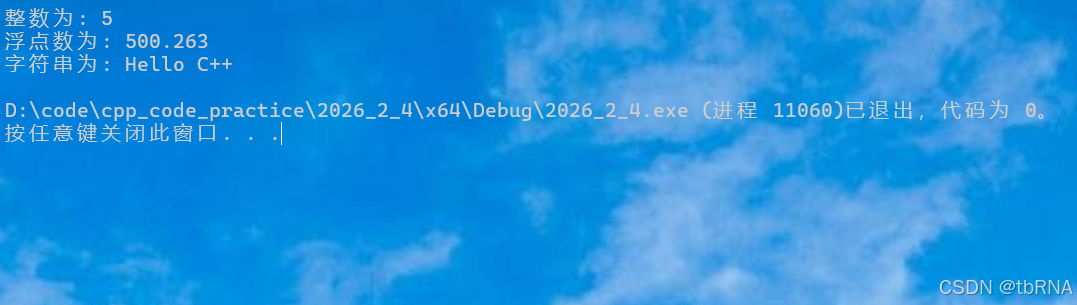
下面的实例中,同名函数 print() 被用于输出不同的数据类型:
cpp
class printData
{
public:
    void print(int i) {
        cout << "整数为: " << i << endl;
    }

    void print(double  f) {
        cout << "浮点数为: " << f << endl;
    }

    void print(char c[]) {
        cout << "字符串为: " << c << endl;
    }
};

int main(void)
{
    printData pd;

    // 输出整数
    pd.print(5);
    // 输出浮点数
    pd.print(500.263);
    // 输出字符串
    char c[] = "Hello C++";
    pd.print(c);

    return 0;
}
输出如下:
2️⃣ 运算符重载:运算符的重载,实际是一种特殊的函数重载,必须定义一个函数,并告诉 C++ 编译器,当遇到该运算符时就调用此函数来行使运算符功能。
♻️ 具体可以查看这篇博客:运算符重载
(2) getline 函数官方文档:getline (string) - C++ Reference
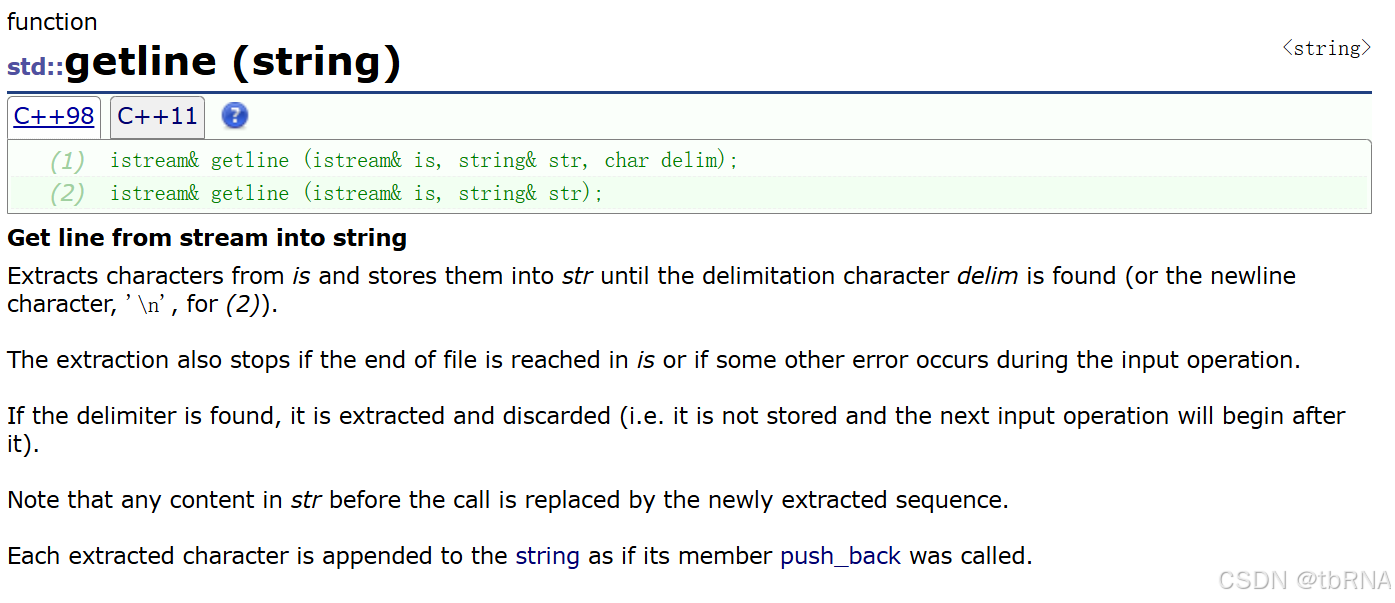
🔆 getline 函数的作用是当遇到字符串里有空格时(默认遇到 \n 时停止),也可以将整个字符串进行输入,当然也可以通过指定字符进行终止:
cpp
#include <iostream>
#include <string>
using namespace std;

int main() {
    string str;
    // getline(cin, str);
    getline(cin, str, '*');

    size_t pos = str.rfind(' ');

    cout << str.size() - (pos + 1) << endl;
}
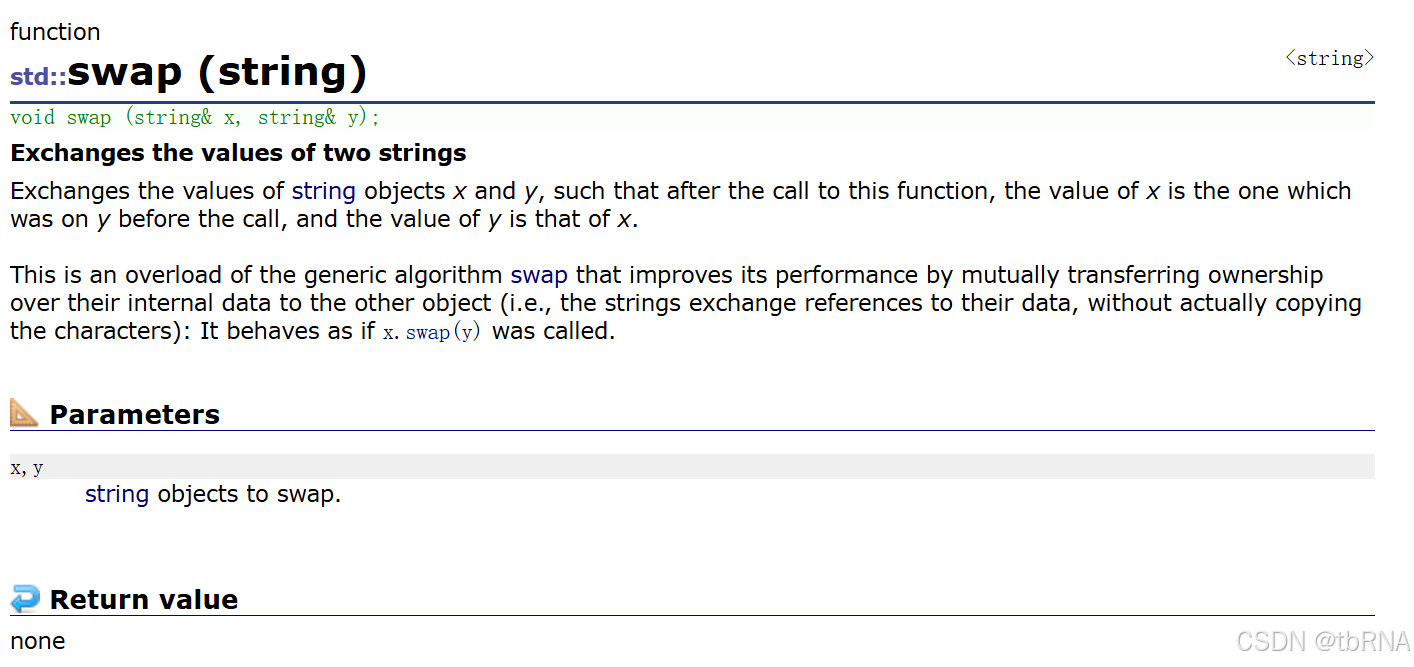
(3) swap 函数官方文档:swap (string) - C++ Reference
💯如果这篇文章对你有用的话,请继续关注!