#前面提到重点
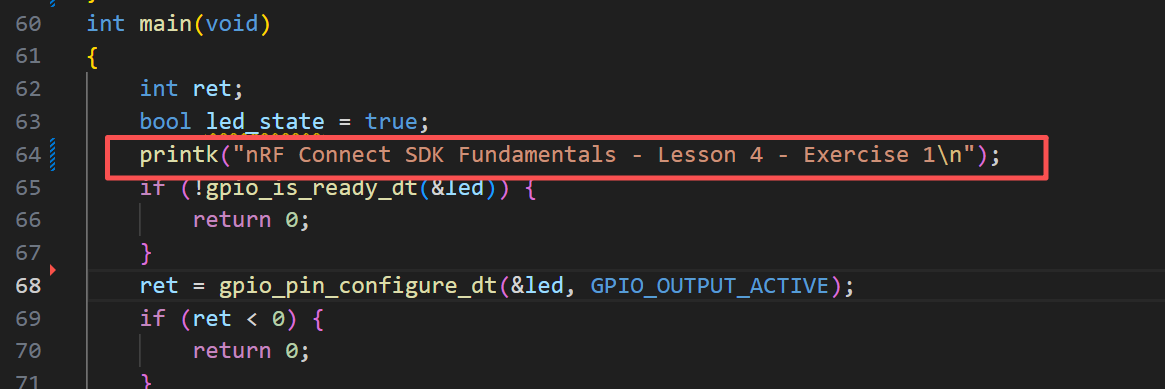
使用printk函数打印
默认创新LOG任务:log_process_thread_func
第一个练习
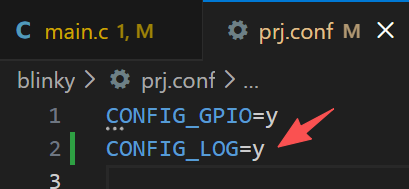
配置CONFIG
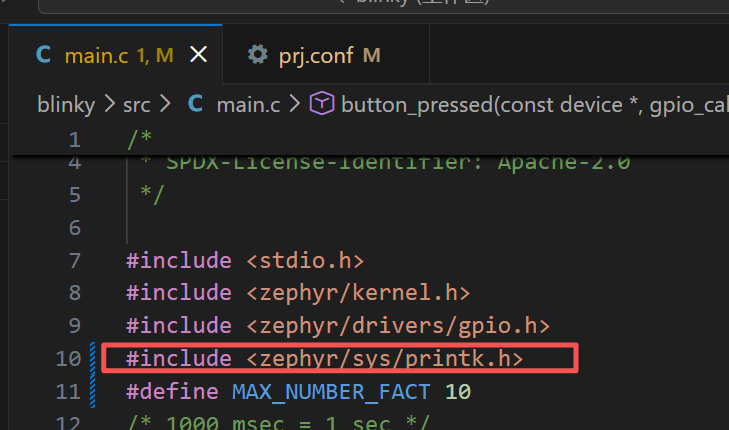
在main.c文件添加头文件和打印
c
void button_pressed(const struct device *dev, struct gpio_callback *cb, uint32_t pins)
{
	int i;
	long int factorial = 1;

	printk("Calculating the factorials of numbers from 1 to %d:\n", MAX_NUMBER_FACT);
	for (i = 1; i <= MAX_NUMBER_FACT; i++) {
		factorial = factorial * i;
		printk("The factorial of %2d = %ld\n", i, factorial);
	}
	printk("_______________________________________________________\n");
	/*Important note!
	Code in ISR runs at a high priority, therefore, it should be written with timing in mind.
	Too lengthy or too complex tasks should not be performed by an ISR, they should be deferred
	to a thread.
	*/
}
第二个练习
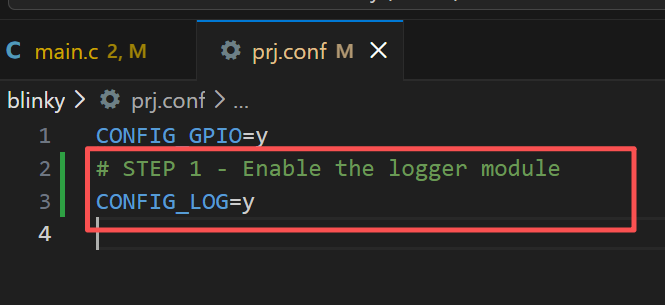
STEP 1 - Enable the logger module
包含头文件

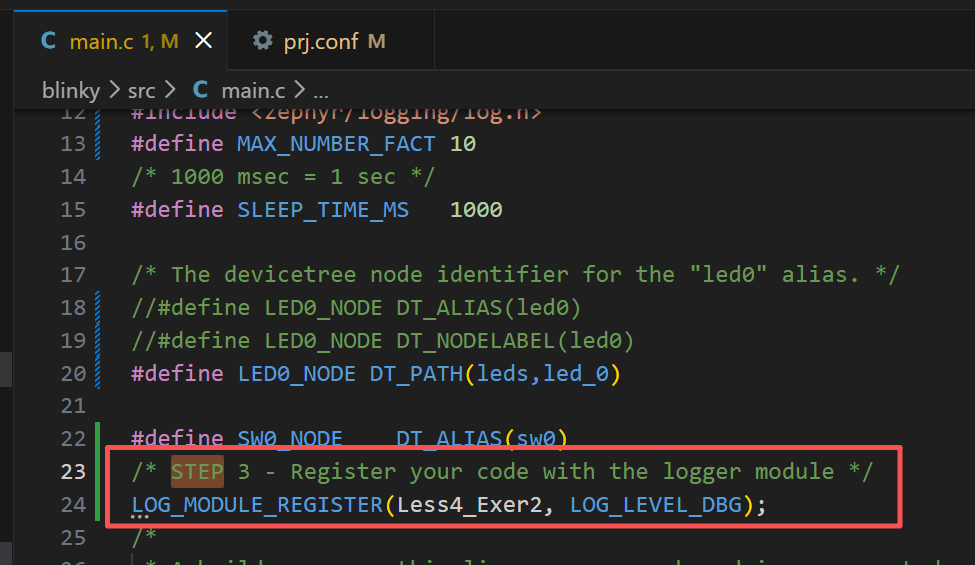
注册你的代码到LOG模块
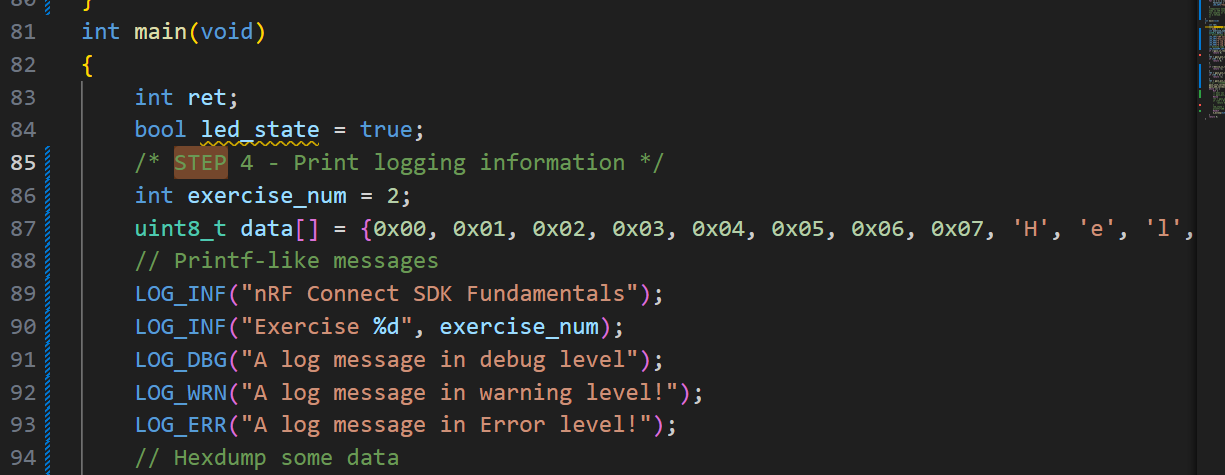
打印
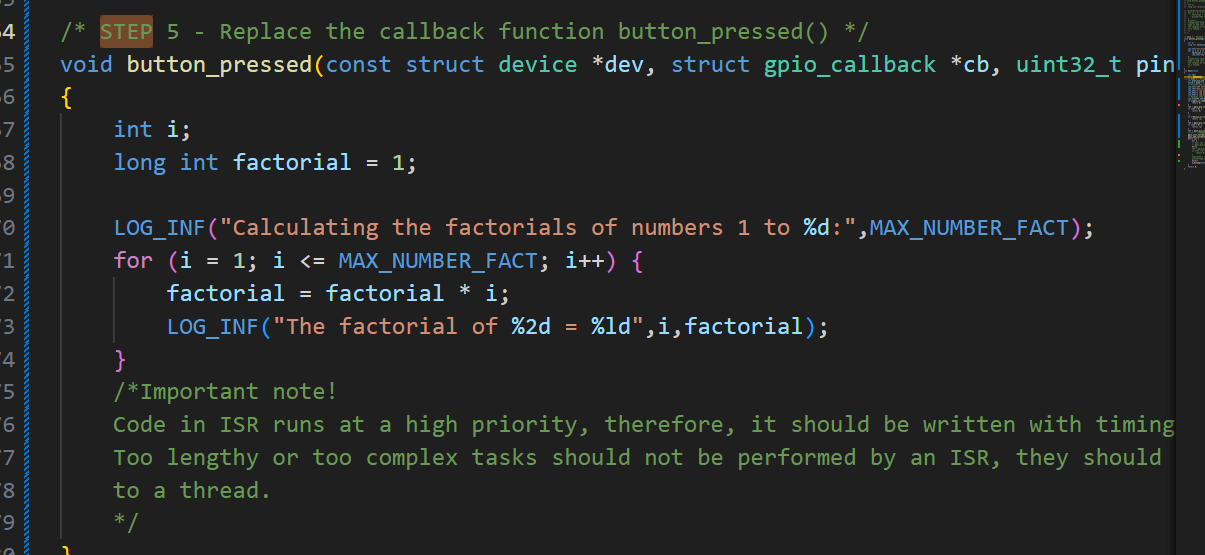
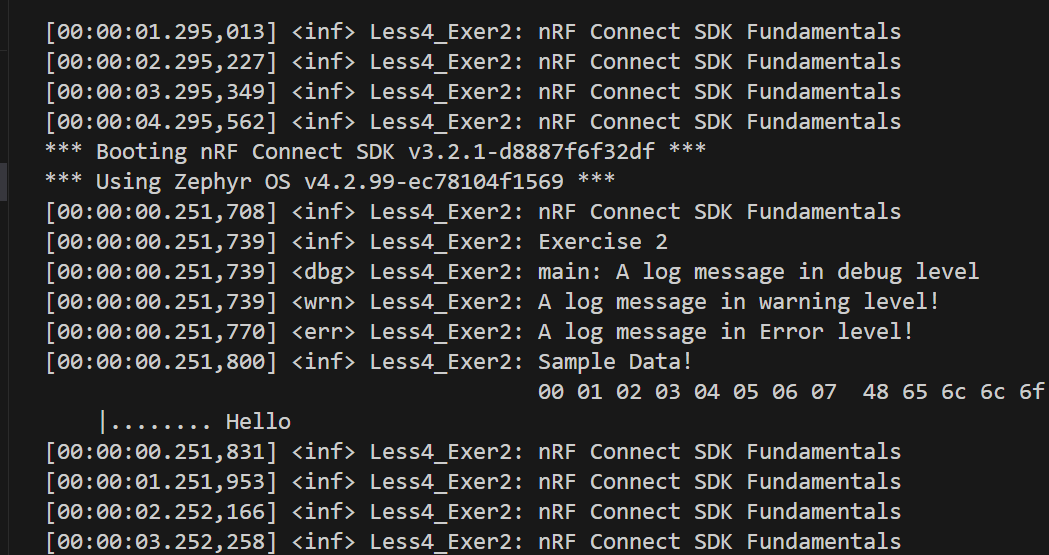
现象
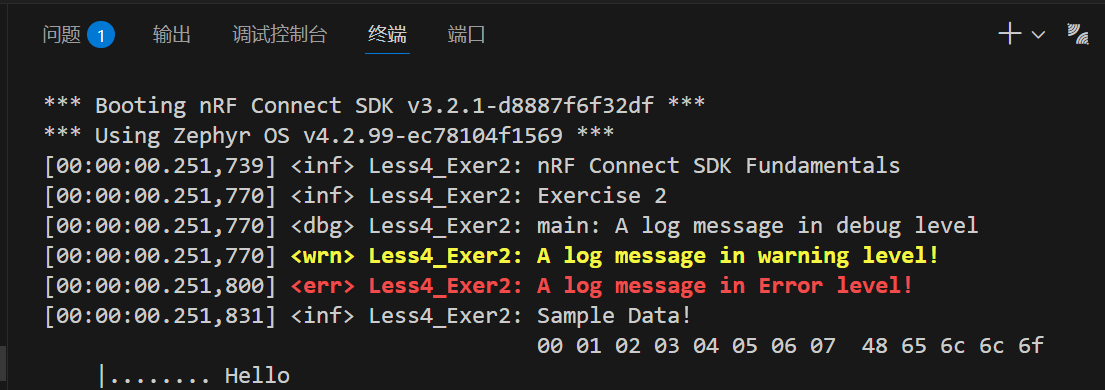
第三个练习
| 选项 | 描述 |
|---|---|
| CONFIG_LOG_MODE_DEFERRED | 默认使用延迟模式。日志消息会被缓冲并在后续处理。该模式对应用的影响最小。耗时的处理被推迟到已知的上下文中。 |
| CONFIG_LOG_PROCESS_THREAD | 会创建一个线程,当FIFO满时或者定时唤醒打印 |
| CONFIG_LOG_BACKEND_UART | 把日志发送到UART控制台。 |
| CONFIG_LOG_BACKEND_SHOW_COLOR | 错误用红色打印,警告用黄色打印 |
| CONFIG_LOG_BACKEND_FORMAT_TIMESTAMP | 时间戳格式为 。hh:mm:ss.ms,us |
| CONFIG_LOG_MODE_OVERFLOW | 如果没有空间记录新消息,则会丢弃最早的消息。 |
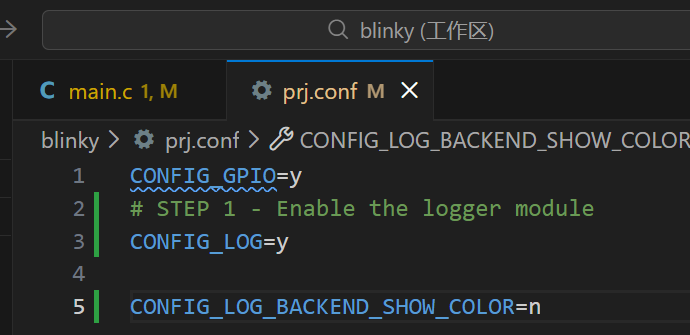
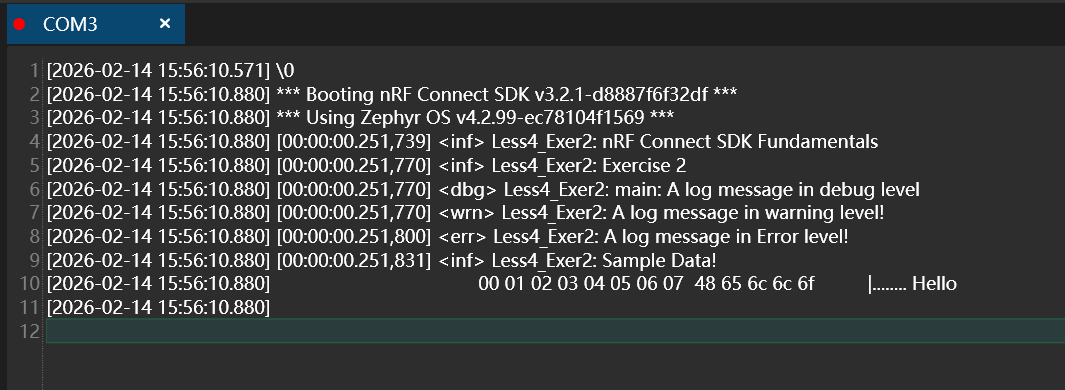
CONFIG_LOG_BACKEND_SHOW_COLOR=n
错误用红色打印,警告用黄色打印。并非所有终端模拟器都支持此功能。
禁止后,就可以用普通串口打印
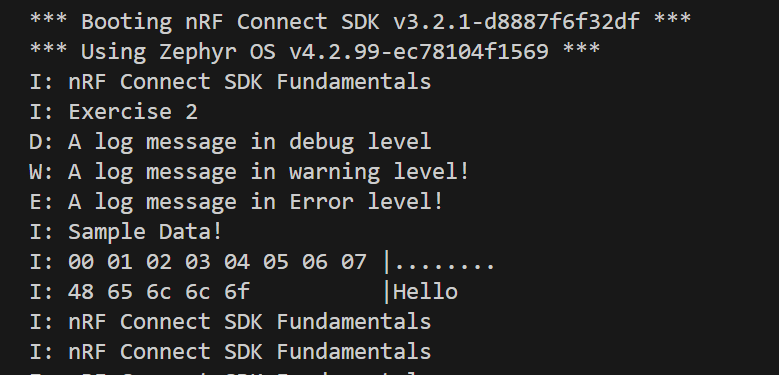
CONFIG_LOG_MODE_MINIMAL=y
没有时间戳、前缀、颜色或异步日志,所有消息都是原地处理的
D=调试,I=信息,W=警告,E=错误
CONFIG_LOG_BACKEND_FORMAT_TIMESTAMP=y